How to Review SaaS Metrics With an Agent
A practical guide to recurring SaaS metrics reviews with MRR, churn, cohorts, unit economics, reviewer checks, and approval.

Founder, Task Machine
A SaaS metrics review is the recurring operating review that turns billing, product, and finance data into a clear read on revenue quality. It covers the MRR waterfall, churn and retention, LTV/CAC, CAC payback, cohort retention, and the north-star metric that tells the team whether customer value is compounding.
It is worth automating because the review needs the same definitions every period. If every monthly deck uses slightly different formulas, segments, or benchmarks, the team debates the spreadsheet instead of the business.
Aggregate SaaS metrics hide what is changing
Most metrics problems come from inconsistent definitions and aggregate views. Net revenue retention can look healthy while gross churn is rising. Expansion can hide weak activation. Blended CAC can hide a segment that never pays back. A cohort chart can reveal problems that top-line MRR smooths over.
The review also needs verification. A headline number that does not foot to source data damages trust quickly. The MRR bridge, ARR conversion, NRR formula, gross churn, LTV/CAC, payback, and cohort matrix should be reproducible before the review reaches leadership.
What the manual process looks like
Run by hand, the review has seven steps:
- Pull billing data: active subscriptions, plan values, and new, expansion, contraction, reactivation, and churn events.
- Pull product data: signup, activation, retention, and engagement events.
- Pull finance inputs: sales and marketing spend, new customers, and gross margin.
- Compute the MRR waterfall, churn, gross retention, net retention, LTV/CAC, payback, and quick ratio.
- Build cohort retention and ARR vintage views, segmented where the data allows.
- Compare every metric with targets, benchmarks, prior period, and known events.
- Re-derive the headline numbers, write the review, and approve the recommended actions.
The work is analytical, but much of the process is repeatable. The same formulas, targets, and quality checks should be applied every period.
What an agent can automate
An agent pair works well when one computes and one verifies:
- Compute the core metrics. The analyst builds the MRR waterfall, churn and retention, unit economics, payback, quick ratio, and cohort tables from the configured sources or attached exports.
- Keep gross and net visible. The review shows gross retention and net retention together so expansion does not hide churn.
- Frame around the north star. The agent organizes the review around the north-star metric and 3 to 5 input metrics from the KPI definitions document.
- Attribute drivers. Changes need a reason tied to events, segments, campaigns, outages, or data quality. "Higher than expected" is not analysis.
- Re-derive before approval. A reviewer agent checks that the MRR bridge foots, formulas match the definitions, cohorts tie to counts, and every metric has value, trend, goal, benchmark, and status.
The agents should not change accounting data or share the review without approval.
The guardrails that make it safe
SaaS metrics influence spending, hiring, pricing, fundraising, and product priorities. The safe version keeps source definitions editable, every metric traceable, and every reviewer failure visible.
The human approval sits after the reviewer gate. If a number fails to reproduce, the review goes back with specifics. If it passes, the final artifact still waits for a person to approve before it is shared.
Set it up in Task Machine
The SaaS metrics & unit economics review playbook provides a starting point for the method above. You need an active Task Machine workspace with Chat, workspace-management and Playbook-installation access (workspace owners have it). Billing and analytics access can be authorized after install. Until then, the agent works from attached exports and the KPI document.
1. Find the playbook
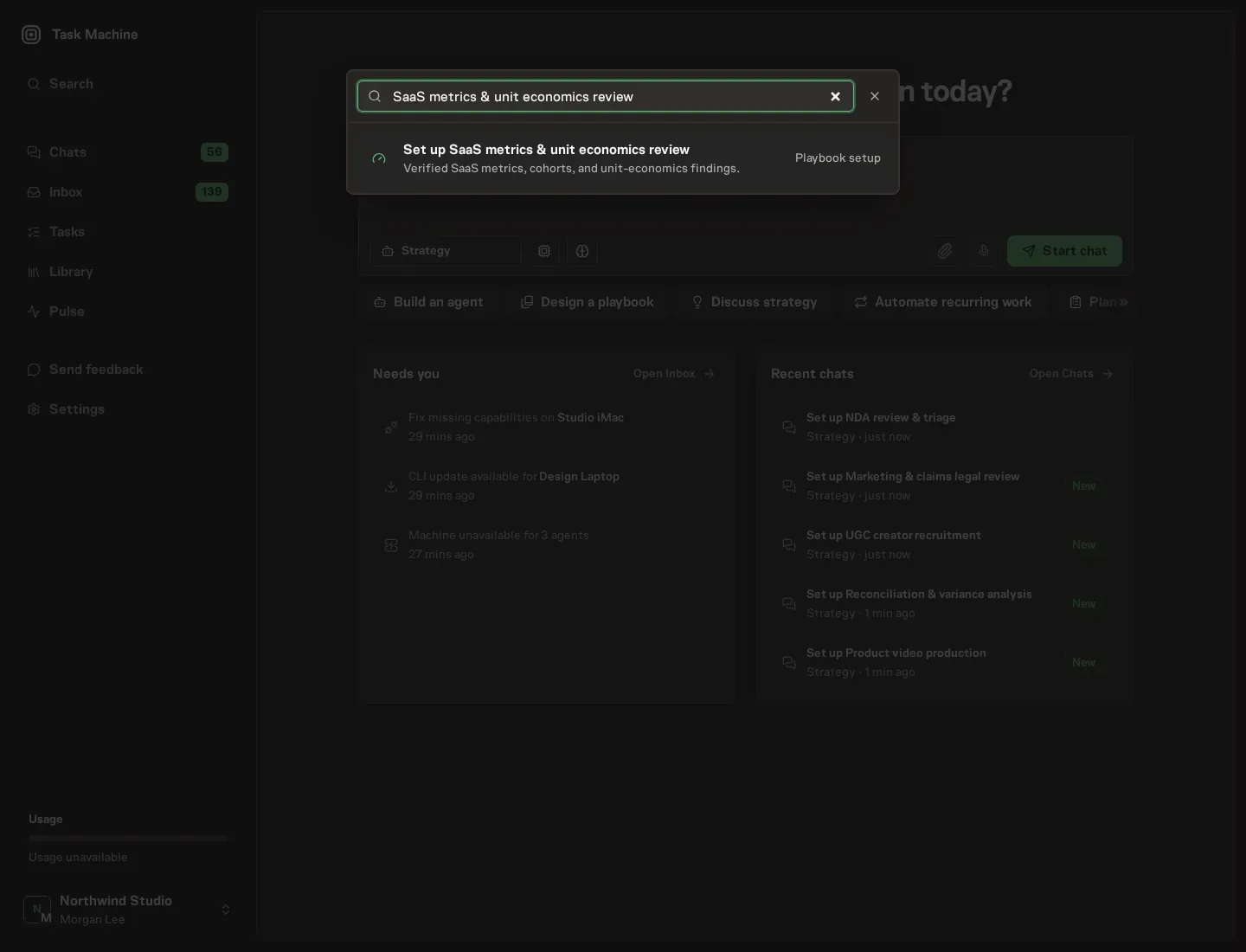
Open Search in your workspace and enter "SaaS metrics & unit economics review". The command center lists Set up SaaS metrics & unit economics review under Playbook setup.
2. Start the conversation
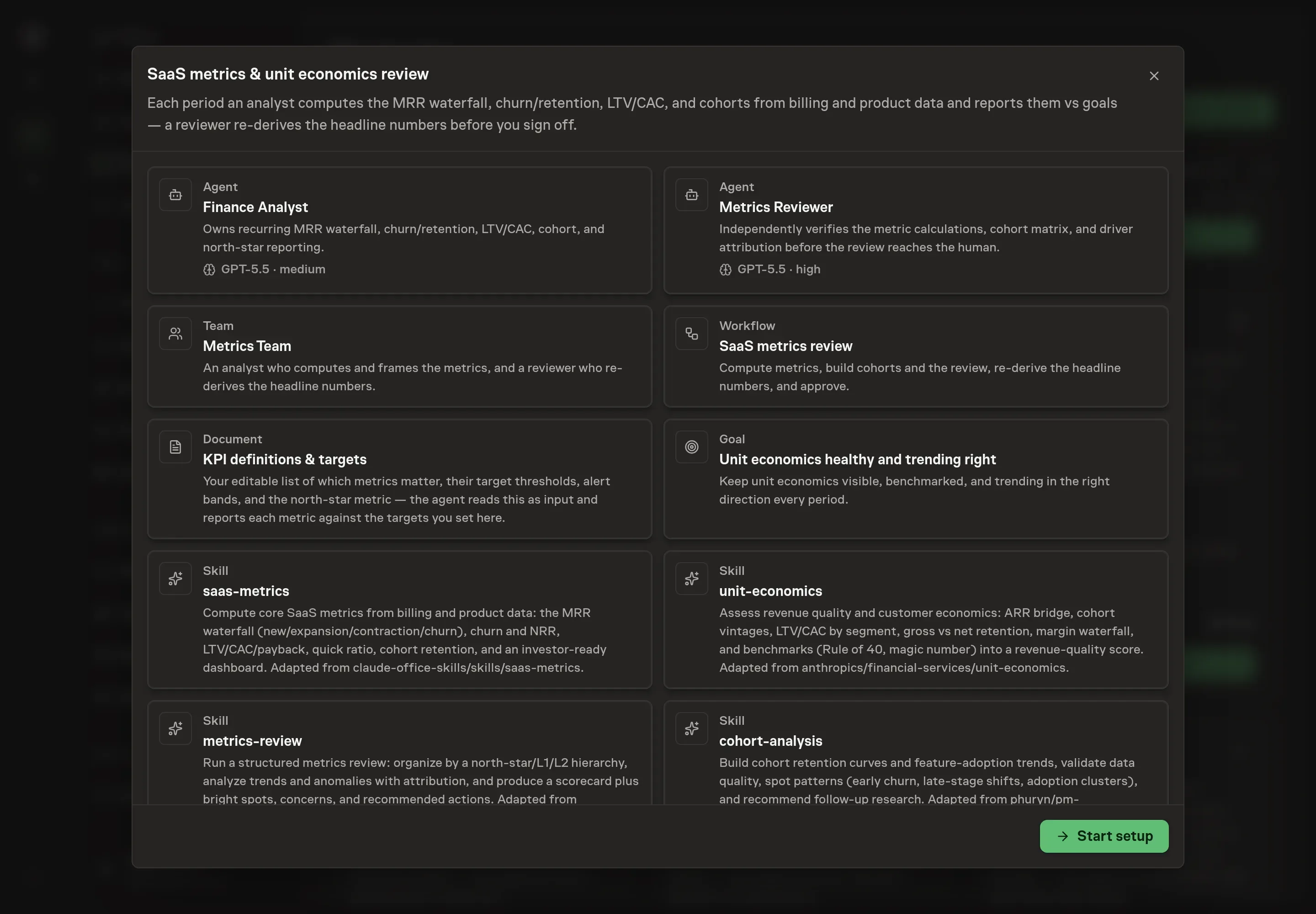
Choose Set up SaaS metrics & unit economics review. Task Machine opens a dedicated Chat with the Playbook card and an editable, unsent request. Read the intended job and outcome. Add your situation and send it when ready. Opening the draft does not install anything or start work. This walkthrough uses settings that require approval of the proposed Playbook.
3. Agree the services
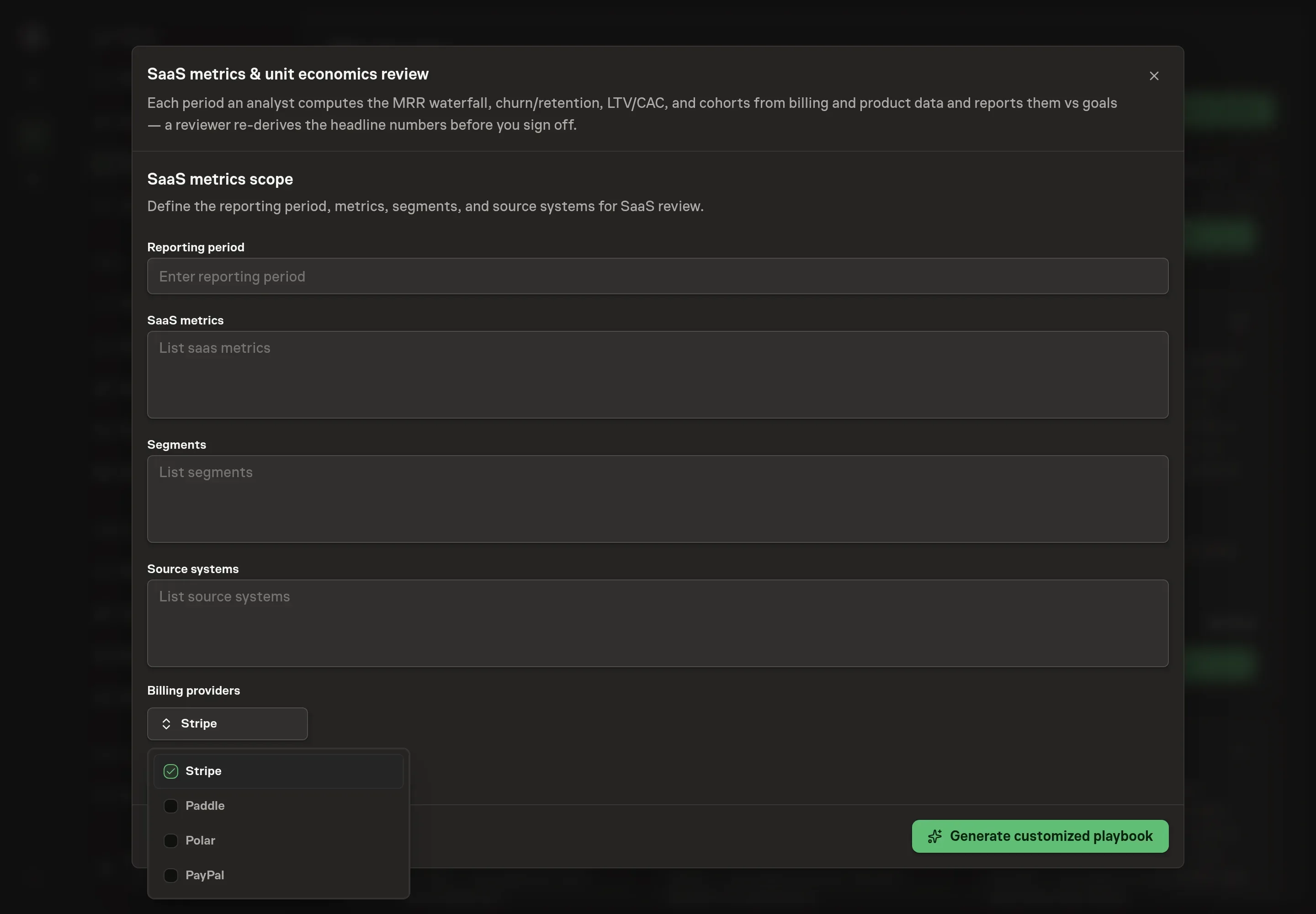
Tell the Agent which services you use. The catalog offers these starting choices:
- Billing providers: Stripe, Paddle, Polar, PayPal. Optional.
- Product analytics: PostHog, Mixpanel. Optional.
Discuss any missing access or export-based alternative before generation. Check the exact proposal includes only the services you agreed. Enter credentials only through secure setup, never in Chat.
4. Agree the working brief
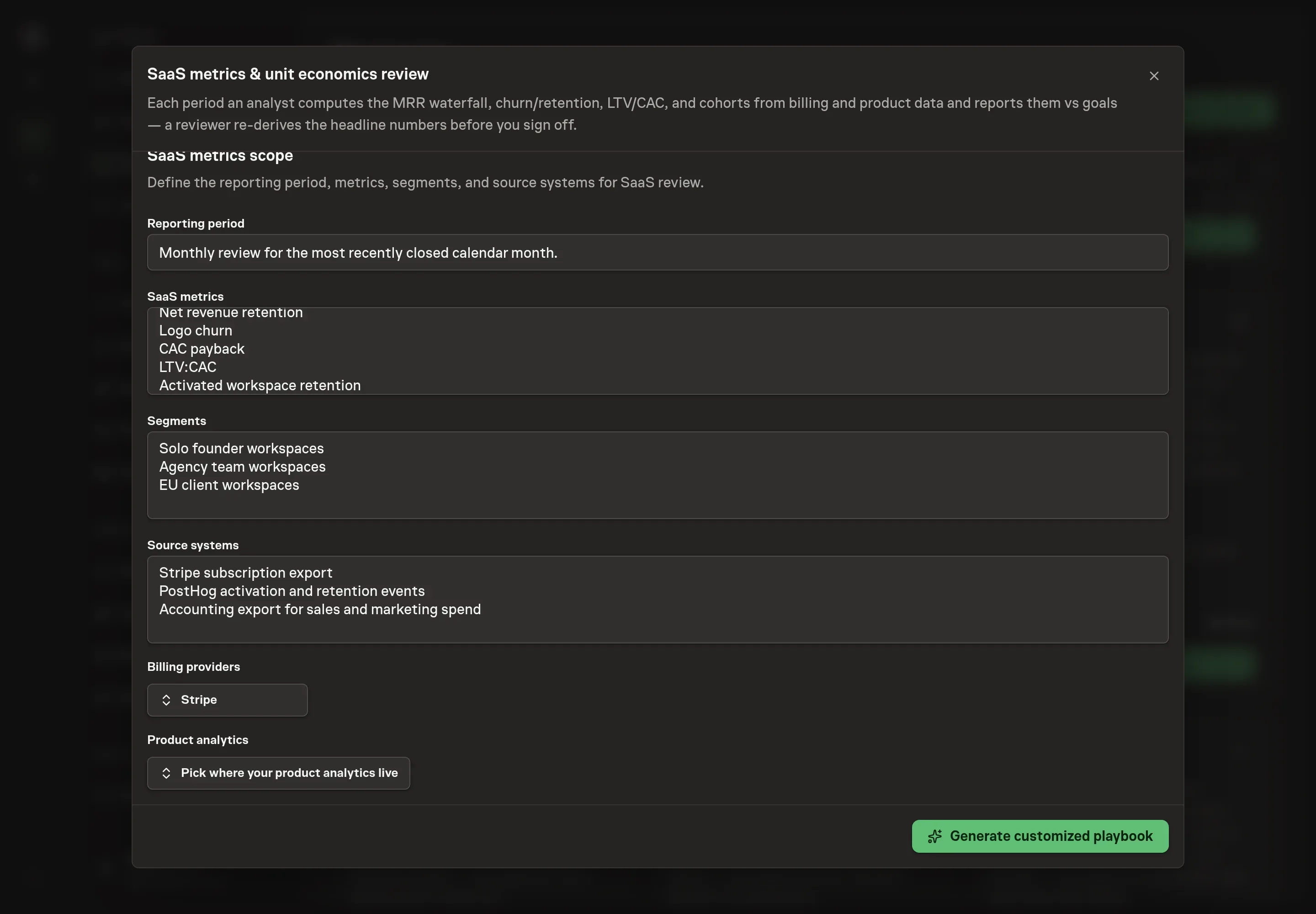
Use Chat to agree the inputs, expected output and limits before asking for a proposal. Discuss the reporting period, SaaS metrics, segments, source systems, and product analytics. For Northwind Studio, that might mean a monthly review of MRR, NRR, logo churn, CAC payback, activated workspaces, studio size segments, Stripe billing, PostHog product events, and accounting exports.
5. Review the proposed Playbook
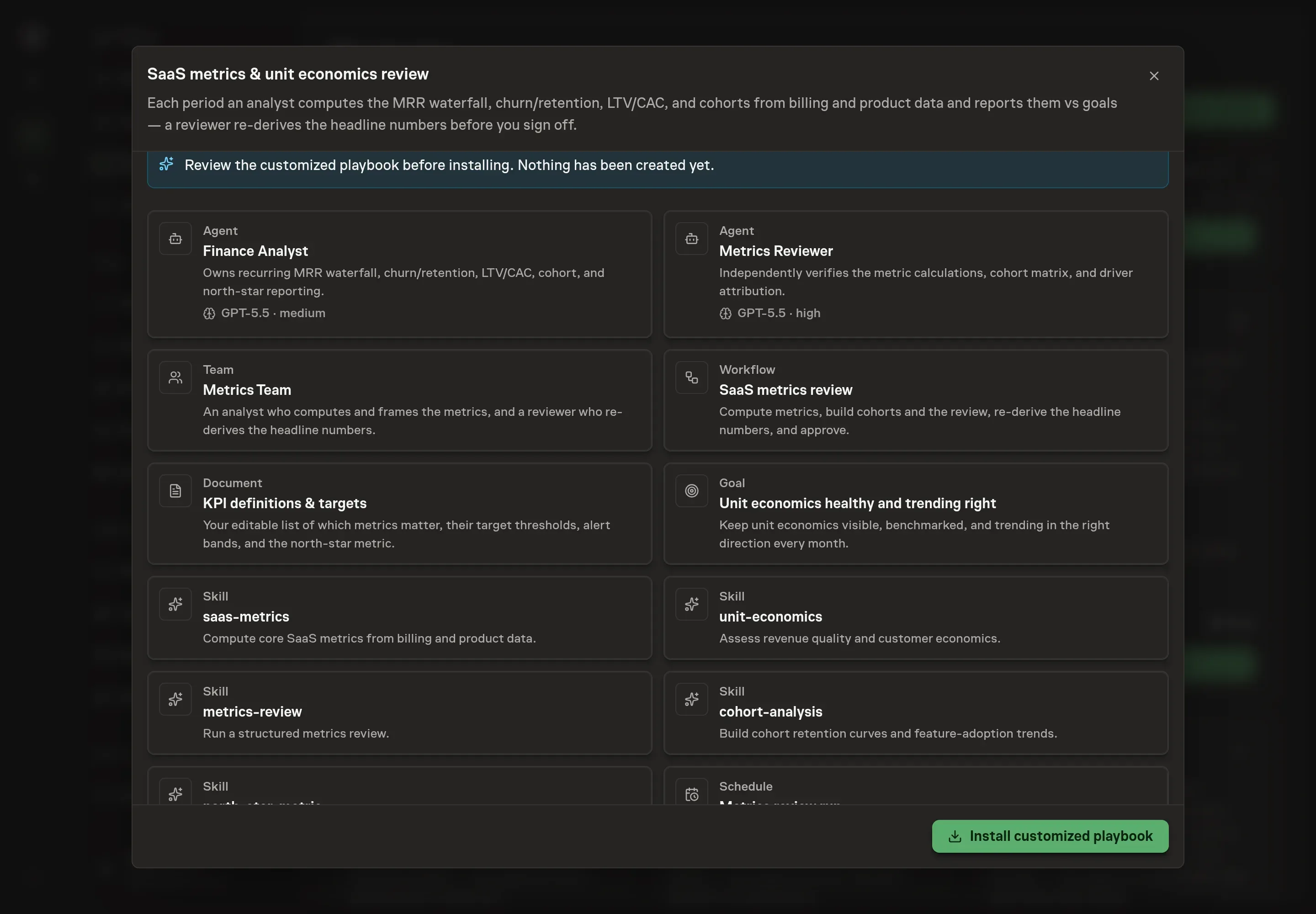
Ask the Agent to generate the Playbook from the agreed brief. Open its proposal in Chat and check the instructions and resources it will install, which carry more detail than the conversational summary. Review the customized analyst, reviewer, workflow prompts, KPI definitions document, selected services, goal, and schedule. Confirm the review includes the reviewer re-derivation step before approval. Ask for a revised proposal if anything is missing or changes the job.
6. Approve and prepare the first work
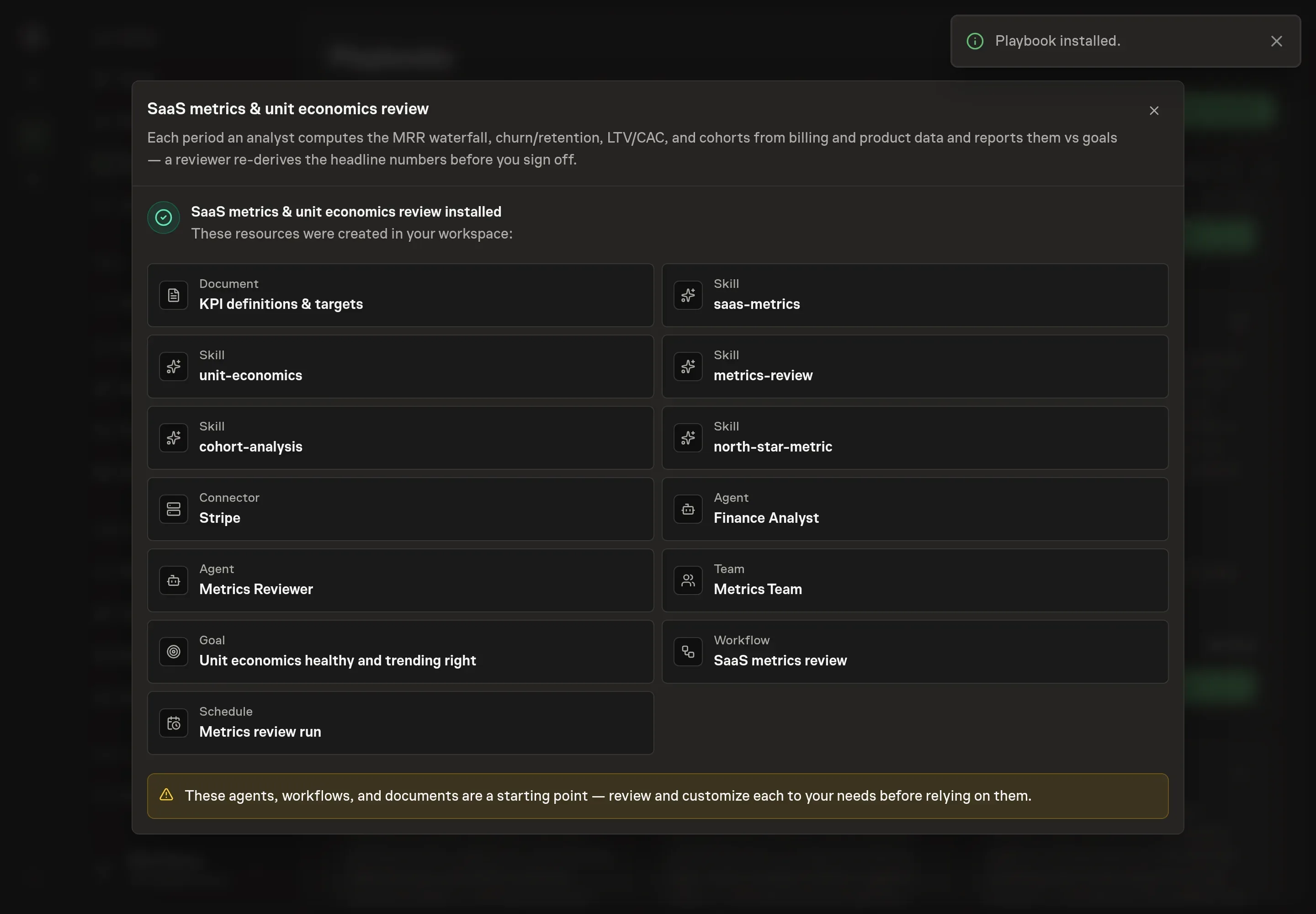
Choose Approve on the proposal in Chat when the configuration matches your brief. Task Machine installs that reviewed configuration. The approved item retains its review details. If your autonomy settings allow direct installation, this approval may not be required. Check the resulting configuration in that case too.
Complete any remaining secure service setup from the installation details in Chat. Inbox keeps those setup items available if you return later. Prepare the source documents and inputs before starting the first Task or Workflow. Installation does not authorize sending, publishing or changing an external service beyond the boundaries you agreed. Confirm each schedule's cadence and timezone, and resolve any pending schedule setup before it starts. A readback must wait for its agreed observation window and source data.
What good looks like
A working SaaS metrics review reduces debate about definitions:
- The MRR waterfall foots. Starting MRR plus adds and expansion minus contraction and churn equals ending MRR.
- Gross and net retention both appear. Expansion should not hide logo churn or gross revenue churn.
- Reviewer failures are specific. If a number fails, the memo says which formula, source, or cohort tie-out failed.
Common questions
Can the review run from exports instead of services? Yes. The workflow can use attached billing, product, and finance exports until billing and analytics services are authorized.
Why use two agents? The analyst computes and frames the review. The reviewer re-derives headline numbers and rejects weak driver narratives before the human sees the artifact.
Should revenue and product data be reviewed together? Yes. Revenue metrics show what happened financially, but product activation and cohort retention help explain why it happened.
Can the agent choose the north-star metric? It can help define one from the KPI document and business model, but the team should approve the north-star metric because it shapes operating decisions.