Review plans visually before work starts
You can now review an agent's process diagrams and image mockups directly in Task Machine's Inbox. We added them so a small team can settle workflow and layout choices during planning, before implementation starts.
See where the work branches
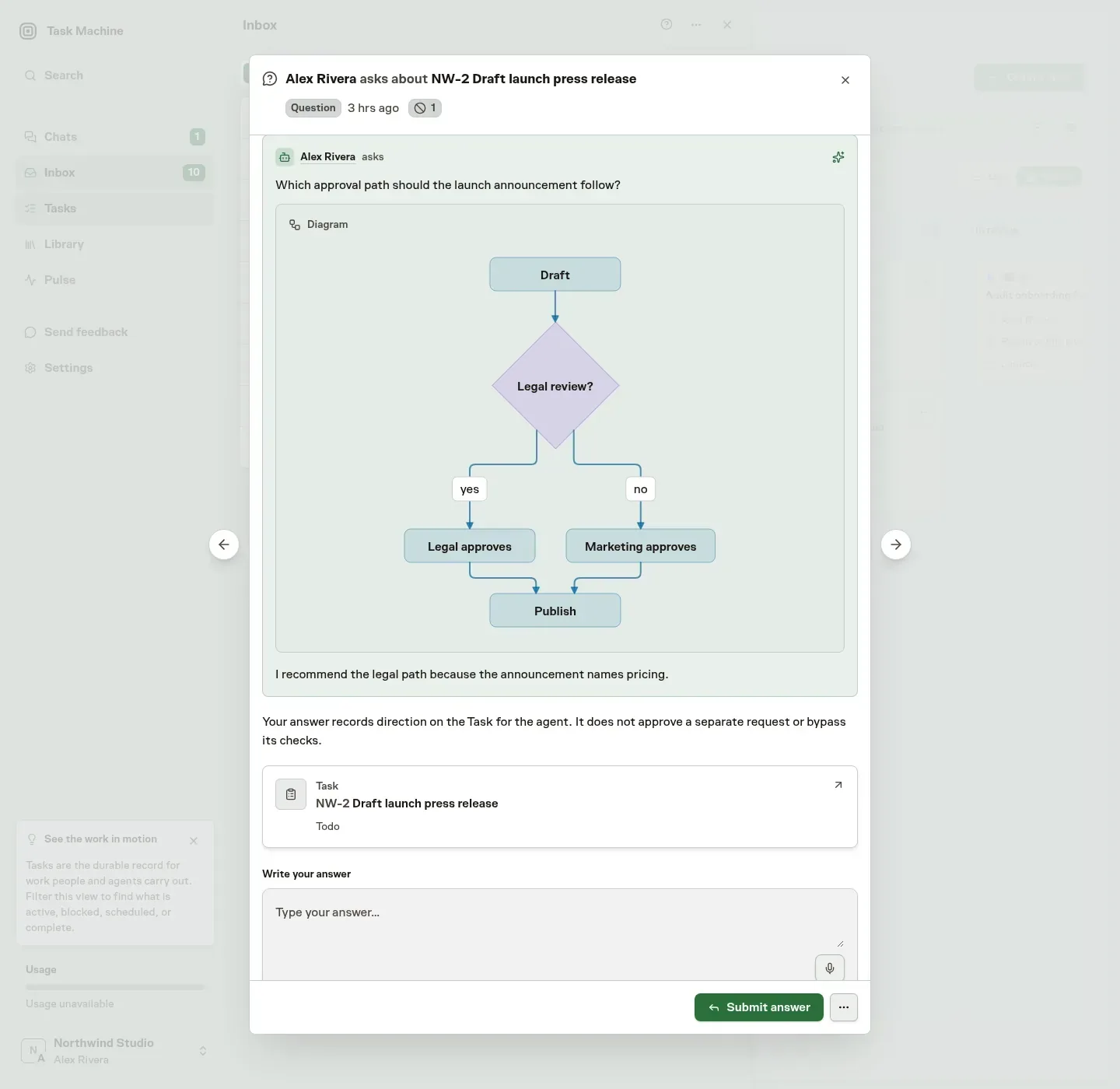
Mermaid diagrams now render in plan reviews, Chat, task discussions, Library documents and Markdown editor previews. A publishing plan can show who reviews a draft and which branch leads to publication.
Compare visual directions inside Inbox
For an unresolved visual choice, the planner can attach labeled mockup images to the task's planning discussion before asking you to choose. Reusing an established layout does not require a mockup.
The Inbox question shows the recent discussion and attachments, with earlier replies available when you need them.
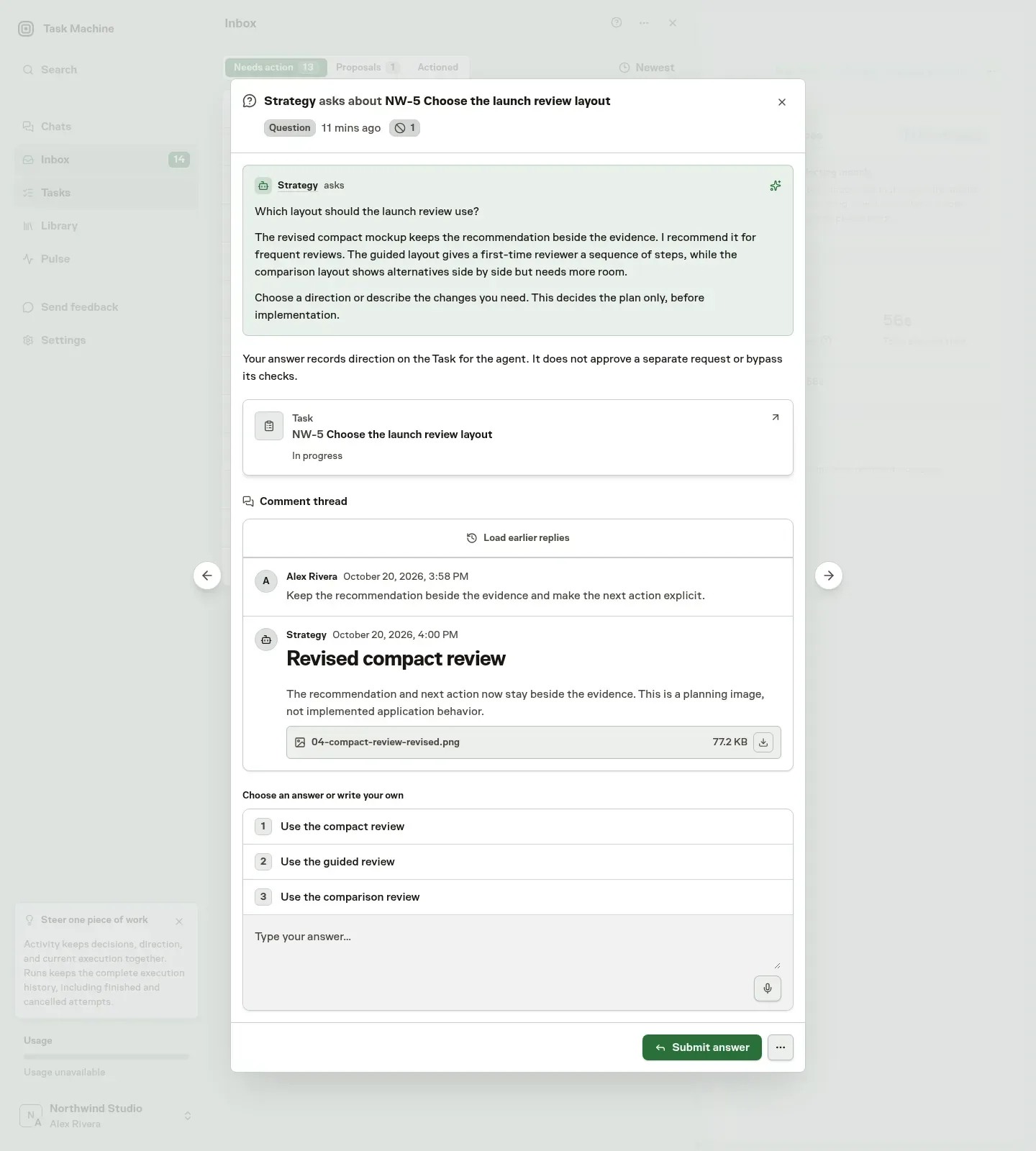
Open an image, then choose a suggested reply or edit it to describe the changes you need. The question and image preview stay inside Inbox.
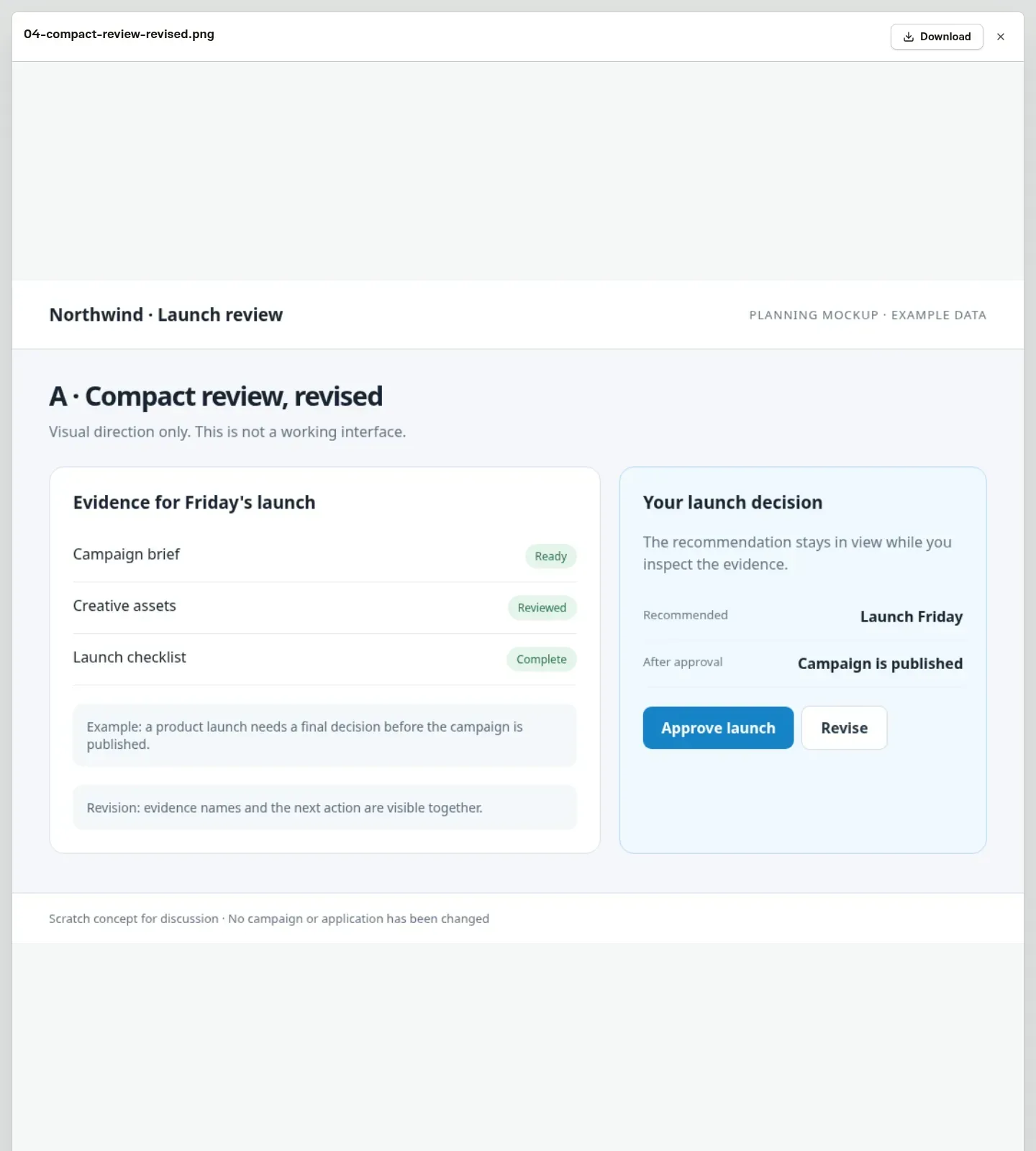
Your feedback and revised images stay in the same discussion, and the final plan references the chosen mockup. Choosing it sets planning direction only, while the finished interface still needs its own screenshots and visual approval.
Read Task specs for the planning process and Markdown for writing diagrams.