Review an agent's screenshots by marking what to change
Agents can now send screenshots of visual changes, such as social media posts or website changes, for your approval, and you review them in the inbox: draw a box around what needs to change and write the comment right there. We built it because describing a spot in words ("the thing in the corner of that page") costs you and the agent a round trip of guessing.
When an agent asks for sign-off, the request appears in your inbox with its screenshots in a strip above the image. Open one and drag across the part you want changed. A comment box opens right below your selection. Click a marked region later to edit or delete its comment, and use the box under the screenshot to comment on the whole image.
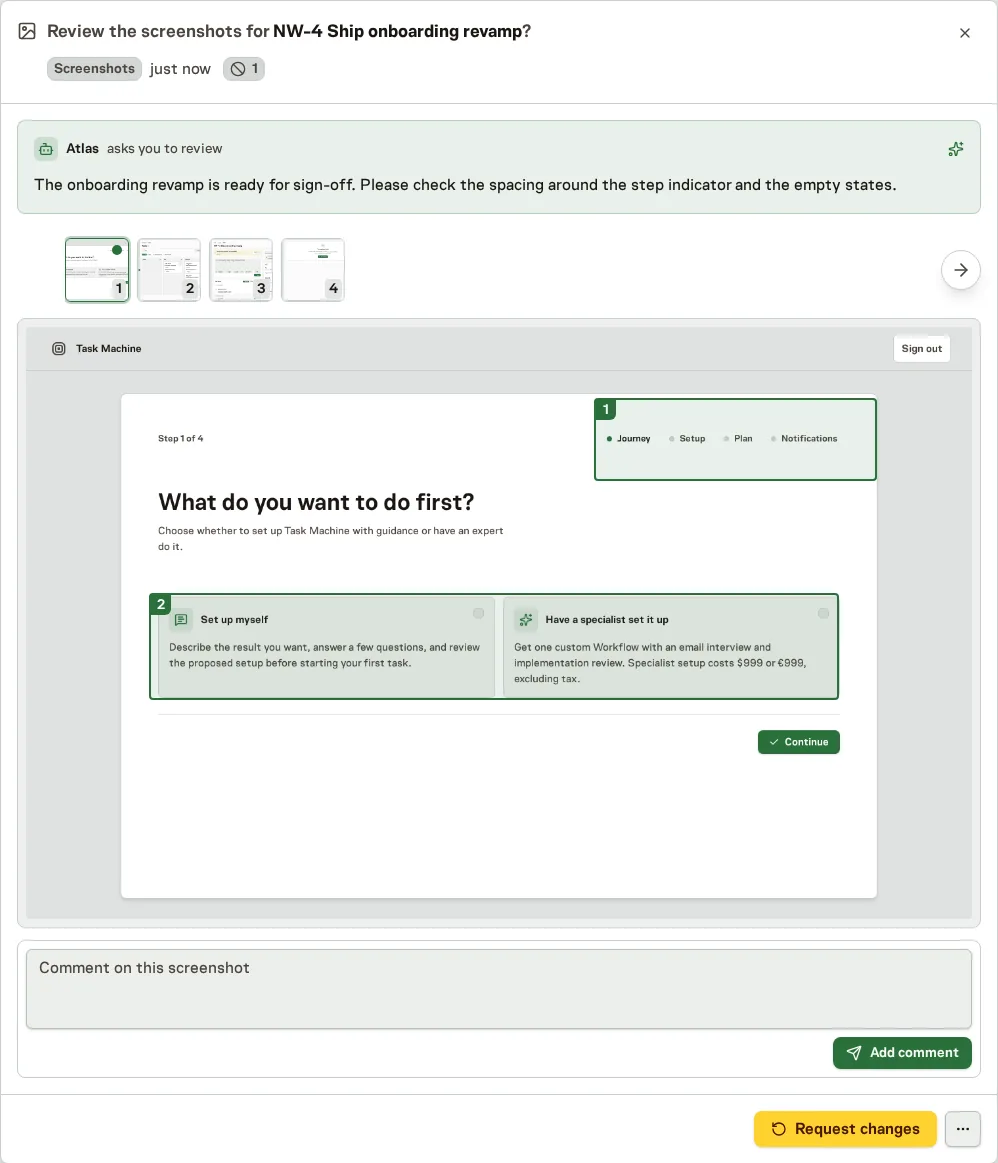
Review many screenshots in one pass
A request can carry up to 50 screenshots. Switch between them from the strip, mark as many regions as you need, and send everything back with a single Request changes, or approve when they look right.
To try it, open Inbox when an agent asks for sign-off.