Welcome to your new home
Task Machine now opens on Home. A greeting, a message box, and the decisions waiting for you replace the task list you used to land on. Type what you want done, such as "Plan next week's launch emails", and an agent in Chat picks it up. We built it because the first move, whether on day one or after a week away, should be saying what you want done.
Start any job by saying what you want
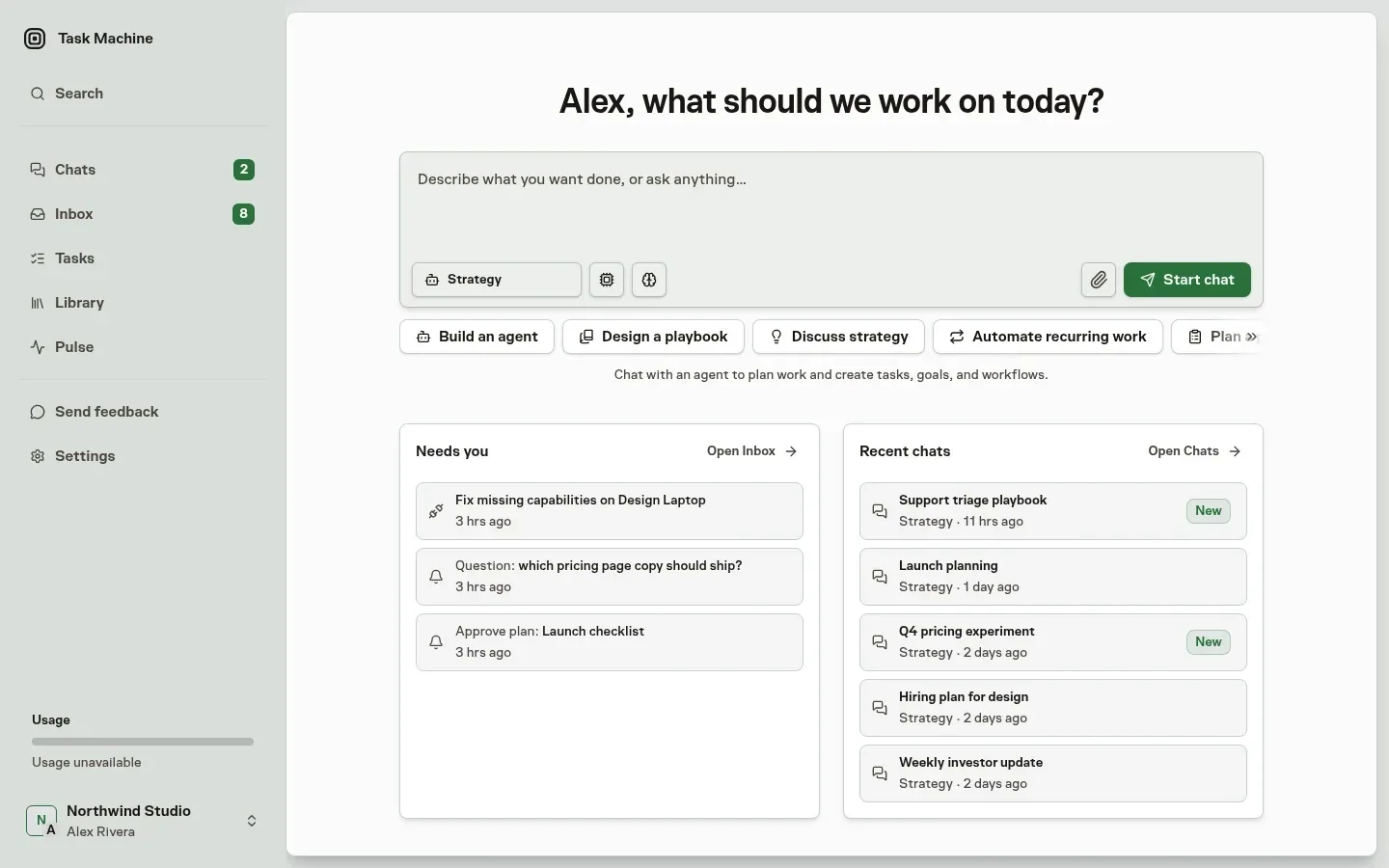
Home greets you by name and asks what to work on today. Starters such as Build an agent, Design a playbook, Discuss strategy, and Automate recurring work fill the message box with a first prompt. Pick the agent and model, attach files, and select Start chat. Setup, configuration, and strategy requests all begin in the same box, and the agent creates the tasks, goals, and workflows from the conversation.
See what needs you before anything else
Below the message box, Needs you previews your top Inbox items in priority order, so an approval that blocks a failing checkout sits above a routine request even when your Inbox is sorted by newest. Selecting one opens it for a decision. Recent chats sits beside it with your latest conversations and the agent each belongs to.
Home is one click away
The Task Machine logo in the sidebar returns you to Home from any page. Chats, Inbox, and Tasks stay in the sidebar, and every existing surface works as before. See Getting started for the first steps in a new workspace.