How to Plan X Trend Content
A practical guide to turning daily niche news and current X formats into approved posts with a learning log.

Founder, Task Machine
X trend content planning is the daily process of turning live niche news, current post formats, and your own point of view into a small set of ready-to-post drafts. It runs as a repeatable loop: research the conversation, draft angles, pick the strongest, approve, post, and learn from results.
The value is speed with memory. Trends decay quickly, but posting fast without a results log means the team never learns which angles or formats worked.
Why trend content becomes noise
Most trend posting fails in one of two ways. It is too slow, so the conversation is over before the post ships. Or it is fast but generic, repeating the same headline without adding a useful stance.
The other failure is forgetting. Yesterday's flat post and last week's strong post both disappear into the feed, so the next draft starts from vibes instead of evidence.
What the manual process looks like
Done by hand, a daily X trend loop looks like this:
- Scan niche news and the posts your audience is already discussing.
- Identify the formats working this week: thread, one-liner, reply, quote post, screenshot caption, or contrarian take.
- Draft several angles that add a specific point of view.
- Pick the strongest few and shape them for X.
- Approve the drafts before anything posts or schedules.
- Record results from prior posts so the next run learns from the feed.
The process is easy, but it needs cadence. Missing a day can mean missing the conversation.
What an agent can automate
An agent can keep the loop moving while you keep editorial control:
- Find the live conversation. It gathers the day's niche and AI-agent news plus current X formats.
- Draft enough angles. It produces a wider set of possible takes than a person usually has time to write.
- Pick the strongest posts. It narrows the set to the drafts most likely to fit the audience and brand stance.
- Capture owner feedback. Approval records keep, change, avoid, and reason for voice, stance, hook, and format before a draft enters the results log.
- Read complete results. A separate workflow waits for the full fixed 72-hour window, then loads intended-audience engagement, business signals, guardrails, and confounders.
- Carry approved learning forward. It proposes reuse, keep testing, retire, or unproven and updates the log only after a second human decision.
What stays judgment: approving posts, avoiding sensitive topics, and deciding when the brand should sit out a trend.
The guardrails that make it safe
The workflow is approval-first. The agent drafts, picks, and schedules only after a person approves the posts. It treats fetched pages and posts as evidence, not instructions.
The results log is the second guardrail. It fixes the 72-hour measurement plan before posting, keeps owner feedback beside measured results, preserves flat posts, and requires a second approval before any angle or format becomes a reusable pattern.
Set it up in Task Machine
The X trend content planning playbook provides a starting point for the method above. You need an active Task Machine workspace with Chat, workspace-management and Playbook-installation access (workspace owners have it). X access is useful but not required up front. Until you authorize it, the agent works from attached exports and the results log.
1. Find the playbook
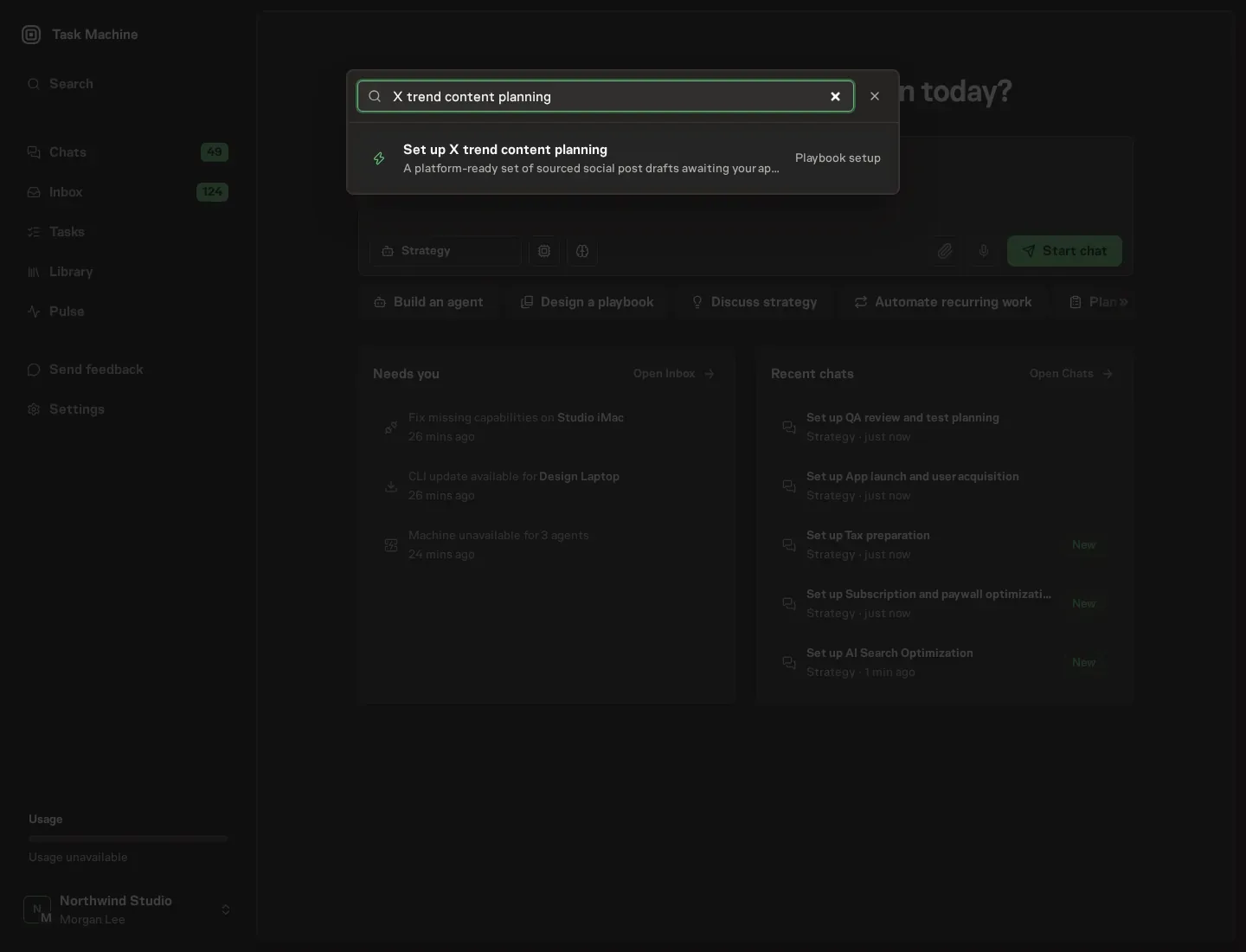
Open Search in your workspace and enter "X trend content planning". The command center lists Set up X trend content planning under Playbook setup.
2. Start the conversation
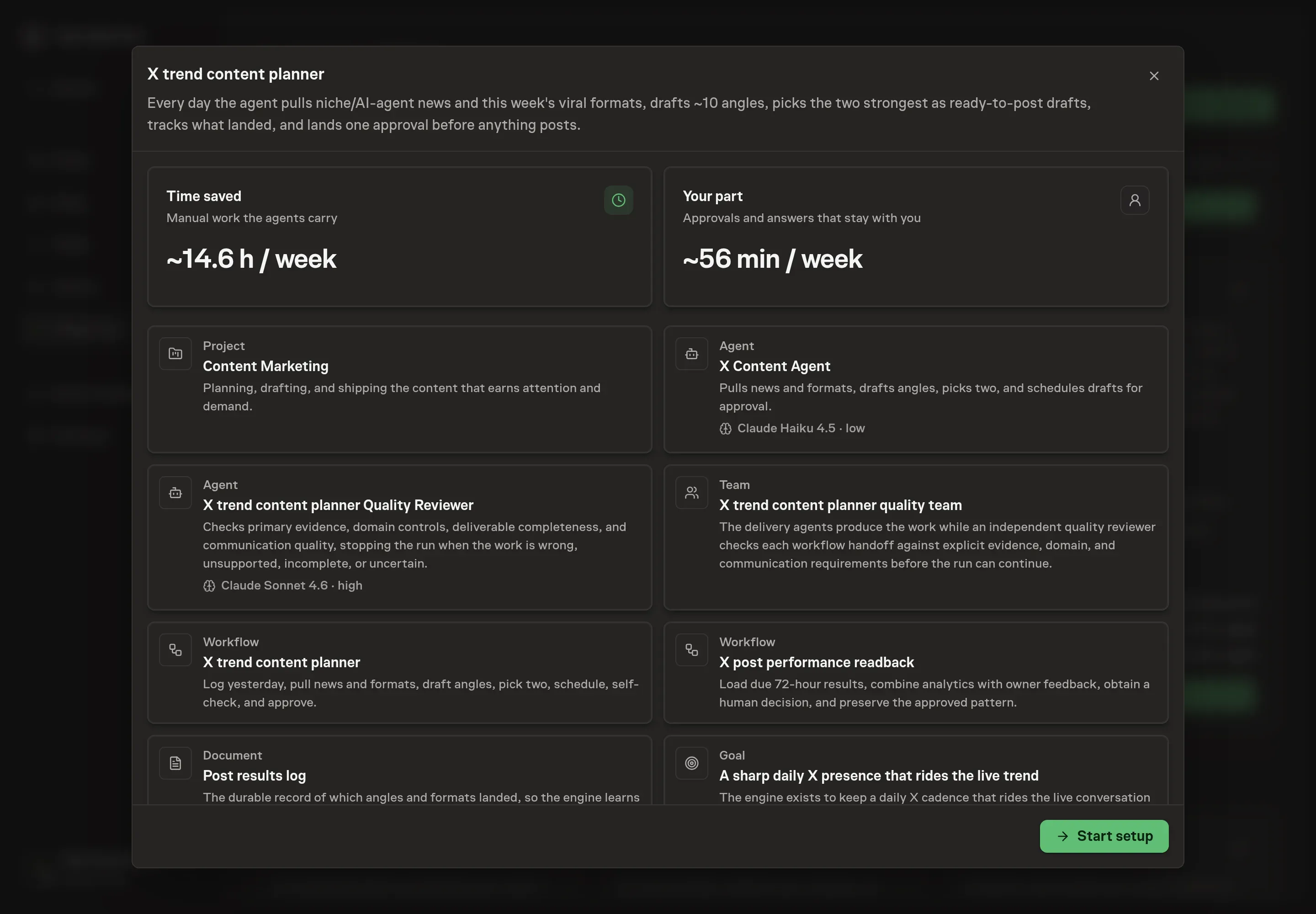
Choose Set up X trend content planning. Task Machine opens a dedicated Chat with the Playbook card and an editable, unsent request. Read the intended job and outcome. Add your situation and send it when ready. Opening the draft does not install anything or start work. This walkthrough uses settings that require approval of the proposed Playbook.
3. Agree the working brief
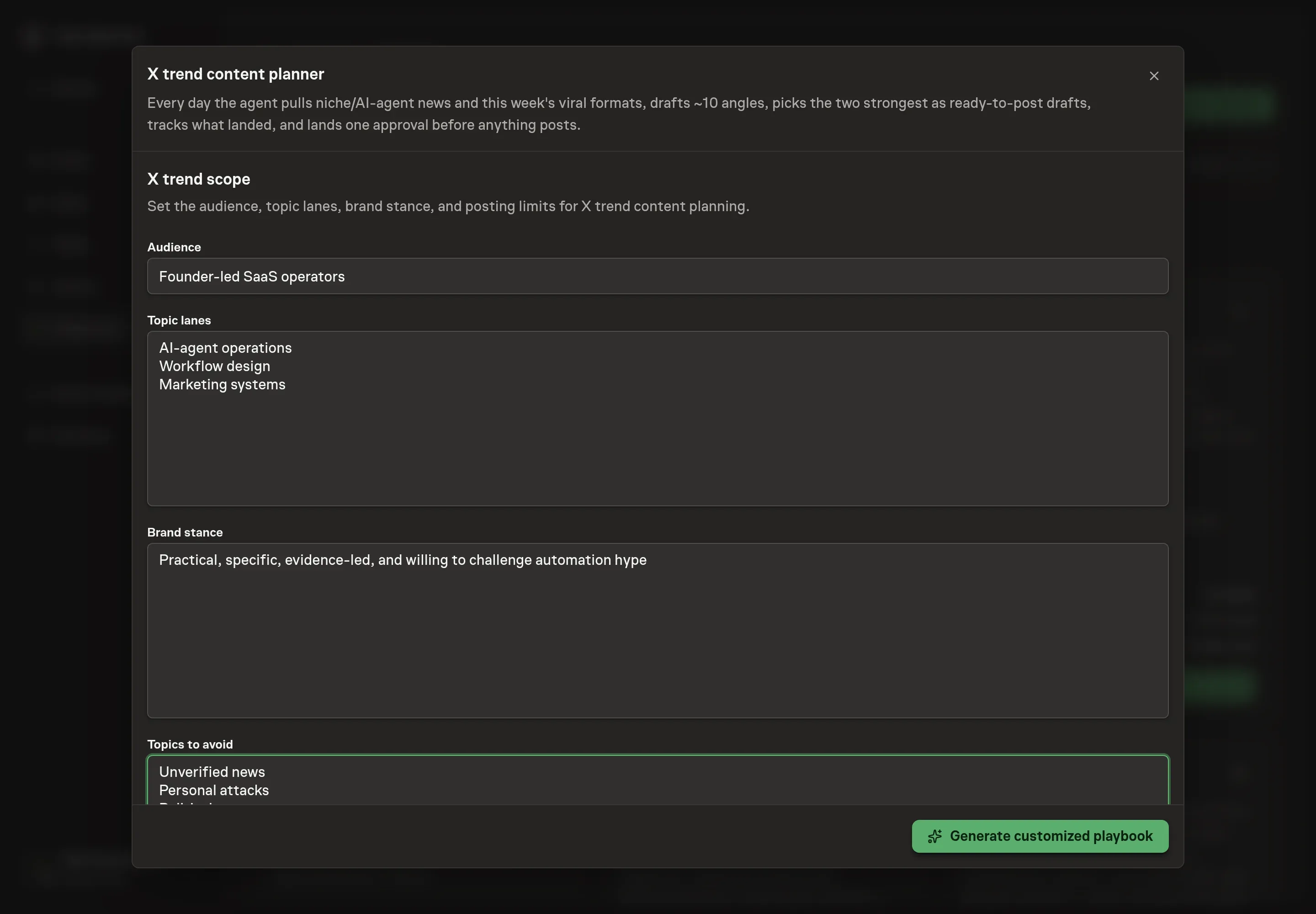
Use Chat to agree the inputs, expected output and limits before asking for a proposal. Discuss the audience, topic lanes, brand stance, and topics to avoid. The avoid list matters as much as the topic list.
4. Review the proposed Playbook
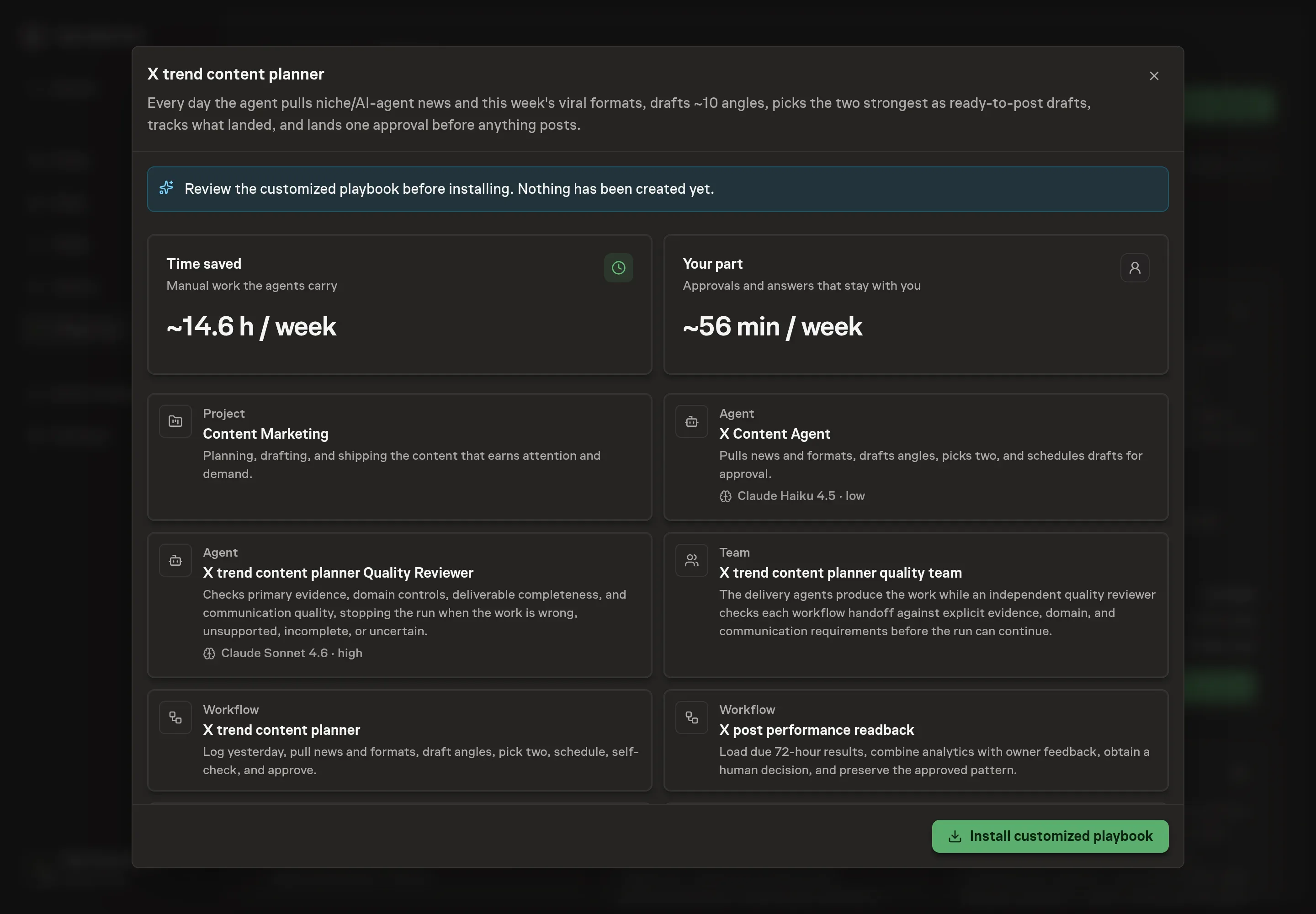
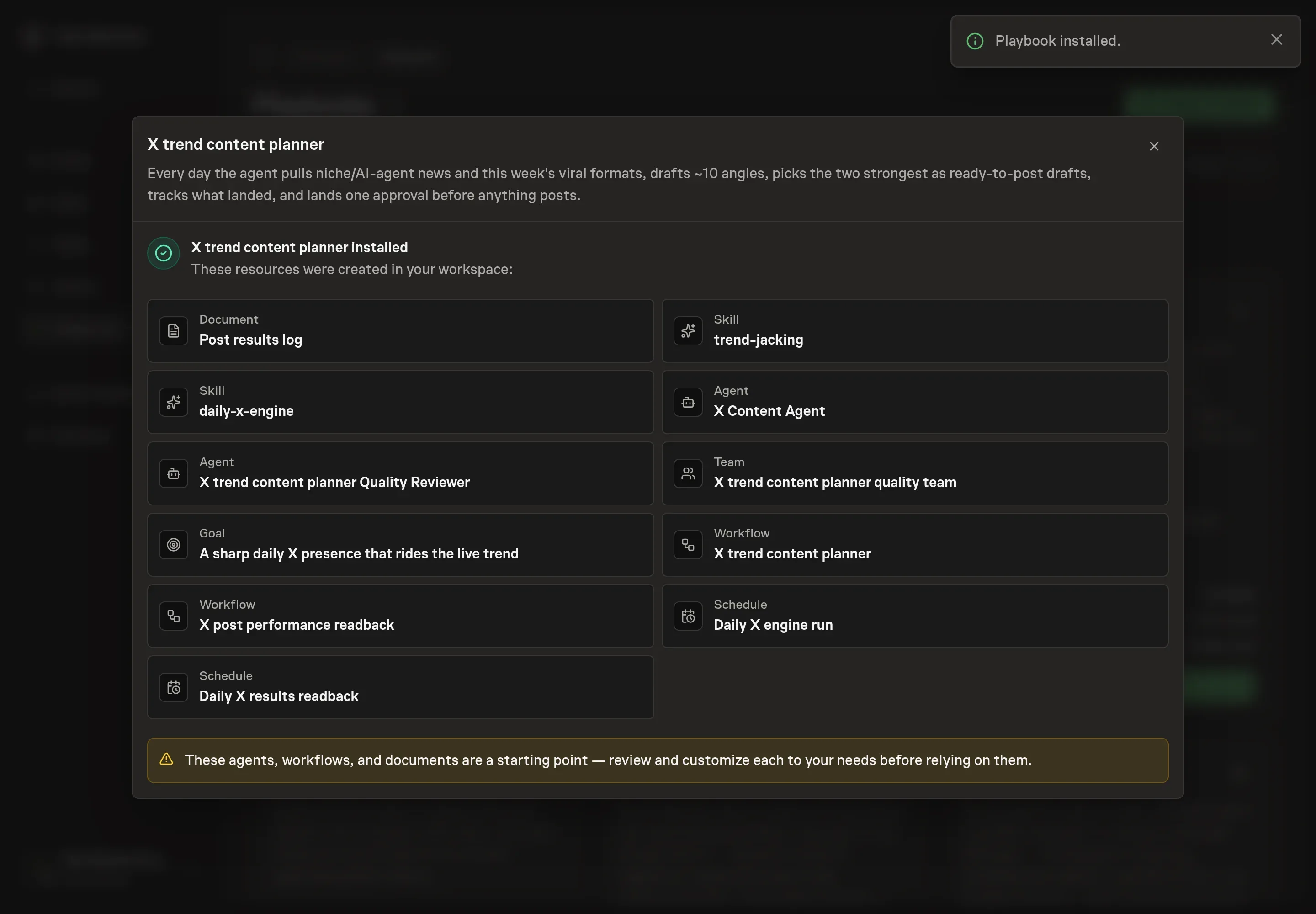
Ask the Agent to generate the Playbook from the agreed brief. Open its proposal in Chat and check the instructions and resources it will install, which carry more detail than the conversational summary. Review the generated agents, team, both workflows, results log, goal, schedules, and skills. Confirm the 72-hour plan and both approval boundaries before installation. Ask for a revised proposal if anything is missing or changes the job.
5. Approve and prepare the first work
Choose Approve on the proposal in Chat when the configuration matches your brief. Task Machine installs that reviewed configuration. The approved item retains its review details. If your autonomy settings allow direct installation, this approval may not be required. Check the resulting configuration in that case too.
Complete any remaining secure service setup from the installation details in Chat. Inbox keeps those setup items available if you return later. Prepare the source documents and inputs before starting the first Task or Workflow. Installation does not authorize sending, publishing or changing an external service beyond the boundaries you agreed. Confirm each schedule's cadence and timezone, and resolve any pending schedule setup before it starts. A readback must wait for its agreed observation window and source data. Check the reviewed tracker or results document before the first cycle so evidence and human decisions have a durable home.
What good looks like
- Drafts have a stance. They do not repeat the news. They add a useful, specific read.
- Flat posts are logged. The team learns from misses instead of hiding them.
- Approvals stay fast. The person reviews a small shortlist, not every raw angle.
- Signals stay distinct. Intended-audience replies, reposts, and saves are the primary platform outcome. Profile visits, follows, clicks, signups, and qualified conversations stay separate, while hides, blocks, corrections, and audience mismatch are guardrails.
How the loop learns
Before a post goes live, the log records its owner, angle, hook, format, trend target, structured owner feedback, fixed 72-hour window, primary outcome, business signals, guardrails, and readback date. The owner later adds the actual URL and post time.
The readback checks trend half-life, account growth, amplification, timing shifts, outages, tracking gaps, and low volume. A human chooses reuse, keep testing, retire, or unproven and approves the exact narrow pattern. Negative and inconclusive posts remain in the history. The decision never posts, deletes, or repeats content automatically.
Common questions
Does it post automatically? No. Posts and schedules wait for approval.
Can it avoid sensitive topics? Yes. Put off-limits topics in setup and keep editing the results log and instructions as new boundaries appear.
How many drafts should it produce? The bundle defaults to drafting several angles and shipping a small approved set. The point is enough variety to choose well, not a huge queue.
Can it work before X access is authorized? Yes. Attach exports or notes and seed the results log. Browser access makes the daily scan faster.