How to Repurpose Content From Transcripts
A practical method for extracting attributed ideas, avoiding duplicate posts, and adapting one transcript for several channels.

Founder, Task Machine
Transcript content repurposing is the process of extracting source-backed ideas from a podcast, interview, webinar, video, or call and rebuilding those ideas for other channels. A reliable process preserves the speaker, exact source location, context, quotation status, and reuse history before it drafts a post.
It is worth doing because long-form conversations contain more useful material than one publication can carry. The leverage comes from developing distinct channel assets from verified ideas, not from pasting the same summary into every feed.
Why content repurposing creates repetition
The common shortcut is to ask for ten posts from a transcript. That skips three editorial jobs: deciding which ideas are distinct, checking whether the team already used them, and adapting the structure for the destination channel.
Attribution also degrades quickly. A paraphrase becomes a quotation. A guest's observation appears in the host's voice. A qualifier disappears because a stronger hook performs better on its own. If the draft no longer links to a timestamp, speaker, and required context, review becomes guesswork.
The result is high output with low variety. Audiences see the same claim in a LinkedIn post, thread, newsletter, and short video. The words change, but the idea, hook, and example do not.
What the manual process looks like
A careful editor runs the job in eight steps:
- Read the complete transcript and confirm the source, date, speaker roster, transcript quality, publication rights, and restricted sections.
- Extract one idea at a time: a quotation, claim, story, example, objection, framework, proof point, or question.
- Record the exact timestamp or paragraph, speaker and role, verbatim excerpt, separate paraphrase, required context, evidence status, and reuse restrictions.
- Search the atom library by meaning, speaker, evidence, theme, hook, example, and channel. Link equivalent excerpts to one canonical atom and keep materially different claims separate.
- Check reuse history for exact repeats and near-duplicate angles.
- Choose a small set of atoms for the audience and rebuild each asset for its channel's structure, pacing, proof, and call to action.
- Have another editor reproduce the attribution and review channel fit, claims, voice, restrictions, and duplication before a person approves publication.
- Record the approved variant and fixed readback window, then review measured results and owner feedback after publication.
This process produces fewer drafts than a bulk-generation prompt. It also produces drafts that a source owner can verify and an audience has not already seen three times.
What an agent can automate
A repurposing editor and source reviewer can handle the repeatable editorial checks:
- Extract attributed atoms. The editor turns the complete source into canonical ideas with timestamps, speakers, verbatim excerpts, paraphrases, context, evidence status, and restrictions.
- Deduplicate by meaning. The workflow compares the claim, speaker, evidence, condition, audience, and conclusion instead of relying on keyword similarity.
- Check recent reuse. Atom, theme, hook, example, and channel history reveal when a "new" draft repeats an old point.
- Draft channel-native variants. LinkedIn posts, threads, newsletter sections, short-video scripts, and blog excerpts get different structures rather than one cross-posted summary.
- Reproduce the source. The reviewer opens the transcript, checks quotations and material claims, and returns PASS, FAIL, or UNCERTAIN with specific evidence.
- Prepare measurement plans. Each approved variant records its baseline, fixed readback window, primary outcome, later business signal, diagnostics, guardrails, and source systems before publication.
- Read results back. The agent combines analytics with structured owner feedback: keep, change, avoid, and reason.
The agents do not schedule, publish, delete, or automatically reproduce content.
The guardrails that make it safe
The attributed atom library separates verbatim language from paraphrase and keeps source location, speaker, required context, rights, and restrictions together. Ambiguous speaker labels or permissions block an atom rather than inviting a guess.
Publication approval comes after independent source review. A person sees the source atoms, draft, duplicate check, attribution, restrictions, and measurement plan. Approval records the chosen variant. Publishing remains a separate human action in the channel that owns it.
A second human decision follows the measured readback. The person approves reuse, adapt, retire, or unproven and the exact guidance patch. That decision does not schedule another post. Negative and inconclusive results remain in the log.
Set it up in Task Machine
The Content repurposing playbook provides a starting point for the method above. You need an active Task Machine workspace with Chat, workspace-management and Playbook-installation access (workspace owners have it). No connected service is required. The agents work from sources and performance exports you attach.
1. Find the playbook
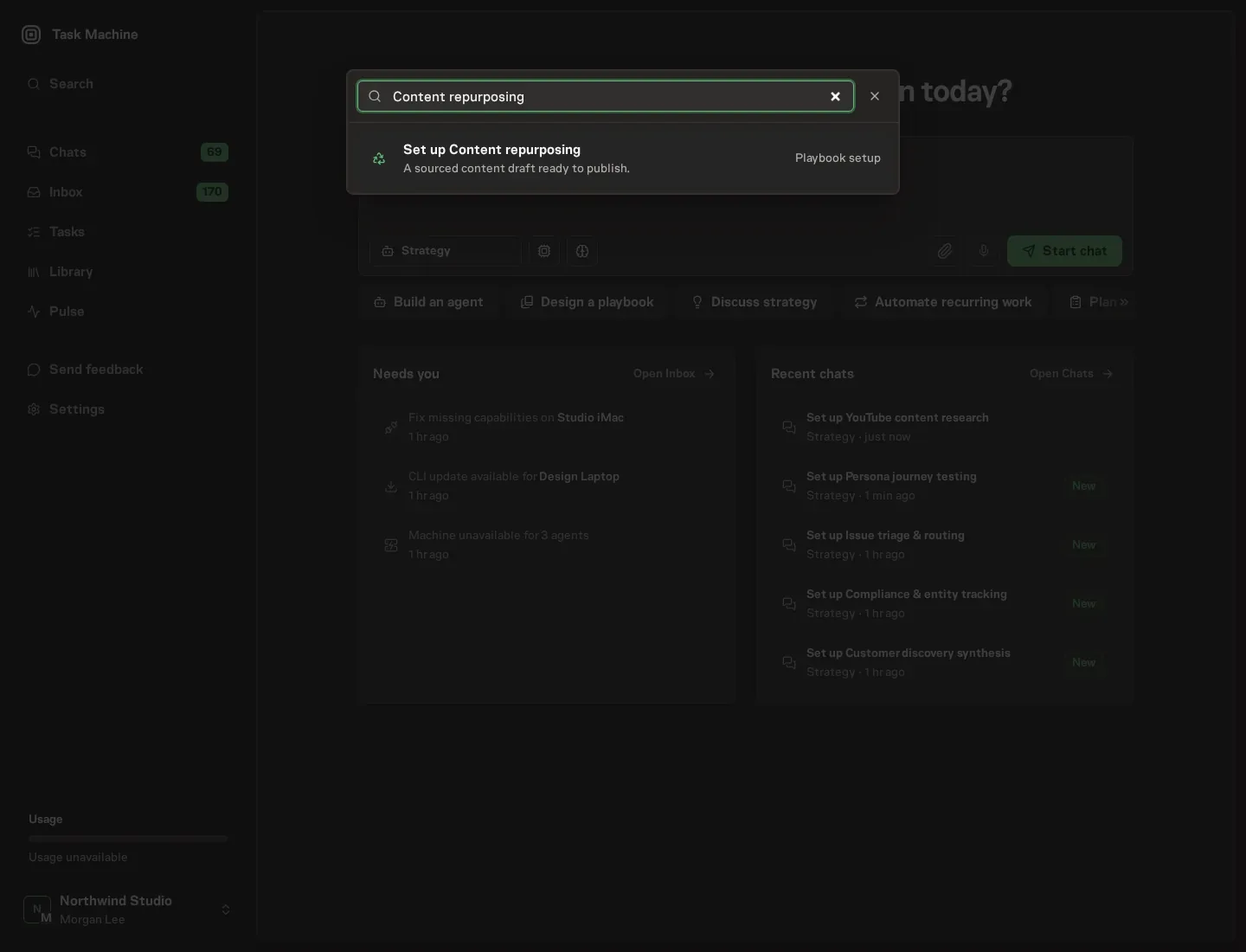
Open Search in your workspace and enter "Content repurposing". The command center lists Set up Content repurposing under Playbook setup.
2. Start the conversation
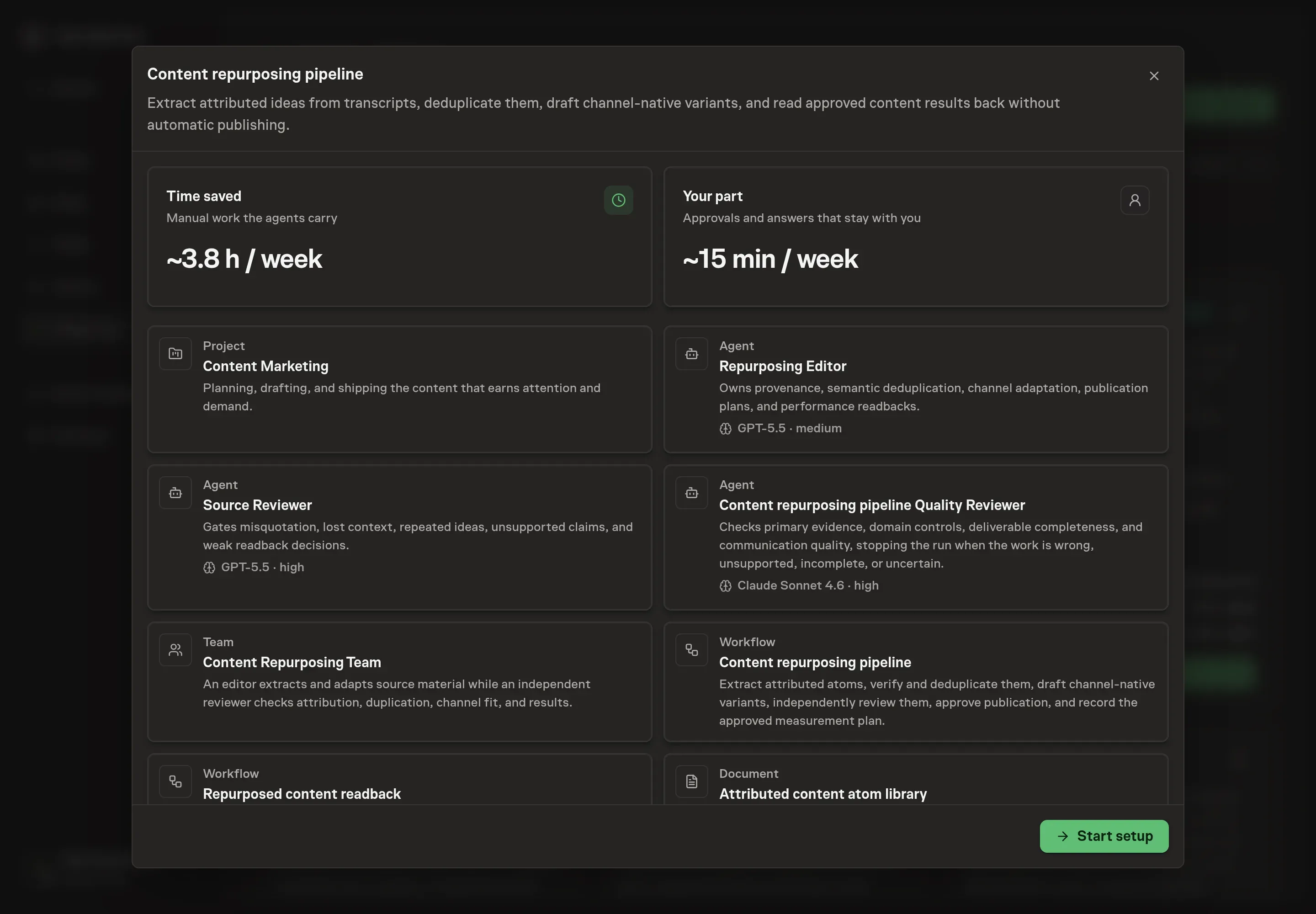
Choose Set up Content repurposing. Task Machine opens a dedicated Chat with the Playbook card and an editable, unsent request. Read the intended job and outcome, add your situation, and send it when ready. Opening the draft does not install anything or start work. This walkthrough uses settings that require approval of the proposed Playbook.
3. Agree the working brief
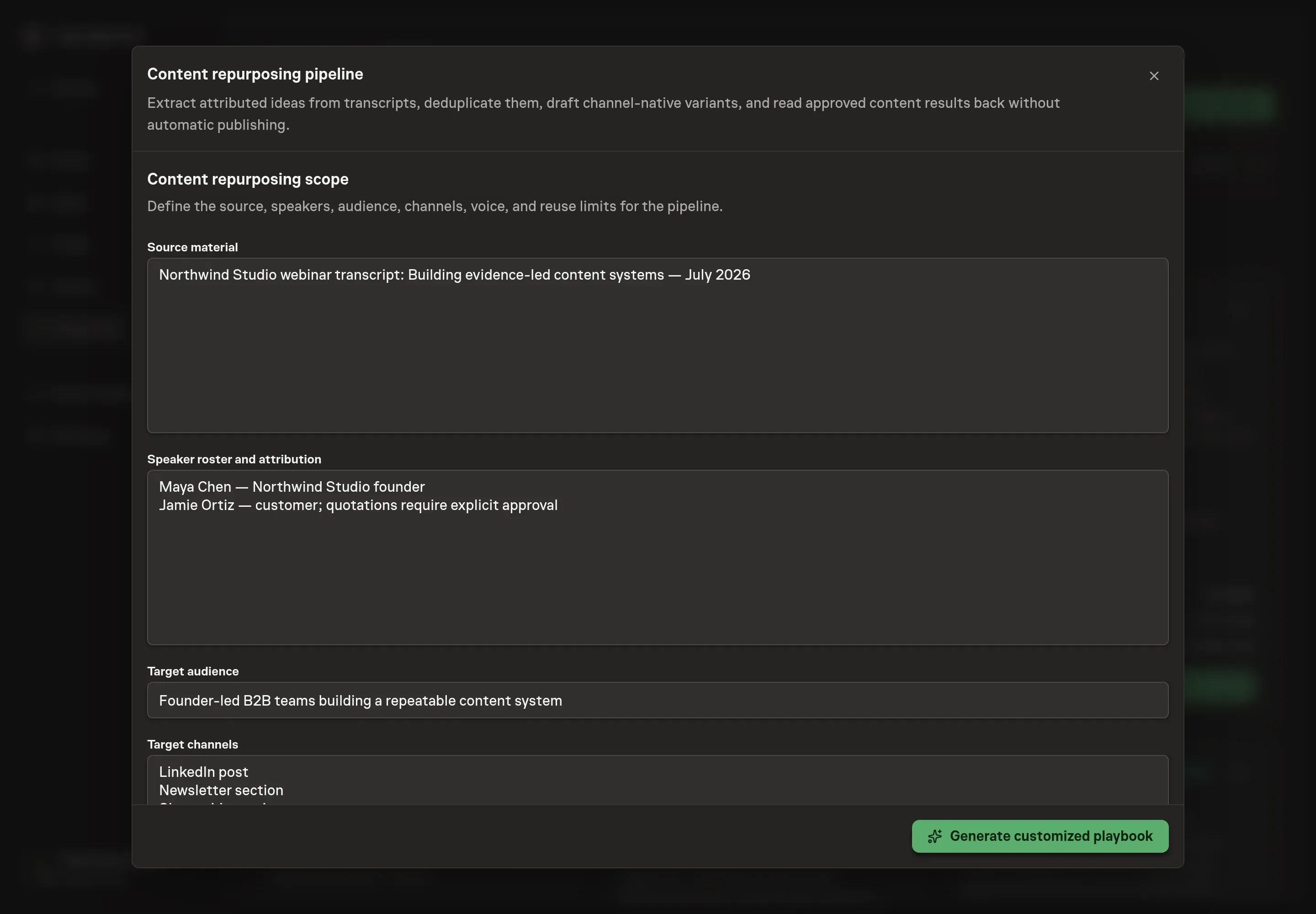
Use Chat to agree the inputs, expected output and limits before asking for a proposal. Describe or link the source, provide the speaker roster and attribution restrictions, define the audience, list the target channels, and add voice evidence and reuse limits. For a Northwind Studio webinar, that might mean a founder and customer transcript adapted for LinkedIn, a newsletter section, and a short-video script, with customer quotations held for explicit permission.
4. Review the proposed Playbook
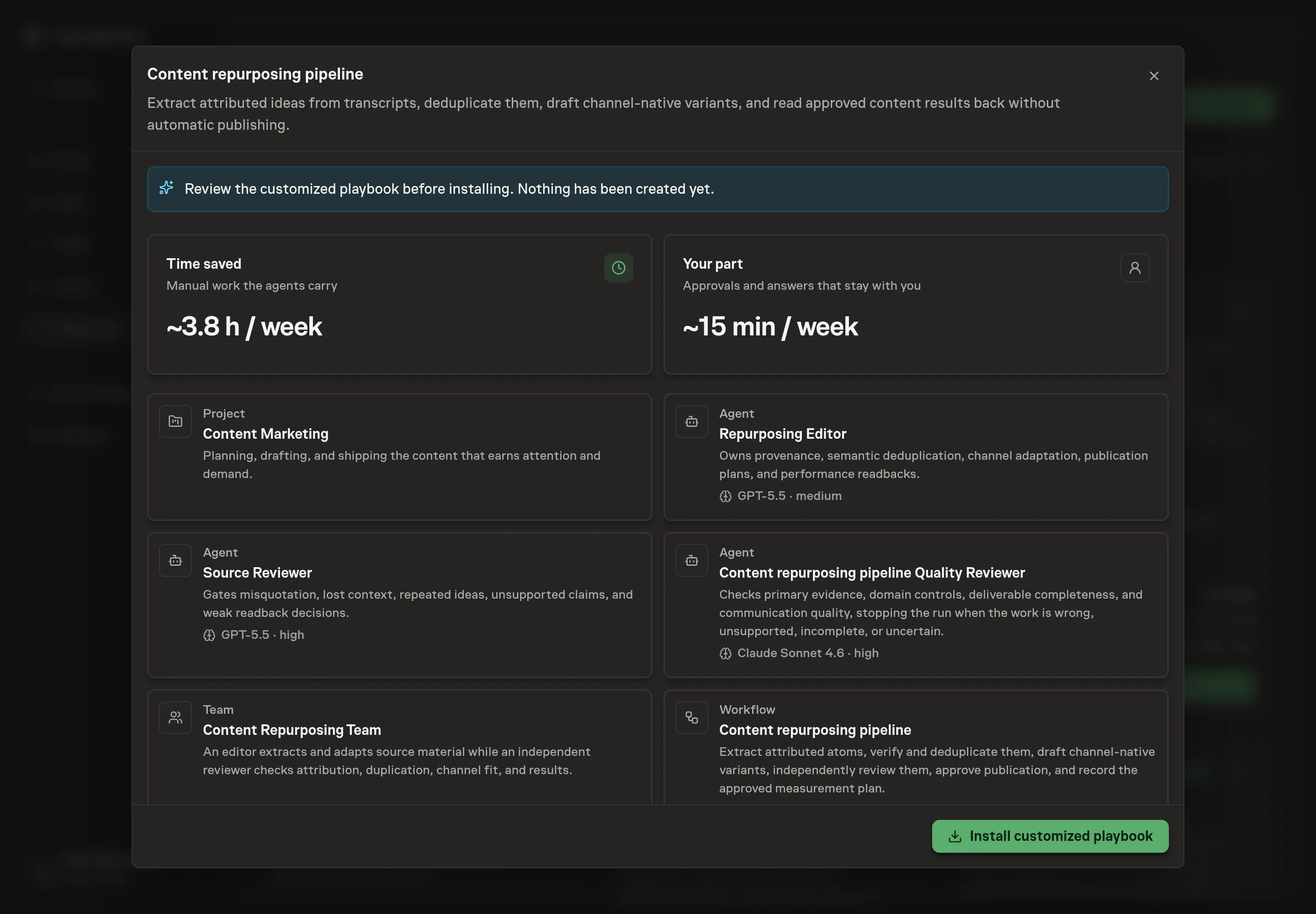
Ask the Agent to generate the Playbook from the agreed brief. Open its proposal in Chat and check the instructions and resources it will install, which carry more detail than the conversational summary. Review the attribution fields, deduplication rules, channel-specific instructions, two approval boundaries, fixed-window readback, and schedule. Confirm the installed workflow records approved variants but does not publish them. Ask for a revised proposal if anything is missing or changes the job.
5. Approve and prepare the first work
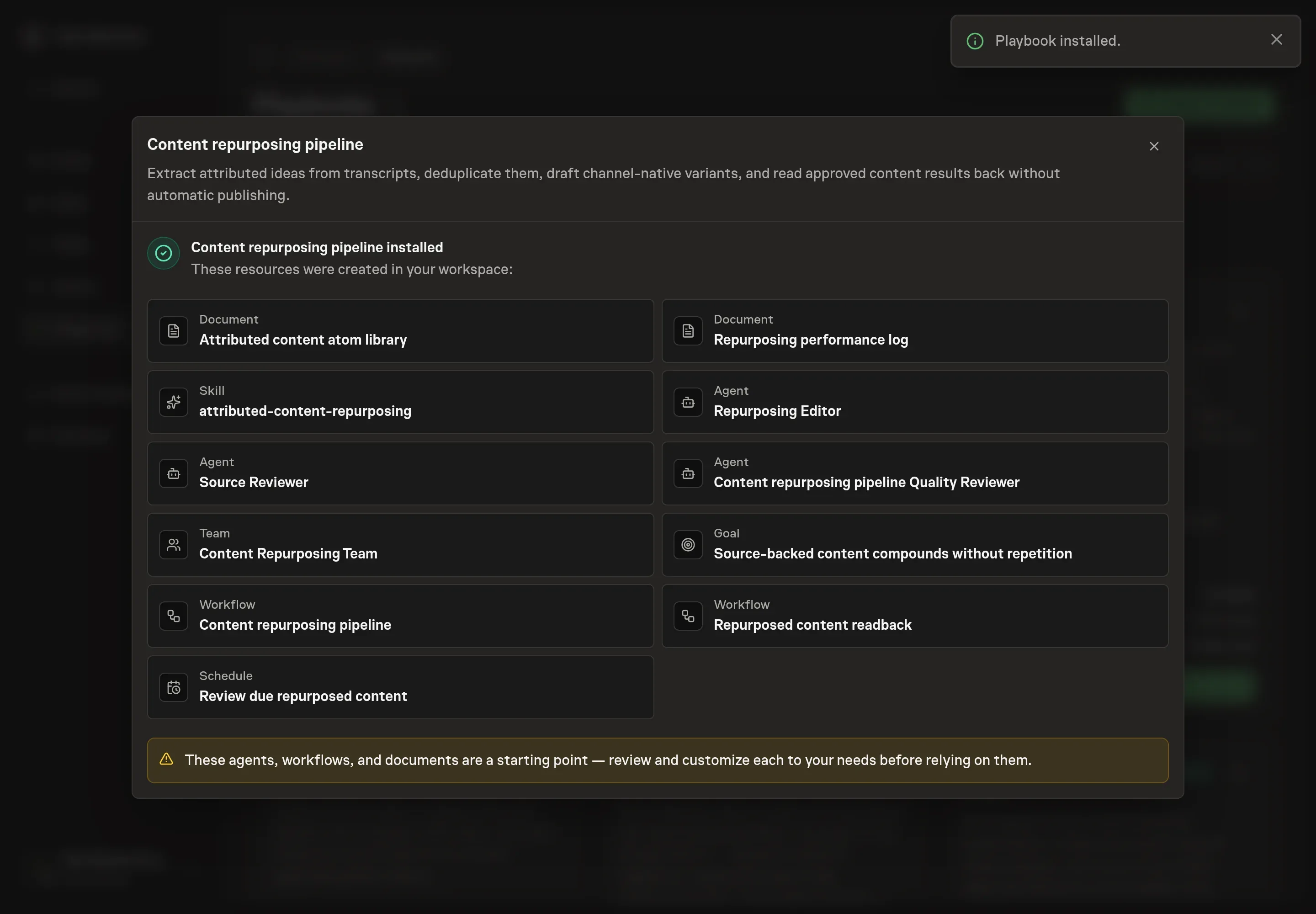
Choose Approve on the proposal in Chat when the configuration matches your brief. Task Machine installs that reviewed configuration. The approved item retains its review details. If your autonomy settings allow direct installation, this approval may not be required. Check the resulting configuration in that case too.
Complete any remaining secure service setup from the installation details in Chat. Inbox keeps those setup items available if you return later. Prepare the source documents and inputs before starting the first Task or Workflow. Installation does not authorize sending, publishing or changing an external service beyond the boundaries you agreed. Confirm each schedule's cadence and timezone, and resolve any pending schedule setup before it starts. A readback must wait for its agreed observation window and source data. Check the reviewed tracker or results document before the first cycle so evidence and human decisions have a durable home.
What good looks like
A healthy repurposing process has three observable properties:
- Every idea is traceable. A reviewer can open the source location, identify the speaker, reproduce the quotation or claim, and see the context and restrictions.
- Channel variants are different. The same atom can support several formats, but each asset has a channel-native structure, angle, proof placement, and CTA.
- Reuse decisions are bounded. The log says which atom, angle, audience, and format may be reused or adapted, and it does not turn one high-performing post into a universal rule.
Volume is a diagnostic, not the primary outcome. Count published variants and production time, but judge each asset using the behavior it was designed to create and the downside it must avoid.
How the loop learns
Each approved variant records a comparable baseline when one exists and a fixed candidate window before publication. The source can be channel analytics, a downstream CRM or billing report, or an attached export. The primary outcome reflects the intended audience behavior. Later business signals show commercial value. Impressions, opens, or clicks can diagnose distribution and packaging. Unsubscribes, complaints, weak lead quality, or another relevant downside act as guardrails.
At the readback, the editor also records keep, change, avoid, and reason feedback from the owner. The analysis names paid amplification, partner shares, audience growth, platform outages, algorithm changes, seasonality, changed CTAs, and attribution gaps. Low-volume or confounded results remain unproven.
A person chooses reuse when the bounded combination has support, adapt when the atom remains useful but the packaging needs another test, retire when the result or guardrail argues against repetition, or unproven when the evidence cannot support a claim. The approved decision updates only the log and narrow guidance, and it does not create or publish the next asset.
Common questions
What is a content atom? A content atom is one source-backed idea: a quotation, claim, story, example, objection, framework, proof point, or question. It includes provenance and context along with the clipped sentence.
Can the agent identify speakers from an unlabeled transcript? It can suggest possibilities from context, but uncertain attribution must remain blocked. A human should confirm the speaker before a quotation or attributed claim proceeds.
How do you avoid repeating the same idea? Search the canonical library and reuse history by meaning, speaker, evidence, theme, hook, example, and channel. Semantic review catches repetition that a wording-only search misses.
Should the same copy be posted on every channel? No. Preserve the source idea and proof, then rebuild structure, pacing, hook, context, and CTA for each channel. Cross-posting identical copy usually ignores how people consume that format.
Does approval publish the drafts? No. Approval records the exact variants and measurement plans. Scheduling or publishing remains a separate human action in the destination channel.