How to Write Video Scripts
A practical guide to drafting short-form video scripts with hooks, proof, format fit, retention critique, and approval.

Founder, Task Machine
Video script writing is the process of turning one angle into production-ready scripts shaped for a specific platform and format. A good script names one idea, opens with a hook that earns the next second, proves the claim with a demo or example, and ends with one specific call to action.
The job is worth treating as a workflow because short-form writing fails differently from page copy. A script can read well and still die on screen. It may carry too many ideas, take too long to show the product, rely on a claim without proof, or end with a vague CTA that gives the viewer nothing concrete to do.
Why video scripts underperform
Most weak scripts start with a topic instead of a single repeatable idea. The writer tries to explain, sell, demo, and teach in one clip. The hook becomes a headline, the proof arrives late, and production has to guess what should appear on screen when the sound is off.
The bundle's video method treats scripting as retention work. Platform comes before wording. A vertical short-form clip, a talking-head explainer, and a demo voiceover need different pacing, aspect ratios, and proof moments. The same angle can feed all three, but each script has to be written for its own format.
What the manual process looks like
A careful video scripting cycle has five steps:
- Define the video goal, audience, platform or format, proof points, and the one action the viewer should take.
- Frame the angle as one sayable idea. If the idea cannot be said in one breath, split it.
- Choose formats: vertical short-form, talking-head explainer, demo voiceover, or another platform-shaped script.
- Draft scripts on the retention arc: hook, one point, proof or demo, and one CTA.
- Self-critique each script for one idea, hook strength, format fit, caption-readable proof, spoken quality, and CTA clarity, then send it for approval before production.
The manual version becomes inconsistent when teams skip the critique step. Production catches the problems later, when they are more expensive to fix.
What an agent can automate
The Video & short-form script writing playbook helps because scripting has a repeatable bar:
- Frame the angle. The agent turns the supplied topic into a concept brief with one idea, audience, and one action. If web research is available, it checks top videos, recurring hooks, and voice-of-audience phrasing.
- Choose platform shapes. It writes separate scripts for vertical short-form, talking-head explainers, and demo voiceovers instead of hoping one script can be recut everywhere.
- Generate hook options. It creates several distinct hooks using different levers, such as curiosity gap, contrarian angle, scene, payoff, or borrowed authority.
- Draft for the ear and the scroll. It writes short lines, marks captions and on-screen or demo callouts, and keeps proof visible even when sound is off.
- Run the retention bar. It checks every script for one idea, hook strength, format fit, proof, spoken quality, and one specific CTA before handoff.
- Preserve packaging metadata. Each approved plan records the working title, thumbnail concept, first frame, on-screen text, hook, format, proof, and CTA beside the exact script.
- Read back performance. A separate workflow waits for a complete fixed window, then separates packaging diagnostics, retention, business signals, guardrails, and confounders.
The human still chooses whether the scripts fit the brand, whether production should proceed, and which measured learning is safe to reuse.
The guardrails that make it safe
Video scripts create public claims, so the workflow should not publish or produce automatically. The agent drafts and self-critiques the batch, then routes it to a human approval step. If proof is missing, the angle is too vague, or research cannot be reached, the agent should flag the gap instead of filling it with invented certainty.
The critique is one guardrail. Two human decisions provide the others. The first approves the exact script, packaging, owner feedback, and fixed result plan before production. The second approves reuse, keep testing, retire, or unproven after measured results arrive. Neither decision produces, publishes, edits, or repeats video.
Set it up in Task Machine
The Video & short-form script writing playbook provides a starting point for the method above. You need an active Task Machine workspace with Chat, workspace-management and Playbook-installation access (workspace owners have it). Web research access is not required up front. Until it is available, the workflow writes from the angle, proof points, and documents you attach, then labels research gaps.
1. Find the playbook
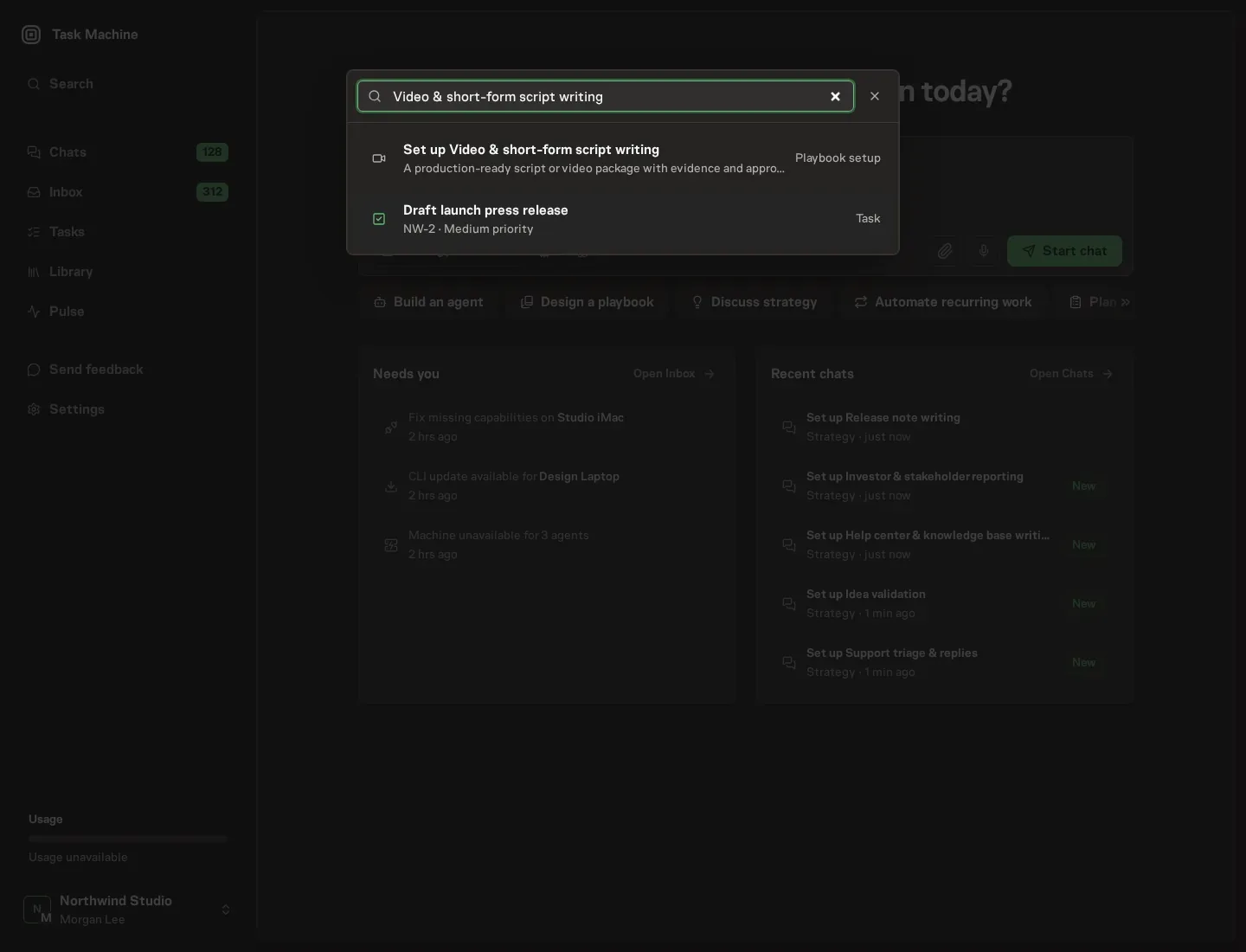
Open Search in your workspace and enter "Video & short-form script writing". The command center lists Set up Video & short-form script writing under Playbook setup.
2. Start the conversation
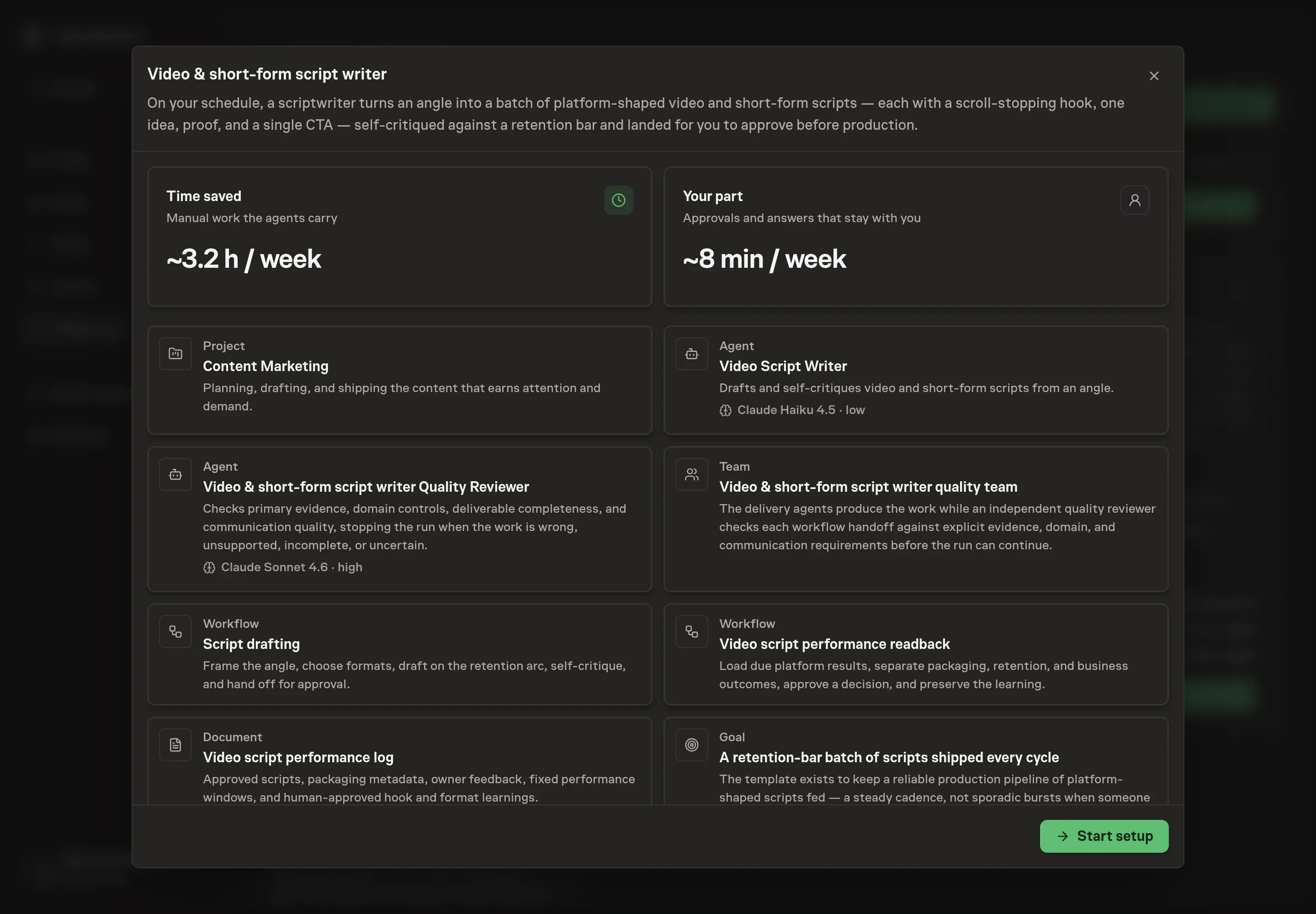
Choose Set up Video & short-form script writing. Task Machine opens a dedicated Chat with the Playbook card and an editable, unsent request. Read the intended job and outcome. Add your situation and send it when ready. Opening the draft does not install anything or start work. This walkthrough uses settings that require approval of the proposed Playbook.
3. Agree the working brief
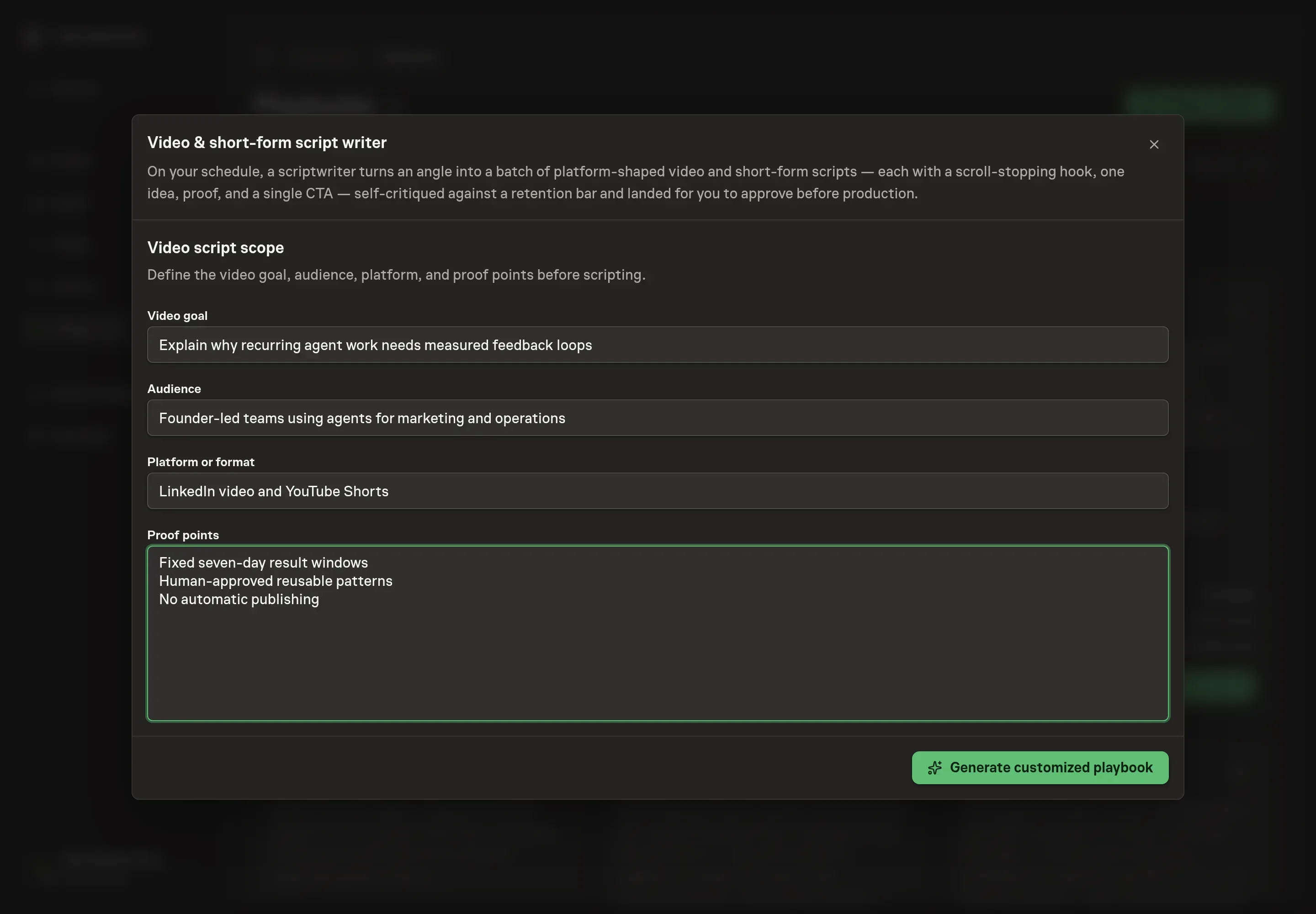
Use Chat to agree the inputs, expected output and limits before asking for a proposal. The Agent needs the video goal, audience, platform or format, and proof points. Use proof points for the exact demos, customer language, examples, or numbers the script may rely on.
4. Review the proposed Playbook
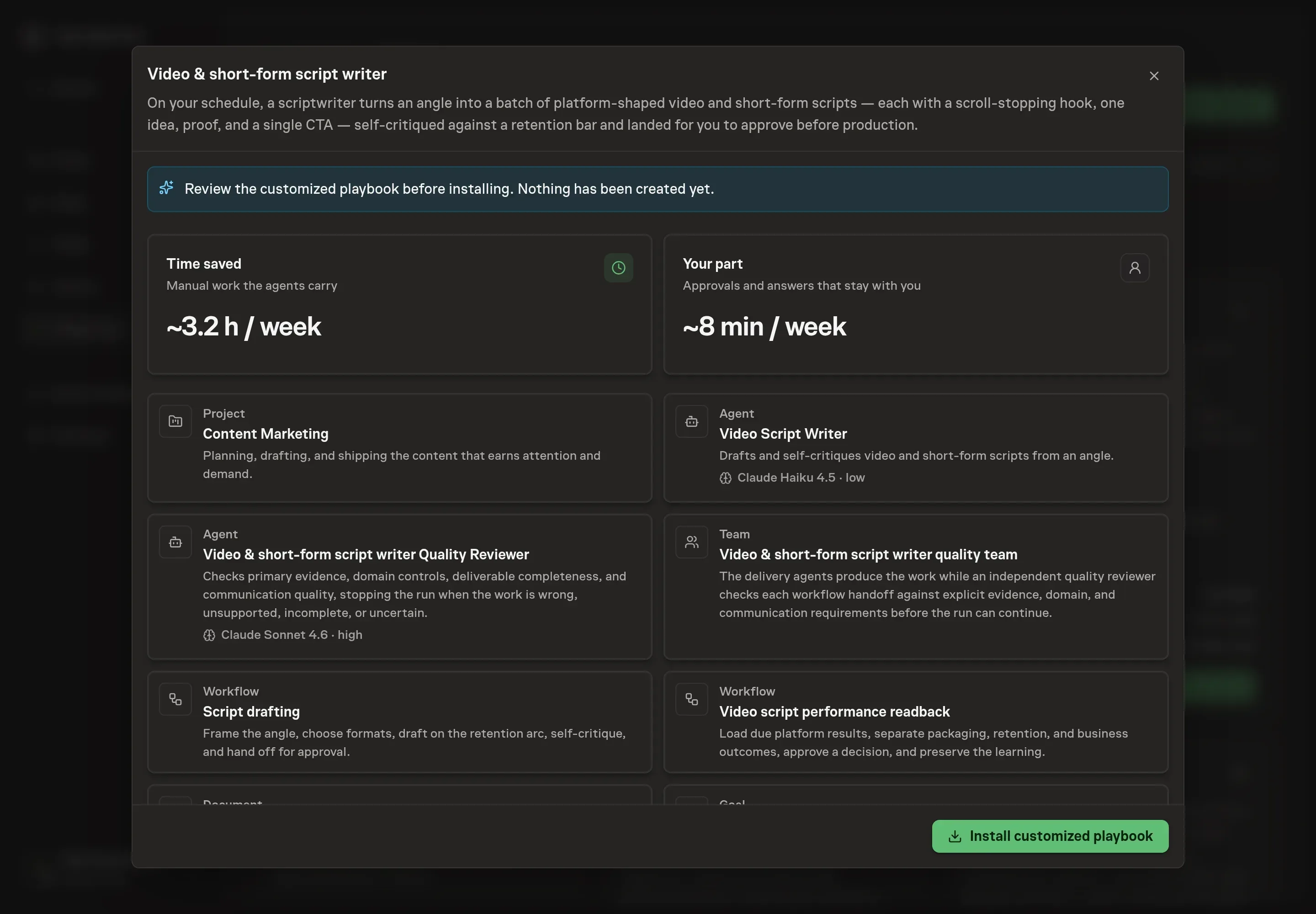
Ask the Agent to generate the Playbook from the agreed brief. Open its proposal in Chat and check the instructions and resources it will install, which carry more detail than the conversational summary. Review the retention bar, packaging metadata, platform-specific primary outcome, guardrails, and two approval boundaries. Ask for a revised proposal if anything is missing or changes the job.
5. Approve and prepare the first work
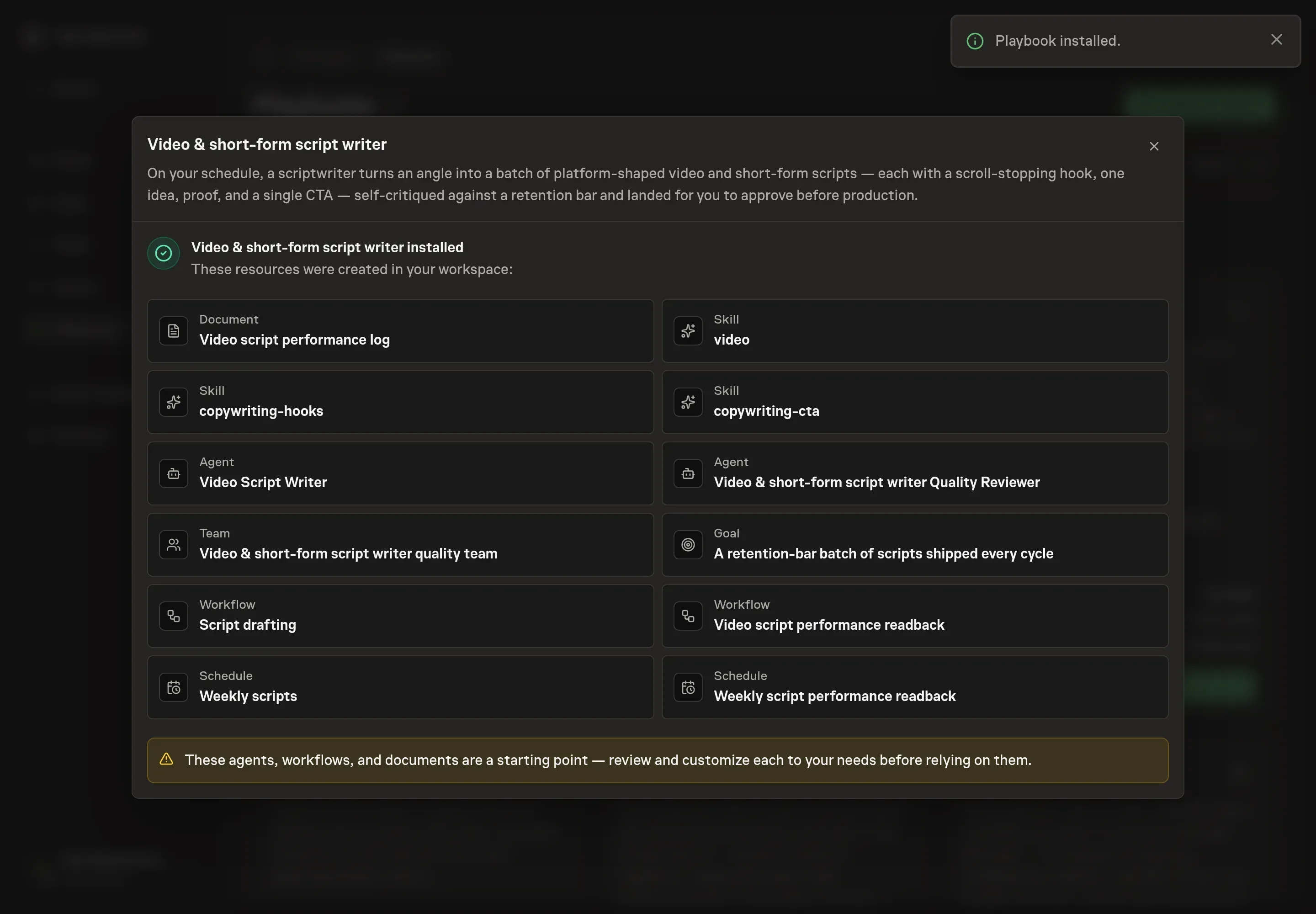
Choose Approve on the proposal in Chat when the configuration matches your brief. Task Machine installs that reviewed configuration. The approved item retains its review details. If your autonomy settings allow direct installation, this approval may not be required. Check the resulting configuration in that case too.
Complete any remaining secure service setup from the installation details in Chat. Inbox keeps those setup items available if you return later. Prepare the source documents and inputs before starting the first Task or Workflow. Installation does not authorize sending, publishing or changing an external service beyond the boundaries you agreed. Confirm each schedule's cadence and timezone, and resolve any pending schedule setup before it starts. A readback must wait for its agreed observation window and source data. Check the reviewed tracker or results document before the first cycle so evidence and human decisions have a durable home.
What good looks like
Three checks show whether the script batch is usable:
- Each script carries one idea. A viewer can repeat the point after watching, and the script can be read aloud without overloaded sentences.
- Proof appears on screen. Claims are supported by a number, example, product moment, or demo that works with captions.
- The CTA is singular. Each script asks for one specific action matched to the audience and platform.
- Measures stay distinct. Choose one platform-supported retention outcome before publication. Treat impressions and title or thumbnail click-through as packaging diagnostics, and keep CTA clicks, signups, conversations, and revenue as business signals. Hides, corrections, negative feedback, audience mismatch, and claim violations are guardrails.
How the loop learns
Before production, the log records the owner, platform, audience job, title, thumbnail, first frame, hook, format, CTA, exact script, keep/change/avoid owner feedback and reason, a comparable baseline when one exists, fixed window, one retention outcome, business signals, guardrails, sources, and readback date. Seven complete days is the default window.
At readback, the agent checks distribution, amplification, audience mix, channel growth, timing, trend half-life, production changes, tracking gaps, and low views. A human chooses reuse, keep testing, retire, or unproven and approves the exact narrow packaging or script learning. Negative and inconclusive videos remain in the log, and no decision changes live content automatically.
Common questions
Can the workflow publish videos automatically? No. The playbook drafts scripts and routes them for approval before production. Publishing and production remain human decisions.
Should one script be reused across every platform? No. The same angle can feed multiple formats, but each format needs its own hook, pacing, aspect ratio, and proof plan.
What happens when proof points are weak? The agent should flag the gap. A script without proof usually becomes a claim, and claims are where viewers scroll away.
Does the agent choose the final hook? It can lead with the strongest hook, but the hook options and rationale remain visible for human review.