Workforce
Memory
On this page
Memory helps an Agent carry useful lessons into later work. You can inspect what it remembers, correct a misleading note, and restore an earlier version if a change makes its work worse.
What belongs in memory
Keep guidance that should survive beyond one Task: an accepted example, a recurring mistake to avoid, a review condition, or a useful checklist. Leave one-off details and the full work history on the Task.
Memory belongs to one Agent. Use Library documents for knowledge that several Agents or people need to share, and keep secrets in Vault.
How Agents use what they remember
An Agent receives its saved memory when it starts work. It can use those notes alongside its instructions instead of rediscovering the same expectations on each Task.
Task Machine also supplies references to relevant Library documents that the Agent is allowed to read. A reference helps the Agent find a document. It does not automatically copy the whole document into every conversation.
Learning from work
Task Machine uses important outcomes, corrections, unsuccessful approaches, and remaining work captured during an Agent's Tasks to update its memory. When an Agent leads a Team, a routing recommendation you change or reject in Inbox can teach that Agent too. The Agent learns from what you changed and the routed Task's current context, or your reason for rejecting the recommendation. An unchanged approval does not add a memory lesson. Team routing autonomy remains separate from the Agent's memory.
Learning happens in the background and does not wait for your approval. One correction may leave memory unchanged. Keep complete decisions and evidence on the Task or Team review, since memory preserves useful guidance rather than the full history.
Each saved change has a version. Automatic changes explain what the Agent learned from its work and why that justified updating its memory.
Select View evidence to inspect the sources supporting that version. Task cards show a short excerpt from the summary used at the time and explain what each Task contributed. A Team routing correction card shows the reviewed date, a recorded excerpt of the correction, and its contribution. Select a card to open the Task or Team behind the explanation. Archived Team cards open the Team's Settings page.
These details stay tied to the saved version even when a Task summary changes or a Task or Team is archived. You only see sources you can currently access. A missing Team review is omitted without deleting its saved audit evidence, and earlier evidence may not have excerpts or contributions.
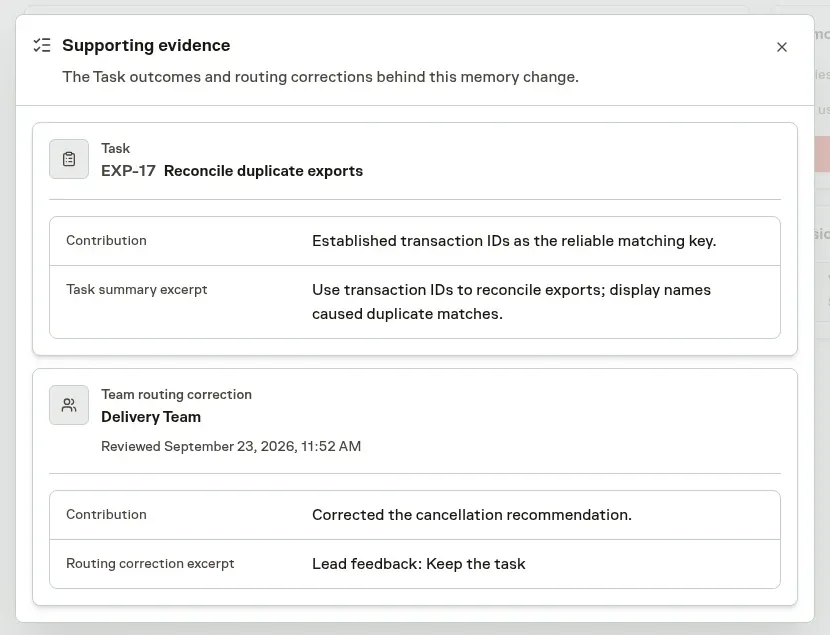
Select a version in history to compare what changed. Choose View latest version to return to the current notes. Older and manually edited versions have no automatic explanation.
Routine work can leave memory unchanged. Reviewing work does not itself prove that a note will improve future results.
Review and edit memory
Open the Agent's Memories page to inspect its notes and version history. If your role allows you to manage Agents, you can add, edit, or clear entries and publish the changes.
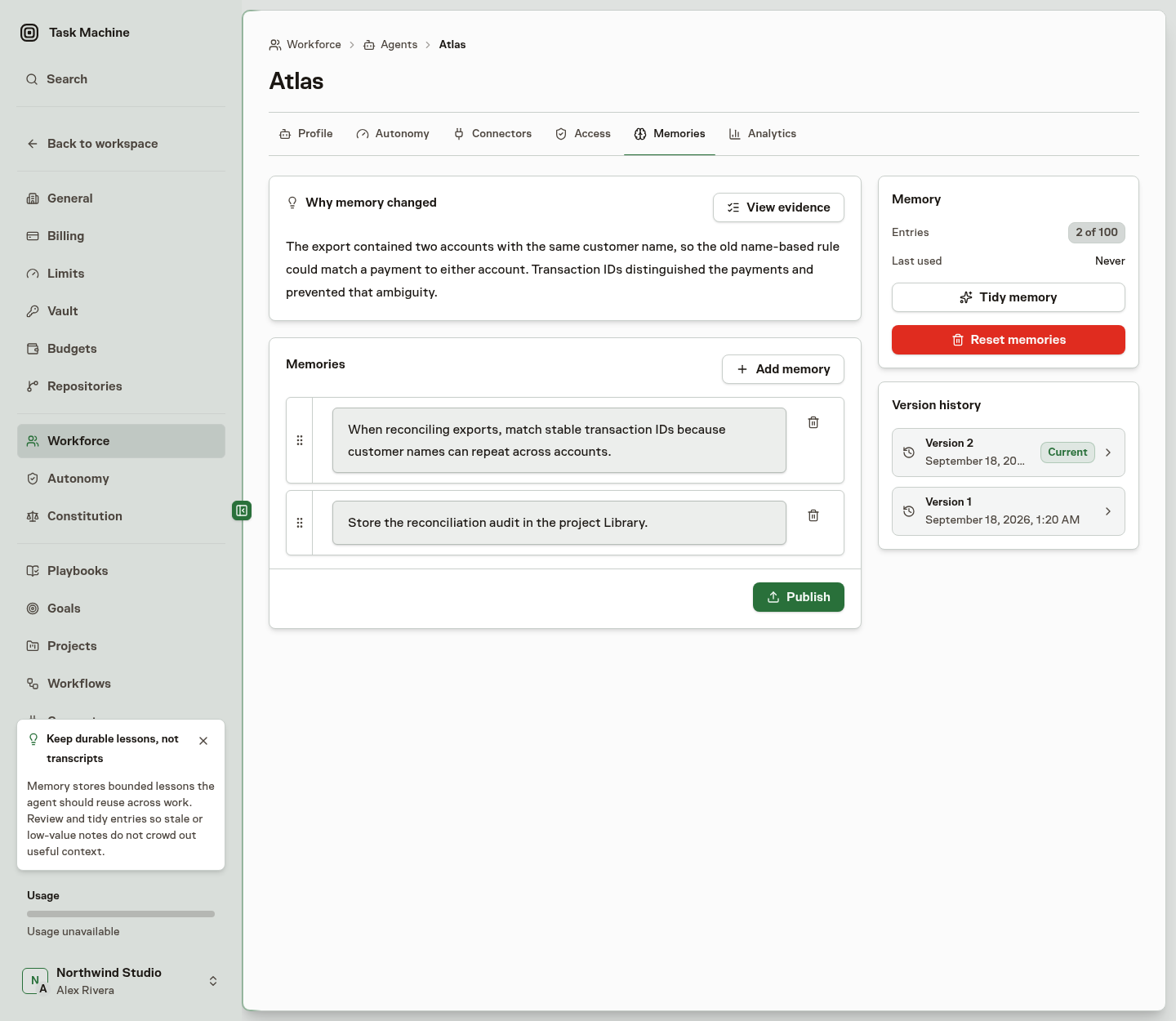
The entry count shows how much room remains. You can change the entry limit on the Agent's profile.
When the list is full, combine or remove less useful notes before adding more. Individual entries also have a length limit. Task Machine rejects an oversized change rather than silently dropping guidance.
An Agent can maintain its own memory as it works. People need permission to read Agents to inspect their memories and permission to manage Agents to change them.
Tidy cluttered memory
Choose Tidy memory to request a more concise set of notes. Review what the proposal would add, remove, and keep before accepting it.
Accepting publishes a new version. Discarding leaves the current memory unchanged. Unlike automatic learning, a requested tidy-up waits for a Human decision, even when an Agent requested it.
Task Machine prepares the tidy-up itself. The Agent's own worker does not need to be running.
Make a correction last
Explain a correction on the Task or in the Team routing review so the Agent can understand what went wrong and what a good result would look like. If it should guide future work, check that the Agent's memory captures it accurately.
For a rule that several Agents should follow, update their standing instructions, a reusable Skill, or the relevant Library document. Do not assume that one conversation silently updates every Agent's configuration.
Memory does not grant authority
Memory helps an Agent remember useful context. Autonomy controls which permitted actions need review. Editing memory does not grant permissions or promote an Agent to a different autonomy level.