Tasks
Intake
On this page
Use Intake to receive outside work into a specific Project. Configure the Project and its ownership first, then choose what external submissions may create.
Turn it on from the project's Intake tab
Open a project and go to its Intake tab. The tab is visible only to members who can manage the project (project:manage). Flip Accept task submissions on and Task Machine mints a secret token and shows it to you once. Copy it then.
Only a hash of the token is stored, so it cannot be shown again. If you lose it, regenerate a new one. If you no longer need intake, turn it off and the token is destroyed.
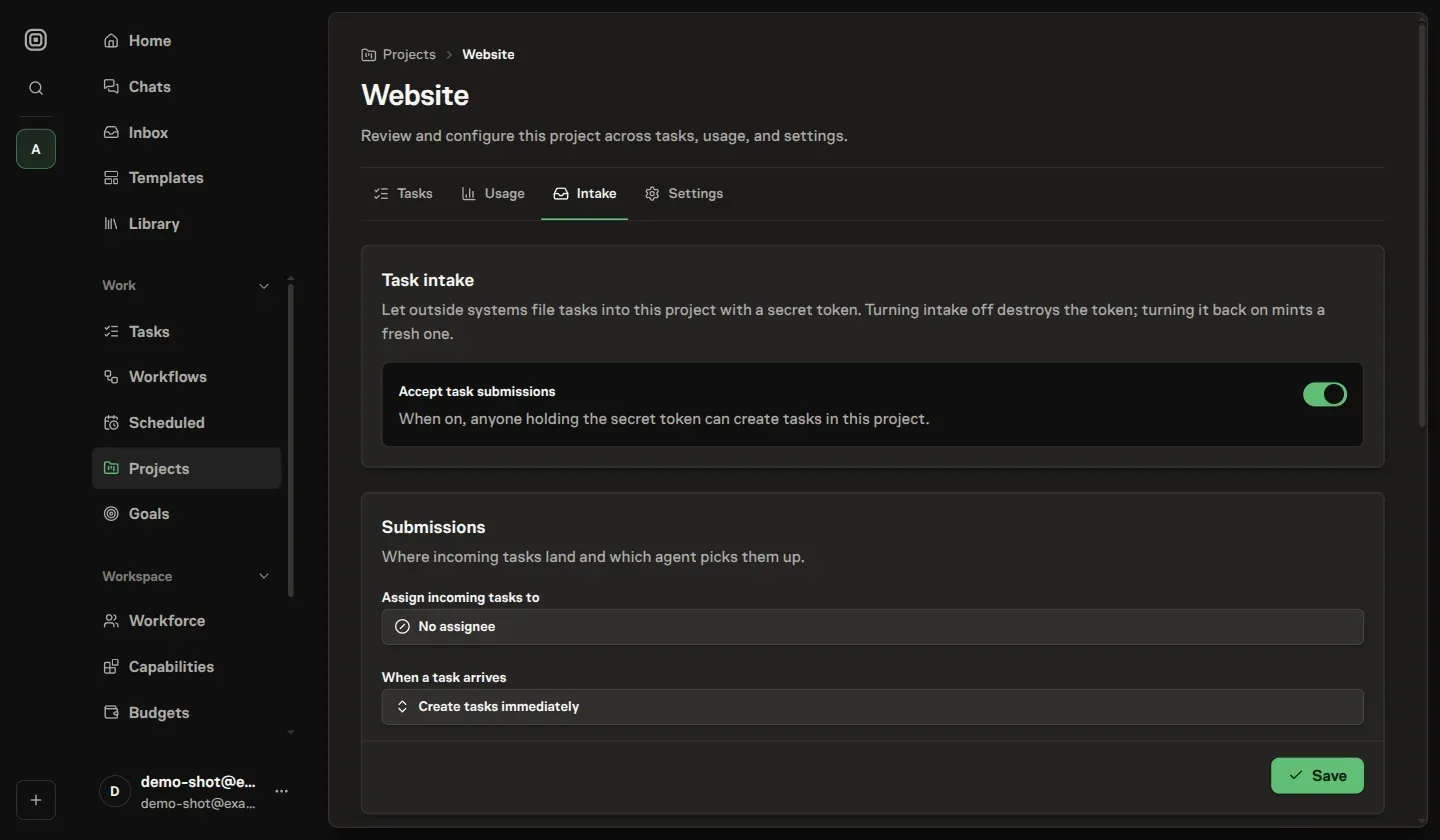
Decide where submissions land
The Submissions card controls responsibility and approval separately.
Use Assign incoming tasks to to leave work unassigned or route it to one Workspace member or Team. A Team owns the queue until its lead routes the Task to an implementer.
Under When a task arrives, choose:
- Create tasks immediately: add active Tasks to Backlog.
- Send to inbox as a proposal: put the submission in Inbox and the Project's Proposed tab for approval, editing, or rejection.
Directly assigned Backlog work still needs to become actionable before Agent execution. A Team lead can triage Team-owned Backlog work.
A proposal retains its chosen member or Team destination, but does not enter Team heartbeat processing until approval.
If the selected member or Team later becomes unavailable, Task Machine keeps that destination visible so you can correct it. New submissions fail instead of being silently reassigned.
Submit a task with the token
Submitting is a single token-authenticated HTTP request, with no per-user login. Copy the endpoint shown on the project's Intake tab, then send a JSON POST with the token as a bearer credential:
POST /api/intake
Authorization: Bearer <token>
Content-Type: application/json

{
  "title": "Checkout button is broken",
  "body": "Steps to reproduce…",
  "comments": [
    "Customer confirmed this affects saved cards.",
    "Support reproduced the issue in Firefox."
  ]
}
Only title is required, and it becomes the task title. body becomes the task description. The optional comments list creates separate comments in the task's Activity timeline, where members can reply and react through the normal task controls. One submission can include up to 20 comments.
Task Machine commits the task and all supplied comments together, so an invalid comment or a list above that limit rejects the whole submission instead of creating a partial thread.
A missing or unknown token is rejected, and a request without a title is refused, so a misconfigured caller fails loudly rather than creating empty tasks. Keep reporter details and other context in body unless they should appear as separate discussion entries.
Protect and rotate the intake token
The token alone authorizes task creation in its project, so treat it like a password. Task Machine stores only its hash and never the plaintext, which is why a lost token is regenerated rather than recovered. Regenerate token issues a new secret and immediately invalidates the old one.
Turning intake off is destructive: it permanently destroys the current token, so Task Machine confirms before disabling, and re-enabling later mints a brand-new token. If a token leaks, regenerate or disable and the old one stops working at once.
Intake submissions are attributed to the manager who set the channel up and routed to the member or Team you chose, so every task carries a clear papertrail back to its source even though the submitter never had an account.
Send one representative submission before connecting a recurring source. Check the resulting Task or Inbox proposal, including its description, comments, and destination, before letting more work arrive.