Start Here
Workspace pricing and access
Understand the Founding offer, recurring Workspace subscriptions, monthly usage, trials, top-ups, and billing.
One Workspace access contract gives your team both Cloud and Local execution. Choose the limited Founding offer while it is available, or start an ordinary Monthly or Yearly subscription. Every choice includes adjustable monthly usage for the AI and compute your agents consume in the Cloud.
Choose Founding offer, Monthly, or Yearly
The Founding offer sells lifetime Workspace base access in three rounds. The first 10 successful purchases cost $279 or €279 once, the next 30 cost $479 or €479 once, and the final 60 cost $679 or €679 once. Required monthly usage starts at $20 or €20, so the minimum initial charges are $299 or €299, $499 or €499, and $699 or €699, excluding tax.
A completed paid purchase moves the offer forward. Opening Checkout does not reserve a place, and simultaneous purchases may exceed a round's target. Checkout keeps the quoted immutable price until it expires. If the active round changed before Checkout opened, Task Machine shows the updated price and asks you to confirm it instead of substituting it silently.
The Founding offer starts no trial. Its one-time payment grants base access for the purchasing workspace while Task Machine continues to operate the applicable service, subject to the Terms. The access is non-transferable and does not promise perpetual operation or every future feature. Canceling the separate monthly usage subscription does not revoke this base access, although new Cloud work still needs funded usage.
Monthly billing starts at $99 or €99 per month, excluding tax. That total combines the $79 or €79 Workspace subscription with at least $20 or €20 of included usage. You can choose more included usage in $10 or €10 monthly steps when your agents need it.
Yearly billing reduces the Workspace base to $859 or €859 per year, excluding tax. Included usage is still billed monthly, starting at $20 or €20. At the minimum, your first paid charge is $879 or €879 for the yearly base and the first month of usage. The next eleven monthly invoices are $20 or €20, and the minimum first-year total is $1,099 or €1,099 before tax.
Stripe hosts Checkout and collects your payment details. Task Machine does not receive your complete card details. Your workspace uses either USD or EUR for all access and usage charges, and that currency stays fixed once billing begins. Any VAT or sales tax is calculated in Checkout and shown before you confirm payment.
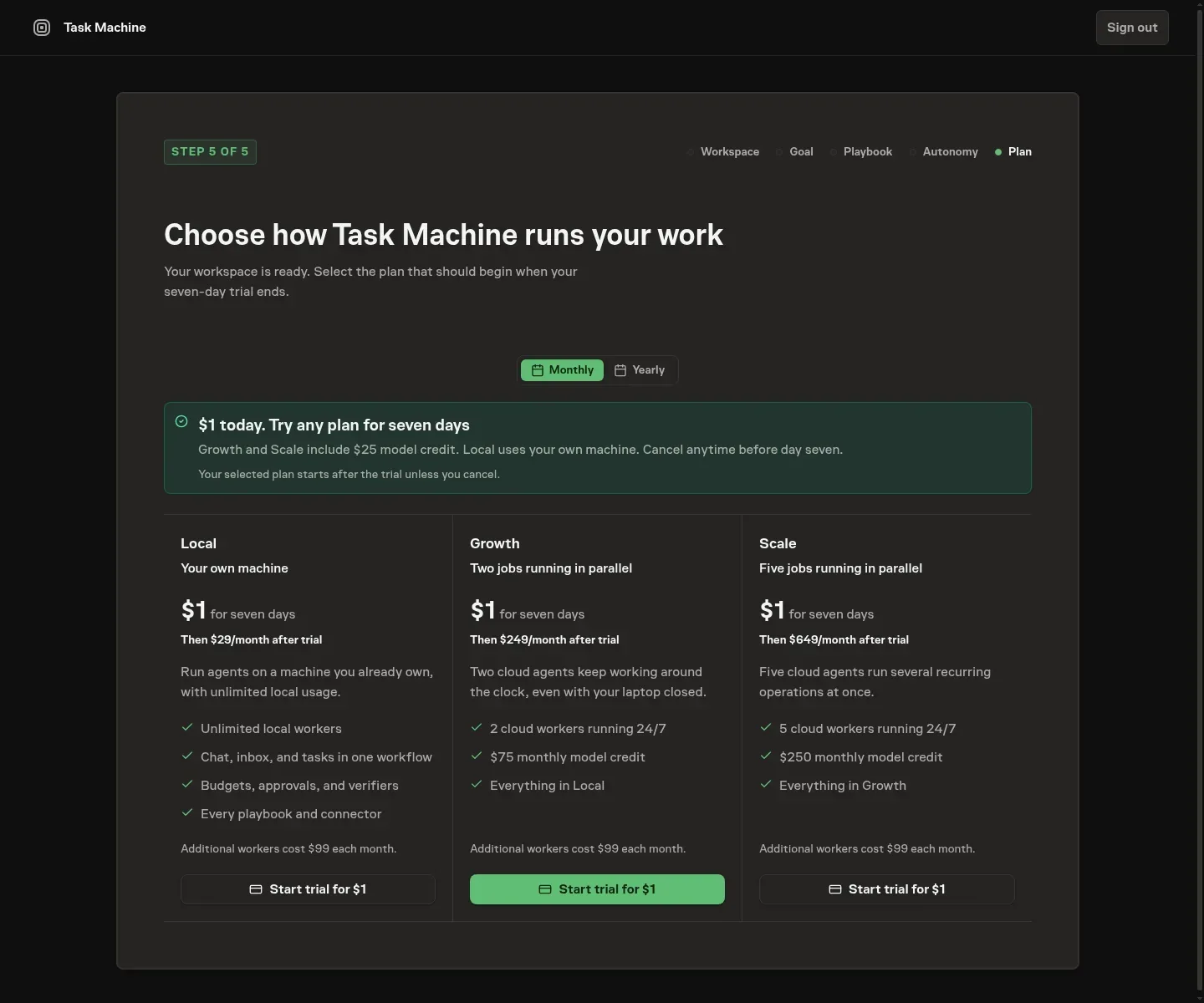
Recurring subscriptions start with a seven-day trial
An eligible new workspace that chooses Monthly or Yearly begins with a seven-day free trial. You add a payment method in Checkout, but there is no charge when the trial starts. The trial includes up to $10 or €10 of Cloud usage so you can put agents to work before the first bill.
You choose the included usage you want before starting the trial. If you continue after seven days, Stripe charges the monthly subscription or the yearly base plus the first month of usage. Cancel before the trial end shown in Task Machine to prevent that charge.
Trial usage expires when the paid subscription begins. You cannot top it up or change the next recurring amount during the trial. If the trial allowance runs out, new Cloud work waits, while Local execution remains available.
Cloud usage covers AI and compute
Every Cloud Run uses one shared usage balance. AI usage covers the models your agents call, and compute usage covers the Cloud environment while the Run is active. Retained Cloud files use the same compute rate and are charged one complete rolling day in advance while they remain available. The amount consumed depends on the model, the work it performs, active runtime, and retained file storage. Task Machine combines these parts into one usage total, so you do not need separate model-provider or cloud-compute accounts. Usage is a monetary amount rather than an hour quota.
The calculator on public Pricing and workspace Billing lets you choose Automatic routing or a specific Cloud model, then enter the active hours you expect each day. It shows the estimated usage per active Cloud hour and daily cost. The estimate uses recent work when enough history is available and otherwise uses a planning baseline. It is guidance only, does not change billing automatically, and never replaces the usage recorded for completed work.
When a Workspace subscription ends and no other base-access grant remains, the workspace is locked but its data remains stored. The workspace owner receives one billing email when billing emails are enabled, with a link to restore access where the work left off.
Included usage refreshes after each paid monthly usage invoice and does not roll over. This monthly refresh also applies when you pay for the Workspace base yearly or pair lifetime base access with an active recurring usage subscription. Task Machine uses included usage before any purchased top-up usage.
When no usage remains, new Cloud work waits until the next refresh or a top-up. Work that is already running can finish. Local work uses the models and tools configured on your own machine and does not consume Task Machine usage.
Workspace Billing shows how much usage remains, what your recent Task and Chat work consumed, and every monthly refresh or top-up. You can change the next monthly included-usage amount before its billing date, and Task Machine never raises it automatically.
Top up when you need more
A workspace with an active paid recurring usage subscription can buy additional usage. Lifetime base access without a healthy usage subscription does not enable top-ups. Top-ups start at $50 or €50 and increase in $10 or €10 steps. The Checkout charge is higher than the usage added because it includes a payment processing fee. VAT or sales tax, when applicable, is added separately and shown before you pay. Task Machine never tops up automatically.
Purchased usage remains available for 12 months. Task Machine reminds workspace members before unused purchased usage expires. If you have several top-ups, the usage that expires first is consumed first.
Run in the Cloud or on your own machines
Cloud execution lets agents start without a connected computer. A workspace can have up to ten Tasks with active Cloud Runs at once, and additional Task work waits until capacity becomes available. Chat and other run types have their own workspace limits, which you can review in Settings.
Local execution is useful when work needs files, software, credentials, or accounts on a machine you control. It is included with an operational Workspace subscription or active lifetime base-access grant and does not draw from your Task Machine usage balance.
Billing and usage stay within one workspace. An access contract, usage subscription, or top-up purchased for one workspace cannot fund another.
From here, Onboarding takes you through the first Workspace setup, Local workers explains how to connect your own machine, and Budgets and retries shows how to cap spending for specific agents and work.