Start Here
Private beta
What to expect from Task Machine during the private beta, and how to get the most out of it.
Task Machine is in private beta, so it helps to know what to expect before you lean on it for real work. The product is usable today, but it is early: some flows are unpolished, and agents need more supervision than they will once things settle. This page sets that context so the rough spots are expected, not surprising.
Two weeks, fully async
There are no scheduled calls during the beta. Each workspace gets a two-week window, start to finish: a short questionnaire on day one (what you're hoping to get out of it, what you'd use it for) and another when the two weeks wrap up (what worked, what didn't, whether you'd keep using it) — both just a form link by email, no meeting to book. In between, use Send feedback below whenever something breaks or feels off. You never need to wait for a check-in to say so.
Agents run on your machine, with cloud workers coming
Today, agents do their work on machines you connect — a computer you control runs the work using the tools installed there, and Task Machine coordinates the rest. Hosted cloud workers are on the way, so this setup gets simpler over time. Until they land, a workspace needs at least one connected machine before any agent can do anything. Onboarding walks you through connecting one, and worker machines covers it in depth.
Set up tools and credentials where agents run
Because the work happens on your machine, an agent can only use tools available there. Coding tools and browser access still need to be installed and ready on the machine the agent uses. Credentials for workspace connectors can live in the Task Machine vault: installed connectors receive a selected vault entry as an environment variable, while remote connectors can use account authorization or a vault-backed request header. Other credentials a local command needs must still be configured on that machine. If a task depends on something the assigned machine or connector cannot reach, it will stall or work around the gap, so prepare the tools and connectors needed for the jobs you intend to run.
Expect rough edges
This is a beta, and it shows in places: some screens are unfinished, some interactions are awkward, and behavior will change between updates. None of it should lose your work — the task history records what happened — but treat the experience as still taking shape rather than final.
Watch the agent loop
Agent runs are not fully reliable yet. An agent can stall, drift from what you intended, or finish with work that needs correcting, so keep an eye on active tasks rather than leaving them unattended. The task timeline and its run transcript show exactly what an agent did, which is where you catch a run going wrong and step in — redirect it with a comment, or retry. Set autonomy no higher than you are willing to supervise during the beta: the more an agent does without asking, the more closely it is worth watching while the loop matures.
Tell us what breaks
The beta is where the rough edges get found, so feedback is the point. The fastest way to send it is the Send feedback item directly in the sidebar on every page. Pick Bug, Idea, or Other, write a sentence or two, and send. You do not need to say where you were. Task Machine records the page you were on and the ids of whatever you were looking at, so we can trace the report and reproduce it.
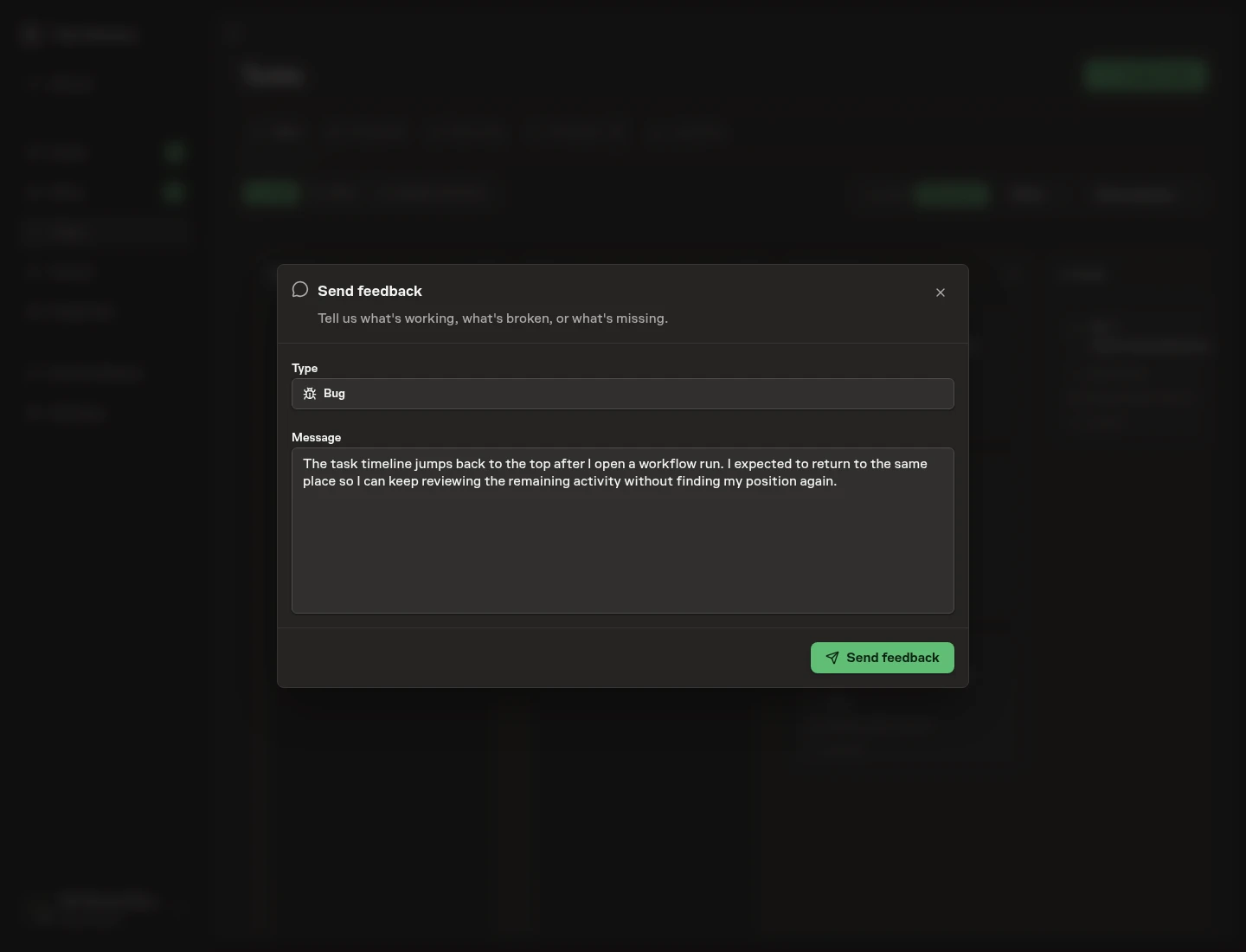
You can also email support@taskmachine.io or message @fabian_builds on X. Concrete reports about a specific surface or task move the product fastest, and when an agent does the wrong thing, the task timeline and its run transcript are the best evidence to share.
From here
If you have not set up a workspace yet, Onboarding is the guided path from sign-in to agents ready to work. To understand the model the rest of the docs build on, read How Task Machine works. If you are starting a company rather than joining one, Build Your Company is the founder path through these docs.