Vault
Vault
On this page
Use Vault for logins, API keys, and other secrets Agents need during work. Save the credential once, then grant the required access instead of pasting values into Chat, comments, or instructions.
Add and find credentials
The Vault list shows visible metadata such as website, username, and label. All, Logins, API keys, and Secrets narrow the list, and search checks visible metadata rather than secret values.
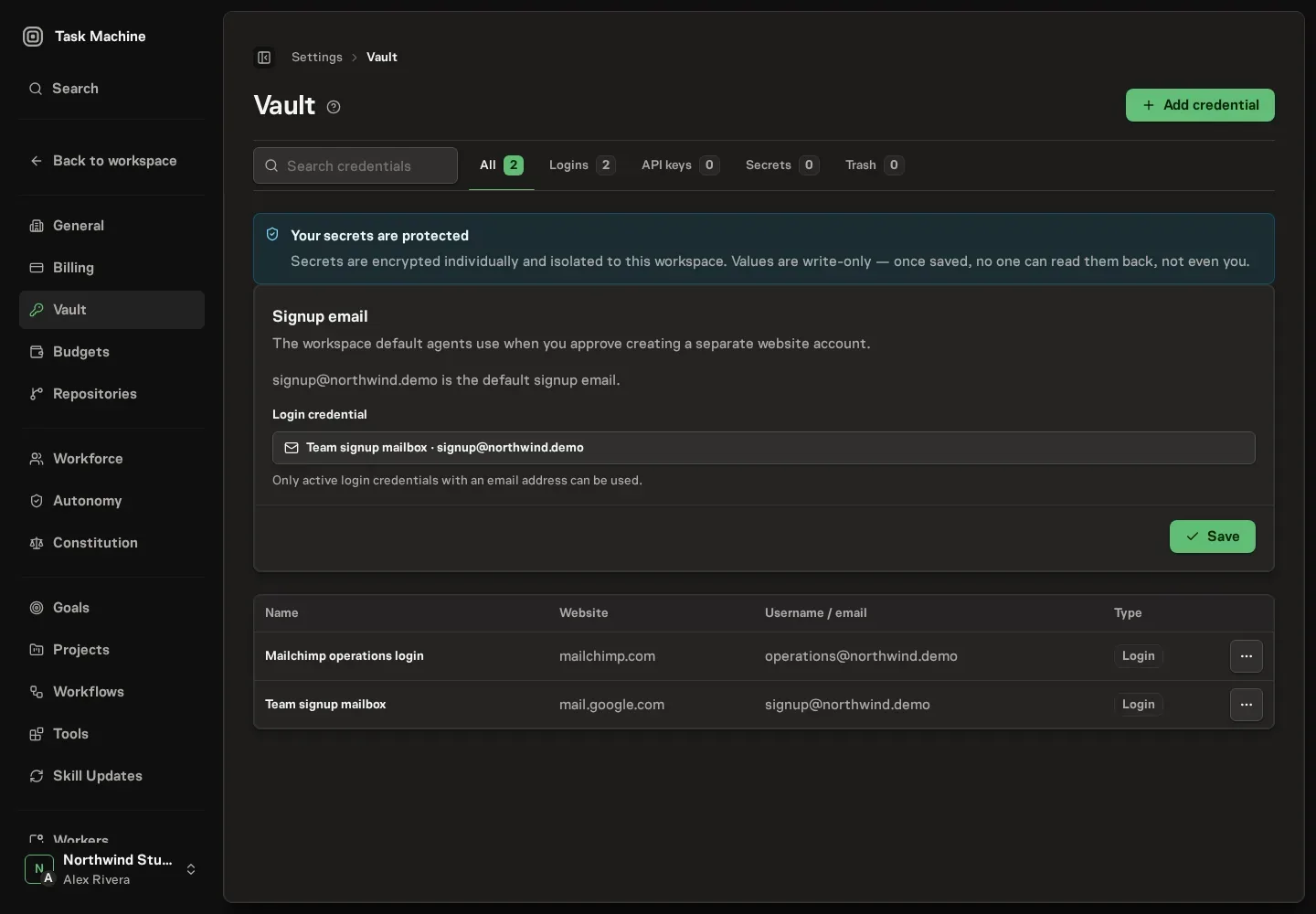
A login can hold a password, or leave it absent for email and magic-link sign-in. Add an optional authenticator setup key or otpauth:// link when the login needs two-factor authentication. API keys and generic secrets require their value.
The interface is write-only for secret fields. You can save or replace a password, key, or secret without revealing its stored value. Editing a login keeps an existing authenticator key unless you replace it. Removing that key is a separate action with confirmation.
Resolve a missing credential in Inbox
Read the request
When an Agent cannot find a suitable credential, its request identifies the tool or app, exact relevant URL when available, credential kind, reason, and access context. Inbox displays the normalized domain as the link. Hover or focus it to preview the target URL before opening it. An empty search alone does not create a request. Open the item in Inbox to decide without leaving that surface.
Supply the credential
Open Provide access and choose the appropriate route:
- Use existing credential: select a suitable Vault entry.
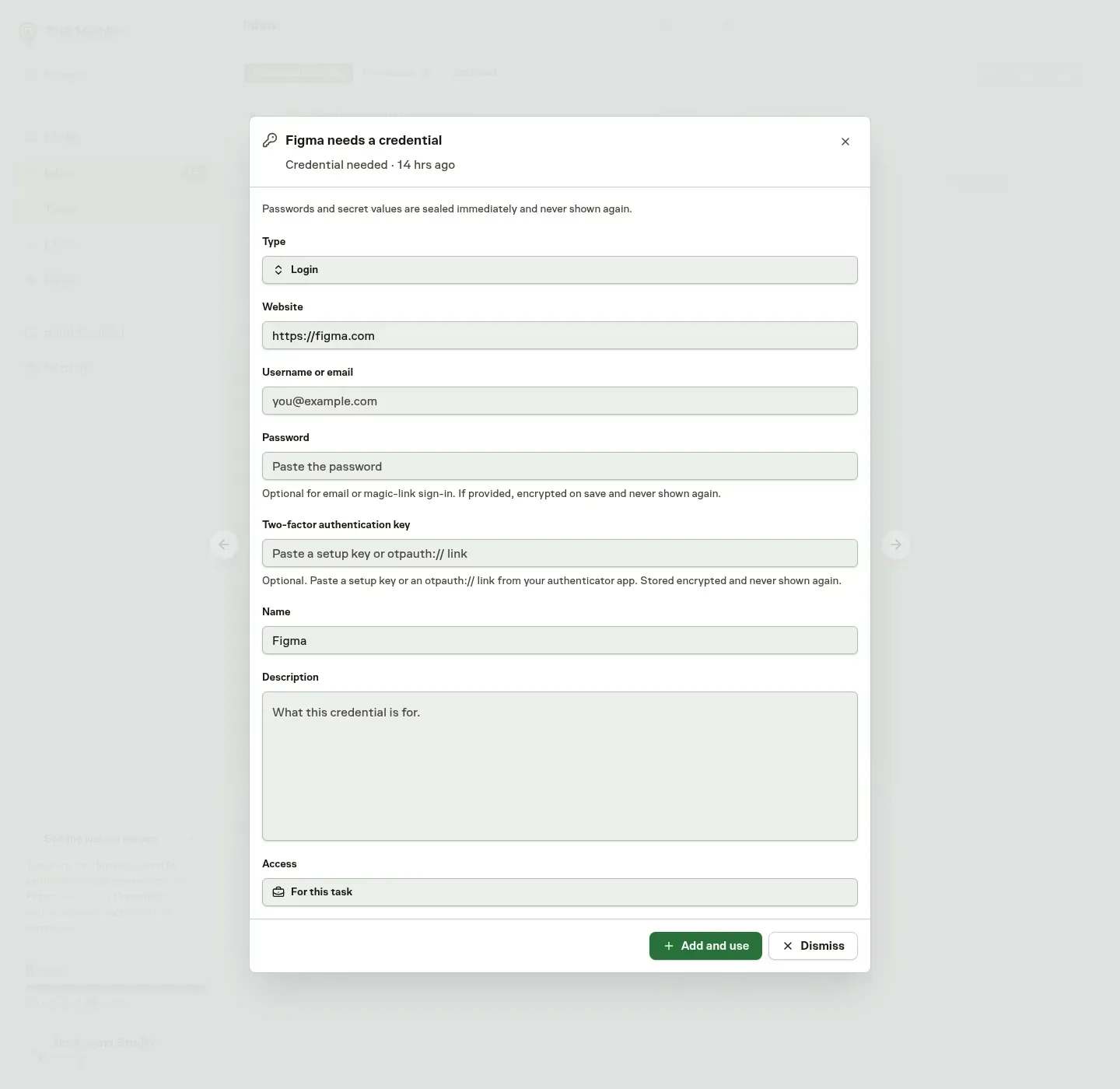
- Add credential: open the embedded write-only form.
- Approve account creation: allow a separate account when appropriate and a signup identity is configured.
The add form starts with the requested kind, but you can change it to a login, API key, or generic secret. A new login can include an authenticator setup key.
Reject the request when the service or access is unnecessary.
Choose the scope
The access choices depend on where the request came from:
- For this task: durable access for a Task-origin request.
- For this agent: durable access for a taskless Chat request.
- One use: the limited alternative.
Read the selected scope before applying the decision.
For a new entry, Add and use saves the credential and grants the selected access. Selecting or adding a credential, or approving signup, can continue waiting Task work but does not start a new Chat turn. A run already paused on credential access still resumes after approval.
The new credential and the decision are saved together, so a failed resolution does not leave a partly completed creation behind.
Approve access to an existing credential
A credential can exist without being available to every Agent. Metadata discovery and Connector assignment do not silently grant secret access.
An access request offers Approve once, Approve for a period, Approve indefinitely, or Reject. Approve only the access the work needs. For a Connector waiting on access, one-time approval releases the oldest waiting Run. Broader approval can release the other eligible waiting Runs too.
Members with grant permission can also open Manage access from a Vault row. Revoke active access there when it is no longer appropriate. A revoked entry keeps its history. Grant again asks for current terms rather than restoring its old duration.
To see everything one Agent can use, open the Agent's Access tab. Its Credentials card lists the credentials granted directly to that Agent or requested by it, with the same Approve, Grant again, and Revoke controls. Use Grant a credential there to give the Agent access before it asks, once, for a set number of days, or indefinitely. Access the Agent receives through a Team or a Task is managed in Vault.
Manage a Connector's login
Account authorization creates a Vault entry marked Managed by Connector. You can manage its access grants and inspect its activity, but cannot edit, replace, or delete the login directly in Vault. Use the Connector's login or Disconnect actions instead.
A login-only reconnect verifies the new authorization before replacing the saved login. When the Connector already manages a Vault entry, that entry and its existing grants stay the same. New authorization stays hidden until it is applied. A failed or cancelled attempt leaves the previous stored login unchanged, although the service may independently invalidate its earlier authorization.
If an older entry is shared or cannot be safely identified as belonging only to this Connector, it remains untouched. Reconnecting creates a separate managed entry, which may need new access approval.
Archiving a Connector keeps its login and grants. Disconnect explicitly attempts to revoke the service authorization and moves the managed entry to Trash. Reconnecting can reuse that entry while it still exists.
Choose an account-signup identity
Open the Vault's Settings tab and choose the Signup email login. Its visible username must be an email address. An Agent's Workforce settings can override the Workspace default with another eligible login.
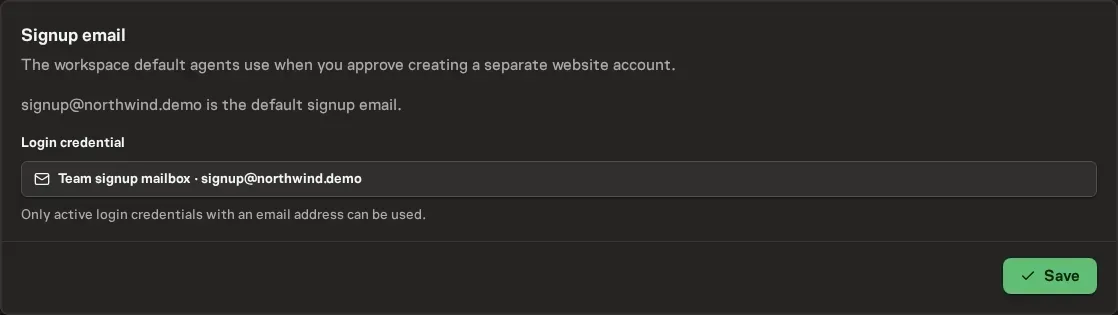
This preference supplies an identity, not standing permission to create accounts. Each website signup still requires an Inbox decision. Approval grants the mailbox access for the requesting Task or Agent. Task-origin requests also add the signup instruction to the Task.
The Agent can then generate and seal the site's login and use its password through authorized execution. Agent-created credentials are audited and raise a Workspace notification.
Understand execution access
Hiding saved values in the interface does not mean plaintext can never leave Vault. Authorized execution can supply a granted field to the process that needs it, and some supported operations can return its raw value.
Authenticator codes can be generated without returning the stored seed. Injection and output redaction reduce exposure, but transformed values can escape exact-value redaction. Treat the consuming process and its output as part of the credential's access boundary. Keep secrets out of prompts, logs, and transcripts.
Connectors bind their account authorization, request headers, or environment entries to this access model. Remote setup verification checks selected credentials without displaying their values in its result. Repository SSH uses a separate system-managed key. See Repository access.
Inspect activity without revealing values
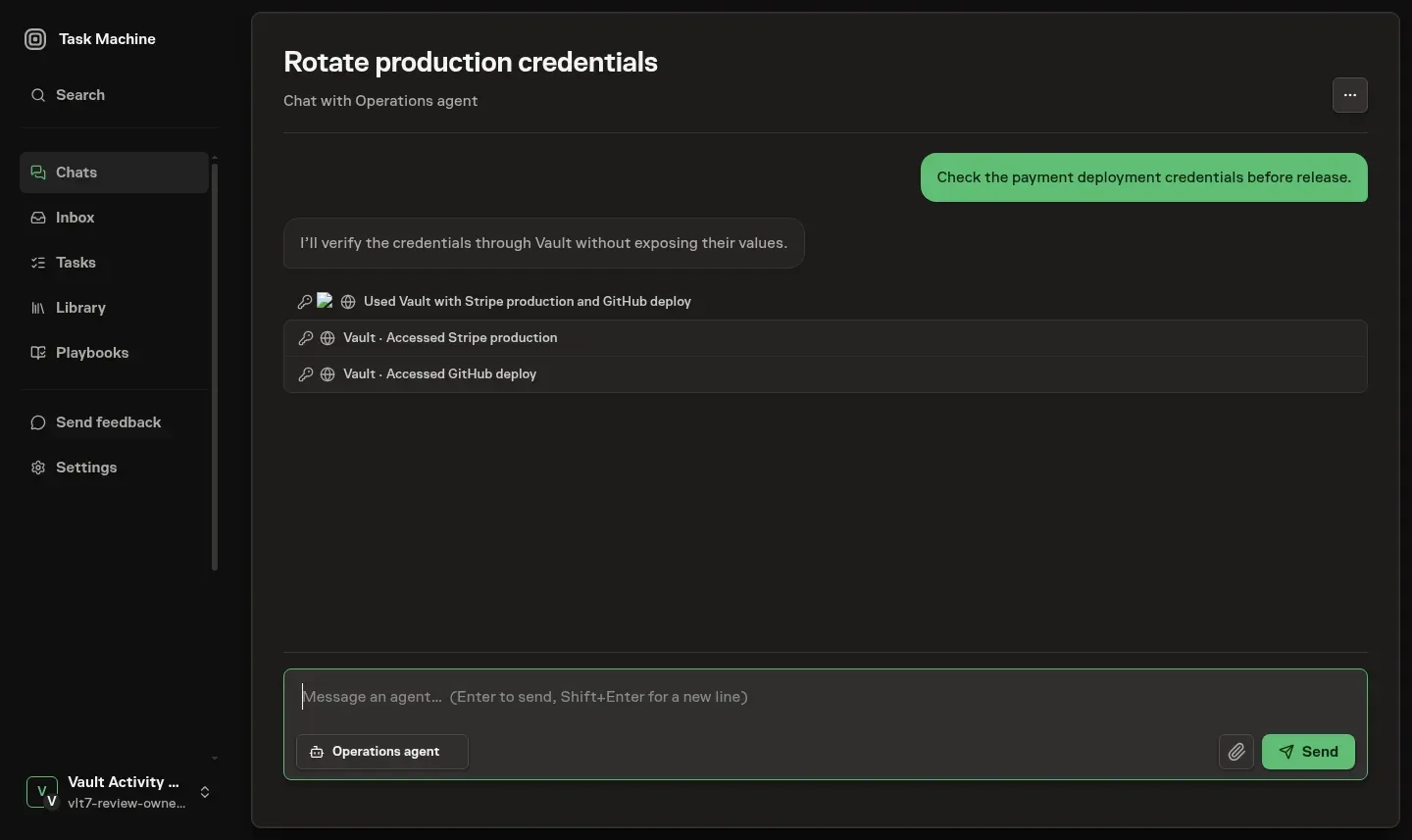
Vault activity in Chat and Run transcripts has a Vault mark. When your role allows it, the activity names referenced credentials and shows their website logos when available. Command arguments, secret values, and Vault command output stay hidden there.
Without Vault access, you can still see that the activity occurred without seeing credential metadata.
Understand storage protection
Each secret is encrypted with its own data key using authenticated AES-256 encryption. A separate master key protects that data key. Production key protection uses Scaleway Key Manager. The master key remains in that service.
Encryption binds a value to its Workspace identity, so using a different Workspace identity fails authentication. That protection does not replace authorization checks or guarantee protection against every application error. Key rotation can change the protection around a data key without re-encrypting the stored value.
Delete or restore an entry
Deleting a credential you manage directly moves it to Trash, where it remains recoverable for 30 days before automatic permanent purge. The list shows its remaining time. Restore it during that window, or permanently delete it sooner when you are certain.
Viewing metadata, managing entries, and granting access are separate permissions. See Members and roles if a needed action is unavailable, and Privacy and data for the limits of broader deletion controls.