tama CLI
Shortcuts
On this page
The command center is the workspace launcher that follows you through the app. The three main surfaces still carry the work, but the command center is how you jump between them, search the objects you can access, and run small actions without first finding the owning page.
Search starts from the app shell
Open the command center from the shell search control or with Cmd+F on macOS and Ctrl+F elsewhere. An empty search keeps the operating loop close: start a chat, create a task, open the Inbox or Tasks, find shared context in the Library, or browse playbooks.
Member administration and workspace settings stay searchable without crowding these quick actions. Once you type, the panel becomes a ranked result list and keeps the latest search responsive while it checks the parts of the workspace you can access.
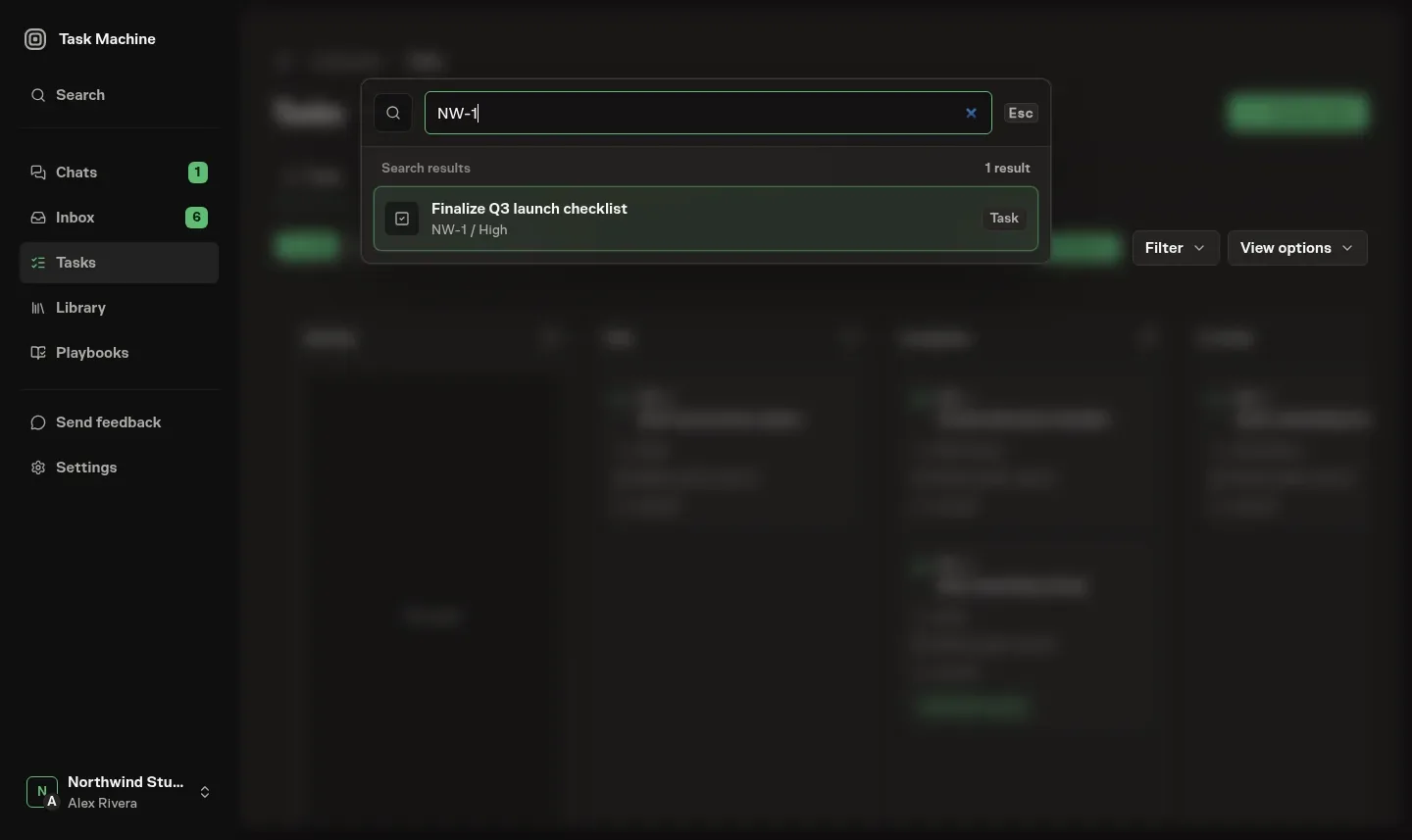
Results stay inside your workspace role
Command center search stays within the current Workspace and your role's access. Searchable results include:
- People, Agent profiles, and Teams.
- Chats, Tasks, labels, Projects, and Goals.
- Documents and Skills.
- Budgets, Machines, and Workers.
- Workflows, Workflow playbooks, Runs, and their linked questions and approvals.
Tasks match their readable identifiers, such as FEE-66, as well as their titles and details. Exact identifiers take the shortest search path, while broader searches rank exact names ahead of general text matches. If your role cannot read a record or use an action, that result or action is hidden from the list.
This permission filtering is a usability layer, not the security boundary. Opening a destination or submitting an action still goes back through the domain that owns the change, so a hidden button is never the only thing protecting the operation.
Actions keep their owning context
A result opens the place that owns the work:
- A Task opens its detail page.
- A Workflow opens its builder.
- A Workflow Run opens its backing Task.
On the Task, Activity shows current execution and steering context. Runs keeps the complete execution history.
Other results open the action directly in a modal. You can start a Workflow, create a Task, or answer a Workflow question without first navigating to another page.
Workflow operations use the same rule. A workflow playbook can be duplicated into a draft from search when you can manage workflows. A running workflow can be cancelled from search when you can run workflows. A workflow-linked question can be answered from search when you can update tasks.
A workflow approval can be approved or rejected from search when the approval domain says you can decide it. Each action updates the same records that the Inbox and task activity trail use, so the command center is a shortcut into the existing control loop, not a separate workflow.
From here, see Inbox for the attention queue the command center can act on, Tasks for the papertrail most results open, and Workflow execution for how runs record their progress.