Library
Documents
On this page
When work produces something worth keeping, it lands in the Library as a document. Reports, drafts, research, plans, and uploaded files use the same durable record, whether a person writes them directly, an agent creates them during a task, or a workflow produces them as an output.
Save a result where it can be reused
When you are developing a result in Chat, ask the agent to save the agreed material as a Library document and confirm what was created. Choose a folder whose access matches the intended readers. A private conversation does not make a document private if it is saved to a broadly readable folder.
Use the Library for later browsing, editing, and organization. Check the document's content and source before making it standing guidance for other agents.
Versions
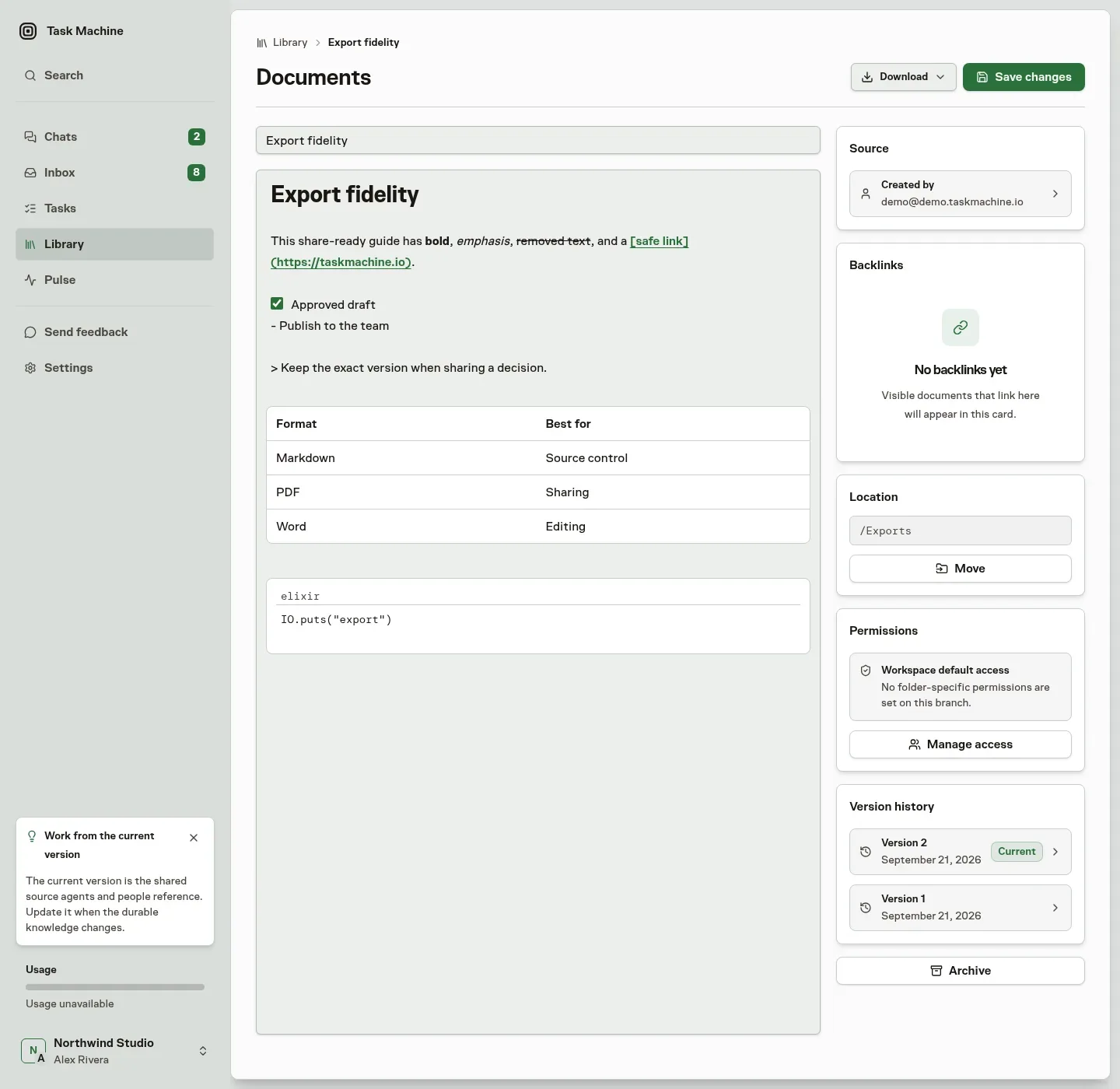
A document has one stable identity and a sequence of immutable versions. Editing does not overwrite the previous body. It appends a version, records who made the change, and keeps the earlier state available for review or restoration. References point to the document itself, so links remain valid as its title, location, or content changes.
Markdown documents store their body directly. File-backed documents keep their content in protected storage while the Library record holds the metadata needed to find and authorize it. Both follow the same visibility and version rules.
Upload and replace files
Use Upload file in a Library folder to add one image, video, audio file, PDF, Office document, text file, or supported source file. The app accepts files up to 250 MB. Archive files are not supported, including ZIP, 7z, TAR, GZ, and TGZ files.
A supported image, video, audio file, PDF, or bounded text preview opens inside the document page. Active content and file types the browser cannot safely render stay download-only.
Replacing a file appends another immutable version to the same document. The title, Library location, access, source, and earlier versions stay in place, and every earlier file remains available from version history. A file-backed document cannot be converted into editable Markdown through replacement, and a Markdown document cannot be converted into a file through editing.
Download the version you are viewing
Every document you can read has a Download action in its page header. A Markdown document can be downloaded as its exact .md source, a PDF, or a Word .docx file. The Markdown option preserves the stored body byte for byte, while PDF and Word turn its headings, lists, tables, quotes, code, and links into a document that is ready to share.
A file-backed document downloads in its original format without conversion or changes. When you open an earlier version from the version history, every download choice uses that exact immutable version and includes its version number in the filename. Return to the current document before downloading if you want the latest version.
When Task Machine attribution is enabled in workspace settings, generated PDF and Word files carry a quiet Generated with Task Machine · https://taskmachine.io footer. Turning attribution off removes that footer from future generated downloads. Exact Markdown source and original files are never modified by this preference.
Generated documents retain their source
A document created during work records the task, agent run, workflow, or playbook installation that produced it when that source exists. The source stays attached as the document is refined, so a reader can tell where the result came from without reconstructing it from a transcript.
People and agents share the same document model and version history. Agents can directly update generated documents when their path permissions allow it. Human-authored documents remain read-only through direct agent updates.
References
Type @ in a supported writing surface to choose a document, Task, person, Agent, Team, Skill, Project, Goal, or Repository you can access. The inserted link keeps a stable identity even when its target’s name changes. Use Markdown for the exact syntax and supported types.
References resolve with current permissions
When Task Machine renders a reference, it looks up the target in the current workspace and shows its current name or path. The saved label is only a fallback.
If the target is missing, archived, or not visible to the reader, the link becomes plain text instead of exposing an internal id or the existence of a protected record.
The same permission check applies every time the reference is rendered. Moving a document to a restricted folder therefore updates who can follow the link without requiring every source document to be rewritten.
Backlinks show where knowledge is used
References can be read in both directions. Following one opens its target. Backlinks list the visible Library documents that reference the current document. Backlinks use the same workspace and path permissions as forward links, so a reader sees only sources they are already allowed to open.
The exact markdown syntax is covered in the markdown reference.
With memories, documents, and references connected, agents can read shared context and write durable results back into the workspace. When that work is ready to repeat, use a Playbook or configure the process in the Workflow builder.