Observability
Run history
On this page
A Run records one execution attempt. Open it when you need the model, timing, transcript, or failure evidence behind work on a Task or in Chat. Task completion remains a separate decision.
Runs keeps complete execution evidence
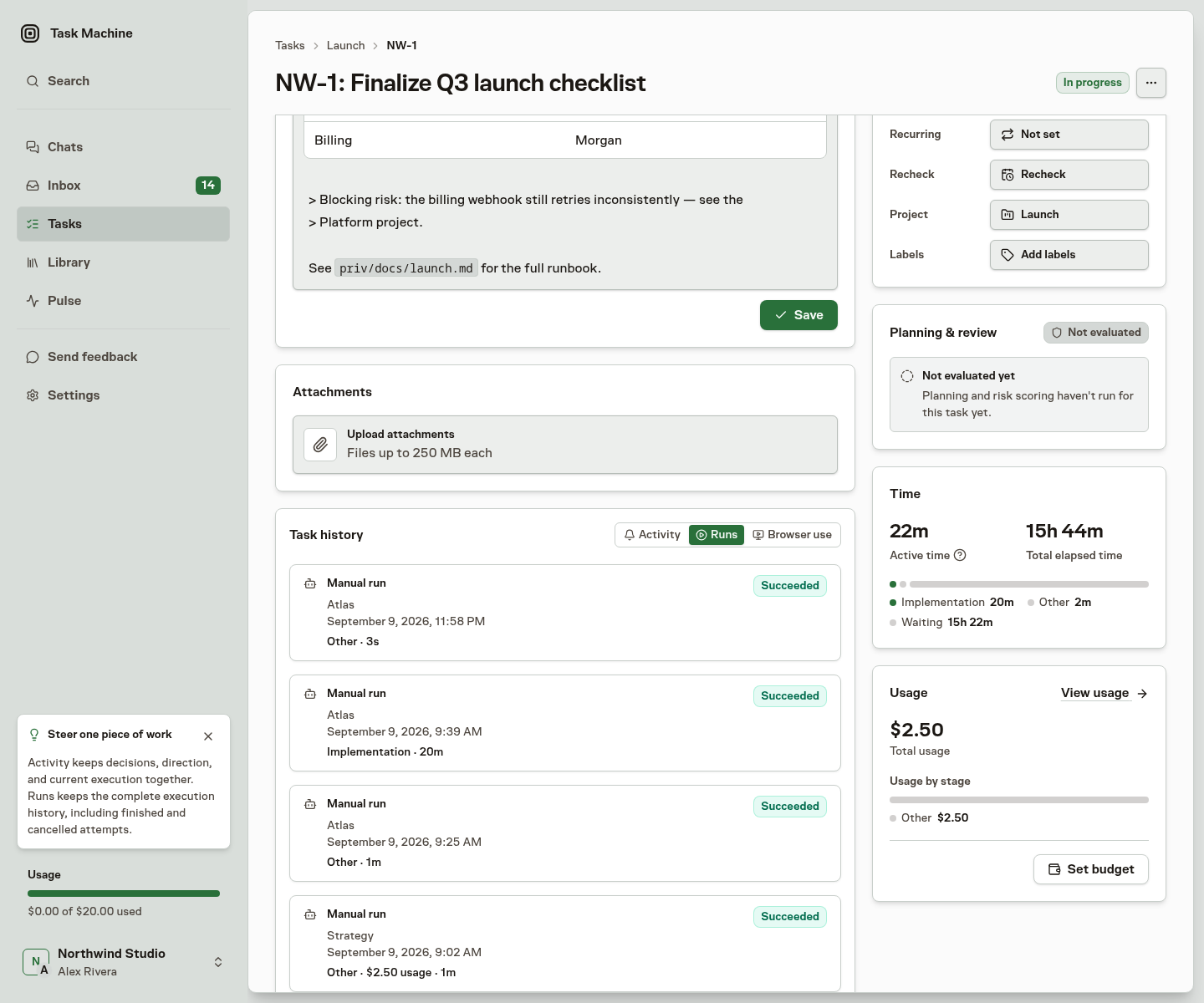
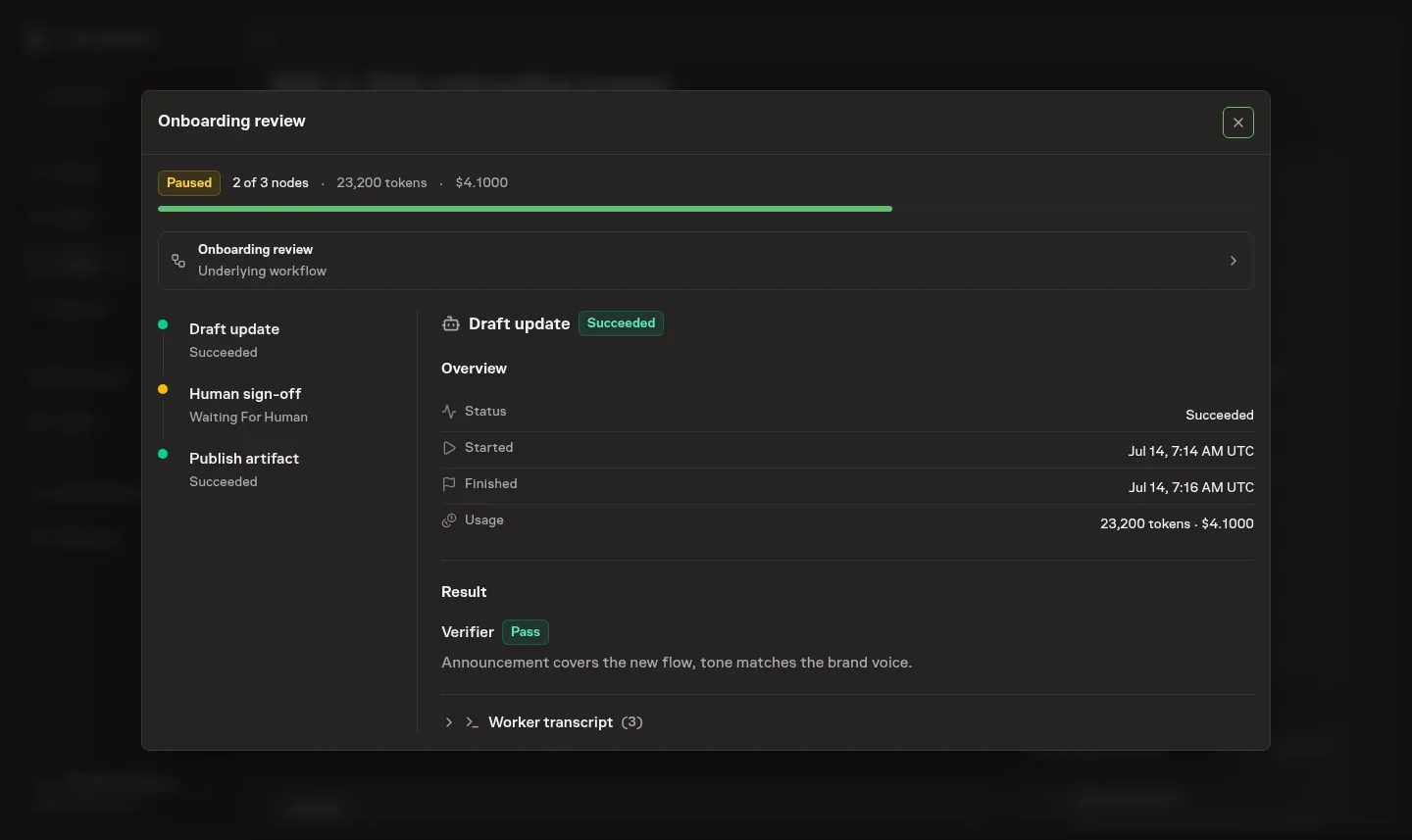
Runs is the complete execution record. Every agent and workflow run remains there, including successful work, cancellations, failures that later recovered, and blocked-task rechecks. Each workflow run shows the ordered steps from the exact workflow version it used, with each step's type and latest available status.
Runs, Browser use, and Workflow appear only after the task has that kind of history, keeping a new task focused on Activity. Activity reads from oldest to newest, while Runs starts with the newest work and loads older pages automatically as you scroll down. Runs appends 25 records at a time.
New comment threads join the end of the Activity papertrail, while replies update their original thread without moving it. Long-lived tasks remain complete without loading their whole history at once.
Retry a failed attempt
When a failed or timed-out agent run can safely continue from its current task state, Retry appears on its Runs card, in its run detail, and on the matching failure item in Inbox. The Inbox item stays out of Activity so it does not duplicate the canonical newest failure card.
Retrying creates a fresh attempt and leaves the failed run unchanged in the history. The action disappears as soon as another attempt exists or the task state no longer allows that recovery.
A run's execution status remains separate from Task Machine processing its result. If that processing stops after repeated failures, the Inbox offers processing recovery without starting another agent run.
Once you retry processing or dismiss the alert, it leaves Activity. The run and Inbox record stay available.
Inspect a Run or read the current summary
Open an execution Run to inspect:
- The concrete model and whether Auto or a fixed choice selected it.
- The Worker and timing.
- Recorded tokens and customer usage.
- The transcript of tool calls, reasoning, supplied instructions, and errors.
The newest events load automatically. Scroll up for earlier events. Very long transcripts keep a bounded window, so scrolling back down loads the later events again. Search, page fetching, and browser rows name one or two public domains and otherwise count the sites involved, so the collapsed history stays informative without exposing full URLs.
If Task Machine cannot confirm saving some transcript events, the transcript shows a warning with their count. The warning means the history may be incomplete, not that the work failed. It does not restart completed work or change the Run's result.
Comments and reactions received during a Run appear as right-side messages with the sender's name. Conversational Runs receive steering only for their own Agent and comment thread, while separate threads keep their own Runs. A new top-level comment on a Task also reaches the Run executing that Task when it is addressed to the executing Agent, so you can redirect work in progress without waiting for it to finish. You can read or copy the instructions the agent received, and Task Machine's own messages have a separate label.
Task Machine supplies its operating rules through the model's system instructions. Your request, recorded decisions, memory and conversation history remain separate context. The record retains the original compiled instructions and the effective system instructions delivered by the Worker.
Choose Transcript or Steering in the Run modal. Steering shows the newest comments, reactions and Task Machine interventions first, with each comment's formatting, mentions and links inside the timeline. Scroll down to load older events.
A mention of a record you cannot read shows its plain name instead of a link.
Each event shows whether its message is queued, delivered or was not delivered. A comment or reaction is marked handled when the Run submits an accepted report after receiving it. That label records report handling and does not confirm that the agent followed the direction. The Transcript tab keeps the full delivered messages.
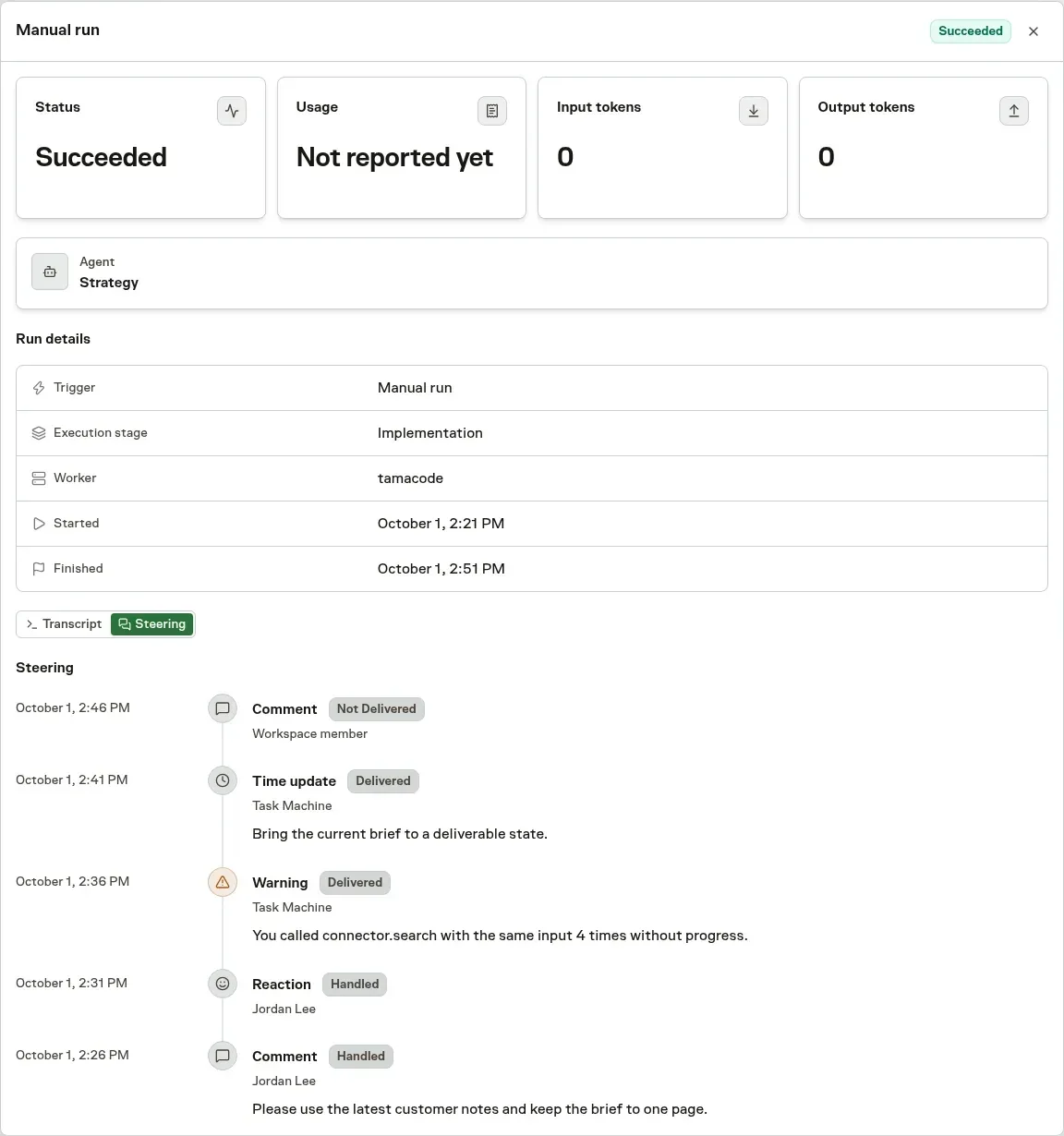
On current Workers, Task Machine watches for repeated tool calls and failures without observable progress. It first asks the agent to change its approach. If the same loop continues after the agent receives that message and has time to respond, Task Machine asks it to stop and submit a report. Steering keeps both the warning and stop request visible, separately from the agent's submitted Run report. Required checks and review still apply, and the reviewer decides when the Task is done.
On current Workers, Task Machine also checks progress every five minutes during a running Task, using the Task's requirements and recent tool activity. Research and reading can count as progress without file changes. Signs of being stuck or drifting from the requested outcome produce a warning in Steering and the transcript. This check cannot stop the Run or decide that the Task is done. If it is unavailable, the repeated-call rules still apply. These checks use a small amount of workspace usage, including for local agents.
Finishing reminders, over-budget reminders, a time check for every 15 minutes of work on the Task and changes to the time budget also appear in Steering and the transcript. These use cumulative implementation, review or rework time against the Work Spec estimate, or the Task's time budget work limit when that is smaller, without counting waiting. Planning, Discussion and Recheck have no allowance or time reminder. A reminder asks the agent to focus on essential work and keep working in the same run while required checks and review stay in place.
Report-time warnings also flag a bucket or total work reaching 150% of its estimate. A new run or a fresh remaining-time report does not reset the comparison. These warnings never stop a run or mark the task done. See Duration and usage.
Workflow Runs and Chat use the same transcript presentation. You can read execution evidence in the same way across those surfaces.
The task's sidebar adds recorded usage across its runs and separates spend by execution stage. Rework shows correction work. Discussion shows comment and reaction turns, and Recheck shows checks of blocked work or pull-request updates. Historical runs keep their originally recorded labels.
When a conversation in Chat produces executable work, create a Task to give that work its own assignments, status, and execution history. The original Chat retains its conversation history and independent Runs. Questions and approvals raised on the Task keep their context there and route the decision to the Inbox.
Substantive Task-execution Runs update the Task's rolling summary, shown in the Task's Summary tab: one concise account of the current outcome, evidence, corrections, useful failed approaches, blockers, and next action. The Run starts from the existing summary and replaces stale detail instead of appending a transcript or copying the Work Spec and history.
An authorized summary update is part of the report the Agent submits at the end of its Run. Unchanged reports preserve the existing summary. A summary is up to 15 bullet points within 4,000 characters, each a complete point in plain sentences. Links, bold, italic, and inline code are allowed, but not paragraphs, headings, or other block formatting.
Comment and reaction Runs report on their own conversation. They can answer a question or perform authorized actions, but their report cannot replace the Task's summary, estimate or main next step. Automatic follow-ups remain with that Agent and thread.
An obsolete pull-request review keeps its evidence in Run history without replacing the current Task summary. Ending that review does not reject the replacement revision or stop the Task's current work.
Infrastructure failures are excluded because they are Task Machine errors, not lessons for the agent.
Execution lifecycle
A Task can need planning, implementation, review, and follow-up Runs. The Agent is the responsible member, while Cloud execution or a Local Worker provides execution. Work may wait for timing, capacity, access, an approval, or a failed attempt.
A Queued run can be held by another run for the same agent that needs Connector sign-in or credential approval, even on a different task. Activity, Runs, and the run modal explain that access blocker. The explanation updates when the blocker resolves.
If you can manage the Connector and its credentials, Log in again opens your recovery item in Inbox. When no active recovery item is available, Open Connectors takes you to your installed Connectors. Viewers without that authority see the reason without recovery controls.
A Run waiting for credential or Connector access resumes automatically when that access is restored. Instruction updates prepare that same Run for resumption without creating a fresh attempt or removing its earlier actions and evidence. Failed attempts retain the separate Retry action, and a deliberate stop does not automatically restart work.
Use Task specs for planning, Reviews for results, and Troubleshooting for waiting or failed work. An offline computer is only one possible cause.