Tools
Skills
On this page
Use a Skill for expertise that should travel with an Agent into its work. Put reusable instructions, conventions, or supporting artifacts in the Skill, then assign it to the Agents that need them. Keep changing source material in the Library.
Create or install a Skill
Create a custom Skill when the method is specific to your work. Give it a clear name and description, write its instructions, and publish a version. Supported marketplace sources include skills.sh, ClawHub, and GitHub. Inspect the source and its purpose before installing it.
Skills installed through a Playbook are part of that setup. Task Machine's built-in Skills teach the Agent how to work with Tasks, reviews, references, and other authorized product actions.
Each Run uses the supplied version of Task Machine's built-in Skills, even when an older copy remains in its working directory. Repository-specific custom Skills keep their existing precedence. Task Machine does not replace those files.
The Agent reads a matching Skill when it needs the procedure, such as recording a review or delivering a pull request. The Run keeps its governing instructions separate from these detailed procedures, so it does not need to read every Skill before starting.
Assign the Skill to an Agent
Assign the Skill from its page or the Agent's configuration. Assignment equips the Agent with the package for its runs. It does not grant credentials, workspace permissions, or access to an external service. Configure Connectors and Vault grants separately.
Publish and review versions
Published versions preserve the Skill's history. Review the change before publishing updated instructions. An existing execution record should remain understandable even after the Skill evolves.
Use Version in the page header to inspect a saved version's SKILL.md read-only. Browsing an earlier version does not publish it or change what Agents use. Choose the version marked Current or Back to current to return to the current view.
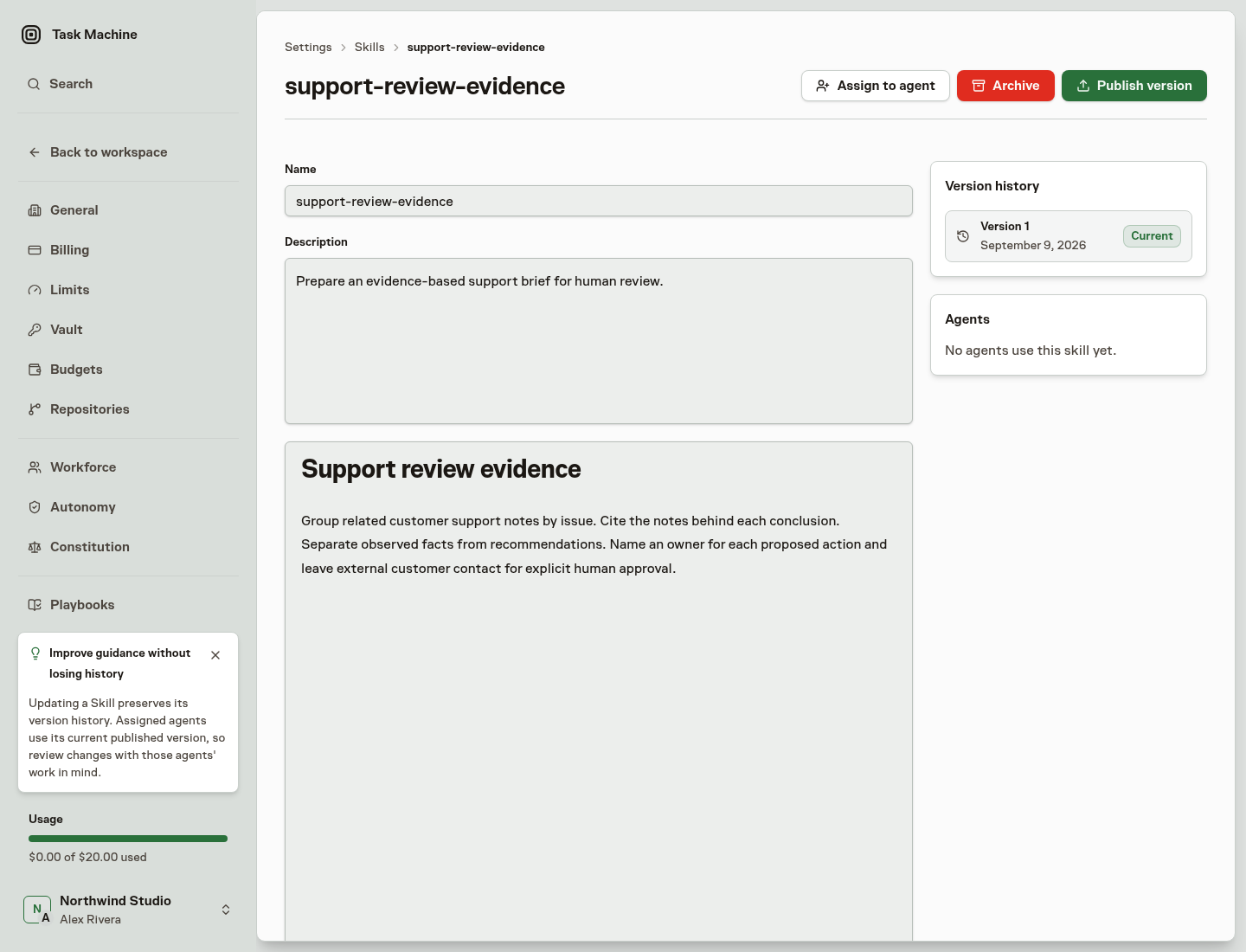
Marketplace Skills can be checked for updates. The workspace's update policy determines whether an available update is applied automatically or offered for review. Inbox can announce an automatic update or offer the available change for approval. Inspect what changed rather than assuming a new upstream version is always appropriate.
Request changes in Chat
Ask in Chat to update a custom Skill's instructions or assign an accepted Skill to an Agent. Describe the method you want to change or who needs it. The Agent inspects the current versions and proposes the change. Autonomy decides whether a person needs to approve it. When approval is needed, review and decide in the same conversation or in Inbox.
An instruction update publishes a new Skill version while preserving its supporting files and history. An assignment adds the selected Skill without replacing the Agent's other Skills or configuration. Pending proposals leave the accepted versions unchanged. Instruction-change proposals apply only to Skills authored in the workspace. For marketplace Skills, use the source update flow described above.
Archive a Skill
Archiving removes the Skill from new assignments while retaining its record. Use the Agent's work and review feedback to decide whether to change the method, narrow the assignment, or replace the Skill.
Continue with Agents to put the expertise into a role, or Agent learning and memory to distinguish reusable instructions from remembered experience.