Discuss
Sharing and context
On this page
A Chat keeps its own access and working context. Share the conversation deliberately, and give it the material the current discussion needs.
Chats are private by default and shared deliberately
A Chat starts private to its owner and stays that way until you share it. You can grant another member or a whole role one of these access levels:
- Read lets them follow the conversation.
- Participate lets them send prompts into it.
- Manage lets them administer it.
A private chat simply has no grants. The moment you add one, the conversation opens to exactly the people and at exactly the level you chose.
Chat access and agent administration are kept separate on purpose. Being able to read or join a chat does not let you reconfigure the agent behind it, and being able to manage agents in the workspace does not silently admit you to someone's private conversations.
The workspace role still gates whether a grantee can use the underlying action at all, so a grant never hands out more reach than the member's role already allows.
Tag members and reference work with @
Type @ in the Chat composer, then start typing a name, Task title, or Task identifier. Choose a result from the picker to insert a linked reference rather than leaving a plain-text name.
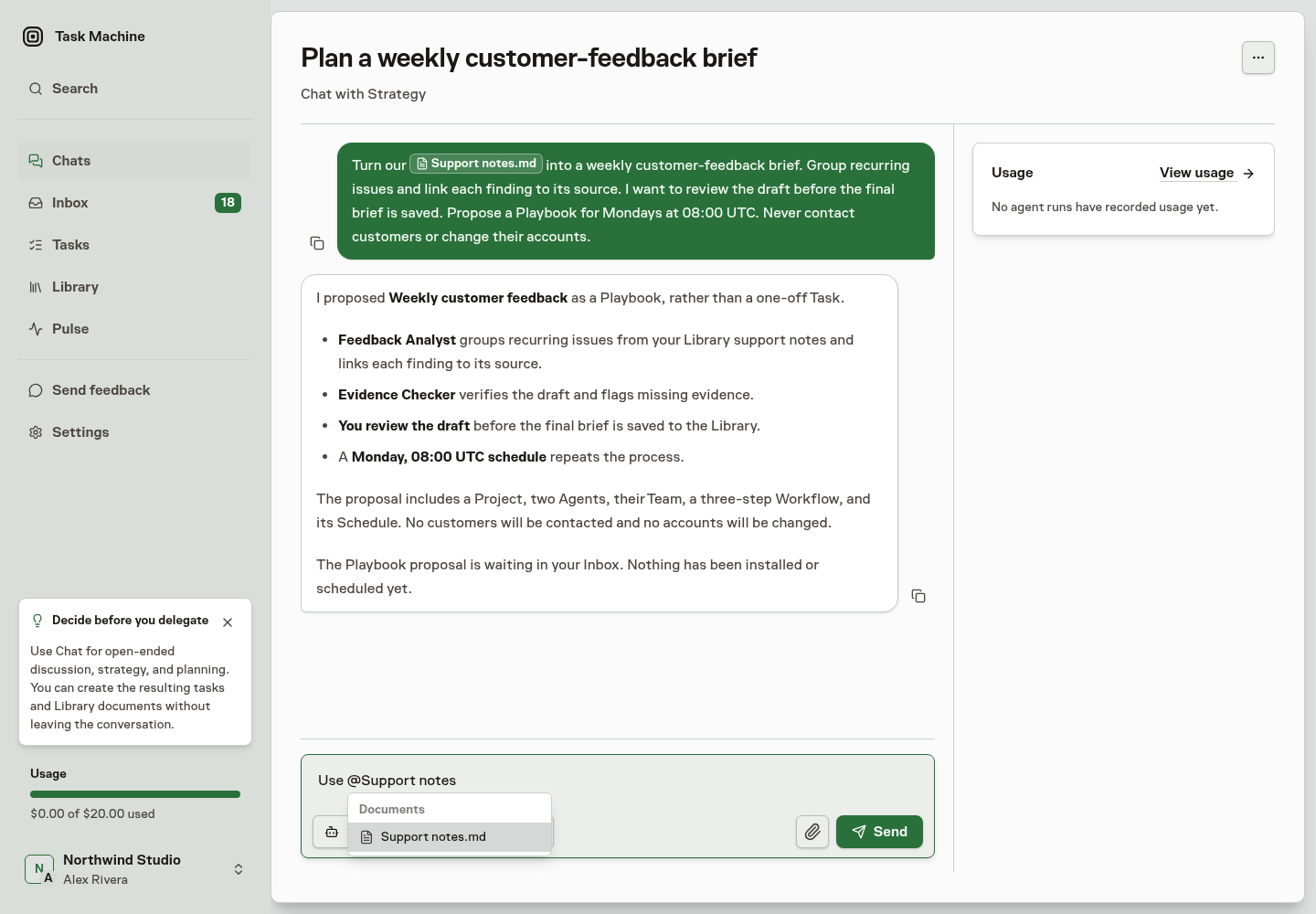
The picker searches the Workspace content you may access:
- Human and Agent members.
- Teams.
- Tasks.
- Library documents.
- Skills.
Use references to identify the people and material you mean. For example, link the launch Task and the approved messaging document when you ask for a launch plan.
In Chat, resolved mentions also show their subject cards beside the composer and the sent message. Edit the mentions to change the cards. See Chat for the compact card stack and Home starters.
A reference does not share a private Chat or grant access to the linked material. Continue to use the conversation's sharing controls and the document's own permissions.
A Chat can ask for source context
A conversation can begin without a repository and add one only when the work needs source context. The agent does not guess from a URL in the conversation.
It pauses and sends one repository-access decision to the Chat owner in the Inbox, where the owner can choose an active workspace repository, create one and finish SSH setup, or decline. The repository request is an Inbox decision that the owner can also review and resolve directly inside the Chat.
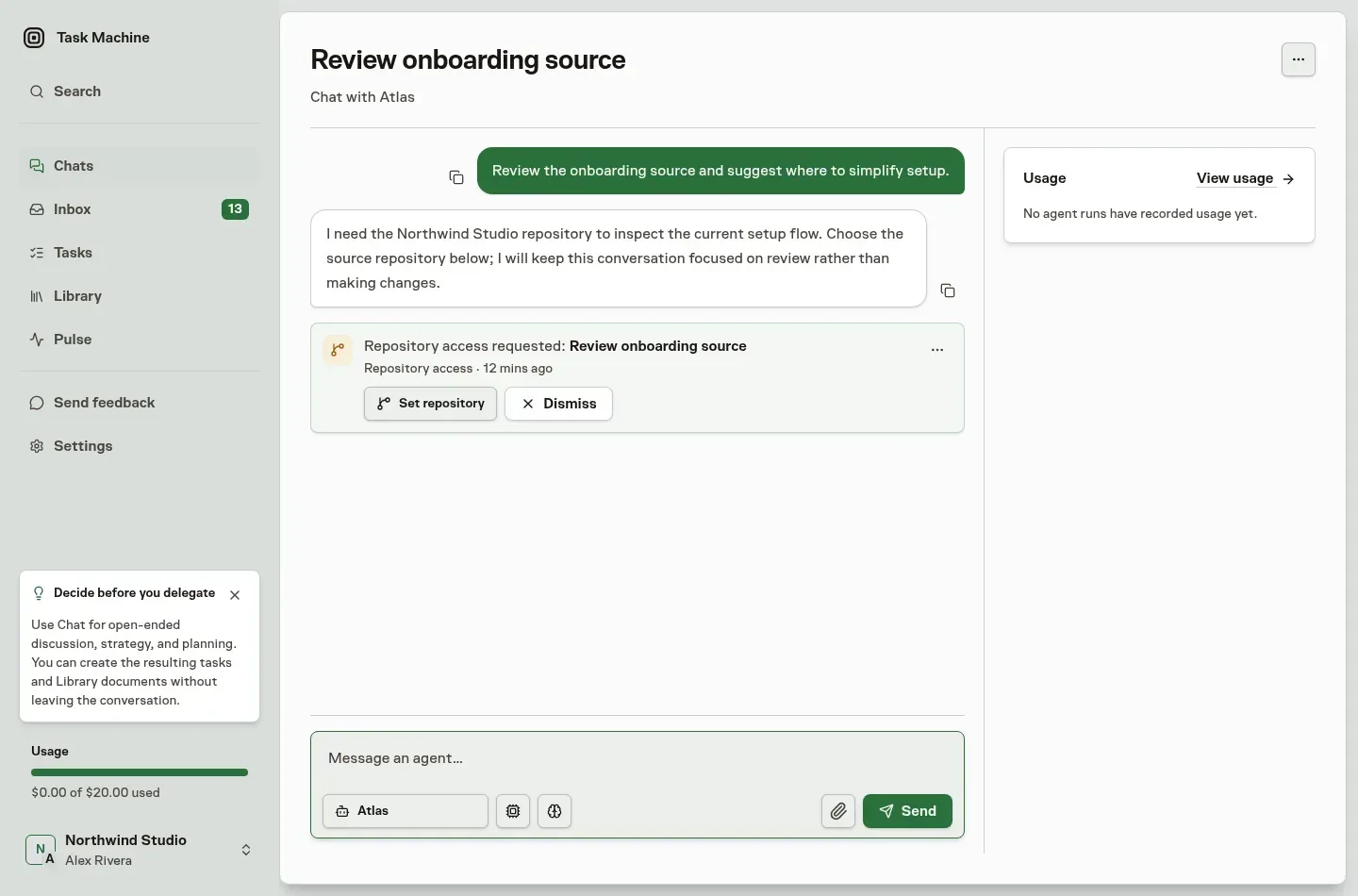
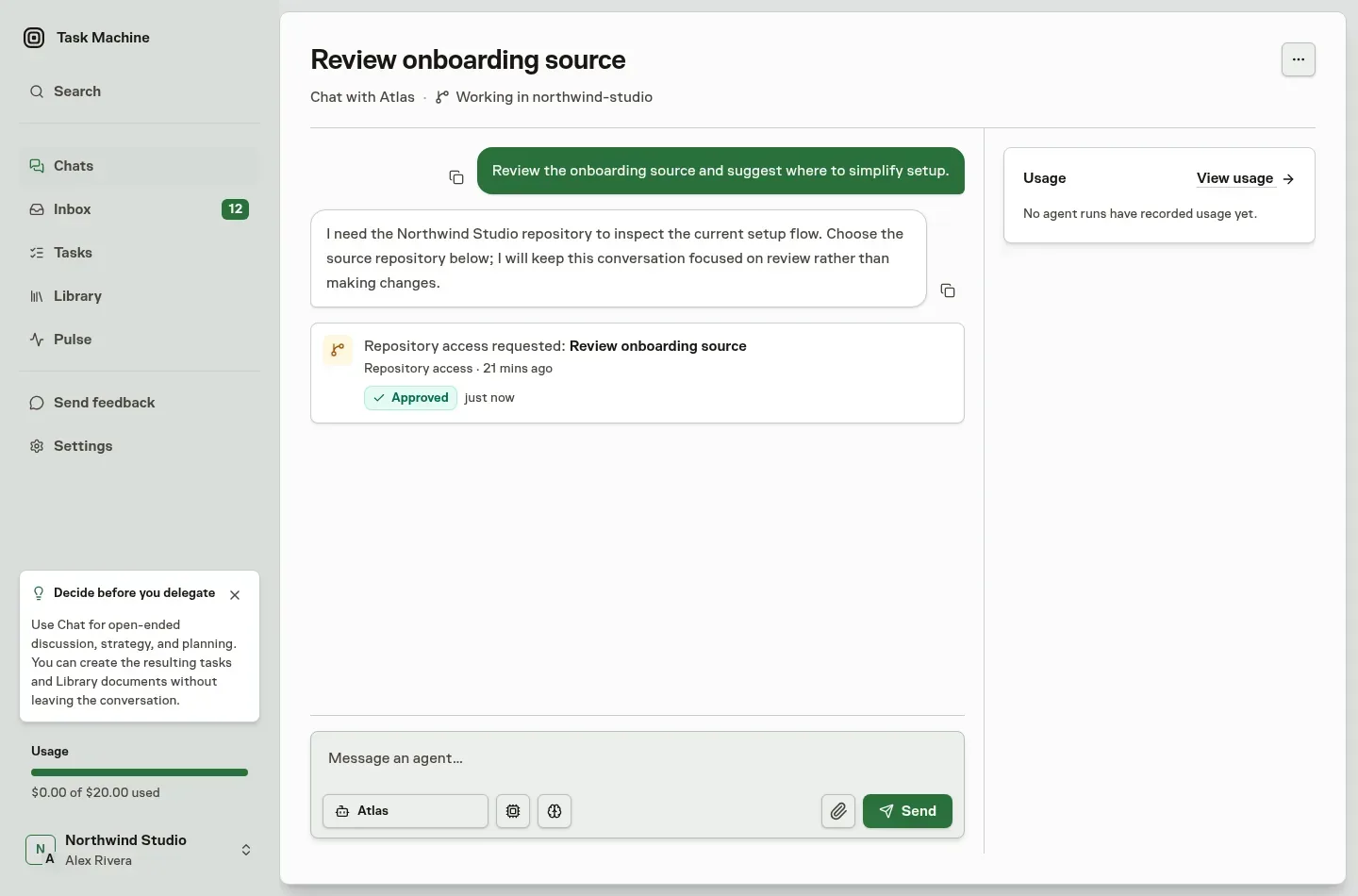
When the owner approves a repository, the Chat header quietly names it as the conversation's working context. The decision starts no new turn. Send a message to continue with that repository, which later turns keep using. If opening the repository fails, the Inbox keeps the recovery and explicit retry with the repository.
Repository context lets the Chat inspect and discuss source, but pull requests, merge review, releases, and deployment remain part of repository-backed Tasks.
Keep inputs and replies in the conversation
Files you attach to a message remain part of that chat's working context for every later turn. The agent can return to an earlier file without asking you to upload it again, and Task Machine restores the same attachment context when the conversation moves between available execution environments.
Reusing a filename does not discard the earlier file, and a failed reply can be retried against the original attachments without adding another copy to the conversation.
An agent can make the next move easier by placing up to five short suggested responses below its latest answer. Select one to fill the same composer, then edit it or replace it with your own reply. Task Machine never sends a suggestion until you submit the message.
A newer message or agent turn removes the old choices, so the options always belong to the answer currently in view.
Saving material to a Library document applies the destination folder’s access, independently of who can read the Chat.