Discuss
Planning and creating work
On this page
Use a conversation to turn a broad intention into work you can actually review. Bring the outcome, current process, constraints, and unresolved choices to the Agent before asking it to create anything.
Develop the plan in the conversation
Use a starter preset when it fits, or write your own brief. Ask the Agent to compare approaches and explain the decisions you need to make. Keep high-level discussion in Chat, and distinguish an agreed direction from a saved Task or installed setup.
Plan a weekly customer-feedback brief
For example, ask the Agent to turn a weekly support review into a repeatable process. Give it the feedback sources, reporting period, intended readers, and the decisions the brief should support.
Propose a Playbook for a weekly customer-feedback brief. Review the support notes in our Library, group recurring issues, and link each finding to its source. I want to review the draft before the final brief is saved. Do not contact customers or change their accounts.
Work through missing inputs and review boundaries in the conversation. The resulting proposal should make its Agent responsibilities, Workflow steps, and document output clear before you install anything.
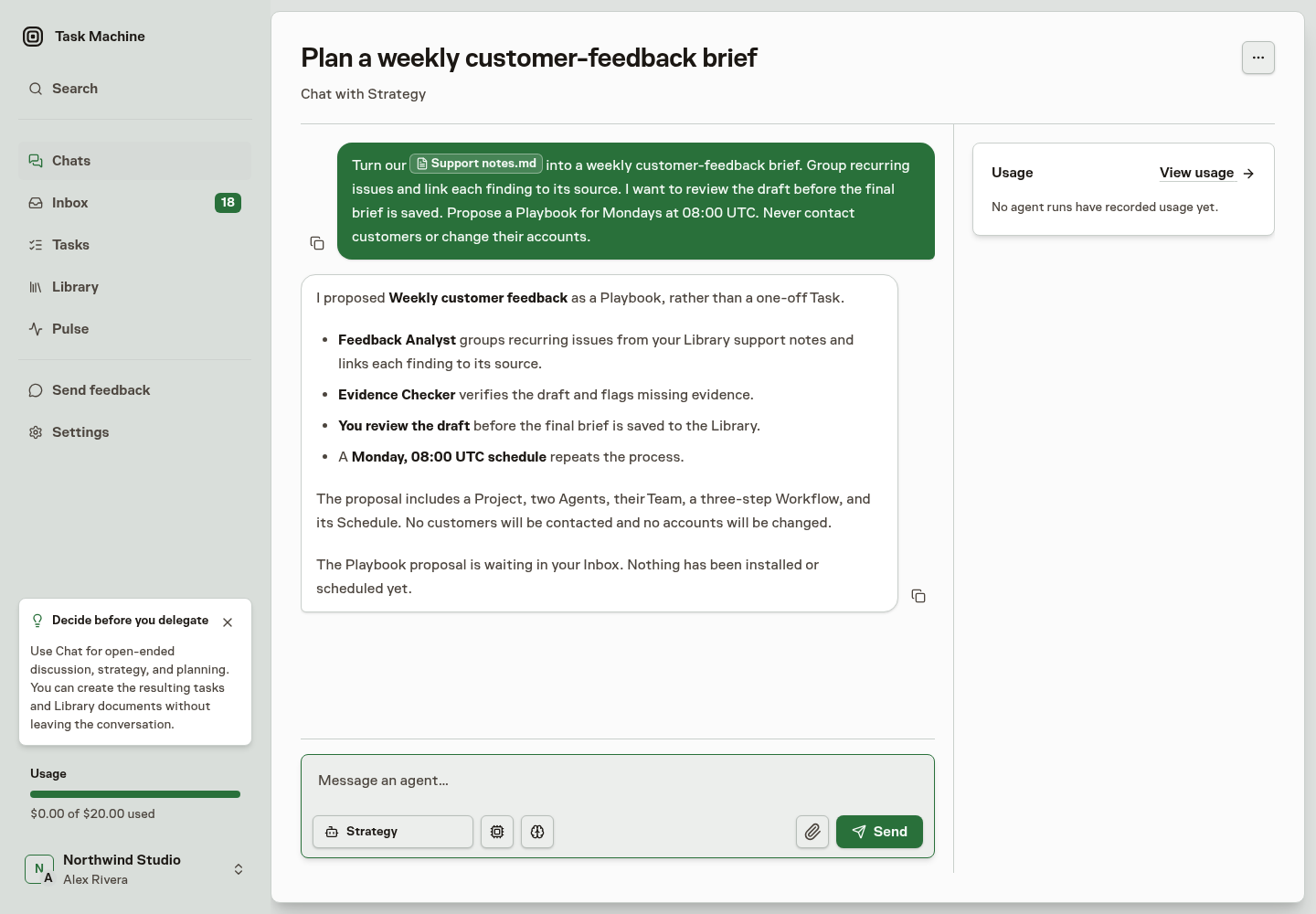
A proposed Playbook is still a decision, not a running process. Open Inbox without leaving Chat to review and approve it, then complete any connection or timing setup it requires.
Chat feeds the other two surfaces
Ask for the next concrete outcome in the conversation, such as creating the agreed task or saving the research as a Library document. Read the agent's confirmation and any resulting record or proposal before treating the request as complete. A sentence describing intended work is not evidence that a record was saved.
Creation and any inline decision stay in Chat. Once work exists, Tasks is available for detailed steering and execution history, while later questions, approvals, and reviewable results return to the Inbox. You do not need to leave the conversation merely to finish shaping the work.
Save a long pasted passage as a document
Paste a long passage into the composer and Task Machine offers to save it as a Library document. You can finish that creation without leaving Chat:
- Review the title, initially taken from the first line, and edit the pasted Markdown.
- Choose a destination in Move to folder, or use New folder there.
- Create the document. The composer inserts an
@reference instead of the full passage.
The Agent follows that reference to read the document. The material remains available as a reusable Library source rather than only as a long message.
To leave the material in the message, choose Paste as text to insert it unchanged, or Paste as code block to wrap it in a fenced code block.
The composer renders Markdown as you write it, so headings and **bold** text appear without their surrounding syntax and the draft reads the way the agent will receive it. Type three backticks at the start of an empty line to open a multiline code block.
Task Machine adds the closing fence and leaves the cursor inside. In Chat, use Shift+Enter to add another line because Enter sends the message.