Tasks
Blocked work
On this page
A Blocked Task should tell you what prevents progress. Sometimes it needs your decision. Sometimes it is simply waiting for an outside condition, such as an email reply.
Distinguish a blocker from a dependency
A dependency connects the Task to other work that must reach a release boundary first. Blocked is also a Task status, used when work cannot currently continue for another recorded reason.
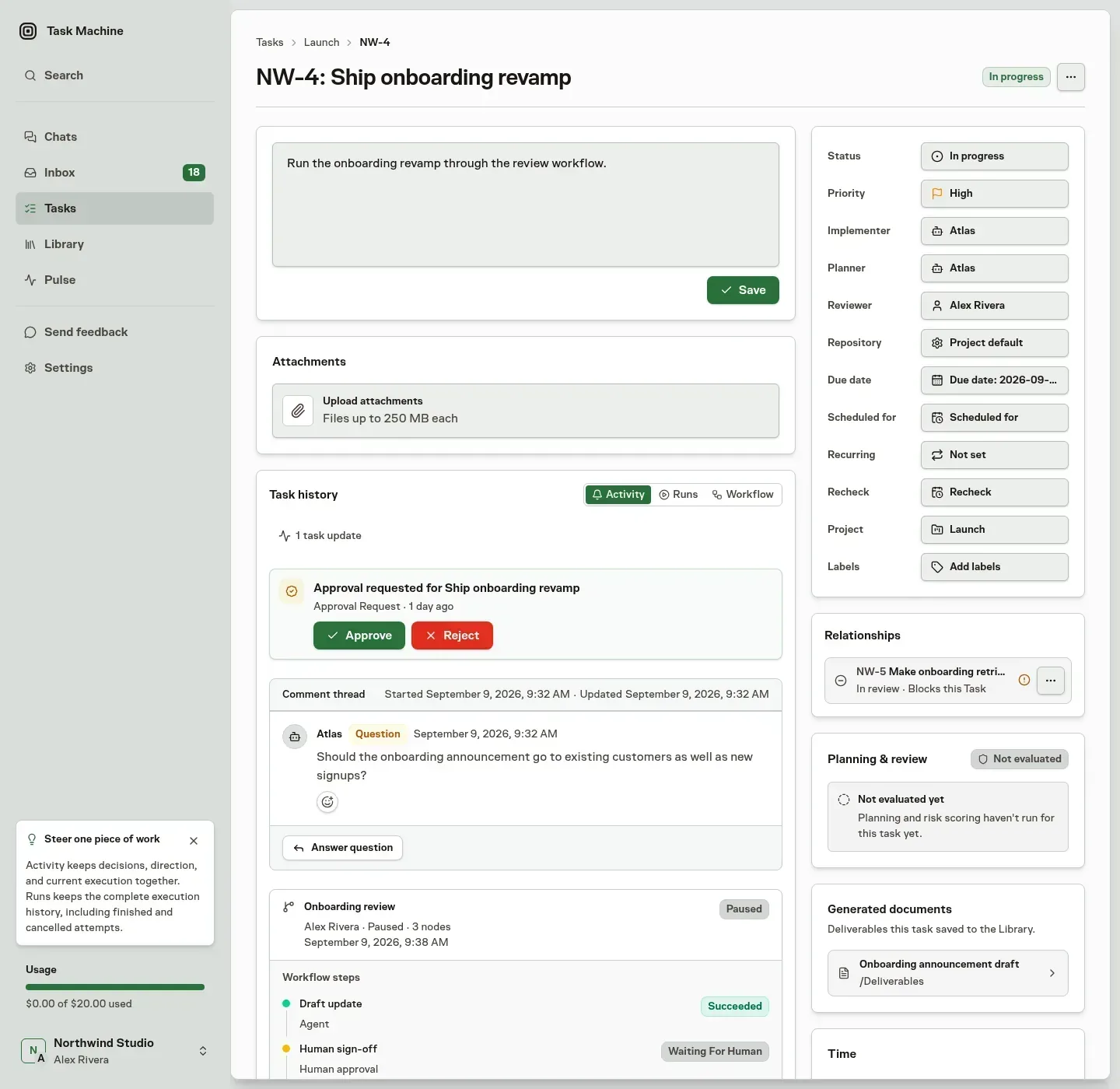
See Assignments and dependencies for upstream Tasks and pull-request release rules. Do not remove a dependency merely to hide a waiting signal.
Read the reason before intervening
When an Agent blocks a Task, it must record why. The reason stays in the Task's status history. The Agent can also block work while a spec is being written, revised, or reviewed.
When you block a Task yourself, choosing Blocked in its properties opens a dialog where you can say what it is waiting for. The reason is optional. When you add one, it becomes the Task's block reason and appears in Activity as your comment, which mentions no one and does not start Agent work. Cancelling a Task from the same properties asks for an optional reason in the same way. Dragging a card on the Board changes the status immediately without asking.
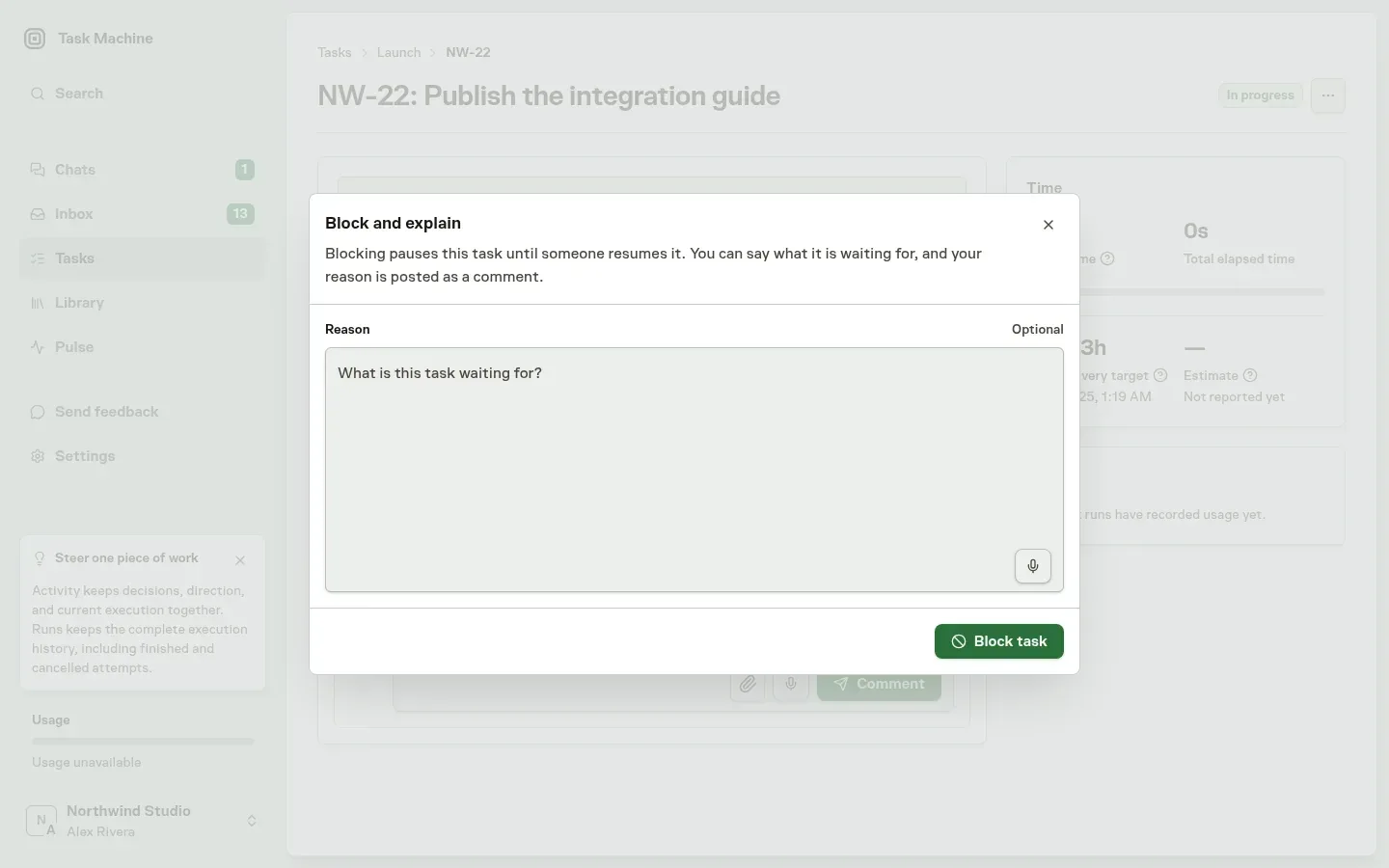
A Blocked status does not create a generic Inbox request or an extra Agent comment. If you need to act, a specific question, approval, delegation, review, or mentioned comment carries that request. Worker and repository failures use their own setup and recovery items.
An approval request alone does not change Task status. Waiting for a decision and recording that execution must stop are separate controls.
A failed or timed-out workflow blocks its generated task with the run's reason. Correct the cause before retrying the workflow. Retry releases only that run's automatic blocker, preserving any blocker you recorded yourself.
A recurring workflow keeps later occurrences paused until the current work succeeds or you deliberately cancel or archive it.
See when the Agent checks again
An Agent working on a Task ends each run by choosing the next step and when it may start. When an outside condition should change, such as CI finishing or a reply arriving, the Agent picks the time to check again and says why. The Task detail header and the Next step card on the Runs tab show that step and its time. Use Run next to check now instead. Moving the Task to Blocked or Backlog yourself stops these execution rechecks until you move it back to To do or In progress.
A check that finds the condition unchanged chooses a new time without repeating the status event, comment, or Inbox request. When checks keep finding nothing new, Task Machine requires longer intervals or a different approach. When a check finds concrete work, the Agent continues it rather than asking you to restate the job.
Only a specific question, approval, delegation, or review should need your attention. Task Machine does not turn every check into a generic request for direction.
Check whether idle work is still needed
Task Machine can check whether old work still needs doing. An active Agent's unfinished Task qualifies after seven days without activity when it has a repository, attached files or linked Library documents, and no run or workflow is already working on it.
A Backlog review only inspects those sources. It writes no code, opens no pull requests and asks no questions. This check can run on work you moved to Backlog or Blocked, but it never resumes implementation or changes the Task's next step.
The Runs tab names the check Backlog review and shows its execution stage as Recheck. Its time stays outside the Task's Active time.
If the work was fixed elsewhere or is no longer needed, the Agent explains the evidence and uses governed cancellation. Your Autonomy rule determines whether cancellation applies directly or waits for you in Inbox. Rejecting or dismissing the request keeps parked work parked. Work delivered elsewhere ends as Cancelled, so this Task receives no completion credit.
Task Machine schedules at most five checks per Agent per UTC day, including retries. A successful check waits thirty days before another check. A failed check retries after five minutes, then thirty minutes, two hours, six hours and every twelve hours.
From the third consecutive failure, one Inbox notice offers Retry for another backlog review, never implementation. Dismissing that notice does not stop automatic retries, and a later success closes it.
Existing Worker or repository recovery notices take precedence when they explain the cause.
Recover work that keeps failing
Task Machine watches for runs that repeat the same attempt without progress, fail the same way, or end without a report. It retries a failed step after one minute and again after ten minutes. After three consecutive failures or three runs without an accepted report, the step stops with Needs recovery and the cause, and a Task recovery item asks for your attention in Inbox.
A succeeded run can still need attention because its report was missing or rejected. Inbox shows the execution status and report status separately, alongside the cause and recovery actions. A succeeded status alone does not resolve review findings or required human decisions.
The same cause appears in a card at the top of the task, above its details. Choose Give direction there or on the Next step card to tell the agent how to proceed. Your direction is posted as a comment and starts a new run. Run again retries the step as it is.
Reports and transcripts remain on the task's Runs tab. The next run's instructions include what earlier attempts tried, how they ended, and any direction you gave, so it can choose a different approach.
Waiting for a Task Machine fix
Sometimes an agent reports a problem in Task Machine itself rather than in your work. The task shows Waiting for a Task Machine fix with the task or feedback where it was reported. The card at the top of the task shows the agent's reported problem, so you can read why it stopped without opening the Runs tab.
Before choosing that wait, the agent records the supported alternative it considered and why it cannot use it. An authorized workaround lets it keep working. If the alternative needs your permission, it asks through an approval in Inbox. Changes to the requirements follow the usual Work Spec review.
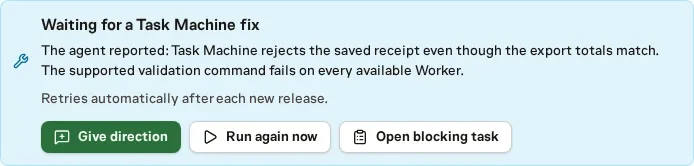
Task Machine automatically retries whenever a newer version goes live, because the fix can arrive in any release. The recorded problem is the Agent's explanation. A retry checks whether that problem remains. When a retry on a newer version gets past a problem reported with tama feedback, Task Machine closes that report as fixed.
Choose Give direction on the card to suggest another supported path. Your direction is posted as a comment to the assigned agent and starts a new run. Use Run again now to request one immediate retry, including when a fix is already live. Existing approvals, dependencies and budget limits still apply.
The card at the top of the Task also explains a step held by a budget, an unavailable Worker, or the AI provider, with Adjust budget or Open Workers where you can act.
Decide repair proposals once
Agents fix small repository failures inside their current delivery when the repair fits its approved scope. A separate repair proposal is useful when other deliveries share the failure or the fix needs its own scope and review. Agents should explain that distinction in the proposal's rationale.
Inbox shows the repository, failing check, base revision, and affected files. Choose View affected tasks to open the waiting Tasks above the review, and scroll to see more. Close that list to return to your decision without leaving Inbox. Task Machine keeps one pending proposal for the same repository, check, and affected files even when the base revision moves.
The evidence names the repository where the failure was found. Changing the proposed Task's repository changes where its work runs. Agents still discover the repair and check the failure on the original repository.
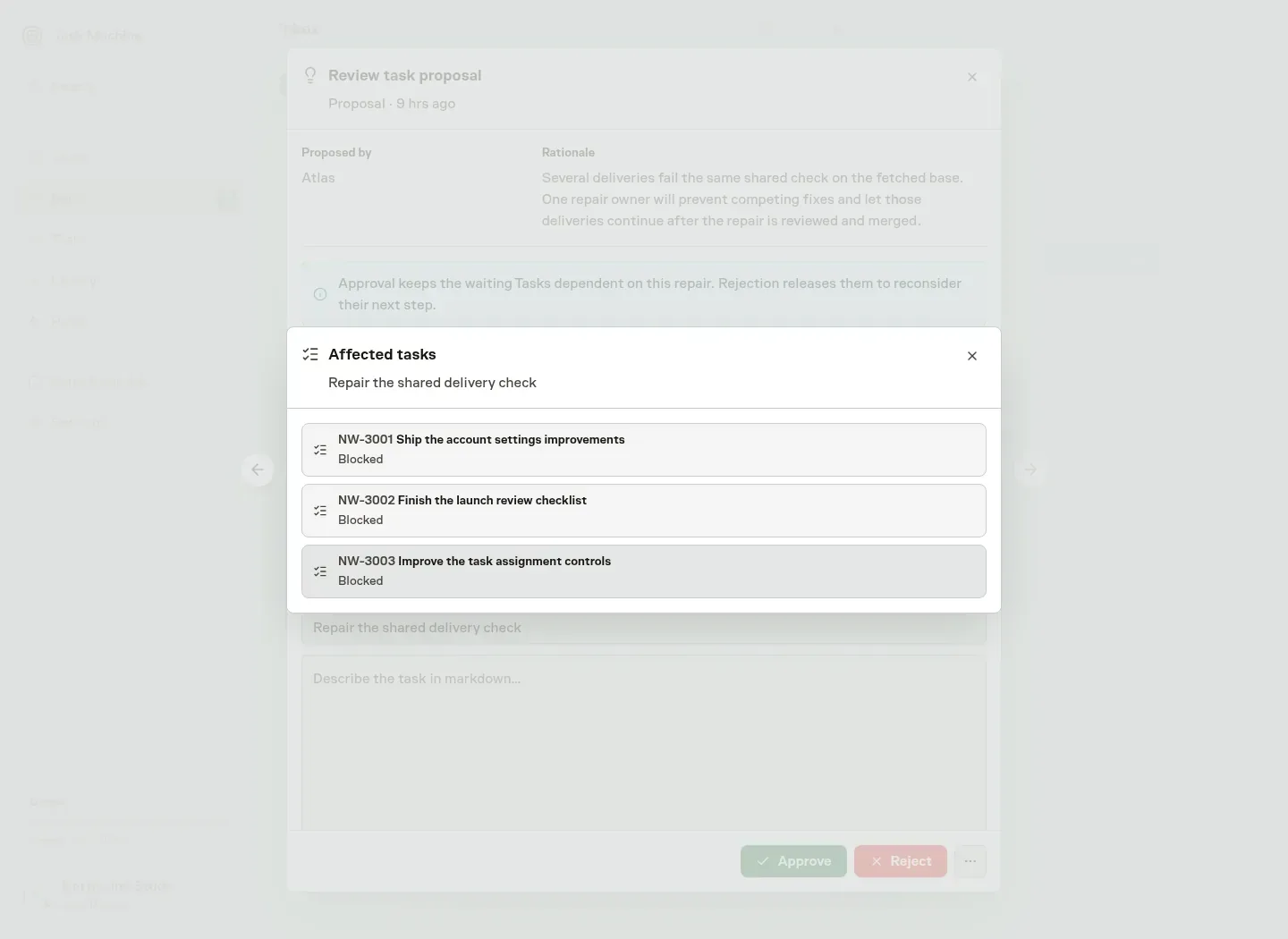
Task Machine prompts eligible Agent-owned work on that repository to check whether it shares the failure. Running work keeps ownership until its Run finishes, and existing Human direction, reviews and waits remain intact. Each Agent verifies the match before adding a dependency, so unrelated work keeps moving.
A repair dependency waits for one Inbox decision. Bounded rechecks may still inspect independently changing source conditions, but Agents do not repeatedly poll you about the proposal. If a newer base no longer has the failure, the proposing Agent retracts its pending repair and the waiting Tasks reconsider their next step.
Approval leaves dependencies in place until the repair reaches its release boundary. Rejection or retraction wakes waiting Tasks without approving their work or bypassing other gates.
Use Run history for the execution record and Inbox for the decision itself.