Execution
Cloud execution
On this page
Start with Cloud execution. With active Workspace access and available usage, Agents can run Task and Chat work without connecting your computer. Choose Local execution later when the work needs tools, credentials, or files on a computer you control.
Cloud execution is available without a machine
Cloud execution is part of every operational Workspace access contract, not a separately purchased worker product. Task Machine provisions temporary compute for Task and Chat work and Team-lead heartbeats. Conversational Runs for a Task can share its existing environment and files, while each keeps its own execution, credentials and report. Other work retains its existing execution boundaries.
Finishing or pausing one shared Run does not stop its siblings. Task Machine removes the physical compute after the last Run using it finishes or pauses. Each Run retains its full compute allocation and fixed startup and shutdown charges. Sharing an environment does not provide a compute discount. Files that a Task or Chat may need again are stored separately from the temporary environment.
Task Machine requests Frankfurt, Germany, as the infrastructure region for Cloud file storage and temporary environments. This infrastructure choice does not mean all network, model-provider, log, backup, or support processing happens only in Germany. See the Subprocessor Schedule for provider and location information.
You do not choose infrastructure sizes or buy individual worker slots.
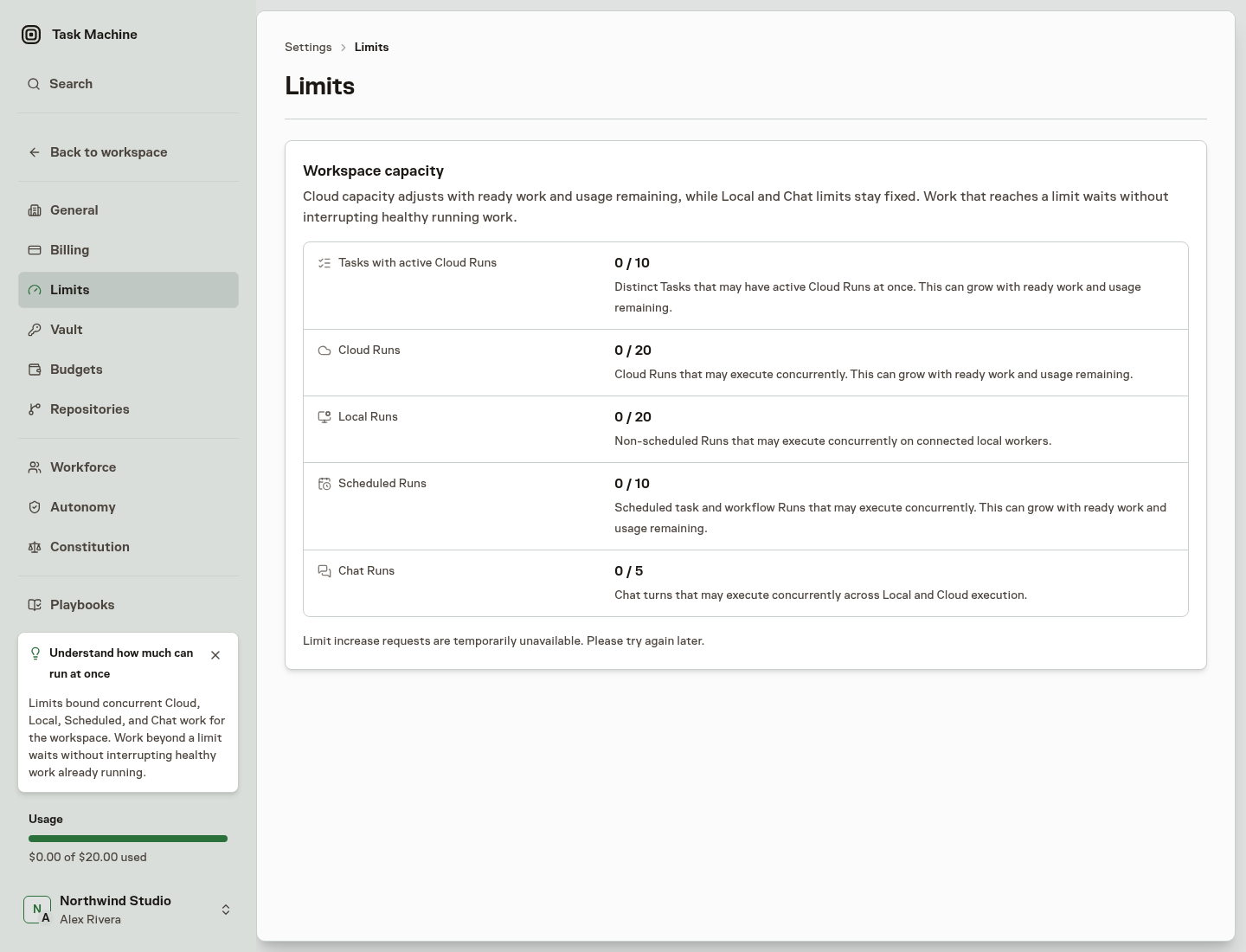
Automatic capacity starts at ten Tasks with active Cloud Runs, twenty Cloud Runs, and ten Scheduled Runs. Task Machine can increase those limits when available purchased or complimentary usage and ready work support more parallel execution.
Several Cloud Runs for one Task share that Task's active Task slot, while the separate Cloud Runs limit counts each Run. Team-lead heartbeats count toward Cloud Run capacity without claiming a Task slot. Chat Runs use their own lane, and Local Runs do not claim Cloud Task capacity. Check Limits for your workspace's current values.
When the current limit is occupied, additional work waits visibly until capacity becomes available. A scheduled Task whose start time has passed remains ready and can show that it is late. Task Machine does not interrupt healthy work already running to make room.
Open Settings, then Workers & limits, and choose Limits. It shows Cloud, Local, Scheduled, and Chat Run capacity, with live counts as work starts, queues, and finishes. Workspace managers may request a higher limit for review, but submitting a request does not itself change capacity or promise approval.
Cloud files have a separate retention period
Files used by a Task or Chat Cloud Run normally remain available for seven days after qualifying activity so later work can continue from the same place. Task changes, comments, attachments, decisions, Chat turns and responses, and completed Runs can move that ordinary deletion date forward. Opening a page, reading an item, or measuring storage does not.
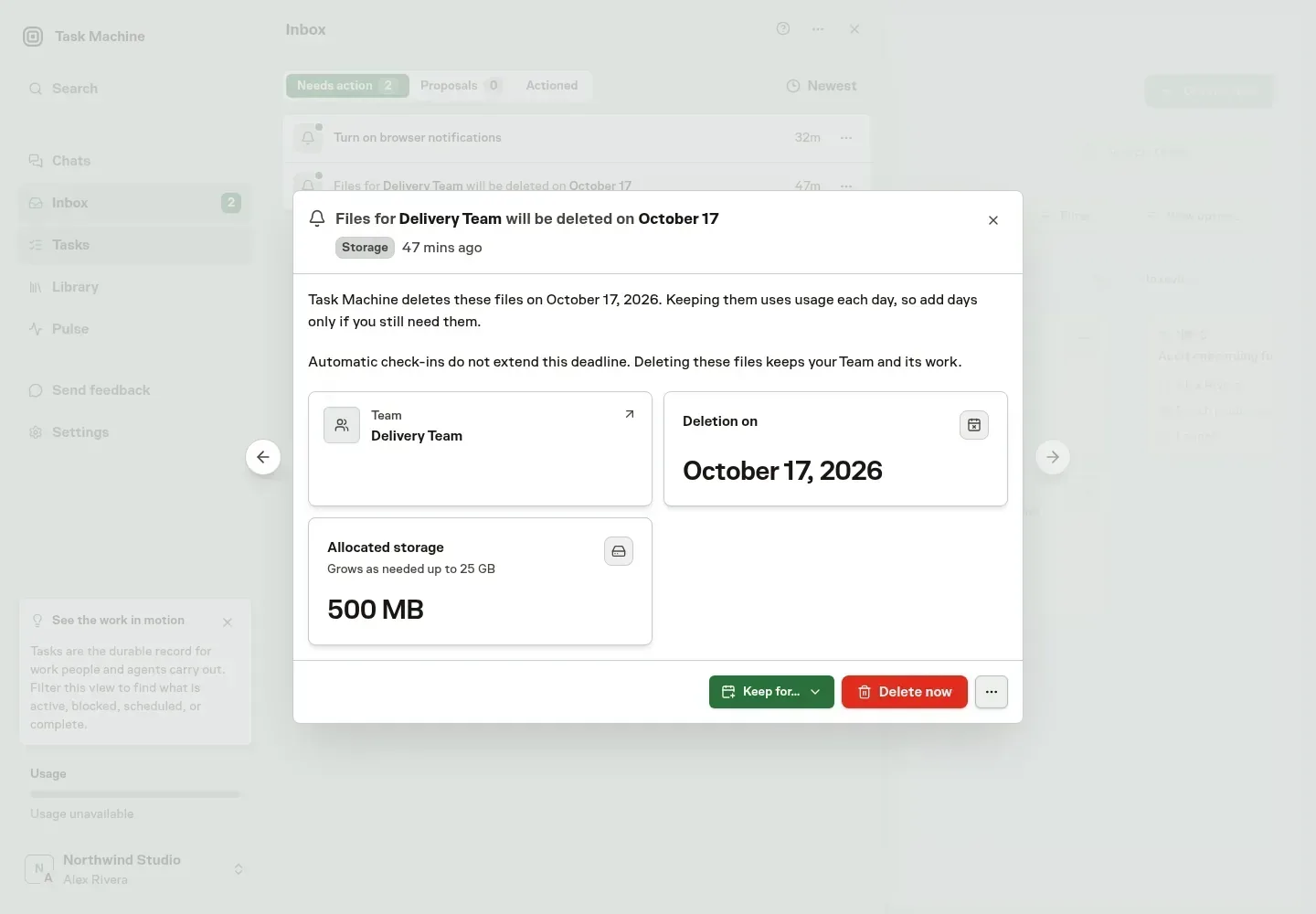
The storage card on the Task or Chat shows the current allocation, capacity, and deletion date. An authorized Workspace manager can add one, seven, or fourteen days from the current effective date, or request immediate deletion when no active Cloud Run still uses the files. A near-expiry Inbox item offers the same decisions without requiring a surface switch.
Cloud heartbeats for one Team share retained files. Their seven-day retention period starts when storage becomes ready, and automatic check-ins do not extend it. Workspace managers who can read the Team can add days or delete unused files from its Inbox storage warning. Waiting or running Cloud work keeps those files safe from deletion.
Marking a Task Done or Cancelled, or archiving it, instead schedules its Cloud files for deletion after 24 hours unless you reopen or restore the Task first. Losing Workspace access gives existing active-Task files a seven-day return window, but security, blocking, explicit deletion, and other mandatory cleanup can still remove files sooner.
When all startup attempts fail before any Run starts with newly created files, Task Machine removes them only after the Cloud provider confirms that no temporary environment still has them attached. Files used by an earlier started Run keep their normal retention.
Retained storage is charged in complete rolling 24-hour periods in advance while those files remain available. The first period remains charged even when a Run never starts and the files are deleted before that day ends.
At the applicable deletion deadline, Task Machine removes the Cloud files while preserving the Task, Chat or Team, transcript, comments, receipts, and separately saved results.
For work that needs a connected computer, read Local execution. Workspace pricing and access explains the fixed startup and shutdown periods, active runtime, retained-file storage, access contracts, and monthly usage.