Tasks
Managing tasks
On this page
A Task keeps one piece of work, its responsibility, decisions, and evidence together. Use it to give someone a clear outcome, steer work already underway, and understand what happened.
Create a Task
Write an action-oriented Title and a Description with the inputs, constraints, and result you want to review. Choose its Project and, when useful, a Goal. Set an implementer or a Team, then add priority, a due date, and labels as needed.
The first-task onboarding offers editable suggestions for the brief. The ordinary Create task form saves what you enter. An Agent's later investigation and Task spec are separate from writing that initial brief.
Keep work in Backlog until it is ready. Direct Agent work in Todo can enter planning and execution when its permissions, approvals, dependencies, budget, and execution capacity allow it. A Team lead can triage Team-owned Backlog work before routing it.
Choose a view
Use the view that matches the work you need to check:
- All shows work across the Workspace.
- Mine shows Tasks assigned to you.
- Needs attention collects blocked work, open questions, and review states. It also shows how long each Task has been in its current state.
- Running now shows Tasks with active Agent work.
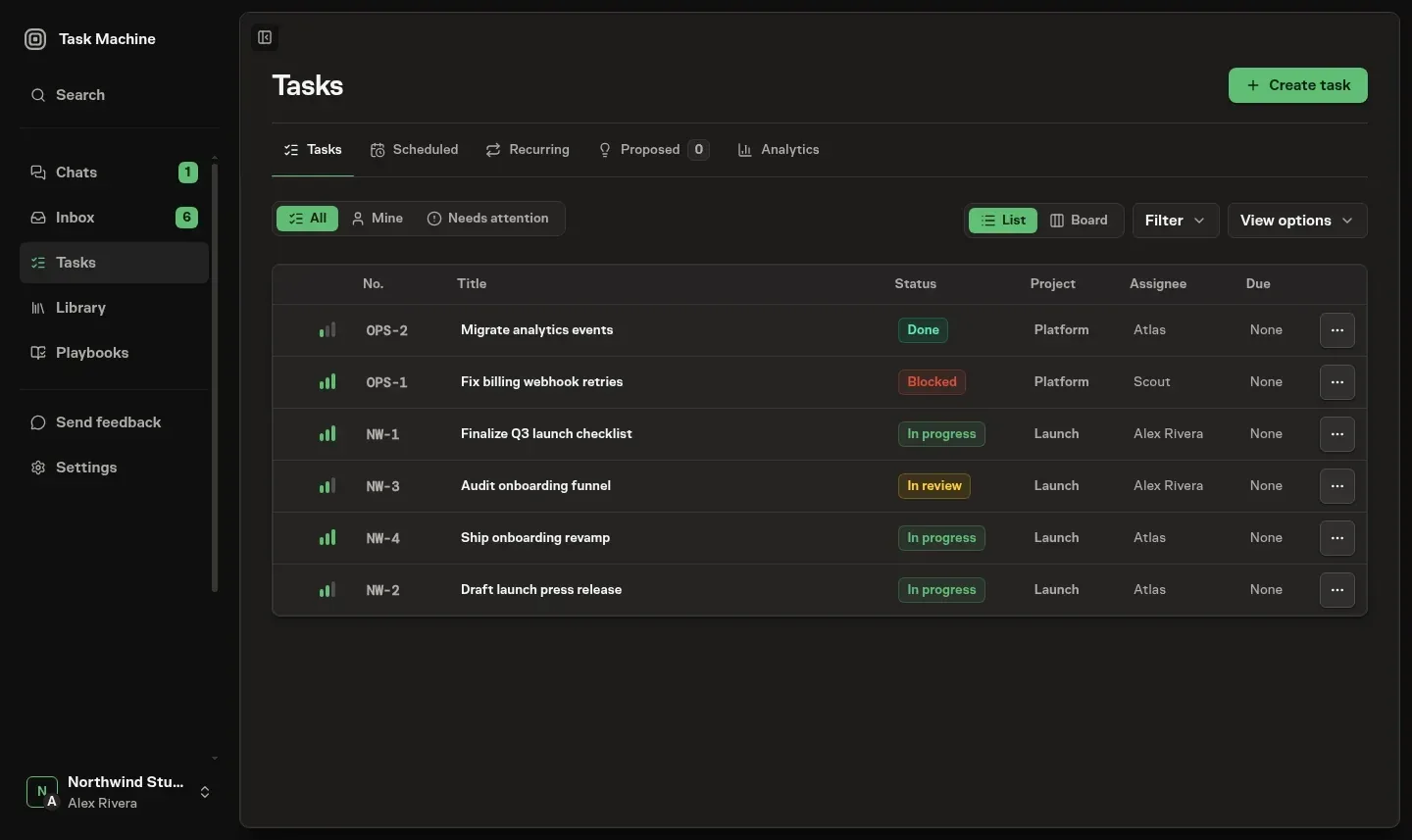
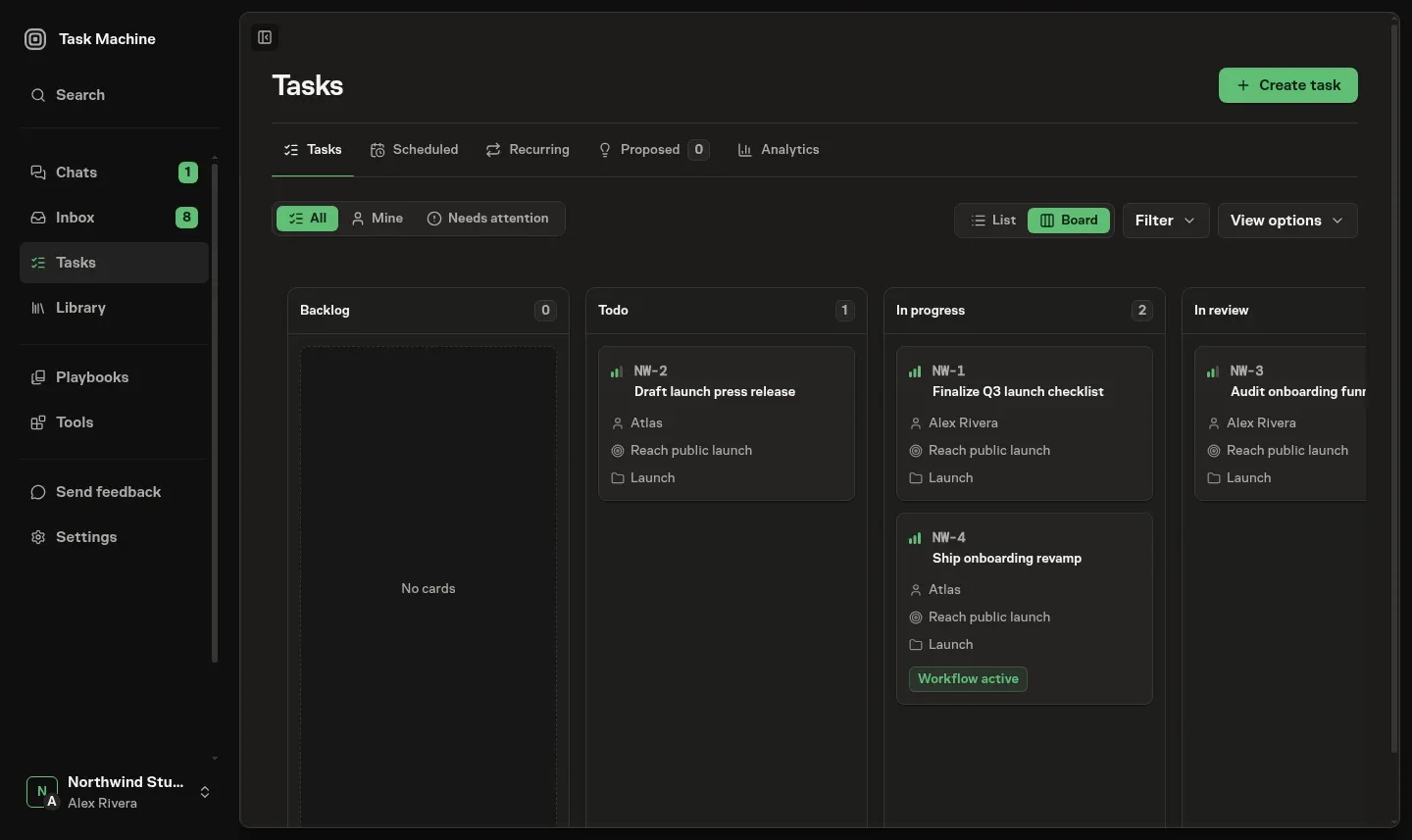
Switch between List and Board without changing the underlying Tasks. Board groups cards by status and lets you move work by dragging a card. Your layout preference follows you across Projects.
Cards keep Project and Goal context visible. Blocked by, Blocks, pull-request readiness, and pending question or approval indicators help you see what needs attention without opening every Task.
See what is running
The live dot on a Task row or card shows its execution state:
- Blue: Up next. Selected for the next compatible execution slot.
- Yellow: Queued. Waiting for execution.
- Green: Running. Agent work is underway.
Hover the dot to read the state. The Task header shows the same information as a badge.
Search, filter, and arrange
Search by a Task identifier, words from its brief, or a related concept. On Scheduled and Recurring, search also finds Workflows by name or description.
Use Filter to narrow the work by Project, Goal, implementer, status, label, priority, due date, origin, or current execution. Workflow-created Tasks have a Workflow origin. Starting a Workflow against an existing Task does not change that Task's original source.
Use View options to choose grouping, order, sort direction, and visible columns. These settings change presentation rather than silently changing which Tasks are included.
Steer active work
Change the brief when the intended result changes. Use a comment for a specific correction or question, and change the implementer when responsibility should move. These changes stay in the Task's history.
Higher priority means greater urgency. For eligible non-scheduled work, Run next takes precedence, followed by retries and urgent work. Project fairness shares the remaining capacity. Earlier due times help order equally urgent work in the same state.
Run next does not interrupt work already running, change the Task's Priority or due date, or bypass approval, dependency, budget, and execution checks. See Assignments and dependencies for routing and queue behavior.
Move a Task to another Project
Choose another active Project from the Task detail page. Review the confirmation before moving it:
- The Task receives the next identifier in the destination Project.
- Labels from the previous Project are removed.
- A Goal unavailable in the destination Project is cleared.
- An explicitly selected repository stays attached. Otherwise, the destination Project's default applies.
Queued or running Agent work must finish or be cancelled first. Previous Task identifiers remain reserved and redirect to the current identifier, so an old link cannot open different work.
Archive and restore finished work
A Done or Cancelled Task is archived after seven days without an update, during the next hourly cleanup. Other statuses are not automatically archived.
Archiving keeps the terminal status and history. Lists and the detail header show Archived until you restore the Task.
Task Activity
Open Activity for comments, status changes, questions, approvals, and the final summary. Related generated updates collapse into a task update row that you can expand for the individual details, authors, and times.
Activity shows queued and running work while it is active. A failure stays visible until newer work starts. Successful, cancelled, and superseded Runs stay in Run history rather than crowding the conversation.
Questions stay with their comment threads. Approval cards appear in the conversation that prompted them when that context is attached, or at the top level when they stand alone. You can still resolve the corresponding request in Inbox without reconstructing the history here.
Comments and mentions
Use a comment to correct the work, ask a question, or bring in a person, Agent, or Team. Attach the evidence they need rather than making them search for it. Comments and attachments explains replies, mentions, reactions, and Agent handoffs.
Labels
Use Project-owned labels to classify work consistently. Labels explains how to create, propose, apply, archive, and restore them.
Blocked work
A dependency and a Blocked status are different. Assignments and dependencies covers work waiting on another Task. Blocked work covers recorded reasons, rechecks, and requests for your help.
Review results and execution
Use Task specs for the proposed approach and Task reviews for review decisions. Run history, Browser use, and Duration and usage explain the execution evidence.
Schedules covers deferred and recurring work. Coding Work explains repository access and pull-request delivery.