Administration
Privacy and data
On this page
Open Privacy & data to control the Workspace's managed AI processing and shared subscription history, or send an account privacy request. Provider-routing requirements, usage sharing and deletion have separate effects.
Choose the managed AI requirement
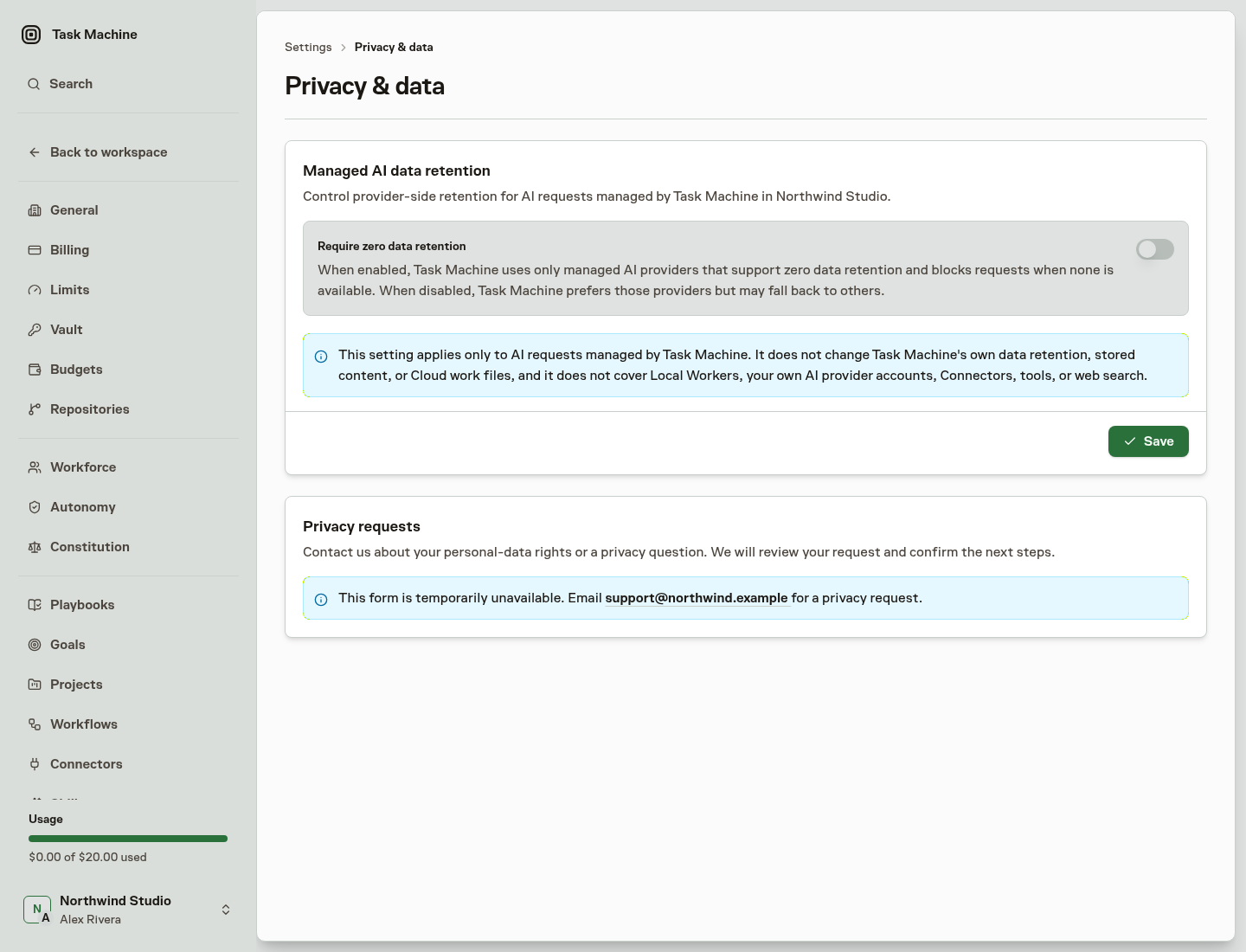
Open the account menu at the bottom of the sidebar and choose Privacy & data, which opens on the Managed AI tab. Check the Workspace named under Data retention. A Workspace owner can change Require zero data retention and choose Save. Other members can see the requirement and the permission explanation without an editing control.
Task Machine always requires managed OpenRouter requests to use providers that do not train on submitted data. This applies to Agent work, product AI features and dictation, even when ZDR is off. It is a request-routing requirement, not a promise about every provider's contract, a change to stored work history, or a control over services you configure yourself.
Zero data retention, or ZDR, governs provider-side routing for AI requests sent with Task Machine-managed credentials. These requests go through OpenRouter and a selected downstream provider. Model eligibility depends on current provider-reported endpoint evidence.
When ZDR is required, managed model choices are restricted to qualifying models. Missing evidence or an unavailable qualifying endpoint blocks the request rather than relaxing the requirement. Unavailable models are hidden from the picker. If your saved fixed model becomes unavailable, the picker shows no selected model, but the saved configuration stays unchanged until you choose an available replacement. Editing other settings does not switch it to Auto.
When the requirement is off, Task Machine prefers known compatible ZDR endpoints but permits fallback to other providers for the model. Missing ZDR evidence alone does not block the request. The Workspace requirement is off by default.
Product-side features such as Project coaching also send content to OpenRouter. Those calls always require ZDR for each request, independently of the Workspace switch and Agent execution.
Require EU processing for managed AI
In Processing region, enable Require EU processing for managed AI and choose Save. The requirement is off by default and applies independently of ZDR. Workspace managers can change it, while other members see the saved requirement.
With EU processing required, Task Machine sends managed AI requests through OpenRouter's EU service and offers only models with qualifying regional availability. Enabling ZDR as well restricts choices to endpoints that meet both requirements. Task Machine Auto uses the same restricted choices, and an incompatible fixed model stays unavailable until you replace it explicitly.
The requirement also applies to workspace AI features such as coaching, planning, titles, and memory. A feature becomes unavailable if its own model cannot meet the requirement. Managed structured evaluations use OpenRouter with zero data retention regardless of the ZDR setting. Their availability is checked centrally against the workspace's processing requirements and current model support. Ordinary browser actions remain available under their existing permissions.
When either requirement is enabled, the page also shows which AI features and models stop working, based on the same current provider evidence Task Machine checks before each request. The list updates automatically as provider availability changes.
Saving changes affects subsequent AI requests, including later requests in ongoing work. Requests already sent may finish. Subscription prices, included usage, and top-up fees do not change, but model prices can differ with EU processing and ZDR, and each request is charged at the price of the settings in effect when it was sent.
Control AI subscription usage insights
Select AI subscriptions and check the Workspace named under Usage insights. Workspace managers can change Enable usage insights and choose Save. Insights are enabled by default, while other members see the saved state without editing controls.
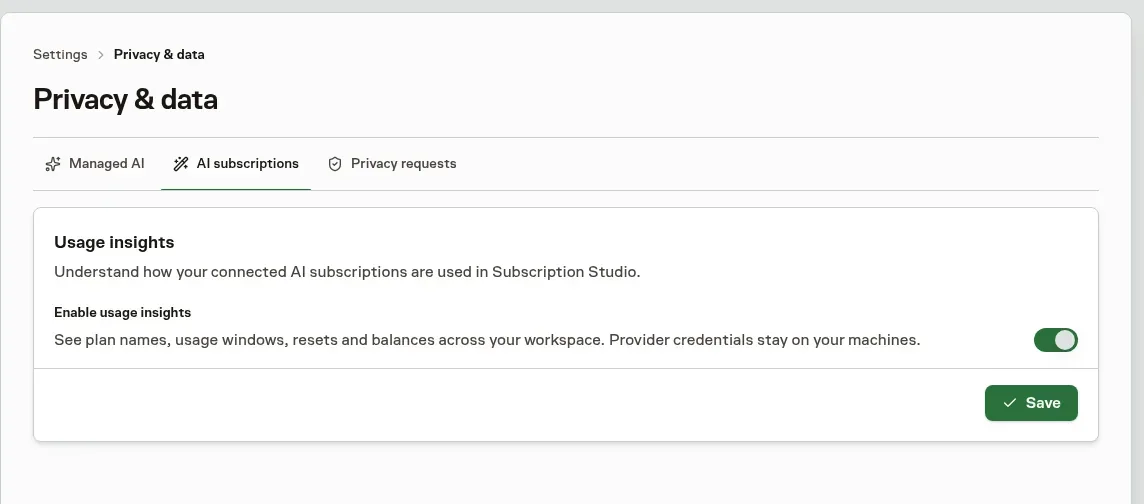
Connected machines collect plan names, usage windows, resets and balances for Workspace insights without an open coding session. Readings normally refresh every ten minutes. Failures back off to twenty minutes and then thirty minutes, respecting provider retry requests up to thirty minutes. A successful reading restores the ten-minute schedule.
Collection supports Claude, Codex, Grok, Kimi, GLM, MiniMax, OpenRouter and Muse. Claude's banked resets remain unknown. Provider credentials stay on your machines, and account emails and names are not included in reports. The saved history is pseudonymous rather than anonymous because it remains linked to the Workspace and reporting machine.
To stop collecting new usage for insights, turn the switch off and choose Save. The confirmation keeps existing history unless you select Delete stored history. Deletion immediately hides the old history and starts background cleanup of its account records, labels, observations and machine links. Only pooled anonymous provider and plan statistics remain, without individual timelines or links to your Workspace or machines.
Re-enabling after deletion starts fresh history. Neither choice signs out provider accounts, removes their models, or changes Task Machine billing.
Inspect your reported plans, usage windows, resets and balances in Analytics Subscriptions. Pausing collection leaves that history available, with its observation times, until you choose to delete it.
Auto learns from similar work without sharing it
To choose a model, Auto compares your Task with finished Tasks from every Workspace. The comparison runs inside Task Machine's database and returns only numbers for each model, such as how many comments, repeated Runs, minutes, and dollars similar Tasks needed. It never returns Task text, titles, or Workspace names, so other Workspaces never see your work and you never see theirs. This comparison sends no additional content to a provider and does not train a model.
Review connected services separately
The managed AI settings do not control your Local Worker providers, your own provider accounts, Connectors, tools, or web search. Workspace AI features supplied by Task Machine remain covered even when you run Agents on a Local Worker. Review the terms and controls of each service before sending sensitive information to it.
A Connector can send a query, URL, tool input, or other work context to an external service. Marketplace availability does not establish its retention period, processing region, or non-training terms.
ZDR governs provider retention, while the EU setting governs managed AI routing. Neither setting confines every Task Machine service to the EU or gives all downstream services the same contractual terms. Read the Privacy Policy and Subprocessor Schedule for the broader relationships.
Dictate without keeping audio
The microphone in Chat, comments and Inbox decision fields inserts English text for you to review. Task Machine sends speech phrases through OpenRouter with ZDR required. EU-required Workspaces use the EU service without global fallback.
Task Machine does not store your recording or a separate transcription history. Text becomes ordinary work history only when you submit it. Voice input consumes Workspace usage, including trial usage. Dictation during incomplete onboarding before activation is paid by Task Machine. Provider processing still follows the applicable service terms.
Distinguish provider retention from work history
The ZDR switch does not delete Tasks, Chats, transcripts, Library documents, results, Cloud files, backups, or logs. Run history can include instructions, supplied context, tool inputs and outputs, model responses, and the result you review.
Ordinary product records have no general automatic expiry. They normally remain while the account or Workspace is active, and afterward only as needed for operation, security, disputes, legal obligations, or an agreed instruction. Archiving preserves history rather than erasing it.
Understand temporary Cloud files
Cloud work files have a separate deletion lifecycle. Normal retention extends to seven days after qualifying Task or Chat activity. Closing or archiving a Task starts a separate 24-hour recovery period that can schedule earlier deletion. Loss of access, security cleanup, blocking, or an explicit deletion request can also shorten the ordinary date.
The storage card on a Task or Chat shows its current allocation, capacity, and deletion date. Authorized Workspace managers can add one, seven, or fourteen days to the effective ordinary deadline or request immediate deletion when no active Cloud work still uses the files. Near-expiry Inbox items carry the same decisions.
Deleting those files does not delete the Task or Chat, transcripts, comments, receipts, or separately saved results. See Billing for retention timing and storage charges. Local working files remain on your machine and are outside Task Machine's deletion control.
Other stores have their own rules. Vault credentials in trash remain recoverable for 30 days before permanent purge. Logs, analytics, provider records, and backups follow their applicable settings and legal obligations. Archiving or changing ZDR does not clear all those copies.
Send a personal-data request
Open the Privacy requests tab for the form concerning your signed-in account. It remains available without a Workspace or active subscription. A selected Workspace supplies authorized context, not automatic authority to delete all of its data.
Choose access, correction, deletion, restriction, objection, a portable copy, or consent withdrawal. Use Details to identify the records and scope, without passwords, API keys, or unnecessary sensitive information. Then choose Send privacy request.
If the form is unavailable, use the support email shown on the page or in the Privacy Policy.
Know what happens after submission
Submission starts a Human-handled request, not an instant export or deletion. An authorized person checks your identity, authority, scope, and legal retention obligations before acting.
The response target is one calendar month. If a complex request needs an extension, you are notified within the first month. This is not a promise that every copy in every provider backup will be erased by that date.
For data controlled by your organization, Task Machine may need to work with the Workspace customer. The Data Processing Addendum explains that relationship. The Cookie Policy covers browser analytics choices.