How to Review Growth Experiments
A practical method for pre-registering growth tests, reading fixed-window results, and approving bounded rules without hindsight.

Founder, Task Machine
A growth experiment review is the process of comparing an approved change with its pre-registered baseline, checking whether the measurement is trustworthy, and deciding what the evidence supports. A complete review keeps the primary outcome, later business signals, diagnostics, guardrails, and confounders separate.
It is worth doing because launching an experiment does not create a learning loop. The loop closes only when the team reads the result on a fixed date, preserves negative and inconclusive evidence, and approves a bounded next step instead of turning a favorable dashboard movement into a universal rule.
Why growth experiments fail to teach you anything
Most experiment programs do not lack ideas. They lack decision contracts. A team changes a subject line, landing page, onboarding step, audience, or offer, then chooses the most flattering metric and time window after the result arrives. That produces a story, not evidence.
Cross-channel reviews add another risk: unlike measures get blended together. Opens diagnose email delivery and attention. Clicks diagnose packaging or message fit. Conversion measures behavior. Pipeline and revenue show later commercial value. A single score can hide the fact that one measure improved while a guardrail or downstream outcome worsened.
The cost is cumulative. Unsupported winners become "best practices," losing tests disappear, and the same weak idea returns a few months later. A durable register makes the plan and result comparable. A separate approved-rules ledger prevents one experiment from becoming permanent doctrine.
What the manual process looks like
Run by hand, a defensible review has eight steps:
- Write the observation, bounded audience, channel, surface, and falsifiable hypothesis before launch.
- Define one changed variable, or label the work honestly as a package test when changes cannot be isolated.
- Choose one primary outcome, then name downstream business signals, diagnostic measures, and downside guardrails separately.
- Fix the baseline and candidate windows, minimum sample and duration, attribution logic, source systems, decision rule, owner, and readback date.
- Have another person verify that the plan can answer its question, then obtain human approval before recording it.
- On the readback date, pull the exact registered windows and reconcile identity, eligibility, exposure, event definitions, sample, duration, attribution, and missing data.
- Compare results and inspect material confounders such as tracking changes, promotions, seasonality, channel mix, simultaneous launches, novelty, and immature sales-cycle outcomes.
- Have the result independently reproduced, then approve promote, keep testing, roll back, or unproven and record the exact decision without changing live work automatically.
The method works for acquisition, activation, retention, referral, and revenue experiments. The measures and observation windows change by channel, but the evidence discipline stays the same.
What an agent can automate
An analyst and reviewer can take over the repeatable parts without taking the decision away from the team:
- Draft the measurement contract. The analyst converts a source observation into a proposed register row with the hypothesis, metric roles, fixed windows, source systems, and readback date.
- Reject incomplete plans before launch. The reviewer checks whether the audience and variable are bounded, the windows are comparable, and the decision rule was chosen without hindsight.
- Find due experiments. A schedule selects only approved, running, or due rows whose fixed readback date has arrived.
- Retrieve comparable evidence. The analyst pulls the registered baseline, candidate, business, diagnostic, and guardrail measures from PostHog, Mixpanel, or attached exports.
- Name uncertainty instead of hiding it. Low volume, missing access, changed tracking, mixed audiences, and immature outcomes remain visible in the decision packet.
- Reproduce the result. The reviewer opens the cited sources, checks material values and deltas, and returns PASS, FAIL, or UNCERTAIN with specific evidence.
- Prepare exact ledger patches. The analyst drafts the complete register update and, when the finding is reusable, a narrowly scoped approved-rule patch for the human to accept or reject.
The agents do not launch experiments or change campaigns, pages, lifecycle messages, audiences, budgets, or product behavior.
The guardrails that make it safe
There are two human boundaries. The first approves the plan before it enters the register. That approval fixes the hypothesis, variable, windows, metrics, sample, duration, sources, and decision rule. It permits recording the plan, not launching it.
The second boundary comes after the reviewer reproduces the result. A person sees the cited evidence, guardrails, confounders, recommendation, and exact ledger patches before choosing the decision state. That approval permits the recorded decision and rule patch only. A live promotion, pause, rollback, send, page edit, audience change, product change, or budget change remains separate reviewed work.
The register keeps losses and unproven results. The approved-rules ledger keeps scope and exclusions beside each reusable finding, links back to the source experiment, and assigns a review date. Later contradictory evidence supersedes a rule without erasing its history.
Set it up in Task Machine
The Growth experiment review playbook provides a starting point for the method above. You need an active Task Machine workspace with Chat, workspace-management and Playbook-installation access (workspace owners have it). The playbook works from attached exports before PostHog or Mixpanel is authorized.
1. Find the playbook
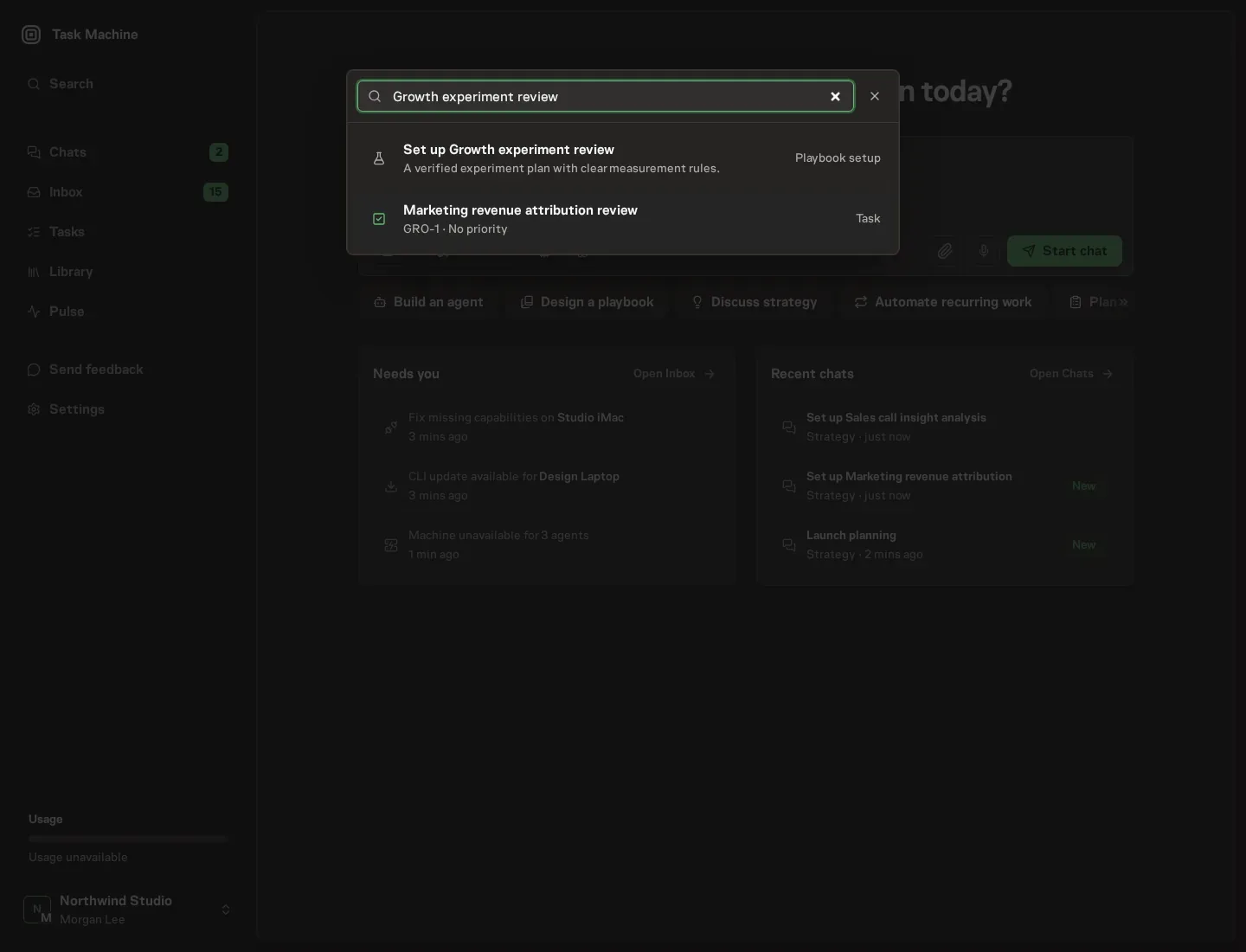
Open Search in your workspace and enter "Growth experiment review". The command center lists Set up Growth experiment review under Playbook setup.
2. Start the conversation
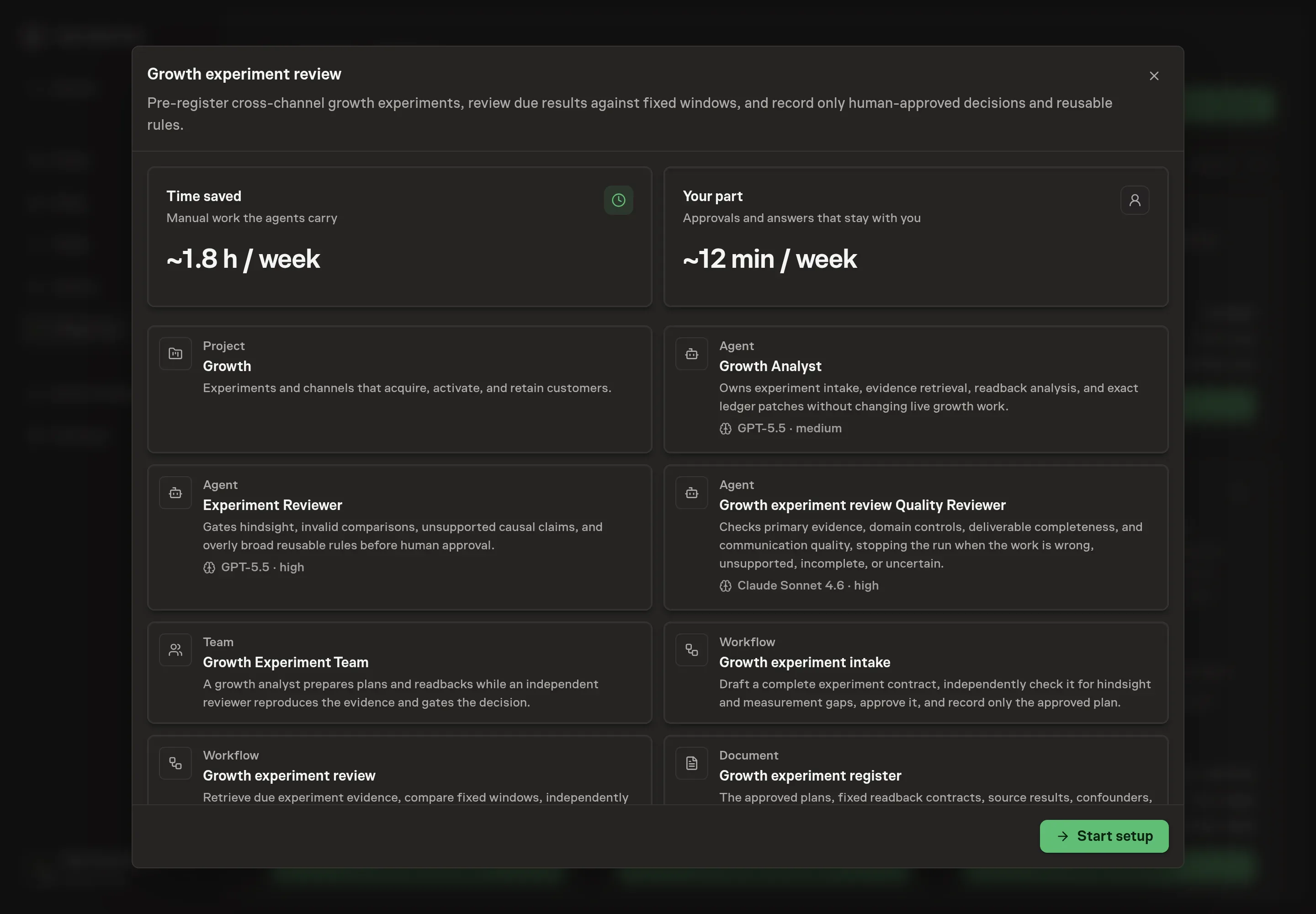
Choose Set up Growth experiment review. Task Machine opens a dedicated Chat with the Playbook card and an editable, unsent request. Read the intended job and outcome. Add your situation and send it when ready. Opening the draft does not install anything or start work. This walkthrough uses settings that require approval of the proposed Playbook.
3. Agree the services
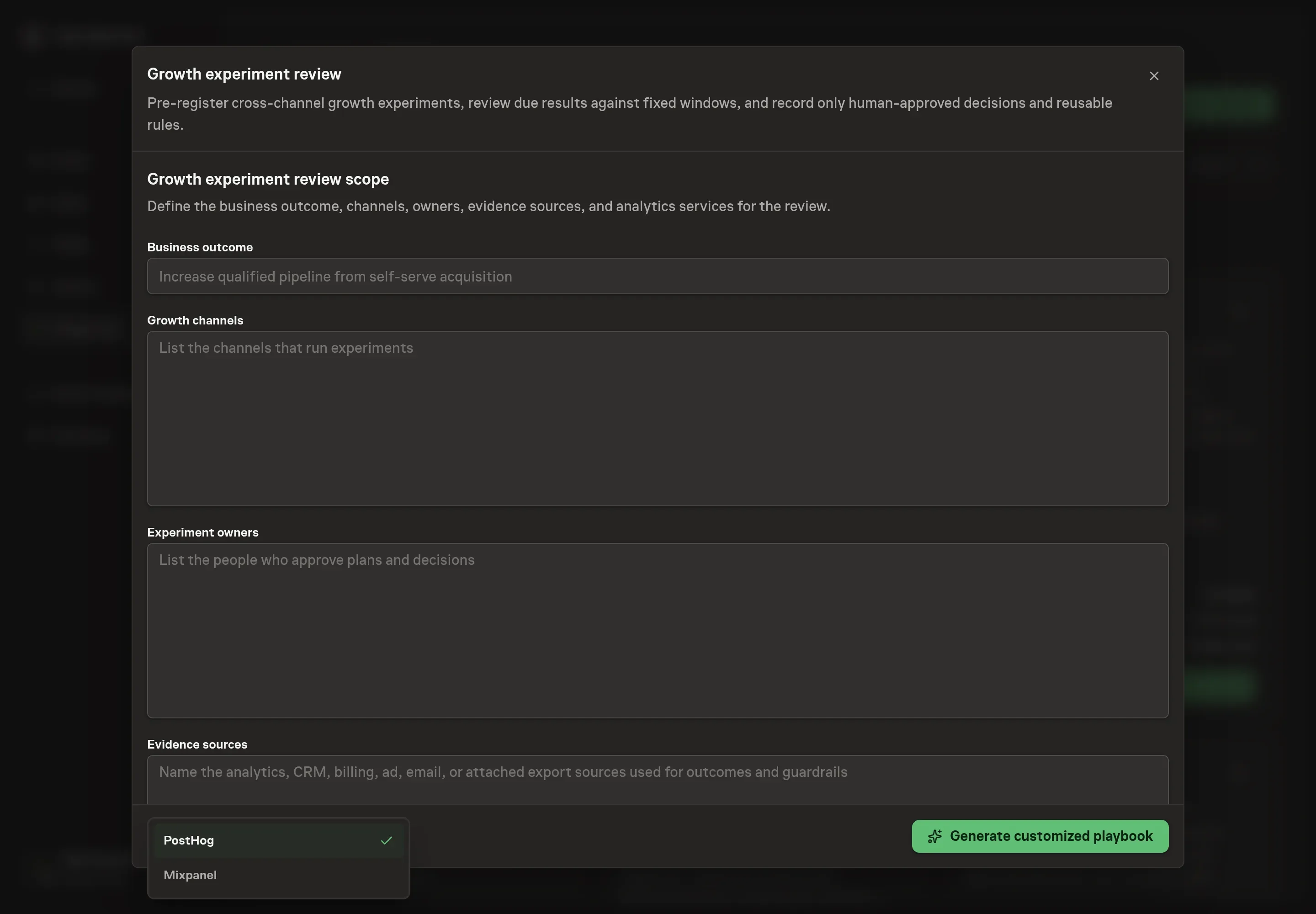
Tell the Agent which services you use. The catalog offers these starting choices:
- Product analytics providers: PostHog, Mixpanel. Optional.
Discuss any missing access or export-based alternative before generation. Check the exact proposal includes only the services you agreed. Enter credentials only through secure setup, never in Chat.
4. Agree the working brief
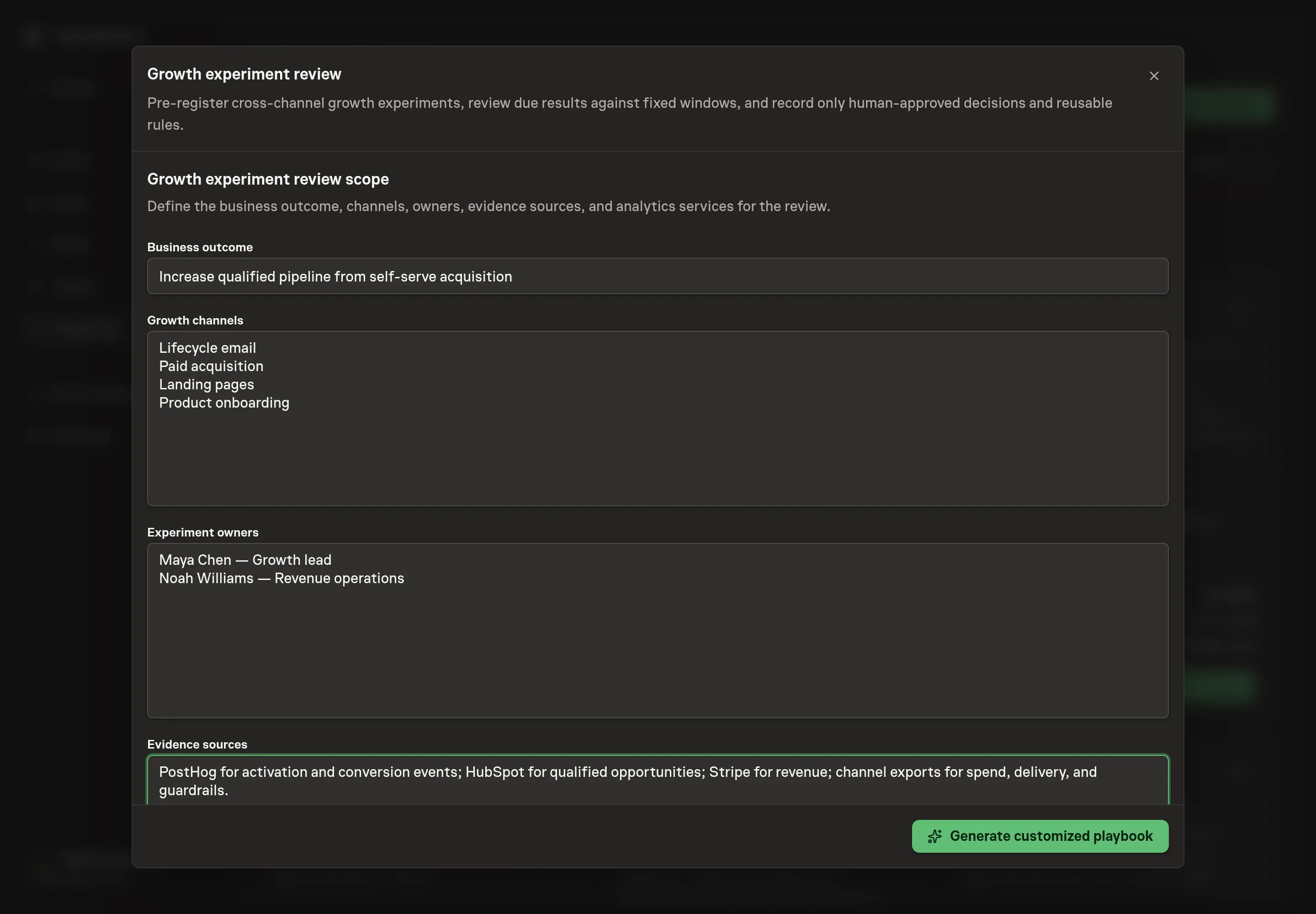
Use Chat to agree the inputs, expected output and limits before asking for a proposal. Discuss the business outcome, growth channels, experiment owners, and evidence sources. For example, a team might review qualified-pipeline experiments across lifecycle email, paid acquisition, landing pages, and onboarding, with product analytics, CRM opportunity stages, billing outcomes, and channel exports as evidence.
5. Review the proposed Playbook
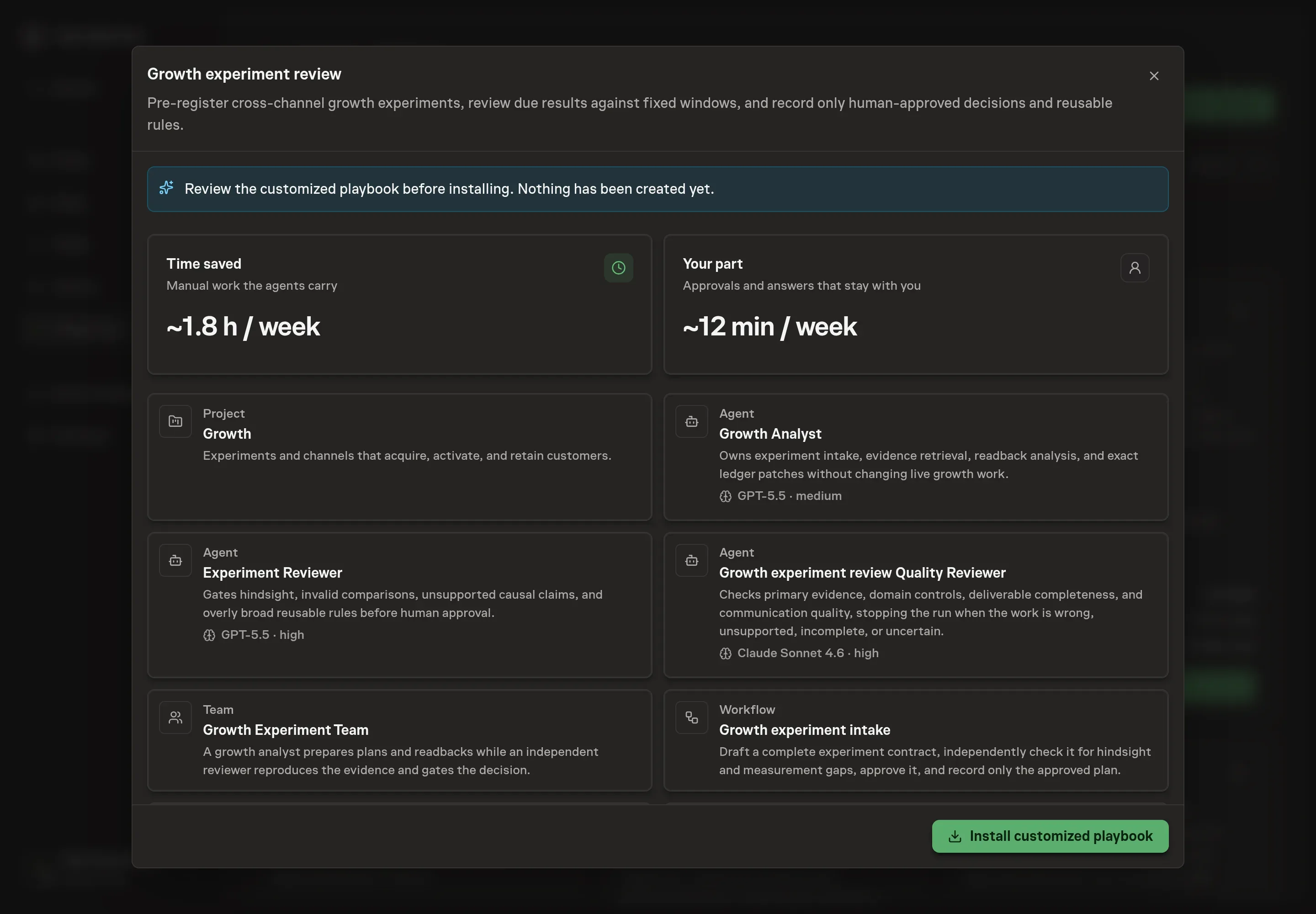
Ask the Agent to generate the Playbook from the agreed brief. Open its proposal in Chat and check the instructions and resources it will install, which carry more detail than the conversational summary. Review all three agent roles, the metric definitions in the register, the two approval boundaries, the fixed-window review workflow, the selected services, and the schedule. Confirm that recording a decision does not authorize a live change. Ask for a revised proposal if anything is missing or changes the job.
6. Approve and prepare the first work
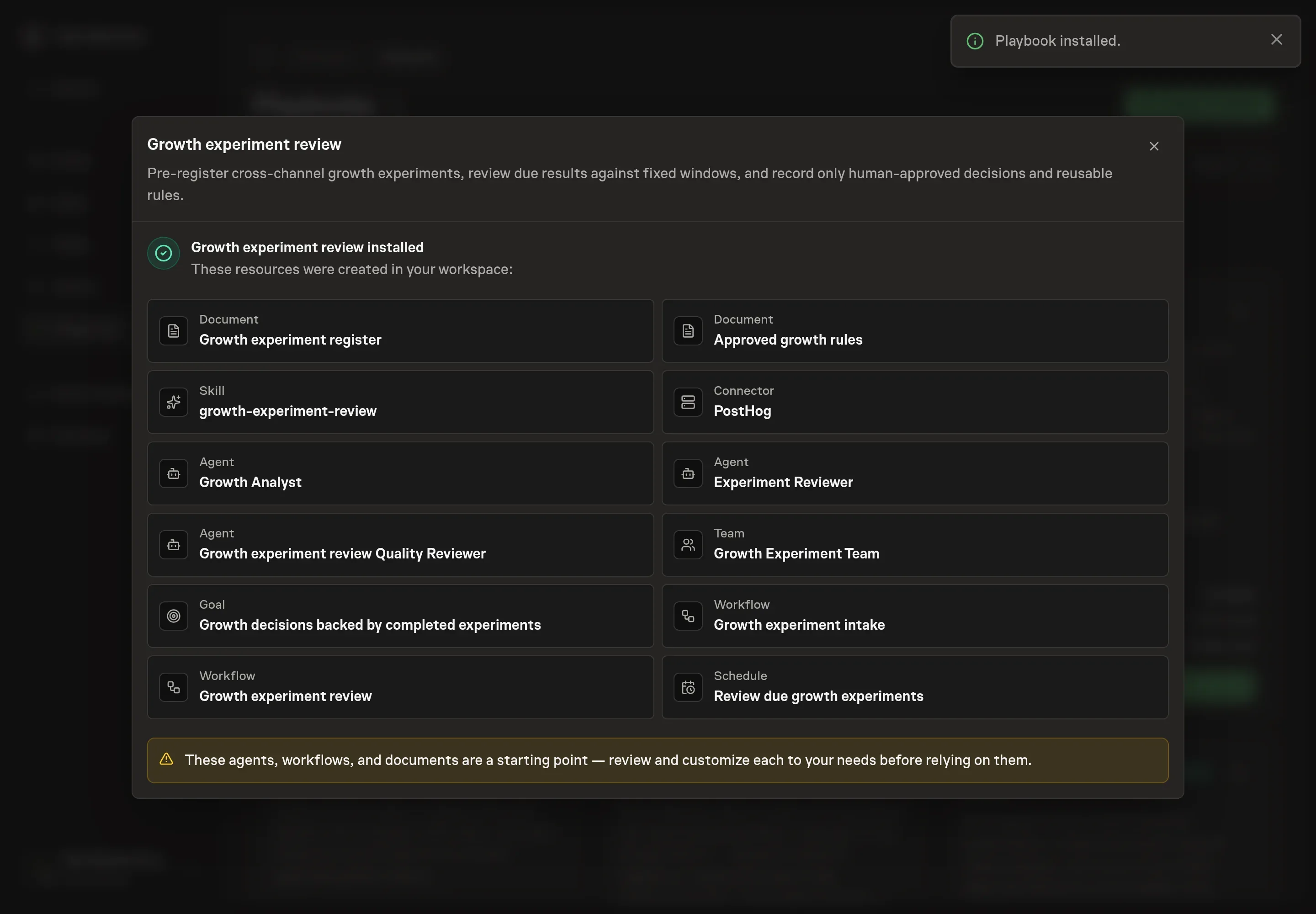
Choose Approve on the proposal in Chat when the configuration matches your brief. Task Machine installs that reviewed configuration. The approved item retains its review details. If your autonomy settings allow direct installation, this approval may not be required. Check the resulting configuration in that case too.
Complete any remaining secure service setup from the installation details in Chat. Inbox keeps those setup items available if you return later. Prepare the source documents and inputs before starting the first Task or Workflow. Installation does not authorize sending, publishing or changing an external service beyond the boundaries you agreed. Confirm each schedule's cadence and timezone, and resolve any pending schedule setup before it starts. A readback must wait for its agreed observation window and source data. Check the reviewed tracker or results document before the first cycle so evidence and human decisions have a durable home.
What good looks like
A useful experiment operation has three visible qualities:
- Plans are complete before launch. Every running row already has fixed windows, one primary outcome, distinct business signals and diagnostics, guardrails, source systems, a decision rule, and a readback date.
- Results reproduce. Another reviewer can retrieve the cited values, match the registered windows and definitions, and explain any uncertainty or disagreement.
- Rules stay bounded. Every approved rule names where it applies, where it does not, which experiment supports it, which guardrails held, and when it must be reviewed again.
Experiment velocity and win rate can describe the program, but neither proves quality. A lower win rate with preserved losses and decisive evidence can be more useful than a high win rate built from moved windows or selective metrics.
How the loop learns
The baseline and candidate windows are set for each experiment before launch because channel cycles differ. An onboarding test may mature in days, while an opportunity or revenue signal may require a complete sales cycle. The register preserves both windows and the expected maturity of later signals.
On the fixed readback date, the analyst uses the named analytics, CRM, billing, channel, or export source. The primary outcome determines whether the tested change worked. Downstream business signals test commercial relevance. Diagnostics explain movement. Guardrails can block promotion. The review also checks tracking changes, seasonality, promotions, audience shifts, simultaneous work, novelty, and attribution gaps.
The reviewer reproduces material values before a person chooses promote, keep testing, roll back, or unproven. Promote can add a narrow rule. Keep testing records the next fixed readback. Roll back preserves the harmful or losing result. Unproven records why the evidence cannot support a claim. None of those decisions changes live work automatically.
Common questions
Do all growth experiments need an A/B test? No. Randomized controls are useful when available, but a fixed before-and-after comparison, holdout, geo test, cohort comparison, or qualitative validation can be appropriate. The design and its limitations must be chosen before results arrive.
What should the primary outcome be? Choose the single measure closest to the behavior the change is intended to affect and available within the planned window. Keep later pipeline, revenue, or retention measures as downstream business signals when they mature on another timeline.
What happens when the sample is too small? Mark the result keep testing when the valid plan needs more evidence, or unproven when the design can no longer support a defensible conclusion. Do not replace missing volume with model estimates or a more favorable metric.
Can an agent promote a winning experiment? No. The playbook can prepare a promote recommendation and an exact rule patch. A human approves the recorded decision, and any live promotion happens separately through the system that owns the campaign, page, message, budget, or product change.
Why keep a separate approved-rules ledger? The experiment register preserves every plan and result. The rules ledger contains only reusable, human-approved findings with narrow scope, exclusions, evidence limits, and review dates. Keeping them separate prevents an isolated result from becoming an unqualified rule.