How to Turn Survey Responses into Lead Magnets
A practical method for coding survey evidence, building honest audience segments, drafting lead magnets, and reading conversion and lead-quality outcomes.

Founder, Task Machine
A survey lead magnet pipeline turns permitted survey evidence into a focused downloadable asset, then measures whether the asset attracts useful demand. The process starts by coding what respondents said, builds bounded pain or job segments with visible denominators and contradictions, and drafts one asset for a selected segment.
The survey establishes a problem hypothesis. It does not prove that people want a guide, checklist, template, calculator, quiz, or sales conversation. That second question needs an approved test and an outcome readback.
Why survey segmentation often invents certainty
Survey exports look structured, but the sample and questions shape every result. Volunteers may differ from the broader market. Incentives can change who responds. Branching logic creates missing fields by design. Answer options prompt language that respondents may not have used on their own.
Open-text clustering can hide uncertainty too. One vivid quote can become a supposed segment. Mixed answers get forced into one label. Similar words can describe different jobs, while different words can describe the same pain. Respondent count, pain severity, and commercial potential are then collapsed into one opaque score.
A defensible review keeps those dimensions separate. Every segment names its survey cohort, unique-respondent denominator, inclusion and exclusion rule, supporting evidence, contradicting or mixed responses, sample limitations, and confidence. Responses that do not fit remain Unclassified instead of disappearing.
What the manual process looks like
A careful survey-to-asset loop has twelve steps:
- Preserve the questionnaire, data dictionary, export version, collection dates, recruitment, incentive, branching logic, and known sample limitations.
- Confirm consent, allowed use, access, quotation, redaction, retention, and deletion rules.
- Remove unnecessary direct identifiers and sensitive fields, then redact unexpected personal details in free text.
- Reconcile received, included, partial, duplicate, invalid, bot, missing, and excluded responses.
- Read complete responses and code pains, jobs, workarounds, triggers, urgency, consequences, behavior, buying signals, and contradictions.
- Preserve question context, minimal permitted excerpt, faithful paraphrase, code, qualifier, strength, prompting, and quotation status for every evidence record.
- Build semantically coherent segments from unique respondents, keeping mixed, minority, severe single-case, and Unclassified evidence visible.
- Separate segment size, severity, and commercial-potential evidence.
- Have another analyst reproduce material coding, privacy handling, segment counts, denominators, and sample limitations.
- Draft one source-backed asset and fixed outcome plan for a selected segment, then approve the exact artifact before launch.
- After a human launches it, wait for the complete window and reconcile visits, valid conversions, delivery, qualified leads, downstream outcomes, diagnostics, and guardrails.
- Approve a bounded reuse, keep testing, retire, or unproven learning.
The segmentation is only useful when someone can trace the asset promise back to evidence and later test whether it attracted the intended audience.
What an agent can automate
An analyst and reviewer can handle the recurring evidence work:
- Build the survey manifest. The analyst records source versions, collection context, permissions, response counts, missingness, branches, invalid rows, exclusions, removed sensitive fields, and sample bias.
- Code response evidence. Each pain, job, workaround, trigger, behavior, and contradiction keeps its question, response location, minimal excerpt, paraphrase, context, strength, and quotation status.
- Build reproducible segments. Segments use unique respondents, explicit rules and denominators, independent support, counterevidence, severity, behavior, commercial evidence, and sample limitations.
- Preserve what does not fit. Mixed, missing, contradictory, minority, severe single-case, and Unclassified responses remain in the register.
- Draft a focused asset. A selected segment receives an original title, format, hook, promise, proof, outline or draft, CTA, distribution, form version, claim limits, and privacy boundaries.
- Freeze the test plan. Owner feedback, comparable baseline, complete window, primary conversion, qualified-lead definition, downstream signals, diagnostics, guardrails, and sources are recorded before launch.
- Reconcile outcomes. The readback waits for the fixed window and keeps valid conversion, lead quality, later pipeline, delivery diagnostics, and privacy or reputation guardrails distinct.
- Reproduce material findings. The reviewer independently checks provenance, coding, segment math, privacy, asset claims, result denominators, and decision scope.
The agents do not publish or distribute the asset, collect or target leads, edit forms, contact respondents, or enroll anyone.
The guardrails that make it safe
Survey consent for analysis does not automatically permit public quotation, individualized outreach, enrichment, or a new use of sensitive data. The workflow stores only the minimum evidence needed for internal traceability. Direct identifiers and unnecessary sensitive fields are removed, free text is checked for unexpected personal details, and quotation permission travels with every excerpt.
Claims stay bounded to the source. A small volunteer survey cannot become a market-wide benchmark. A calculator needs valid inputs, formulas, assumptions, and limitations. The asset cannot promise legal, financial, health, or other professional advice, a product capability, or a result the evidence does not support.
There are two human boundaries. The first approves the exact segment, asset, form and result plan but does not launch anything. The second approves the measured result and exact learning but does not republish, retarget, change forms, contact respondents, or start outreach.
Set it up in Task Machine
The Survey research & lead magnet creation playbook provides a starting point for the method above. You need an active Task Machine workspace with Chat, workspace-management and Playbook-installation access (workspace owners have it). Attach the questionnaire and approved export to the first run. Attach analytics, delivery, CRM, or sales exports to readbacks.
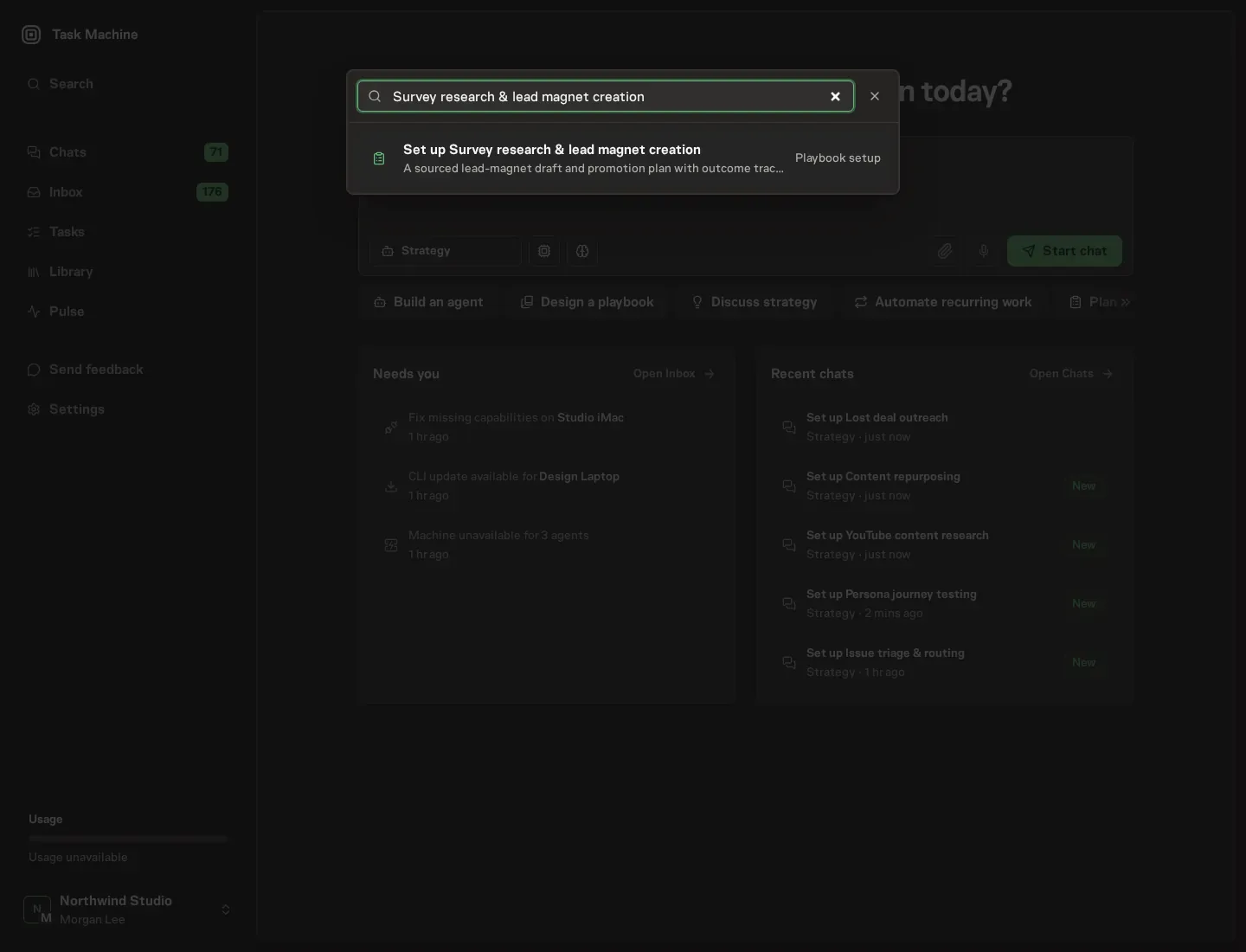
1. Find the playbook
Open Search in your workspace and enter "Survey research & lead magnet creation". The command center lists Set up Survey research & lead magnet creation under Playbook setup.
2. Start the conversation
Choose Set up Survey research & lead magnet creation. Task Machine opens a dedicated Chat with the Playbook card and an editable, unsent request. Read the intended job and outcome. Add your situation and send it when ready. Opening the draft does not install anything or start work. This walkthrough uses settings that require approval of the proposed Playbook.
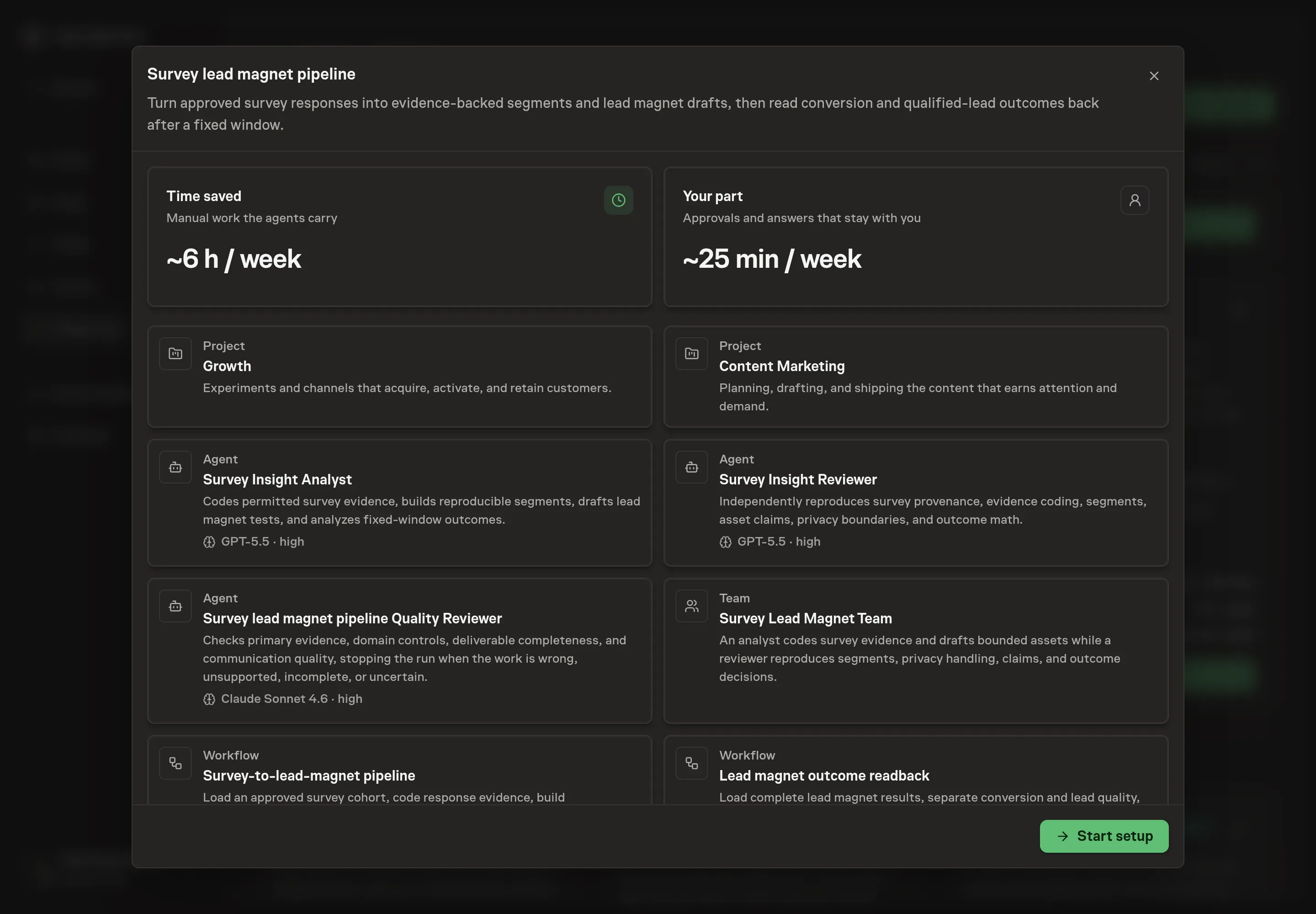
3. Agree the working brief
Use Chat to agree the inputs, expected output and limits before asking for a proposal. Describe the survey and questionnaire, cohort and coding rules, privacy and allowed use, lead magnet audience and offer, and fixed outcome plan. Strong answers name the recruitment method, unique-response denominator, minimum segment evidence, Unclassified handling, quote permission, retention, primary conversion, and qualified-lead rule.
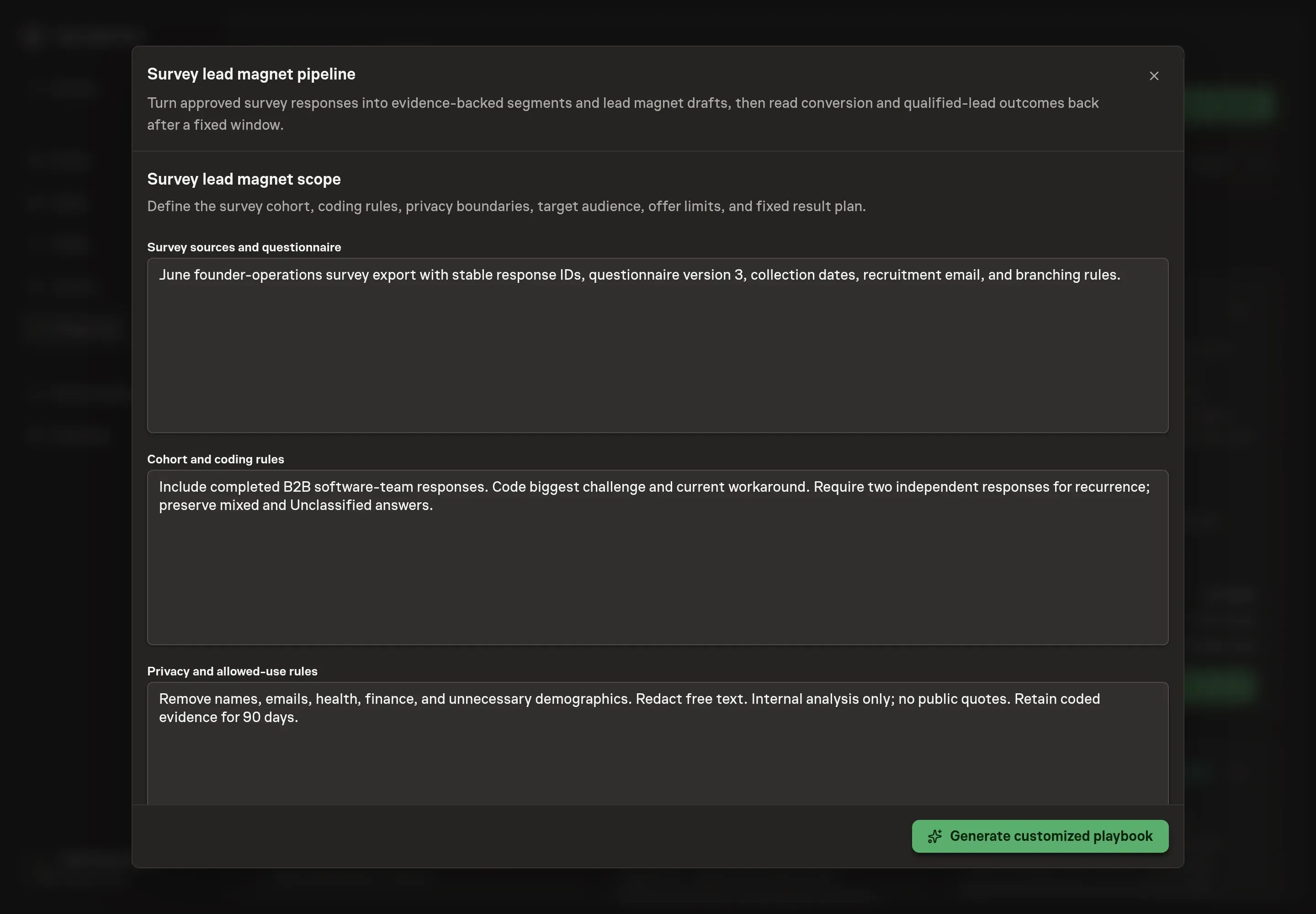
4. Review the proposed Playbook
Ask the Agent to generate the Playbook from the agreed brief. Open its proposal in Chat and check the instructions and resources it will install, which carry more detail than the conversational summary. Confirm response evidence remains traceable, segments preserve mixed and Unclassified answers, the reviewer reproduces denominator math, asset claims retain sample limits, and both approval boundaries stop before an external action. Ask for a revised proposal if anything is missing or changes the job.
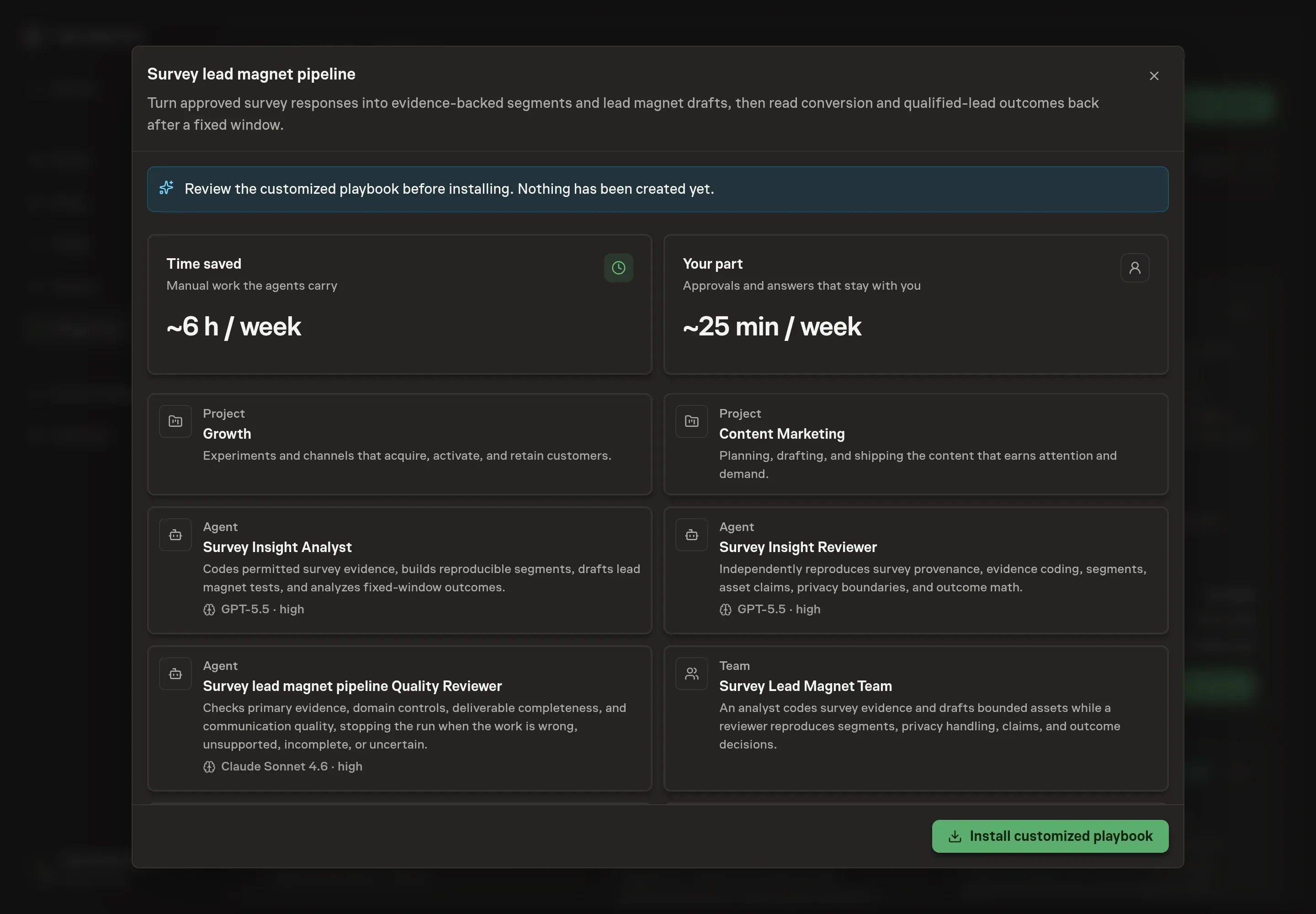
5. Approve and prepare the first work
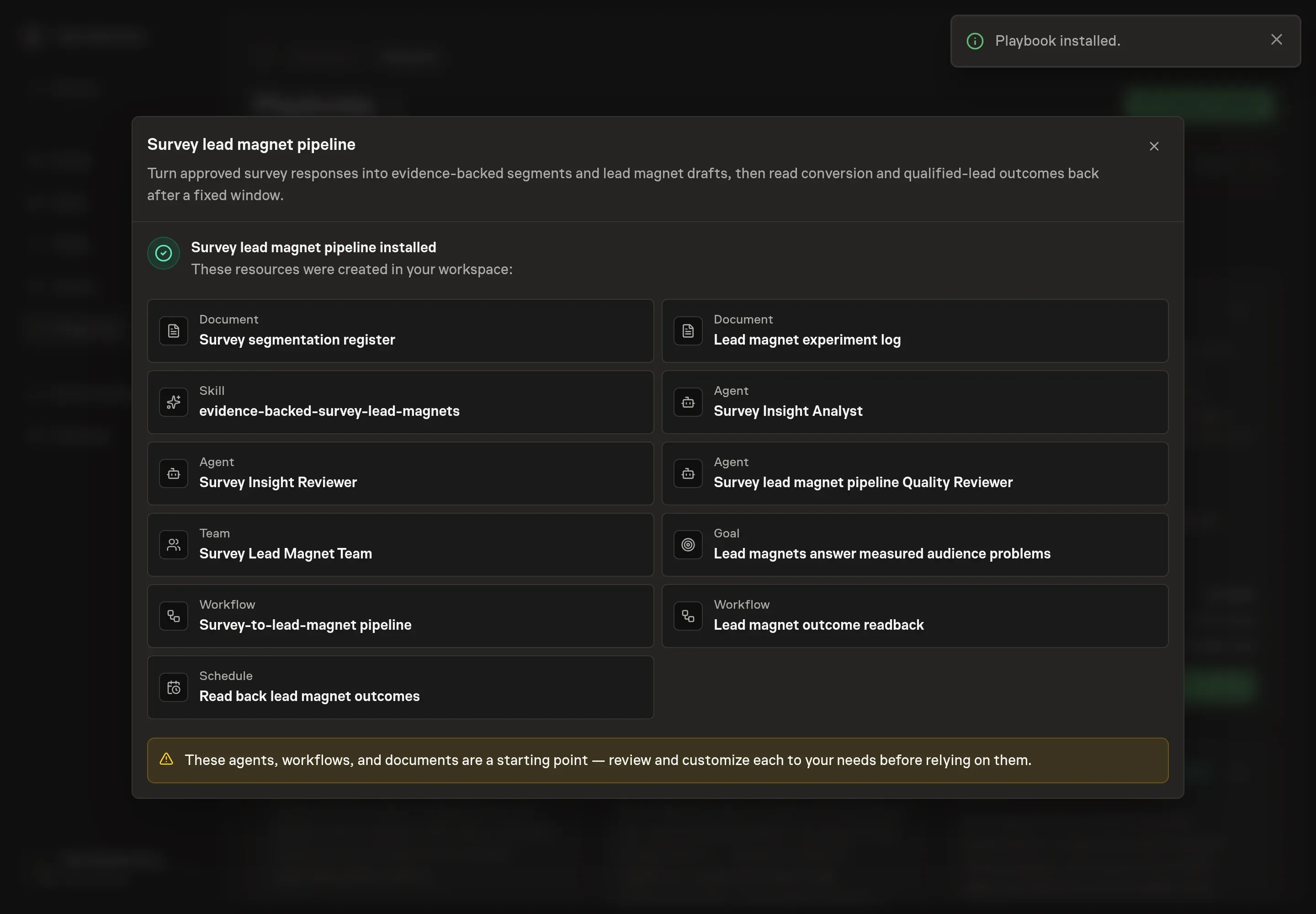
Choose Approve on the proposal in Chat when the configuration matches your brief. Task Machine installs that reviewed configuration. The approved item retains its review details. If your autonomy settings allow direct installation, this approval may not be required. Check the resulting configuration in that case too.
Complete any remaining secure service setup from the installation details in Chat. Inbox keeps those setup items available if you return later. Prepare the source documents and inputs before starting the first Task or Workflow. Installation does not authorize sending, publishing or changing an external service beyond the boundaries you agreed. Confirm each schedule's cadence and timezone, and resolve any pending schedule setup before it starts. A readback must wait for its agreed observation window and source data. Check the reviewed tracker or results document before the first cycle so evidence and human decisions have a durable home.
What good looks like
A useful survey lead magnet loop passes five checks:
- The sample is described honestly. Recruitment, incentive, questionnaire, dates, response population, missingness, exclusions, and known bias remain visible.
- Segments are reproducible. Unique respondents, denominator, coding rule, supporting and contradicting evidence, and Unclassified handling can be checked.
- Commercial potential uses evidence. Role, workaround, behavior, urgency, budget, or buying stage supports the claim. A model-generated potential score does not.
- The asset keeps source limits. Claims, quotes, benchmarks, formulas, and promises remain within the approved evidence and permissions.
- The readback distinguishes volume from quality. Conversion rate and qualified lead rate use their own predeclared denominators, with later pipeline, diagnostics, and guardrails kept separate.
A large segment is not automatically urgent or commercially useful. A small severe segment can deserve a different decision without being mislabeled as the market.
How the loop learns
Before launch, the experiment log records the selected segment and evidence ids, denominator and limitations, exact asset and form versions, audience job, title, hook, promise, proof, CTA, distribution, owner keep/change/avoid/reason feedback, comparable baseline, planned launch, fixed readback date, primary conversion, qualified-lead rule, business signals, diagnostics, guardrails, and sources.
After the complete window, the primary conversion rate uses eligible visits. Qualified lead rate uses valid conversions and measures downstream quality. Deliveries, form starts, and abandonment diagnose the flow. Meetings, opportunities, and revenue mature later. Spam, bots, invalid submissions, complaints, opt-outs, privacy incidents, misleading claims, and policy violations are guardrails.
The analysis checks survey source, traffic quality, channel mix, incentives, audience and device mix, seasonality, concurrent page, form or offer changes, delivery failures, tracking gaps, sales follow-up, low volume, and outcome maturity. The approved learning stays bounded to the tested segment, asset, offer, CTA, distribution, form, and window. Losing and inconclusive tests remain in the log.
Common questions
How many survey responses make a segment? There is no universal number. Require more than one independent response for recurrence, show the unique-response denominator and sample limitations, and match confidence to the decision risk.
Should every response belong to a segment? No. Preserve mixed, missing, contradictory, out-of-scope, and Unclassified responses instead of forcing them into the nearest label.
Can the workflow publish the lead magnet? No. It records the approved asset and result plan. Publication, distribution, forms, and lead collection remain separate human-owned actions.
Is download conversion enough to call the asset successful? Not by itself. Use the predeclared primary conversion, then inspect qualified lead rate and later meetings, opportunities, or revenue alongside diagnostics and guardrails.
Can survey quotes appear in the asset? Only when the allowed-use and quotation permissions cover that publication. Internal evidence can support a theme while the wording remains restricted.