Review what agents make before it goes out
Agents can now hand you the work itself for approval. You open the real email, post or code change in the Inbox, edit what you want to change, and approve it before the agent sends, publishes or merges anything. We built it to make each decision easier, with a review made for the kind of work you are approving.
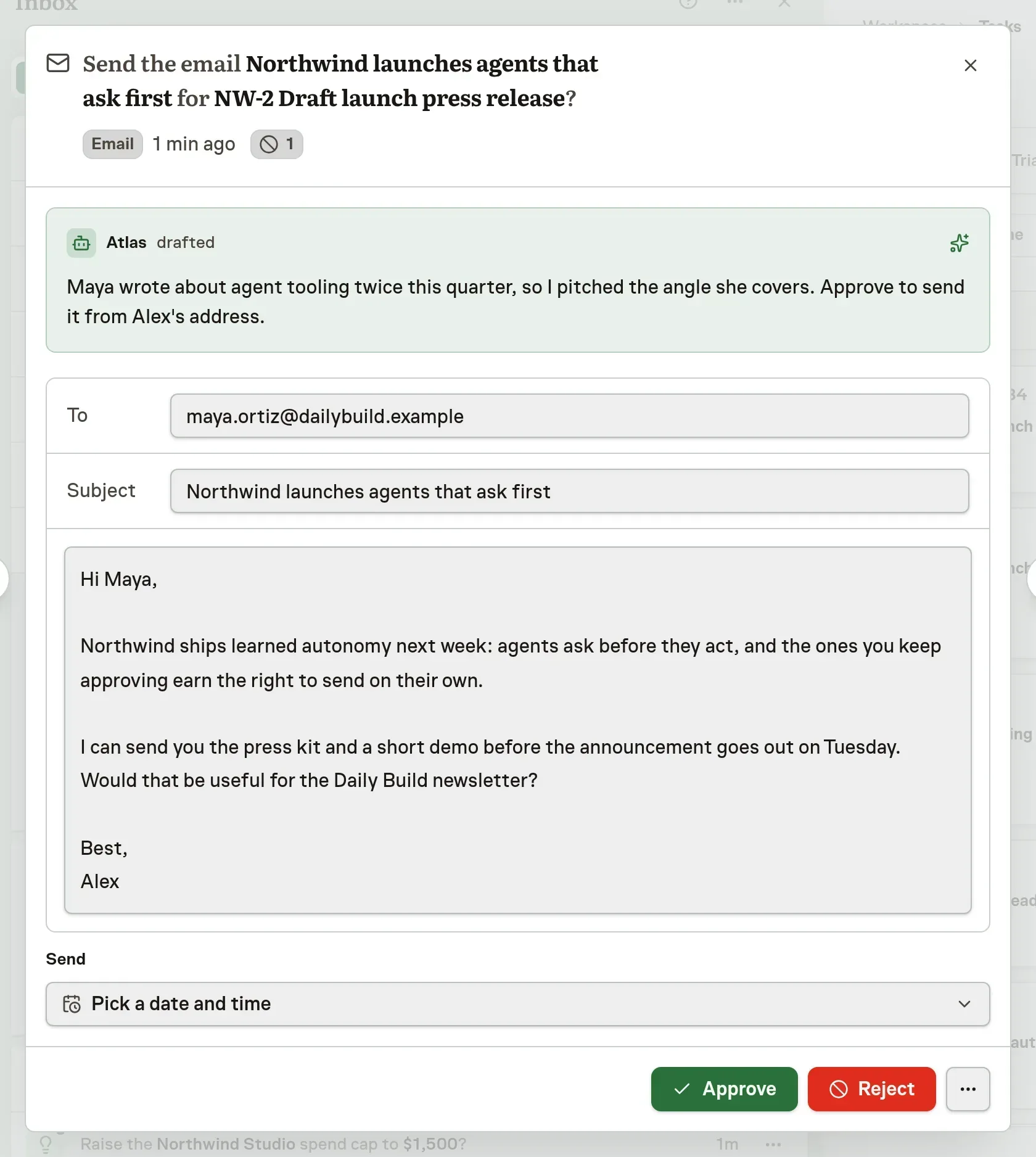
Your edits travel with the approval. The agent receives your decision, the names of the fields you changed and the final text, and it acts only on that. If you reject the work, the agent reads your reason.
Each kind of work opens in a review built for it
- Email: edit the recipients, subject, body and send time. A reply shows the message it answers.
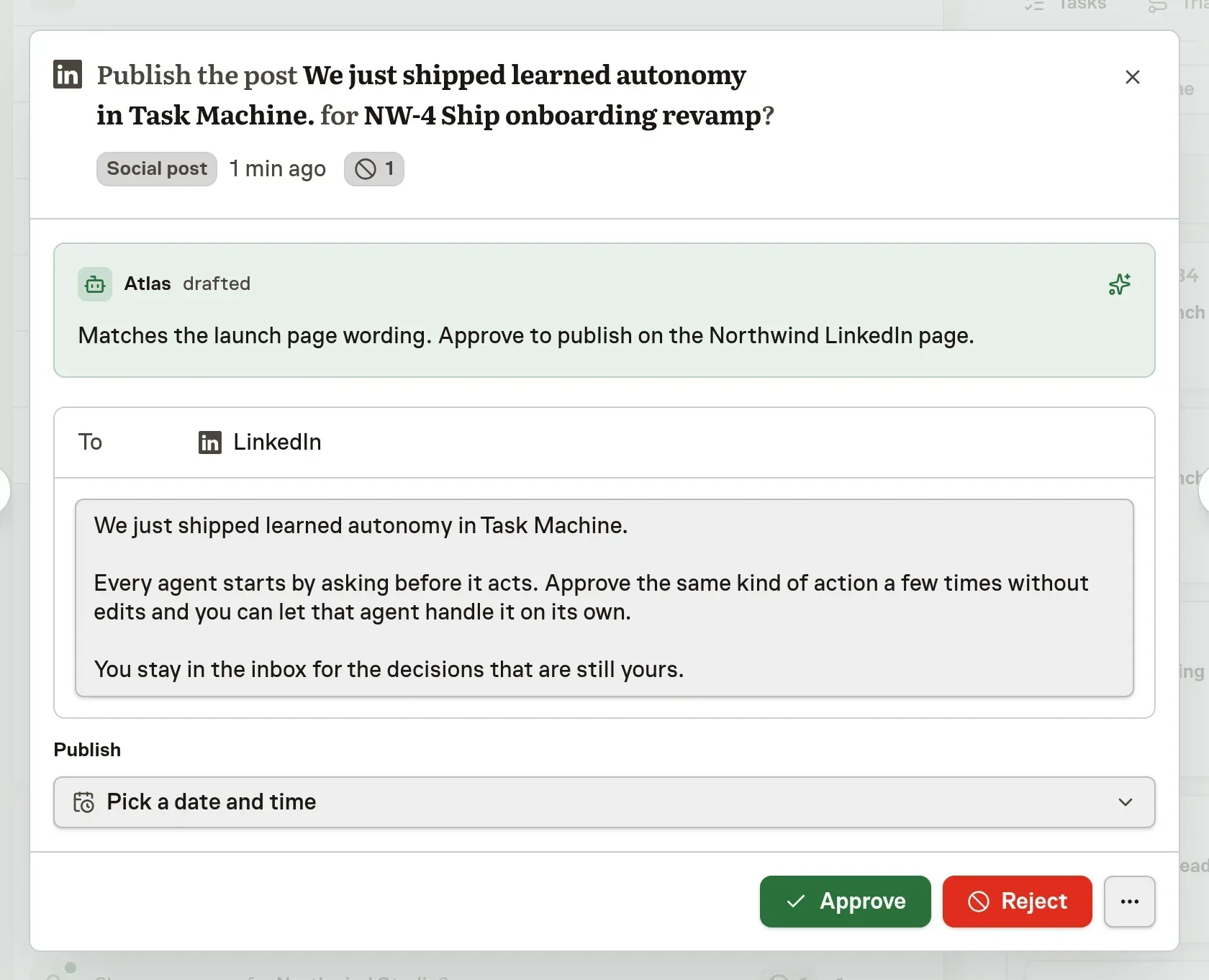
- Social post: see the platform it goes to, its length limits and the media the agent attached. A thread lets you change each post.
- Social comment: read the post being answered and edit only the comment.
- Article: edit the title, body and address, and choose whether approval publishes it or saves a draft. It starts as a draft.
- Calendar invite: edit the title, times, location and attendee list. Clashes with the busy times the agent read from the attendees' calendars show under the attendees.
- Table: correct cells and leave rows out. Long tables show 25 rows at a time.
- Video: play it, edit the title, description, visibility and publish time, or ask for a new cut.
- Store listing: see the live text next to the new text, with the store's limits applied as you type.
- Ad: see it as a search result, with each headline and description compared to the live line and the ad network's limits applied.
- Files and images: mark a region of an image and write what is wrong, then send it back.
- Direct message: edit the text of a message to one person. The recipient stays fixed.
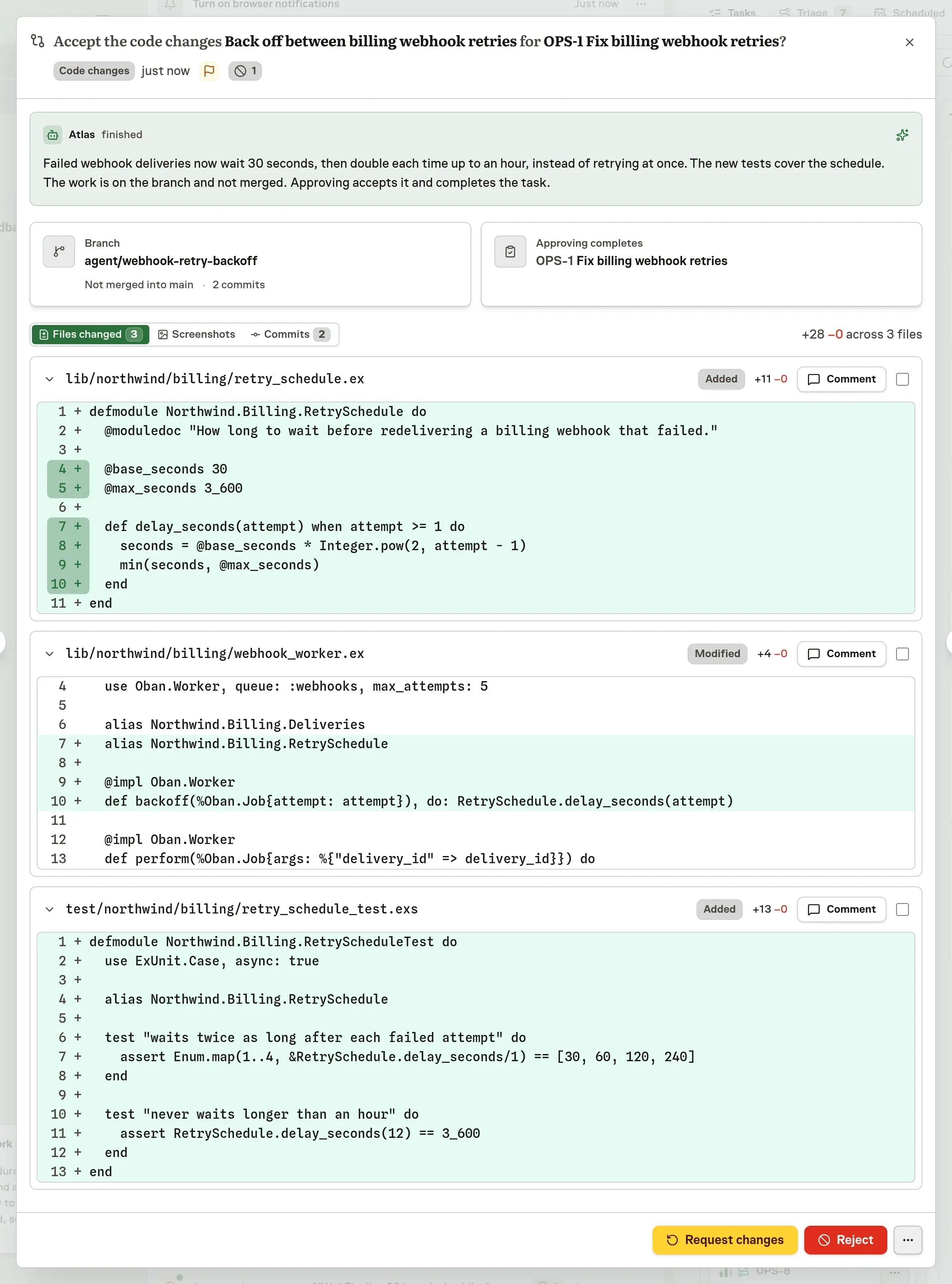
- Code change: read the diff file by file, and comment on lines or on a whole file.
Comment on images and code before you decide
Files and images open in a viewer where you drag across a region and write what is wrong. Code changes open as a diff you read file by file. Select lines to comment on them, or comment on a whole file, and Request changes sends every comment to the agent with the code it is about. Approving accepts the work and completes the task.
Routine work can skip your review once an agent has earned it
Nothing goes out until you approve it. When you approve the same kind of work from an agent without changes, that agent can propose handling it without asking, and you decide whether it does. Everything else keeps coming to your Inbox.
Playbook steps that ask a person to approve an email, post, article or message now wait for the work itself, using the same review.
Read Inbox decisions for how each review works.