Every decision now carries its context in the Inbox
The Inbox now separates decisions from general updates and puts the information and actions for each request in one place. You can approve, answer, recover, or reject work without searching through tasks and settings first. We changed it because a decision often sat between unrelated updates and needed a trip to the task or settings before you could act.
Opening an item now shows the details needed to act. Depending on the request, that can include the proposed plan, expected result, attachments, review feedback, the output produced before a failure, a requested login, or the exact change suggested for an agent's instructions.
The actions complete the real request. Approving a handoff changes who owns the task, answering a question lets waiting work continue, selecting a login grants the requested access, and requesting changes sends clear feedback to the agent.
Email, browser, and in-app notifications open the exact Inbox item they announced. The Inbox panel is available throughout the app, so checking a decision does not discard the page you were working on.
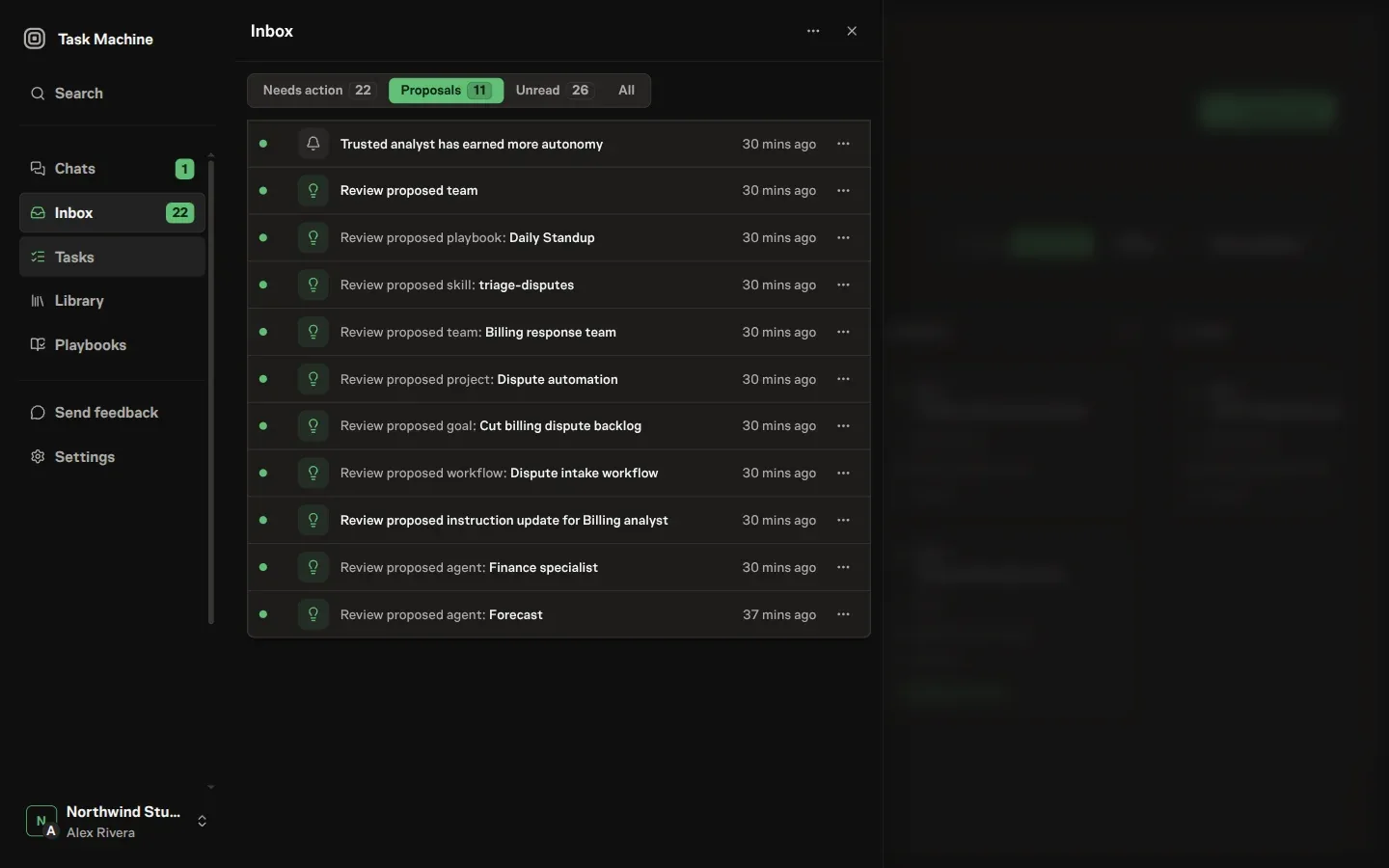
Decisions stay ahead of updates
Needs action collects open decisions, Proposals keeps suggested changes together, Unread shows new updates, and All preserves the complete history. The sidebar badge counts decisions waiting for you rather than every unread message.
Related updates about the same work are grouped together. Any item that still needs a decision remains individually available, so grouping reduces noise without hiding an approval.
Read Inbox for every supported decision and recovery flow.