Task Machine suggests the details when you create a Task
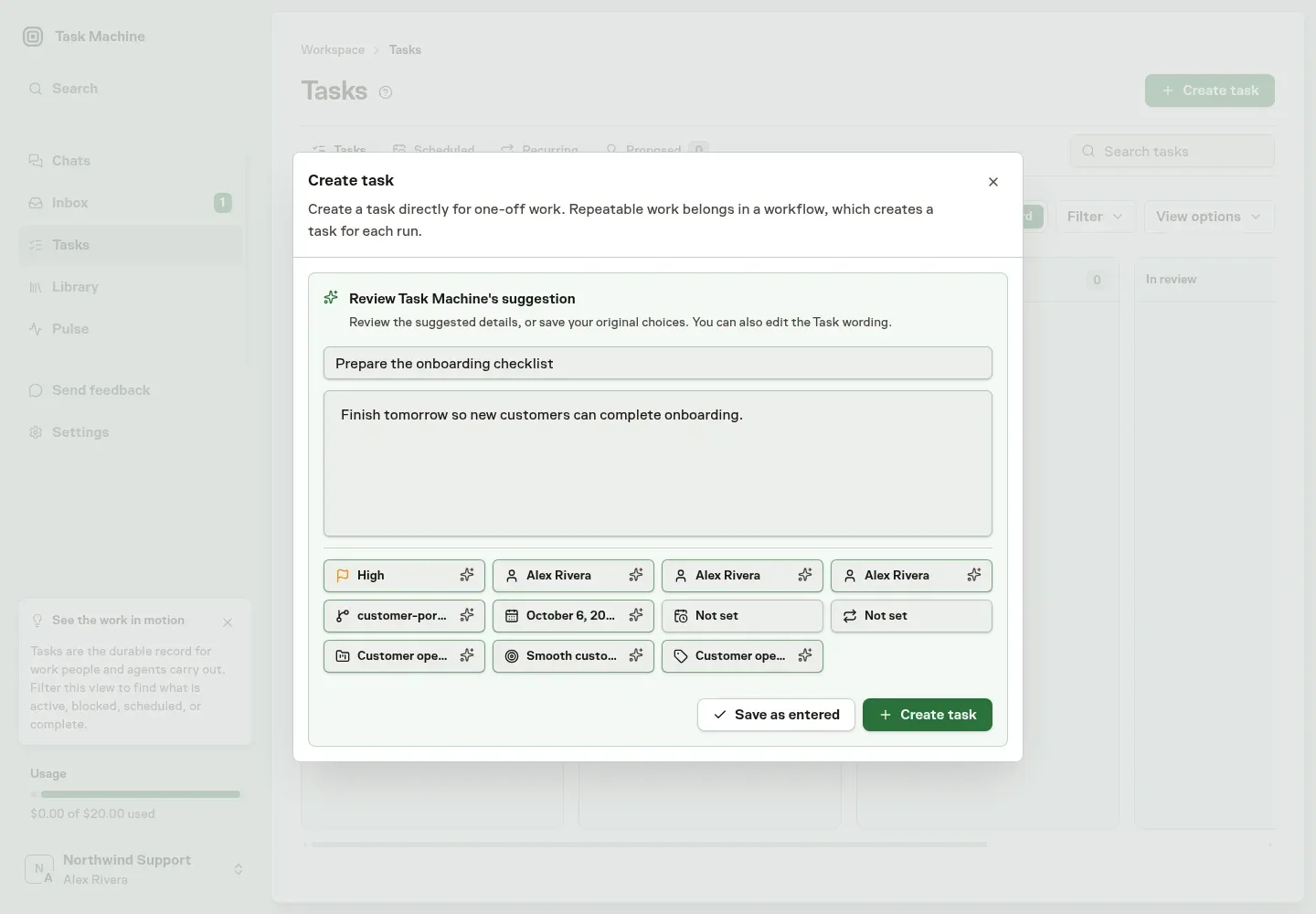
When you create a Task, Task Machine can fill in the details you left at their defaults. Write the title and description, press Create task, and review the suggested project, people, dates, and labels before anything is saved. We built it because filling every field by hand made quick Tasks slow to create, and skipping them left Tasks without an owner or a date.
Suggestions can cover the project, goal, labels, implementer, planner, reviewer, repository, priority, deadline, start date, and a repeat schedule, using the projects, people, and labels already in your workspace.
Each suggested field is highlighted, and hovering it shows what you had before. You can change any field or edit the title and description in the same window, then choose Create task, or Save as entered to keep your original choices.
See Tasks for creating and editing Tasks.