Give agents direction by voice
You can now dictate Chat messages, Task comments, and Inbox replies or feedback in Task Machine. Explain a change to an outreach plan or a draft, review the text, and send it from the same place.
Review what you said before sending
Select the microphone in the composer and speak. Text appears phrase by phrase as you pause, while the microphone keeps listening. Stop finishes the last phrase without sending the message. You can edit the text, keep typing, or cancel recording without losing your existing draft.
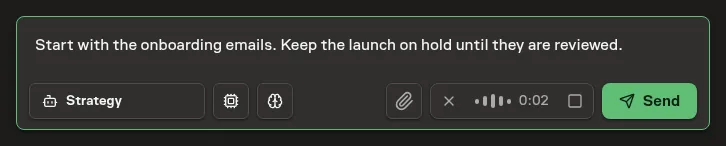
English dictation is supported for now. Vocabulary hints include Task Machine terms, major model names, and the Projects, Agents, Workflows, Playbooks, and Local Machines you can access. Hints help with names. They do not guarantee a correct transcript.
Keep usage visible
Voice input counts toward Workspace usage, including trial usage. It is free during incomplete Guided Setup before activation. Usage history groups Voice input into one total per day, rather than listing every phrase.
Task Machine does not store recordings or a separate transcription history. Dictation requires zero-data-retention provider routing and follows the Workspace's EU-processing requirement. Text becomes ordinary work history only when you submit it.
Read Privacy and data for the retention and processing details.