Pin any filtered Tasks list to your sidebar
You can now pin a filtered list from any Tasks tab, so the views you check every morning are one click away. Filter by status, priority, implementer, Team, Project, Goal, label, creator, origin, or current activity, then choose the pin button beside Filter. We built it because the same filters were rebuilt every time, and the lists people open most are rarely the default ones.
Name it and keep it close
Choose a name and an icon in the Pin view window. The pin appears as your own tab between Recurring and Proposed and in your sidebar, under the main navigation. Opening it applies its filters again, and the list keeps the layout you use. A pin is personal: it never appears in anyone else's sidebar.
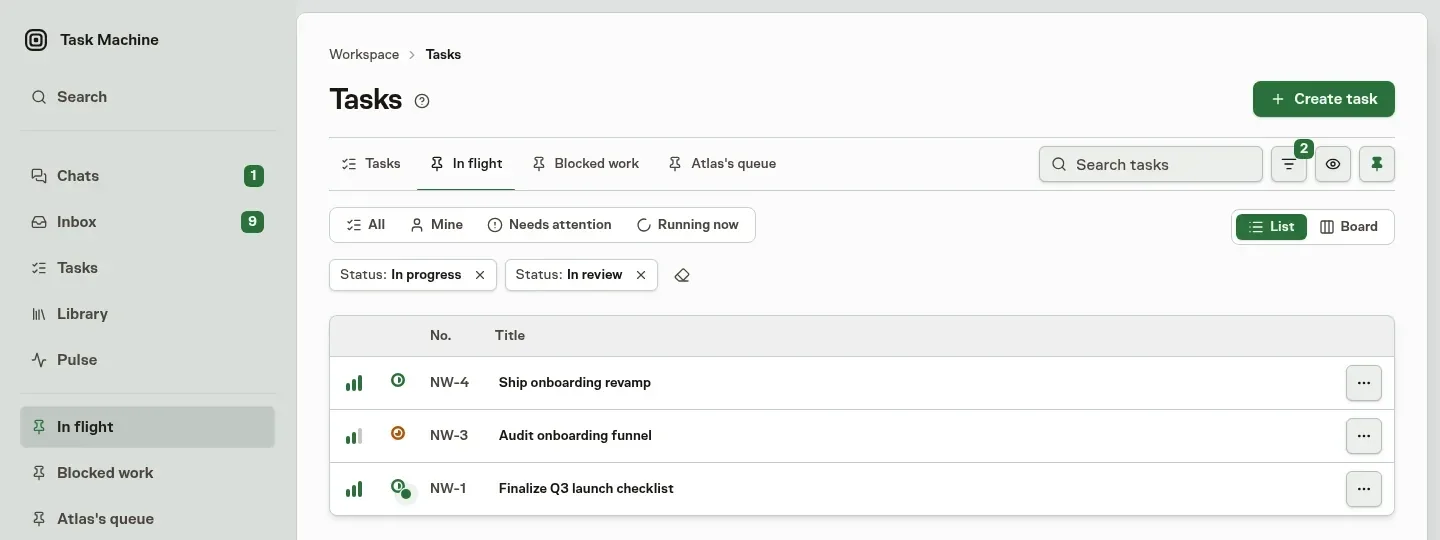
Pin from any tab
The pin button sits next to Filter on Tasks, Archived, Scheduled, Recurring, and Proposed, so a filtered backlog of proposed work can be pinned as easily as a filtered task list. Choose the pin button again on a pinned view to remove it.
Read Tasks for every filter and how pins behave.