What 500 Real AI Tasks Taught Us
Thirty days of real agent work show what AI tasks cost, where human review helps, and which numbers matter when the work must ship.

Founder, Task Machine
One agent task can cost a few cents. Another can consume hundreds of dollars and several review cycles. The difference becomes expensive when teams estimate both tasks as if they were interchangeable.
A complete task includes the agent runs, questions, decisions, corrections, cost, and accepted outcome. Tracking the complete cycle shows where the budget went and where human judgment changed the result.
We analyzed 30 days of anonymized work run through Task Machine. The dataset covers product development, planning, review, follow-up, and client delivery across real workspaces. Benchmark prompts and invented demo results were excluded.
The interface screenshots use fictional examples. The published figures come from the anonymized 30-day dataset.
What we measured
The reporting period ran from August 6 through September 4, 2026. It contained 534 tasks with recorded active time, 533 tasks with recorded cost, and 68 tasks that reached done.
Tasks with active time
534
Tasks with recorded cost
533
Tasks completed
68
Together, those tasks recorded 918 hours 44 minutes of active agent time and $11,423.21 in cost. The time and cost counts differ because a task can record time without recording a positive cost.
The findings led to five lessons customers can apply to their own agent work.
1. Estimate the workload, then inspect the expensive tail
Average recorded cost was $21.43 per task. The median was $0.20, the 90th percentile was $81.42, and the highest-cost task reached $468.04.
Average recorded task cost
Across 533 tasks with recorded cost
$21.43
Many tasks were tiny. A smaller number required long implementations, more review, or several rounds of changes. Those larger tasks pulled the average well above the median. Even after removing the ten most expensive tasks, the average was $16.92.
Model selection also affected the cost mix. The tasks used GPT-5.6 Luna, GPT-5.6 Sol, and GPT-5.6 Terra during the reporting period.
| Model | Tasks with recorded model usage |
|---|---|
| GPT-5.6 Luna | 396 |
| GPT-5.6 Sol | 214 |
| GPT-5.6 Terra | 11 |
One task can use more than one model, so these counts overlap. They describe model use across tasks and should not be added together. Task size and review cycles also affect cost, which prevents a clean model-price comparison from this dataset alone.
Task Machine's Usage page keeps task-attributed spend and execution stages visible across the workspace. Each task detail keeps its active time, total elapsed time, total usage, and stage breakdown together. These views let a customer replace the platform baseline with comparable task history while continuing to record model choice as a cost factor.

The Usage page keeps planning, implementation, review, rework, and follow-up spend in one monthly view.
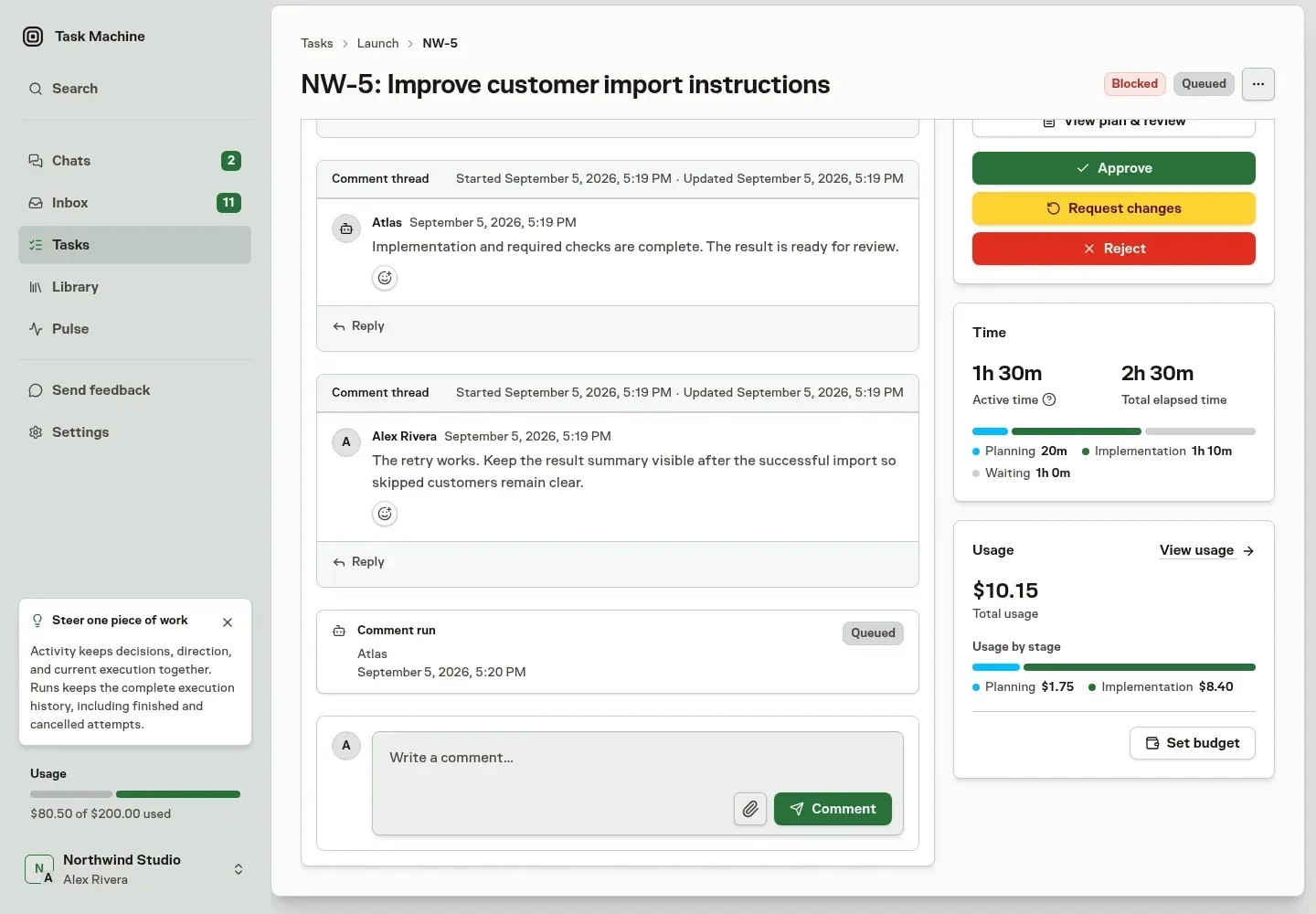
The task detail keeps duration and spend attached to the work that produced them.
2. Budget human review according to task length and type
The average task recorded 1 hour 43 minutes of active agent time. Active time measures agent runs and excludes pauses between them. Human review time is a separate resource.
Average active agent time
1h 43m
Human attention for about 1h
5–10 min
For roughly one hour of routine, well-scoped agent execution, our experience is 5 to 10 minutes of human attention for the brief, questions, and review. Longer tasks usually need more. Coding tasks that require manual review often need substantially more attention than routine work with deterministic checks.
Task Machine leaves human attention untracked. The 5 to 10 minute range is operating guidance from our experience. Teams should compare it with their own review time by task type.
3. Assign the task owner and reviewer before work starts
Agents asked 237 questions, and people made 395 approval decisions during the 30 days. These were moments when work needed business context, permission, or judgment.
Agent questions
237
Approval decisions
395
Task Machine routes questions and approvals to the Inbox. The customer decision is who should receive them. A task without a clear owner can wait for someone to notice it. A task without a reviewer can reach the end with nobody responsible for accepting the result.
The owner should have enough context to answer scope questions. The reviewer should understand the expected outcome and the standard the result must meet. The same person can hold both roles for small or low-risk tasks.
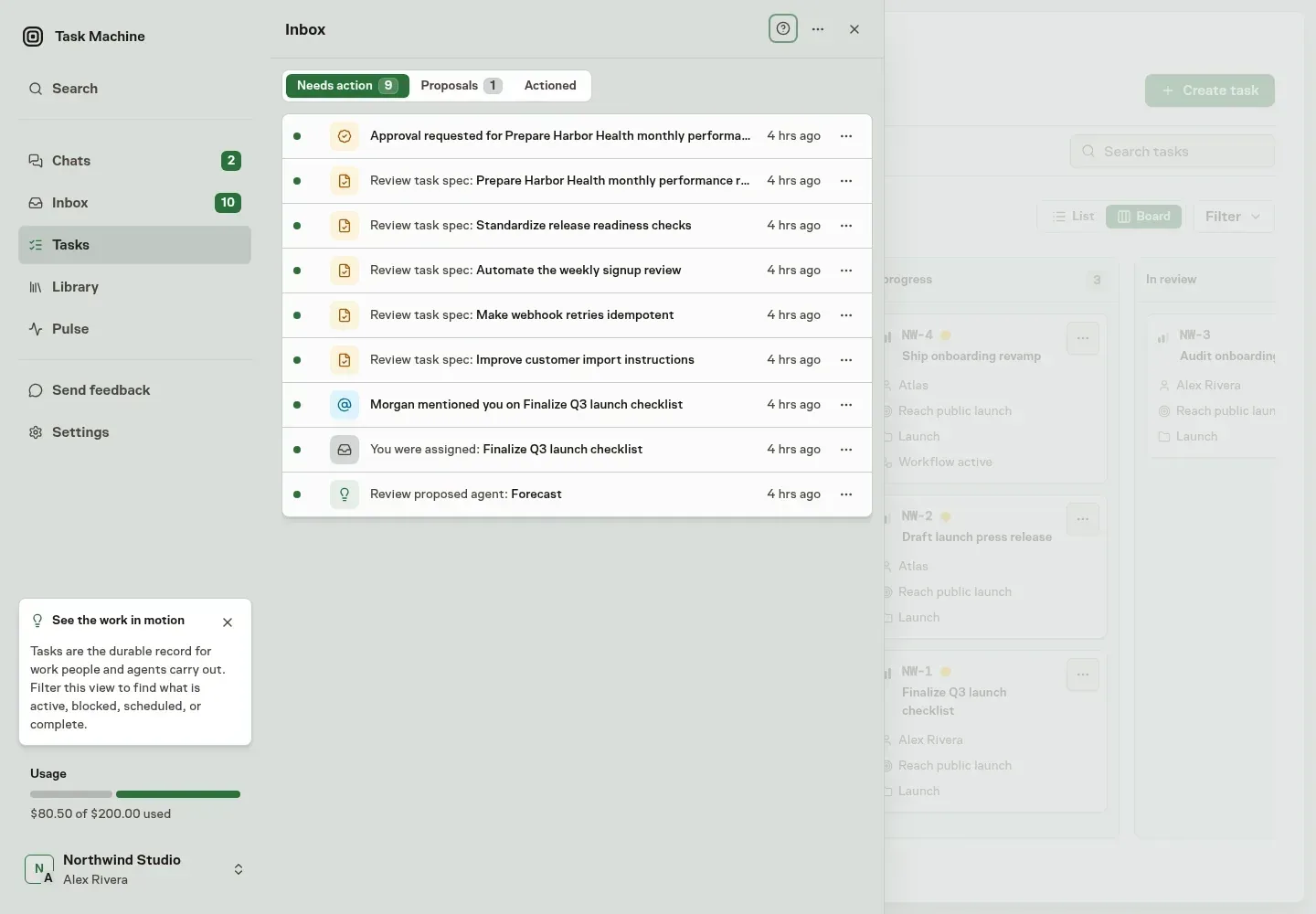
The Inbox puts the missing decision and its available actions together so the assigned person can resolve it without reconstructing the task.
4. Turn repeated corrections into better future instructions
Planning represented 6.1% of recorded cost, implementation 43.0%, review 7.3%, rework 40.5%, and follow-up 3.2%.
Recorded cost by execution stage
Share of recorded task cost
100%
Rework is a neutral stage label. It covers agent work performed after review sends a task back for changes. That can include a missed acceptance criterion, an integration fix, a correction requested in human review, or a refinement that became clear after seeing the first result. The 40.5% figure measures cost share and says nothing about the percentage of tasks that failed.
Necessary corrections improve the deliverable. Repeated corrections for the same reason reveal an instruction, context, or check that should exist before the next similar task begins.
A Task keeps those corrections attached to the outcome. Its Work Spec records the outcome, preserved constraints, required checks, and review boundary that should guide the next attempt.
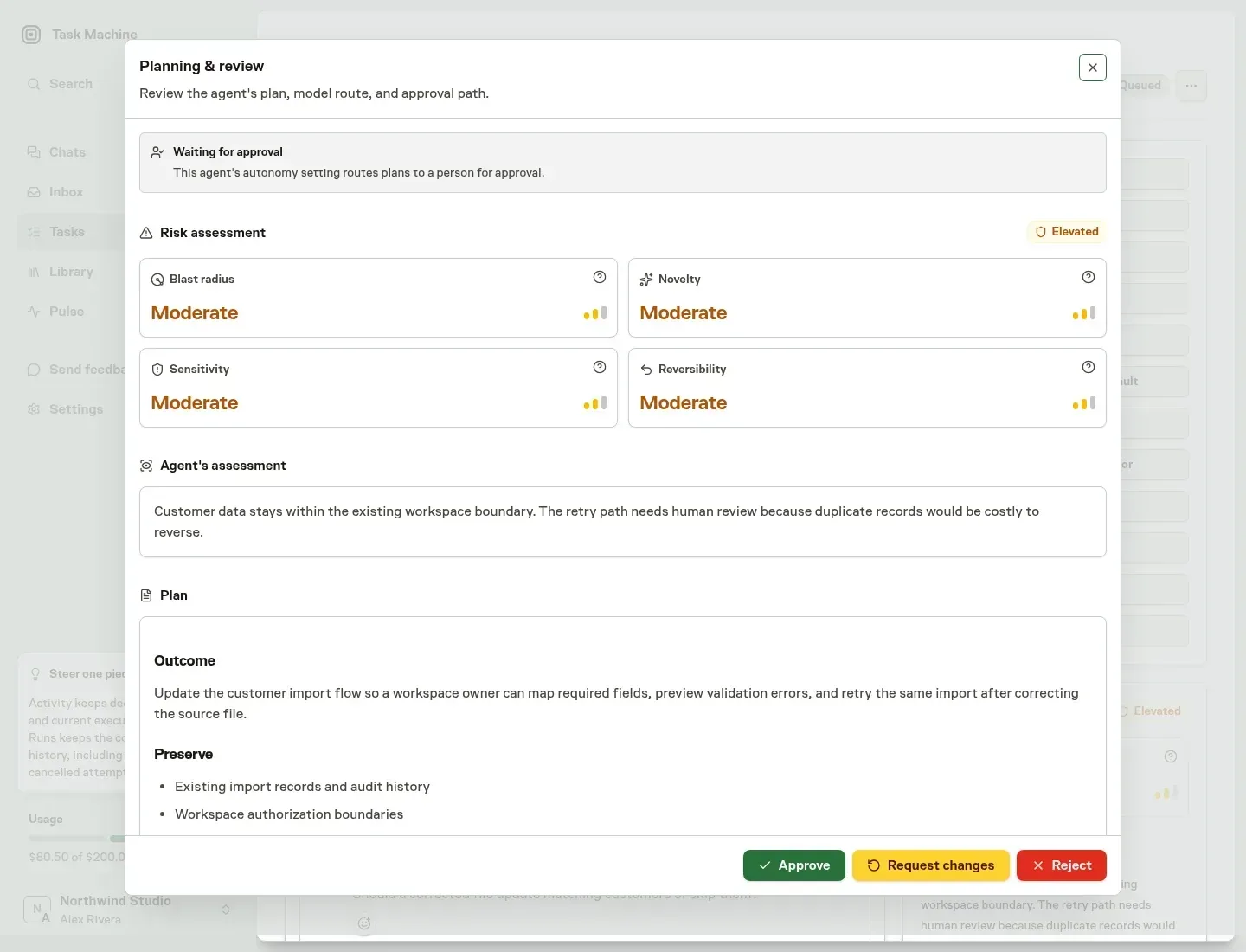
The review surface exposes task risk and the agent's assessment before a person approves the Work Spec.
5. Review accepted outcomes alongside cost every month
The reporting period contained 534 tasks with active time and 68 tasks that reached done. Subtracting those figures would create a false failure count. Some tasks remained active or waiting for a decision at the end of the period, while others accumulated work before reaching their final state.
Cost, active time, and completion answer different questions. Cost shows the budget consumed. Active time shows execution capacity. Completion shows accepted delivery. Reading them together reveals expensive open work that a cost average alone would hide.
Recent work on a confidential agency engagement gave these lessons a practical test outside our internal product work. Client work carries real deadlines, review expectations, and consequences. The public evidence in this article remains the complete 30-day dataset.
Task comments and mentions keep requests, corrections, and acceptance evidence in the same activity history. That record makes a monthly review more useful because the team can inspect why cost accumulated alongside what reached done.
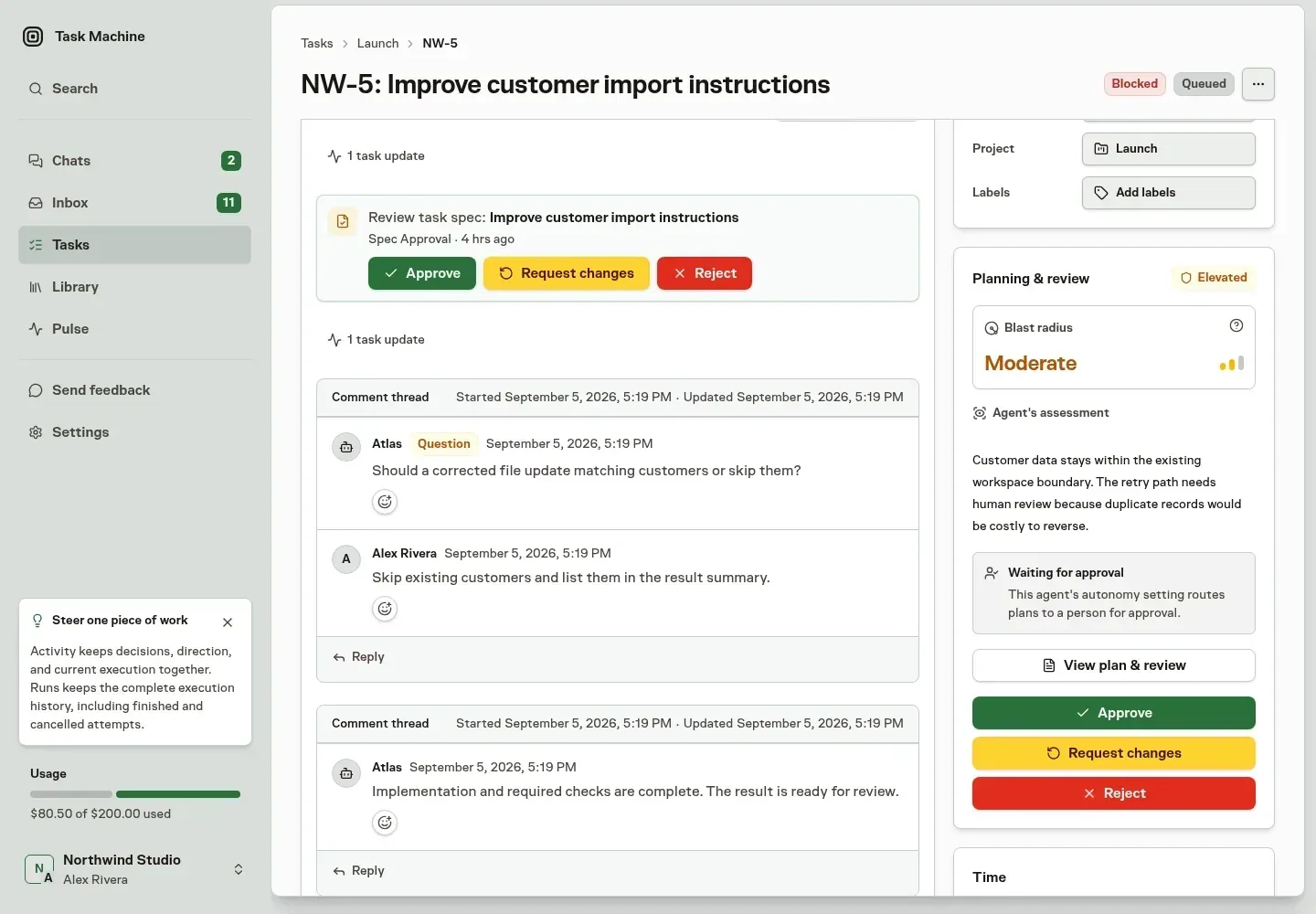
The activity history preserves the decisions and corrections that explain both the recorded cost and the accepted outcome.
How to apply the five lessons
Start with one recurring type of work and run it several times before trying to optimize every agent task at once.
- Estimate the monthly task volume and choose the model deliberately.
- Write the expected outcome and name the owner and reviewer.
- Let Task Machine route questions and approval requests to those people.
- Add repeated review comments to the next task's instructions or checks.
- Review cost, active time, completed outcomes, and costly open work every month.
Chat remains a good place for exploration before the outcome is clear. A task becomes valuable when the work has a defined result, needs review, or will repeat.
Methodology and limits
The analysis used aggregate production data across Task Machine workspaces. No task titles, prompts, comments, workspace names, credentials, or customer content were extracted.
Active time is recorded agent run time attributed to a task during the reporting period. Elapsed wall-clock time and human labor remain separate measures. Recorded cost is task-attributed USD usage. Tasks without a positive value are excluded from the respective average, which is why time and cost have separate task counts. Recorded spend from an unsuccessful attempt remains part of cost because the spend still occurred.
Model counts use recorded model attribution from the same period. Model namespaces were normalized to the public GPT-5.6 Luna, Sol, and Terra names. The counts are non-exclusive because one task can use several models.
The results describe the current mix of work on Task Machine. Other teams will have different task sizes, models, review requirements, and costs. The analysis makes no claim about a specific amount of labor saved. The dataset contains no human-attention timing.
If you run agents on recurring work, track the same five things for your next 30 days: cost distribution and models, active agent time, ownership, correction patterns, and tasks accepted as done. Then compare your results with the live platform averages on Task Machine Pulse.