How to Assemble Newsletters With an Agent
A practical guide to assembling newsletter issues from verified links, shipped work, voice notes, and human approval.

Founder, Task Machine
Newsletter assembly is the recurring editorial work of turning notes, links, shipped work, and reader context into one issue that deserves space in the inbox. It is not a link dump. A good issue has one job, a subject and preview pair, a themed opener, curated sections, a reason to care for every link, and a close that invites a reply.
The hard part is cadence. Most teams have enough raw material, but the material lives across product updates, founder notes, customer questions, internal docs, and saved links. Without a repeatable process, each issue starts from a blank page.
Why newsletters go out late, or not at all
Newsletter work fails in two common ways. The first is inconsistency: the issue goes out only when someone has a spare afternoon. The second is low editorial quality: links are included because they were available, not because they support the issue's job.
Readers notice both. They do not need more content in their inbox. They need a reliable reason to open, skim, click, or reply. That requires gathering and pruning before drafting.
What the manual process looks like
Done by hand, a newsletter assembly cycle has six steps:
- Decide the issue's one job: inform, drive one click, deepen the relationship, or invite replies.
- Gather notes, links, customer questions, shipped work, and recurring section inputs.
- Verify each link is live and worth including, then cut anything weak or repetitive.
- Check the issue archive so the theme, sections, subject patterns, and recurring features stay consistent.
- Draft subject and preview options, a themed opener, sections with reason-to-care blurbs, and one reply-inviting close.
- Humanize the draft, critique it against the inbox-respect bar, approve it, and only then prepare it to send.
This is editorial operations as much as writing. The process protects the reader from filler.
What an agent can automate
The agent is useful as an editor that gathers, verifies, assembles, and self-critiques before approval:
- Gather the period's material. It collects notes, shipped work, source links, and recurring section inputs from the sources you name.
- Verify before drafting. It checks links where web tools are available and flags anything it could not verify instead of burying uncertainty in the draft.
- Keep the issue consistent. It uses the issue archive to avoid repeats, preserve recurring sections, and learn from prior subject and preview patterns.
- Draft for the inbox. It creates subject and preview options, a themed opener, scannable sections, descriptive links, and a reply prompt.
- Capture editor feedback. Approval preserves keep, change, avoid, and reason for the theme, voice, subject, structure, curation, and CTA.
- Read complete results. A separate workflow waits for the full seven-day window, then combines the pre-chosen click or reply outcome, business signals, deliverability guardrails, confounders, and editor judgment.
The human still approves the issue, decides what sends, and approves every measured learning.
The guardrails that make it safe
Newsletter automation needs two hard stops: no unverified material pretending to be verified, and no send without approval. The agent should say when it cannot verify a link, when the source pool is too thin, or when the voice and theme are ambiguous.
The approval steps matter because newsletters carry brand voice and inbox risk. The owner first approves the issue, fixed result plan, and structured editor feedback before it enters the performance log. A later approval decides whether a subject, section, curation, or CTA pattern is reusable. Neither approval sends or edits a campaign.
Set it up in Task Machine
The Newsletter production playbook provides a starting point for the method above. You need an active Task Machine workspace with Chat, workspace-management and Playbook-installation access (workspace owners have it). Until newsletter-platform access is authorized, the agent hands over a paste-ready draft and waits for approval.
1. Find the playbook
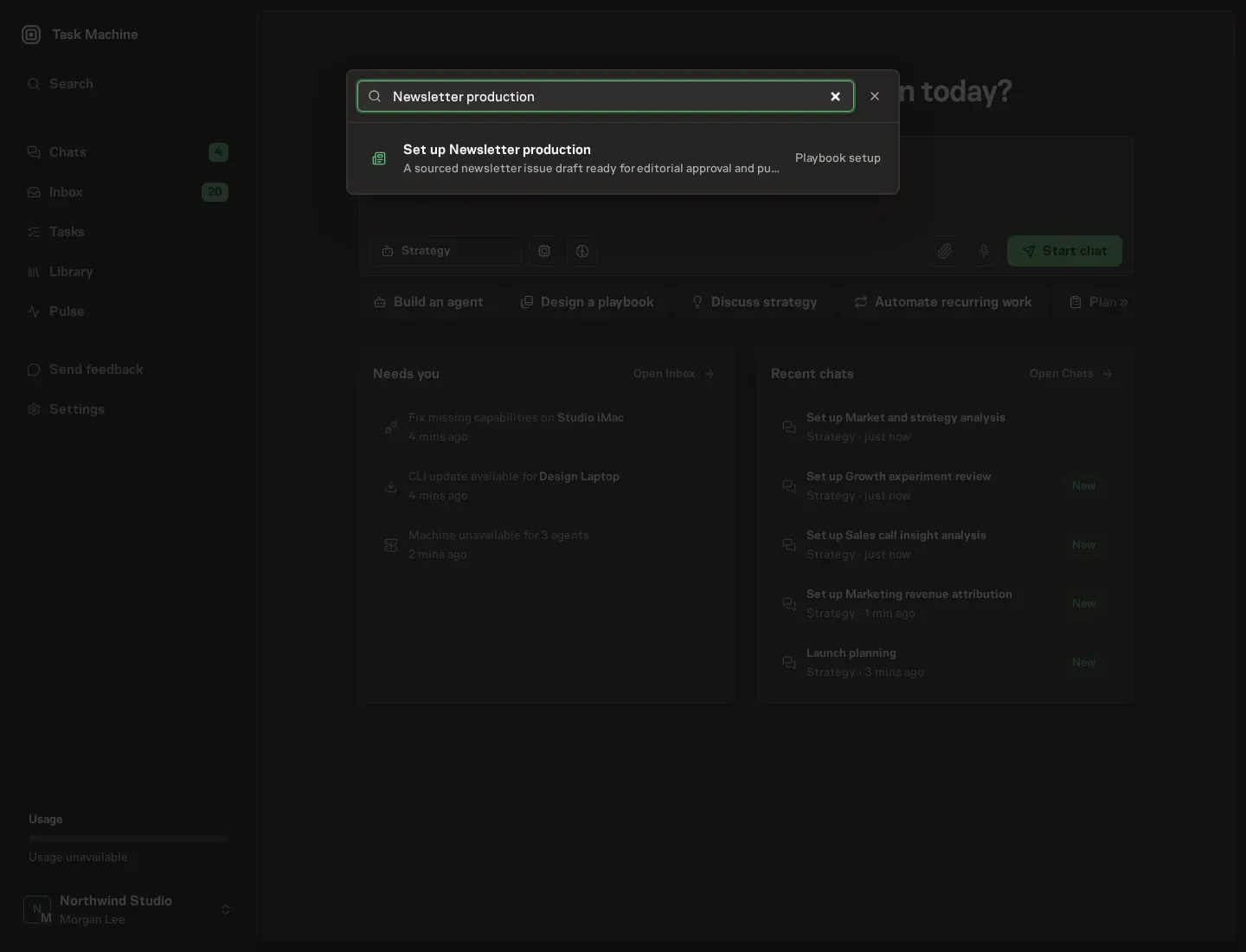
Open Search in your workspace and enter "Newsletter production". The command center lists Set up Newsletter production under Playbook setup.
2. Start the conversation
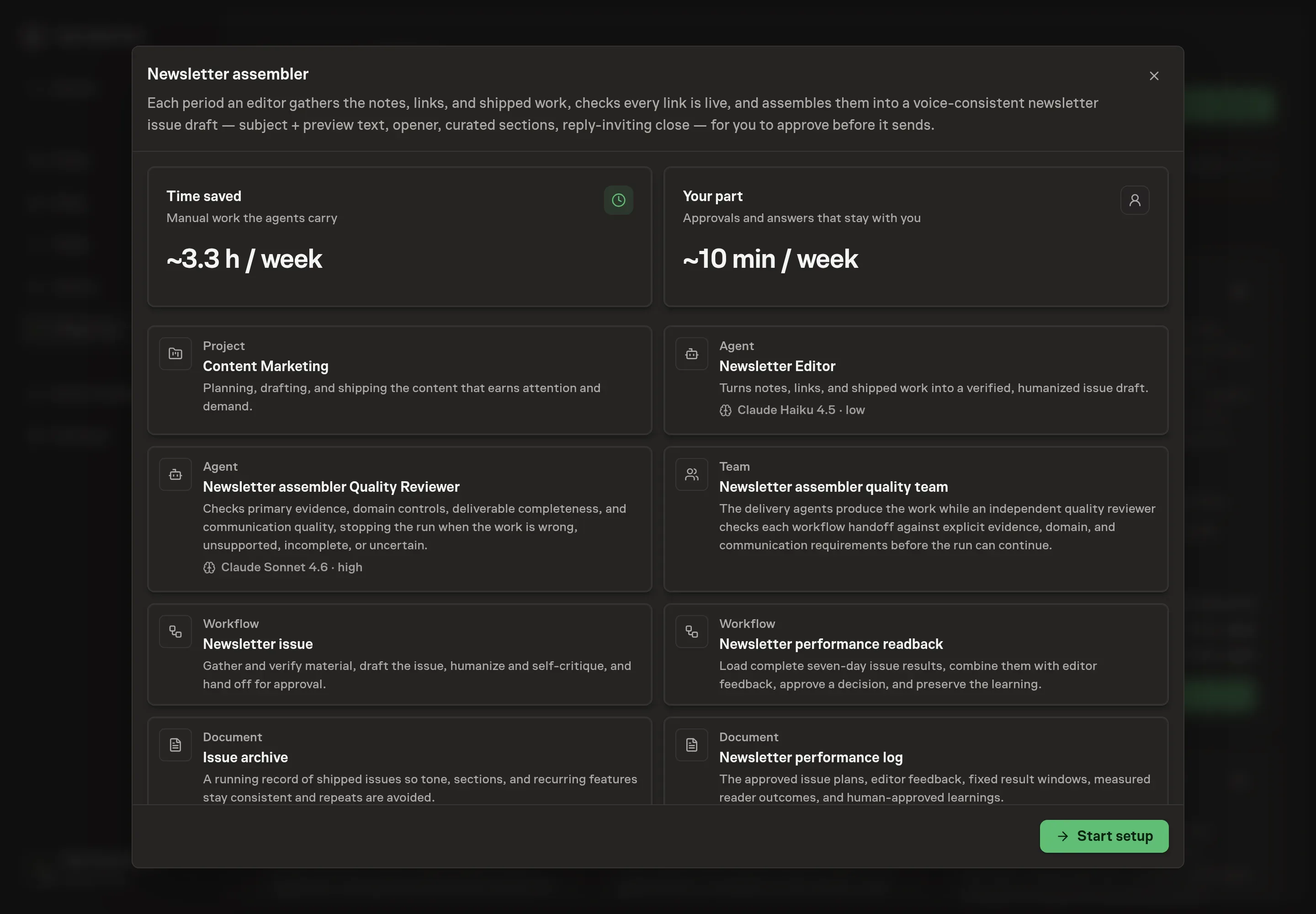
Choose Set up Newsletter production. Task Machine opens a dedicated Chat with the Playbook card and an editable, unsent request. Read the intended job and outcome. Add your situation and send it when ready. Opening the draft does not install anything or start work. This walkthrough uses settings that require approval of the proposed Playbook.
3. Agree the services
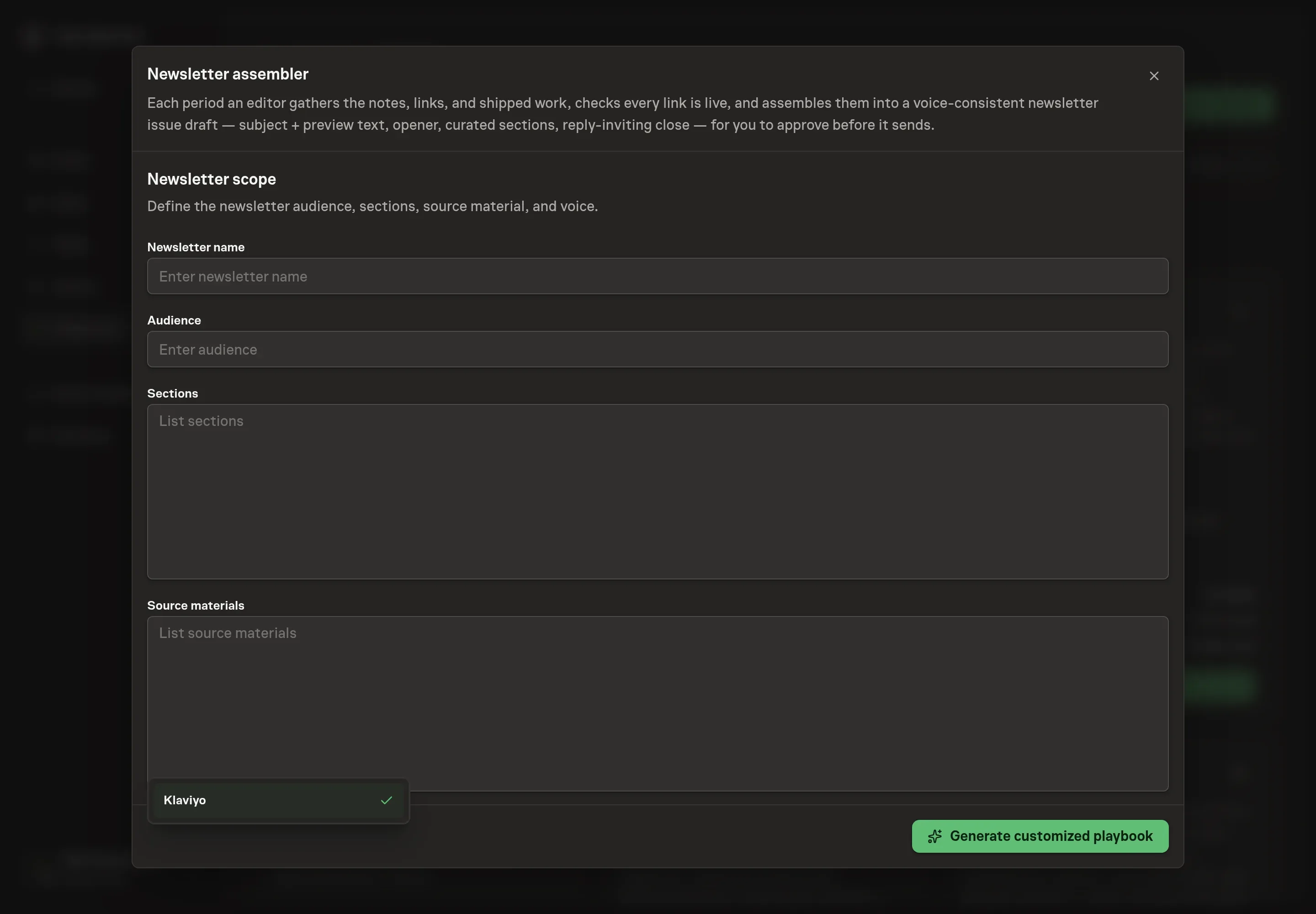
Tell the Agent which services you use. The catalog offers these starting choices:
- Email platform to connect: Klaviyo. Optional.
Discuss any missing access or export-based alternative before generation. Check the exact proposal includes only the services you agreed. Enter credentials only through secure setup, never in Chat.
4. Agree the working brief
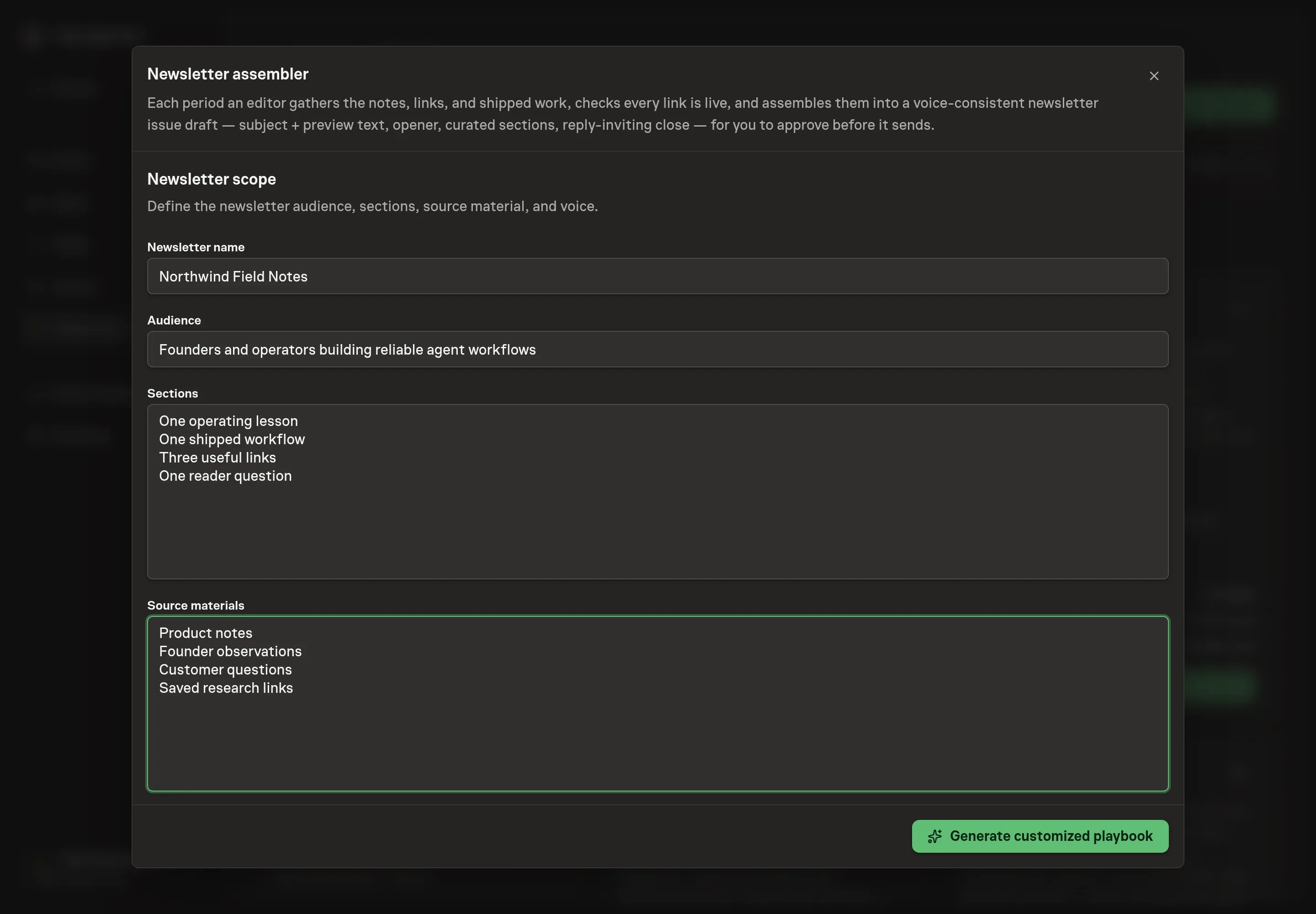
Use Chat to agree the inputs, expected output and limits before asking for a proposal. Discuss the newsletter name, audience, sections, source materials, and platform choice. Be specific about recurring sections and sources: shipped product notes, founder observations, customer questions, saved links, or research notes. Agree the delivery and readback times and timezone rather than relying on a default cadence.
5. Review the proposed Playbook
Ask the Agent to generate the Playbook from the agreed brief. Open its proposal in Chat and check the instructions and resources it will install, which carry more detail than the conversational summary. Confirm production and readback each have a separate approval, both logs will be created, and Klaviyo appears only if selected. Ask for a revised proposal if anything is missing or changes the job.
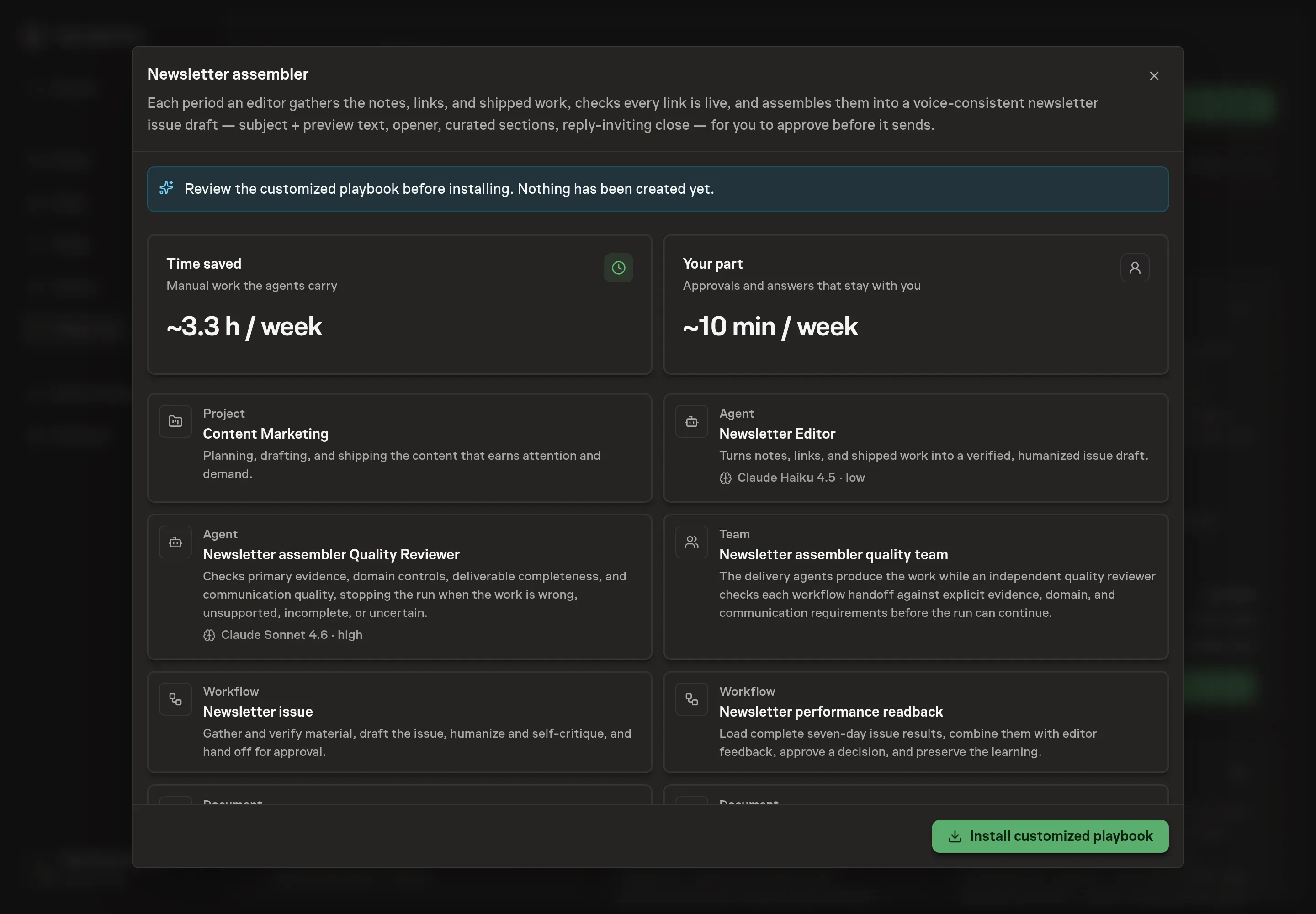
6. Approve and prepare the first work
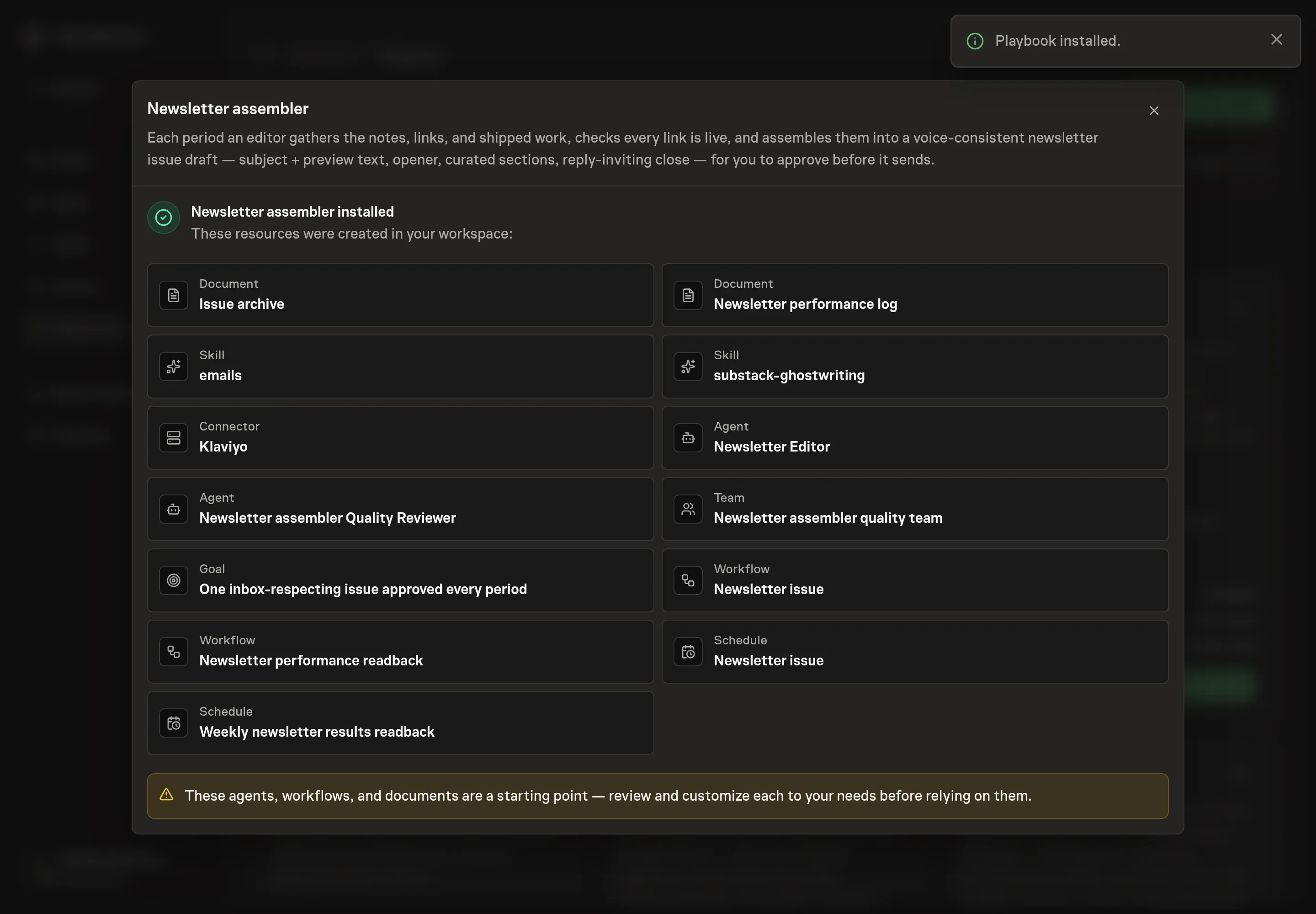
Choose Approve on the proposal in Chat when the configuration matches your brief. Task Machine installs that reviewed configuration. The approved item retains its review details. If your autonomy settings allow direct installation, this approval may not be required. Check the resulting configuration in that case too.
Complete any remaining secure service setup from the installation details in Chat. Inbox keeps those setup items available if you return later. Prepare the source documents and inputs before starting the first Task or Workflow. Installation does not authorize sending, publishing or changing an external service beyond the boundaries you agreed. Confirm each schedule's cadence and timezone, and resolve any pending schedule setup before it starts. A readback must wait for its agreed observation window and source data. Check the reviewed tracker or results document before the first cycle so evidence and human decisions have a durable home.
What good looks like
Good newsletter assembly improves consistency without lowering the editorial bar:
- Every issue has one job. The subject, opener, sections, and close serve the same purpose.
- Every link has a reason to care. A link is not included just because it was collected.
- Approval happens before send. The human reads the final draft, chooses the subject and preview, and decides whether the issue is ready.
- Signals stay separate. Unique click rate or reply rate is chosen before send as the primary outcome. Opens remain diagnostic. Conversions and qualified replies are business signals, while unsubscribes, complaints, bounces, broken links, and corrections are guardrails.
How the loop learns
Before send, the performance log records the owner, audience job, subject and preview, CTA, approved issue, editor keep/change/avoid feedback and reason, fixed seven-day window, chosen primary outcome, business signals, guardrails, source, and readback date.
At readback, the agent checks list growth and mix, deliverability, privacy-inflated opens, promotions, resends, tracking changes, and low volume. A human chooses reuse, keep testing, retire, or unproven and approves an exact narrow learning. Weak and inconclusive issues remain visible, and no decision edits or sends a campaign automatically.
Common questions
Can the agent send the newsletter automatically? No. It drafts, verifies, humanizes, and can stage the issue when platform access is available, but the issue waits for human approval before it sends.
What should go in source materials? Name the sources the editor should check each period: product changelog notes, customer questions, saved links, sales objections, founder notes, docs updates, or a research folder.
What if there is not enough material for an issue? The agent should stop and ask rather than padding the issue. Skipping or shortening an issue is better than training readers to ignore filler.
Does this work without Klaviyo? Yes. Without Klaviyo authorization, the workflow creates a paste-ready issue draft and approval item. Klaviyo only adds platform staging.