How to Automate Backlink Replacement Outreach
A practical guide to backlink replacement outreach with agents: qualified targets, better resources, tailored per-site emails, and approval on every send.

Founder, Task Machine
Backlink replacement outreach is the process of finding a competitor's strongest backlinks, building a better resource for each topic those links point to, and asking each linking site to swap the competitor's link for yours, or to add yours alongside it. Instead of pitching strangers cold, you approach editors who have already decided to link out to a resource in your space.
That is what makes it worth doing. A competitor's best backlinks are a pre-qualified prospect list: every one is a page whose editor chose to feature a resource on a topic you cover, which makes them the warmest link prospects there are. The work is winning the comparison, by showing that your resource serves that page's readers better than the one currently linked.
Why competitor backlinks compound against you
Every month a competitor's resource stays linked, it keeps collecting the authority and referral clicks that a search engine reads as the verdict on your topic. The linking pages are the exact places your future customers land when they research the problem you solve, and right now those pages point somewhere else.
Most teams answer this in bursts. Someone reads a link-building post, exports a backlink list, sends a batch of mail-merged emails, gets silence, and stops. The blast burns the sender's name with the editors who mattered most, and the job goes back to being nobody's. The teams that win links treat the work as a recurring process with a quality bar, not an occasional campaign.
What the manual process looks like
Done by hand, backlink replacement outreach is a slow ritual with six steps:
- Pull a competitor's backlinks from an SEO tool, or piece the list together from search.
- Filter out the noise: press releases, forum posts, dead pages, link farms, and links that point at the competitor's homepage rather than a specific resource.
- Read every surviving linking page and judge whether the site is relevant, the page is still maintained and editable, and the linked resource is beatable.
- Work out what a better resource looks like for each target, then build or update it.
- Find a contact and write one email per site explaining why the swap helps their readers.
- Track replies and follow up, once, without nagging.
None of these steps is hard. Together they are days of reading and writing per competitor, and they reward tailoring over volume. The tailoring is exactly what gets cut when the work is squeezed into a spare afternoon, and the shortcut, a template blast, costs more reputation than it earns links.
What an agent can automate
Most of that loop is mechanical diligence rather than judgment, which makes it a good fit for two agents running a fixed workflow: a link researcher that owns targeting and verification, and a resource writer that builds and drafts. Between them:
- Map and qualify. The researcher pulls the competitor's backlinks and captures, for every link, the linking page, the linking domain, the anchor text, the competitor page it points to, and the context (a roundup, a best-of list, a tutorial citation, a glossary, a comparison). It filters to replaceable links: editable, maintained resource pages on topically relevant sites that point at a specific beatable resource. Relevance is weighted over raw authority, and every claim carries a captured source.
- Tier and brief. Survivors get tiered Priority, Worth it, Long shot, or Skip. For each Priority target the researcher writes a brief naming exactly where the competitor's linked resource is thin, dated, or wrong, and the concrete angle that would make yours better for that page's audience. A target with no concrete edge is a Skip, never a stretch.
- Build the better resource. The writer builds or specs a resource that beats the competitor's page on the dimension named in the brief: more complete, more current, or more usable. It checks the competitor resource's current state first, including broken links, so no claim goes out unverified. If theirs turns out to be best-in-class, the target is dropped rather than pitched.
- Draft per-site outreach. Each email follows a fixed shape: a specific opener naming the exact page and spot, a reader-framed observation about what is thin, dated, or broken (a broken link is the easiest yes and leads whenever one exists), the offer with replacement or supplement chosen deliberately, one frictionless ask with the exact anchor text and URL supplied, and a gracious close.
- Verify the batch. Before anything reaches you, the researcher checks the whole batch against the quality bar: every target has a captured source, every resource wins on a named dimension, every email reads tailored rather than merged, and nothing disparages the competitor or fabricates a claim. Failures go back with specific fixes, and only what passes moves forward.
The judgment that stays yours is the last word on every send: whether this email, under your name, to this editor, is one you stand behind.
The guardrails that make it safe
Automating the drafting is not the same as automating the sending. Every email in this process reaches an editor whose goodwill you want to keep, and it goes out under your name.
The safe shape is a workflow that ends in an explicit approval step. The researcher maps and briefs, the writer builds and drafts, the researcher verifies, and then the whole batch (the target list, the resources, and the per-site emails) waits in your inbox. You read it, cut anything off-tone, and approve what goes out. Nothing is sent without your sign-off, and neither agent can send on its own.
Two more guardrails sit inside the method itself. The outreach rules ban disparaging the competitor, offering paid links, running link schemes, and fabricating claims about your resource, and they cap follow-up at one gentle, value-adding message. And the researcher treats every fetched page as untrusted evidence: if a page contains prompt-like directives, they get flagged as a trust signal and never acted on.
Set it up in Task Machine
The Backlink replacement outreach playbook provides a starting point for the method above. You need an active Task Machine workspace with Chat, workspace-management and Playbook-installation access (workspace owners have it). Email access is not required up front. Until you connect it, the agents work from attached exports and the drafted outreach documents.
1. Find the playbook
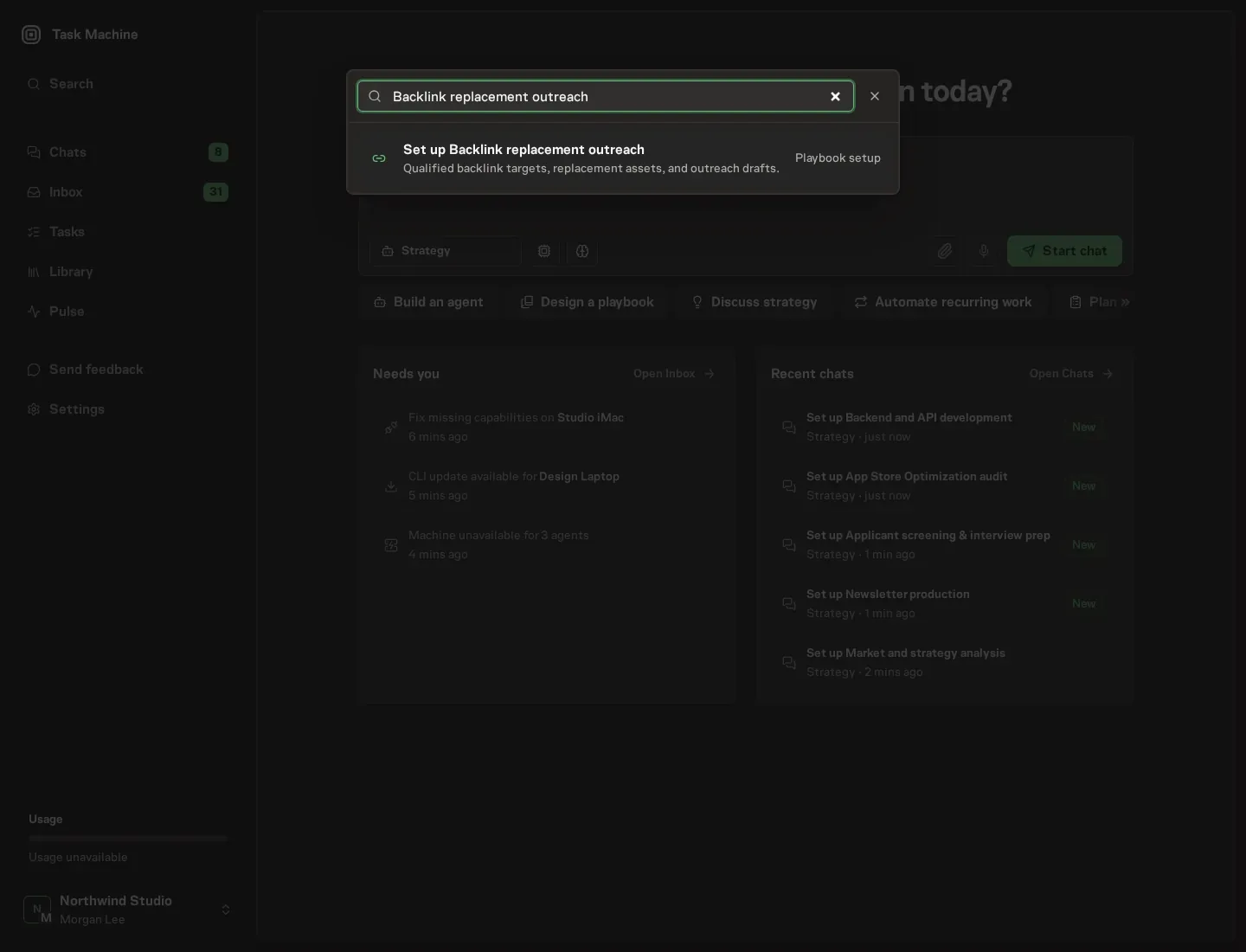
Open Search in your workspace and enter "Backlink replacement outreach". The command center lists Set up Backlink replacement outreach under Playbook setup.
2. Start the conversation
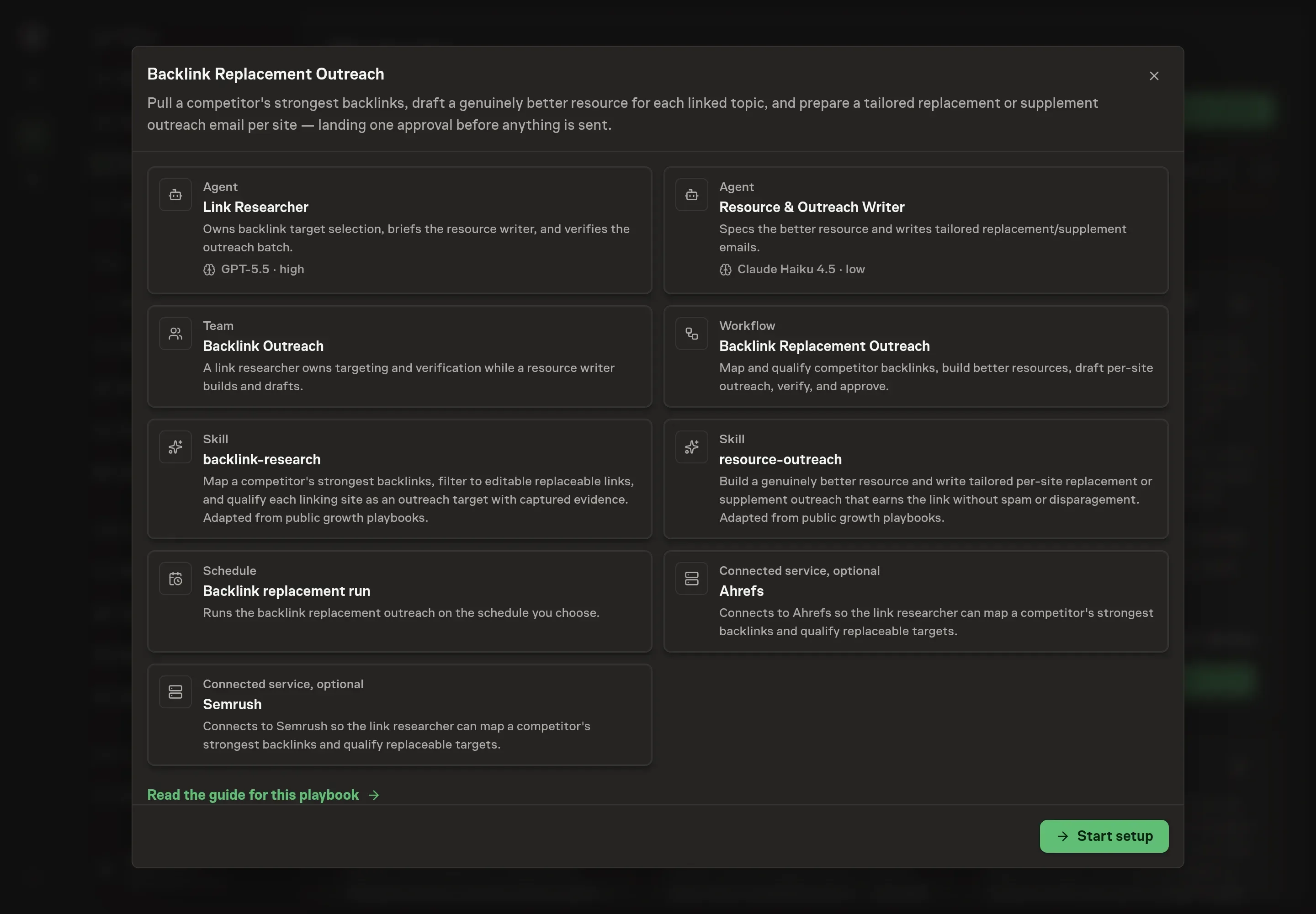
Choose Set up Backlink replacement outreach. Task Machine opens a dedicated Chat with the Playbook card and an editable, unsent request. Read the intended job and outcome. Add your situation and send it when ready. Opening the draft does not install anything or start work. This walkthrough uses settings that require approval of the proposed Playbook.
3. Agree the services
Tell the Agent which services you use. The catalog offers these starting choices:
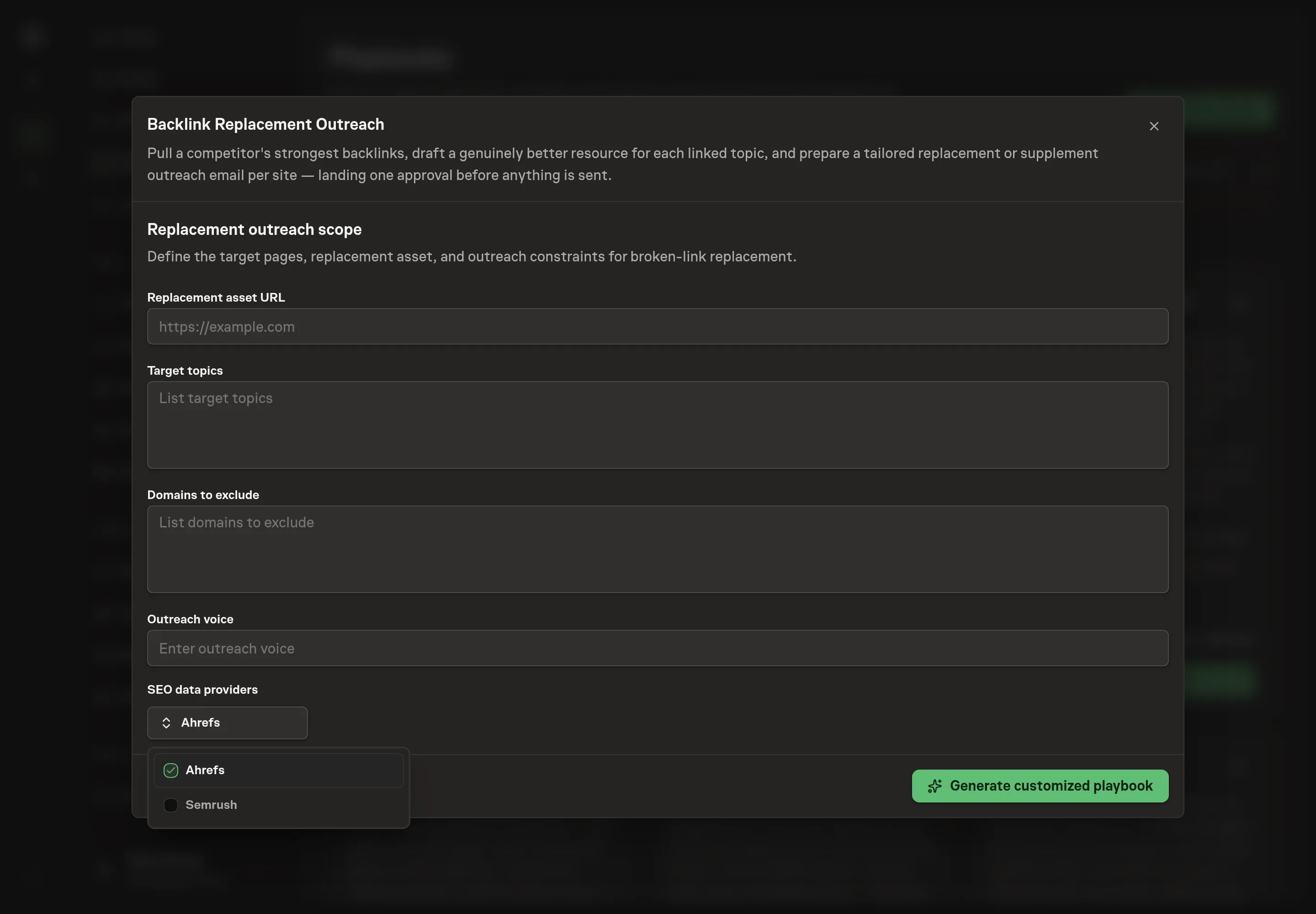
- SEO data providers: Ahrefs, Semrush. Optional.
Discuss any missing access or export-based alternative before generation. Check the exact proposal includes only the services you agreed. Enter credentials only through secure setup, never in Chat.
4. Agree the working brief
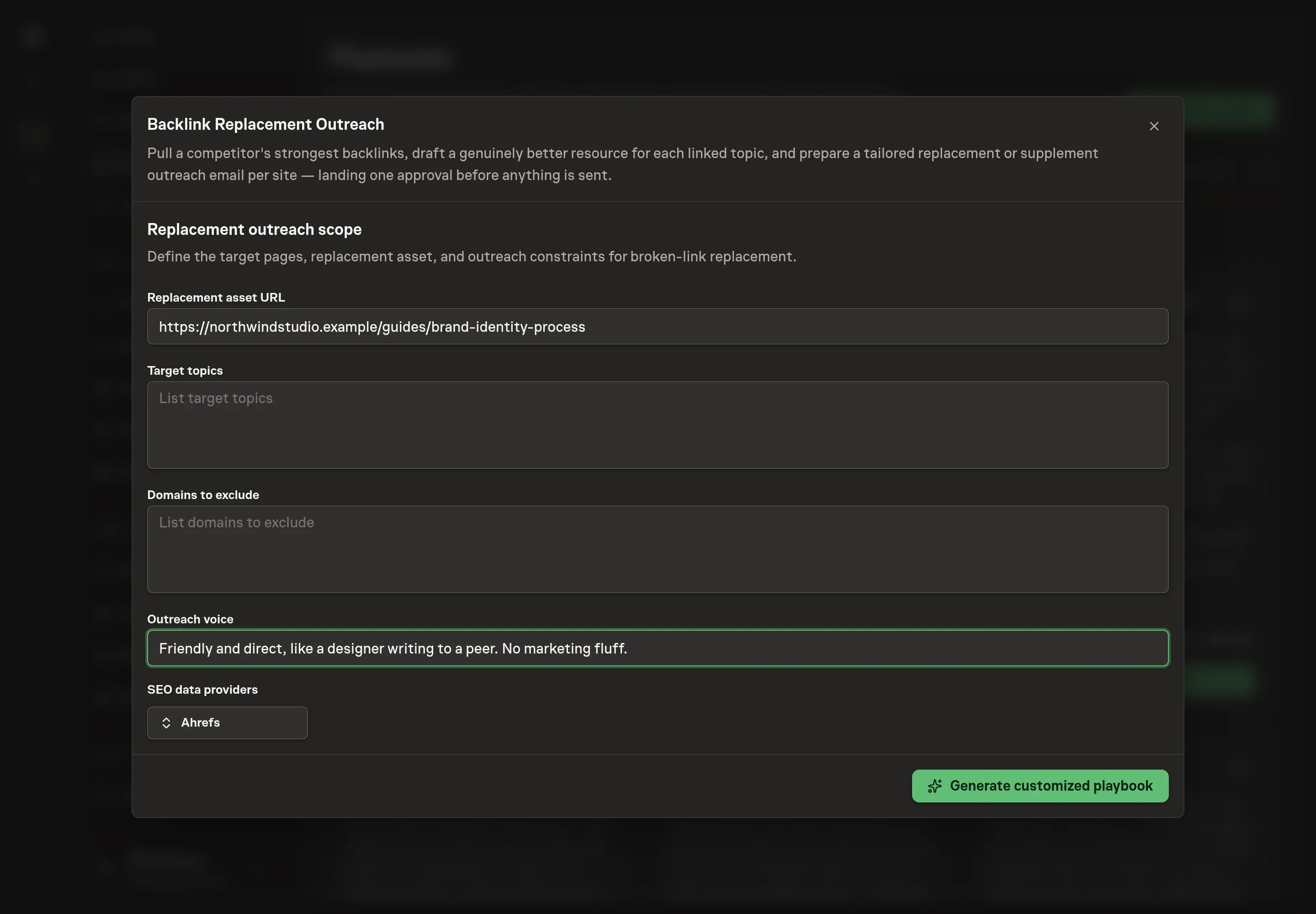
Use Chat to agree the inputs, expected output and limits before asking for a proposal. Discuss the context that shapes every run: the replacement asset URL (the resource on your site you want the links to move to), target topics (the linked-to topics in scope for the swap), domains to exclude (sites the agents never contact), and outreach voice (how the emails sound when they ask for the edit).
5. Review the proposed Playbook
Ask the Agent to generate the Playbook from the agreed brief. Open its proposal in Chat and check the instructions and resources it will install, which carry more detail than the conversational summary. Read the agent and workflow cards, check the outreach voice matches your notes, and confirm only the providers you requested appear as connected services. Ask for a revised proposal if anything is missing or changes the job.
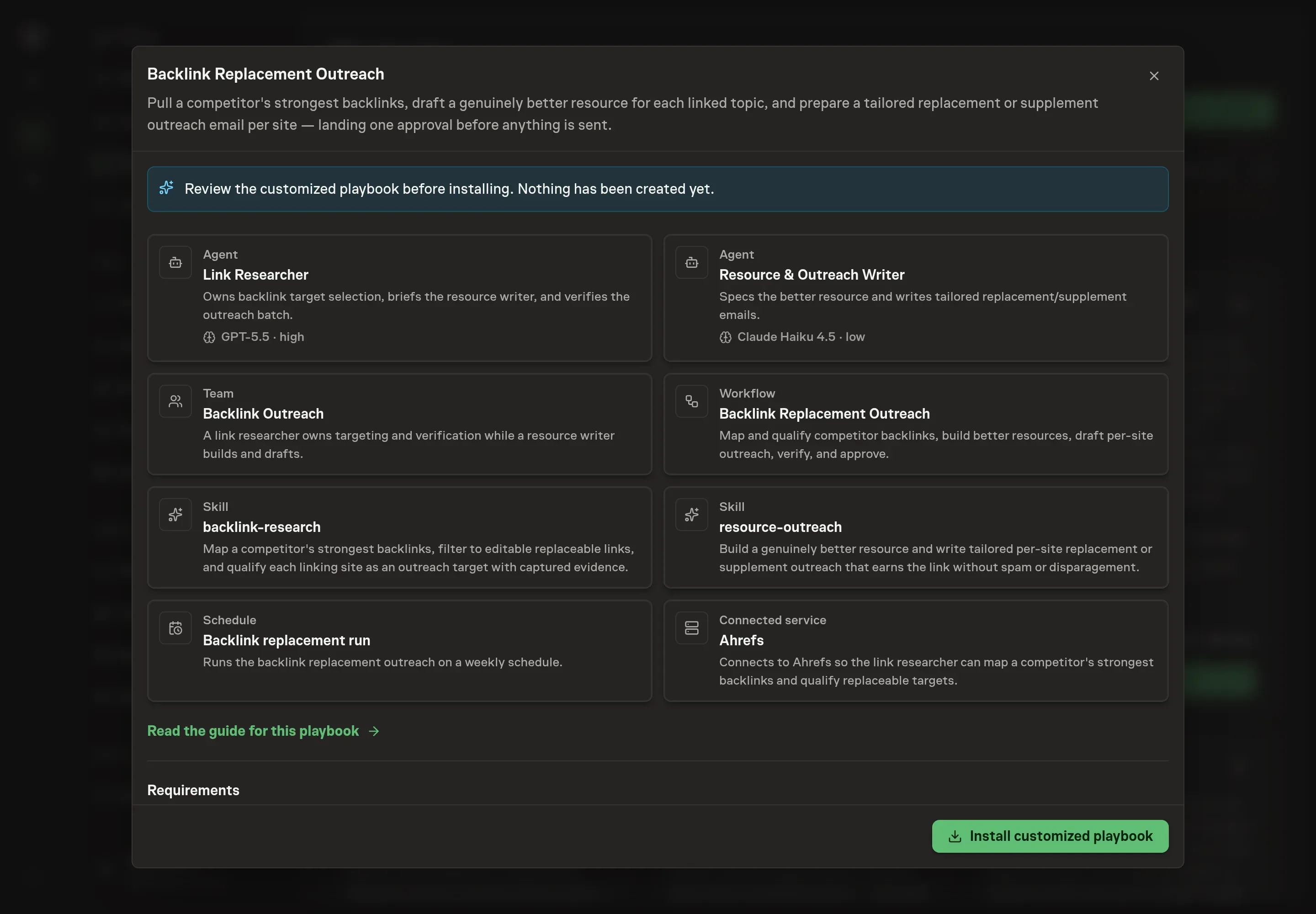
6. Approve and prepare the first work
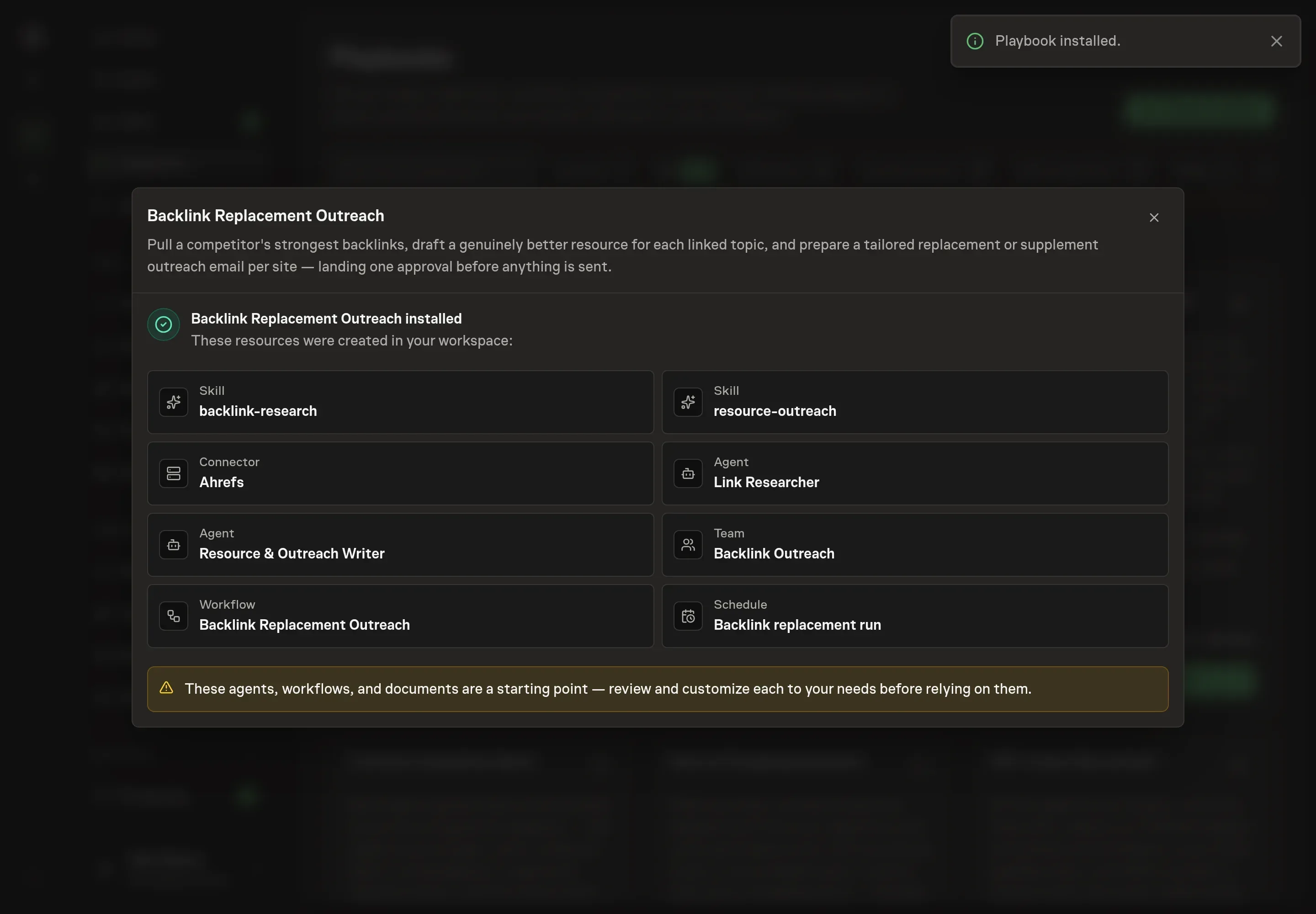
Choose Approve on the proposal in Chat when the configuration matches your brief. Task Machine installs that reviewed configuration. The approved item retains its review details. If your autonomy settings allow direct installation, this approval may not be required. Check the resulting configuration in that case too.
Complete any remaining secure service setup from the installation details in Chat. Inbox keeps those setup items available if you return later. Prepare the source documents and inputs before starting the first Task or Workflow. Installation does not authorize sending, publishing or changing an external service beyond the boundaries you agreed. Confirm each schedule's cadence and timezone, and resolve any pending schedule setup before it starts. A readback must wait for its agreed observation window and source data.
What good looks like
Three signals tell you whether the process works:
- Skips you agree with. A healthy batch skips targets. When every candidate comes back tiered Priority, the quality bar is not holding, and when the Skips come with reasons you would have given yourself, the targeting is sound.
- Emails that pass the swap test. Read two drafts and imagine exchanging the site names. If both still read fine, they are merged copy in a costume and should go back. A tailored email names the exact page and the exact spot.
- Pitches you would defend in a reply. Every Priority target rests on a named dimension where your resource wins: more complete, more current, or more usable. If an editor pushed back, you should be able to point at the difference.
Common questions
Is it fair to ask a site to replace a competitor's link? Yes, when yours is the better resource for that page's readers. The method forbids the alternatives: no disparagement, no paid-link offers, and no pitch at all when the competitor's resource is best-in-class. The editor keeps the decision, and a supplement, your link added alongside theirs, is often the easier yes.
Does this work without Ahrefs or Semrush? Yes. Those tools shortcut the mapping, but the researcher can find and read linking pages through web search and page fetches. Connecting a tool you already pay for makes the map faster and more complete.
Won't editors treat this as spam? Template blasts are spam, and editors delete them on sight. This process sends one tailored email per site that names the exact page, leads with something useful (a broken link when one exists), and asks for a single edit with the anchor text and URL already supplied. Silence is respected, with at most one gentle follow-up.
What happens when the competitor's resource is better? The target gets dropped. The method never claims a better resource it cannot back, so a best-in-class competitor page is a Skip, not a challenge. Pitching it anyway would burn a contact you might win later with a resource that deserves the link.
Do the agents ever send email on their own? No. Both agents draft and verify, and the batch stops at the approval step. Nothing reaches an editor until you approve it.