How to Automate Client Onboarding
A practical guide to onboarding new clients with an agent: structured intake, issue spotting, a self-checked onboarding pack, and human approval.

Founder, Task Machine
Client onboarding is the stretch between a signed deal and a client who feels set up: the intake conversation, the internal write-up your team delivers from, the workspace and access setup, and the scope document the client reads to know what happens next. Done well, it turns a closed deal into a working relationship in the first week.
It is also the document work most likely to be rushed. The onboarding pack sets the expectations every later disagreement gets measured against, and it gets written in the busiest week of the engagement, right after the deal closes and before delivery starts.
Why intake is the onboarding bottleneck
Intake is the biggest bottleneck in onboarding. Someone spends an hour interviewing the new client, another hour writing it up, and more time spotting what the conversation missed, while the rest of the queue grows. When several deals close in the same month, the thoroughness goes first.
The costs surface later and look like something else. A fuzzy scope with no exclusions becomes the most common kind of onboarding dispute. A boilerplate understanding section tells the client nobody listened. A decision-maker who was never in the room appears at the first approval. A deadline taken from the client's memory rather than a document turns out to be wrong. None of these are delivery failures. They are intake failures that delivery inherits.
What the manual process looks like
Done by hand, onboarding a new client is a ritual with five steps:
- Interview the client: what they do, what success looks like, who the stakeholders are, and what tools and access the team needs.
- Write the conversation up into an internal brief the team can deliver from.
- Set up the standard kit: the shared workspace and folders, the access checklist, the communication cadence, and the first milestones.
- Write the client-facing scope and kickoff document.
- Read the whole thing back for gaps, fix them, and send it.
Every engagement needs all five, and steps two through five are mostly assembly. The judgment lives in a handful of moments: whether to take the engagement as scoped, what to charge, and how to handle anything contractual the client mentioned.
What an agent can automate
The assembly work maps cleanly onto an agent running a fixed workflow, with the judgment calls carved out:
- Run the structured intake. The agent routes the engagement to the right template (retainer, project, or advisory) and asks the questions that type needs: recurring deliverables and cadence for a retainer, acceptance criteria and milestones for a project, the decision at stake for advisory work. Public facts about the client get checked against the public source rather than asserted from memory.
- Spot what the form misses. A tight external deadline, a legacy contract or exclusivity clause, a prior agency relationship that ended badly, a foundational gap like missing analytics, a decision-maker who is not in the room. The agent flags each one for you. It never resolves them.
- Fill the client context and build a verification list. The internal brief covers the business, the goals, the stack and access, the stakeholders, and the sensitivities. Every fact the intake could not confirm defaults to "to confirm" instead of being stated, and the verification list names each one.
- Scaffold the standard setup. The workspace, folders, access checklist, communication cadence, and first-two-weeks milestones every engagement gets.
- Assemble the client-facing pack. An understanding-your-needs section written in the client's own language, an explicit scope that names inclusions and exclusions, clear first milestones, unambiguous next steps, and an executive summary written last so it stands alone and leads with client benefits.
- Self-check before handoff. The draft runs against a completeness bar (no blank intake questions, no fabricated facts, exclusions named, next steps owned) and the agent fixes every gap before the pack reaches you.
What stays yours: accepting the engagement, setting or confirming pricing, and interpreting anything contractual.
The guardrails that make it safe
The intake gathers and structures. It never decides acceptance, sets pricing, or interprets a contract. Any competing-client conflict, exclusivity clause, or commercial term gets surfaced and flagged for human review rather than resolved. Whether to handle it, refer it, or rescope is your call, and the point of the flag is that you get to make it.
The same discipline applies to facts. The whole write-up is marked as an AI-assisted draft requiring human review, unverified facts default to "to confirm", and a guessed deadline or stakeholder is treated as a liability. An empty field flagged for confirmation is correct. A filled-in guess is not.
The workflow ends in an explicit approval step. The agent intakes, scaffolds, drafts, and self-checks, then the finished pack waits for you. You review it and the flagged items, approve, and finalize it for the client. The agent never sends anything to the client itself, and when it works inside your CRM or project tools it pauses for your approval before making changes.
Set it up in Task Machine
The Client onboarding playbook provides a starting point for the method above. You need an active Task Machine workspace with Chat, workspace-management and Playbook-installation access (workspace owners have it). CRM access is not required up front. Until you connect your CRM and project tools, the agent works from attached exports and the intake notes you provide.
1. Find the playbook
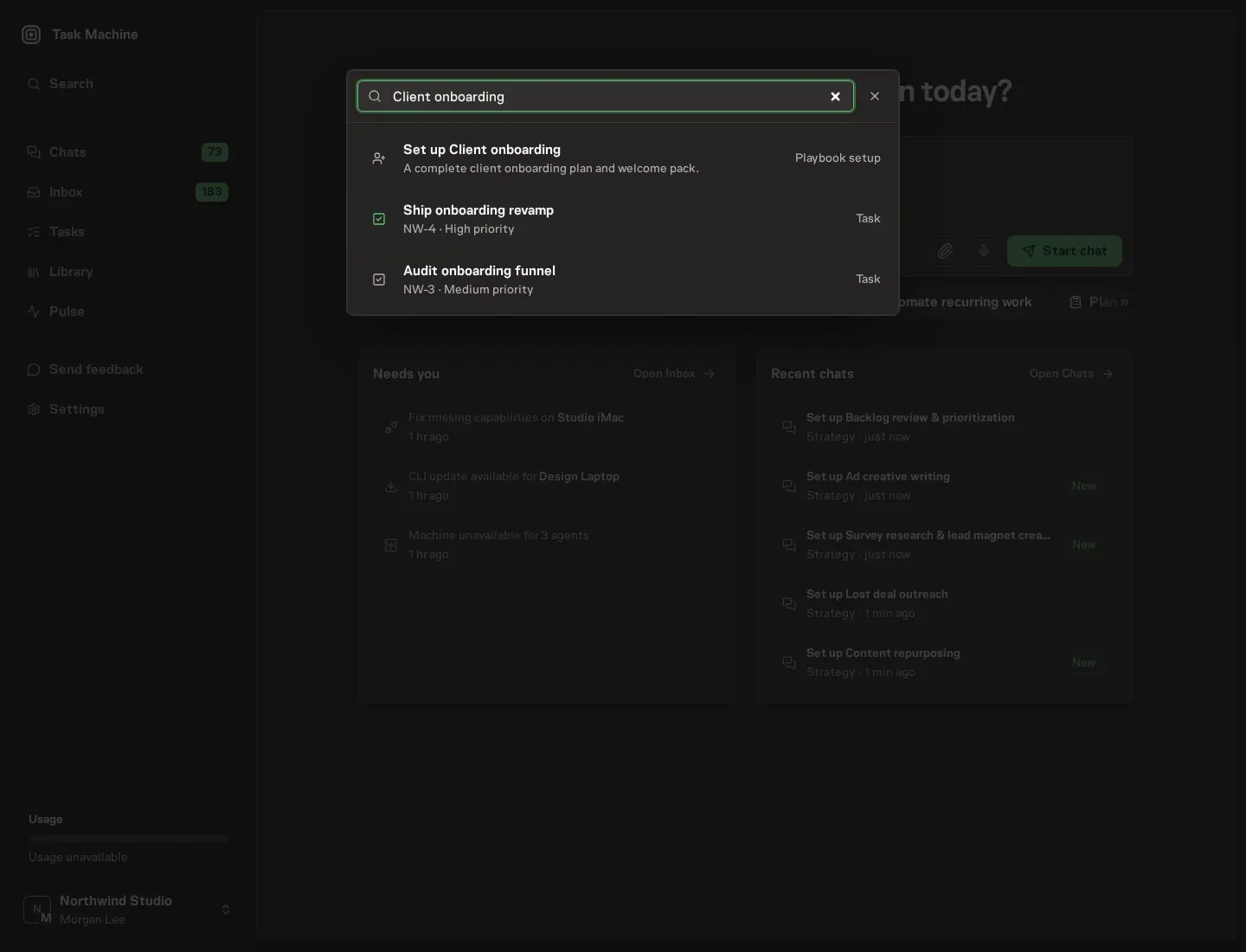
Open Search in your workspace and enter "Client onboarding". The command center lists Set up Client onboarding under Playbook setup.
2. Start the conversation
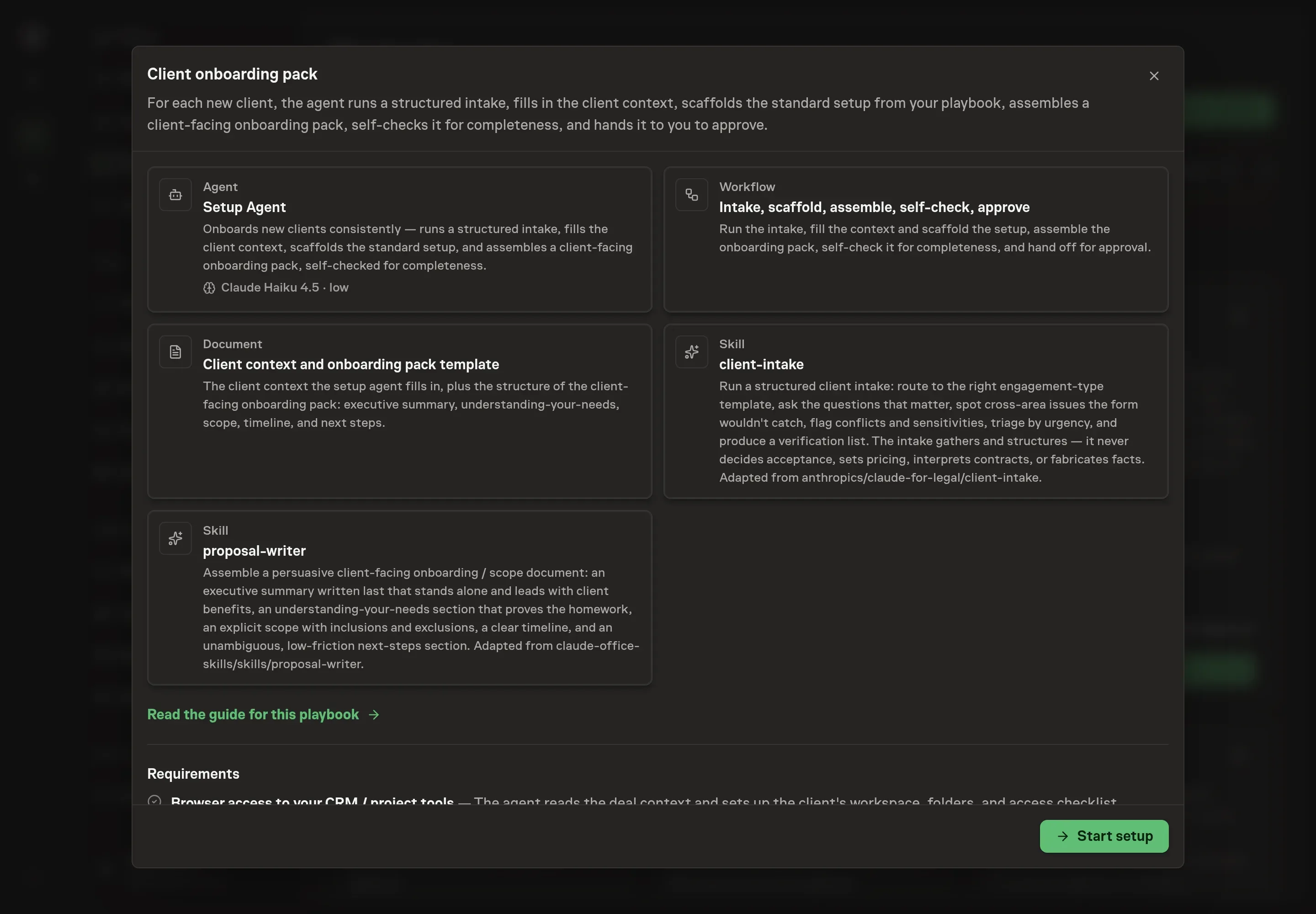
Choose Set up Client onboarding. Task Machine opens a dedicated Chat with the Playbook card and an editable, unsent request. Read the intended job and outcome. Add your situation and send it when ready. Opening the draft does not install anything or start work. This walkthrough uses settings that require approval of the proposed Playbook.
3. Agree the working brief
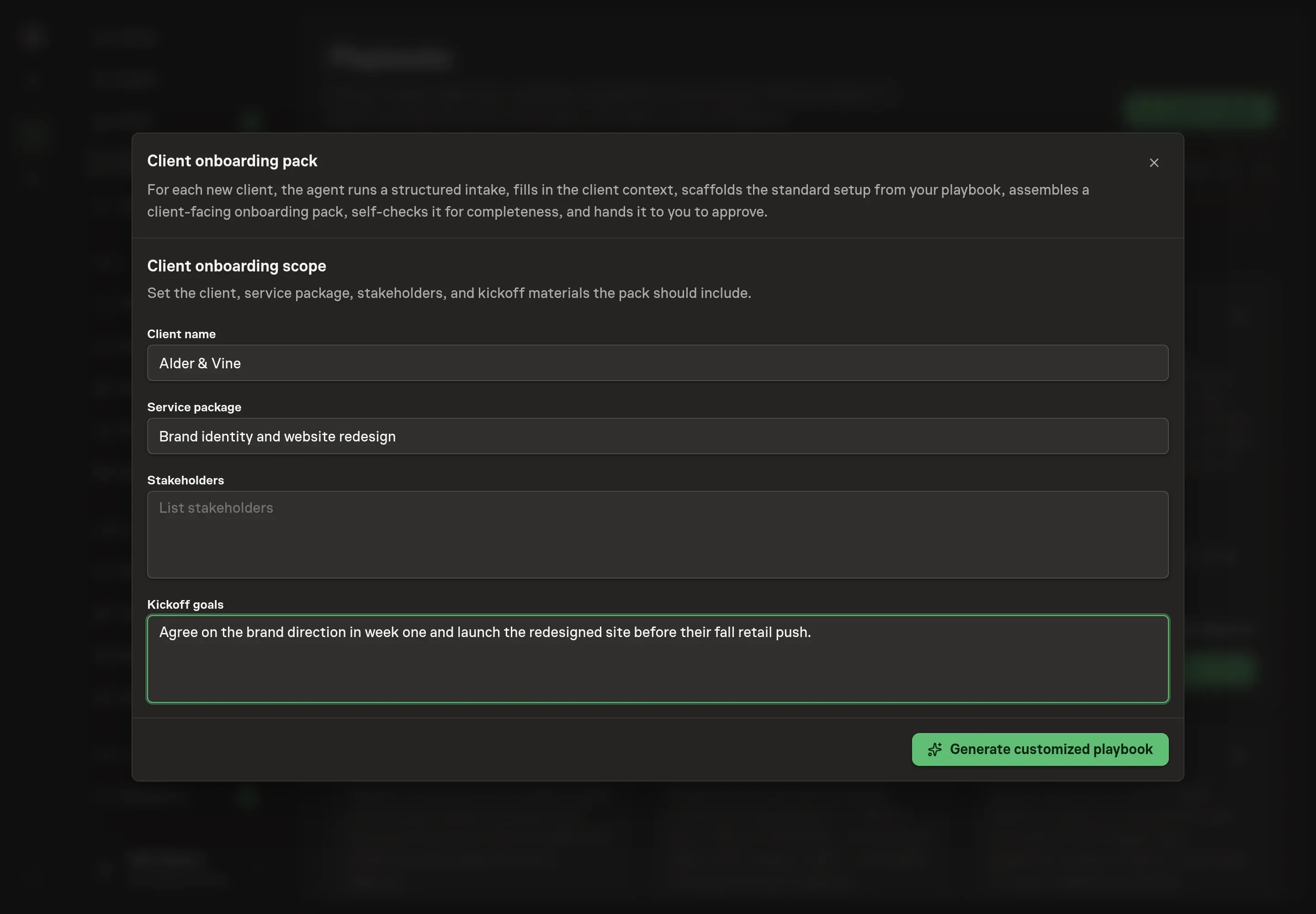
Use Chat to agree the inputs, expected output and limits before asking for a proposal. The Agent needs the engagement the first pack should cover. Four answers shape it: the client name and the service package frame the scope of work, the stakeholders feed the stakeholder map with names and roles on the client side, and the kickoff goals shape the first-two-weeks milestones the pack commits to.
4. Review the proposed Playbook
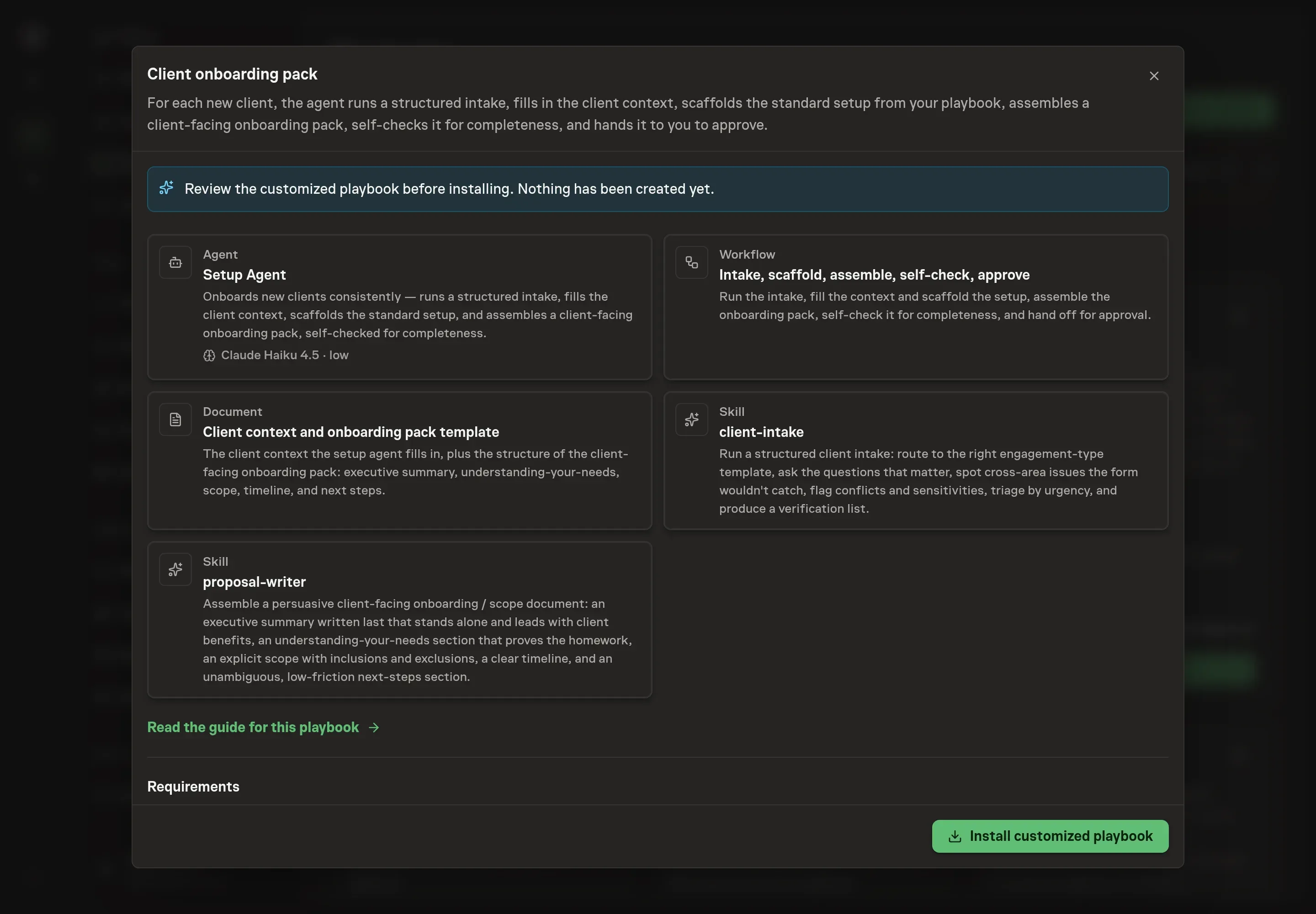
Ask the Agent to generate the Playbook from the agreed brief. Open its proposal in Chat and check the instructions and resources it will install, which carry more detail than the conversational summary. Read through the agent and workflow cards and confirm the scope, stakeholders, and goals you agreed appear where you expect them. Ask for a revised proposal if anything is missing or changes the job.
5. Approve and prepare the first work
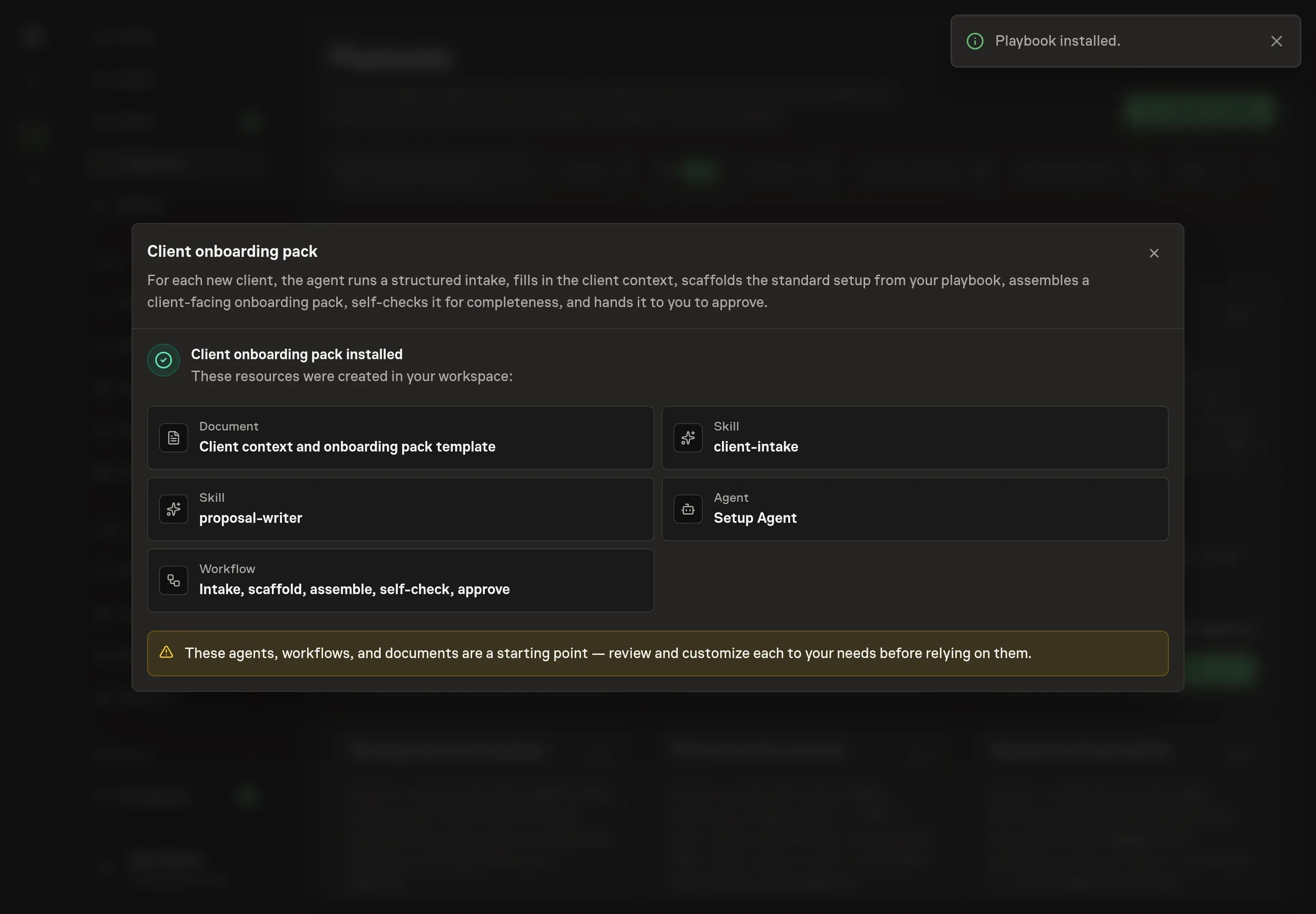
Choose Approve on the proposal in Chat when the configuration matches your brief. Task Machine installs that reviewed configuration. The approved item retains its review details. If your autonomy settings allow direct installation, this approval may not be required. Check the resulting configuration in that case too.
Complete any remaining secure service setup from the installation details in Chat. Inbox keeps those setup items available if you return later. Prepare the source documents and inputs before starting the first Task or Workflow. Installation does not authorize sending, publishing or changing an external service beyond the boundaries you agreed.
What good looks like
The playbook carries its own completeness bar, and the same checks tell you whether the process works:
- The pack ships without rework. The quality bar is a pack the account lead would send as written: complete, homework evident, scope explicit, next steps frictionless.
- The verification list is honest. Every assumed fact, remembered deadline, and starting hypothesis is named for confirmation. A pack that asserts everything confidently is the warning sign, not the goal.
- The scope names exclusions. What is not included is stated as plainly as what is, because unstated exclusions are where onboarding disputes start.
Common questions
Does the agent decide whether to take the client or what to charge? No. The intake gathers and structures. Acceptance, pricing, and anything contractual are flagged for you and stay human decisions. The pack references terms as agreed rather than committing numbers nobody approved.
What keeps the agent from making facts up? Three rules from the intake method: unverified facts default to "to confirm" instead of being stated, public facts about the client are checked against the public source rather than asserted from memory, and every pack ends with a verification list naming what still needs confirming. The whole write-up is marked as an AI-assisted draft.
Can this run before connecting a CRM? Yes. The agent works from attached exports and the intake notes you provide. Connecting your CRM and project tools lets it read the deal context and set up the client's workspace directly, pausing for your approval before making changes.
Is this a recurring workflow? No. Onboarding is one run per new client, so the playbook installs no schedule. You start the workflow each time a deal closes, and each run produces one internal client context and one client-facing pack for that engagement.
Why is the executive summary written last? Because it has to stand alone. Writing it after the scope, milestones, and next steps are settled keeps it to a few paragraphs that lead with what the client gets, instead of a preview of a document that later changed underneath it.