How to Automate Client Weekly Status Reports
A practical guide to automating weekly client status reports: honest status, outcomes over activities, dated asks, and approval before send.

Founder, Task Machine
A client weekly status report is the short update an agency, studio, or consultancy sends a client at the end of each week: what shipped, what is in flight, what is blocked, what was decided, and what is waiting on the client. Done well, it is the client's main window into the engagement and the record both sides point to when memories differ.
For a services business, this is the cheapest trust there is to build. The work may be excellent, but a client who hears nothing for two weeks starts wondering what the retainer buys. A consistent, honest weekly report answers that question before it gets asked, in less time than the check-in call it replaces.
A skipped report reads as drift
Status reporting is the first thing that slips in a busy week, and the weeks that are too busy for a report are the weeks when the most is changing. Silence reads as drift. The client fills the gap with their own version of the story, and their version is rarely generous.
A generic report costs almost as much as a missing one. The same week's activity becomes a different report for a different reader, and a report tailored to its audience lands while a generic one gets skimmed until trust erodes. Late risks are the third cost: a risk raised when it first appears is a plan, and the same risk raised three weeks in is an excuse.
What the manual process looks like
Done by hand, the weekly report is a ritual with five steps:
- Pull the week's activity from your project tracker, chat, and memory: what shipped, what is in flight, what is blocked, what was decided, and what is waiting on the client.
- Translate it out of internal language: strip the ticket numbers, and reframe tasks as outcomes the client gets.
- Write the report in a consistent structure, with a summary up top, progress against the engagement's goals, in-flight work with expected delivery, decisions that need the client's input, and next week's priorities.
- Set the status honestly and decide how to frame anything sensitive, from a missed deadline to an ask that could read as blame.
- Proofread it, then send it before the client starts asking.
Each step is simple. Together they eat the last afternoon of the week, reward consistency over cleverness, and get skipped exactly when the client most needs the signal.
What an agent can automate
Everything up to the decision to hit send is method, not judgment, which makes this a good fit for an agent running a fixed workflow:
- Gather the week's real activity. The agent reads shipped items, in-flight work, blockers, decisions, and open questions from your project tracker or CRM through its web interface. It never invents activity, and when a client-visible public fact needs checking, it reads the source instead of asserting from memory.
- Frame it for the reader. A client context document records who reads the report, what each reader cares about, the tone to match, and the topics to handle carefully. The agent writes for the most senior reader first and sets an honest Green, Yellow, or Red status, moving to Yellow at the first sign of risk rather than when trouble is certain.
- Draft the five-section report. Status and a summary up top, progress against the engagement's goals, in-flight work with expected delivery, decisions and open questions, and next week's priorities. Accomplishments are written as outcomes tied to the goals, not activity lists. Every blocker carries its impact and the help needed. Every ask names a person and a date. Material risks get classified as resolved, owned, accepted, or mitigated, each with a plan.
- Self-critique before handoff. Before the draft reaches you, the agent red-teams it against a checklist: lead not buried, status honest, outcomes not activities, asks dated, no internal jargon, sensitivities handled, facts checked, and the whole thing scannable. It fixes every miss, so you review a clean report rather than a rough one.
The judgment calls stay yours: whether the framing fits this client this week, and whether the report goes out at all.
The guardrails that make it safe
A status report is a promise made in writing to someone who pays you, which is exactly the kind of message that should wait for a person.
The workflow ends in an explicit approval step. The agent gathers, drafts, and self-critiques, then the finished report waits in your inbox. You read it, adjust anything off, and approve the send. The agent never sends to the client itself. Anything contractual, commercial, or that could read as blame is flagged for you rather than asserted, and until you connect your project tracker, the agent works only from the exports you attach and the activity you paste in.
Set it up in Task Machine
The Weekly client reporting playbook provides a starting point for the method above. You need an active Task Machine workspace with Chat, workspace-management and Playbook-installation access (workspace owners have it). Tracker access is not required up front. Until you connect it, the agent works from exports you attach and activity you paste into each run.
1. Find the playbook
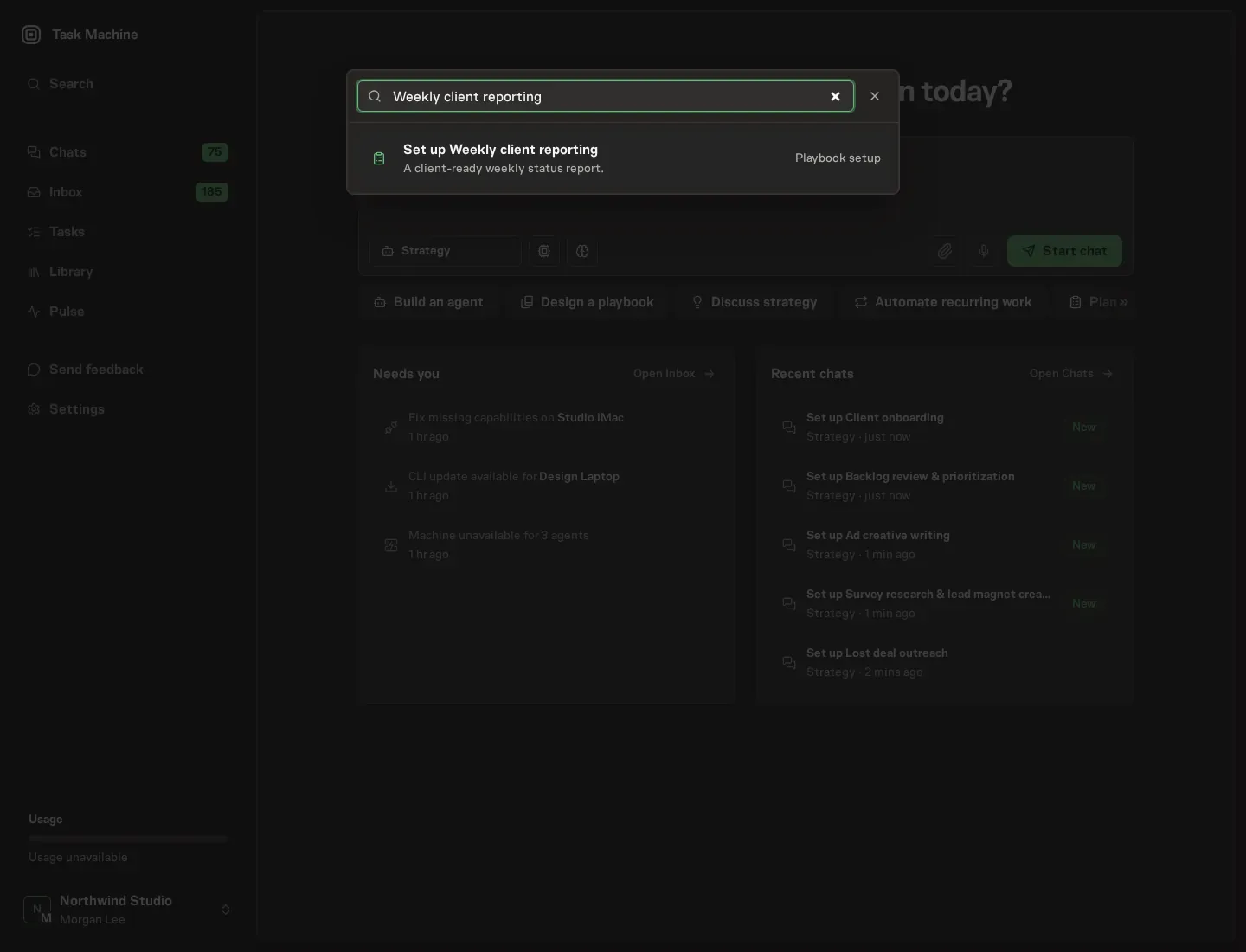
Open Search in your workspace and enter "Weekly client reporting". The command center lists Set up Weekly client reporting under Playbook setup.
2. Start the conversation
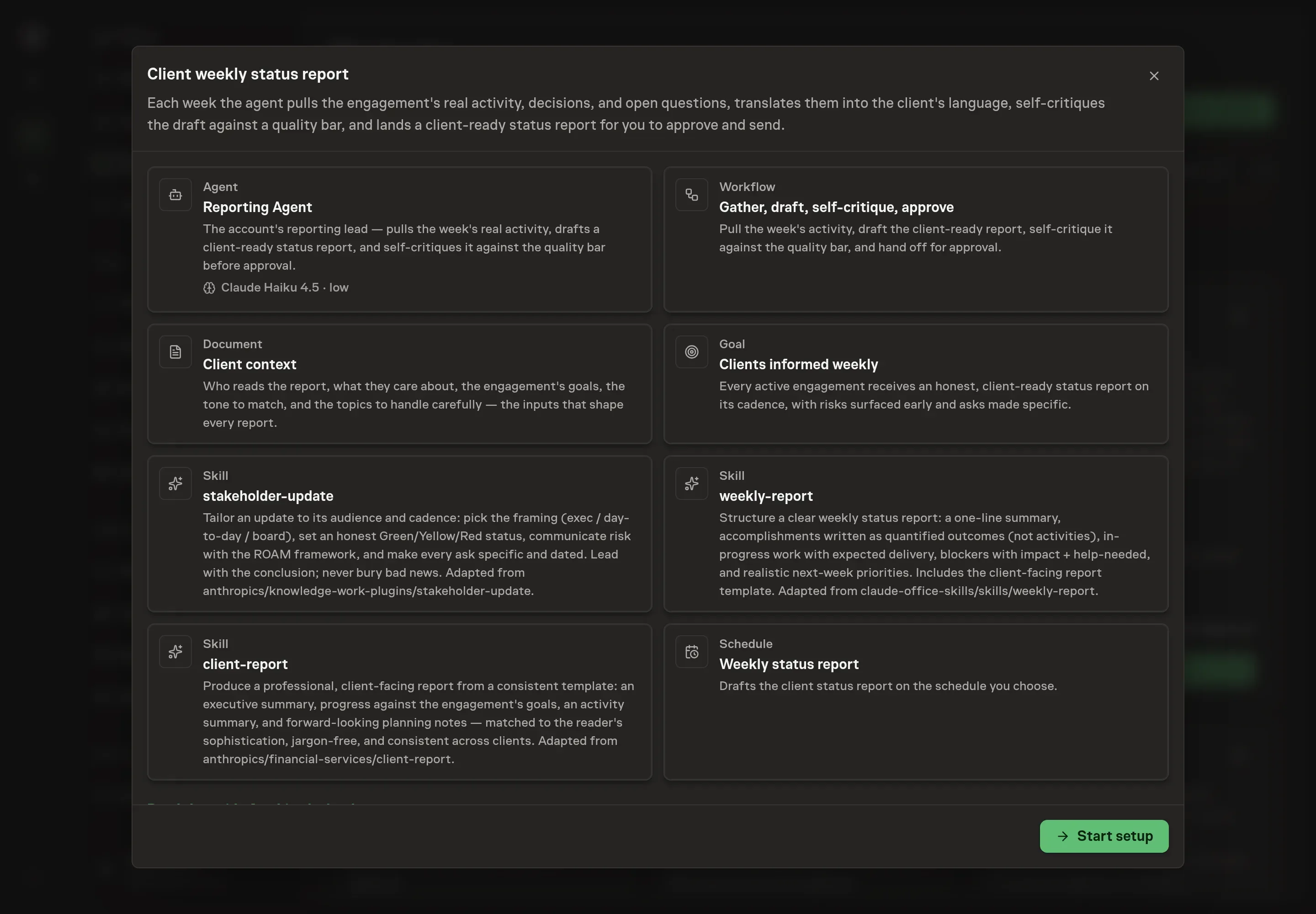
Choose Set up Weekly client reporting. Task Machine opens a dedicated Chat with the Playbook card and an editable, unsent request. Read the intended job and outcome. Add your situation and send it when ready. Opening the draft does not install anything or start work. This walkthrough uses settings that require approval of the proposed Playbook.
3. Agree the working brief
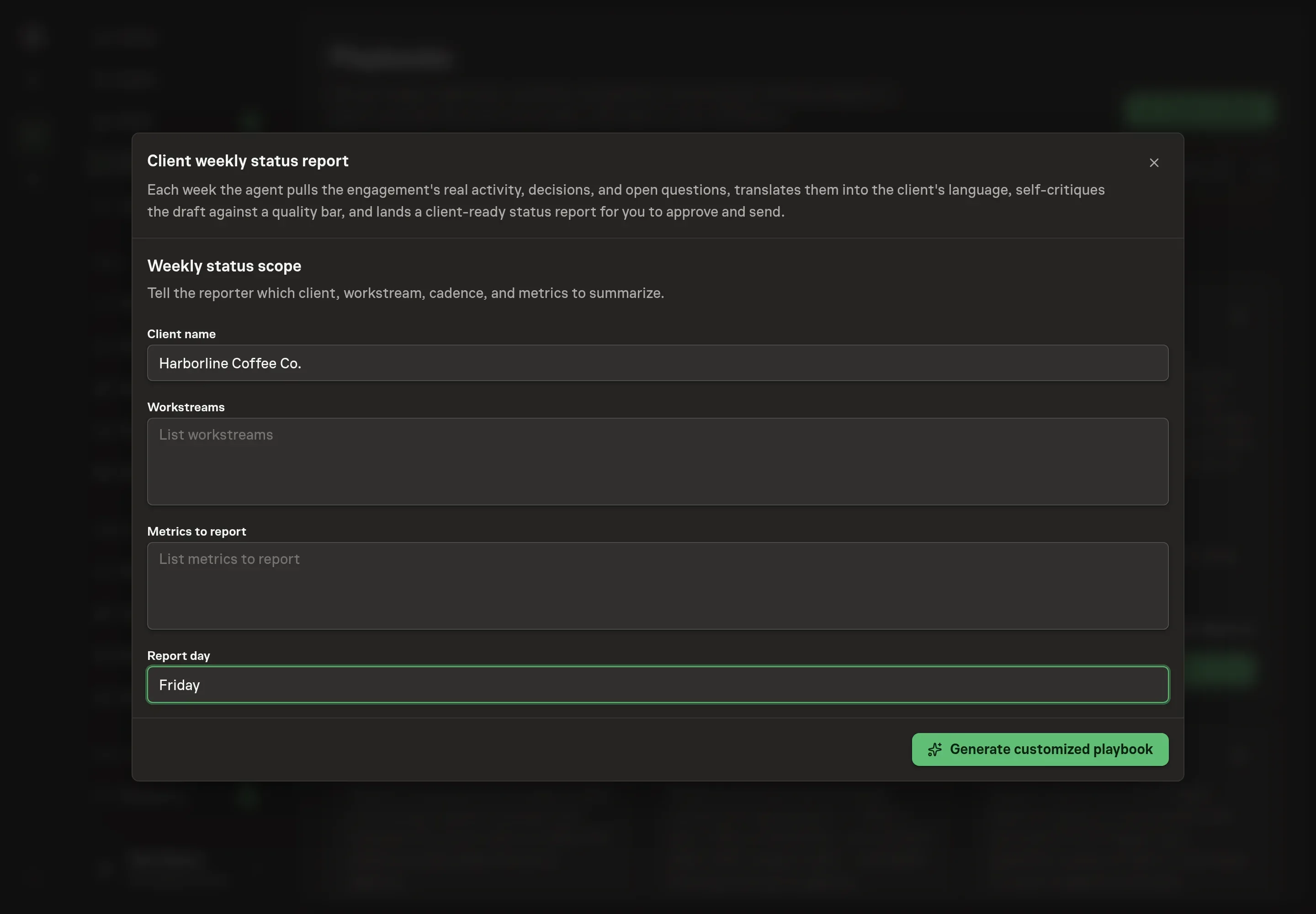
Use Chat to agree the inputs, expected output and limits before asking for a proposal. The Agent needs the weekly status scope. Client name is the engagement this reporter covers. Workstreams are the tracks of work each report walks through. Metrics to report are the numbers the client sees week over week. Report day is the weekday the client expects the update, which shapes when the draft needs to be ready.
4. Review the proposed Playbook
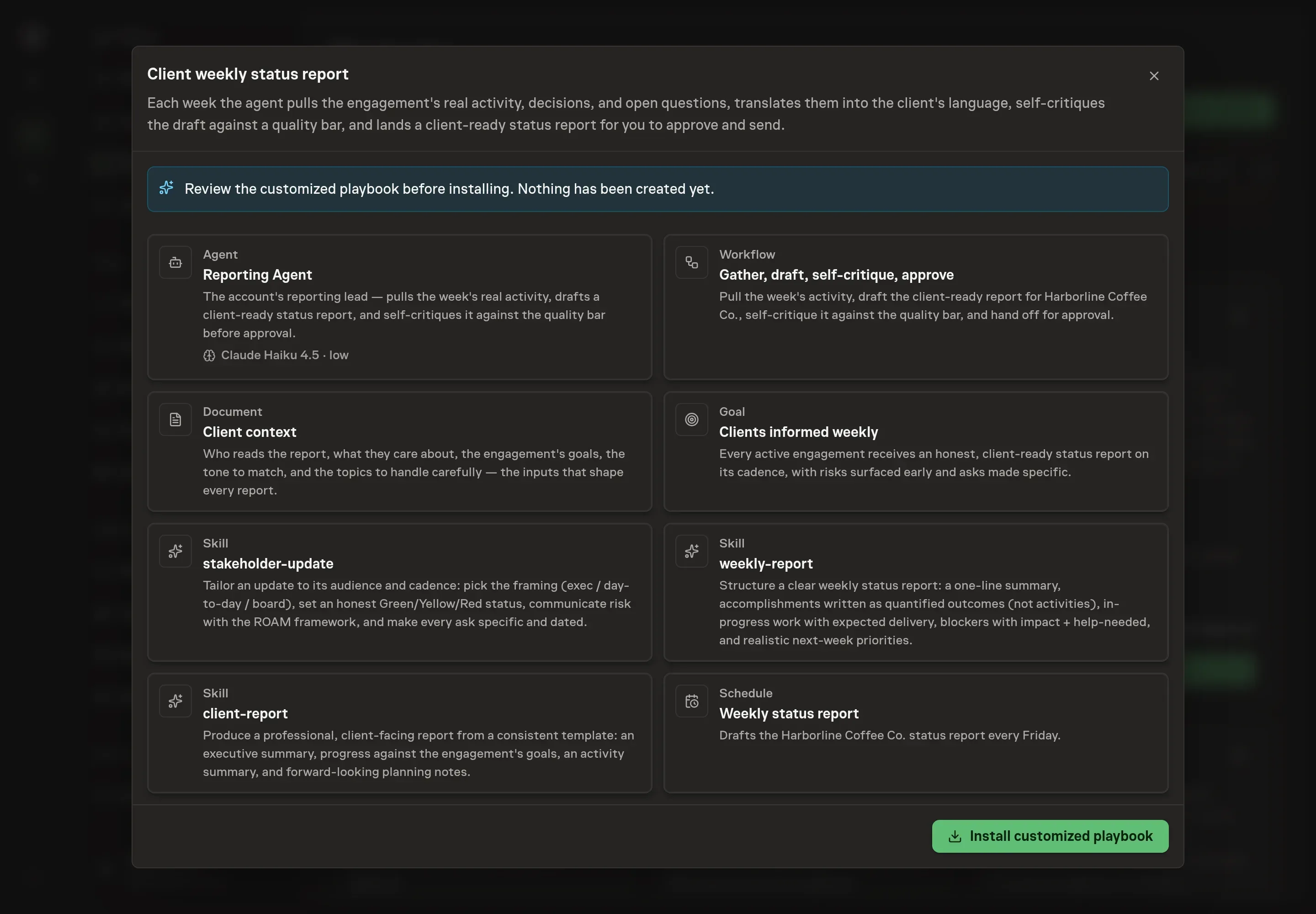
Ask the Agent to generate the Playbook from the agreed brief. Open its proposal in Chat and check the instructions and resources it will install, which carry more detail than the conversational summary. Read through the agent and workflow cards and confirm the scope matches the engagement. Ask for a revised proposal if anything is missing or changes the job.
5. Approve and prepare the first work
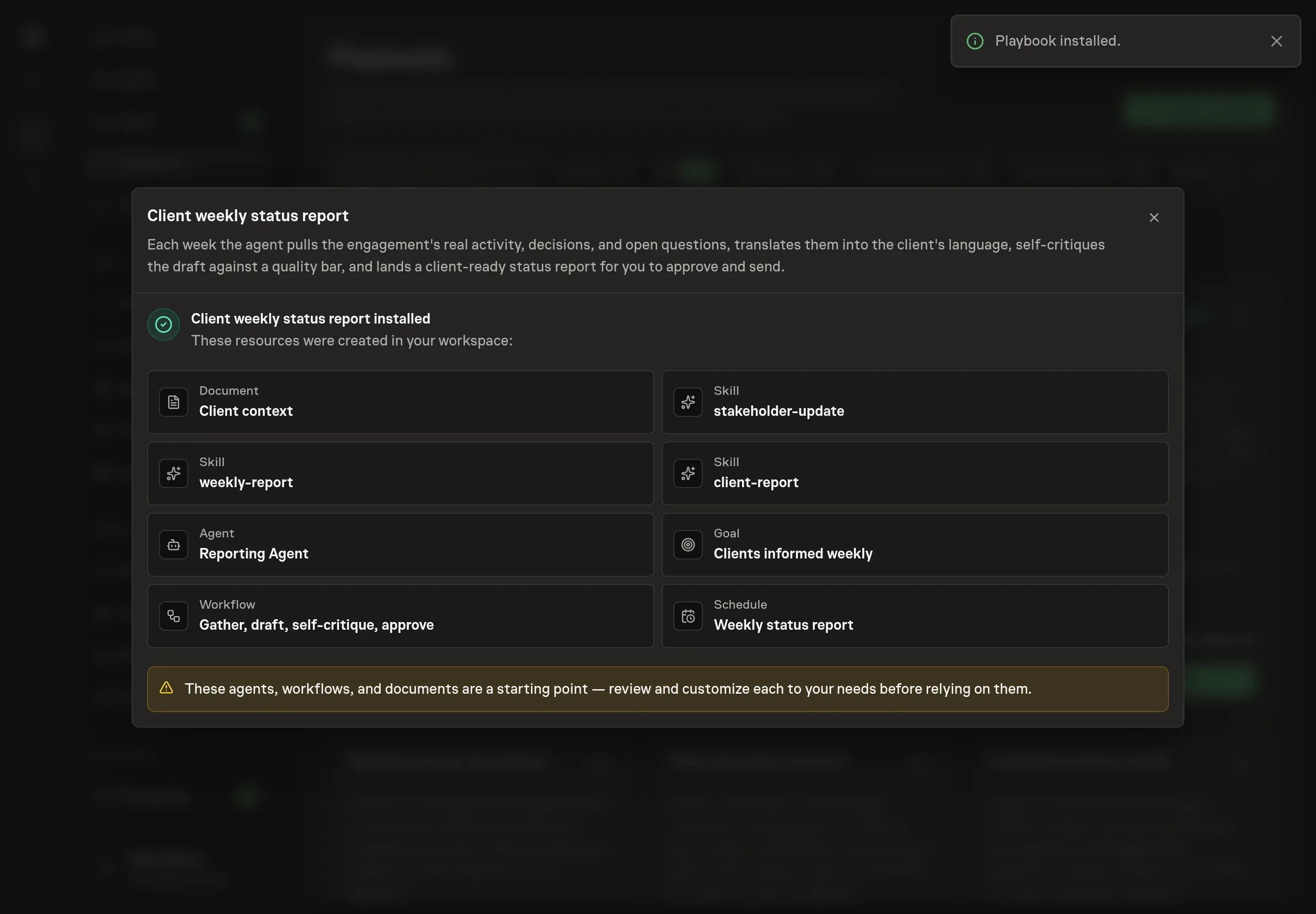
Choose Approve on the proposal in Chat when the configuration matches your brief. Task Machine installs that reviewed configuration. The approved item retains its review details. If your autonomy settings allow direct installation, this approval may not be required. Check the resulting configuration in that case too.
Complete any remaining secure service setup from the installation details in Chat. Inbox keeps those setup items available if you return later. Prepare the source documents and inputs before starting the first Task or Workflow. Installation does not authorize sending, publishing or changing an external service beyond the boundaries you agreed. Confirm each schedule's cadence and timezone, and resolve any pending schedule setup before it starts. A readback must wait for its agreed observation window and source data.
What good looks like
Three signs tell you the process works:
- The edit pass shrinks. The quality bar is a report the account lead would send without editing. If you are rewriting sections every week, the client context document needs more detail, not the draft more patience.
- No status surprises. Yellow appears at the first sign of risk with the reason in one line, and Red never arrives without a Yellow before it. A client who learns about a risk from the report that resolves it was informed too late.
- Every ask is owned and dated. "We need feedback" is not an ask. When each open item names a person and a date, the report starts driving the engagement instead of describing it.
Common questions
How long should a weekly client status report be? As long as the reader's attention. An executive sponsor gets outcomes against goals in under roughly 200 to 300 words, while the day-to-day contact gets the detail on in-flight work and blockers. The structure stays the same every week so the reader learns where to look.
What if the week's news is bad? Lead with it. Bad news buried after the good news reads as spin when it finally surfaces. Put it in the summary, frame it with a plan, and never write it as a complaint about the client's side.
Can this run without connecting a project tracker? Yes. The agent works from exports you attach and the activity you paste into each run. Connecting your tracker or CRM through the browser removes the manual export step.
Should every client get the same report? Same structure, different framing. A consistent template keeps weeks comparable and reports predictable, while each engagement's client context document sets the reader, tone, and sensitivities that shape the copy.
What keeps the status honest? The method treats Yellow as good risk management rather than failure, so there is no incentive to hide behind Green. The self-critique checklist requires the color to match reality with any change explained in one line, and you review every report before it goes out.