How to Automate Daily Standup
A practical guide to turning daily standup into a prioritized briefing with blockers, decisions, and human steering.

Founder, Task Machine
Daily standup automation is the process of gathering recent work, today's planned queue, blockers, and decisions into one short briefing that a human can approve and steer. The goal is to make sure nothing stalls unseen, and the judgment calls stay with the team.
The ritual matters because daily coordination fails without warning. A blocker waits on approval, a task has not moved in two days, an at-risk item hides below routine work, and the person who could unblock it does not see it until the next meeting.
Why daily standup becomes status theater
Many standups report activity instead of priority. People list what they did, what they plan to do, and maybe a blocker. The format sounds healthy while the real decision gets missed: what is the one thing that matters today, and what is already stuck?
The bundle's method treats standup as a daily briefing, not a meeting transcript. It gathers from the work graph, ranks by urgency and stakes, names stalls with how long they have been stuck, writes a scannable markdown standup, and sends it to the inbox for approval and steering.
What the manual process looks like
Done by hand, a strong daily standup requires more than asking three questions:
- Review yesterday's completed and in-progress work.
- Pull today's planned queue and identify deadlines or high-stakes items.
- Find stalled work: no movement, slipped dates, or approvals that never arrived.
- Pick the single most important item for the day.
- Write the queue, blocker table, and decisions needed with recommended actions.
- Share the standup only after the human has approved the read and steered the day.
Writing takes less time than the context gathering and prioritization that must happen before anyone can trust the summary.
What an agent can automate
The standup is a good fit for an agent because the inputs are structured and the output shape is stable:
- Gather from the work graph. The agent reads tasks, workflows, recent activity, and today's queue. No external service is required for the core ritual.
- Detect stalls explicitly. Anything with no meaningful movement, a slipped date, or a waiting approval gets named with how long it has been stuck.
- Prioritize the day. The agent ranks by urgency and stakes, then chooses the single top item instead of treating every task equally.
- Write for scanning. The briefing uses tables for queue items, blockers, and decisions, with an honest overall status.
- Route for steering. The finished standup lands as one inbox item so the human can approve it, change priorities, or add context.
The agent handles collection and formatting. The human still decides what the day should become.
The guardrails that make it safe
A standup can steer real work, so it should not silently publish itself to the team. The safe pattern is approval before sharing. The agent writes the standup, names the #1 item, lists blockers, and recommends decisions. The human approves, edits, or redirects.
The second guardrail is honesty. Green status is useful only when it is true. The playbook asks the agent to show at-risk and blocked work plainly, because the cost of a standup is wasted if it hides the very stalls it exists to reveal.
Set it up in Task Machine
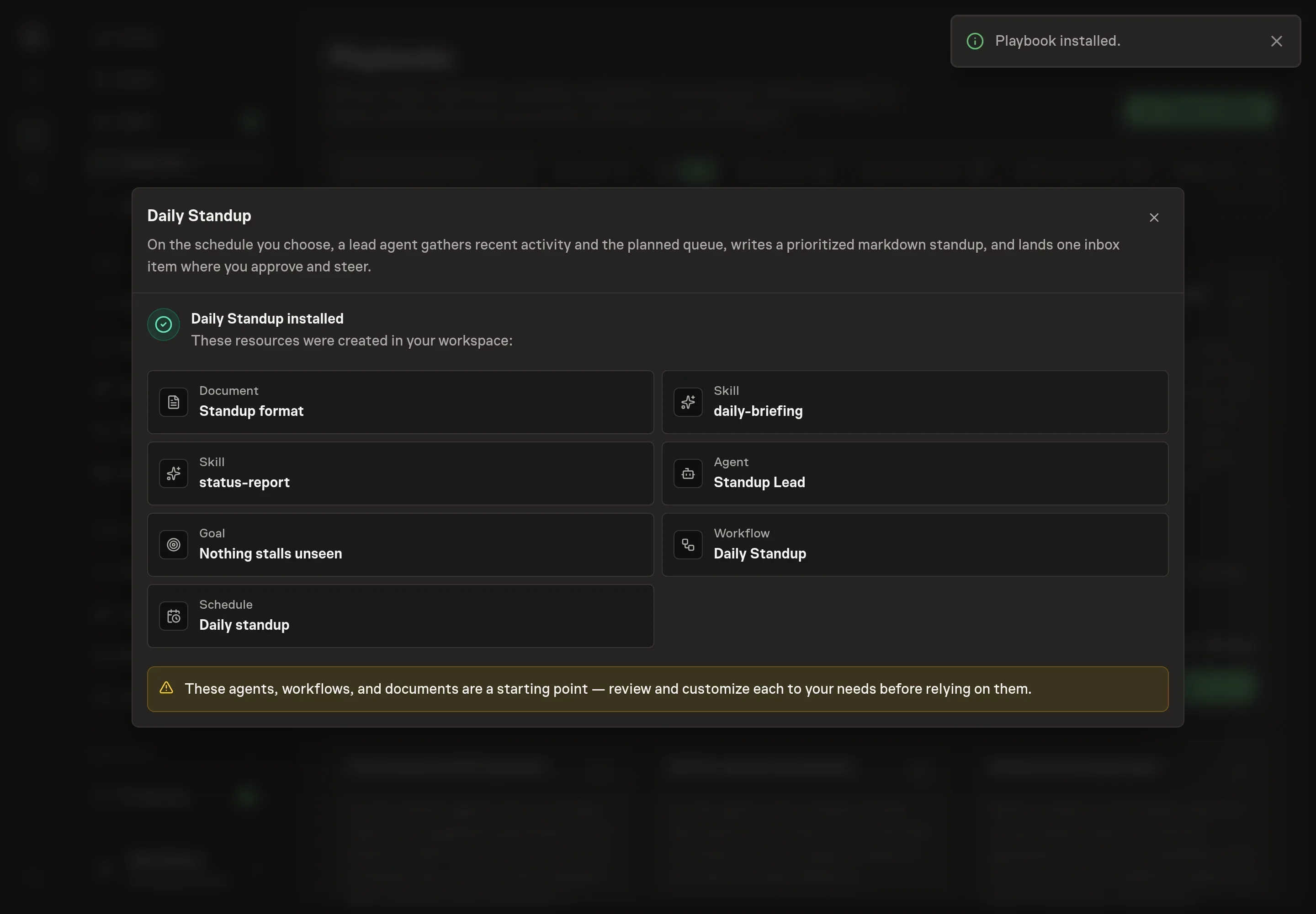
The Daily standup reporting playbook provides a starting point for the method above. You need an active Task Machine workspace with Chat, workspace-management and Playbook-installation access (workspace owners have it). No connected service is required. The standup works from the Task Machine work graph.
1. Find the playbook
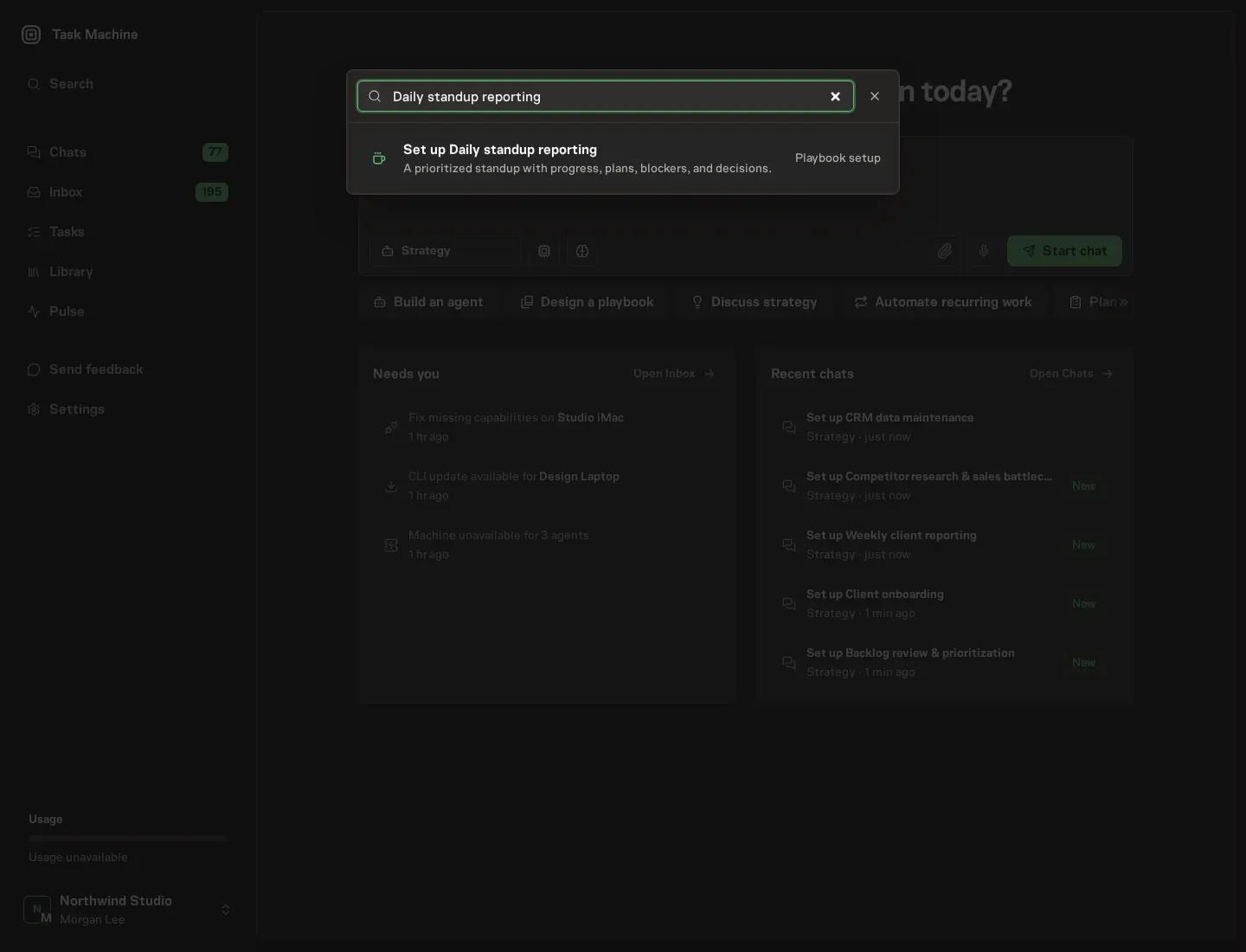
Open Search in your workspace and enter "Daily standup reporting". The command center lists Set up Daily standup reporting under Playbook setup.
2. Start the conversation
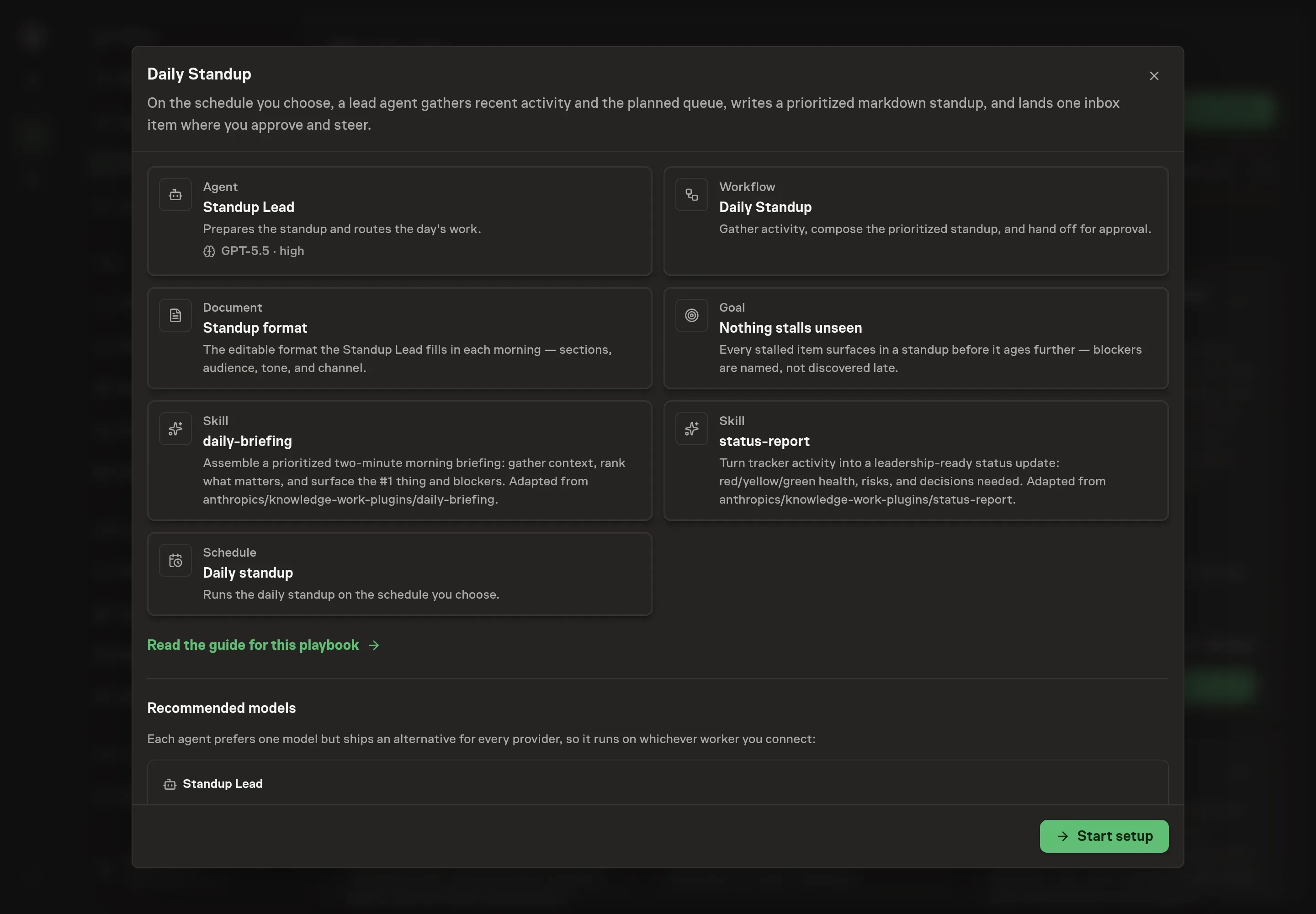
Choose Set up Daily standup reporting. Task Machine opens a dedicated Chat with the Playbook card and an editable, unsent request. Read the intended job and outcome. Add your situation and send it when ready. Opening the draft does not install anything or start work. This walkthrough uses settings that require approval of the proposed Playbook.
3. Agree the working brief
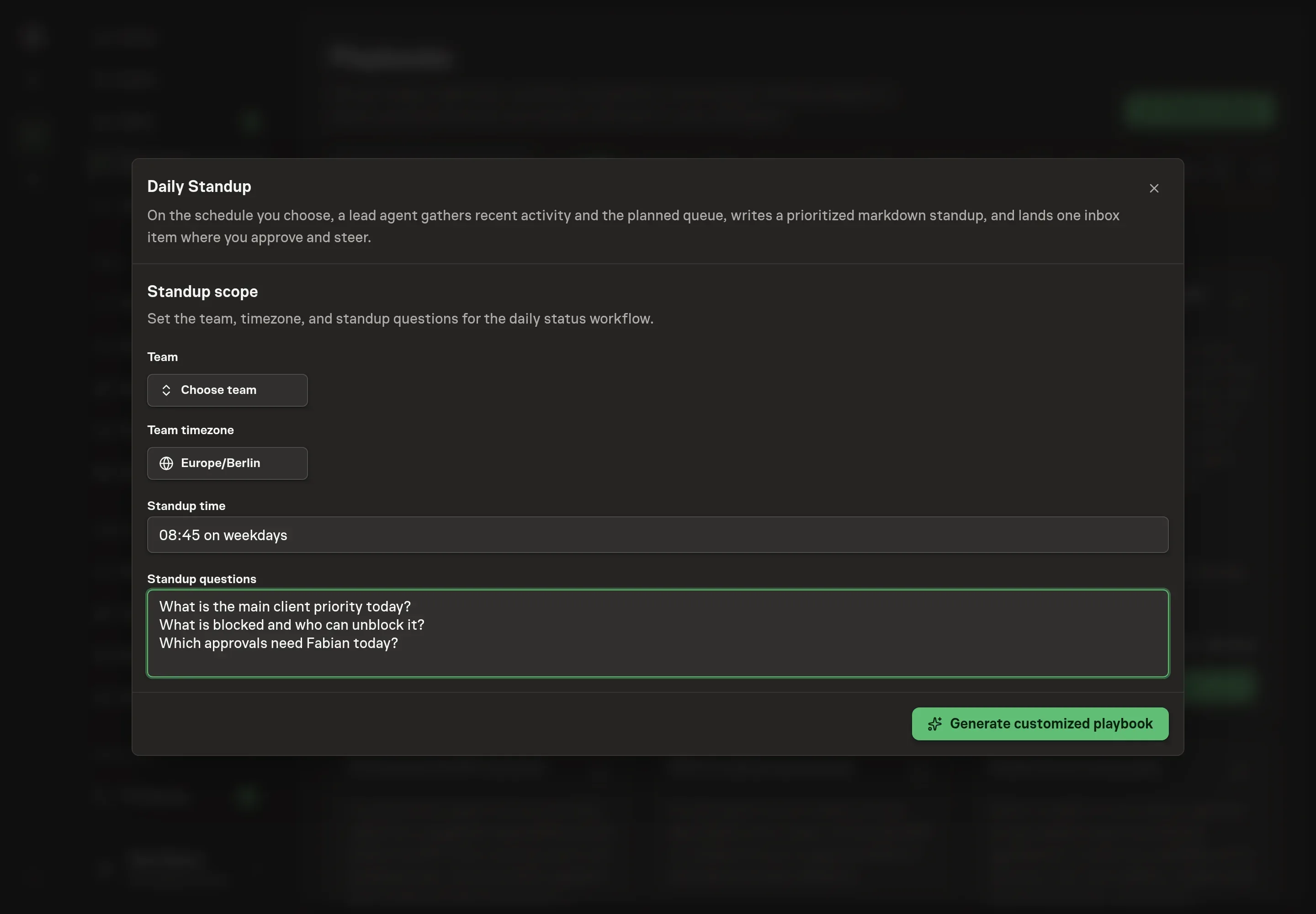
Use Chat to agree the inputs, expected output and limits before asking for a proposal. The Agent needs the team, team timezone, standup time, and standup questions. Use the questions to shape the briefing around your operating habit: yesterday's movement, today's #1 item, blockers, and decisions that need a recommendation.
4. Review the proposed Playbook
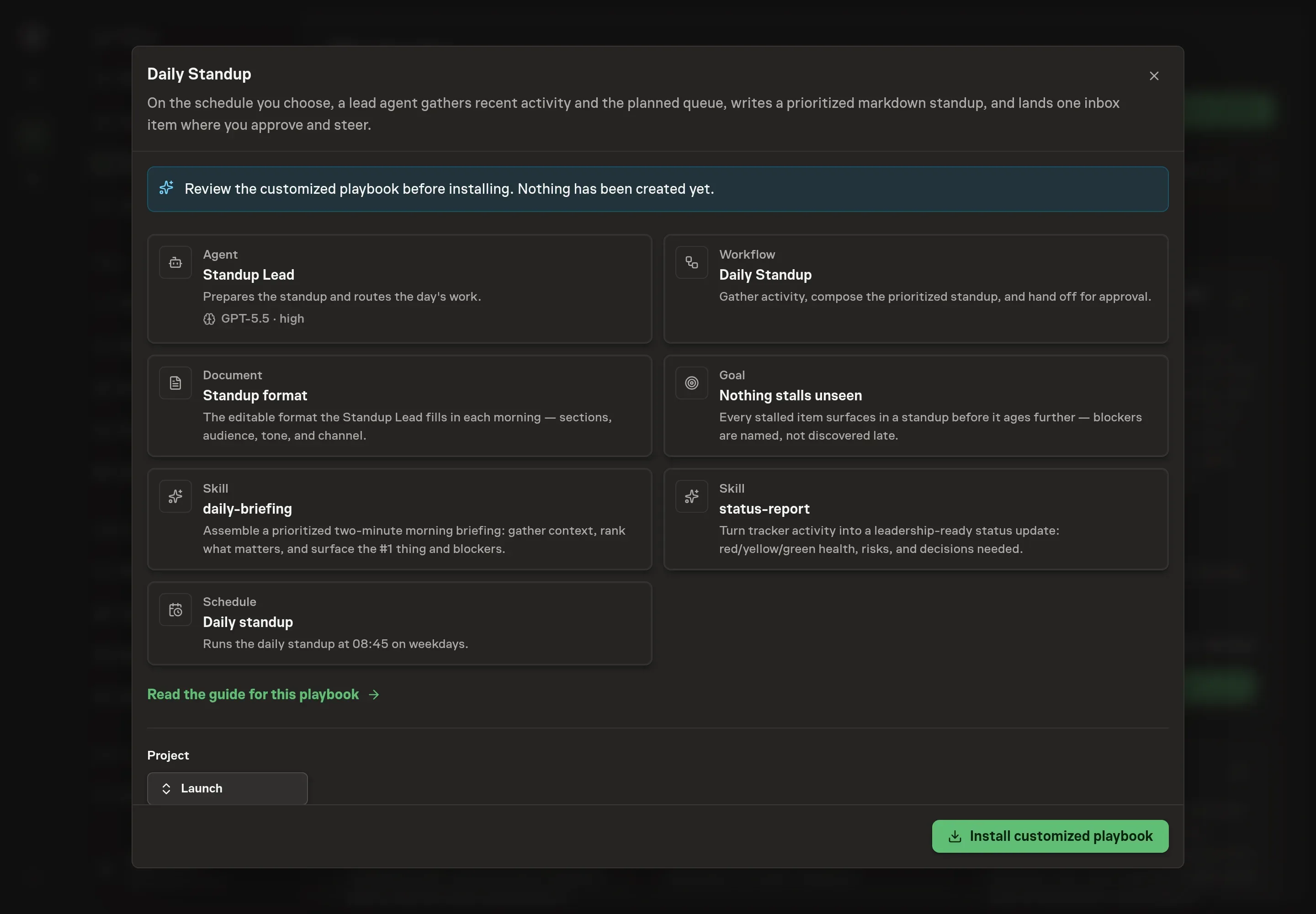
Ask the Agent to generate the Playbook from the agreed brief. Open its proposal in Chat and check the instructions and resources it will install, which carry more detail than the conversational summary. Check that the workflow gathers activity, composes the standup, and ends at Approve and steer. Ask for a revised proposal if anything is missing or changes the job.
5. Approve and prepare the first work
Choose Approve on the proposal in Chat when the configuration matches your brief. Task Machine installs that reviewed configuration. The approved item retains its review details. If your autonomy settings allow direct installation, this approval may not be required. Check the resulting configuration in that case too.
Complete any remaining secure service setup from the installation details in Chat. Inbox keeps those setup items available if you return later. Prepare the source documents and inputs before starting the first Task or Workflow. Installation does not authorize sending, publishing or changing an external service beyond the boundaries you agreed. Confirm each schedule's cadence and timezone, and resolve any pending schedule setup before it starts. A readback must wait for its agreed observation window and source data.
What good looks like
A good daily standup is short, but not shallow:
- The #1 thing is obvious. A reader can tell what matters most today from the first few lines.
- Stalls are named. Blocked work includes how long it has been stuck and what would unblock it.
- Decisions include recommendations. The human is asked to choose, not to reconstruct context.
- The status is honest. At-risk or blocked work is marked that way instead of being washed green.
Common questions
Does this replace a live team standup? It can replace the status-reporting part. Teams may still want a live conversation for coaching, conflict, or discussion, but the briefing removes the need to recite updates.
Can it post to Slack automatically? The core playbook does not require Slack. If a channel is connected, the agent can offer to post after approval.
What happens on days with very little activity? The standup should say that plainly. It still checks for stale items and approvals because quiet days are where blockers often hide.
Who should approve the standup? The person who steers the day should approve it: a founder, lead, or operator with enough context to change priorities.