How to Automate a Data Cleaning Pipeline
A practical guide to cleaning datasets with repeatable transforms, validation rules, QA, and human approval.

Founder, Task Machine
Data cleaning is the process of turning raw, inconsistent data into a dataset that can be used for analysis without corrupting the answer. It means profiling the source, defining what "clean" means, applying repeatable transformations, validating the result, and recording the caveats before anyone builds metrics on top of it.
The work matters because dirty data usually fails silently. A broken export may still load. A join may still return rows. A dashboard may still render. The cost shows up later, when a team makes a product, revenue, or customer decision from numbers that never passed a quality check.
Small data inconsistencies compound into wrong numbers
Most data issues are small inconsistencies that compound: duplicate rows, shifting entity definitions, timezone mismatches, nullable identifiers, test accounts mixed into production data, and joins that multiply totals without throwing an error.
Nobody notices at the moment the query runs because the output looks plausible. The real damage arrives when two teams argue over different versions of the same metric, when an analyst has to re-clean the same export every week, or when a downstream workflow trusts a field that was never validated.
What the manual process looks like
Done by hand, data cleaning is a careful ritual:
- Identify the source tables or exports and inspect the shape before changing anything.
- Define the entities, primary keys, relationships, metric formulas, and standard exclusions.
- Write the cleaning steps: parse dates, normalize units, fill or flag nulls, deduplicate rows, join with the right grain, and aggregate from raw rows.
- Validate the output against explicit rules for required columns, null tolerance, numeric ranges, uniqueness, referential integrity, and known totals.
- QA the result for analytical traps such as join explosion, denominator shifts, survivorship bias, incomplete period comparisons, and suspicious round numbers.
- Produce a cleaned dataset and a quality report that says what changed, what failed, what was fixed, and what caveats remain.
The fragile part is keeping the same process every time the same dataset returns with new rows, new edge cases, or a new stakeholder asking for it quickly.
What an agent can automate
The job fits an agent when the team gives it clear rules and keeps acceptance behind review:
- Profile before transforming. The agent reads the attached export or connected analytics source, identifies the shape, entity definitions, key fields, common filters, and gotchas such as timezones or current-state tables.
- Run a repeatable cleaning flow. It applies the same extract-transform-load pattern each time: clean types and units, deduplicate on the declared key, choose joins intentionally, and aggregate from raw rows.
- Validate against written rules. It checks completeness, types, ranges, uniqueness, cross-field consistency, referential consistency, and reasonableness. Each result is recorded with severity and affected-row count.
- Hunt for analytical traps. It cross-checks headline numbers, watches for many-to-many join explosions, flags denominator shifts, and refuses to treat a neat-looking table as trustworthy without a QA pass.
- Draft the acceptance package. It produces the cleaned dataset and a quality report with the validation results, fixes, caveats, and a confidence rating.
The agent removes the repeated assembly work. It does not decide that the cleaned data is acceptable on its own.
The guardrails that make it safe
Cleaned data often becomes input to dashboards, forecasts, campaigns, and board updates. That makes approval part of the workflow, not a courtesy after the fact.
The safe shape is explicit: the agent profiles, cleans, validates, QAs, and drafts. The cleaned dataset and quality report then wait for human approval. The reviewer can inspect the validation rules, reject a weak confidence rating, or ask for a fix before the data flows downstream.
The playbook also separates read access from write authority. When analytics access is connected, the agent profiles live tables. It does not modify the source data in the connected analytics tool without explicit sign-off.
Set it up in Task Machine
The Data cleaning & validation playbook provides a starting point for the method above. You need an active Task Machine workspace with Chat, workspace-management and Playbook-installation access (workspace owners have it). Product analytics access is useful but not required up front. Until it is authorized, the workflow works from attached exports and the validation rules document.
1. Find the playbook
Open Search in your workspace and enter "Data cleaning & validation". The command center lists Set up Data cleaning & validation under Playbook setup.
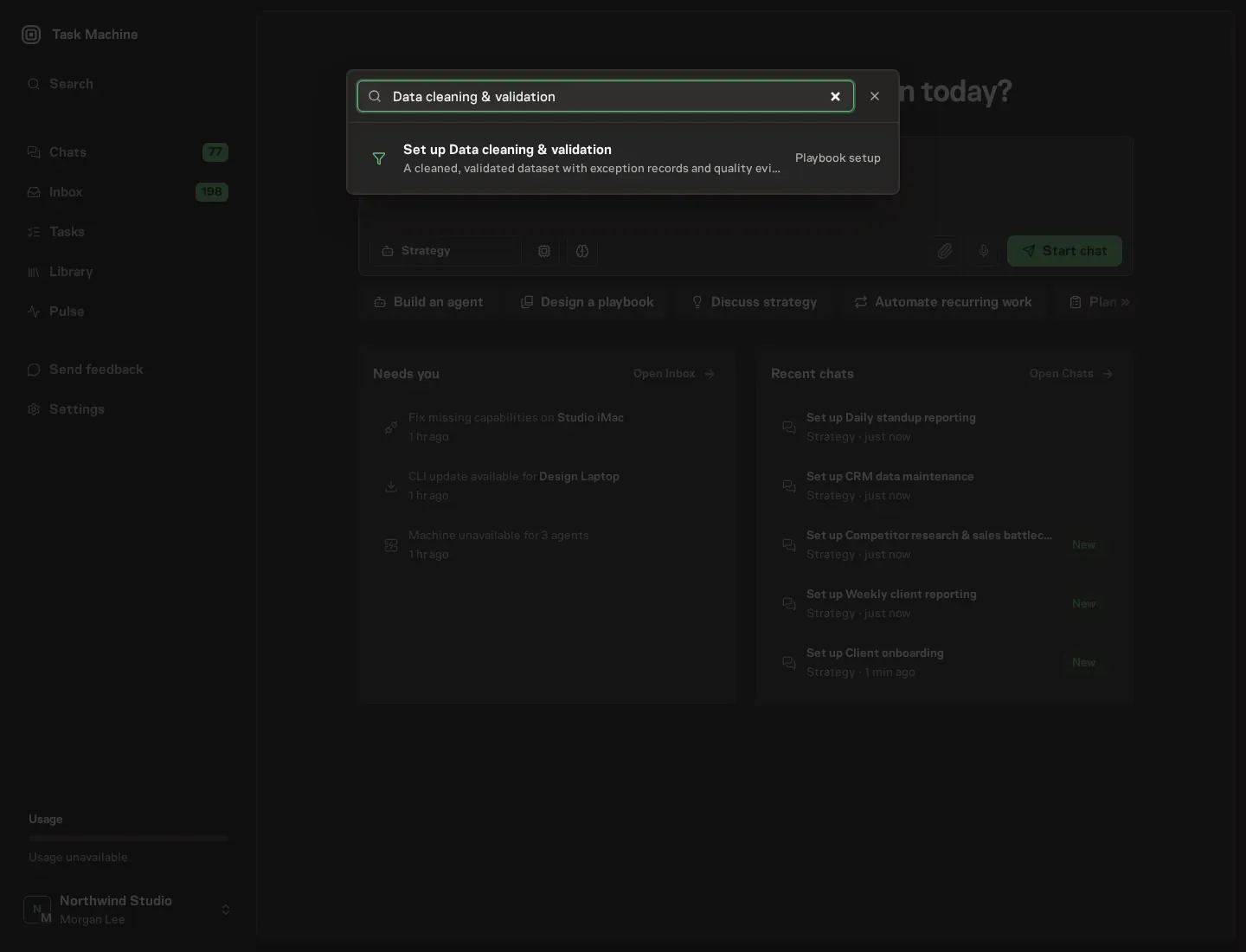
2. Start the conversation
Choose Set up Data cleaning & validation. Task Machine opens a dedicated Chat with the Playbook card and an editable, unsent request. Read the intended job and outcome. Add your situation and send it when ready. Opening the draft does not install anything or start work. This walkthrough uses settings that require approval of the proposed Playbook.
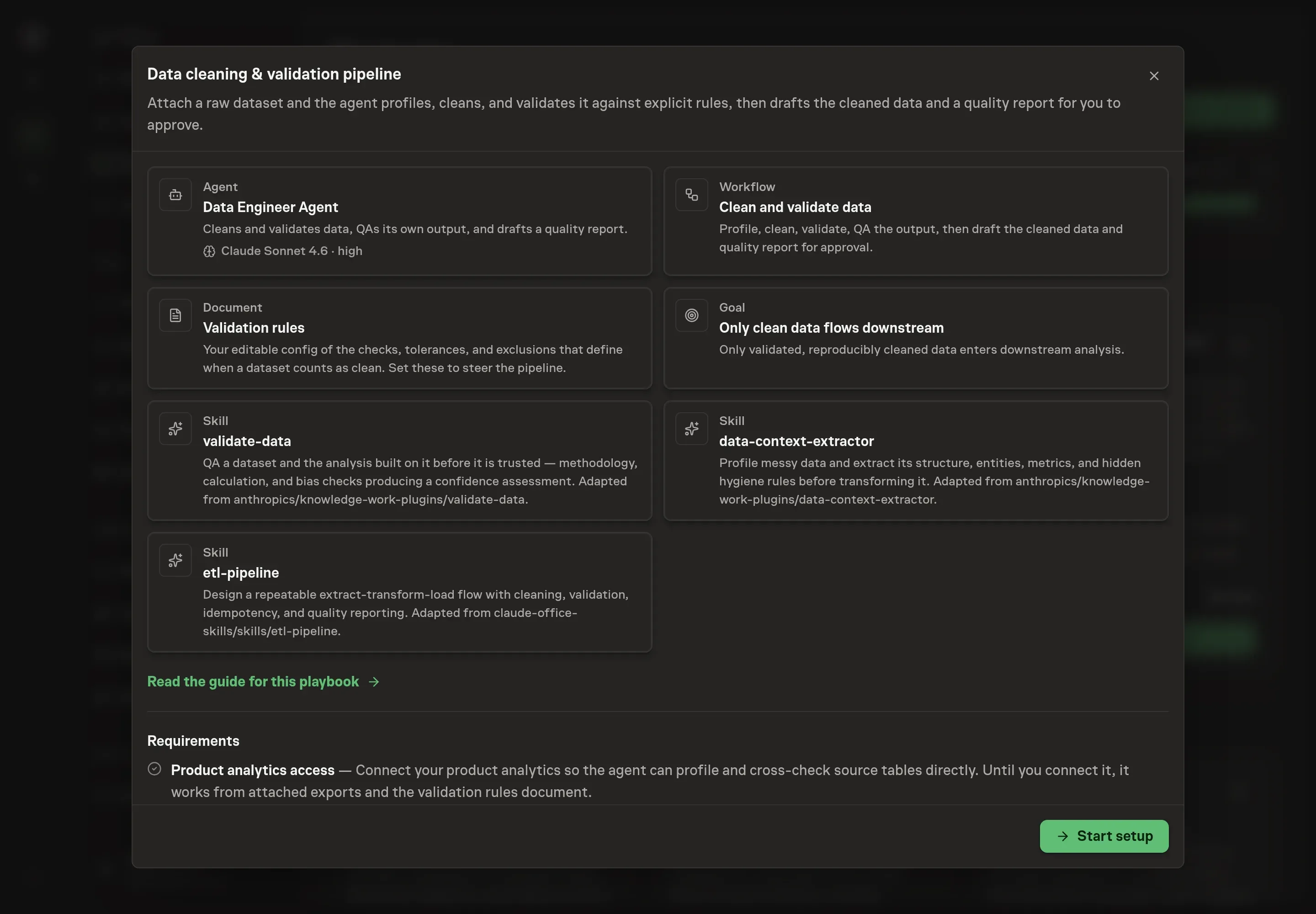
3. Agree the working brief
Use Chat to agree the inputs, expected output and limits before asking for a proposal. Discuss the dataset name, data sources, quality rules, and output format. Use concrete rules: primary keys, required fields, null handling, dedupe rules, timezone assumptions, row-count checks, and source-data boundaries.
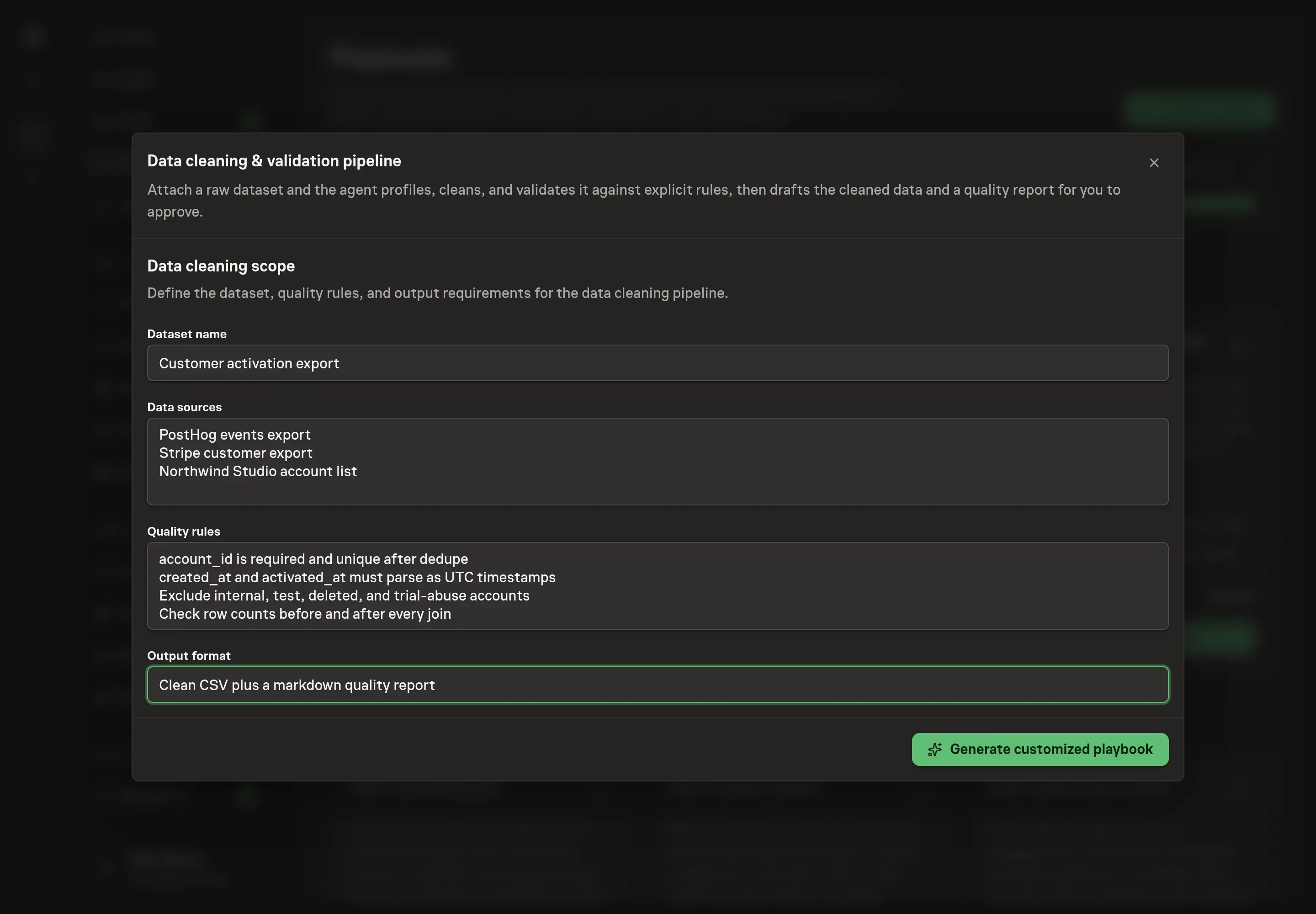
4. Review the proposed Playbook
Ask the Agent to generate the Playbook from the agreed brief. Open its proposal in Chat and check the instructions and resources it will install, which carry more detail than the conversational summary. Review the generated records carefully, especially the validation rules and the approval request. Ask for a revised proposal if anything is missing or changes the job.
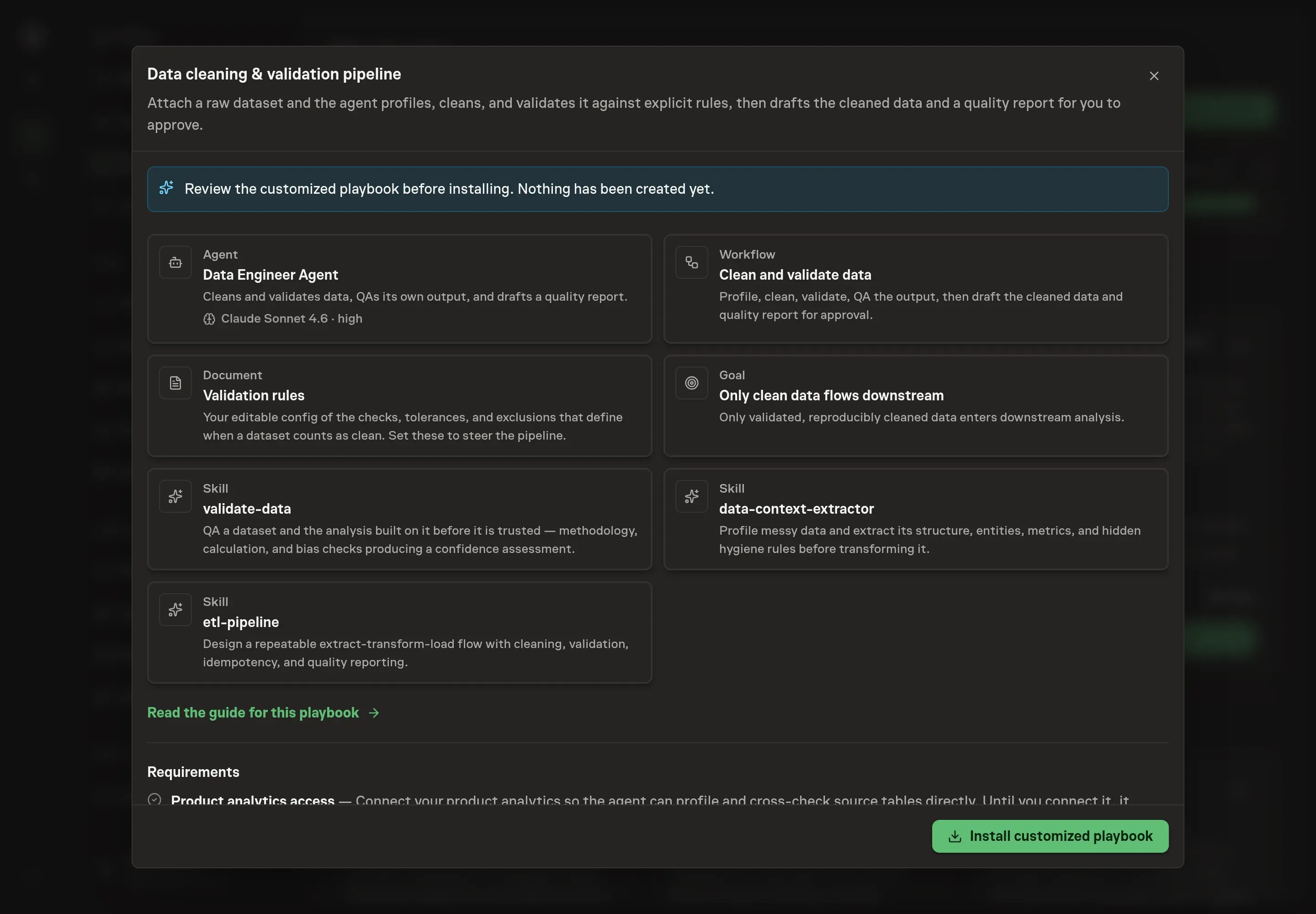
5. Approve and prepare the first work
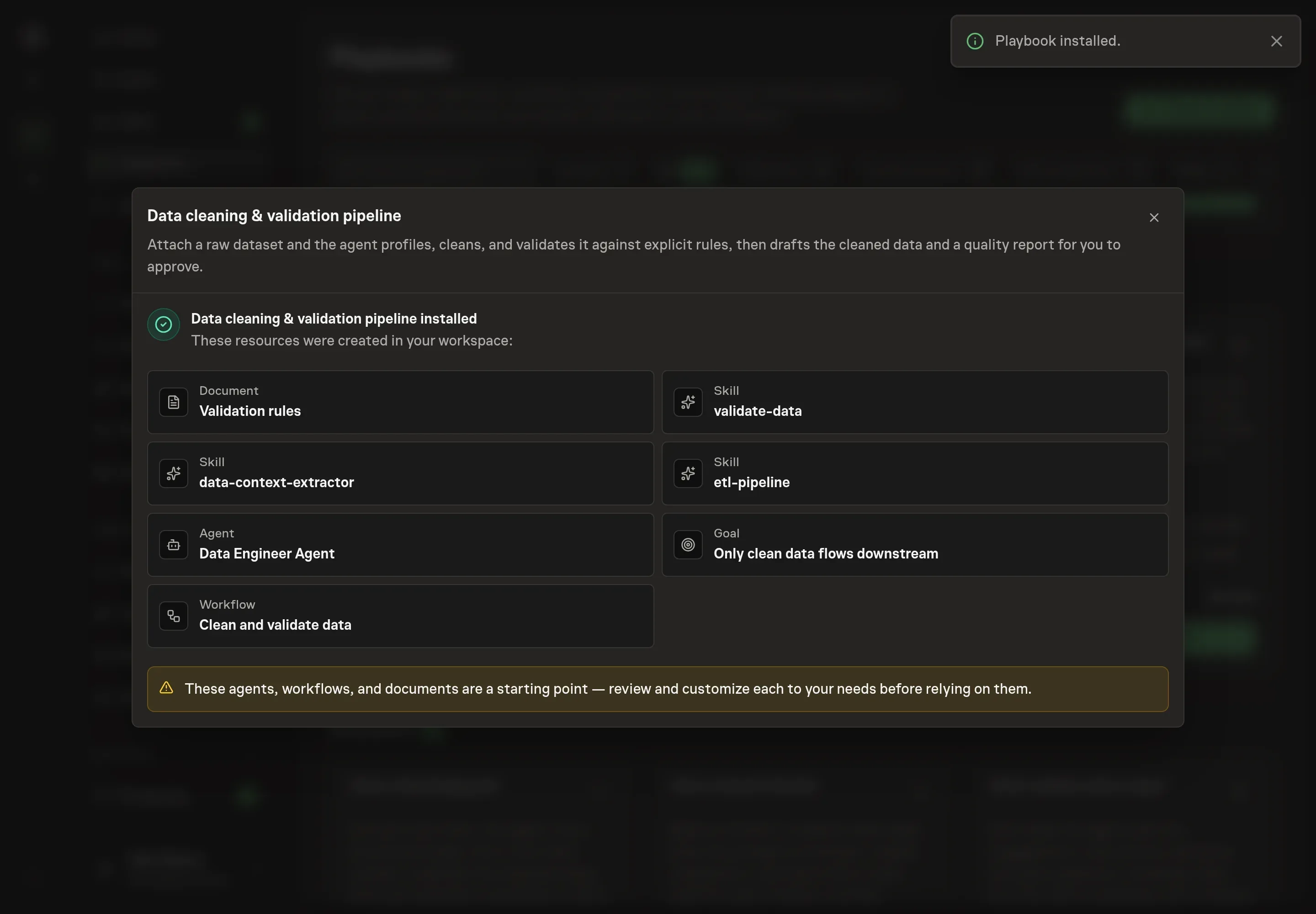
Choose Approve on the proposal in Chat when the configuration matches your brief. Task Machine installs that reviewed configuration. The approved item retains its review details. If your autonomy settings allow direct installation, this approval may not be required. Check the resulting configuration in that case too.
Complete any remaining secure service setup from the installation details in Chat. Inbox keeps those setup items available if you return later. Prepare the source documents and inputs before starting the first Task or Workflow. Installation does not authorize sending, publishing or changing an external service beyond the boundaries you agreed.
What good looks like
A good data cleaning pipeline is boring in the best way: the same input rules produce the same cleaning decisions, and every exception is visible.
Watch these signals:
- Validation coverage. Required columns, key uniqueness, null handling, numeric ranges, date assumptions, source boundaries, and referential checks are written down before the run starts.
- Reproducibility. The quality report records each transformation so another person can understand how the cleaned dataset was produced.
- Approval quality. The reviewer sees confidence, caveats, and failed checks before accepting the dataset.
Common questions
Can this replace a data engineer? No. It handles the repeatable cleaning loop and produces reviewable artifacts. A human still defines what clean means, approves the output, and decides when a source system needs a deeper fix.
What if the dataset has no clear primary key? Treat that as a validation issue, not a detail to hide. The agent can propose a dedupe strategy, but the quality report should say which key was used and where the result may be ambiguous.
Does it need live analytics access? No. The playbook can work from attached exports. Connected analytics access lets the agent profile live tables directly, but the approval boundary stays the same.
Should warnings block the cleaned dataset? Errors should block acceptance. Warnings should be carried into the quality report as caveats unless the reviewer decides they change the decision the dataset supports.