How to Automate Database Migrations
A practical guide to using an agent for schema and data migrations with sequencing, verification, rollback notes, and review.

Founder, Task Machine
Database migration work is the process of changing durable data structures without losing data, breaking application code, or making rollback impossible. A good migration plan covers schema history, application call sites, data movement, deployment order, validation checks, and the production risks that reviewers need to see.
The work is worth systematizing because migrations are easy to underestimate. A column rename, constraint change, enum edit, or backfill may look small in the diff while touching every active customer record. The safest teams treat migrations as operational changes, not routine code edits.
Bad migrations fail at deploy time
Bad migrations rarely fail at the moment someone writes the file. They fail when a deploy hits a lock, when old application code cannot read the new shape, when rollback would drop data, or when a generated ORM diff encodes a destructive change nobody inspected.
The hidden cost is review fatigue. Engineers remember to check the obvious parts of the diff, but not always the migration history, table size, indexes, background backfill path, seed compatibility, generated client changes, or validation query. A repeatable process keeps those checks out of memory and inside the work.
What the manual process looks like
Safe migration work usually follows this ritual:
- Read the migration history, schema definitions, application call sites, and repository conventions.
- Classify the change: schema-only, data backfill, expand-contract, index, constraint, destructive cleanup, or ORM metadata update.
- Plan the sequence. Add nullable fields before writes, backfill separately when needed, deploy reads and writes safely, then enforce constraints or remove the old shape.
- Check lock, table-scan, downtime, and rollback risk for indexes, constraints, large updates, default values, and destructive operations.
- Generate or write the migration in the repository's own toolchain, then inspect the generated SQL or diff before trusting it.
- Update application code, generated clients, seeds, fixtures, and tests where the schema contract changed.
- Run migration, rollback or reversibility checks where available, and relevant tests against disposable data.
- Draft the pull request with sequencing, validation evidence, and production-risk notes.
The process is deliberate because the database is shared state. Fast is useful only when the change is also ordered and reviewable.
What an agent can automate
An agent is useful when it works inside the repository and treats the migration as a production operation:
- Inspect before writing. It reads schema history, app call sites, migration naming conventions, and test patterns before choosing a path.
- Classify the risk. It identifies whether the change is expand-contract, data backfill, index work, constraint enforcement, ORM metadata, or a destructive cleanup that needs explicit approval.
- Use the native toolchain. It generates or writes migrations using the repository's own migration tools instead of inventing a second path.
- Verify the generated change. It checks ordering, timestamp uniqueness, generated SQL, relation names, nullability, defaults, indexes, unique constraints, enum changes, seed compatibility, and drift checks where relevant.
- Prepare the review. It runs the requested verification command and drafts a pull request with validation notes, lock or downtime risk, rollback notes, and any code changes required by the new schema.
The agent can do the tedious inspection and drafting. It should not apply a production migration itself.
The guardrails that make it safe
The key guardrail is a hard boundary around destructive changes and production application. The playbook tells the database engineer never to drop data, rewrite a large table, or make a backwards-incompatible contract change without explicit human approval and a rollback plan.
The second guardrail is repository-native verification. The agent uses the repository's own migration, rollback, client-generation, seed, and test commands where they exist. That keeps the evidence tied to the codebase reviewers will merge.
Set it up in Task Machine
The Database migrations playbook provides a starting point for the method above. You need an active Task Machine workspace with Chat, workspace-management and Playbook-installation access (workspace owners have it). The playbook needs a connected repository and runnable database checks before it can do useful migration work.
1. Find the playbook
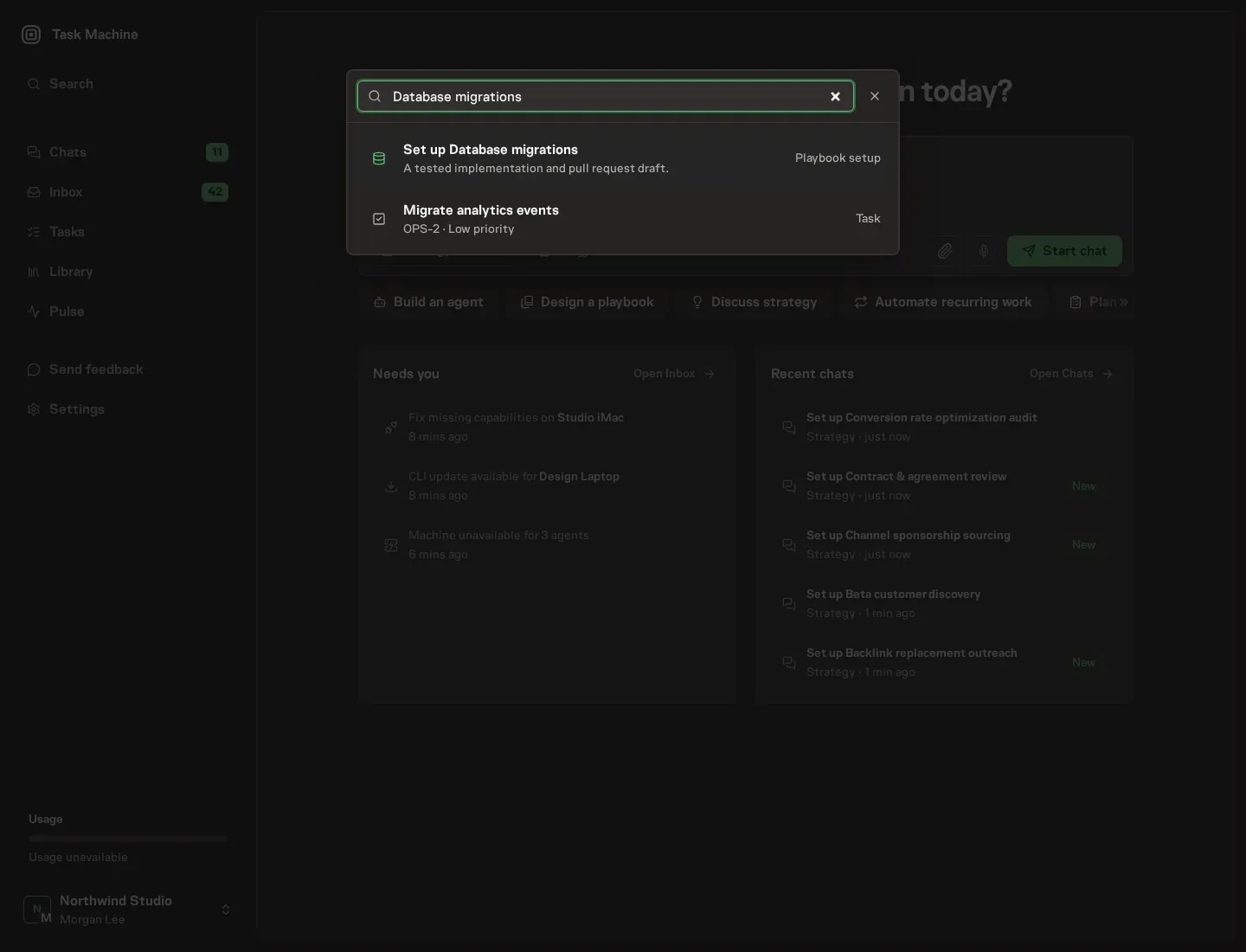
Open Search in your workspace and enter "Database migrations". The command center lists Set up Database migrations under Playbook setup.
2. Start the conversation
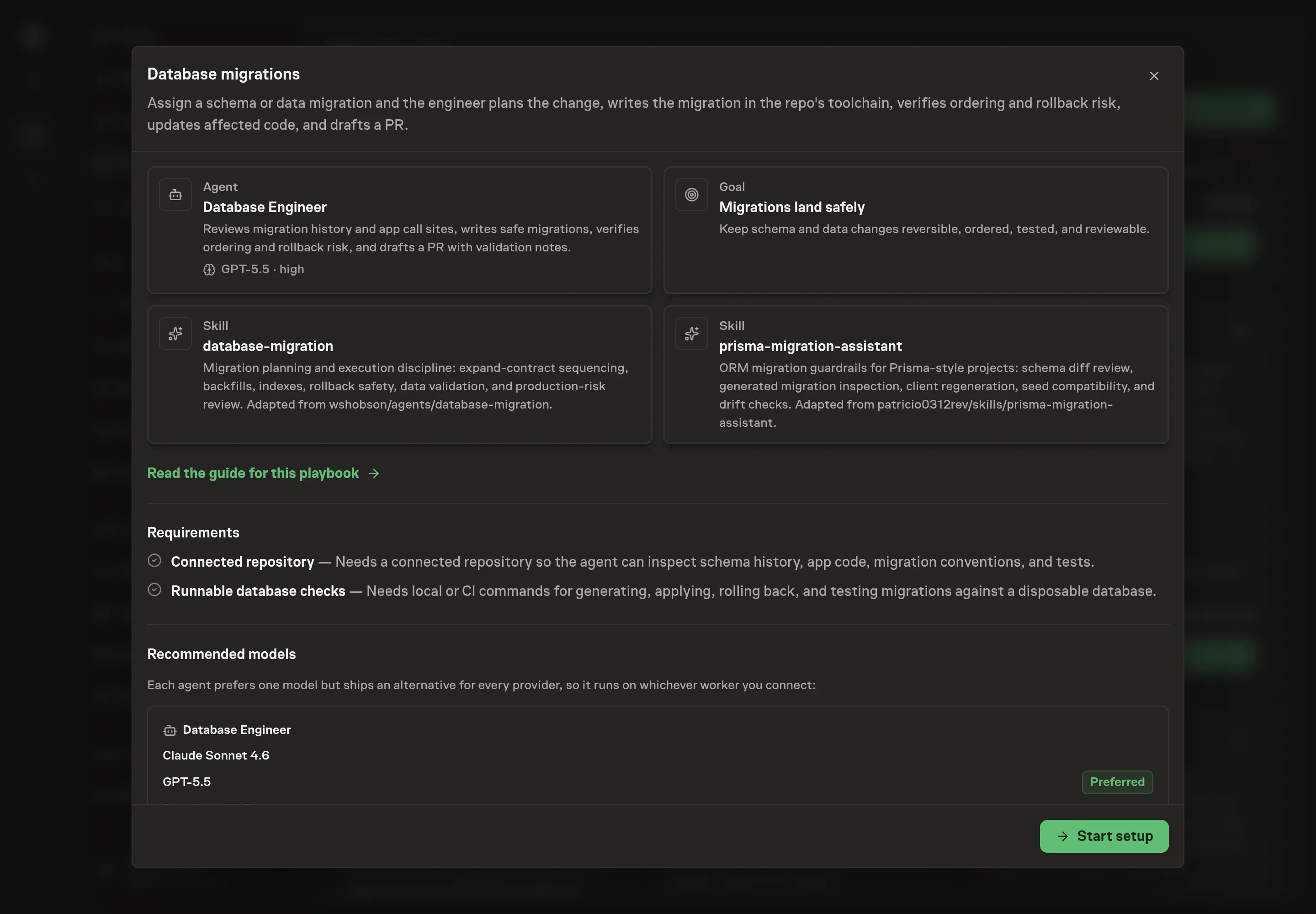
Choose Set up Database migrations. Task Machine opens a dedicated Chat with the Playbook card and an editable, unsent request. Read the intended job and outcome. Add your situation and send it when ready. Opening the draft does not install anything or start work. This walkthrough uses settings that require approval of the proposed Playbook.
3. Agree the working brief
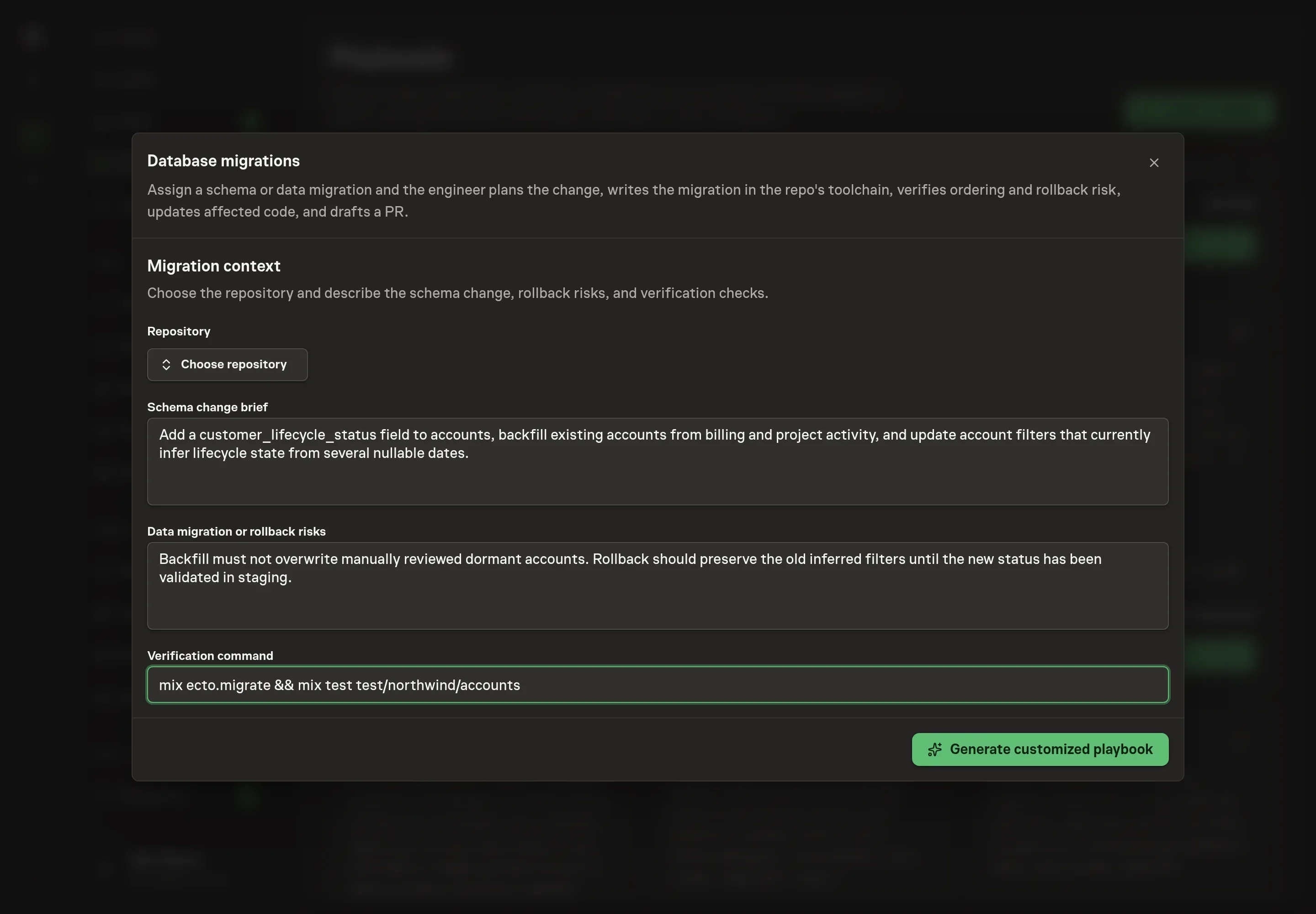
Use Chat to agree the inputs, expected output and limits before asking for a proposal. Name the repository in Chat, then write the schema change brief, data migration or rollback risks, and verification command. The best setup answers name the table, desired schema contract, deployment sequence concerns, and exact command the agent should run.
4. Review the proposed Playbook
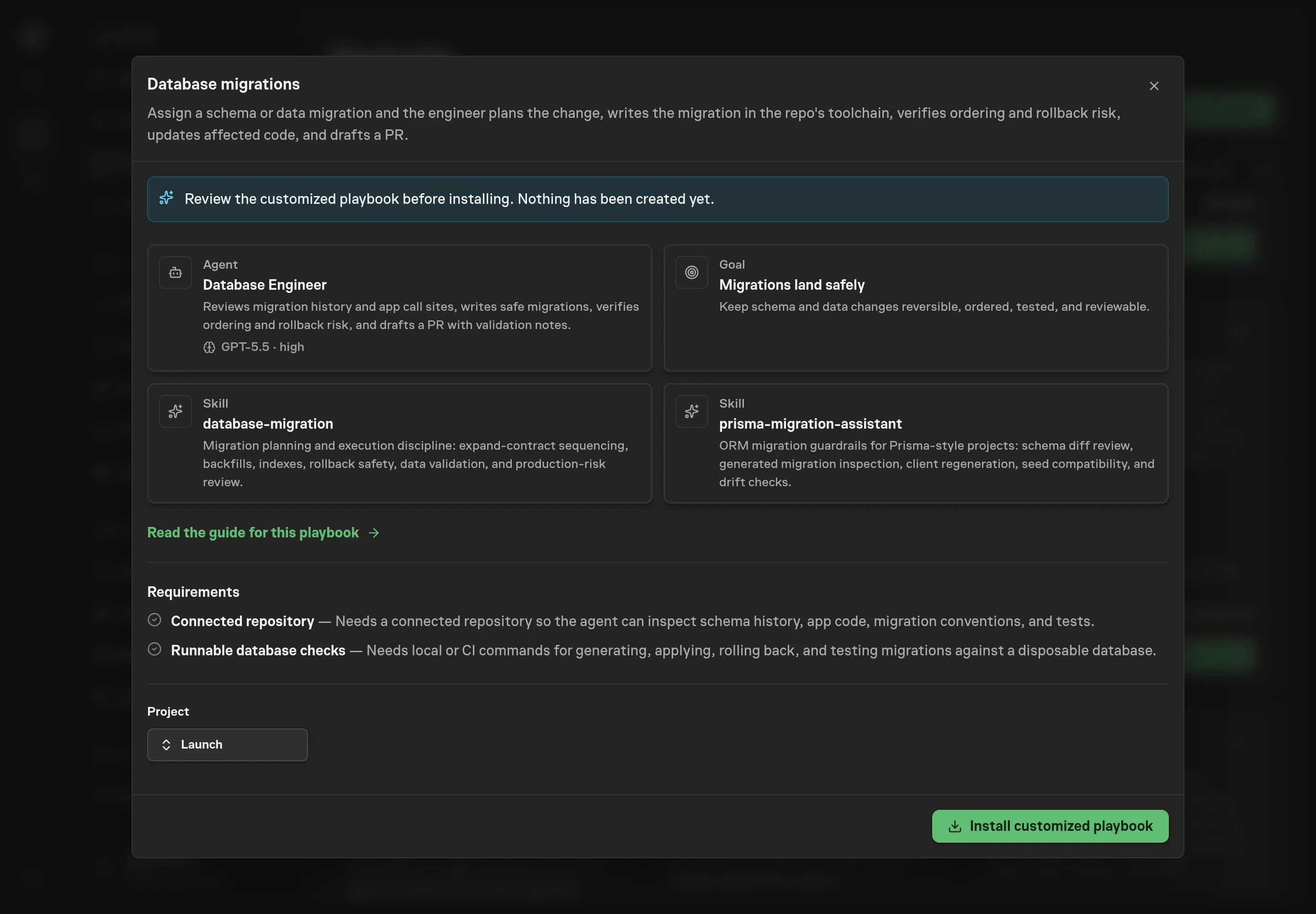
Ask the Agent to generate the Playbook from the agreed brief. Open its proposal in Chat and check the instructions and resources it will install, which carry more detail than the conversational summary. Review the generated Database Engineer instructions, goal, skills, and first-work scope. Confirm that the brief says to use the repository's own migration toolchain and that production application remains outside the agent's authority. Ask for a revised proposal if anything is missing or changes the job.
5. Approve and prepare the first work
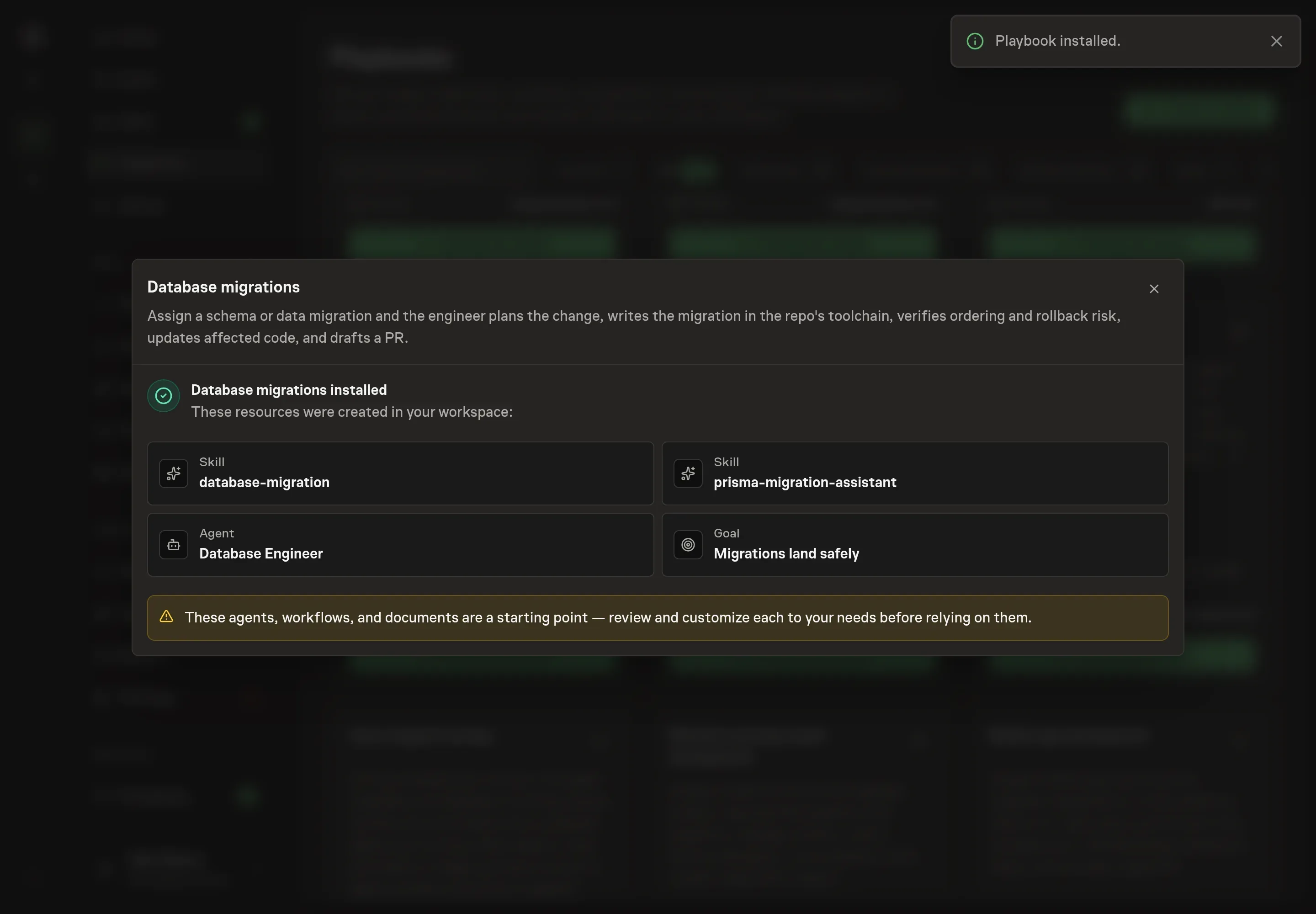
Choose Approve on the proposal in Chat when the configuration matches your brief. Task Machine installs that reviewed configuration. The approved item retains its review details. If your autonomy settings allow direct installation, this approval may not be required. Check the resulting configuration in that case too.
Complete any remaining secure service setup from the installation details in Chat. Inbox keeps those setup items available if you return later. Prepare the source documents and inputs before starting the first Task or Workflow. Installation does not authorize sending, publishing or changing an external service beyond the boundaries you agreed.
What good looks like
A good migration run leaves reviewers with evidence, not faith.
Check for these outcomes:
- The sequence is explicit. The PR explains whether the change is schema-only, backfill, expand-contract, index, constraint, destructive cleanup, or ORM metadata work.
- The verification is reproducible. The migration command, rollback or reversibility check where available, and relevant tests are named in the notes.
- The production risk is visible. Lock, table-scan, downtime, data-loss, seed, generated-client, and rollback concerns are called out instead of hidden in the diff.
Common questions
Can an agent safely write migration code? Yes, when it works inside the repository's conventions and the result still goes through review. The risk lies in skipping sequence, rollback, and validation thinking, more than in writing the file.
Should the agent ever run a production migration? No. The playbook is for planning, drafting, and verifying migration work. Production application stays with the humans who own deployment.
What if the ORM generates a destructive diff? The agent should inspect generated SQL or migration output before trusting it. Destructive changes require explicit approval and a rollback plan.
Why does this playbook create a starter task instead of a workflow? Migration work is scoped assignment by assignment. The bundle installs the agent and goal, then proposes the first task so you can add the concrete migration brief before approving it.