How to Automate Deep Research Briefs
A practical guide to producing cited research briefs with focused search, synthesis, verification, and approval.

Founder, Task Machine
A deep research brief is a cited answer to a decision question, not a pile of search results. It scopes the question, gathers evidence across independent research axes, synthesizes findings in prose, names confidence and gaps, verifies every claim against its source, and waits for approval before the brief is used.
The work is valuable because research often fails in the middle. Search finds sources, notes accumulate, and a plausible summary appears, but nobody checks whether each claim is sourced, whether critical claims have independent support, or whether source conflicts were surfaced instead of smoothed over.
Thin research looks more certain than it is
Research gets expensive when the answer looks more certain than the evidence. A founder may use a single analyst note to choose a market, a product lead may repeat a competitor claim from a blog post, or an agency may send a client a confident recommendation built from thin sources.
The danger is that synthesis is persuasive. A well-written paragraph can hide a missing citation, a single-source claim, an inference dressed as fact, or a conflict between sources. A reliable research process makes those weaknesses visible before the brief reaches the decision.
What the manual process looks like
A strong research brief follows a disciplined sequence:
- Scope the question, decision context, research type, assumptions, and source boundaries.
- Split the work into independent axes such as market, company, competitive, technical, product, community, or legal research.
- Search each axis with a focused brief and record cited findings as they arrive, including URLs, access dates, and confidence tags.
- Validate critical claims against more than one independent source where possible, and mark thin claims as low confidence.
- Synthesize the answer up front, key findings, landscape, confidence and gaps, recommendations, risks, and source list.
- Red-team the draft: find missing evidence, alternative explanations, source conflicts, and claims that overreach.
- Open every citation and verify that each source says what the brief claims.
- Send the verified brief to a human for approval or requests for deeper research.
The process is slower than a chat answer because the output is meant to support a real decision.
What an agent can automate
The playbook uses a researcher and a verifier with separate jobs:
- Scope the question. The researcher records the research type, assumptions, decision context, source boundaries, and must-answer questions before searching.
- Research each axis. The researcher runs focused search passes across independent axes and records cited prose, URLs, access dates, and confidence tags.
- Write as evidence arrives. Findings are appended to the brief throughout the process instead of being reconstructed from memory at the end.
- Synthesize and self-critique. The researcher writes the answer, key findings, recommendations, risks, gaps, and source list, then red-teams the draft and fills critical gaps.
- Verify adversarially. The verifier opens each citation, checks source support, requires stronger backing for critical claims, separates fact from inference, and sends claim-level issues back when needed.
The agent desk can assemble and challenge the brief. It cannot decide that the evidence is sufficient for your business decision.
The guardrails that make it safe
The first guardrail is source discipline. Every claim needs a citation. Critical claims need independent support or a low-confidence label. Source conflicts and gaps are named instead of buried.
The second guardrail is role separation. The researcher wants to produce the brief. The verifier is told to break it: open every citation, reject misattribution, downgrade unsupported claims, and force inference to be labeled as inference.
The final guardrail is approval. A verified brief still waits for human approval, because the reader owns the decision the research supports.
Set it up in Task Machine
The Deep research & briefing playbook provides a starting point for the method above. You need an active Task Machine workspace with Chat, workspace-management and Playbook-installation access (workspace owners have it). Web search and fetch access are required for real research. Without browsing tools, the desk should halt and say so rather than rely on memory.
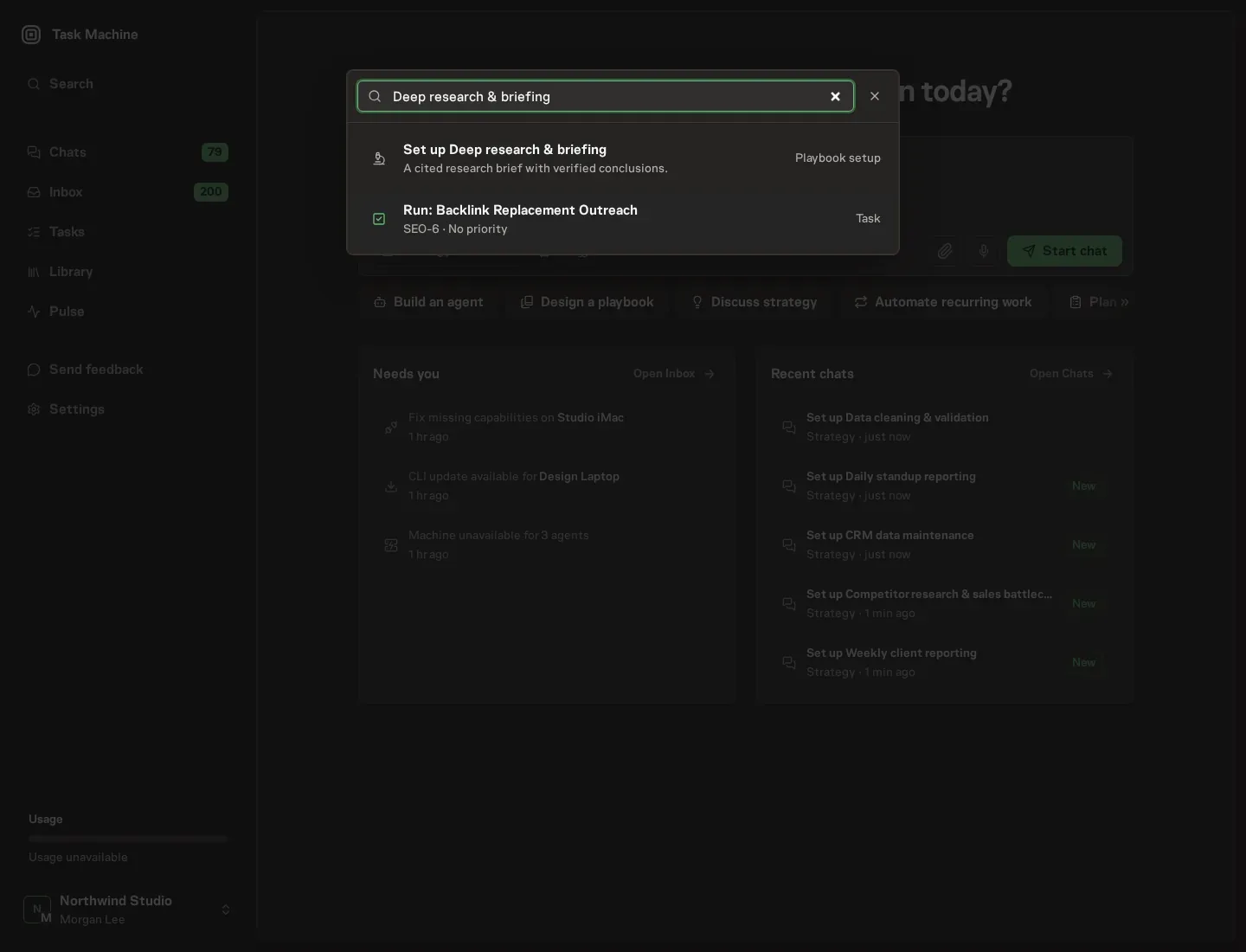
1. Find the playbook
Open Search in your workspace and enter "Deep research & briefing". The command center lists Set up Deep research & briefing under Playbook setup.
2. Start the conversation
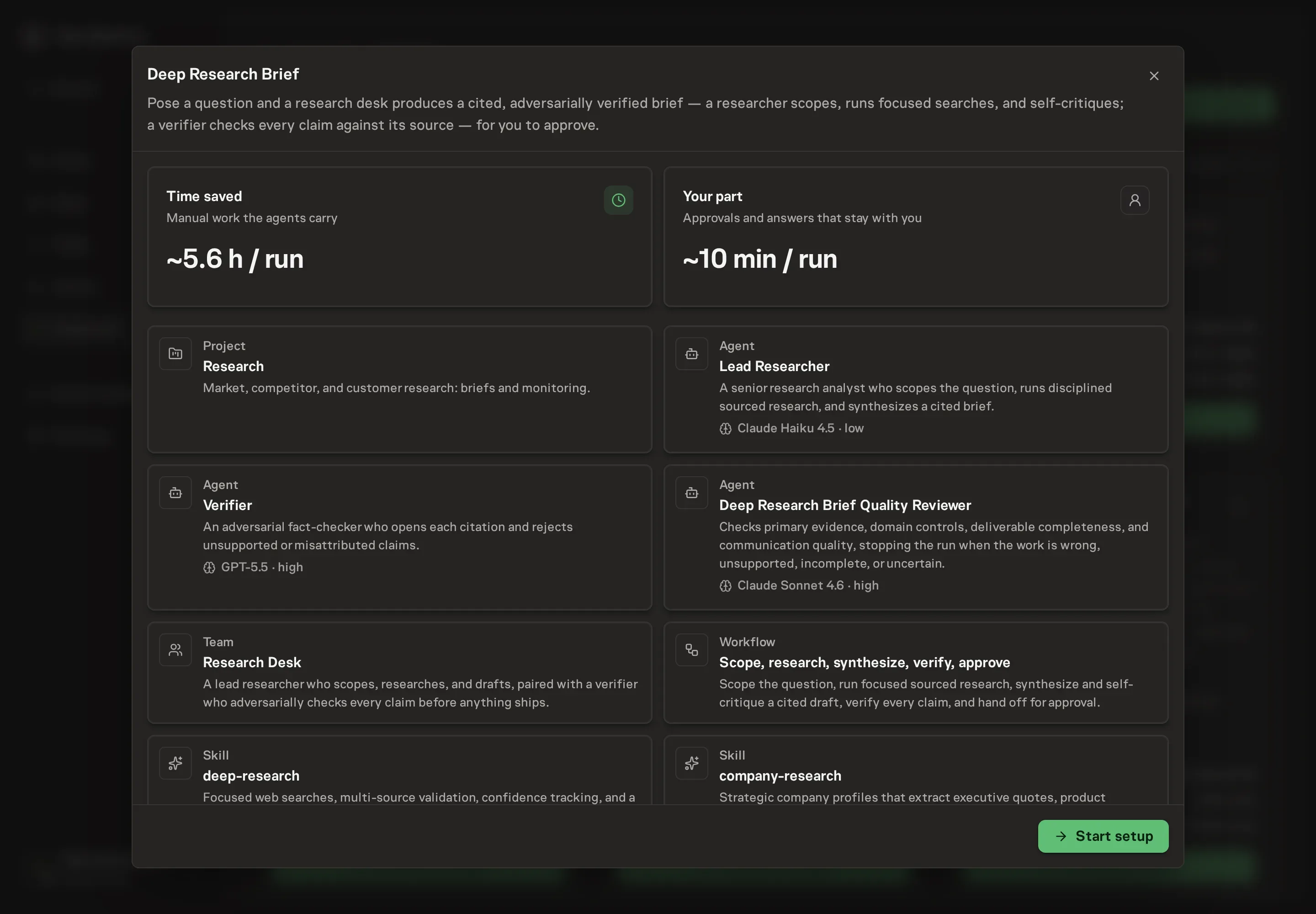
Choose Set up Deep research & briefing. Task Machine opens a dedicated Chat with the Playbook card and an editable, unsent request. Read the intended job and outcome. Add your situation and send it when ready. Opening the draft does not install anything or start work. This walkthrough uses settings that require approval of the proposed Playbook.
3. Agree the working brief
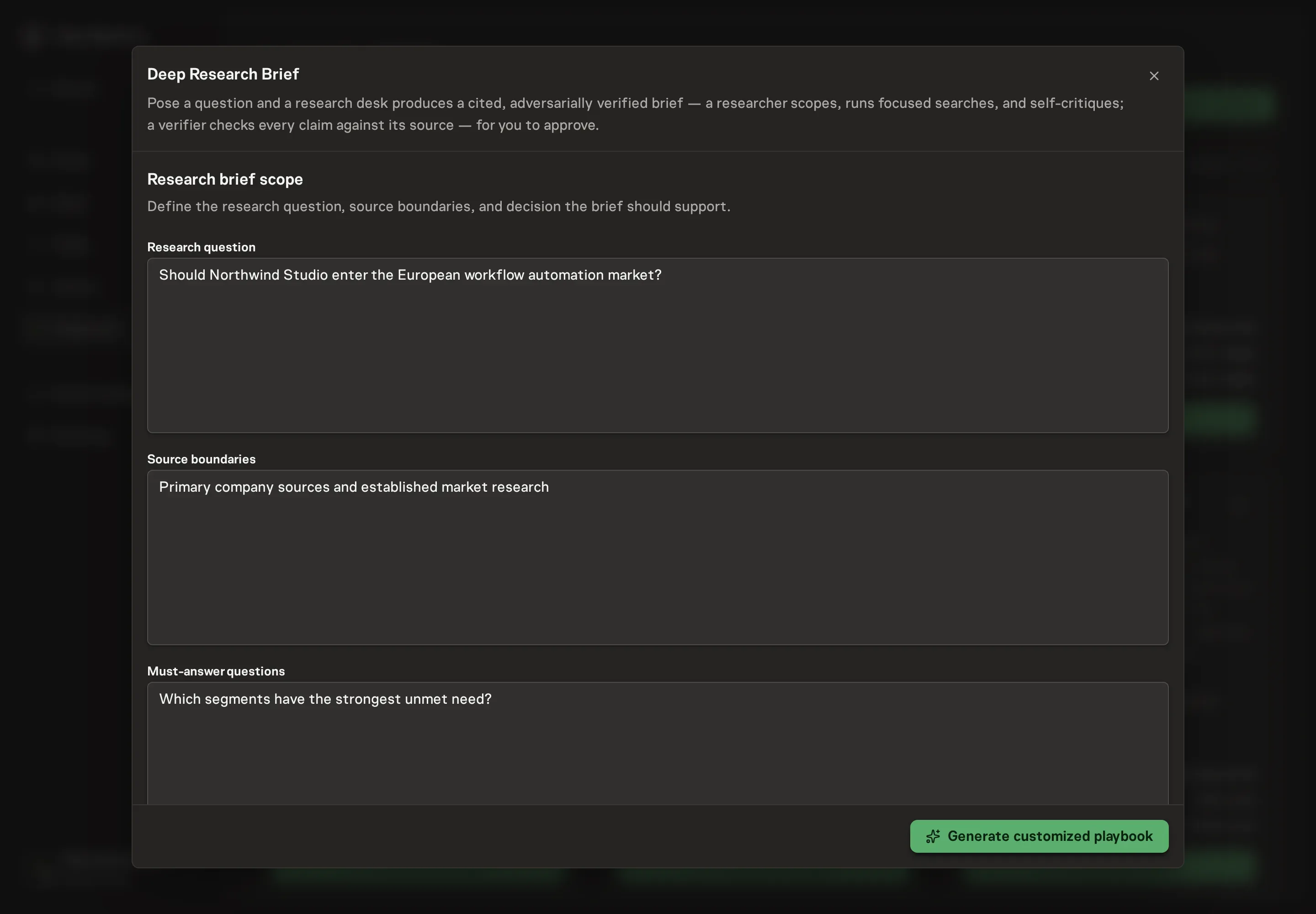
Use Chat to agree the inputs, expected output and limits before asking for a proposal. Discuss the research question, source boundaries, must-answer questions, and decision context. Strong setup answers name the decision the brief supports, the sources that count, and what would make the answer actionable.
4. Review the proposed Playbook
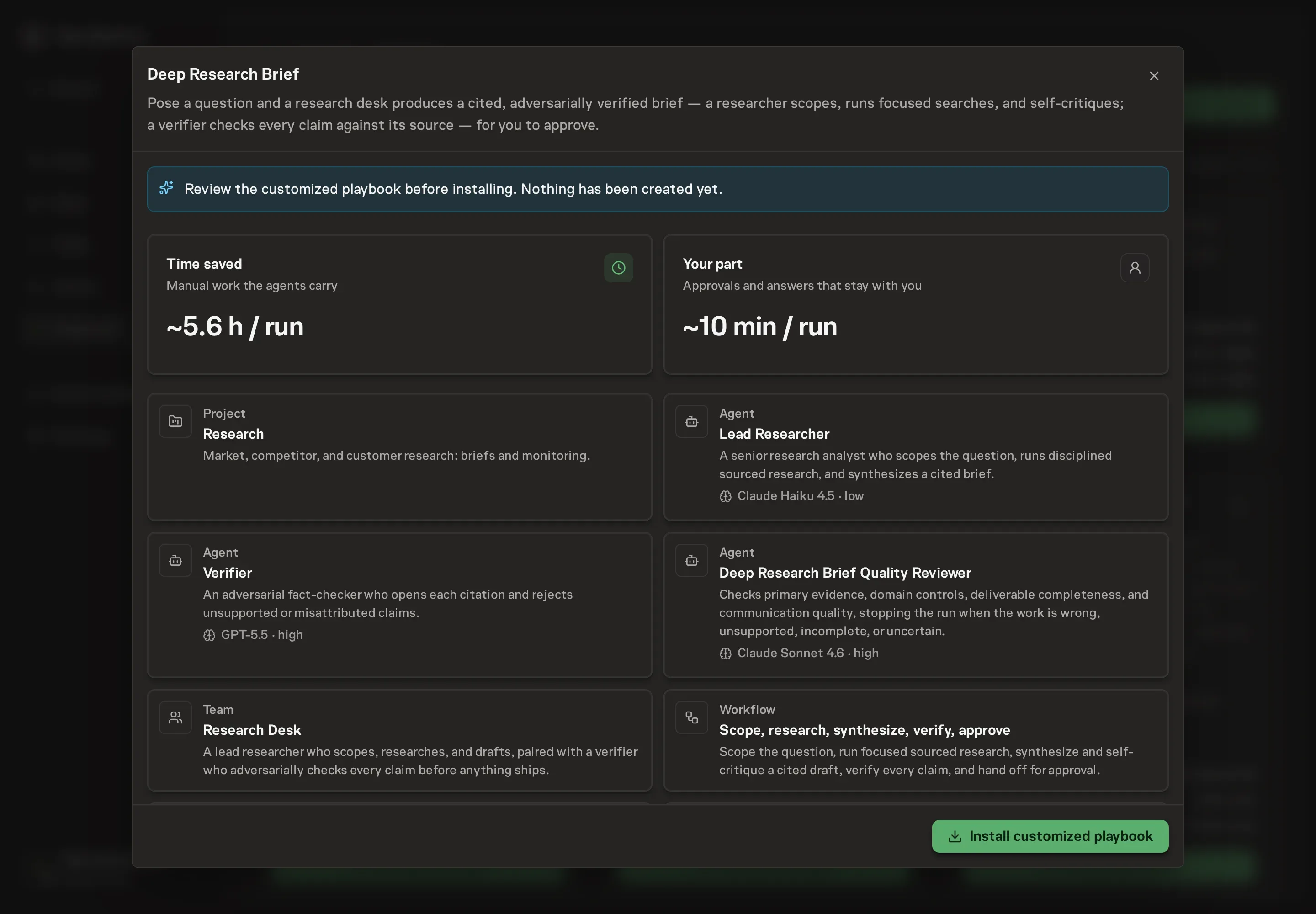
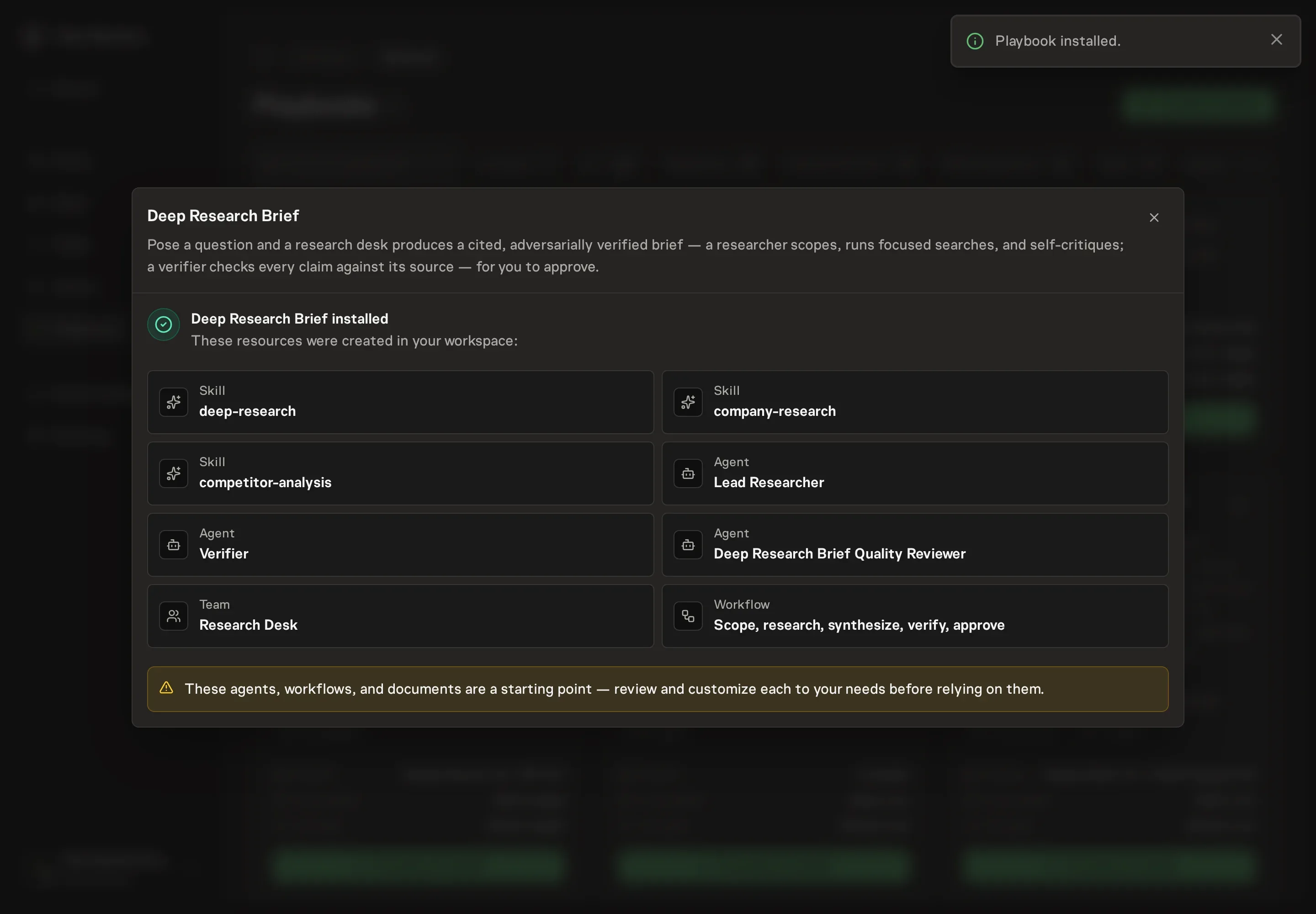
Ask the Agent to generate the Playbook from the agreed brief. Open its proposal in Chat and check the instructions and resources it will install, which carry more detail than the conversational summary. Review the generated researcher, verifier, team, workflow, and skills. The workflow should include Scope the question, Axis research, Synthesize and self-critique, Verify claims, and Approve brief. Ask for a revised proposal if anything is missing or changes the job.
5. Approve and prepare the first work
Choose Approve on the proposal in Chat when the configuration matches your brief. Task Machine installs that reviewed configuration. The approved item retains its review details. If your autonomy settings allow direct installation, this approval may not be required. Check the resulting configuration in that case too.
Complete any remaining secure service setup from the installation details in Chat. Inbox keeps those setup items available if you return later. Prepare the source documents and inputs before starting the first Task or Workflow. Installation does not authorize sending, publishing or changing an external service beyond the boundaries you agreed.
What good looks like
A good research brief makes uncertainty inspectable.
Look for these signs:
- Claims are traceable. Every factual claim points to a source, and the source list is deduplicated with access dates and confidence tags.
- Critical claims are not lonely. Important market, company, competitive, financial, or strategic claims are backed by independent sources or marked low confidence.
- The verifier changed the draft. The run should show claim-level verification, downgrades, removals, or fixes before approval.
Common questions
Can this research without web access? Not usefully. Web search and fetch access are core requirements. Without them, the researcher should stop and say the tools are missing.
Does every claim need a citation? Yes. Unsourced claims are guesses. The verifier should remove them, source them, or mark the limitation plainly.
Can the brief include recommendations? Yes, but recommendations must be tied to evidence, ranked by rationale, and clear about risks, source gaps, and low-confidence findings.