How to Automate Escalation Complaint Handling
A practical guide to packaging flagged support tickets, drafting severity-matched replies, and keeping approval gates intact.

Founder, Task Machine
Escalation complaint handling is the process of turning a flagged support ticket into a complete escalation brief, a customer-ready response draft, and the follow-up work that prevents the same issue from recurring. It covers both sides of the incident: the internal handoff to the right tier and the external reply to the customer.
The value is speed with discipline. A vague escalation slows engineering, a defensive reply damages trust, and an unreviewed refund creates new risk. A good process gives every stakeholder the context they need while keeping the customer-facing decision with a human.
Loose escalations waste time reconstructing context
Complaint escalations usually arrive with pressure attached: an angry customer, a contractual clock, a possible refund, a security concern, or a bug that support cannot resolve alone. When the process is loose, the team spends its time reconstructing context instead of deciding what to do.
The hidden cost goes beyond support time. Engineering receives incomplete reproduction steps. Product misses patterns across tickets. Account owners lack the customer history. The customer gets a late reply that either over-promises or sounds like nobody owns the problem.
What the manual process looks like
Handled by hand, escalation complaint work is a structured support-lead ritual:
- Confirm the ticket deserves escalation instead of a standard support answer.
- Pull the timeline, previous tickets, CRM notes, account value, known issues, and any order or refund context.
- Quantify impact across breadth, depth, duration, revenue, reputation, and contractual obligations.
- Pick the target tier: L2 support, engineering, product, security, or leadership.
- Write the escalation brief with the one-line summary, severity, reproduction steps, what has been tried, the precise ask, and the deadline.
- Draft the customer response with an apology and resolution matched to severity and history.
- Propose root-cause follow-ups and wait for approval before sending, refunding, closing, or resolving anything.
Every step matters. Skipping the impact assessment makes the escalation easy to ignore. Skipping the self-critique makes the customer reply risky.
What an agent can automate
The work is a strong fit for an agent because most of the effort is collecting, structuring, and checking context:
- Classify the ticket. The agent applies the escalate-versus-handle criteria, separates support-resolution cases from true escalations, and flags security, dispute, refund, or credit situations.
- Package the escalation. It gathers the available support and CRM history, quantifies the business impact, chooses the target tier, and writes the brief in the form engineering, product, security, or leadership can act on.
- Draft the customer reply. It loads the complaint, summarizes the customer history, and drafts a severity-matched apology and resolution. New high-value customers, repeat complainers, and abusive messages get different handling.
- Propose follow-ups. It names a root-cause task when the complaint matches a pattern, or says the issue appears isolated when the evidence does not support a pattern.
- Self-critique before handoff. It checks that every factual claim is sourced, every data gap is marked, the next step is concrete, and no refund, credit, ticket close, or customer message has happened without approval.
The agent does not decide the commercial outcome. It prepares the package so a support lead can make the decision with the evidence in front of them.
The guardrails that make it safe
Complaint escalation touches trust, money, and sometimes security. The approval gate is therefore part of the work, not a final courtesy step.
A safe workflow stops with a complete escalation brief, a customer response draft, and named root-cause follow-ups. The human reviewer approves the response before it is sent. Refunds and credits require a separate explicit decision. Disputes, suspected security issues, missing transaction matches, and uncertain account data remain visible instead of being smoothed over.
Set it up in Task Machine
The Complaint escalation playbook provides a starting point for the method above. You need an active Task Machine workspace with Chat, workspace-management and Playbook-installation access (workspace owners have it). The playbook can work from attached exports before Intercom is authorized.
1. Find the playbook
Open Search in your workspace and enter "Complaint escalation". The command center lists Set up Complaint escalation under Playbook setup.
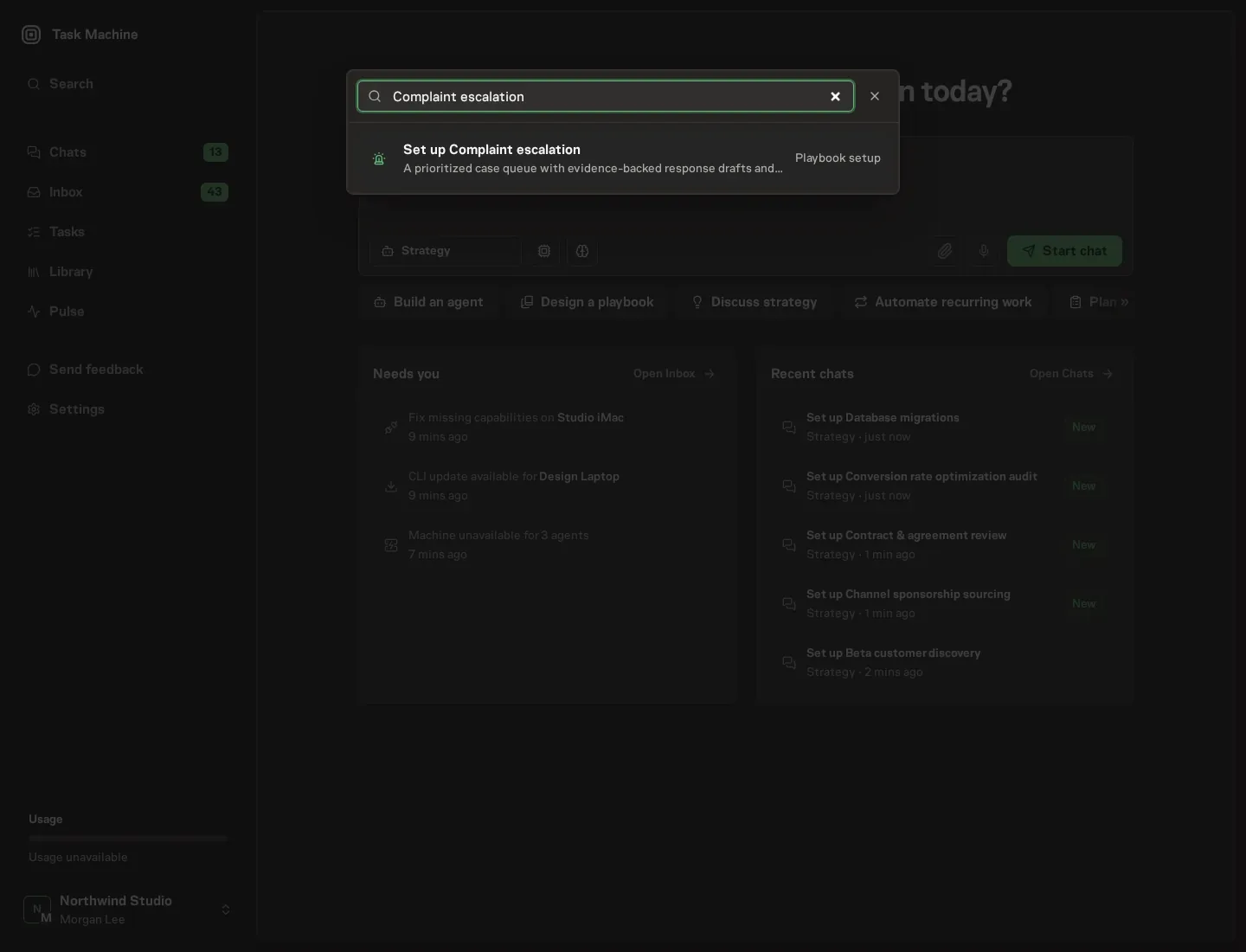
2. Start the conversation
Choose Set up Complaint escalation. Task Machine opens a dedicated Chat with the Playbook card and an editable, unsent request. Read the intended job and outcome. Add your situation and send it when ready. Opening the draft does not install anything or start work. This walkthrough uses settings that require approval of the proposed Playbook.
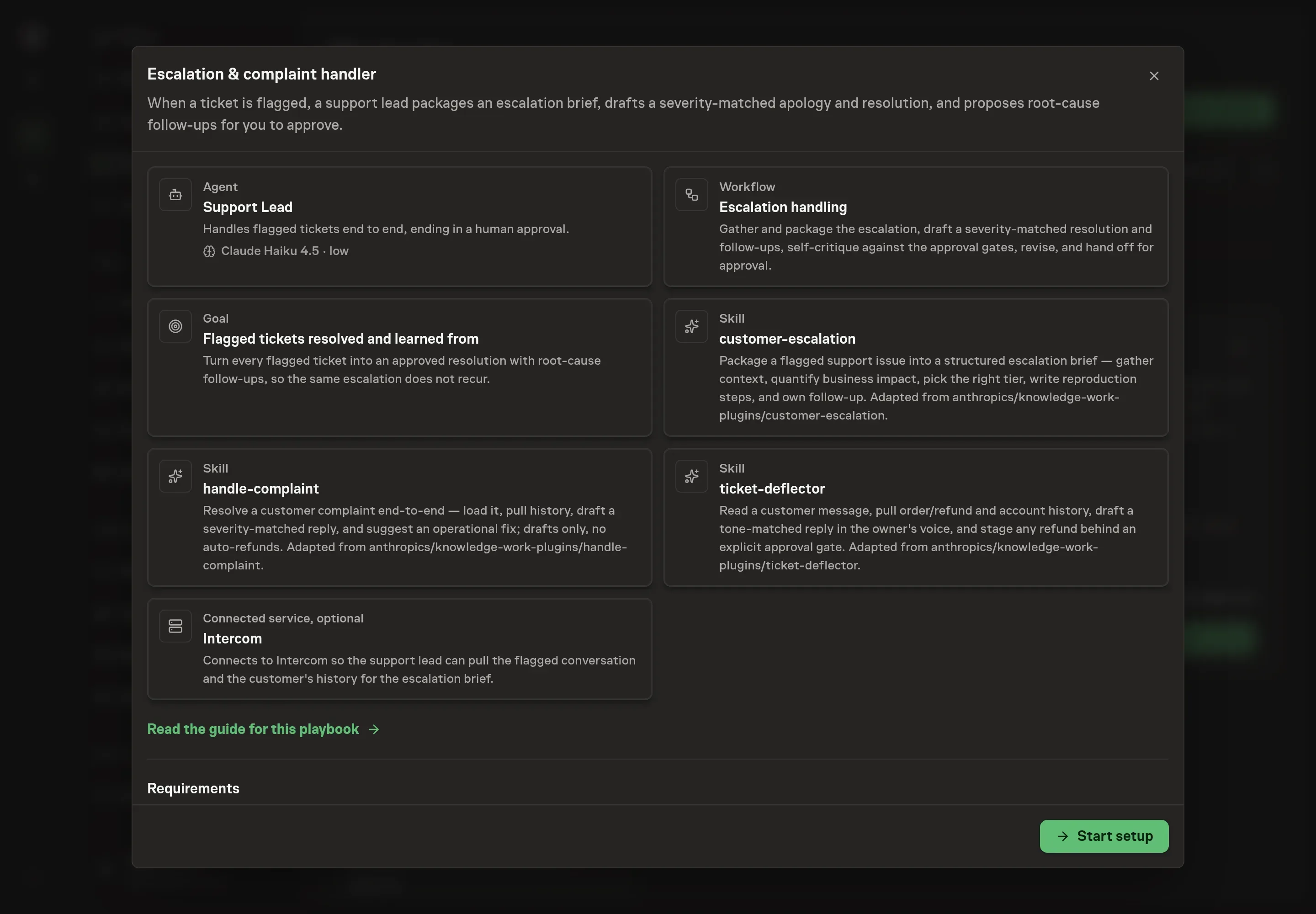
3. Agree the services
Tell the Agent which services you use. The catalog offers these starting choices:
- Support desk to connect: Intercom. Optional.
Discuss any missing access or export-based alternative before generation. Check the exact proposal includes only the services you agreed. Enter credentials only through secure setup, never in Chat.
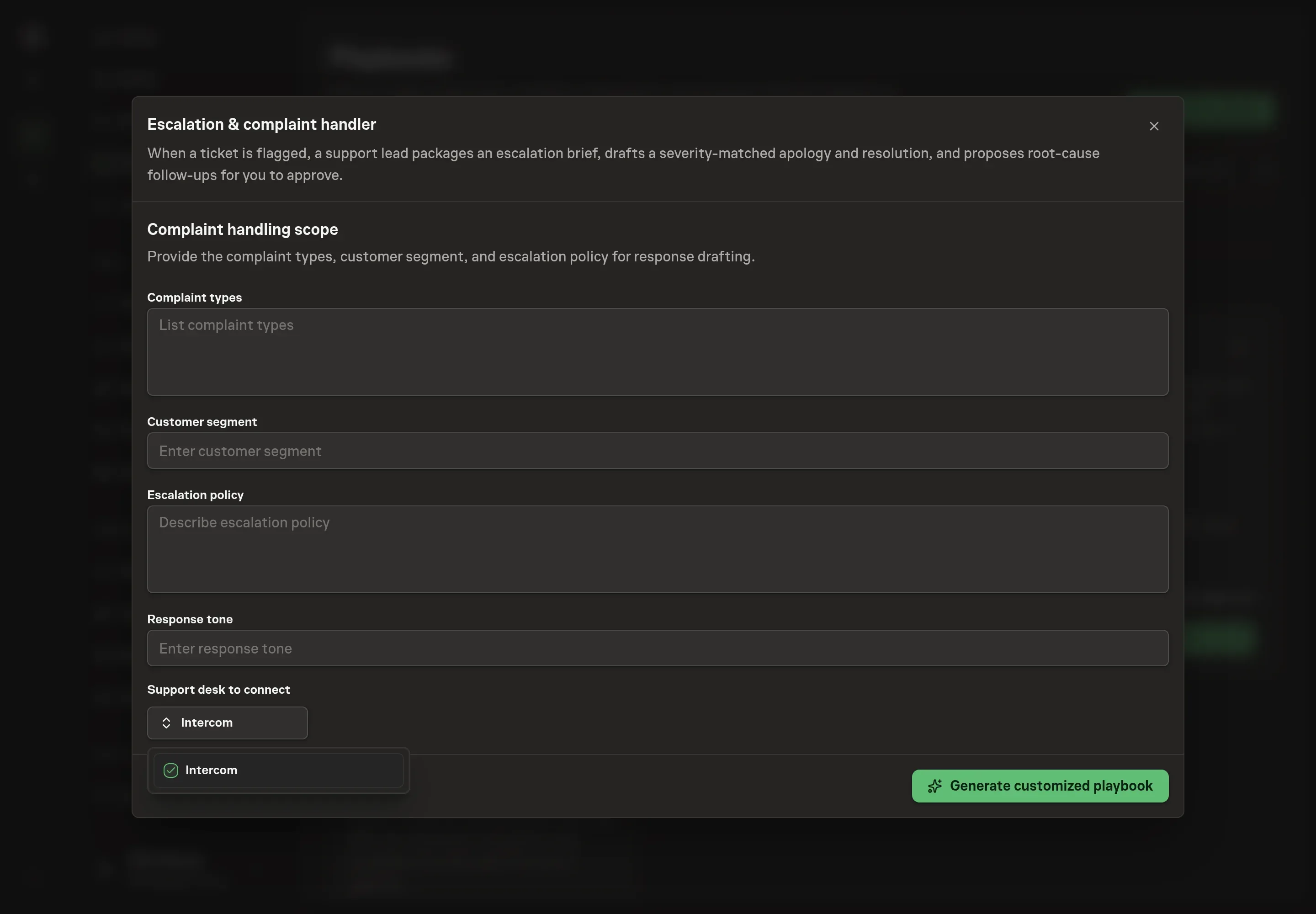
4. Agree the working brief
Use Chat to agree the inputs, expected output and limits before asking for a proposal. The remaining answers shape how the support lead drafts: complaint types, the customer segment, escalation policy, and response tone. Use the same policy a human support lead would follow, including when to escalate to security, when to involve leadership, and when refunds or credits need separate approval.
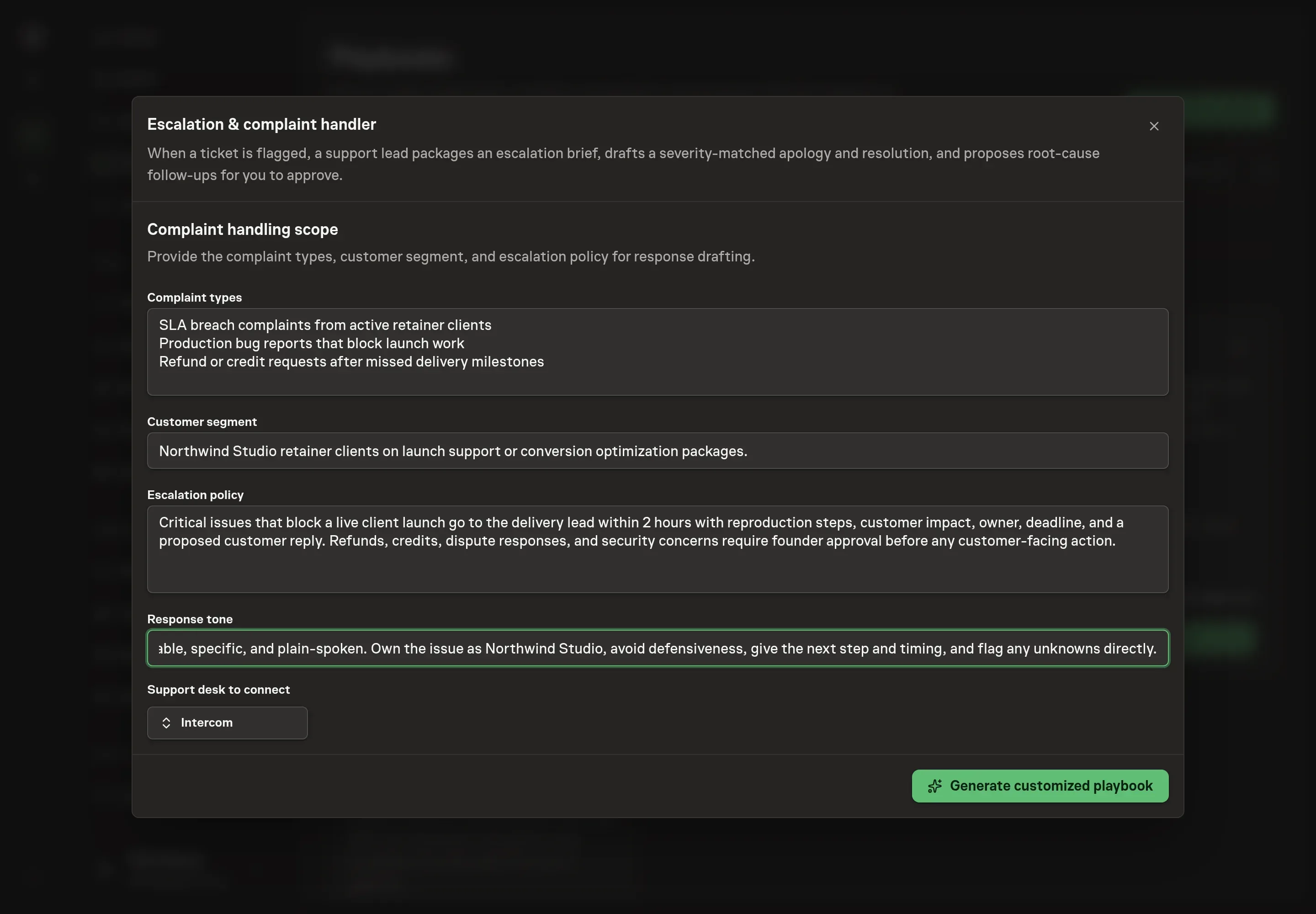
5. Review the proposed Playbook
Ask the Agent to generate the Playbook from the agreed brief. Open its proposal in Chat and check the instructions and resources it will install, which carry more detail than the conversational summary. Review the support lead, the approval request, and the connected service list. Confirm the policy says responses, refunds, credits, ticket closes, and dispute actions wait for approval. Ask for a revised proposal if anything is missing or changes the job.
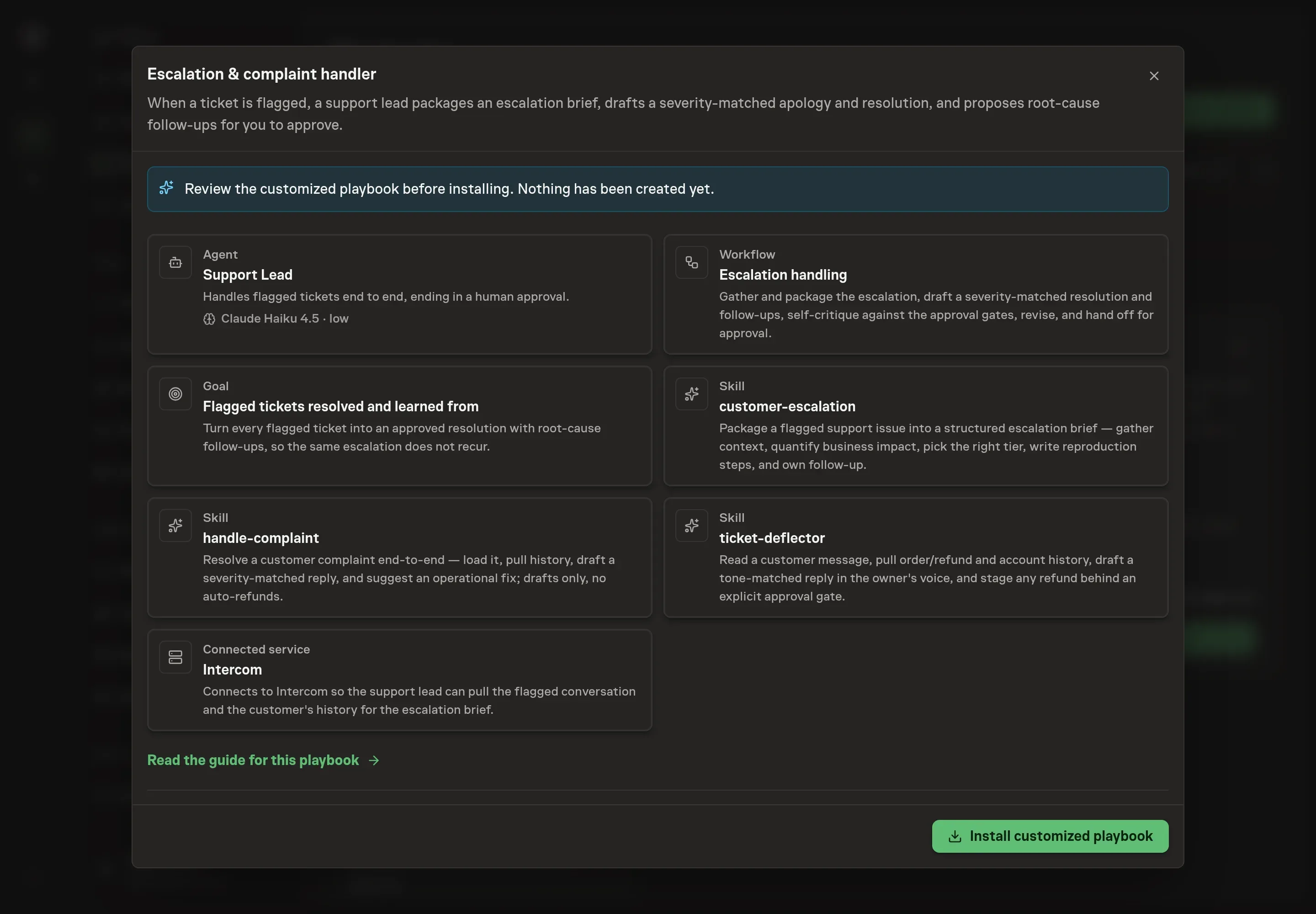
6. Approve and prepare the first work
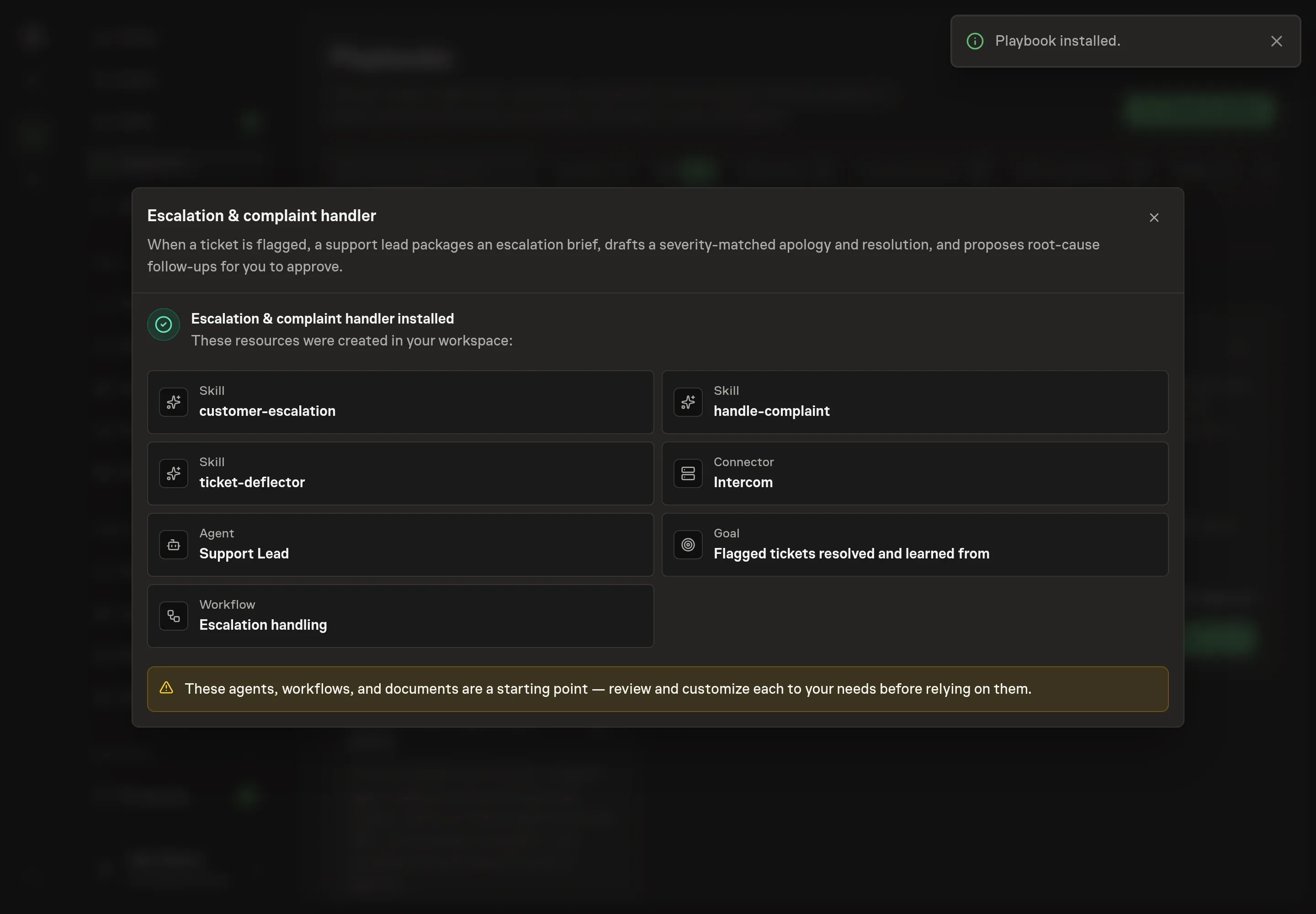
Choose Approve on the proposal in Chat when the configuration matches your brief. Task Machine installs that reviewed configuration. The approved item retains its review details. If your autonomy settings allow direct installation, this approval may not be required. Check the resulting configuration in that case too.
Complete any remaining secure service setup from the installation details in Chat. Inbox keeps those setup items available if you return later. Prepare the source documents and inputs before starting the first Task or Workflow. Installation does not authorize sending, publishing or changing an external service beyond the boundaries you agreed.
What good looks like
Three signals tell you whether the process is working:
- Brief completeness. Every escalation includes severity, target tier, impact, reproduction steps when relevant, what has been tried, a precise ask, and a deadline.
- Approval cleanliness. No customer response, refund, credit, ticket close, or dispute action happens outside the human approval step.
- Pattern capture. Repeat complaints produce root-cause follow-ups instead of only one-off apologies.
Common questions
Can an agent send the complaint response automatically? No. The playbook drafts the response and routes it to approval. The human reviewer decides whether to send, edit, refund, credit, close, or escalate further.
What happens when the agent cannot verify an order or account detail? It marks the gap inline instead of guessing. If several transactions might match, it asks which one applies.
Does this replace the support lead? No. It removes the assembly work around a flagged ticket. The support lead still owns the customer relationship and the final decision.
Can it work without Intercom? Yes. Until Intercom is authorized, the workflow works from attached support and CRM exports plus the complaint text.