How to Automate Failed Payment Recovery
A practical guide to recovering failed subscription payments with an agent: segmentation, retry logic, drafted emails, and approvals.

Founder, Task Machine
Failed payment recovery is the process of catching subscription payments that did not go through, fixing the ones that can be fixed, and bringing the customer back before their subscription lapses. It targets involuntary churn: customers who never decided to leave, but whose card expired, hit a limit, or was declined by their bank.
For most subscription businesses this is the cheapest revenue there is to save. The customer already chose to pay. The only thing standing between you and the money is a process that most small teams run by hand, late, or not at all.
Why failed payments become churn
A failed charge starts a countdown. Most billing providers retry a few times, then cancel the subscription, and every day without action makes recovery less likely. The failure notice competes with everything else in your inbox, the customer never sees a problem until access stops, and by then the renewal decision has reopened.
The numbers make the case for treating this as recurring work rather than an occasional cleanup. Teams that run no recovery process typically recover under 30% of failed payments. A basic dunning sequence moves that to 40 to 50%. A process with retry awareness, cause-specific messaging, and pre-emptive card-expiry outreach reaches 60% or more.
What the manual process looks like
Done by hand, failed payment recovery is a weekly ritual with four steps:
- Pull the list of failed charges and soon-to-expire cards from your billing provider.
- Work out why each one failed: an expired card, insufficient funds, or a hard decline that no retry will fix.
- Write to each customer, ideally matching the message to the cause and skipping the ones a retry will resolve on its own.
- Track what recovered, what is outstanding, and what to write off.
Each step is simple. Together they take an hour or two a week, reward consistency over cleverness, and get skipped in any busy week, which is exactly when a growing subscriber base produces the most failures.
What an agent can automate
Every step of that loop except the final judgment call is mechanical, which makes it a good fit for an agent running a fixed workflow:
- Pull and segment. The agent reads failed charges and expiring cards from your billing provider and groups them by decline cause. Soft declines (insufficient funds, temporary holds) sit in a retry window. Hard declines need a new card and should never be retried. Expiring cards get outreach before the failure happens.
- Respect retry timing. Providers retry soft declines on their own schedule, typically several attempts across the first week. Emailing a customer whose charge will succeed on tomorrow's retry wastes goodwill, so the agent times outreach around the retry window instead of firing on day zero.
- Draft cause-matched emails. A proven sequence runs four messages: a friendly alert on day zero, a reminder on day three, an urgency note on day seven, and a final warning on day ten. The copy rules matter more than the count: link straight to a payment update page that needs no login, say what the customer loses when access stops, and write "your payment failed", never "you failed to pay". Plain text outperforms designed email here.
- Log outcomes. Recovered amounts, outstanding balances, and write-offs land in a living tracker document, so recovery rate becomes a number you watch rather than a guess.
The guardrails that make it safe
Automating the drafting is not the same as automating the sending. Every message in this process reaches a paying customer about money, which is exactly the kind of action that should wait for a person.
The safe shape is a workflow with an explicit approval step: the agent pulls, segments, and drafts, then the whole batch waits in your inbox. You read the drafts, fix anything off-tone, and approve the send. The judgment call stays yours, and the agent takes over the ninety minutes of assembly work. A budget cap on the agent and a record of every run close the loop, so you can always answer what went out, to whom, and why.
Set it up in Task Machine
The Failed-payment recovery playbook provides a starting point for the method above. You need an active Task Machine workspace with Chat, workspace-management and Playbook-installation access (workspace owners have it). Billing access is not required up front. Until you authorize it, the agent works from failure exports you attach to each run.
1. Find the playbook
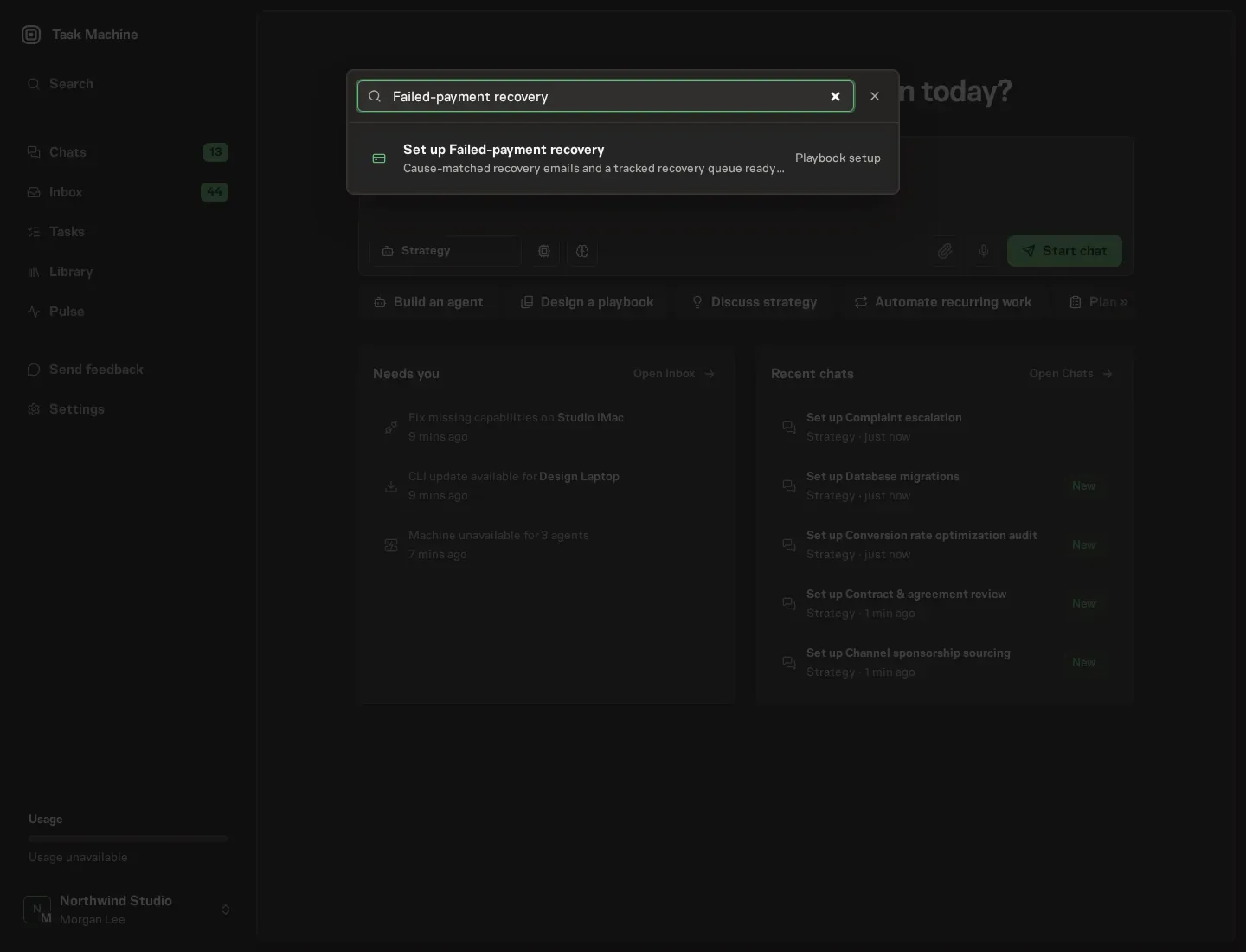
Open Search in your workspace and enter "Failed-payment recovery". The command center lists Set up Failed-payment recovery under Playbook setup.
2. Start the conversation
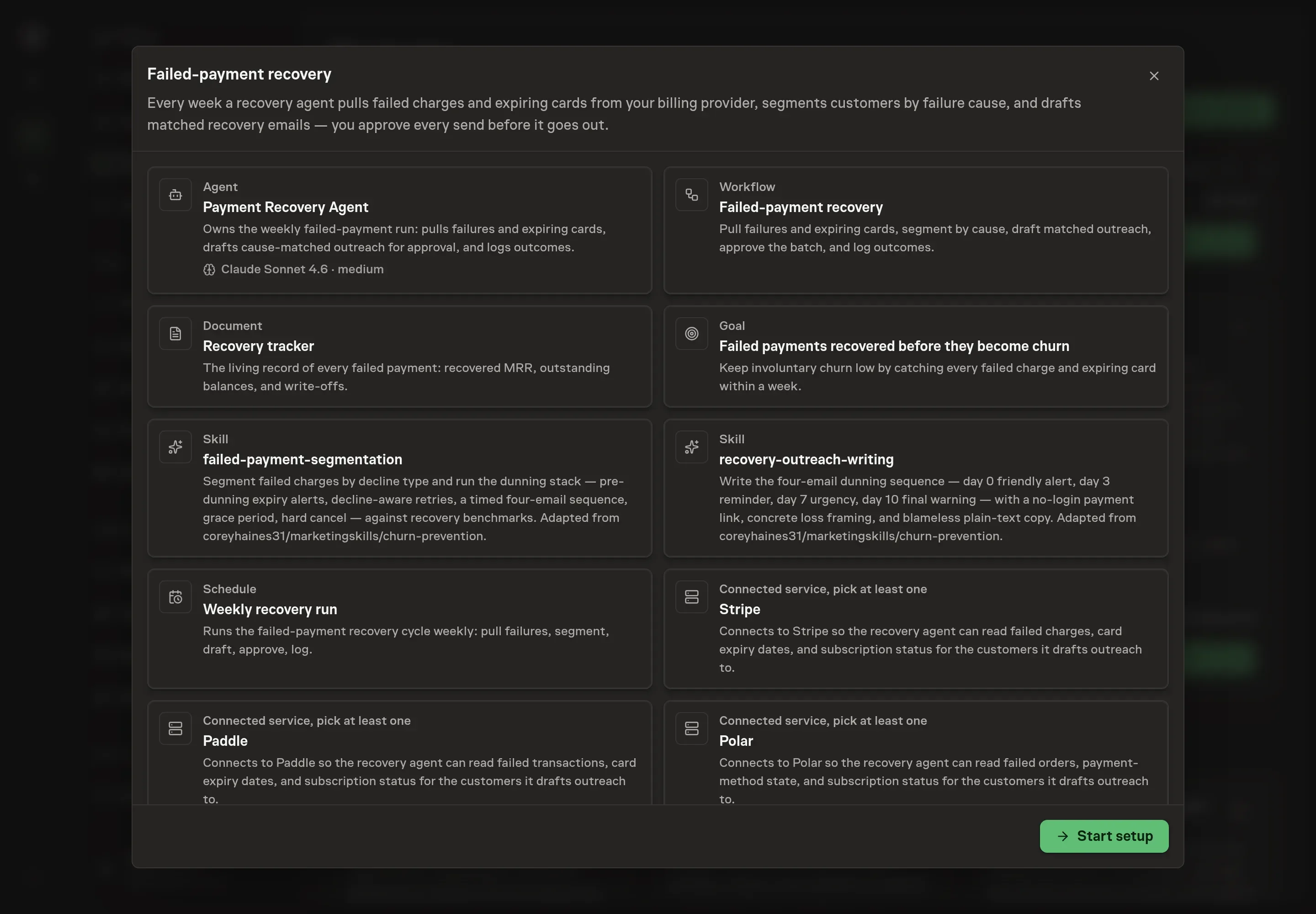
Choose Set up Failed-payment recovery. Task Machine opens a dedicated Chat with the Playbook card and an editable, unsent request. Read the intended job and outcome. Add your situation and send it when ready. Opening the draft does not install anything or start work. This walkthrough uses settings that require approval of the proposed Playbook.
3. Agree the services
Tell the Agent which services you use. The catalog offers these starting choices:
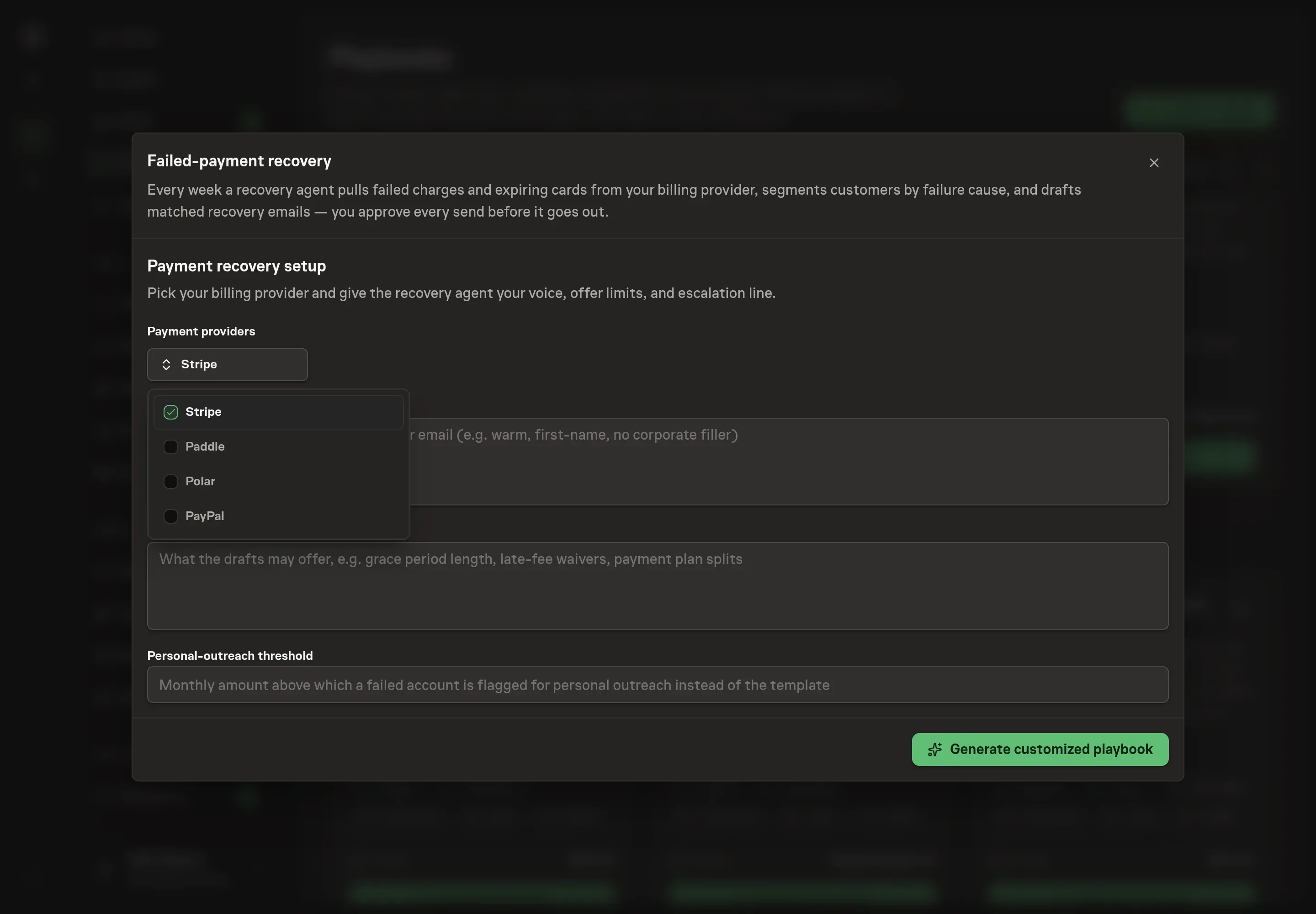
- Payment providers: Stripe, Paddle, Polar, PayPal. Required for this catalog setup.
Discuss any missing access or export-based alternative before generation. Check the exact proposal includes only the services you agreed. Enter credentials only through secure setup, never in Chat.
4. Agree the working brief
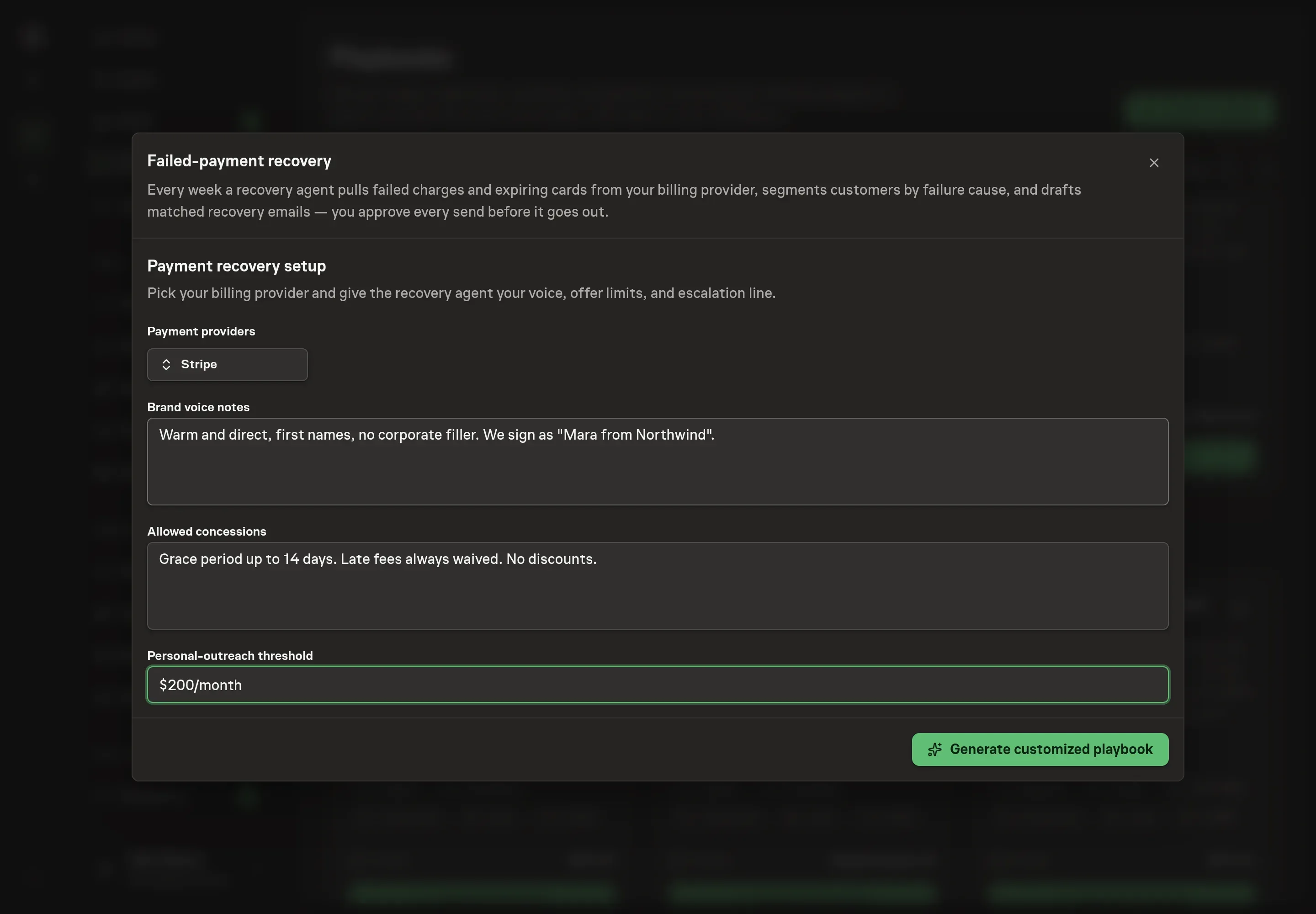
Use Chat to agree the inputs, expected output and limits before asking for a proposal. Three details shape every draft the agent writes: brand voice notes (how your company sounds in customer email), allowed concessions (what a draft may offer, such as grace period length or waived late fees), and the personal-outreach threshold (the monthly amount above which a failed account is flagged for a personal note instead of the template).
5. Review the proposed Playbook
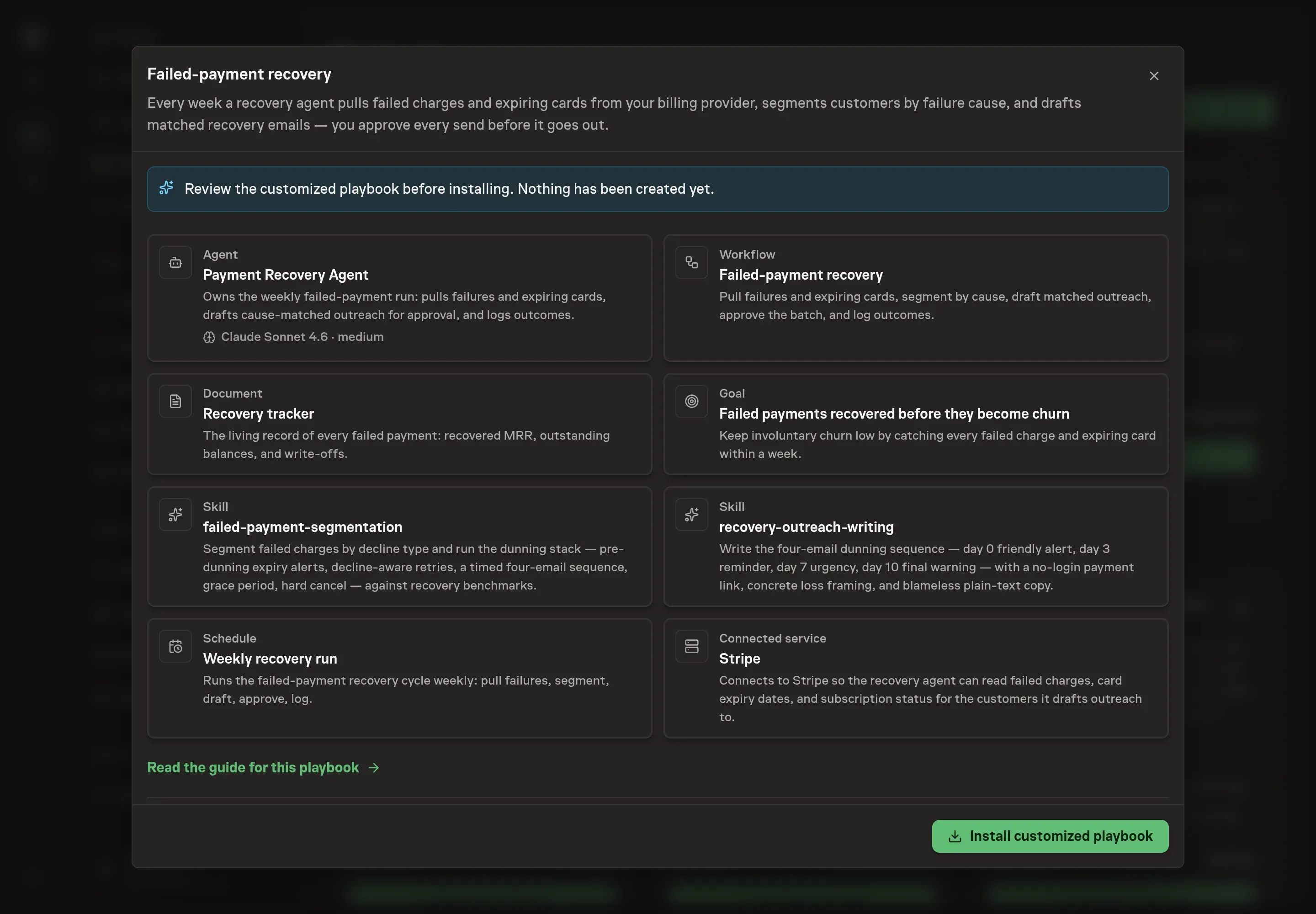
Ask the Agent to generate the Playbook from the agreed brief. Open its proposal in Chat and check the instructions and resources it will install, which carry more detail than the conversational summary. Read through the agent and workflow cards, confirm the tone matches your notes, and check that only the providers you requested appear as connected services. Ask for a revised proposal if anything is missing or changes the job.
6. Approve and prepare the first work
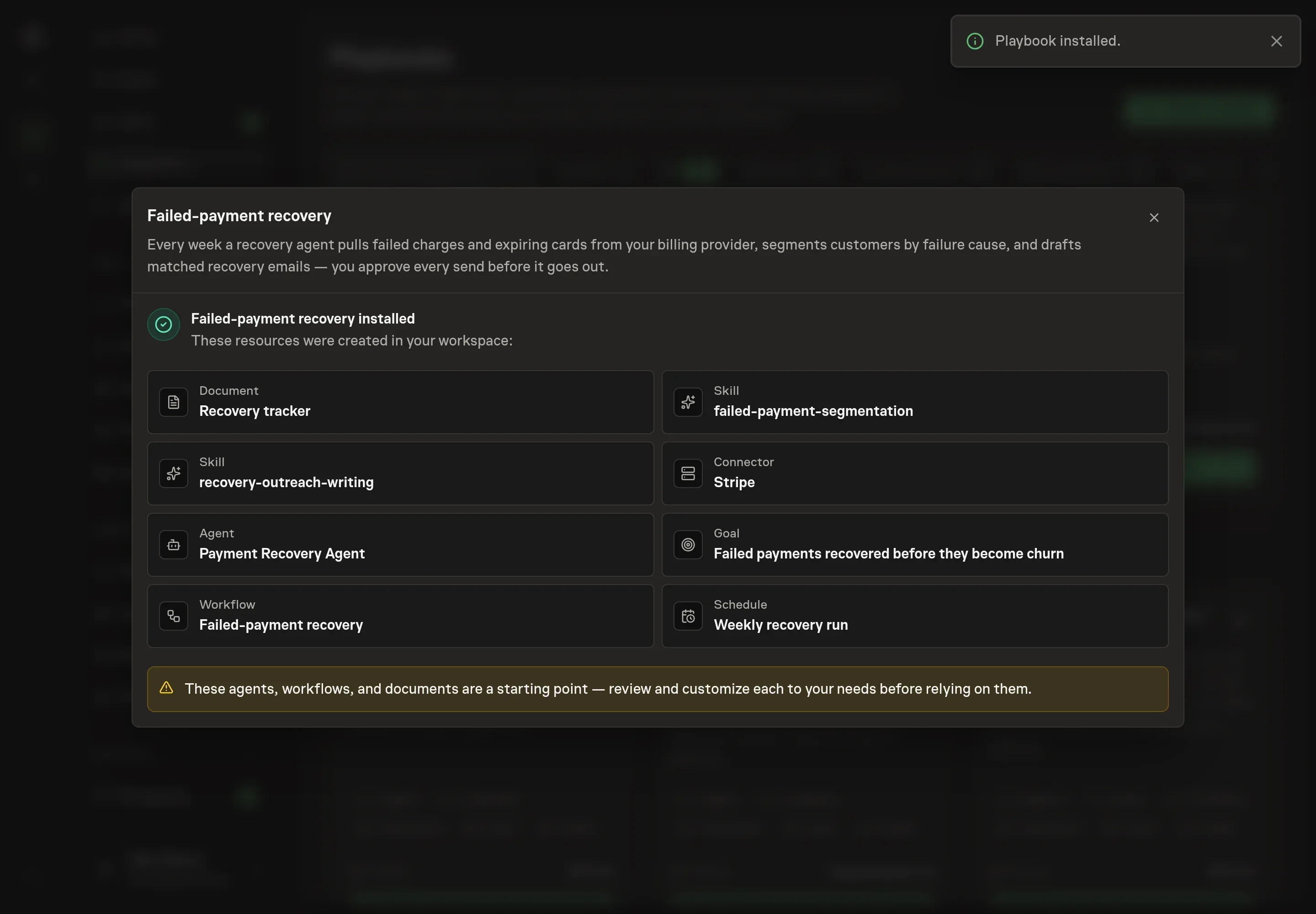
Choose Approve on the proposal in Chat when the configuration matches your brief. Task Machine installs that reviewed configuration. The approved item retains its review details. If your autonomy settings allow direct installation, this approval may not be required. Check the resulting configuration in that case too.
Complete any remaining secure service setup from the installation details in Chat. Inbox keeps those setup items available if you return later. Prepare the source documents and inputs before starting the first Task or Workflow. Installation does not authorize sending, publishing or changing an external service beyond the boundaries you agreed. Confirm each schedule's cadence and timezone, and resolve any pending schedule setup before it starts. A readback must wait for its agreed observation window and source data. Check the reviewed tracker or results document before the first cycle so evidence and human decisions have a durable home.
What good looks like
Three numbers tell you whether the process works:
- Overall recovery rate. Under 30% means no real process, 40 to 50% is a working sequence, and 60% and up means retry awareness and pre-emptive expiry outreach are doing their jobs.
- Recovery from dunning emails specifically. A healthy sequence recovers 50 to 60% of the customers it reaches.
- Time to first touch. Expiring cards should hear from you before the failure, while soft declines should wait until the retry window has done its work.
Common questions
Does automating recovery emails annoy customers? The opposite, when the timing is right. A customer whose card expired wants to know before access stops. The annoyance comes from mistimed messages, which is why the agent waits out retry windows and matches copy to the decline cause.
Should recovery emails offer a discount? No. The customer already agreed to the price, and only the payment mechanism failed. A clear message and a no-login update link recover more than a discount does, without training anyone to let payments fail.
What about payments that can never recover? Hard declines with no card update after the final notice are write-offs. The value of tracking them is the pattern: a rising hard-decline rate is usually a fraud or checkout problem, not a dunning problem.
Can this run without connecting a billing provider? Yes. The loop runs from failure exports attached to each run. Connecting the provider removes the manual export and lets the agent catch expiring cards before they fail.