How to Automate Financial Model Forecasting
A practical guide to refreshing a 3-statement model, scenarios, cash view, and runway report with review gates.

Founder, Task Machine
Financial model forecasting is the recurring process of pulling actuals into a model, refreshing the income statement, balance sheet, and cash flow, updating scenarios, and reporting runway. The model is only useful when the statements tie out and the assumptions remain visible.
The work matters because small finance teams make operating decisions from it: hiring timing, spend control, financing plans, and cash runway. A stale or hardcoded model creates confidence without evidence.
Forecasts decay as soon as actuals change
Forecasts decay as soon as actuals change. Revenue lands late, AR moves, AP shifts, a hiring plan slips, or a large customer changes the cash picture. If the model is refreshed casually, the team ends up with a number nobody can reproduce.
The common failure is a spreadsheet that balances in the base case but breaks in downside, has projection hardcodes where formulas should be, or reports runway without showing the cash assumptions behind it. That failure shows up when the company has to decide quickly.
What the manual process looks like
A proper refresh is a controlled finance ritual:
- Pull the latest actuals and trial balance from the accounting tool, or from attached exports.
- Reconcile actuals into the historicals block and confirm values and periods match the source.
- Refresh the income statement, balance sheet, and cash flow formula-first.
- Re-run the core checks: balance, cash tie-out, net income link, retained earnings roll-forward, and equity financing.
- Update the driver assumptions where actuals diverged, without overwriting output cells.
- Build base, upside, and downside scenarios, then confirm the statements still tie out.
- Build a 30/60/90-day cash view from AR, AP, fixed costs, payment timing, confidence bands, and named risks.
- Write the change narrative and route the model to review before it becomes the working version.
The review step is not optional. A modeler can miss a broken link, a sign convention problem, or a scenario that no longer follows the intended hierarchy.
What an agent can automate
The bundle splits the job between a finance modeler and an independent reviewer:
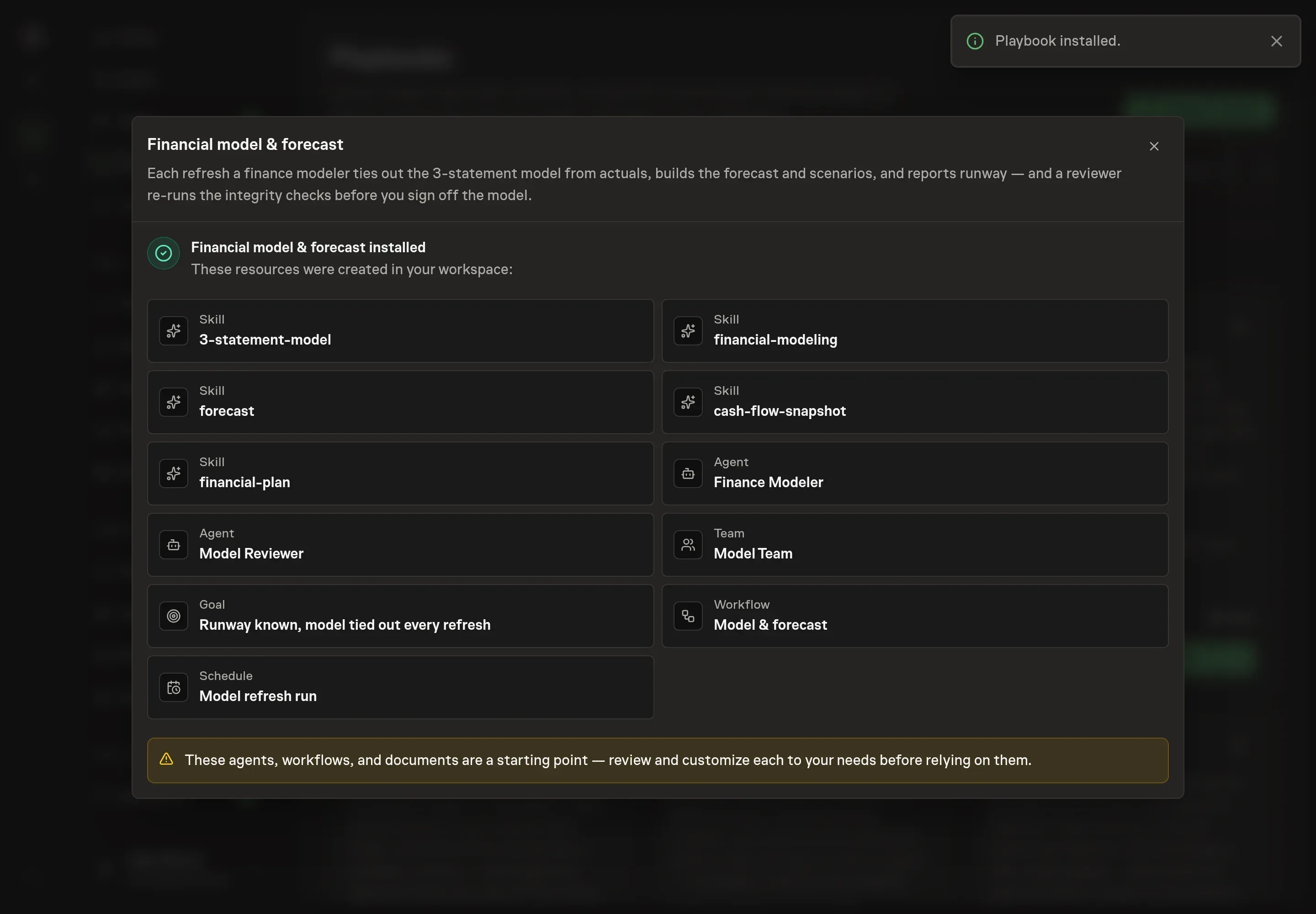
- Refresh actuals and assumptions. The modeler pulls the trial balance and actuals, reconciles them into historicals, and updates driver assumptions where actuals changed.
- Maintain formulas. Projection cells stay formula-driven. The agent works statement by statement and avoids hardcoding computed results.
- Build scenarios and cash views. It refreshes base, upside, and downside cases, builds the 30/60/90 cash view, computes runway, and names the top cash risks.
- Re-run integrity checks. The reviewer independently checks balance, cash tie-out, net income link, retained earnings roll-forward, equity financing, formula cells, scenario hierarchy, and runway math.
- Report the decision package. The final artifact includes the tied-out model, scenario comparison, cash table, runway number, watch items, and a note that it is a planning tool rather than accounting advice.
The model does not become the working version until a human approves it.
The guardrails that make it safe
Finance automation fails when the agent is allowed to make quiet changes to a model the team trusts. The guardrail is explicit review before adoption.
The modeler can refresh and report. The reviewer can return a go or no-go memo. The workflow still waits for human approval before the refreshed model lands as the current planning version. Any failed tie-out, spreadsheet error, broken scenario, thin cash-data warning, or unsupported assumption is surfaced rather than hidden.
Set it up in Task Machine
The Financial modeling & forecasting playbook provides a starting point for the method above. You need an active Task Machine workspace with Chat, workspace-management and Playbook-installation access (workspace owners have it). Accounting access can be authorized later. Until then, the workflow works from attached exports.
1. Find the playbook
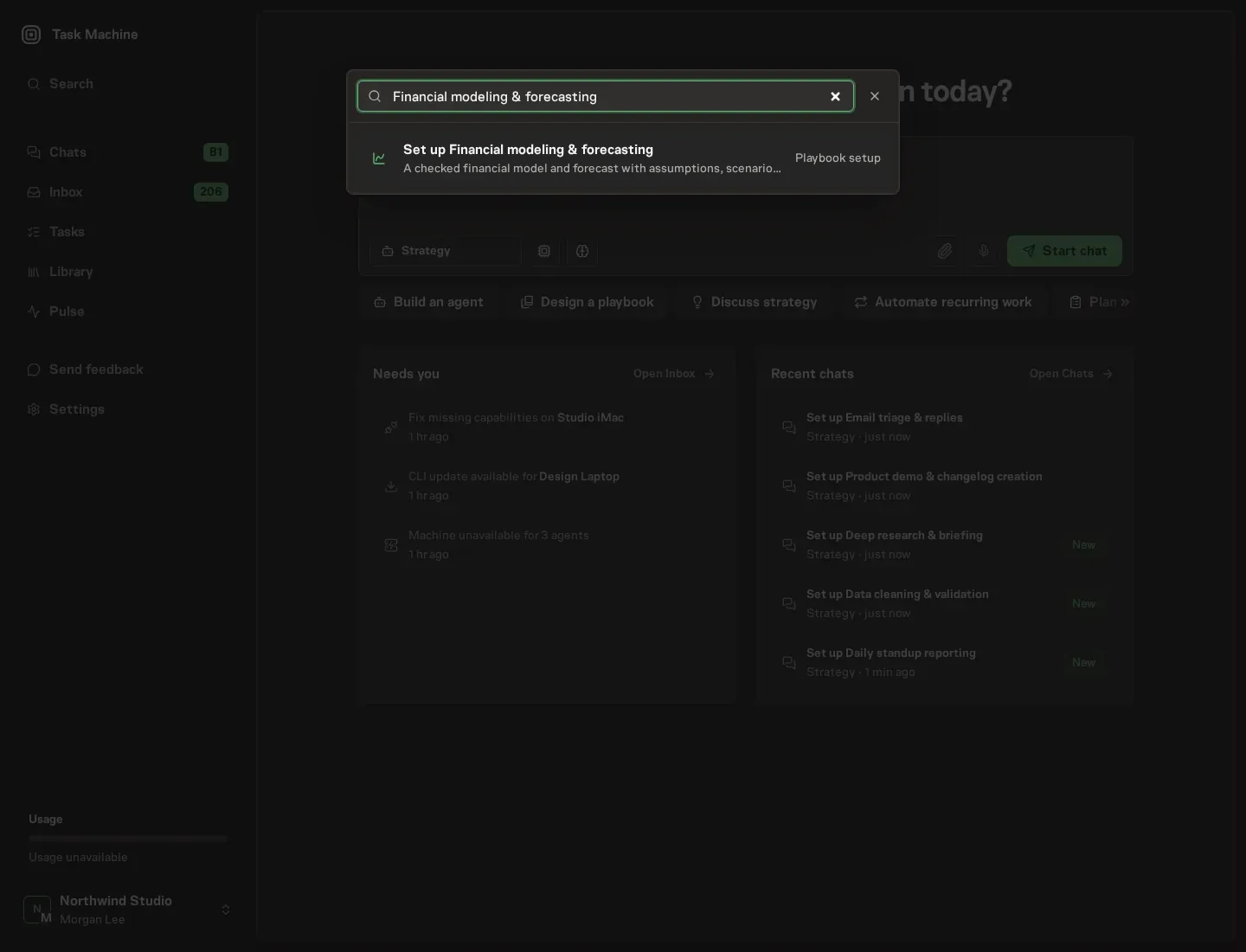
Open Search in your workspace and enter "Financial modeling & forecasting". The command center lists Set up Financial modeling & forecasting under Playbook setup.
2. Start the conversation
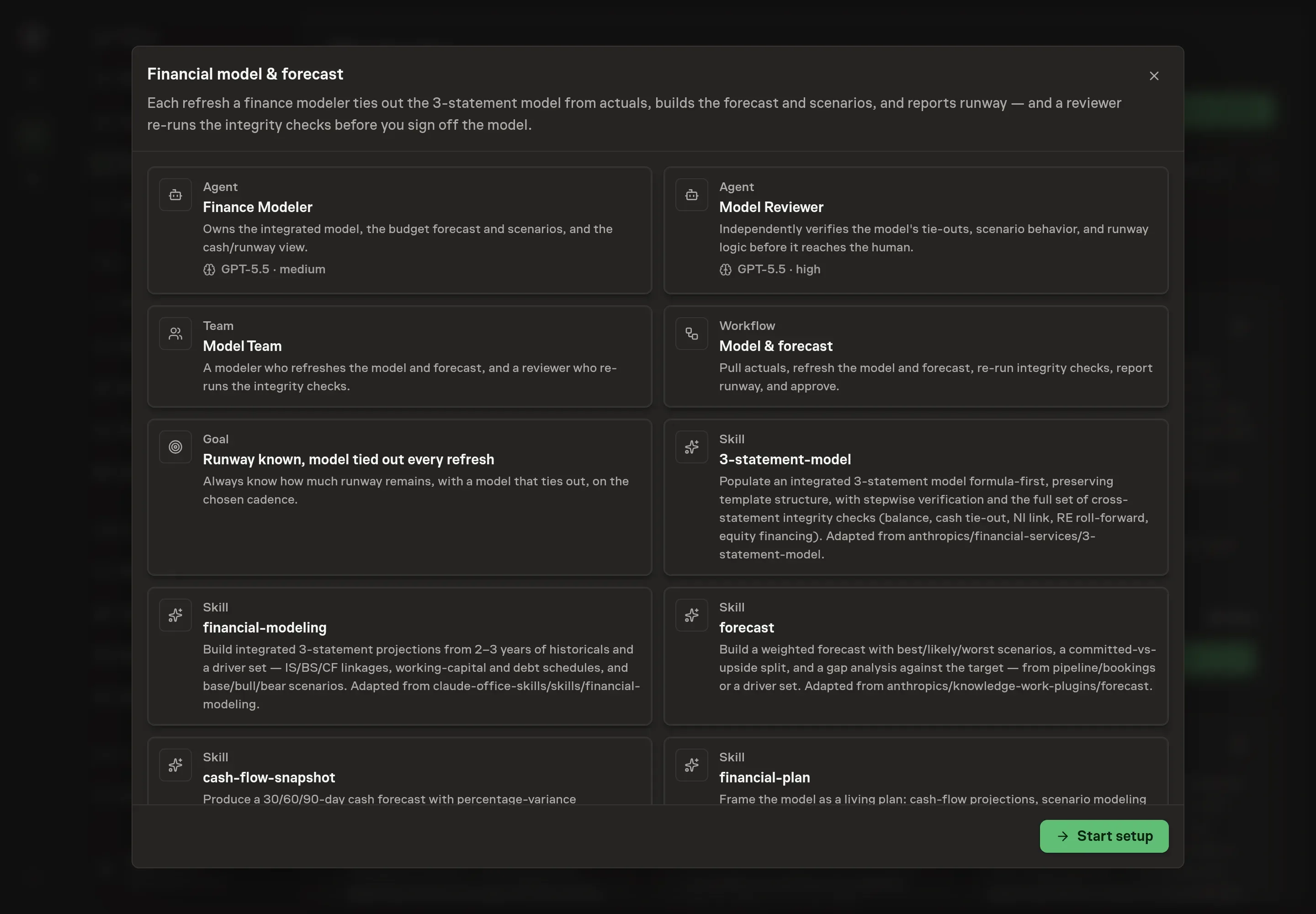
Choose Set up Financial modeling & forecasting. Task Machine opens a dedicated Chat with the Playbook card and an editable, unsent request. Read the intended job and outcome. Add your situation and send it when ready. Opening the draft does not install anything or start work. This walkthrough uses settings that require approval of the proposed Playbook.
3. Agree the working brief
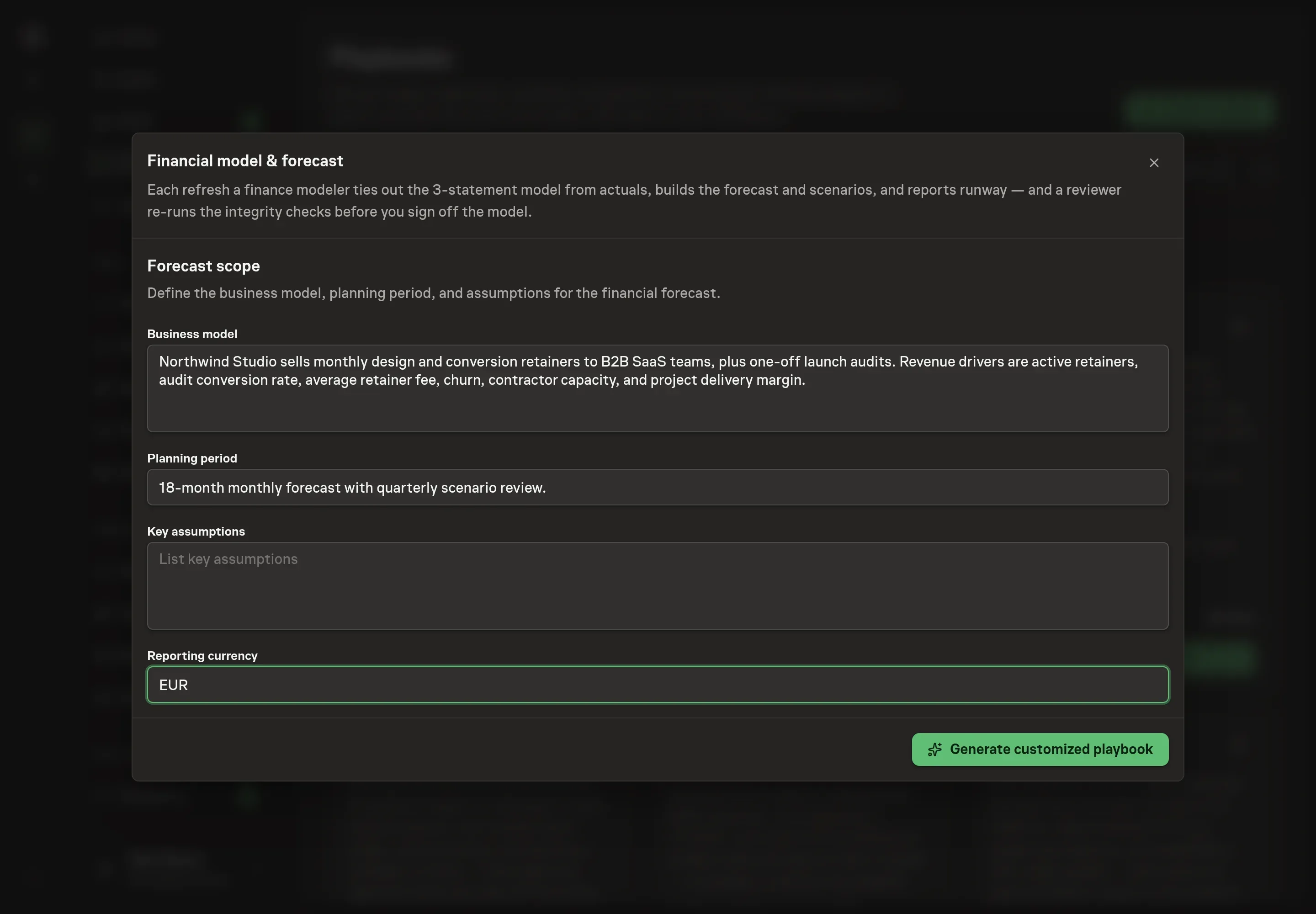
Use Chat to agree the inputs, expected output and limits before asking for a proposal. The Agent needs the business model, planning period, key assumptions, and reporting currency. Write the scope the way the model should be reviewed: revenue motion, gross margin drivers, cost layers, planning horizon, scenario assumptions, and currency.
4. Review the proposed Playbook
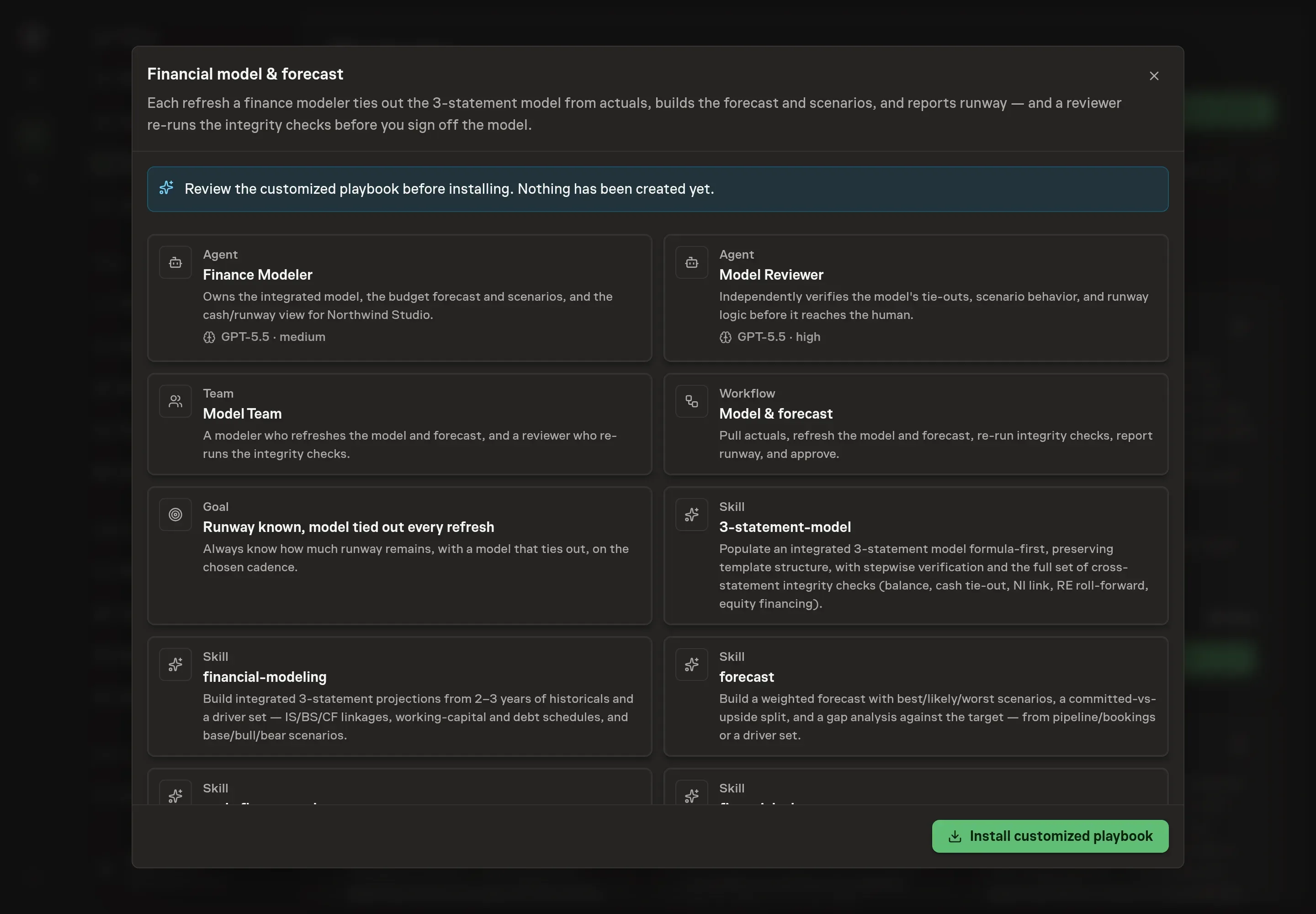
Ask the Agent to generate the Playbook from the agreed brief. Open its proposal in Chat and check the instructions and resources it will install, which carry more detail than the conversational summary. Review that the model refresh runs formula-first, the reviewer re-runs integrity checks, the runway report includes base, upside, and downside scenarios, and approval happens before the refreshed model is adopted. Ask for a revised proposal if anything is missing or changes the job.
5. Approve and prepare the first work
Choose Approve on the proposal in Chat when the configuration matches your brief. Task Machine installs that reviewed configuration. The approved item retains its review details. If your autonomy settings allow direct installation, this approval may not be required. Check the resulting configuration in that case too.
Complete any remaining secure service setup from the installation details in Chat. Inbox keeps those setup items available if you return later. Prepare the source documents and inputs before starting the first Task or Workflow. Installation does not authorize sending, publishing or changing an external service beyond the boundaries you agreed. Confirm each schedule's cadence and timezone, and resolve any pending schedule setup before it starts. A readback must wait for its agreed observation window and source data.
What good looks like
A healthy refresh has three visible qualities:
- The model ties out. Balance, cash tie-out, net income link, retained earnings roll-forward, and equity financing pass across every period and scenario.
- The assumptions are visible. Actuals update drivers. Projection outputs are formulas, not quiet hardcodes.
- Runway is reproducible. The cash view shows inflows, outflows, confidence bands, named risks, and the burn logic behind the runway date.
Common questions
Can this replace finance review? No. The playbook adds a reviewer agent and a human approval step because forecast outputs drive business decisions.
Can it run without accounting access? Yes. Until the accounting tool is authorized, the modeler works from attached trial balance, actuals, AR, AP, fixed cost, and prior-model exports.
What happens when a tie-out fails? The reviewer writes a no-go memo with specifics. The modeler must fix the issue before the package reaches approval.
How often should the schedule run? The bundle defaults to a monthly refresh, but the schedule can be adjusted to match the business review cadence.