How to Automate Frontend Feature Builds
A practical guide to assigning frontend work to an agent that builds, self-reviews, and drafts a PR for human approval.

Founder, Task Machine
Frontend feature build automation is the process of giving a UI task to an agent that can read the repository, follow the component system, build the change, run checks, and open a draft pull request. The job ends at review, not deployment.
It is worth automating when the task is repeatable enough to benefit from a build bar: read the existing UI, compose components instead of adding mode flags, keep accessibility intact, avoid performance regressions, and show the reviewer exactly what changed.
Frontend changes are easy to make and damage
Frontend changes are easy to make and easy to damage. A small feature can add another boolean prop to an already overloaded component, break keyboard navigation, miss an empty state, create a request waterfall, or ship motion that hides a layout problem.
The cost appears in review. A human reviewer has to reconstruct whether the agent read the design system, whether the change is accessible, whether the checks ran, and whether the PR is small enough to trust. Without a fixed workflow, every frontend task becomes a fresh negotiation.
What the manual process looks like
A careful frontend engineer usually follows this sequence:
- Read the task, neighboring screens, component library, design tokens, routing conventions, and data-fetching patterns.
- Decide whether the change needs a new component, a variant, a compound component, or a local composition of existing primitives.
- Build the UI with semantic markup, keyboard support, focus handling, and loading, empty, and error states.
- Check performance risks: waterfalls, bundle size, unnecessary re-renders, and expensive render paths.
- Use motion only when it clarifies a route or state change, and respect reduced-motion preferences.
- Run the project checks and fix failures.
- Open a small draft PR with the states handled, accessibility notes, performance notes, and anything still open for review.
The risk sits in the review discipline around the edit more than in the edit itself.
What an agent can automate
The frontend build assistant codifies that discipline into one workflow:
- Read the codebase first. The agent inspects the component library, design tokens, nearby code, and local conventions before proposing a change.
- Compose instead of multiplying props. It prefers compound components, explicit variants, children, and lifted state where they make the API clearer.
- Keep accessibility in the definition of done. The task includes semantic markup, keyboard operation, visible focus, labels, and state handling.
- Optimize from evidence. The agent focuses on concrete signals: waterfalls, initial bundle weight, avoidable re-renders, and expensive render paths. It does not guess at performance work.
- Draft the PR. The workflow ends with a deploy-ready draft pull request and notes for the human reviewer. Deploy-ready means ready to review and release later, not deployed by the agent.
The agent can make the build cycle faster, but the merge and release decision stays human.
The guardrails that make it safe
The safest frontend automation treats the repository as the source of truth. The agent should not invent a design system, add a dependency casually, or widen a task into a rewrite.
The workflow includes a self-review step before the PR draft. It checks composition, semantics, keyboard operation, loading and error states, reduced motion, request waterfalls, bundle size, re-renders, local conventions, and project checks. If intended behavior is undecided or the checks cannot pass, the agent stops and asks.
Set it up in Task Machine
The Frontend development playbook provides a starting point for the method above. You need an active Task Machine workspace with Chat, workspace-management and Playbook-installation access (workspace owners have it). A connected repository is needed before assigning real frontend work.
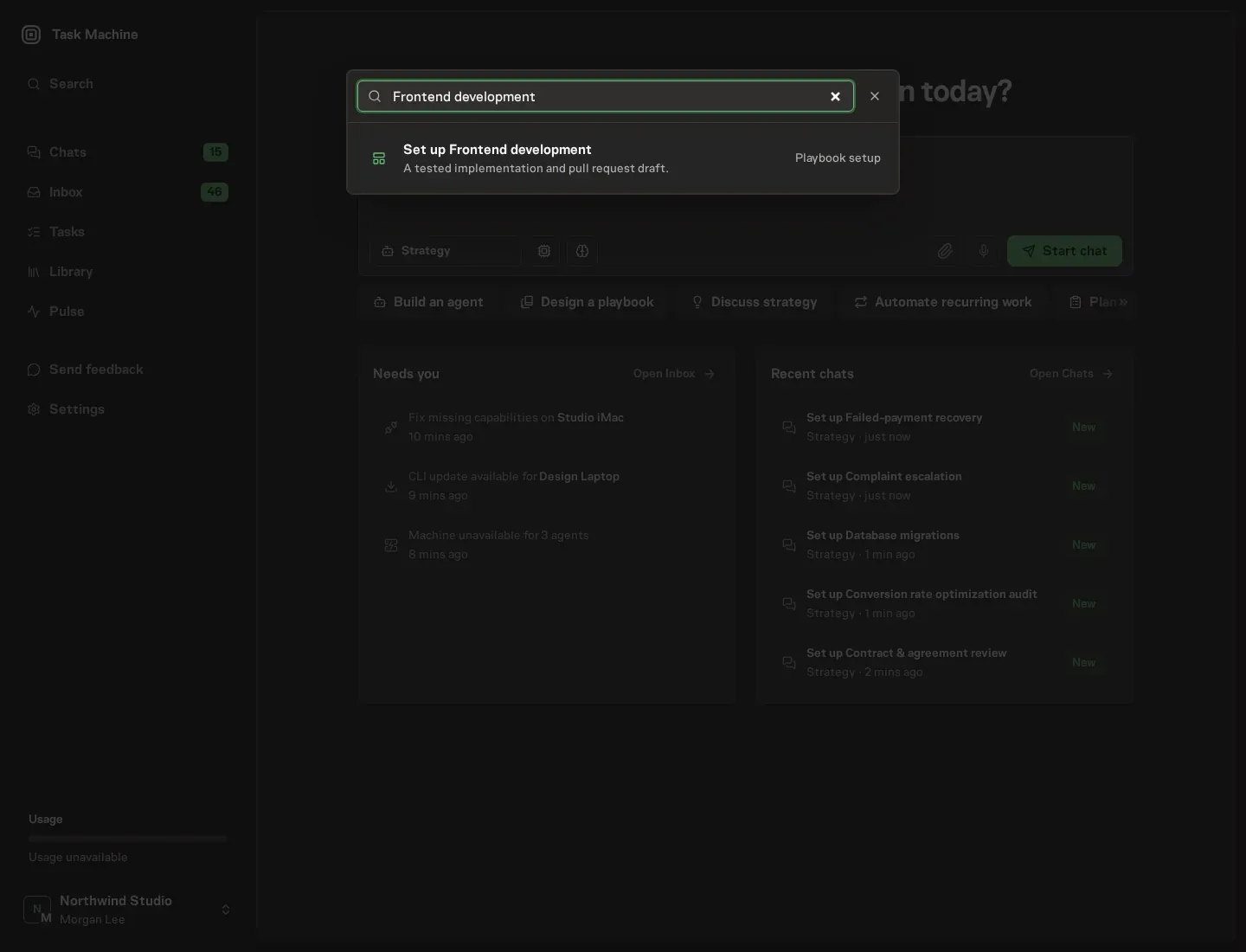
1. Find the playbook
Open Search in your workspace and enter "Frontend development". The command center lists Set up Frontend development under Playbook setup.
2. Start the conversation
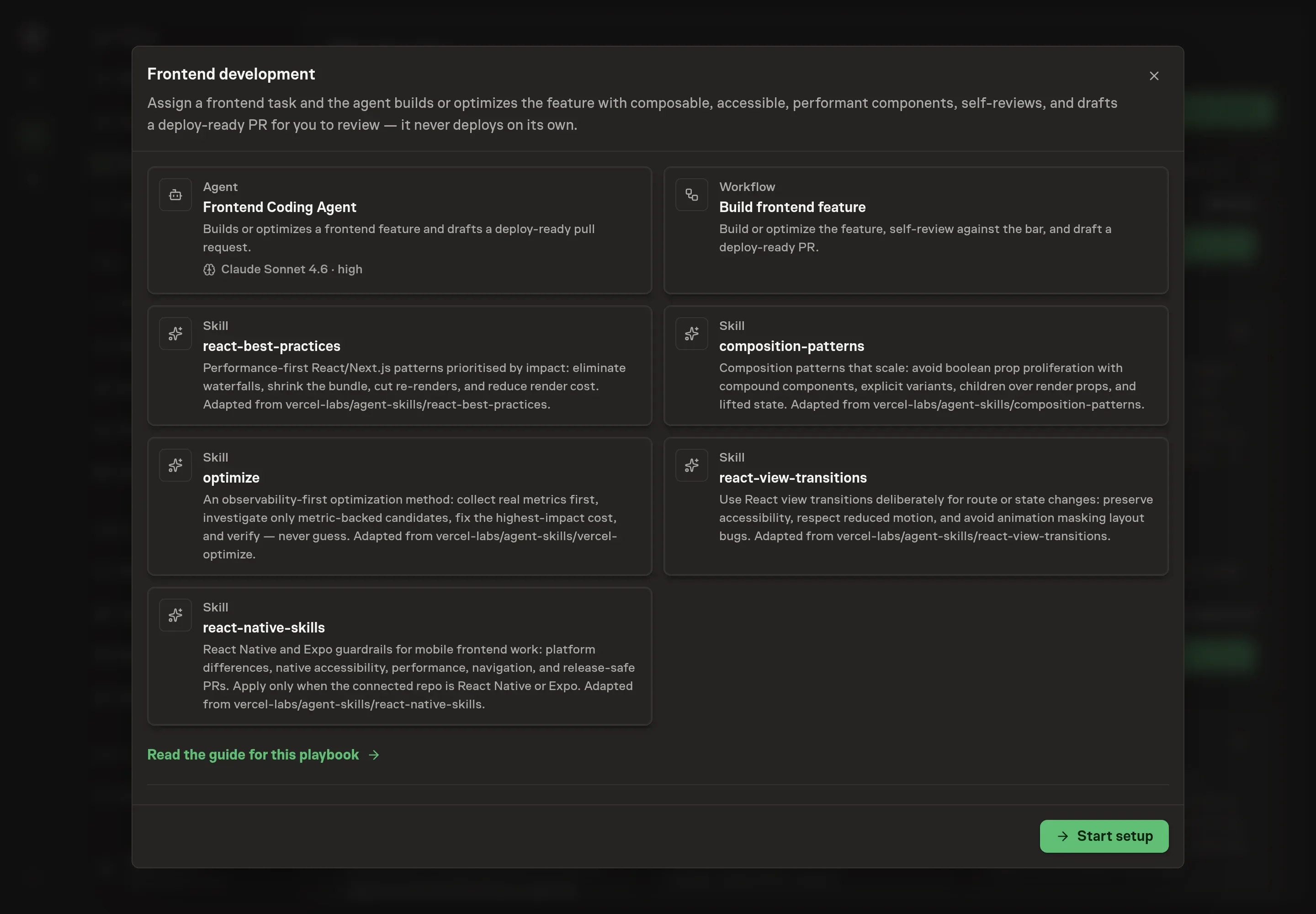
Choose Set up Frontend development. Task Machine opens a dedicated Chat with the Playbook card and an editable, unsent request. Read the intended job and outcome. Add your situation and send it when ready. Opening the draft does not install anything or start work. This walkthrough uses settings that require approval of the proposed Playbook.
3. Agree the working brief
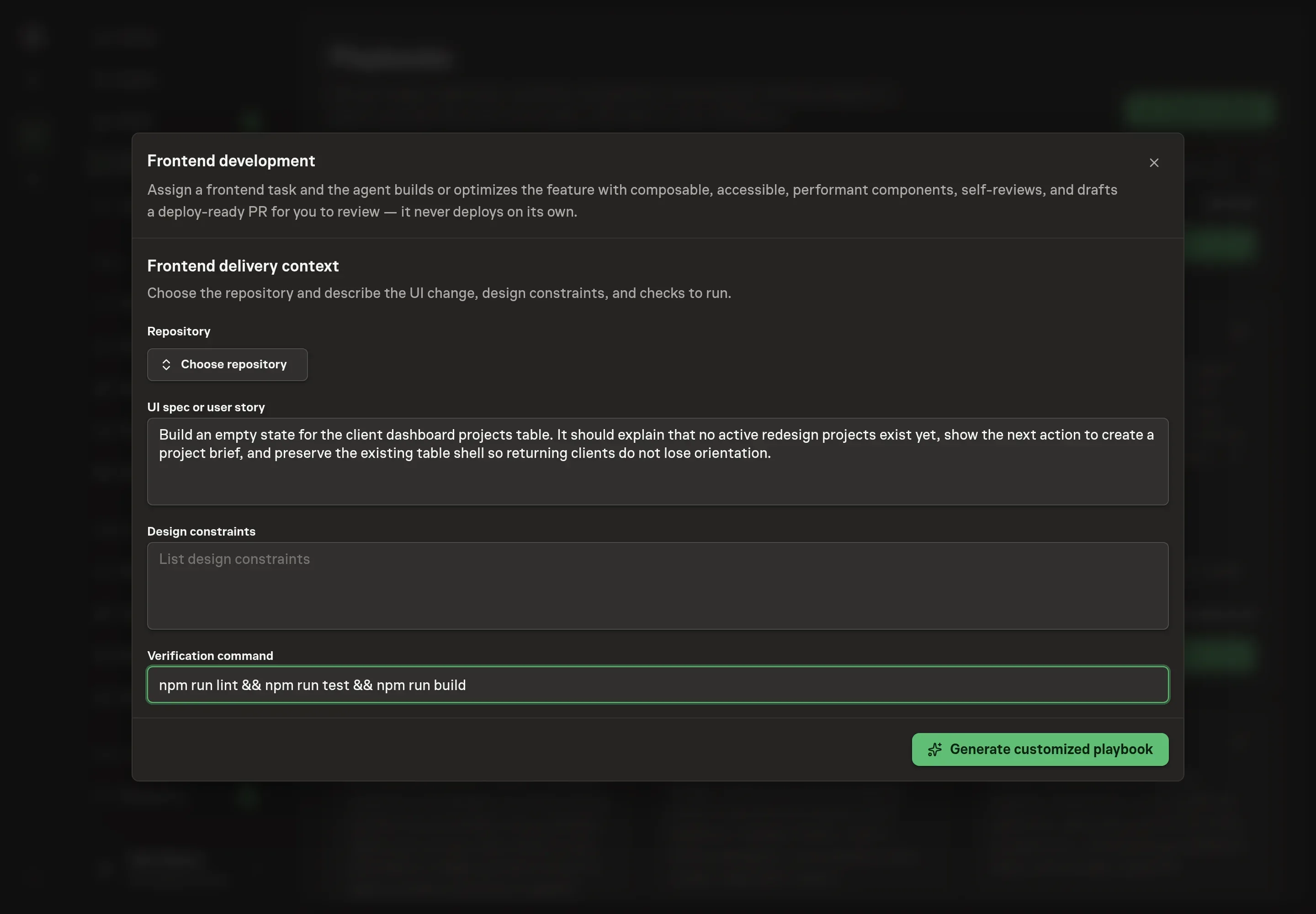
Use Chat to agree the inputs, expected output and limits before asking for a proposal. The Agent needs the repository, the UI spec or user story, design constraints, and the verification command. Use the exact repository and the checks the reviewer expects, such as npm run test, npm run lint, or the project's build command.
4. Review the proposed Playbook
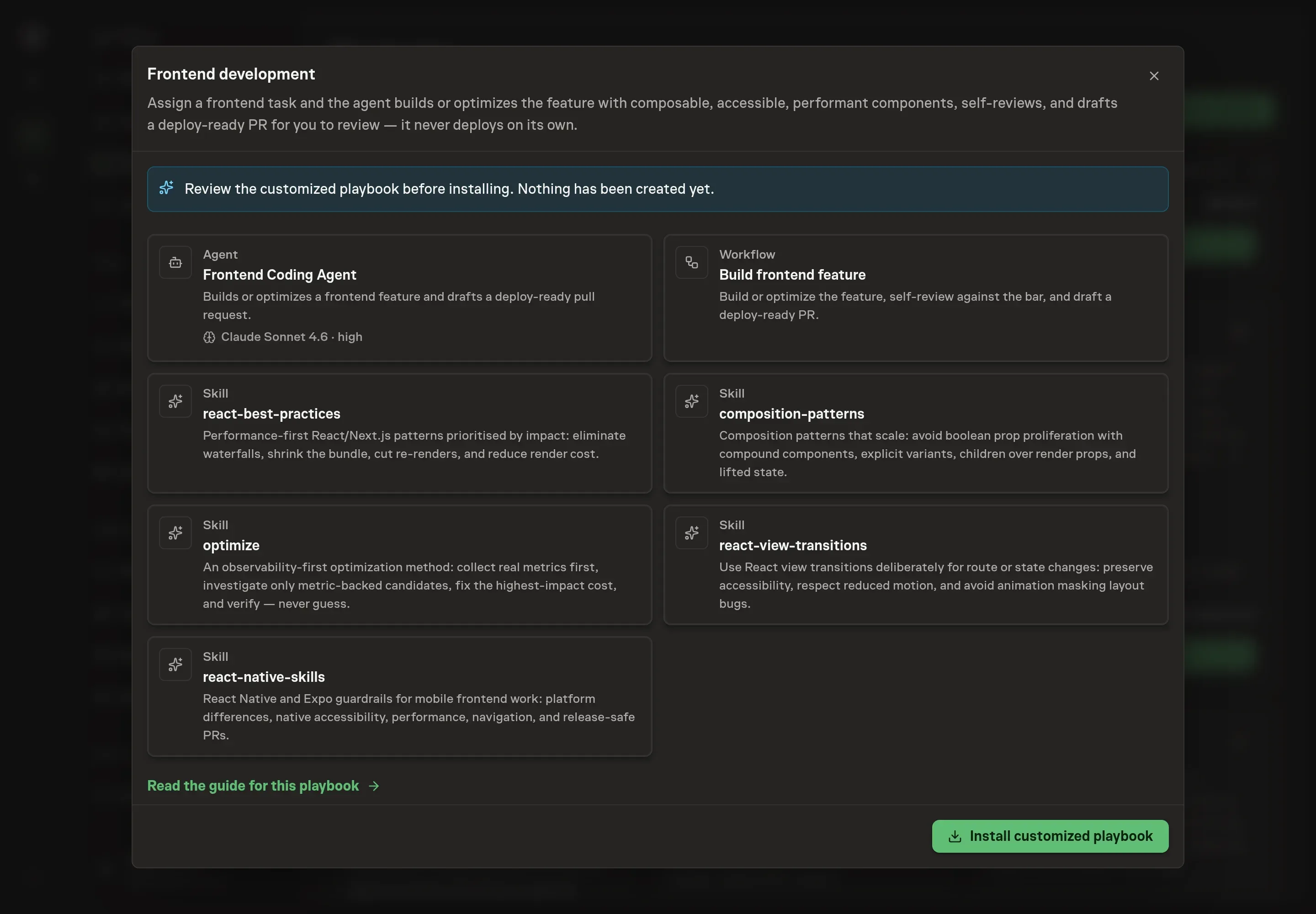
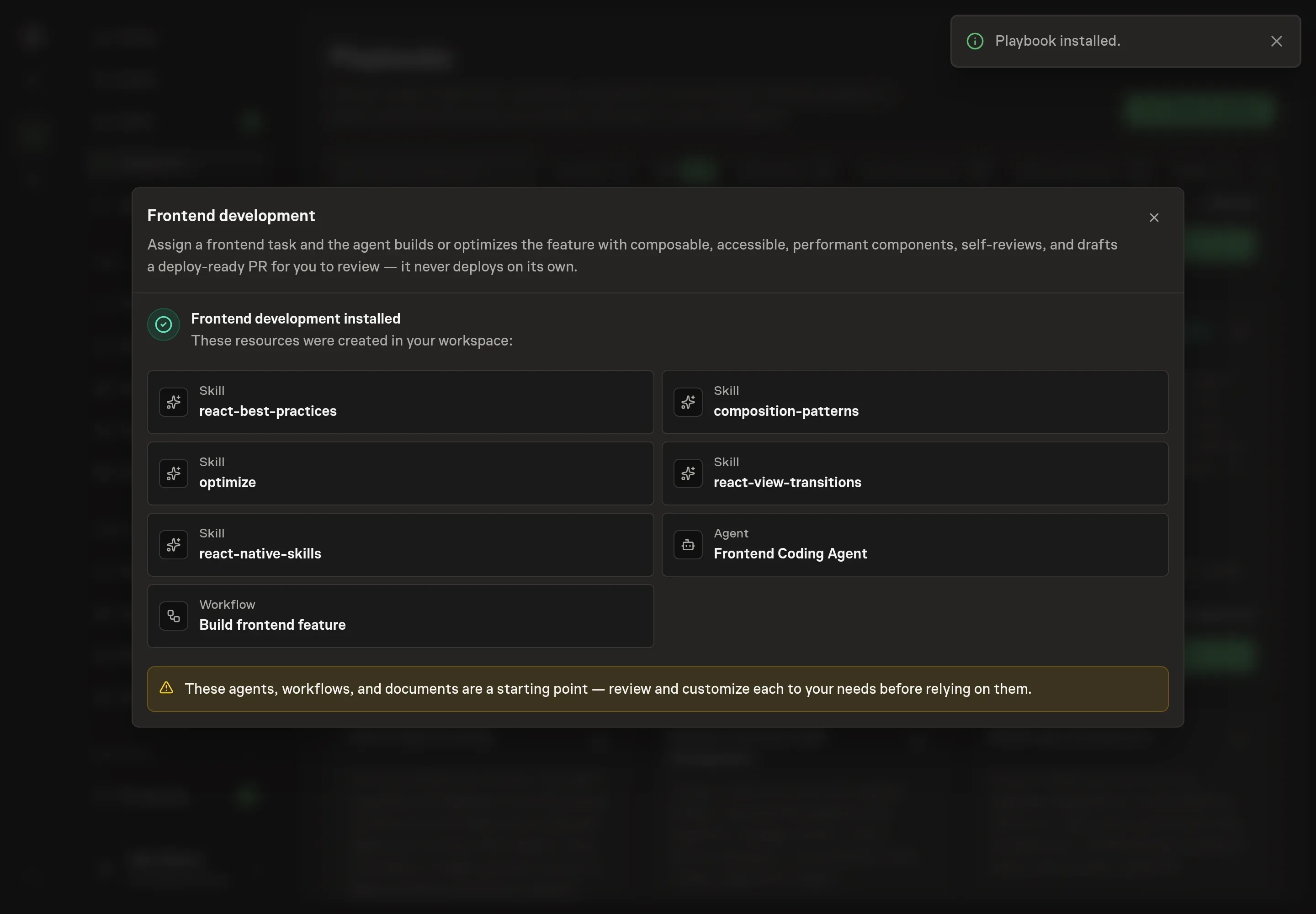
Ask the Agent to generate the Playbook from the agreed brief. Open its proposal in Chat and check the instructions and resources it will install, which carry more detail than the conversational summary. Review that the agent reads the existing UI first, handles accessibility and states, optimizes from evidence, runs the requested checks, and stops at a draft PR. Ask for a revised proposal if anything is missing or changes the job.
5. Approve and prepare the first work
Choose Approve on the proposal in Chat when the configuration matches your brief. Task Machine installs that reviewed configuration. The approved item retains its review details. If your autonomy settings allow direct installation, this approval may not be required. Check the resulting configuration in that case too.
Complete any remaining secure service setup from the installation details in Chat. Inbox keeps those setup items available if you return later. Prepare the source documents and inputs before starting the first Task or Workflow. Installation does not authorize sending, publishing or changing an external service beyond the boundaries you agreed.
What good looks like
A useful frontend automation loop produces:
- A small PR. The change is reviewable and scoped to the assigned UI task.
- State coverage. Loading, empty, error, and interactive states are handled when they apply.
- Review evidence. The PR states checks run, accessibility notes, performance notes, and the remaining human decisions.
Common questions
Will the agent deploy the frontend change? No. The playbook stops at a draft pull request and human approval. A person decides whether and when to merge or release.
Does this only work for React? The skills are React and React Native-heavy, so the strongest fit is a React, Next.js, React Native, or Expo repository. The agent still follows local repository conventions.
What should go in the UI spec? Describe the user story, target surface, states to handle, design constraints, and any acceptance criteria the reviewer will use.
What happens if the task needs a new dependency? The agent should stop and ask when a dependency or structural convention shift is required.