How to Automate Lifecycle Email Drafting
A practical guide to drafting onboarding, churn-save, and lead-magnet emails with approval before anything sends.

Founder, Task Machine
Lifecycle email drafting is the recurring work of writing the messages that move users from signup to activation, from interest to purchase, and from churn risk back to a useful next step. The work includes onboarding emails, lead-magnet nurture, re-engagement, and churn-save sequences.
It is worth automating because the method repeats, but the inputs keep changing. The writer needs the current product brief, activation moment, offer limits, lead magnets, segment, trigger event, and send policy every time.
Why lifecycle emails decay
Lifecycle emails usually start strong when a founder or marketer writes the first sequence. Then the product changes, the activation moment moves, the offer changes, and the sequence keeps sending old assumptions.
The cost goes beyond weak copy. A stale onboarding email drives users to the wrong action. A churn-save email offers a discount to someone who needs help using the product. A lead-magnet sequence asks for a demo before the reader has enough context. Lifecycle work needs a cadence, a brief, and a review gate.
What the manual process looks like
Done by hand, lifecycle drafting is a recurring cycle:
- Read the product, offers, and lead magnets brief to confirm the activation moment, offers, proof, send rules, and voice.
- Choose the sequence type: welcome, onboarding, lead nurture, re-engagement, or churn-save.
- Decide the sequence length and cadence for the lifecycle stage and segment.
- Draft each email with one job, one CTA, a clear subject, preview text, and a specific activation or offer path.
- Match churn-save offers to the reason the user is stuck or leaving.
- Critique the drafts against the quality bar, rewrite failures, and approve before anything queues or sends.
The recurring burden is context gathering and quality control. The valuable judgment is deciding what the business is allowed to say and approve.
What an agent can automate
An agent can turn the lifecycle method into a repeatable drafting loop:
- Read the source brief. The agent starts from the product, offers, and lead magnets brief, so activation moments, save offers, proof, and send rules stay current.
- Plan the right sequence. It chooses onboarding, re-engagement, churn-save, or lead-magnet nurture, then sets sequence length and cadence for the stage.
- Write one-job emails. Each draft has one purpose, one CTA, value before the ask, a clear subject, and preview text that extends the subject.
- Match offers to reasons. Churn-save drafts do not default to discounts. They match the message to the likely cancel or stall reason.
- Self-critique before review. The agent checks every draft against the lifecycle email quality bar and rewrites anything that fails.
The agent can prepare drafts in an email platform after approval. It should not queue or send on its own.
The guardrails that make it safe
Lifecycle email touches prospects and customers, so approval belongs before send. The workflow drafts and critiques, then waits in the inbox for a person to approve.
The brief is the second guardrail. It holds the activation moment, proof, allowed offers, send frequency, quiet hours, suppression rules, and voice. If the brief does not define the activation event or save-offer limit, the agent should ask rather than make up the business rule.
Set it up in Task Machine
The Lifecycle email & lead magnet writing playbook provides a starting point for the method above. You need an active Task Machine workspace with Chat, workspace-management and Playbook-installation access (workspace owners have it). Klaviyo access is optional at setup. Until it is authorized, the agent drafts into the lifecycle folder from the brief.
1. Find the playbook
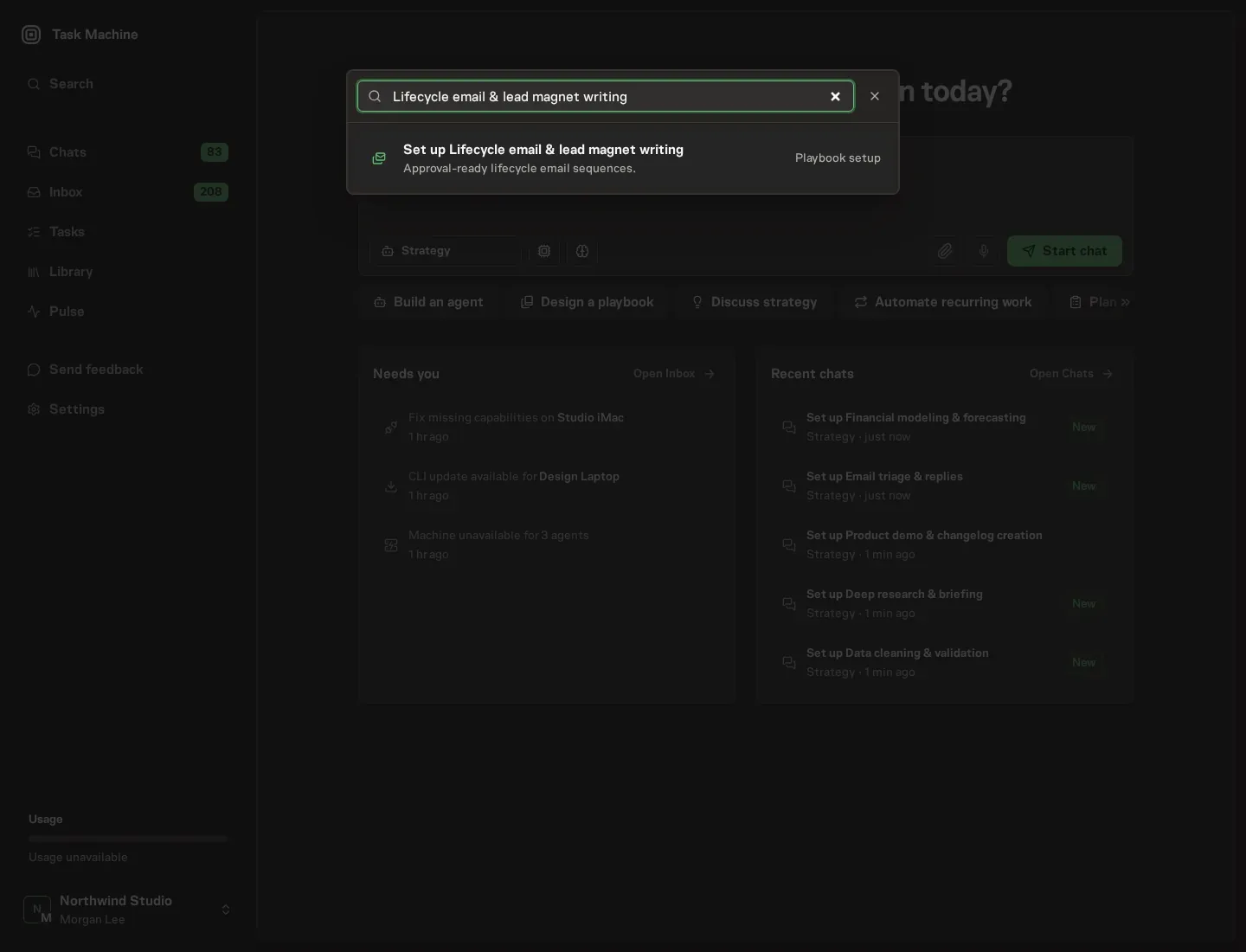
Open Search in your workspace and enter "Lifecycle email & lead magnet writing". The command center lists Set up Lifecycle email & lead magnet writing under Playbook setup.
2. Start the conversation
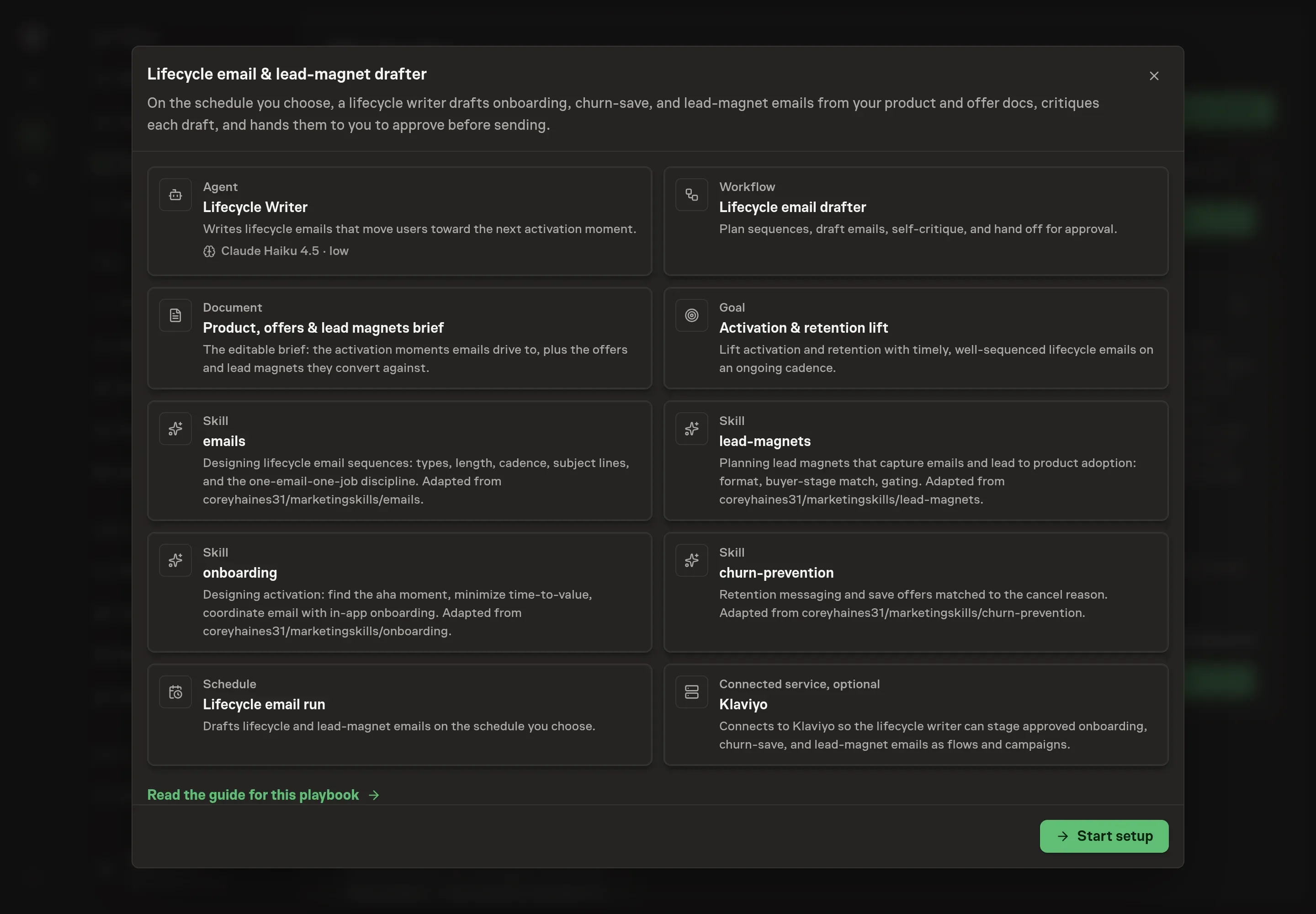
Choose Set up Lifecycle email & lead magnet writing. Task Machine opens a dedicated Chat with the Playbook card and an editable, unsent request. Read the intended job and outcome. Add your situation and send it when ready. Opening the draft does not install anything or start work. This walkthrough uses settings that require approval of the proposed Playbook.
3. Agree the services
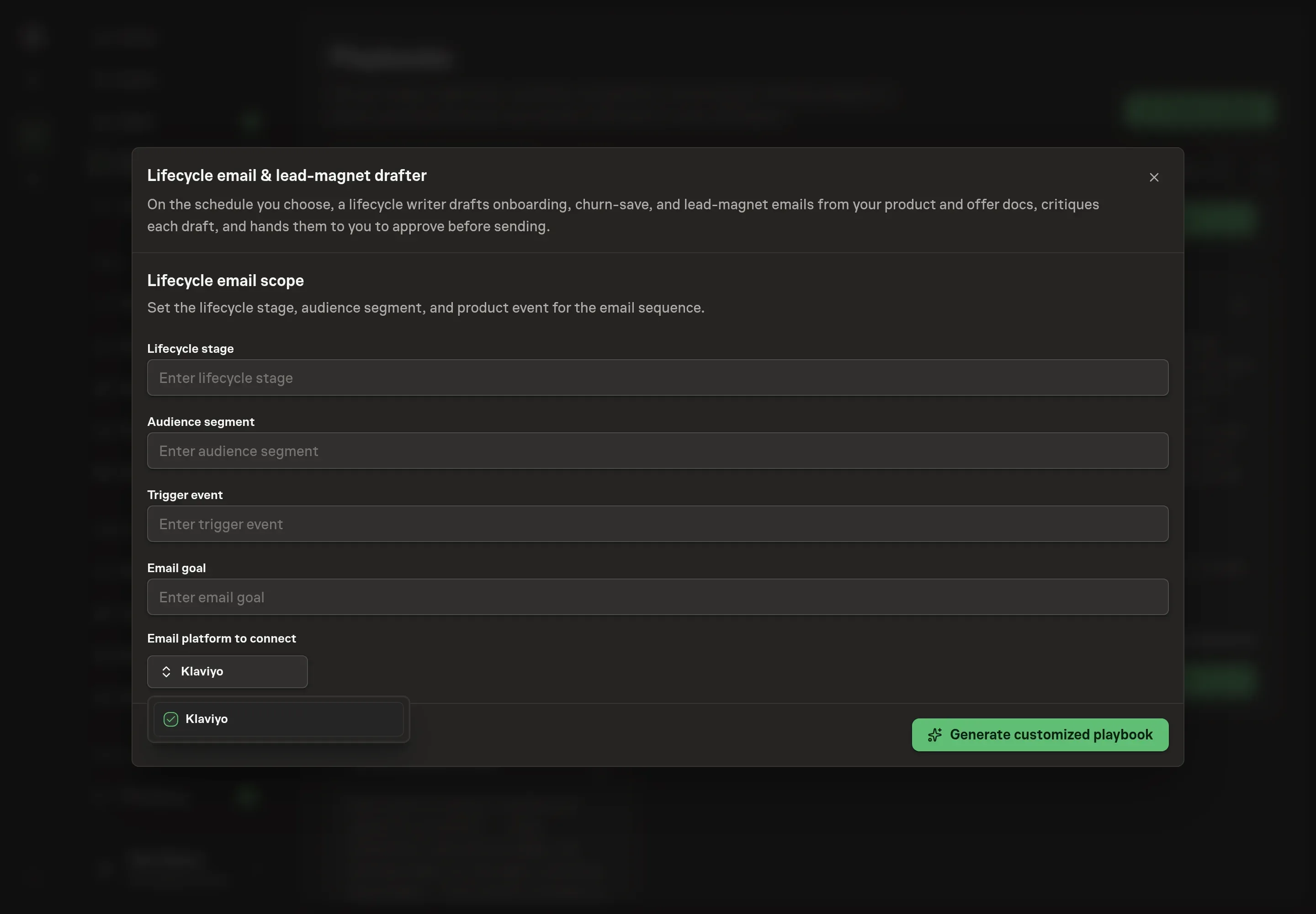
Tell the Agent which services you use. The catalog offers these starting choices:
- Email platform to connect: Klaviyo. Optional.
Discuss any missing access or export-based alternative before generation. Check the exact proposal includes only the services you agreed. Enter credentials only through secure setup, never in Chat.
4. Agree the working brief
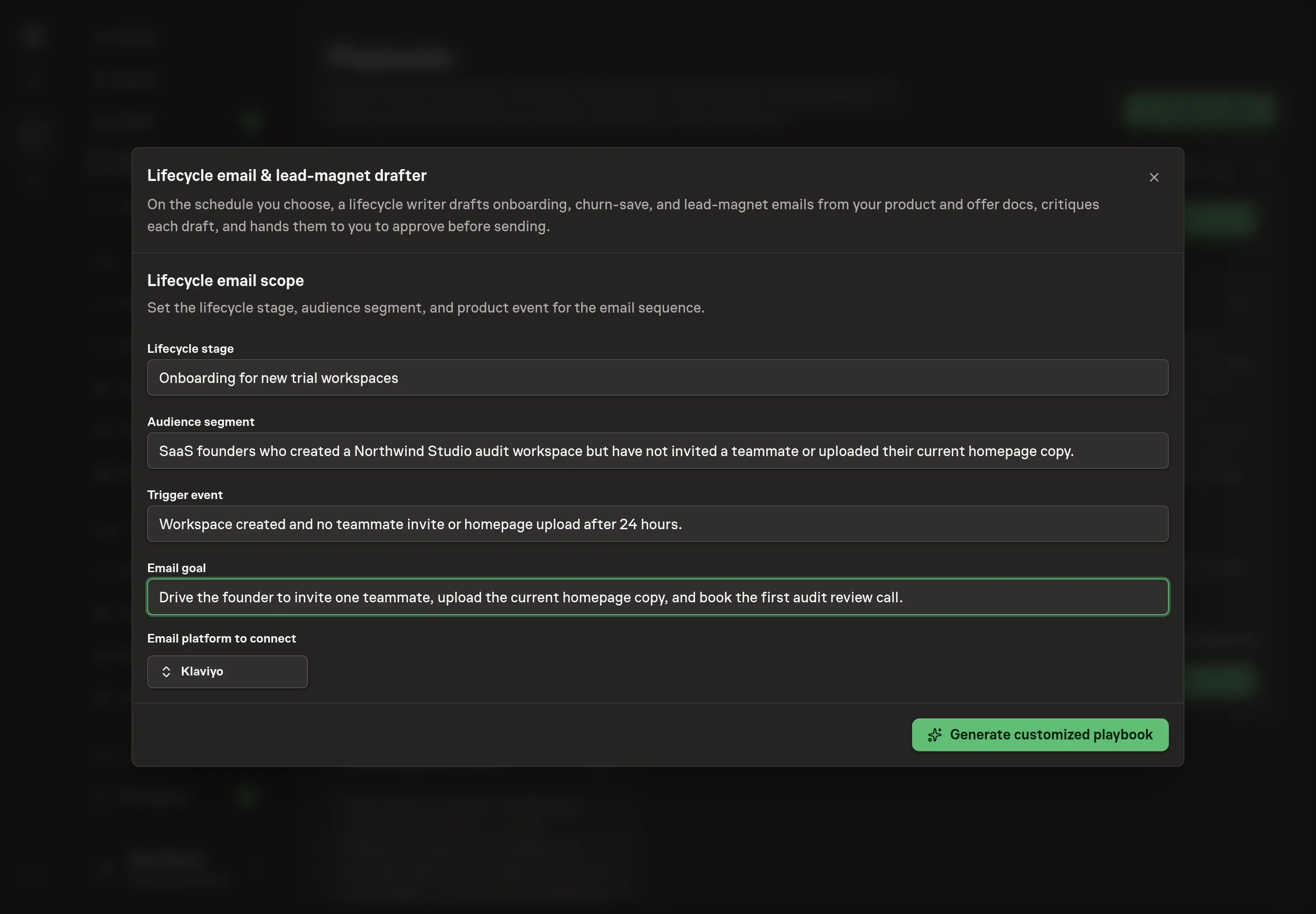
Use Chat to agree the inputs, expected output and limits before asking for a proposal. Discuss the lifecycle stage, audience segment, trigger event, and email goal. Use short, operational inputs: the segment, the product event that starts the sequence, and the action each email should drive.
5. Review the proposed Playbook
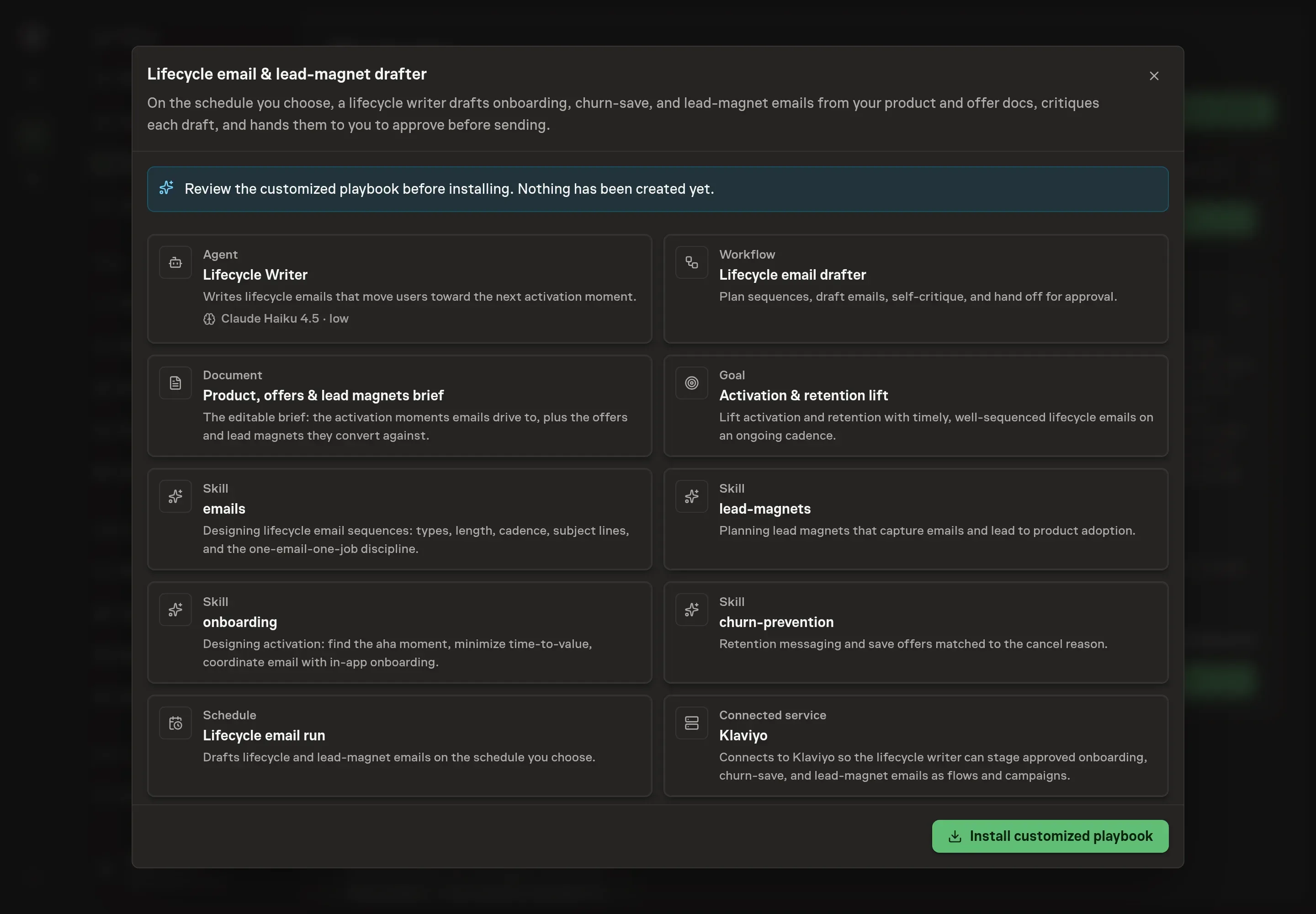
Ask the Agent to generate the Playbook from the agreed brief. Open its proposal in Chat and check the instructions and resources it will install, which carry more detail than the conversational summary. Review that the chosen platform appears as the only connected service, that the workflow ends in approval, and that the schedule gives enough time for review before send windows. Ask for a revised proposal if anything is missing or changes the job.
6. Approve and prepare the first work
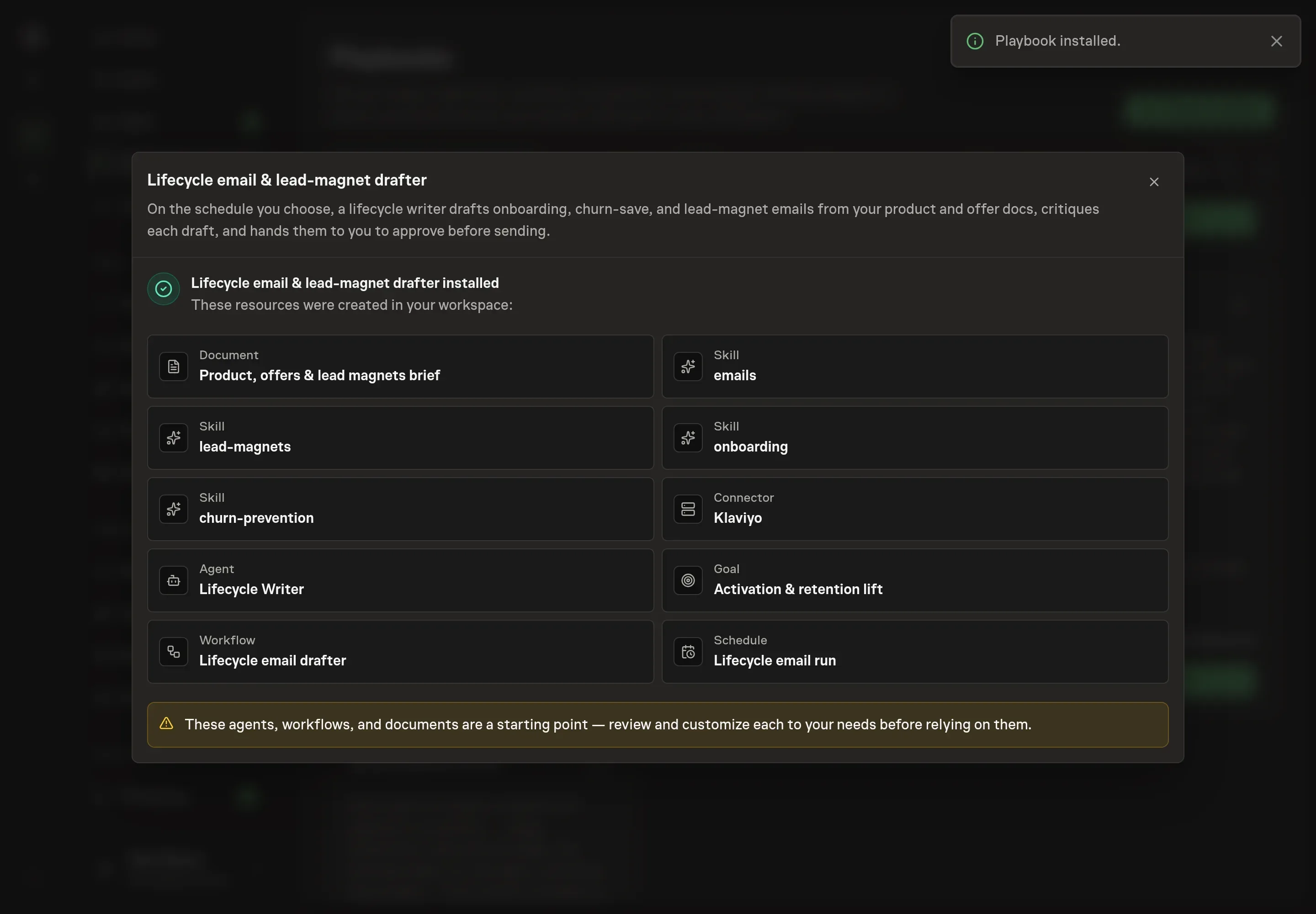
Choose Approve on the proposal in Chat when the configuration matches your brief. Task Machine installs that reviewed configuration. The approved item retains its review details. If your autonomy settings allow direct installation, this approval may not be required. Check the resulting configuration in that case too.
Complete any remaining secure service setup from the installation details in Chat. Inbox keeps those setup items available if you return later. Prepare the source documents and inputs before starting the first Task or Workflow. Installation does not authorize sending, publishing or changing an external service beyond the boundaries you agreed. Confirm each schedule's cadence and timezone, and resolve any pending schedule setup before it starts. A readback must wait for its agreed observation window and source data.
What good looks like
Three numbers show whether lifecycle drafting is improving the system:
- Activation rate. Onboarding emails should drive the defined activation event, not only opens or clicks.
- Time to activation. Good lifecycle copy helps users reach value sooner.
- Approved drafts per cycle. A useful process produces drafts that pass review with small edits because the brief and guardrails are current.
Common questions
Should lifecycle emails be fully automated? Drafting can be automated. Sending should stay approval-gated unless the team has a separate, reviewed send policy and platform controls.
How often should lifecycle emails be drafted? The default playbook schedule is weekly. Change it based on how often the product, offers, segments, and activation path change.
What belongs in the product and offer brief? The brief should name the activation moment, sticky features, common drop-offs, lead magnets, allowed save offers, proof points, voice, and send policy.
Can this run without Klaviyo? Yes. The playbook can draft into the lifecycle folder from the brief. Klaviyo is only installed when selected during setup.