How to Automate People Analytics Reporting
A practical guide to recurring people reports with headcount, attrition, performance, compensation, caveats, and approvals.

Founder, Task Machine
People analytics reporting is the recurring process of turning workforce data into a decision-ready report. It covers headcount, attrition, performance distribution, compensation, engagement, and leave watch items, with every metric paired with its trend, caveat, and plain-language takeaway.
The report is useful only when it helps leaders decide what to do next. A table of people metrics without context creates noise. A report that explains what changed, where the data is weak, and which action needs an owner becomes an operating rhythm.
People reports take hours and invite misreading
People data is sensitive and easy to misread. A small team can spend hours gathering exports, checking definitions, cutting the numbers by team or level, and turning them into a narrative. Then the report still risks publishing a cut small enough to identify someone or presenting an inference as a fact.
Beyond time, the hidden cost is decision quality. Attrition without voluntary and regretted context can send attention to the wrong problem. Compensation without location, level, and percentile context can overstate or understate retention risk. Leave tracking that reads like a status board hides the few deadlines that require a decision.
What the manual process looks like
Done by hand, recurring people analytics reporting usually follows this pattern:
- Pull headcount, attrition, performance, compensation, engagement, and leave data from HR systems, documents, and spreadsheets.
- Confirm the reporting period, source freshness, metric definitions, and aggregation rules.
- Calculate the key metrics and compare them with the previous period.
- Add the "so what" for each number: what changed, why it matters, and what action it suggests.
- Suppress or aggregate cuts that could identify an individual.
- Write the executive summary, detailed analysis, watch items, recommendations, and methodology.
- Review the draft for unsupported claims, missing caveats, person-level exposure, and generic recommendations.
The work repeats every cycle. The risky parts are the same every cycle too.
What an agent can automate
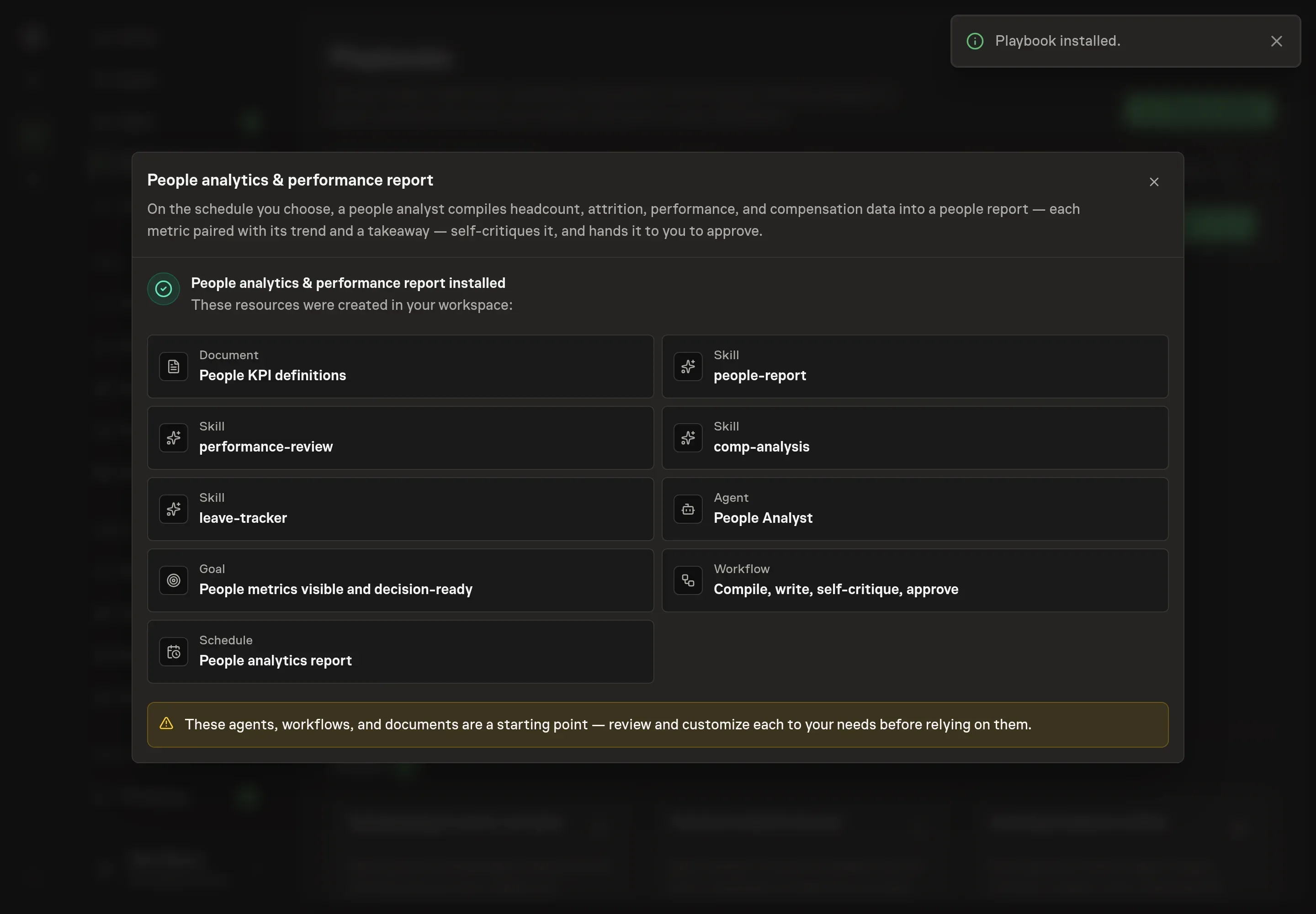
The People analytics & performance report playbook gives the recurring work to a people analyst agent with a defined quality bar:
- Compile and compute the data. The agent pulls from an HR system or attached exports, notes the source and freshness, and computes the metrics defined in the People KPI definitions document.
- Pair numbers with trends and takeaways. A number without a trend and a "so what" is treated as incomplete.
- Handle performance and compensation carefully. The report can include rating distributions against company targets, calibration discussion points, comp bands, percentile benchmarks, and outliers that need attention.
- Surface only action-required leave items. The leave watch list focuses on designation, certification, exhaustion, or other deadlines that force a decision.
- Self-critique for privacy and caveats. The agent checks for dressed-up inference, missing methodology, small cuts that could identify a person, and recommendations not tied to data.
The agent prepares the report. It does not publish person-level data or bypass the human reviewer.
The guardrails that make it safe
People analytics needs strict human review because the data is sensitive and the interpretation can affect careers, pay, trust, and compliance work. The workflow ends at an approval step where a human confirms the trends, caveats, suppressed cuts, and recommendations before the report is shared.
The playbook also has a privacy rule built into the method: never publish a cut small enough to identify an individual. Aggregate it, suppress it, and state that suppression in the methodology. For compensation benchmarking, the report also notes source freshness and whether external market data could be pulled.
Set it up in Task Machine
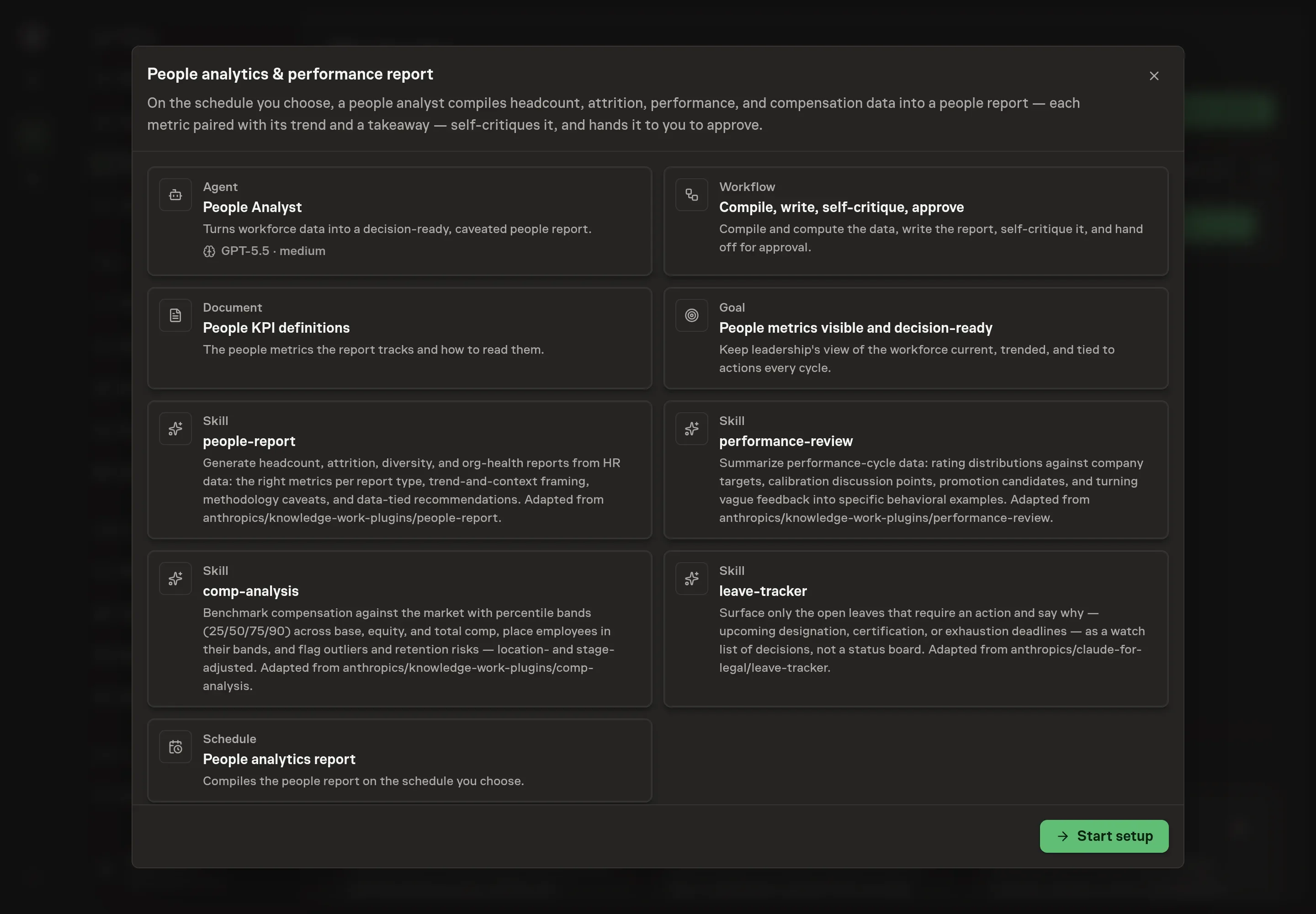
The People analytics & performance reporting playbook provides a starting point for the method above. You need an active Task Machine workspace with Chat, workspace-management and Playbook-installation access (workspace owners have it). HR system and document access can be authorized later. Until then, the agent works from attached exports or CSVs and delivers the report as a document.
1. Find the playbook
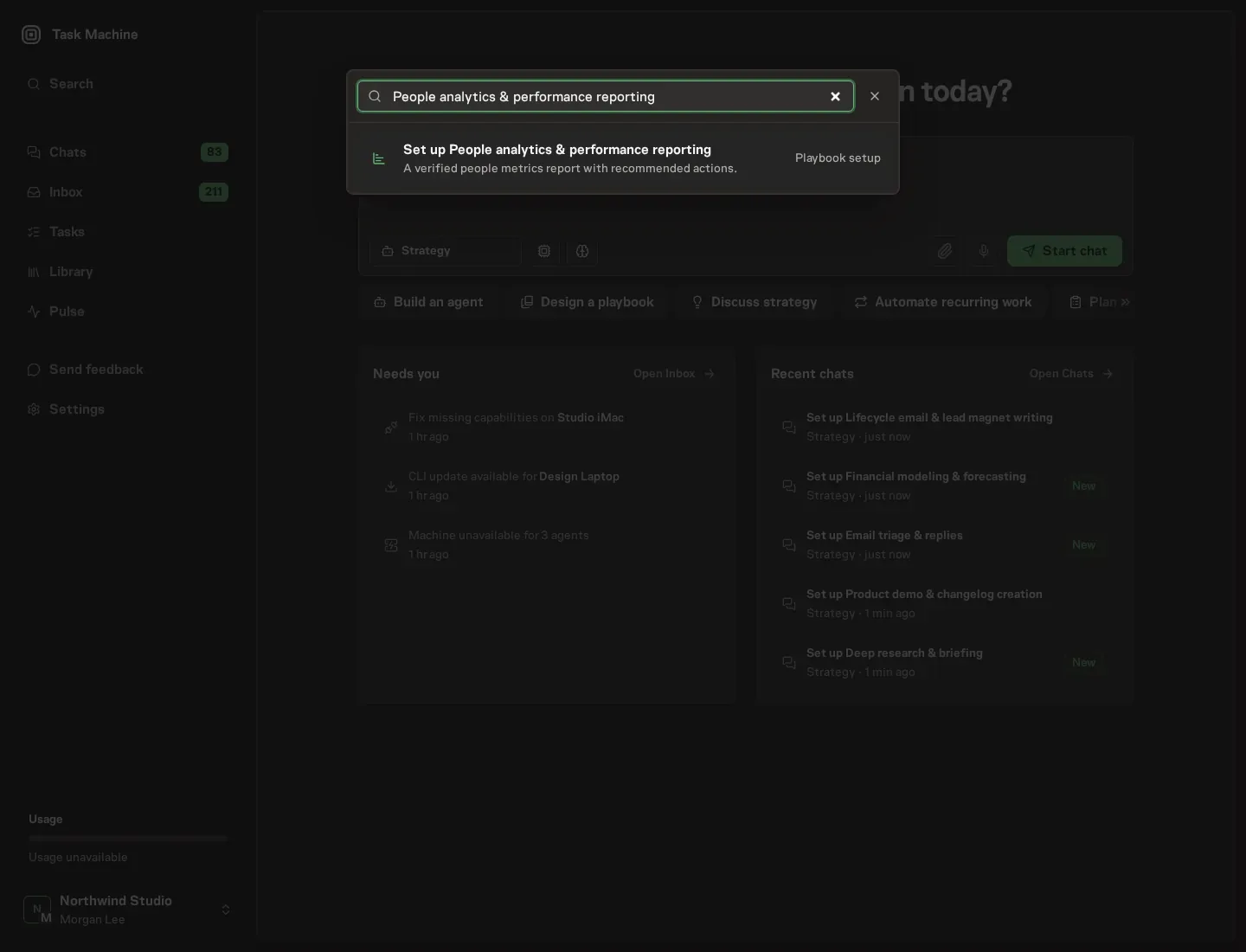
Open Search in your workspace and enter "People analytics & performance reporting". The command center lists Set up People analytics & performance reporting under Playbook setup.
2. Start the conversation
Choose Set up People analytics & performance reporting. Task Machine opens a dedicated Chat with the Playbook card and an editable, unsent request. Read the intended job and outcome. Add your situation and send it when ready. Opening the draft does not install anything or start work. This walkthrough uses settings that require approval of the proposed Playbook.
3. Agree the working brief
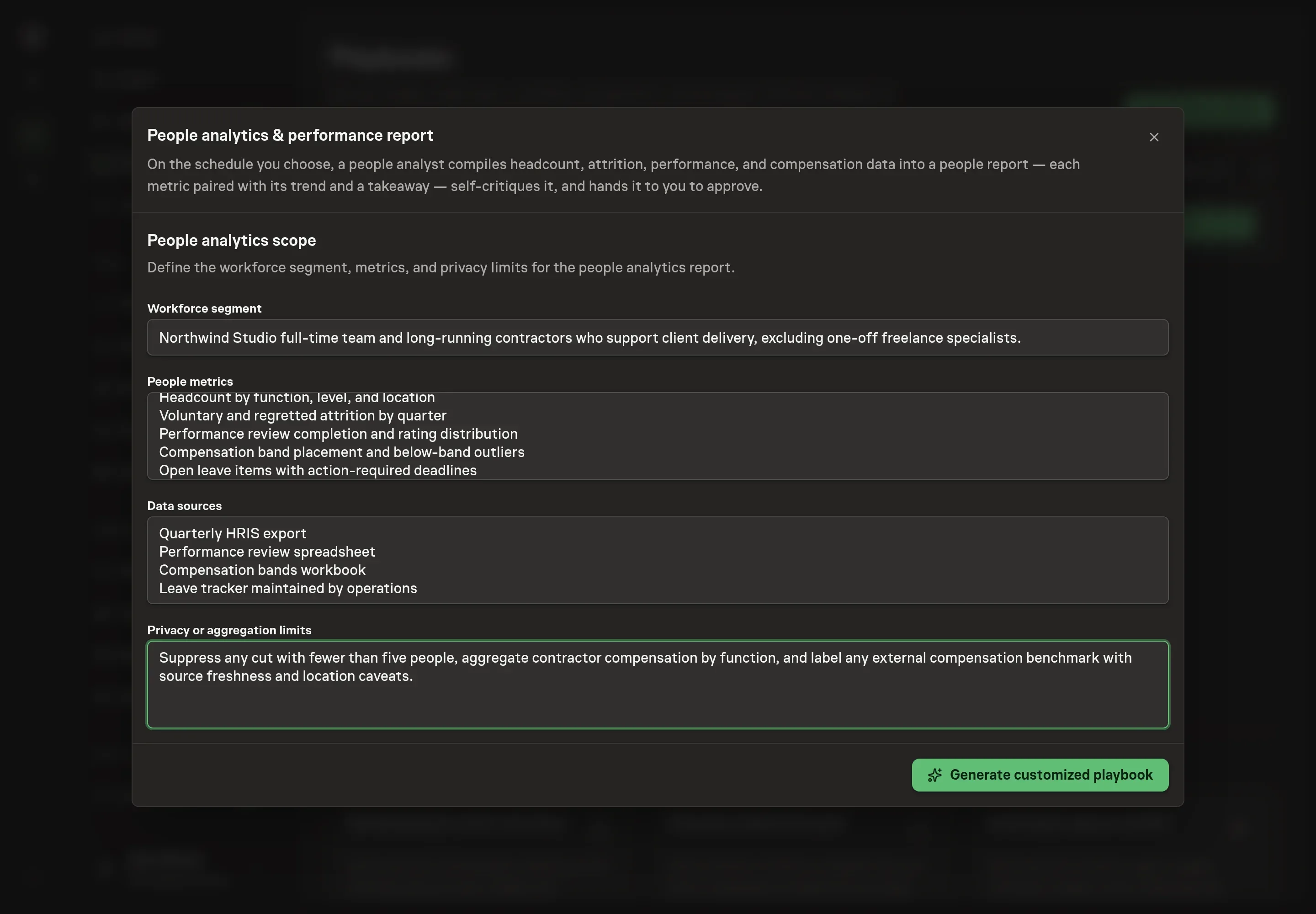
Use Chat to agree the inputs, expected output and limits before asking for a proposal. The Agent needs the workforce segment, people metrics, data sources, and privacy or aggregation limits. Be specific about what can appear in the report. For example, name the teams included, the reporting metrics, where exports come from, and the minimum group size for any cut.
4. Review the proposed Playbook
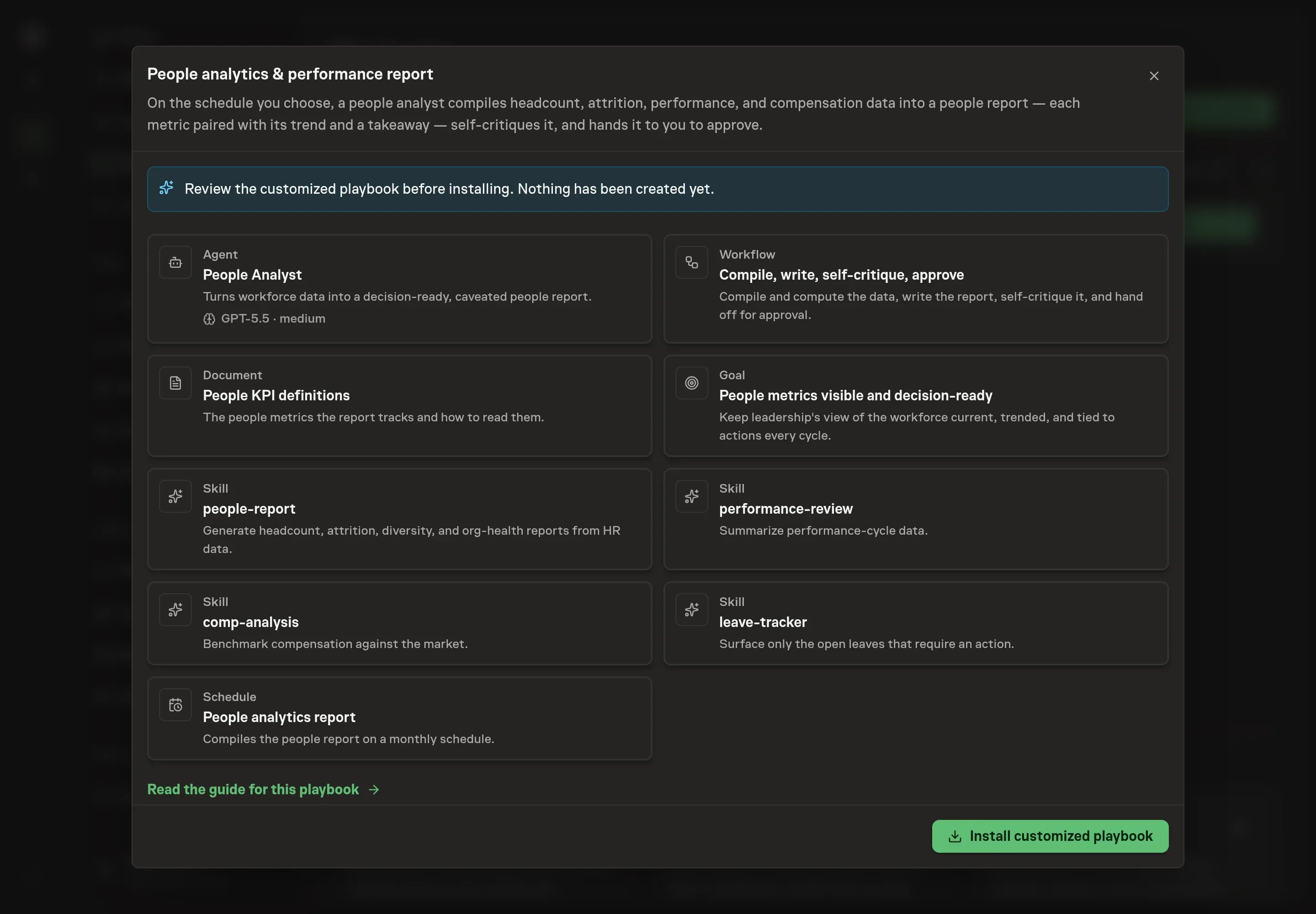
Ask the Agent to generate the Playbook from the agreed brief. Open its proposal in Chat and check the instructions and resources it will install, which carry more detail than the conversational summary. Confirm that the privacy limits are present and that the report method includes trend, takeaway, methodology, and self-critique checks. Ask for a revised proposal if anything is missing or changes the job.
5. Approve and prepare the first work
Choose Approve on the proposal in Chat when the configuration matches your brief. Task Machine installs that reviewed configuration. The approved item retains its review details. If your autonomy settings allow direct installation, this approval may not be required. Check the resulting configuration in that case too.
Complete any remaining secure service setup from the installation details in Chat. Inbox keeps those setup items available if you return later. Prepare the source documents and inputs before starting the first Task or Workflow. Installation does not authorize sending, publishing or changing an external service beyond the boundaries you agreed. Confirm each schedule's cadence and timezone, and resolve any pending schedule setup before it starts. A readback must wait for its agreed observation window and source data.
What good looks like
A healthy people analytics report is easy to audit:
- Every metric has context. The report shows the current period, prior period, change, and takeaway.
- Sensitive cuts are controlled. Any cut small enough to identify a person is aggregated or suppressed, and the methodology says so.
- Recommendations tie to data. The report does not hand back generic HR advice. It names the metric, the trend, and the action.
- Watch items require action. Leave and deadline sections focus on decisions, not a full status inventory.
Common questions
Can this run without HR system access? Yes. The agent can work from attached exports or CSVs and note the source and freshness. Direct HR system access removes the manual export step later.
How does it avoid exposing person-level data? The playbook instructs the agent to aggregate or suppress any cut small enough to identify someone, then state that choice in the methodology.
Can compensation benchmarking use outside data? It can when web search and fetch tools are available. Without them, the report benchmarks only against internal bands and says external market data could not be pulled.
Who approves the people report? A human reviewer approves it. The workflow asks the reviewer to confirm the trends, caveats, and privacy handling before the report is shared.