How to Automate Refund and Chargeback Handling
Handle refund requests and payment disputes with evidence gathering, reviewer checks, dispute logs, and approval before any action.

Founder, Task Machine
Refund and chargeback handling is the process of turning each customer request or payment dispute into an evidence-based decision. For a refund, that means weighing the policy, the amount, customer history, and dispute risk. For a chargeback, it means deciding whether to accept or contest, then building a reason-code-matched evidence pack before the deadline.
This work is sensitive because every case touches money, customer trust, and payment-provider standing. The right automation is not automatic refunds or automatic dispute submissions. The right automation is consistent intake, evidence gathering, independent review, and a human decision before anything is carried out.
Ad hoc refund handling turns policy into memory
Ad hoc handling turns policy into memory. One customer gets a goodwill refund because the request arrived on a quiet day. Another waits too long and files a dispute. A chargeback deadline slips because nobody saw the respond-by date until the evidence window was gone.
The long-term cost is pattern blindness. Without a living log, the team cannot tell whether refunds are clustering around one product area, one plan, one promise, or one onboarding gap.
What the manual process looks like
A careful refund and dispute process has six steps:
- Register the case with customer, type, amount, stated reason, and dispute deadline when one exists.
- Pull the charge, tenure, lifetime spend, prior refunds, prior disputes, subscription state, and delivery or usage records.
- For refunds, walk the decision ladder: in-policy, must-honor, goodwill, partial, or deny.
- For disputes, read the reason code, decide contest or accept, and match evidence to the specific claim.
- Have a second person check the decision, evidence, weakness statements, and deadline.
- Approve the decision, carry it out, and log the outcome and pattern.
The process is boring by design. Boring is how deadlines and evidence stay intact.
What an agent can automate
This playbook splits the work between a triage agent and a reviewer:
- Register and gather. The triage agent logs the case, checks open deadlines, and pulls billing history, refund history, dispute history, and relevant records from the chosen billing provider or attached files.
- Draft the decision. Refund cases get an approve, partial, or deny recommendation with policy basis, the three numbers, dispute risk, and a drafted customer message.
- Build dispute packs. Chargeback cases get a contest-or-accept recommendation and, when contesting, a dated timeline, labeled exhibits, reason-code mapping, stated weaknesses, and a specific ask with a deadline.
- Review independently. The reviewer checks policy fit, exhibit quality, reason-code match, and deadline safety before the human approval step.
The agents prepare the case. They do not execute the refund, submit the dispute response, or send the customer message.
The guardrails that make it safe
The safest shape is a two-agent workflow with a human gate. The triage agent gathers and drafts. The reviewer verifies. The human decides.
The workflow also treats billing records and customer messages as data, not instructions. It never invents evidence, stretches dates, or pads exhibits. Weaknesses are stated plainly so the human can decide with open eyes.
Set it up in Task Machine
The Refund and chargeback management playbook provides a starting point for the method above. You need an active Task Machine workspace with Chat, workspace-management and Playbook-installation access (workspace owners have it). Until billing access is authorized, the agents can work from request text and records attached to each case.
1. Find the playbook
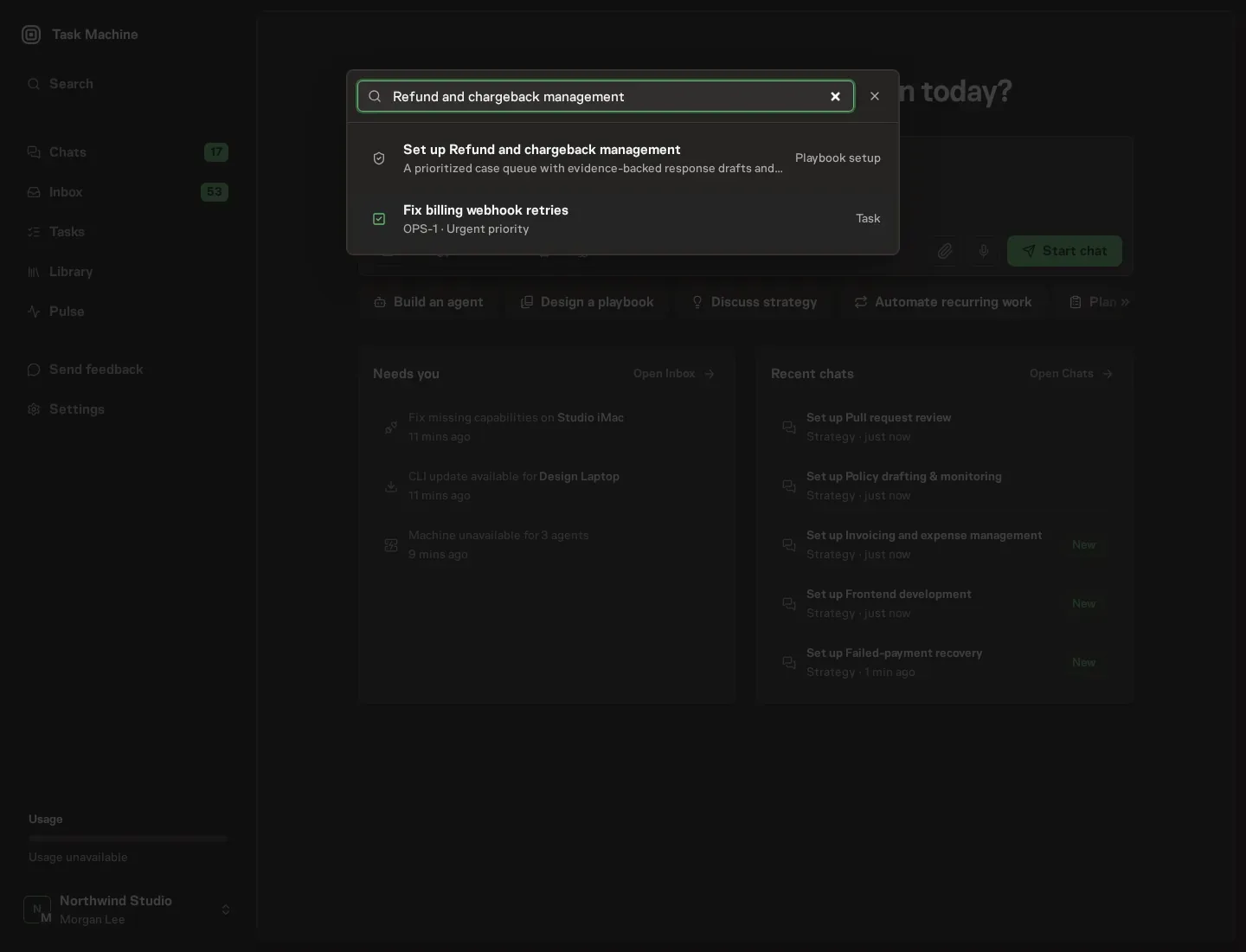
Open Search in your workspace and enter "Refund and chargeback management". The command center lists Set up Refund and chargeback management under Playbook setup.
2. Start the conversation
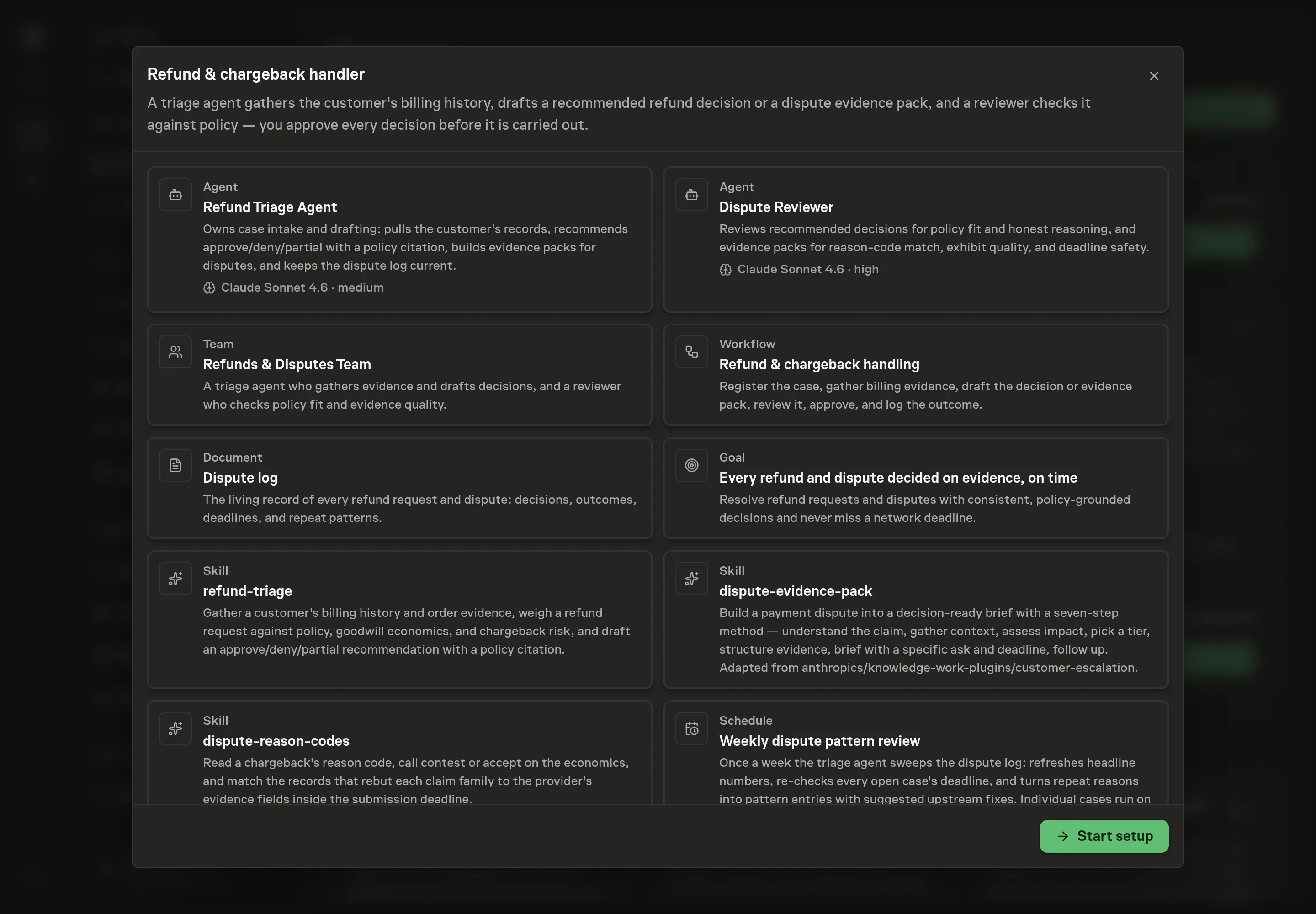
Choose Set up Refund and chargeback management. Task Machine opens a dedicated Chat with the Playbook card and an editable, unsent request. Read the intended job and outcome. Add your situation and send it when ready. Opening the draft does not install anything or start work. This walkthrough uses settings that require approval of the proposed Playbook.
3. Agree the services
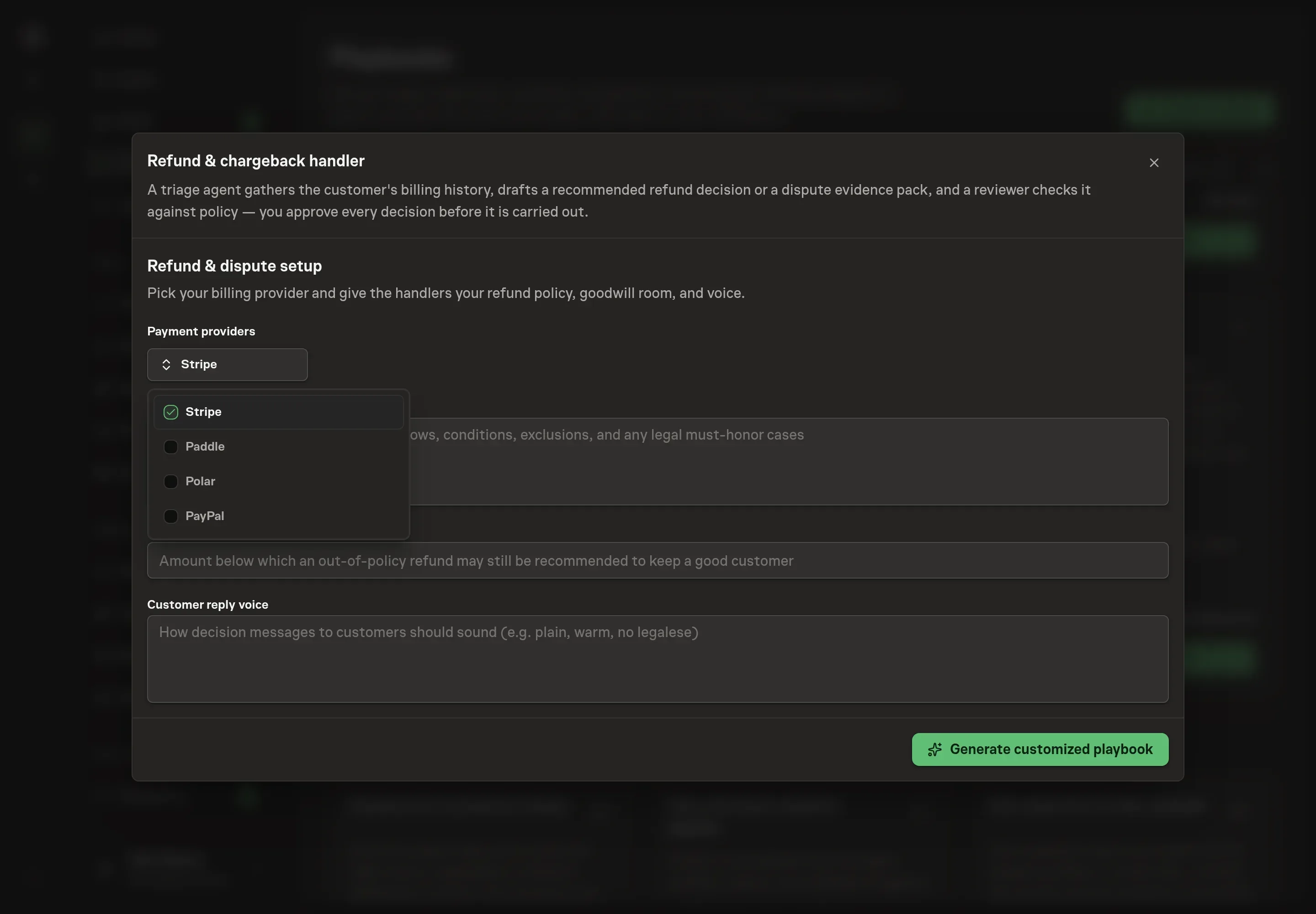
Tell the Agent which services you use. The catalog offers these starting choices:
- Payment providers: Stripe, Paddle, Polar, PayPal. Required for this catalog setup.
Discuss any missing access or export-based alternative before generation. Check the exact proposal includes only the services you agreed. Enter credentials only through secure setup, never in Chat.
4. Agree the working brief
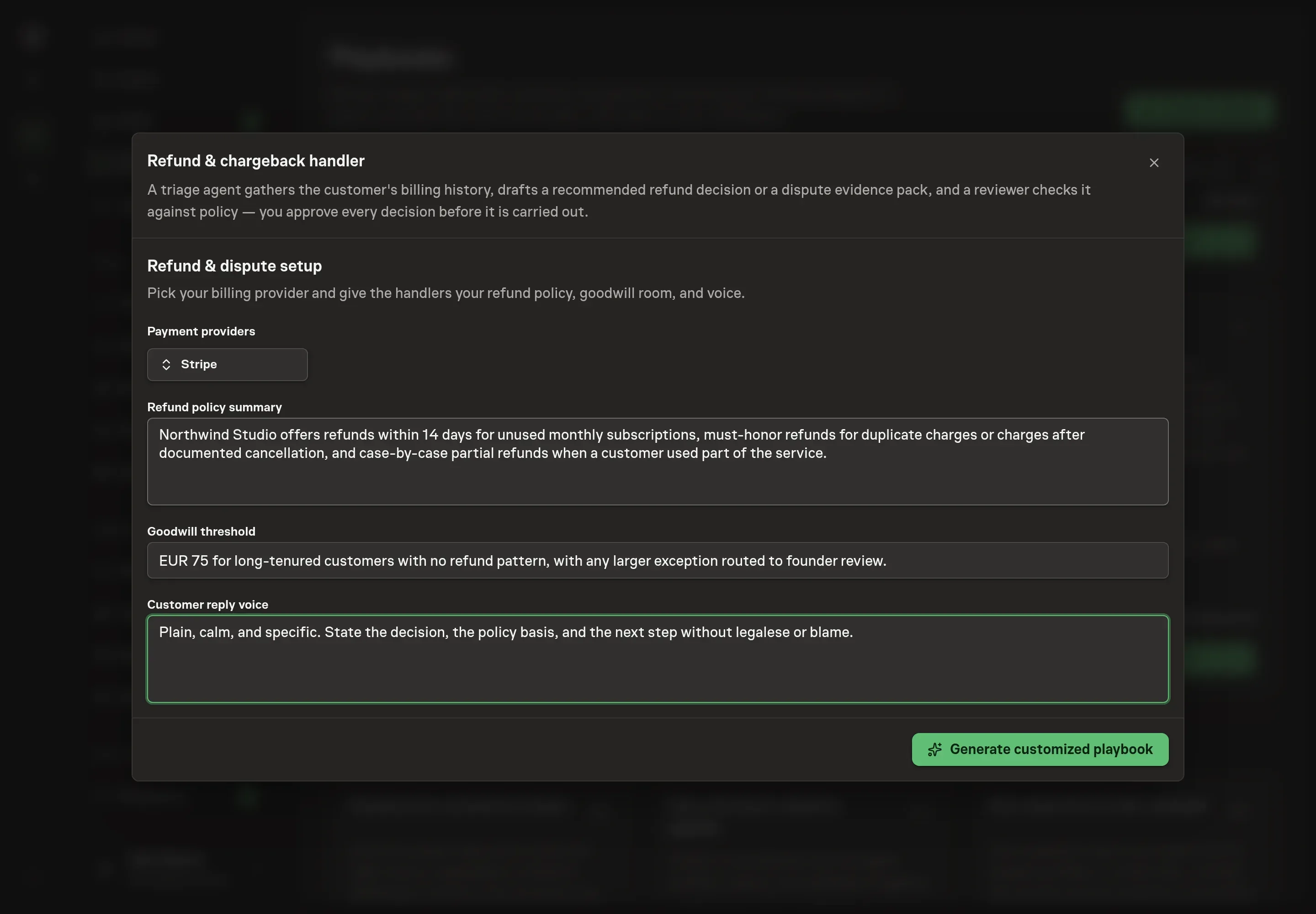
Use Chat to agree the inputs, expected output and limits before asking for a proposal. Discuss the refund policy summary, goodwill threshold, and customer reply voice. These answers shape how the agent weighs policy, goodwill economics, and the plain-language customer message.
5. Review the proposed Playbook
Ask the Agent to generate the Playbook from the agreed brief. Open its proposal in Chat and check the instructions and resources it will install, which carry more detail than the conversational summary. Review the agents, workflow, dispute log, skills, selected billing provider, goal, and schedule. Confirm that the approval step sits before any refund, dispute response, or customer message. Ask for a revised proposal if anything is missing or changes the job.
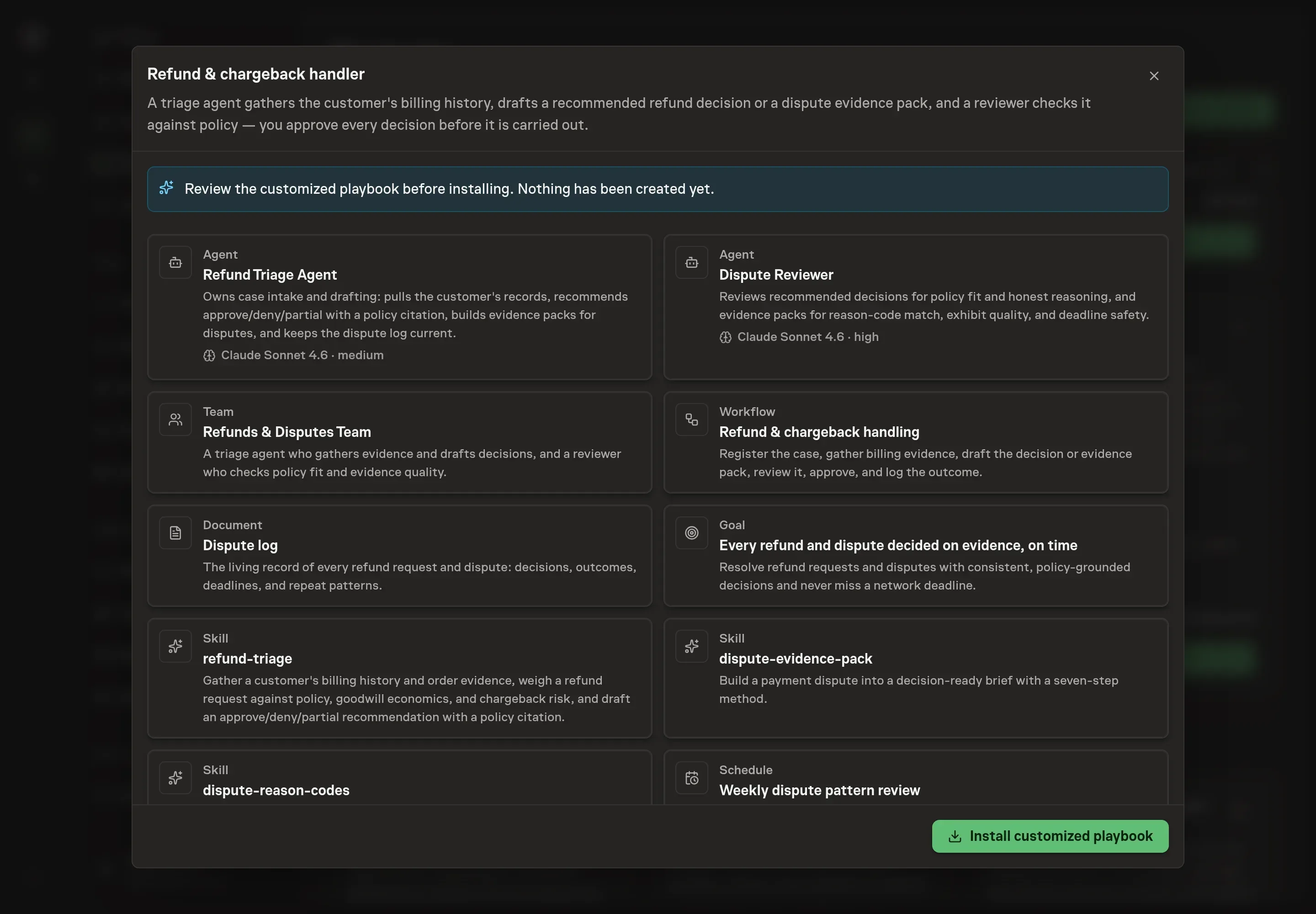
6. Approve and prepare the first work
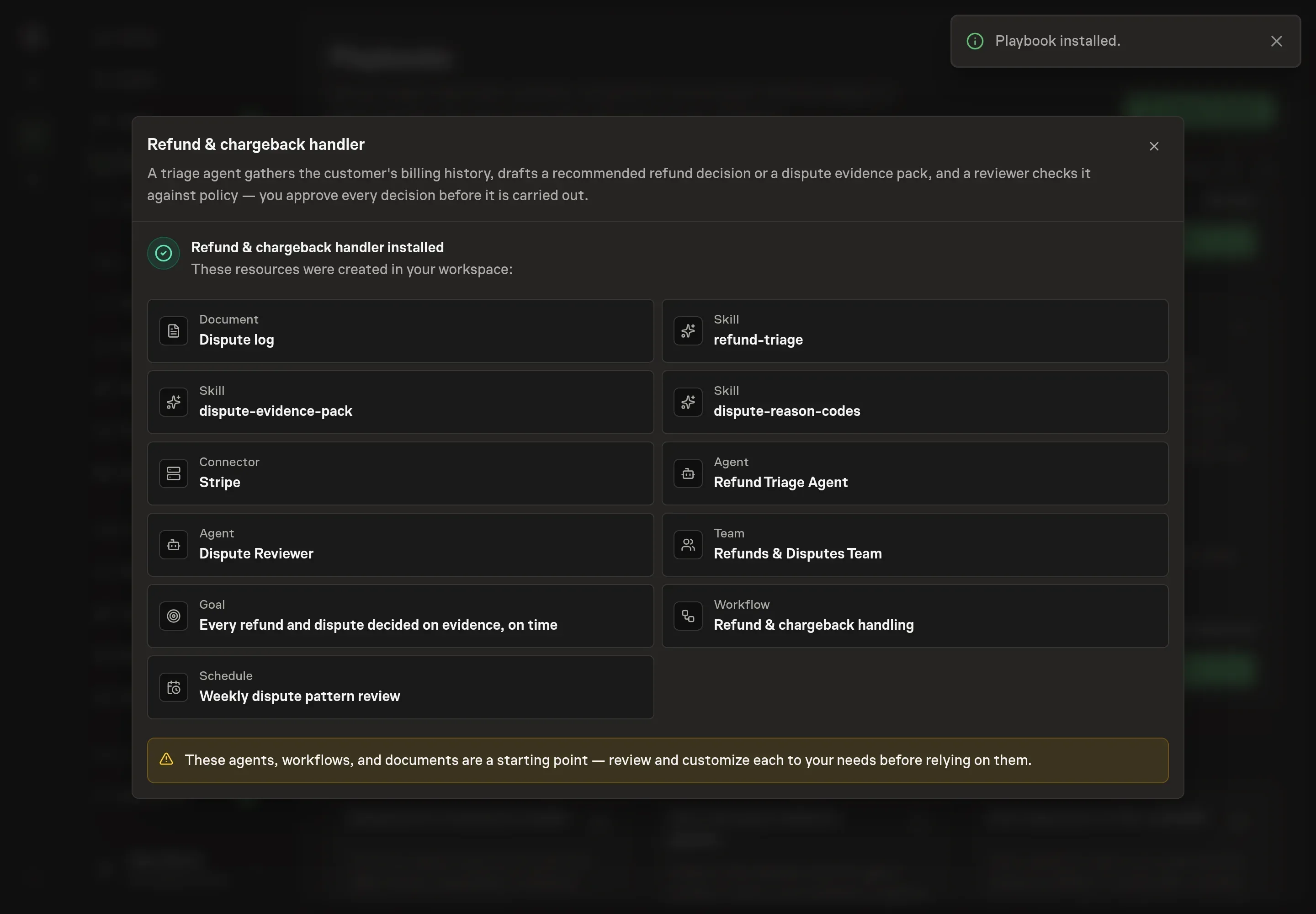
Choose Approve on the proposal in Chat when the configuration matches your brief. Task Machine installs that reviewed configuration. The approved item retains its review details. If your autonomy settings allow direct installation, this approval may not be required. Check the resulting configuration in that case too.
Complete any remaining secure service setup from the installation details in Chat. Inbox keeps those setup items available if you return later. Prepare the source documents and inputs before starting the first Task or Workflow. Installation does not authorize sending, publishing or changing an external service beyond the boundaries you agreed. Confirm each schedule's cadence and timezone, and resolve any pending schedule setup before it starts. A readback must wait for its agreed observation window and source data. Check the reviewed tracker or results document before the first cycle so evidence and human decisions have a durable home.
What good looks like
Every open case should have an amount, reason, stage, and deadline when relevant. Every refund recommendation should show the decision, policy basis, amount, lifetime spend, prior refunds, dispute risk, and customer message.
For disputes, the evidence pack should rebut the actual reason code. More evidence is not better when it hides the point. The best pack is short, dated, labeled, and submitted with enough approval time before the respond-by date.
Common questions
Can the agent issue refunds automatically? No. It drafts the recommendation and customer message. A human approves before any refund is issued.
Can it submit chargeback evidence automatically? No. The package is reviewed and then routed for approval before any response is submitted.
Which billing providers can it use? The setup offers Stripe, Paddle, Polar, and PayPal. You can pick one or several.
What if billing access is not authorized yet? The workflow can work from the request text and attached records, but provider access gives it the charge history, refund history, dispute details, and reason codes it needs for stronger recommendations.