How to Automate Retainer Delivery Digests
A practical guide to reconciling retainer work, hours, scope creep, and client-facing delivery digests with approval.

Founder, Task Machine
A retainer delivery digest is the recurring report that compares what an agency delivered against what the client bought. It reconciles work and hours, classifies each item against scope, flags over-delivery or under-delivery, and turns the period into a clear digest for the account lead and client.
It matters because retainer problems rarely appear all at once. They build through a few unbilled requests, a missed committed deliverable, a timesheet that does not match the project tracker, or a client who cannot see the value they paid for.
Why retainer delivery leaks margin
Most agencies know when a retainer feels off before they can prove it. A client asks for one extra landing page section, then a rush deck, then a strategy call that was never scoped. The team wants to be helpful, so the work gets done and the margin leak hides inside normal delivery.
Under-delivery is just as risky. If the team used fewer hours than planned or missed a committed output, the client needs to hear the explanation and the next action before trust erodes. A digest makes the facts visible while there is still time to correct them.
What the manual process looks like
Run by hand, the digest has six steps:
- Pull delivered work from the project tracker for the reporting period.
- Pull logged hours from the time-tracking tool.
- Reconcile the two sources and flag gaps instead of inventing missing data.
- Classify every delivered item as in-scope, out-of-scope, scope creep, or missed.
- Compute utilization against included hours, deliverable cadence, and any role or threshold rules.
- Draft a digest with RAG status, delivered outcomes, utilization, deviations, recommended actions, and next-period priorities.
This is detail work. It requires care, but the structure should be the same every period so the account lead can compare digests over time.
What an agent can automate
An agent can own the reconciliation and draft while leaving client communication under human control:
- Pull and reconcile evidence. The agent reads delivered work and logged hours from browser-accessible tools or attached exports. Unreconciled items are findings to flag, not blanks to fill.
- Classify against the scope. Each item is compared with the Retainer scope document: included work, excluded work, hour budget, cadence, thresholds, and client-facing caveats.
- Compute utilization. The digest shows hours delivered versus included hours, aggregate and by role when the scope defines it, plus deliverable variance against the promised cadence.
- Name deviations with actions. Scope creep, under-delivery, missed commitments, and margin risks get a specific recommended action and date.
- Self-critique before approval. The agent checks that every number traces to a source, the headline status is honest, scope creep is surfaced, and outcomes do not read like a raw task log.
The agent should not share the digest with the client. It prepares the account lead's decision package.
The guardrails that make it safe
Retainer reporting has sensitive facts: margin risk, awkward under-delivery, and scope creep that may become a change-order conversation. The workflow keeps those facts visible to the account lead and carefully framed for any client-facing version.
The approval step sits after self-critique. You decide what to share, how to frame it, and whether a deviation needs a change order, a scope reset, or an internal delivery fix.
Set it up in Task Machine
The Client delivery reporting playbook provides a starting point for the method above. You need an active Task Machine workspace with Chat, workspace-management and Playbook-installation access (workspace owners have it). Browser access to project and time-tracking tools can be connected later. Until then, the agent works from attached exports.
1. Find the playbook
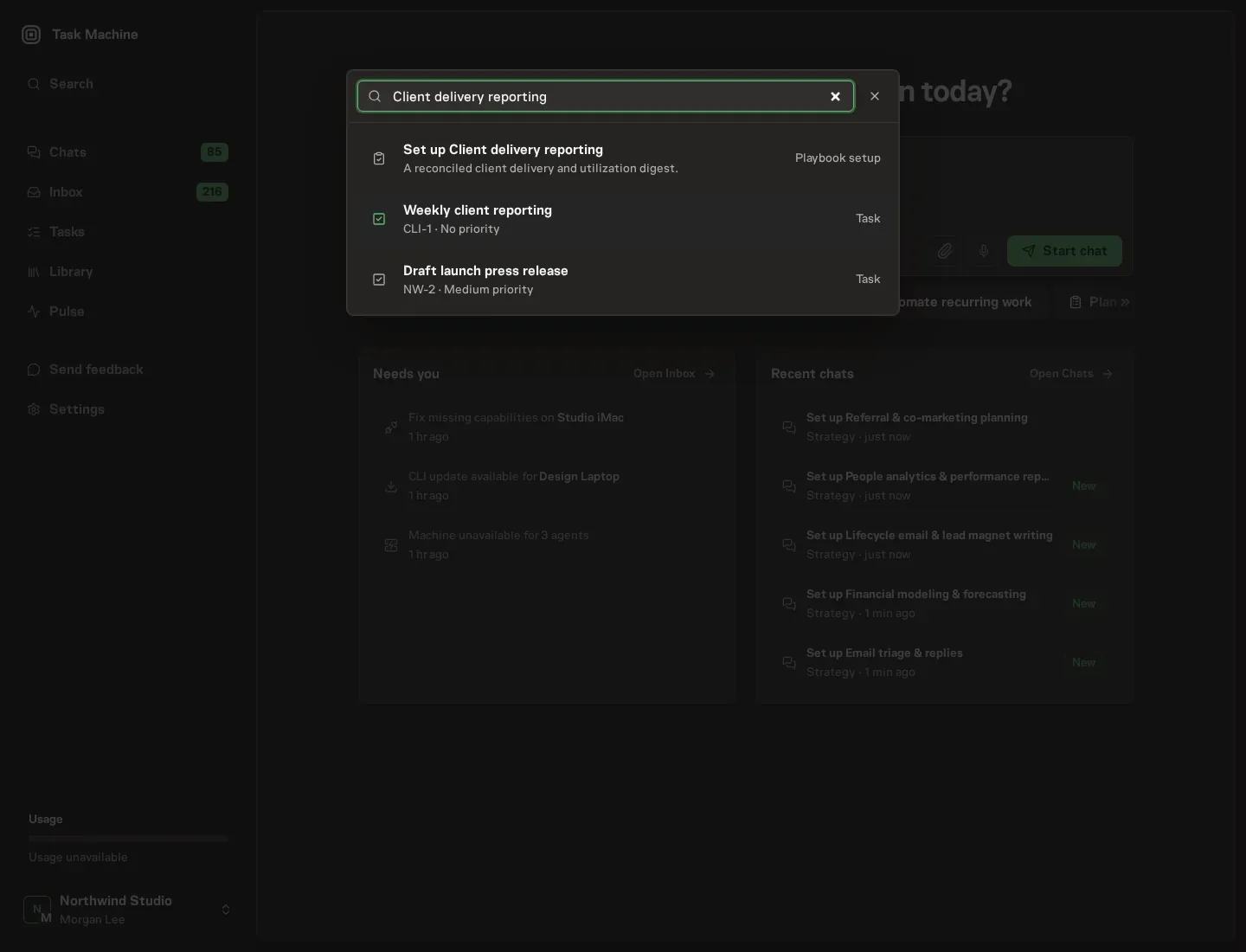
Open Search in your workspace and enter "Client delivery reporting". The command center lists Set up Client delivery reporting under Playbook setup.
2. Start the conversation
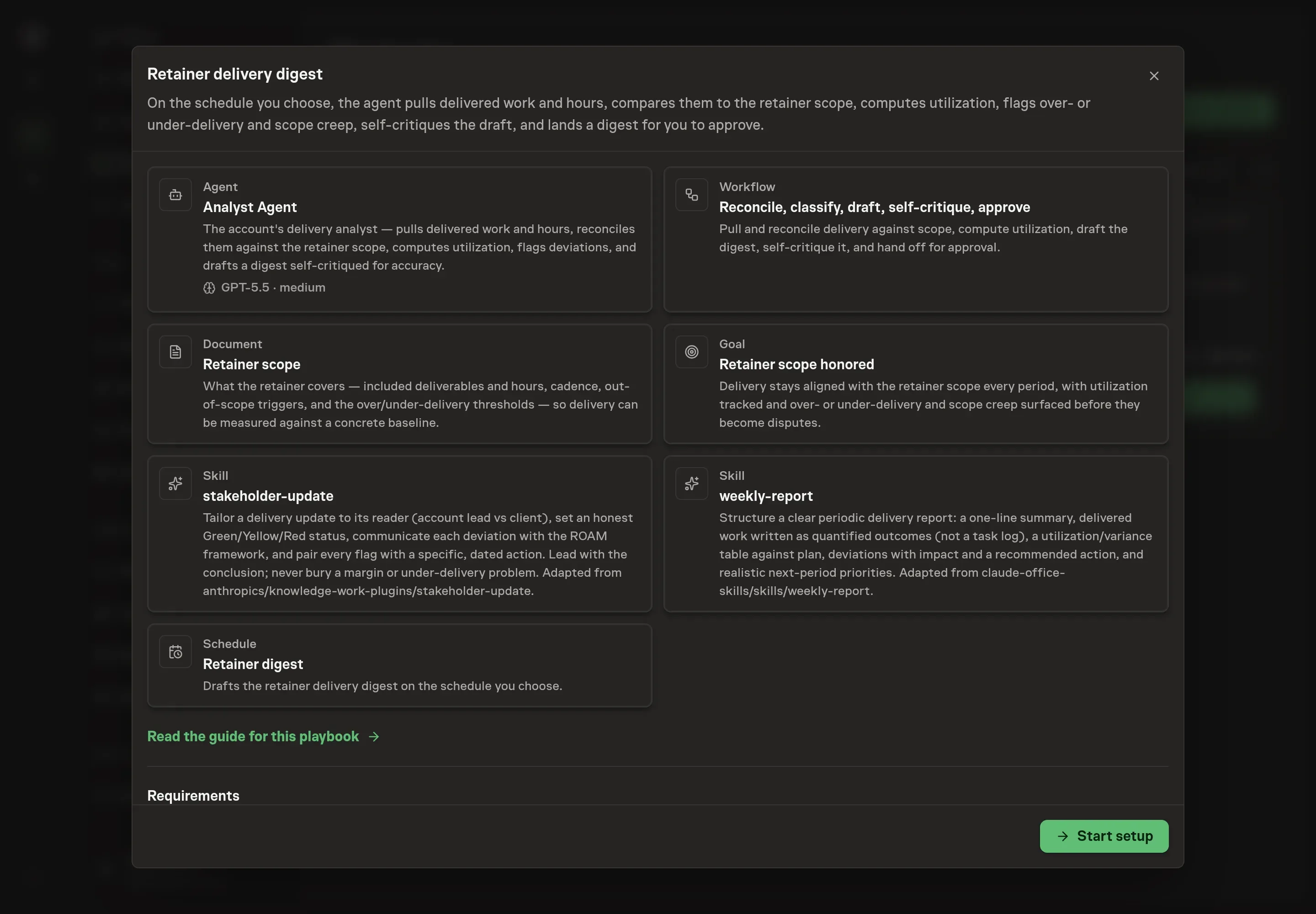
Choose Set up Client delivery reporting. Task Machine opens a dedicated Chat with the Playbook card and an editable, unsent request. Read the intended job and outcome. Add your situation and send it when ready. Opening the draft does not install anything or start work. This walkthrough uses settings that require approval of the proposed Playbook.
3. Agree the working brief
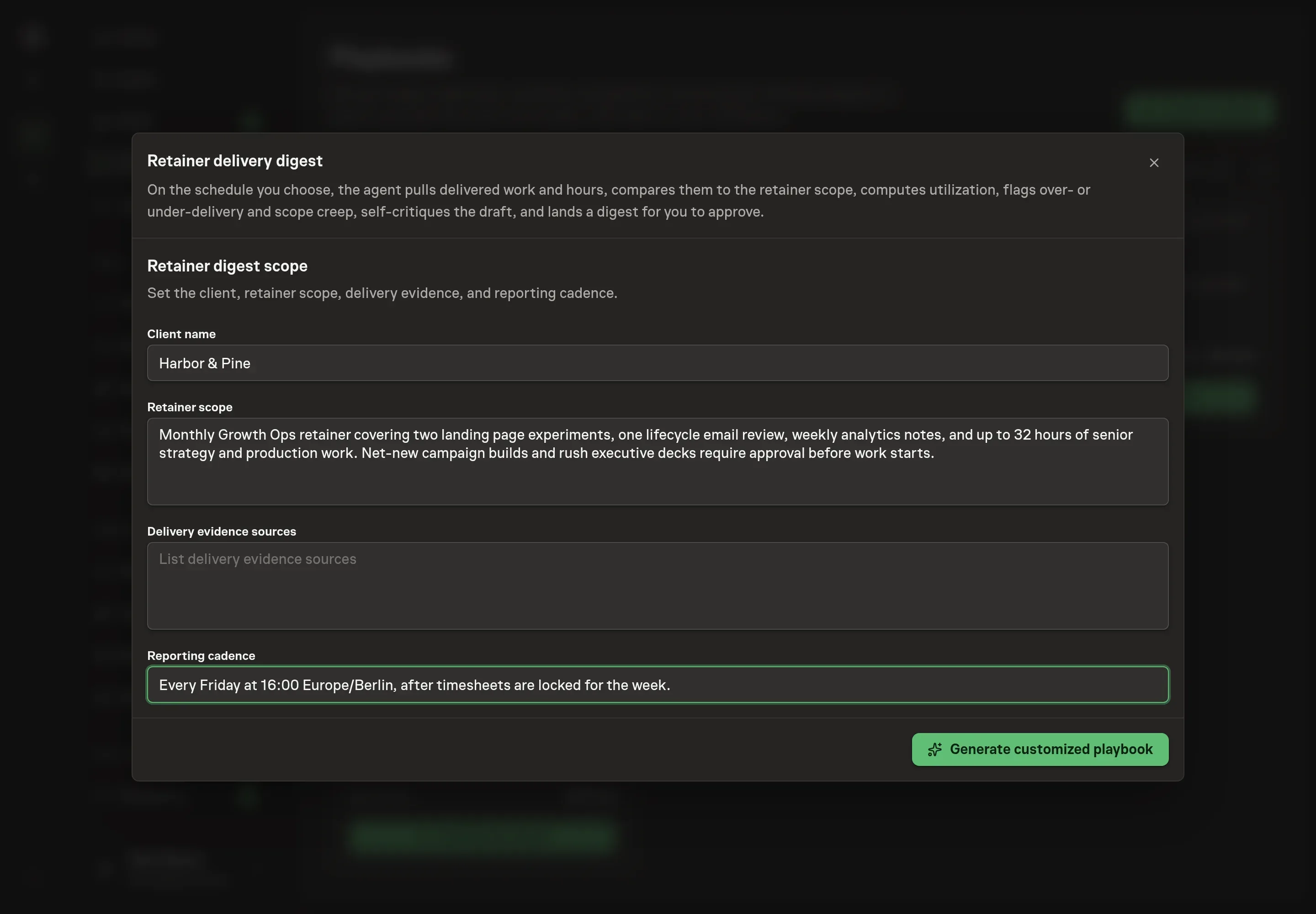
Use Chat to agree the inputs, expected output and limits before asking for a proposal. Discuss the client name, retainer scope, delivery evidence sources, and reporting cadence. For Northwind Studio, that might mean a monthly Growth Ops retainer with content, landing page experiments, client reporting, Linear project records, Harvest time entries, and a Friday digest cadence.
4. Review the proposed Playbook
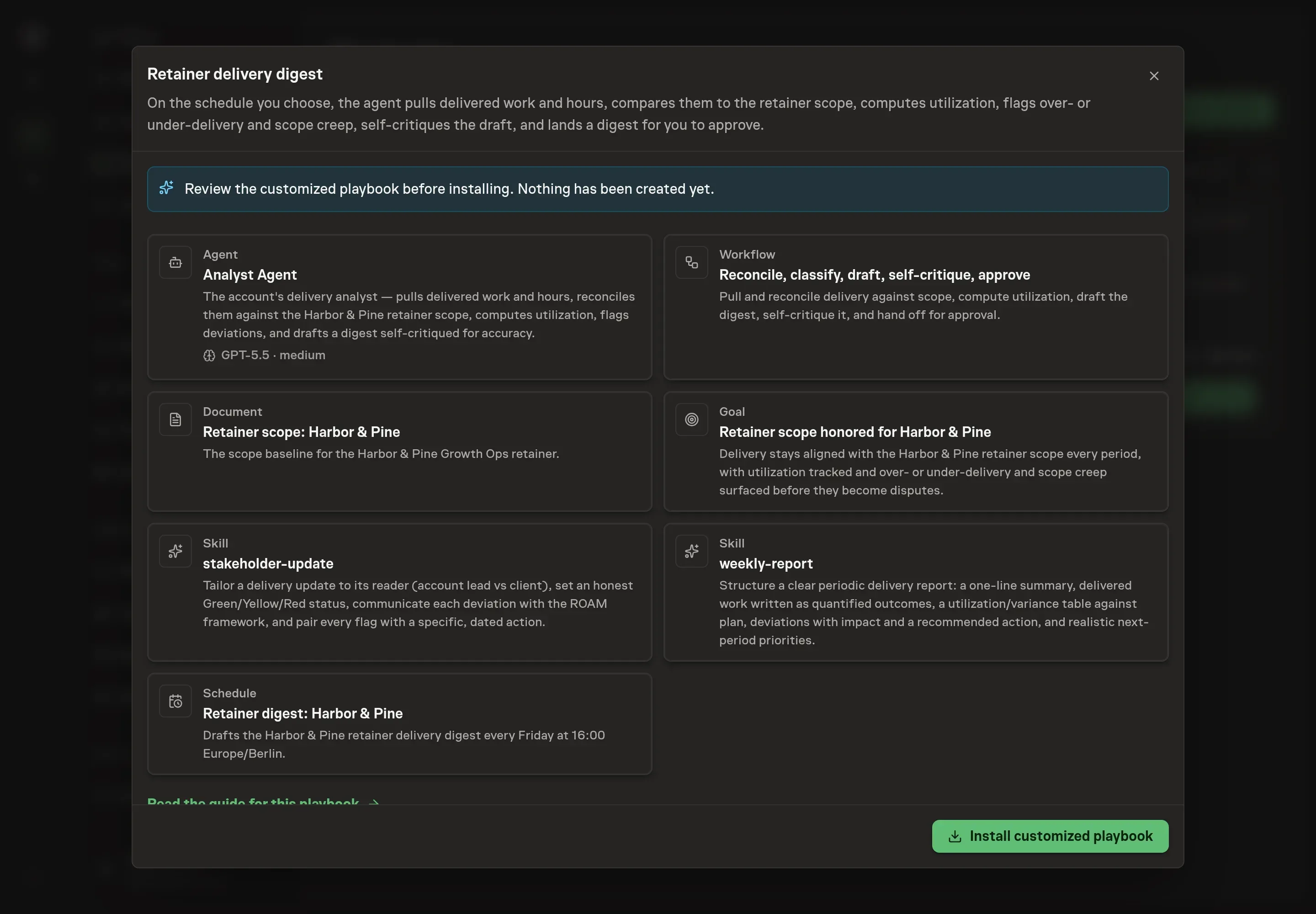
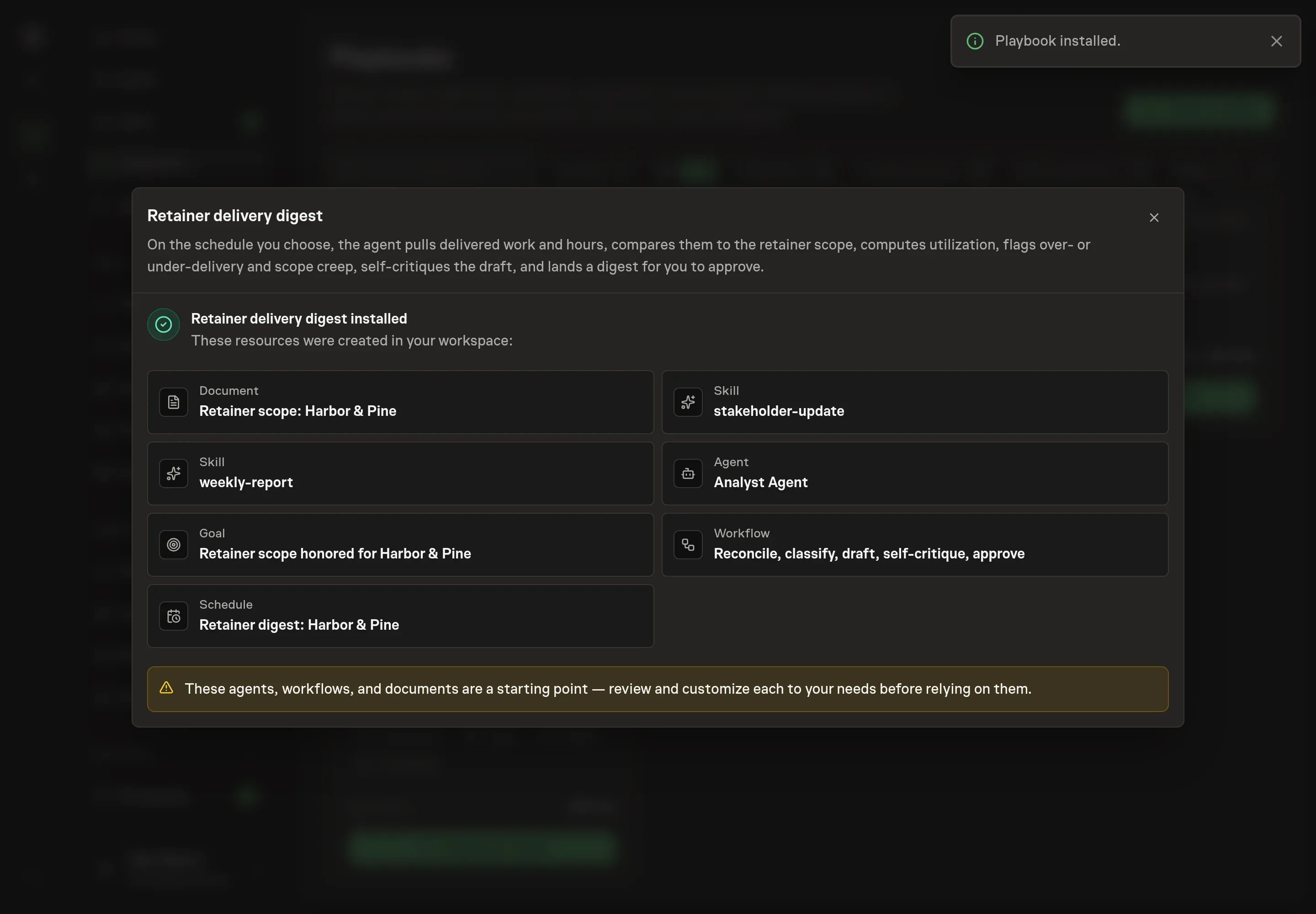
Ask the Agent to generate the Playbook from the agreed brief. Open its proposal in Chat and check the instructions and resources it will install, which carry more detail than the conversational summary. Review the customized analyst instructions, workflow prompts, Retainer scope document, goal, and schedule. Confirm the scope document captures included work, excluded work, hour budget, thresholds, and who reads the digest. Ask for a revised proposal if anything is missing or changes the job.
5. Approve and prepare the first work
Choose Approve on the proposal in Chat when the configuration matches your brief. Task Machine installs that reviewed configuration. The approved item retains its review details. If your autonomy settings allow direct installation, this approval may not be required. Check the resulting configuration in that case too.
Complete any remaining secure service setup from the installation details in Chat. Inbox keeps those setup items available if you return later. Prepare the source documents and inputs before starting the first Task or Workflow. Installation does not authorize sending, publishing or changing an external service beyond the boundaries you agreed. Confirm each schedule's cadence and timezone, and resolve any pending schedule setup before it starts. A readback must wait for its agreed observation window and source data.
What good looks like
A useful digest makes scope visible before a dispute:
- Every number traces to a source. Hours, deliverables, and utilization reconcile to project and time-tracking evidence.
- Scope creep is explicit. Out-of-scope work is named with hours and a recommended action, not absorbed as normal service.
- Status is honest. Green, Yellow, or Red reflects the real period, including under-delivery and margin risk.
Common questions
Can the digest be client-facing? Yes, but the approval step matters. The agent can draft from the same facts while the account lead decides what belongs in the client-facing version.
What happens when hours and project records disagree? The agent flags the mismatch. It should not invent hours or force the two sources to match.
Should every extra request become a change order? No. The digest surfaces the facts and recommends an action. The account lead decides whether the right response is a change order, a scope reset, or an internal delivery change.
Can this run without connected project tools? Yes. The workflow can run from attached project exports and timesheets until browser access is ready.