How to Automate Security Audits
A practical guide to running exploitability-first security audits with scoped code review, CI checks, and approval gates.

Founder, Task Machine
Security auditing is the practice of reviewing a scoped branch, pull request, feature area, or repository slice for exploitable security issues before they reach production. A useful audit does more than search for scary patterns. It traces attacker-controlled input through the code, checks whether framework protections already neutralize the path, and reports only findings a developer can reproduce and fix.
Small teams often treat that work as an occasional specialist review. That leaves security-sensitive changes competing with feature review, CI noise, dependency alerts, and release pressure. The better shape is a repeatable audit assignment with a clear scope, a threat model, scanner output treated as leads, and a human decision before any fix or public comment happens.
Why security review gets noisy
Most security reviews fail for lack of proof, even when the tools are in place. A scanner flags a query builder call, a workflow token permission, or a suspicious file read. Someone pastes the alert into a review, and the team burns time proving that the path is unreachable, already escaped, or only possible for an administrator.
The opposite failure is worse. A general code review notices style and tests but misses the exploit path because nobody followed the data from input to sink. Authorization checks, CI workflow triggers, third-party actions, secrets handling, and dependency manifests sit outside the changed file. The risky part is often one import, one route, or one GitHub Actions condition away from the diff.
What the manual process looks like
Done by hand, a security audit is a focused review ritual:
- Define the audit scope: branch, pull request, feature area, or repository slice.
- Name the threat concerns, including authentication, authorization, injection, XSS, SSRF, file handling, secrets, CI, dependencies, and business-logic abuse.
- Gather the full diff plus surrounding code, configuration, workflow files, tests, and dependency manifests.
- Trace attacker-controlled input to dangerous sinks and rule out framework-mitigated false positives.
- Run available scanners or audit commands, then verify each lead before treating it as a finding.
- Write only high-confidence findings with severity, file and line, exploit path, why existing protection is insufficient, and the smallest safe fix.
That is careful work. It rewards patience and skepticism, and it is easy to skip when the team only asks, "Does the PR look good?"
What an agent can automate
An agent is useful because much of this loop is structured investigation, not taste:
- Scope the review. The agent starts from the assigned branch, pull request, feature area, or repository slice and gathers the surrounding context before making claims.
- Map input to sinks. It follows attacker-controlled input through routes, handlers, background jobs, templates, shell calls, storage paths, external calls, and authorization checks.
- Audit CI as code. It reads GitHub Actions workflow triggers, token permissions, third-party actions, shell interpolation, caches, artifacts, and deployment credentials.
- Verify scanner leads. If Semgrep, npm audit, govulncheck, mix deps.audit, or a secret scanner is available, the agent treats results as leads. It confirms exploitability before reporting them.
- Write actionable findings. Each finding includes the severity, file and line, attacker input, path to sink, missing protection, and smallest safe fix. Low-confidence concerns become questions instead of inflated issues.
The human still owns the judgment call. The agent can produce the audit report and draft fixes when asked, but it should not post comments, merge code, deploy, rotate credentials, or change CI secrets on its own.
The guardrails that make it safe
Security automation is useful only when it is low-noise. The safe pattern is to make the agent prove exploitability before it gets to call something a finding. Pattern matches, scanner output, and suspicious names are not enough.
The approval boundary is just as important. The audit report lands as a reviewable artifact. A person decides which findings are real, which fixes to request, and whether the agent should draft a patch. That keeps security review from turning into automated alarm generation, and it keeps privileged actions such as secret rotation and deployment changes outside the agent's authority.
Set it up in Task Machine
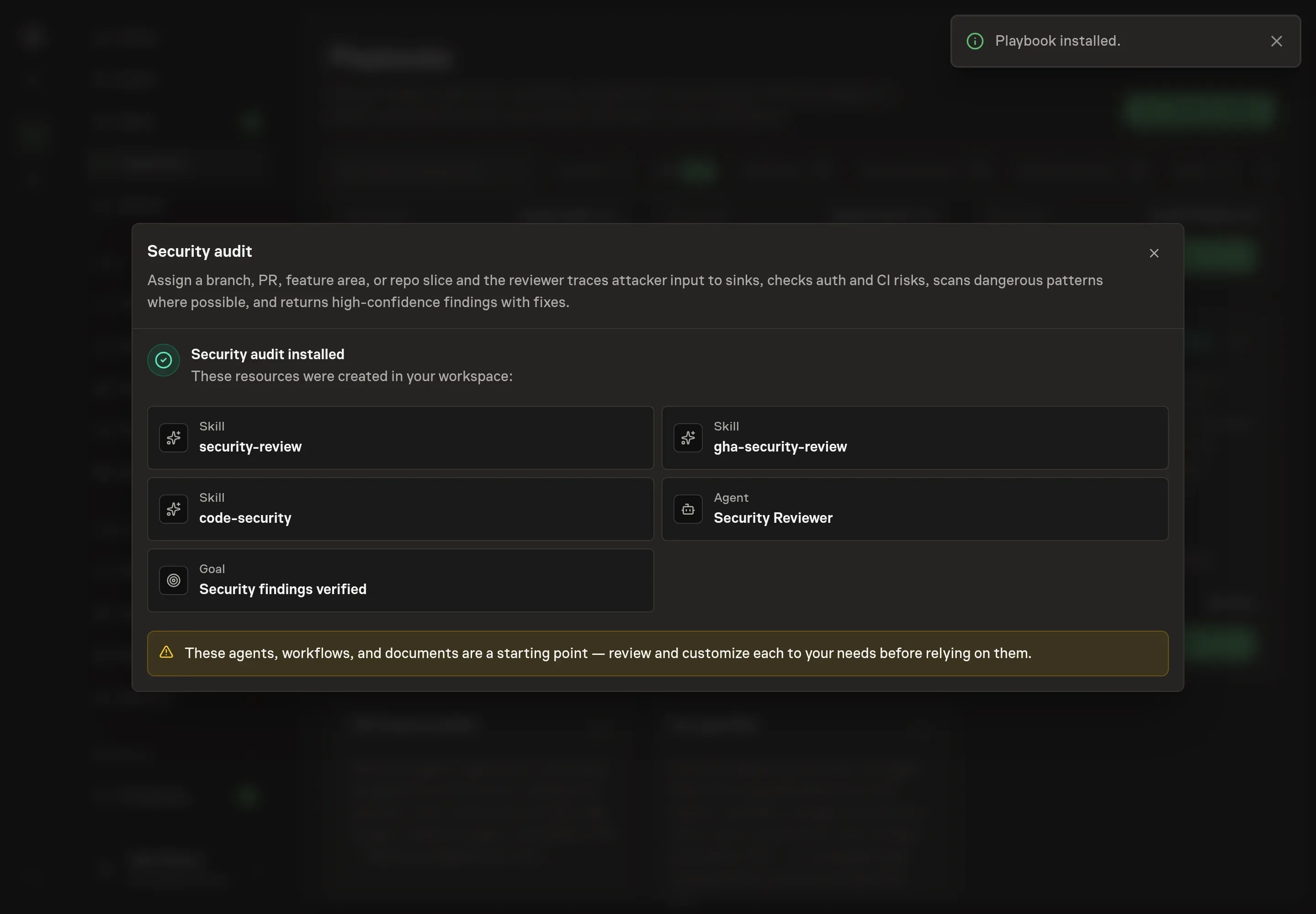
The Security audit playbook provides a starting point for the method above. You need an active Task Machine workspace with Chat, workspace-management and Playbook-installation access (workspace owners have it).
1. Find the playbook
Open Search in your workspace and enter "Security audit". The command center lists Set up Security audit under Playbook setup.
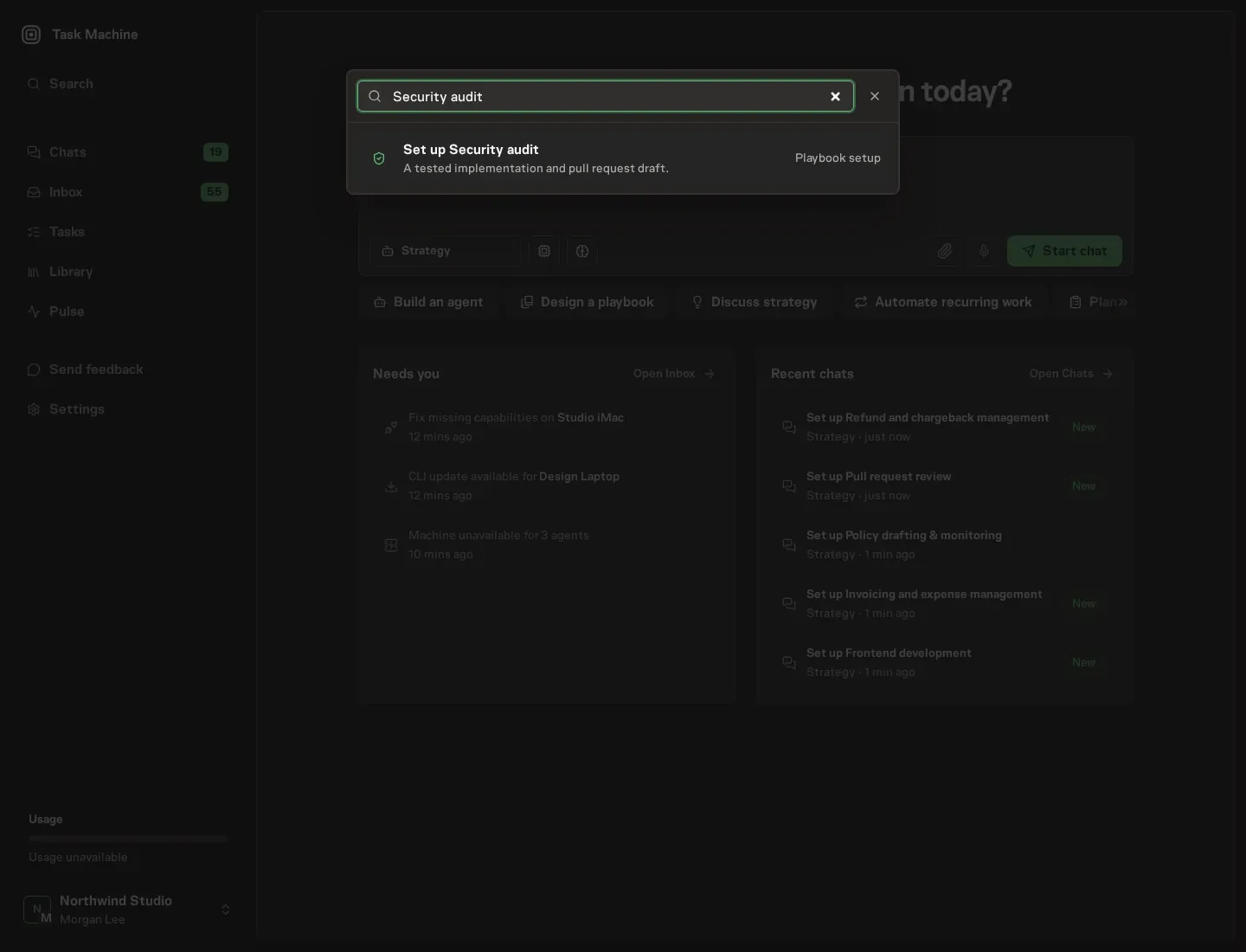
2. Start the conversation
Choose Set up Security audit. Task Machine opens a dedicated Chat with the Playbook card and an editable, unsent request. Read the intended job and outcome. Add your situation and send it when ready. Opening the draft does not install anything or start work. This walkthrough uses settings that require approval of the proposed Playbook.
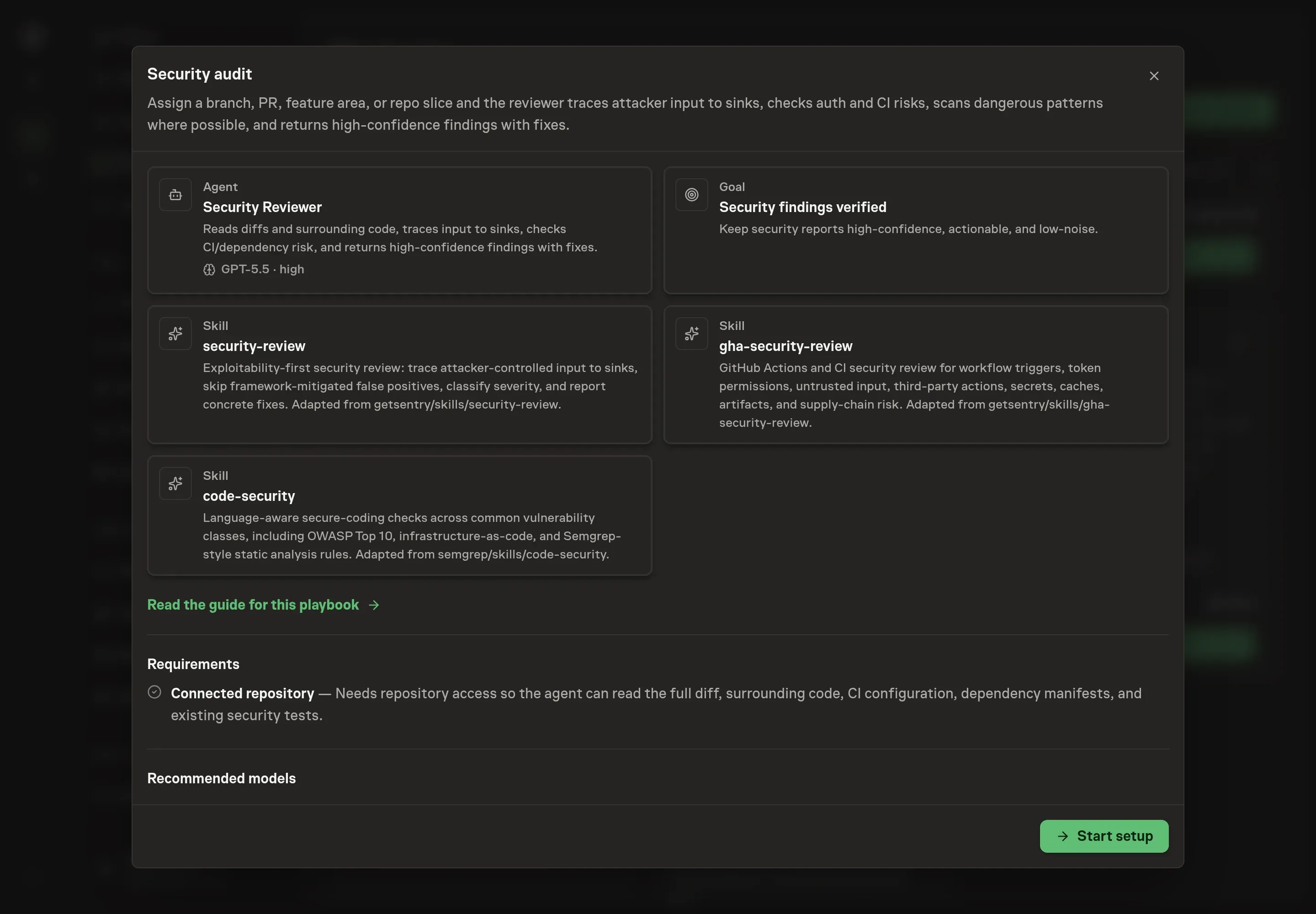
3. Agree the working brief
Use Chat to agree the inputs, expected output and limits before asking for a proposal. The Agent needs the repository, audit scope, threat concerns, and verification command. For scope, name the exact branch, pull request, feature area, or repository slice. For threat concerns, focus the reviewer on the risks that matter for this change.
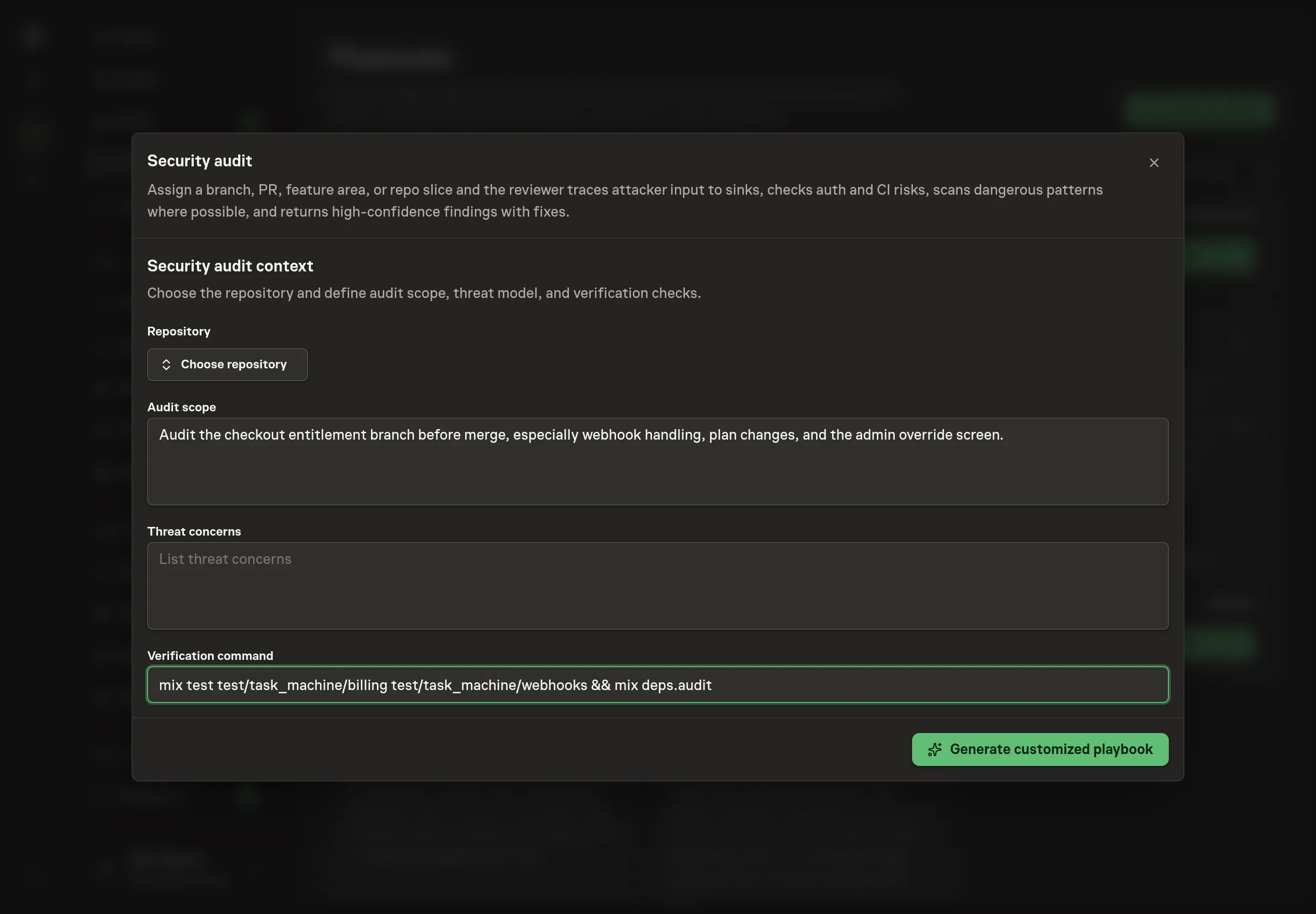
4. Review the proposed Playbook
Ask the Agent to generate the Playbook from the agreed brief. Open its proposal in Chat and check the instructions and resources it will install, which carry more detail than the conversational summary. Read the proposal before installing. The audit should name the right scope, include the threat concerns, and keep the verification command visible as a check rather than a substitute for review. Ask for a revised proposal if anything is missing or changes the job.
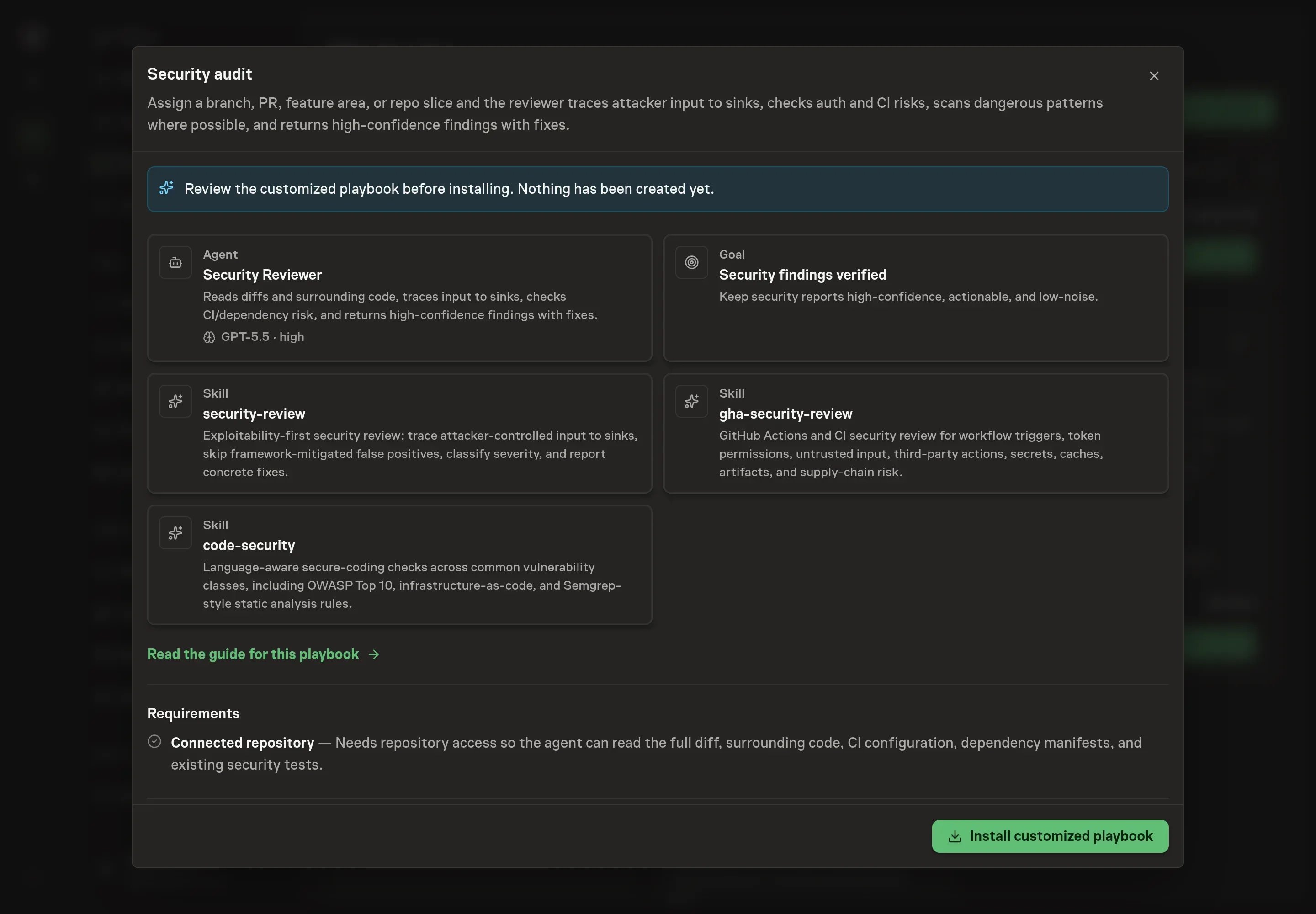
5. Approve and prepare the first work
Choose Approve on the proposal in Chat when the configuration matches your brief. Task Machine installs that reviewed configuration. The approved item retains its review details. If your autonomy settings allow direct installation, this approval may not be required. Check the resulting configuration in that case too.
Complete any remaining secure service setup from the installation details in Chat. Inbox keeps those setup items available if you return later. Prepare the source documents and inputs before starting the first Task or Workflow. Installation does not authorize sending, publishing or changing an external service beyond the boundaries you agreed.
What good looks like
Three numbers and checks tell you whether the audit loop is working:
- False-positive rate. Findings should be rare and defensible. If most reports get dismissed, the agent is pattern matching instead of proving exploitability.
- Time to audited scope. Security-sensitive branches should get a scoped audit before merge, not after release.
- Finding completeness. Every accepted finding should include severity, file and line, attacker input, path to sink, missing protection, and the smallest safe fix.
Common questions
Can an agent replace a security engineer? No. The agent handles the structured investigation and report assembly. A human still decides whether the finding is accepted, which fix ships, and whether any broader incident response is needed.
Should scanner output be copied into the report? No. Scanner output is a lead list. The report should include only verified findings, with the exploit path and the reason existing protections do not stop it.
What should the first audit cover? Start with a narrow, high-risk scope: authentication changes, billing changes, file handling, webhook processing, CI workflows, or any feature that moves user-controlled input into a privileged action.
Can this work without repository access? Yes, but with limits. The reviewer can work from attached diffs, workflow files, dependency manifests, and logs. Repository access gives it the surrounding code needed to avoid both missed paths and false positives.