How to Automate SQL Data Exploration
A practical guide to answering business questions with profiled data, checked SQL, statistical caveats, and approval.

Founder, Task Machine
SQL data exploration is the process of turning a business question into a trustworthy analysis: profile the data, write a query at the right grain, validate the result, explain the caveats, and share the answer only after review. Most of the work is proving that the number answers the question people asked, which takes longer than typing the SQL.
This is worth automating because small teams ask the same kinds of questions every week. Which funnel step changed? Which cohort retained? Which segment is dragging down activation? Beyond the analyst's time, the cost is decision risk when a fast query skips schema context, denominator checks, or statistical caution.
Ad-hoc SQL hides its validation cost
Ad-hoc SQL feels cheap because the first result arrives quickly. The hidden cost is the validation work that often happens after the number has already been repeated in a meeting.
The common failures are familiar: a join multiplies rows, a soft-deleted account stays in the denominator, a partial month is compared to a full month, a mean hides a skewed distribution, or a dashboard definition conflicts with the query. None of those require bad intent. They happen when the process rewards speed over evidence.
What the manual process looks like
A careful analyst runs the same loop each time:
- Read the business question and translate it into the metric, population, grain, and time window.
- Check the schema reference for table meanings, keys, joins, metric formulas, standard filters, and known caveats.
- Profile unfamiliar data before writing the main query: rows, columns, grain, nulls, distinct counts, date ranges, and suspicious values.
- Write readable, dialect-correct SQL with named common table expressions, safe division, qualified joins, and the right cohort, funnel, window, or dedupe pattern.
- Validate the result by checking join grain, reconciling against a known number or a second method, and testing edge cases.
- Draft the analysis with statistical caution: mean and median where relevant, ranges instead of false precision, and flags for correlation, survivorship bias, Simpson's paradox, or small samples.
- Get a reviewer to approve the SQL, the verification notes, and the written conclusion before the answer is shared.
The value is a result a skeptical stakeholder cannot easily break, however simple the query.
What an agent can automate
The playbook splits the work between an analyst and a verifier:
- Turn the question into a query plan. The analyst reads the question and the schema document, profiles the dataset if needed, and chooses the query pattern that matches the job.
- Write SQL in the repository's or analytics tool's dialect. The agent uses readable CTEs, safe division, date handling, dedupe patterns, and joins with explicit grain.
- Check the number before writing the story. The workflow asks an independent verifier to review the SQL, sanity-check magnitudes, inspect denominator handling, and look for fan-out joins.
- Apply statistical caution. The analyst explains distributions, trends, outliers, and caveats without implying causation the data cannot support.
- Package the answer for approval. The final artifact includes the SQL, result, verification notes, and analysis summary.
The human still decides whether the question was the right one and whether the answer is ready to share.
The guardrails that make it safe
The main guardrail is independent verification before the analysis reaches approval. A second agent reads the SQL and the conclusion with a different job: find the grain mistake, the unsupported causal claim, the bad denominator, or the magnitude that does not reconcile.
The workflow also keeps sharing behind a human approval step. The analyst and verifier can draft and challenge the answer, but the approved analysis is the point where a person decides it can leave the workspace. Until analytics access is connected, the playbook can work from attached exports and the schema document rather than improvising from memory.
Set it up in Task Machine
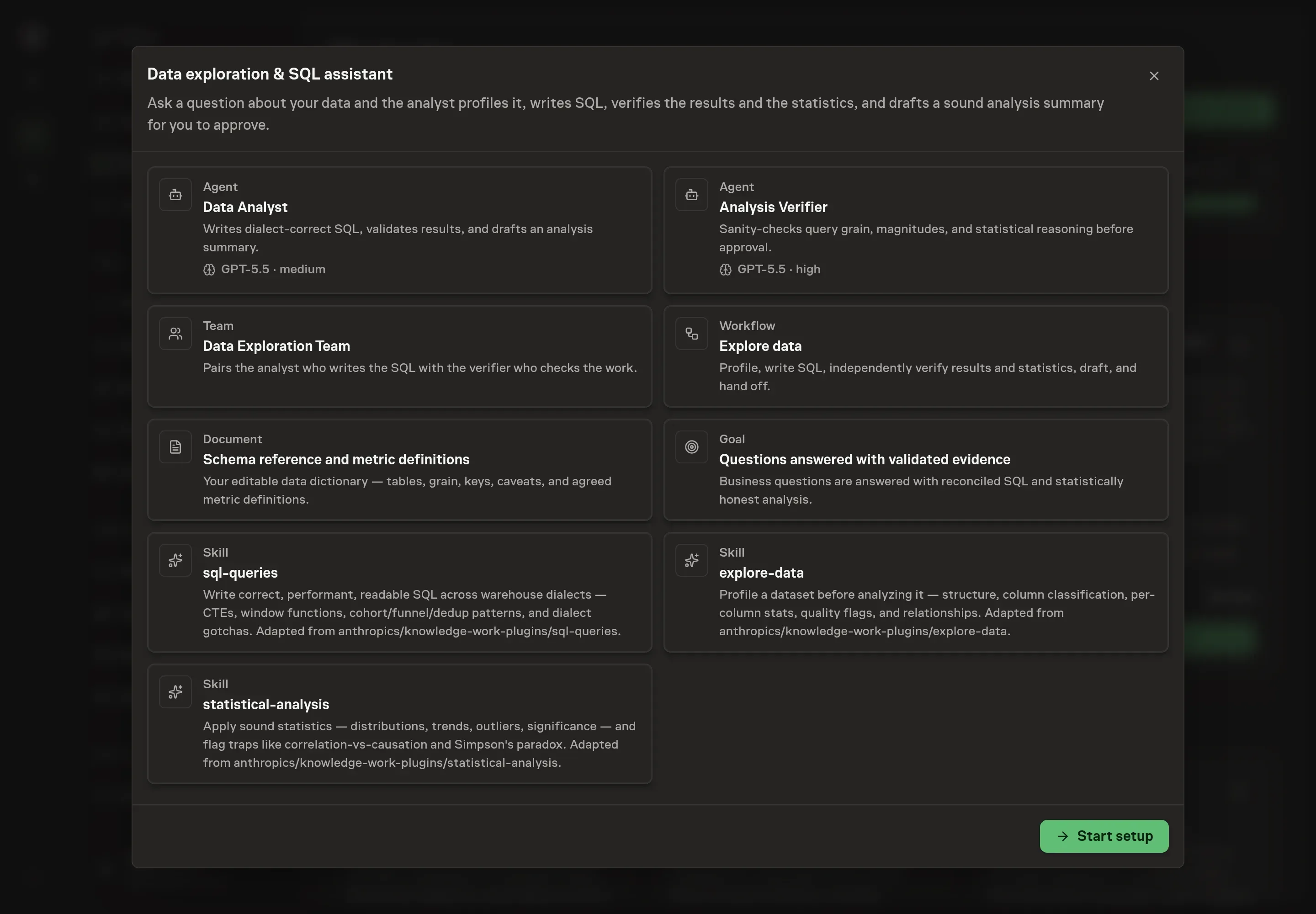
The Data exploration and SQL analysis playbook provides a starting point for the method above. You need an active Task Machine workspace with Chat, workspace-management and Playbook-installation access (workspace owners have it). Connected product analytics through PostHog is useful, but the playbook can start from attached exports and the schema reference until access is authorized.
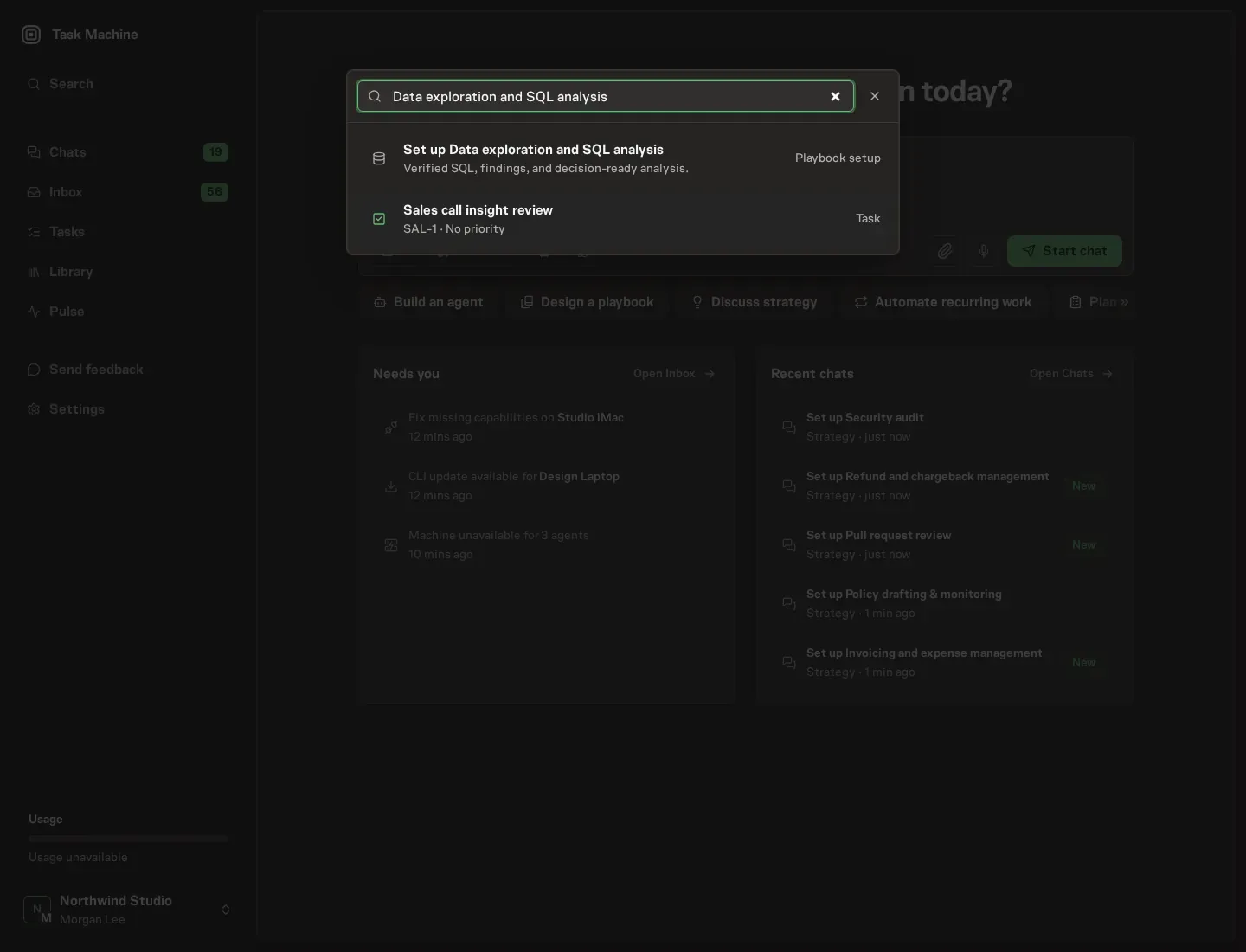
1. Find the playbook
Open Search in your workspace and enter "Data exploration and SQL analysis". The command center lists Set up Data exploration and SQL analysis under Playbook setup.
2. Start the conversation
Choose Set up Data exploration and SQL analysis. Task Machine opens a dedicated Chat with the Playbook card and an editable, unsent request. Read the intended job and outcome. Add your situation and send it when ready. Opening the draft does not install anything or start work. This walkthrough uses settings that require approval of the proposed Playbook.
3. Agree the working brief
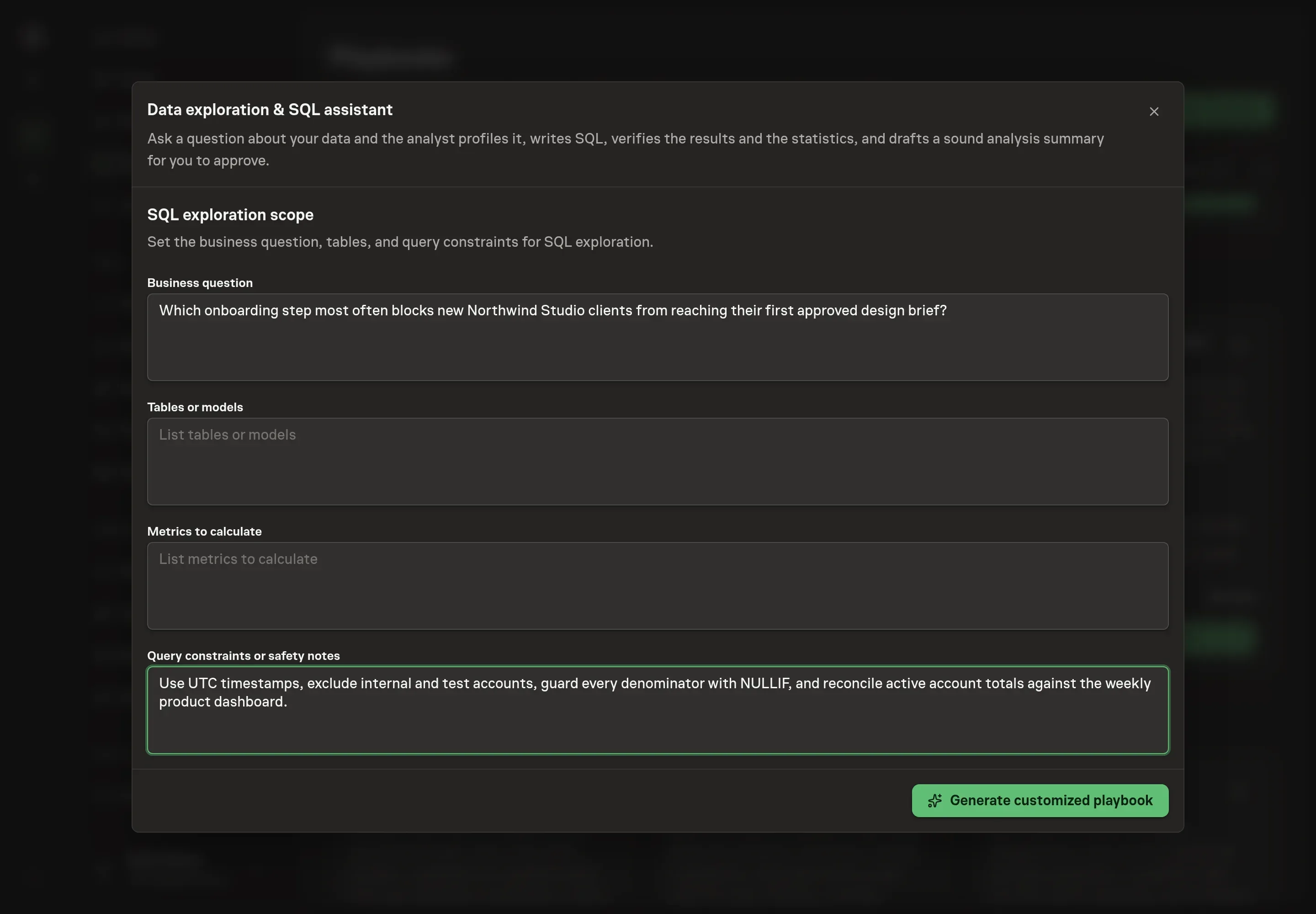
Use Chat to agree the inputs, expected output and limits before asking for a proposal. Discuss the business question, relevant tables or models, metrics to calculate, and query constraints or safety notes. Good setup answers define the metric, time window, standard filters, and any known caveats before the first query runs.
4. Review the proposed Playbook
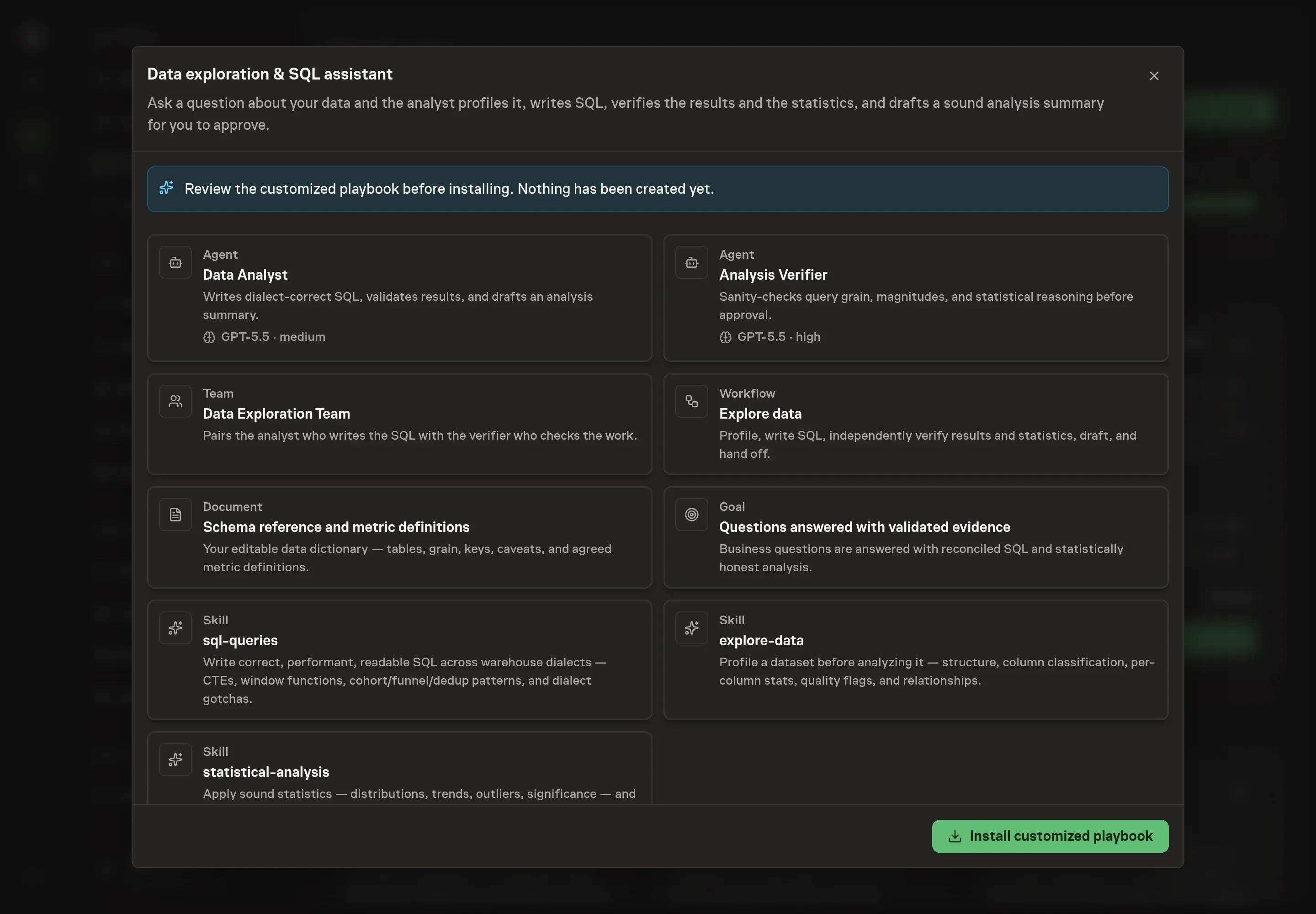
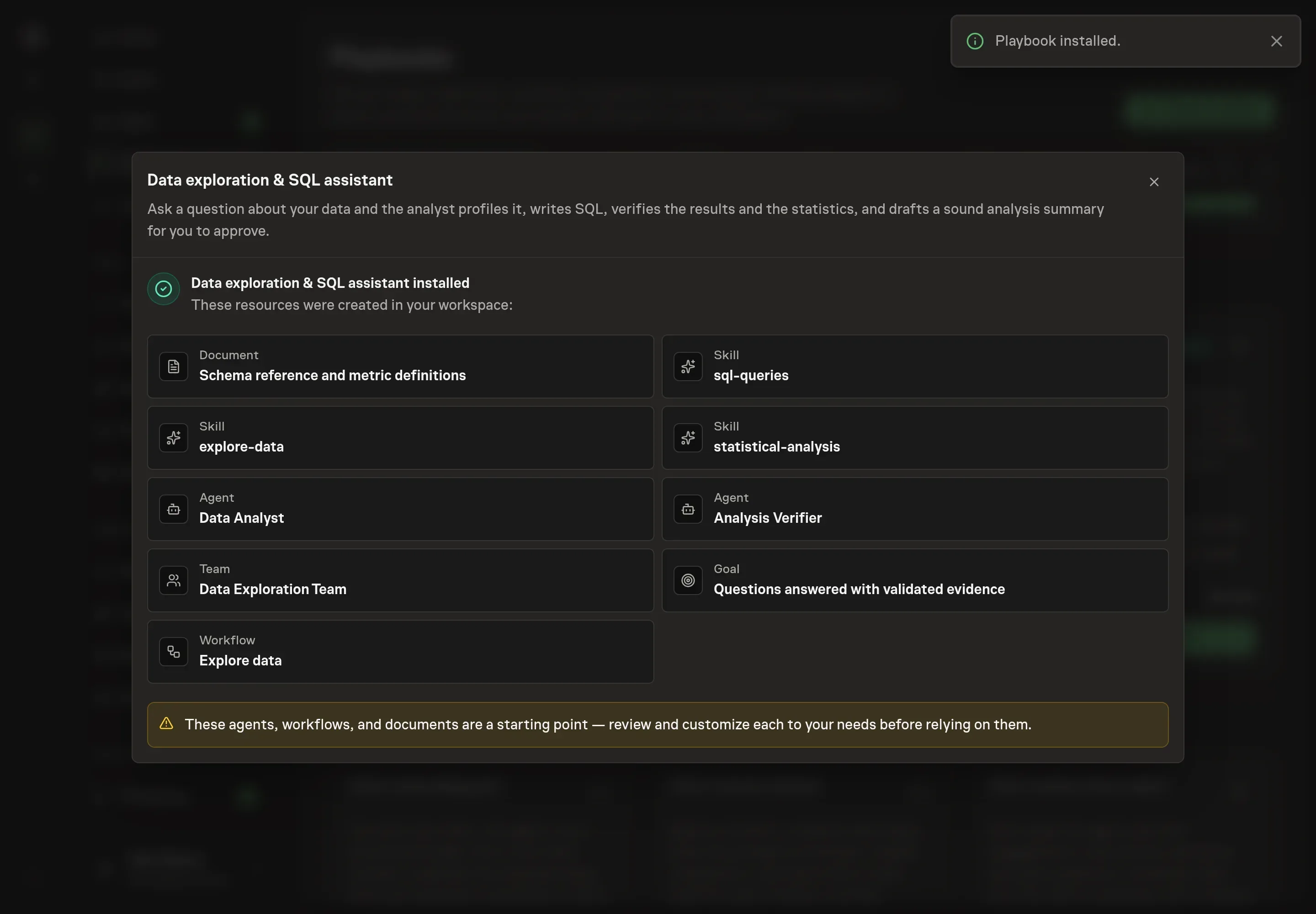
Ask the Agent to generate the Playbook from the agreed brief. Open its proposal in Chat and check the instructions and resources it will install, which carry more detail than the conversational summary. Review the customized analyst instructions, verifier instructions, workflow nodes, schema document, and follow-ups. The important check is that verification happens before approval. Ask for a revised proposal if anything is missing or changes the job.
5. Approve and prepare the first work
Choose Approve on the proposal in Chat when the configuration matches your brief. Task Machine installs that reviewed configuration. The approved item retains its review details. If your autonomy settings allow direct installation, this approval may not be required. Check the resulting configuration in that case too.
Complete any remaining secure service setup from the installation details in Chat. Inbox keeps those setup items available if you return later. Prepare the source documents and inputs before starting the first Task or Workflow. Installation does not authorize sending, publishing or changing an external service beyond the boundaries you agreed.
What good looks like
Good SQL exploration shows the evidence behind its answer.
Look for these signs:
- The query grain is explicit. The analysis says what one row represents at each stage and checks for fan-out after joins.
- The result reconciles. Headline totals match a known figure or a second derivation, or the gap is explained.
- The conclusion stays inside the data. Statistical caveats are stated, causal claims are avoided unless the data supports them, and small samples are named.
Common questions
Can the agent run queries directly? When product analytics is connected, the analyst can run read-only queries through PostHog. Without that access, it works from attached exports and the schema document.
What should go in the schema reference? Tables, grain, primary keys, join keys, metric formulas, standard filters, timezone conventions, soft-delete rules, and known unreliable columns.
Why use a verifier instead of one analyst agent? The verifier has a narrower job: challenge the SQL, the magnitude, and the statistical claim. That separation catches errors the drafting agent may normalize after spending time on the answer.
Can this answer causal questions? Only when the data and design support causality. Otherwise the analysis should describe association, state caveats, and recommend what evidence would be needed for a causal claim.