How to Automate the Month-End Close
A practical guide to closing the books with agents: reconciliation, accrual schedules, footed roll-forwards, and a sign-off that stays with you.

Founder, Task Machine
The month-end close is the recurring process of finalizing a business's books for the period: reconciling the ledger against bank and payment-processor records, booking accruals and depreciation, rolling the balance-sheet accounts forward from last period's ending balances, and packaging the results so someone can sign off that the numbers are right. Once the close is done, the period's financials stop moving and everything downstream, from tax filings to pricing decisions, stands on settled ground.
For a small business it is also the least forgiving recurring job there is. Every step is mechanical, every step must tie to the one before it, and skipping a period does not make the work disappear. It compounds into next period's opening balances.
A late close runs the business on unverified numbers
A close that slips does not announce itself. The ledger still accepts transactions, the dashboard still shows numbers, and the business keeps running on figures nobody has verified. Uncategorized transactions pile up, processor settlements drift away from booked deposits, and accruals that should have reversed sit on the balance sheet inflating liabilities.
The cost arrives later, all at once. A year-end cleanup that takes days instead of hours, an accountant billing for archaeology instead of advice, and balance-sheet accounts where nobody can explain how the beginning balance became the ending one. Every unexplained delta that survives a period becomes harder to trace in the next.
What the manual process looks like
Done by hand, the close is a period-end ritual with seven steps:
- Confirm the target period and that the books are still open, then pull the trial balance and the P&L.
- Reconcile the ledger to bank, credit-card, clearing, and payment-processor settlements, matching deposits by amount and date.
- Chase the exceptions: uncategorized transactions, suspicious duplicates, and expense lines with no receipt attached.
- Build the accrual schedule from the firm's policy list and draft the journal entries, marking which accruals reverse next period.
- Post depreciation and amortization, then build a roll-forward for each material balance-sheet account and check that it foots.
- Write the narrative: what revenue did, what moved margin, what to watch next period.
- Assemble the close packet and get the sign-off that closes the books.
Anyone who runs this by hand knows the shape of it. Steps two through five are hours of matching, deriving, and cross-checking that reward consistency over cleverness, and step six only gets written when there is time left, which there rarely is.
What an agent can automate
Almost all of that ritual is mechanical, which makes it a good fit for a pair of agents running a fixed workflow: one that drafts and one that verifies.
- Reconcile and flag. The agent pulls the period's ledger and the settlements from each payment processor, such as PayPal, Stripe, or Square, and matches by amount and date within a two-day window. Gaps land in three buckets: settlements that were never booked, booked deposits with no processor record, and matched lines whose amounts differ, usually fees or split refunds. Uncategorized transactions, look-alike duplicates, and missing receipts are flagged with a recommended action, never fixed.
- Build the accrual schedule. For every accrual on your policy list, the agent derives the full-period basis from cited support (an engagement letter, a comp plan, a trailing average), computes the period portion, nets what is already booked, and stages a draft entry for each non-zero row.
- Draft balanced journal entries. Debits equal credits on every entry, account codes come from your chart of accounts, every memo cites its supporting schedule, and auto-reversing accruals are marked to reverse on day one of the next period.
- Foot every roll-forward. Each material balance-sheet account is rebuilt from beginning balance through additions, accruals, reversals, payments, reclasses, and FX to the ending balance, with every line tied to a general-ledger query. A schedule that does not foot surfaces its unexplained delta rather than plugging it.
- Review independently. A second agent recomputes every foot, confirms every entry balances and every line ties back to support, and writes a short go or no-go memo. Anything that fails goes back to the drafting agent with specifics.
- Narrate and assemble. The agent writes a plain-English P&L narrative and packages the close: reconciliation, flagged items, the P&L with prior-period deltas, the trial balance, the accrual schedule, the roll-forwards, and a one-page summary.
The judgment stays with you. Whether a flagged duplicate is real, whether a reconciliation gap is acceptable, and whether the books close at all are decisions the agents queue up but never make.
The guardrails that make it safe
Nothing in this process writes to your ledger. The drafting agent prepares entries but never posts, voids, or modifies a transaction, and a suspected duplicate is never removed without both records shown side by side and explicit confirmation. If the ledger is unreachable the run stops, because reconciliation without a source of truth is guesswork, and if one processor's settlements are missing the agent reconciles against the rest and notes the gap.
The second guardrail is the independent review. The reviewer does not draft anything, so it has no incentive to pass its own work. It recomputes the foots instead of trusting them and holds back any packet with a plugged or unexplained delta.
The last guardrail is yours. The workflow ends on an approval step addressed to you, with the reviewer-footed packet attached. The books are not closed until you approve, and every run leaves a record of what was drafted, what was flagged, and who signed off.
Set it up in Task Machine
The Bookkeeping & month-end close playbook provides a starting point for the method above. You need an active Task Machine workspace with Chat, workspace-management and Playbook-installation access (workspace owners have it). Access to your accounting tool is not required up front. Until you connect it, the agents work from period-end exports you attach and the workbook.
1. Find the playbook
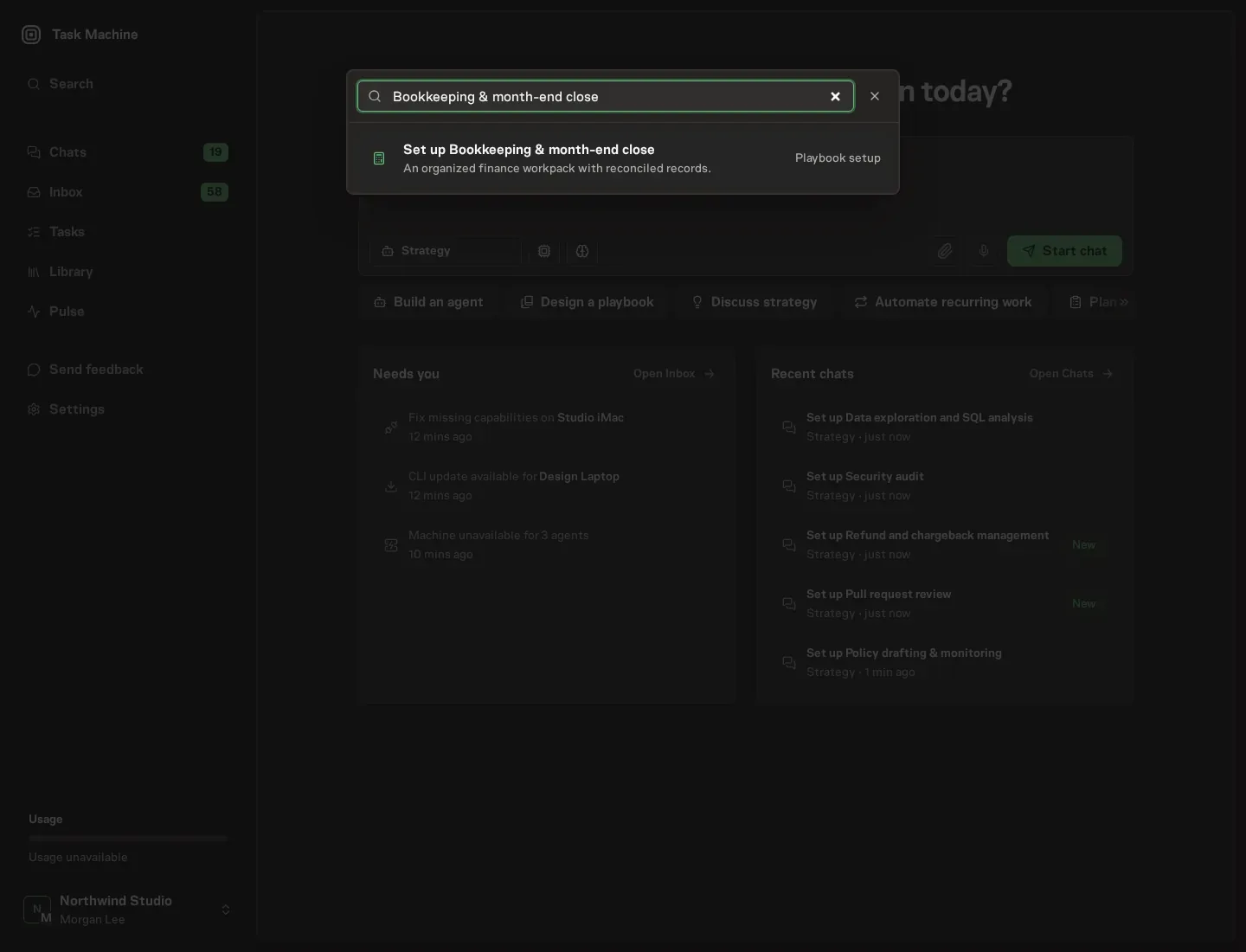
Open Search in your workspace and enter "Bookkeeping & month-end close". The command center lists Set up Bookkeeping & month-end close under Playbook setup.
2. Start the conversation
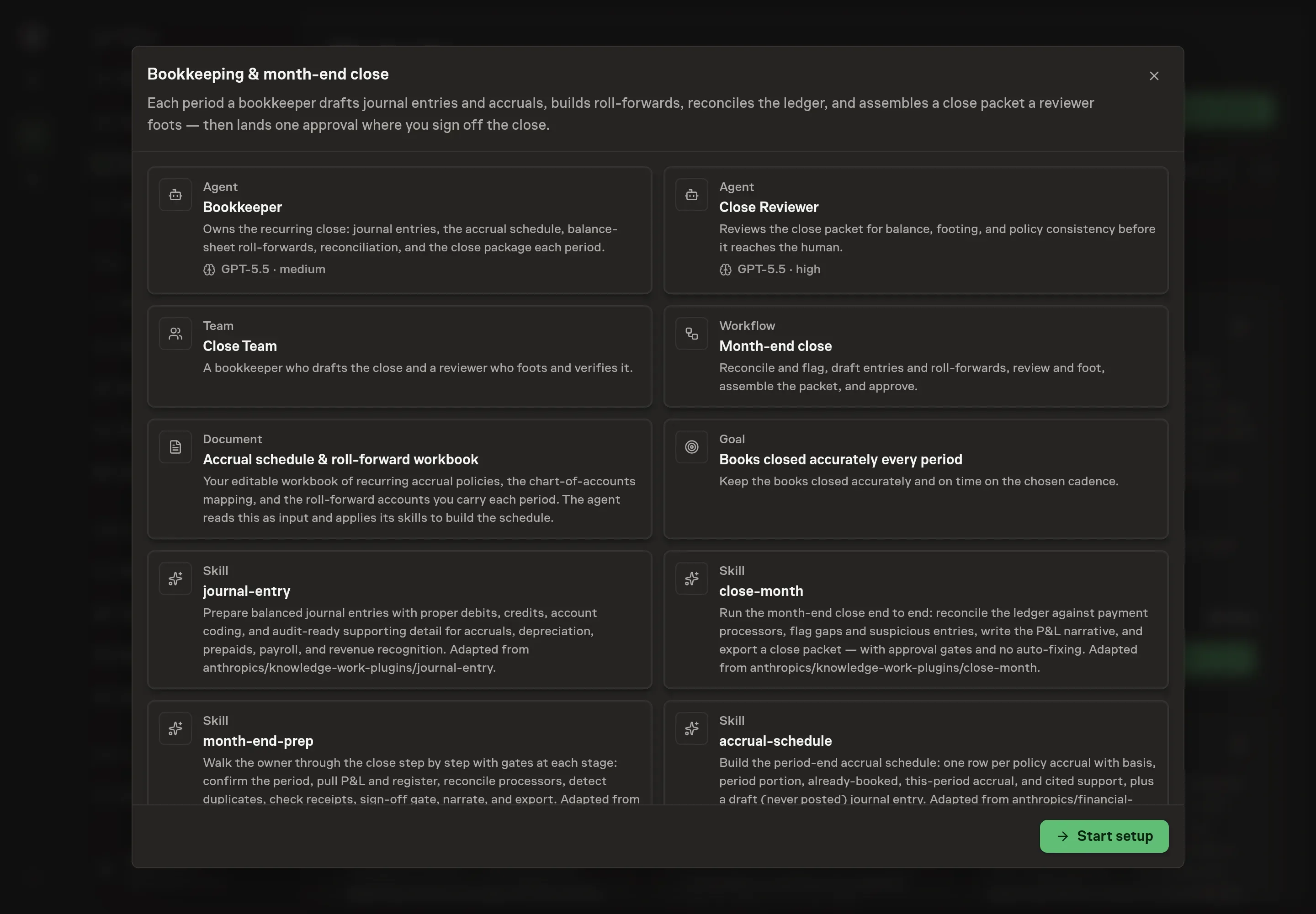
Choose Set up Bookkeeping & month-end close. Task Machine opens a dedicated Chat with the Playbook card and an editable, unsent request. Read the intended job and outcome. Add your situation and send it when ready. Opening the draft does not install anything or start work. This walkthrough uses settings that require approval of the proposed Playbook.
3. Agree the working brief
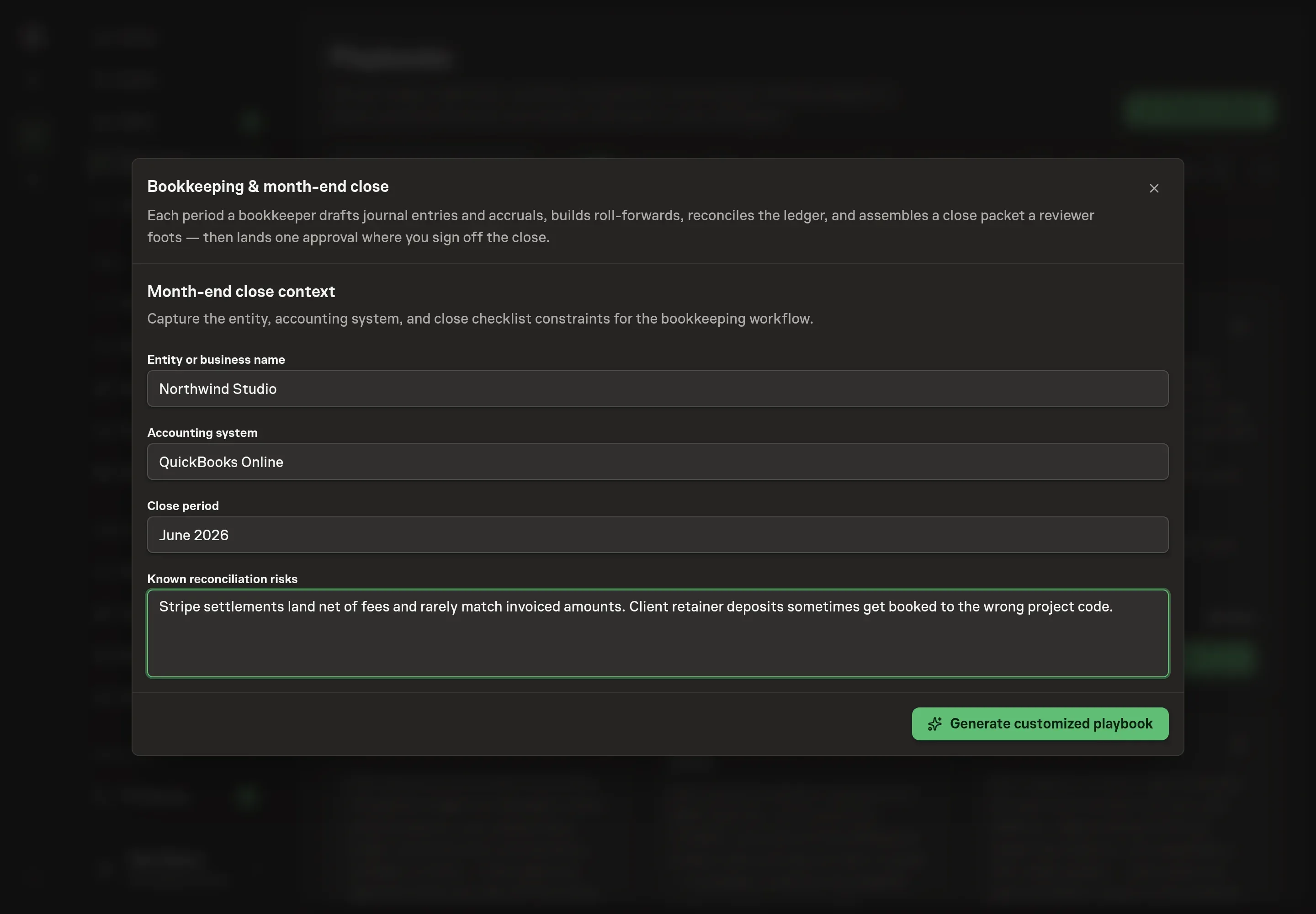
Use Chat to agree the inputs, expected output and limits before asking for a proposal. Discuss the context for the close. Four answers shape the install: the entity or business name (which names the books being closed), the accounting system (so instructions reference the tool you use), the close period (the period the first run targets), and known reconciliation risks (the recurring trouble spots the agents watch for, such as processor fees or misbooked deposits).
4. Review the proposed Playbook
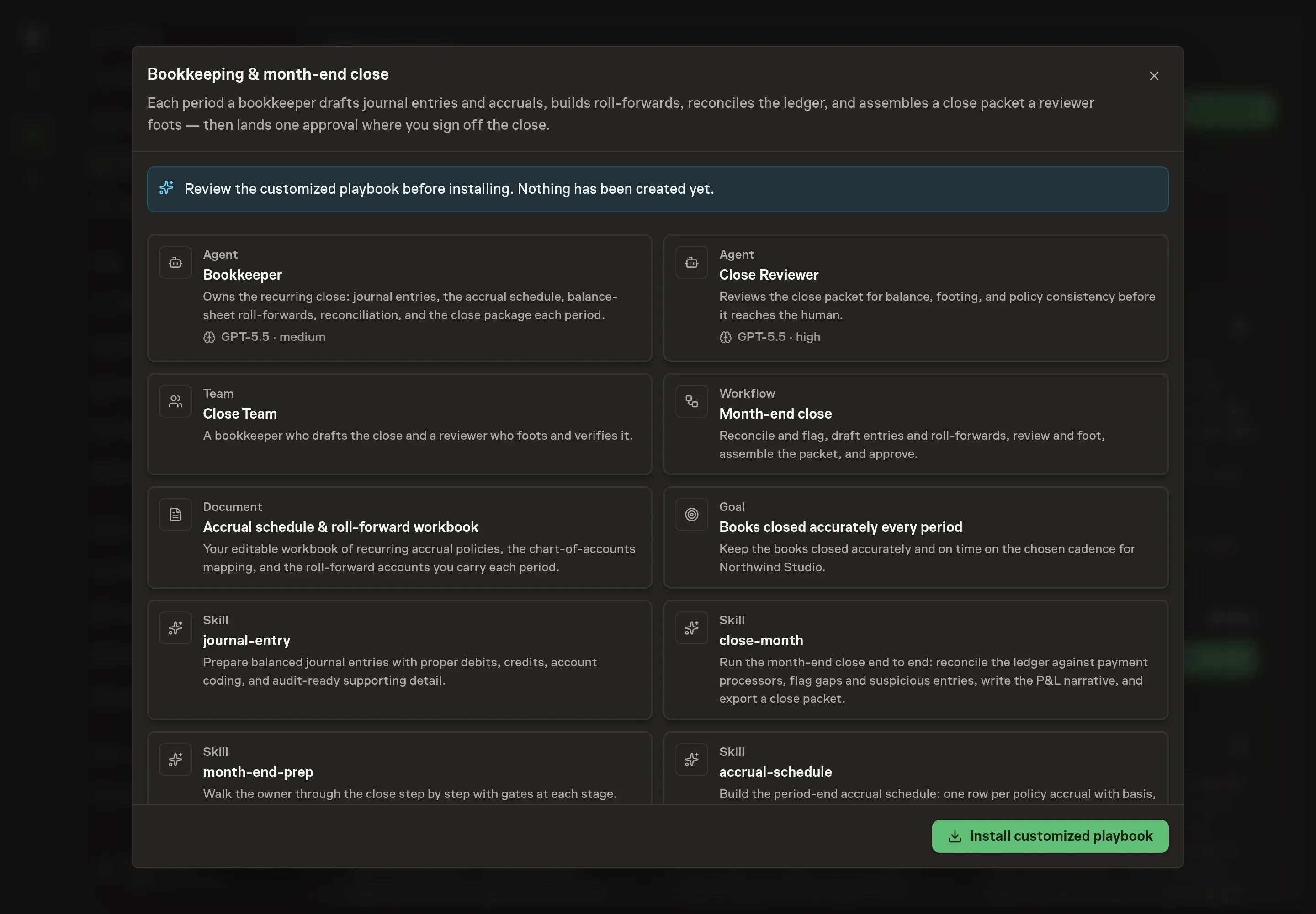
Ask the Agent to generate the Playbook from the agreed brief. Open its proposal in Chat and check the instructions and resources it will install, which carry more detail than the conversational summary. Read through the agent and workflow cards, confirm the entity and accounting system appear where they should, and check that the schedule matches your close cadence. Ask for a revised proposal if anything is missing or changes the job.
5. Approve and prepare the first work
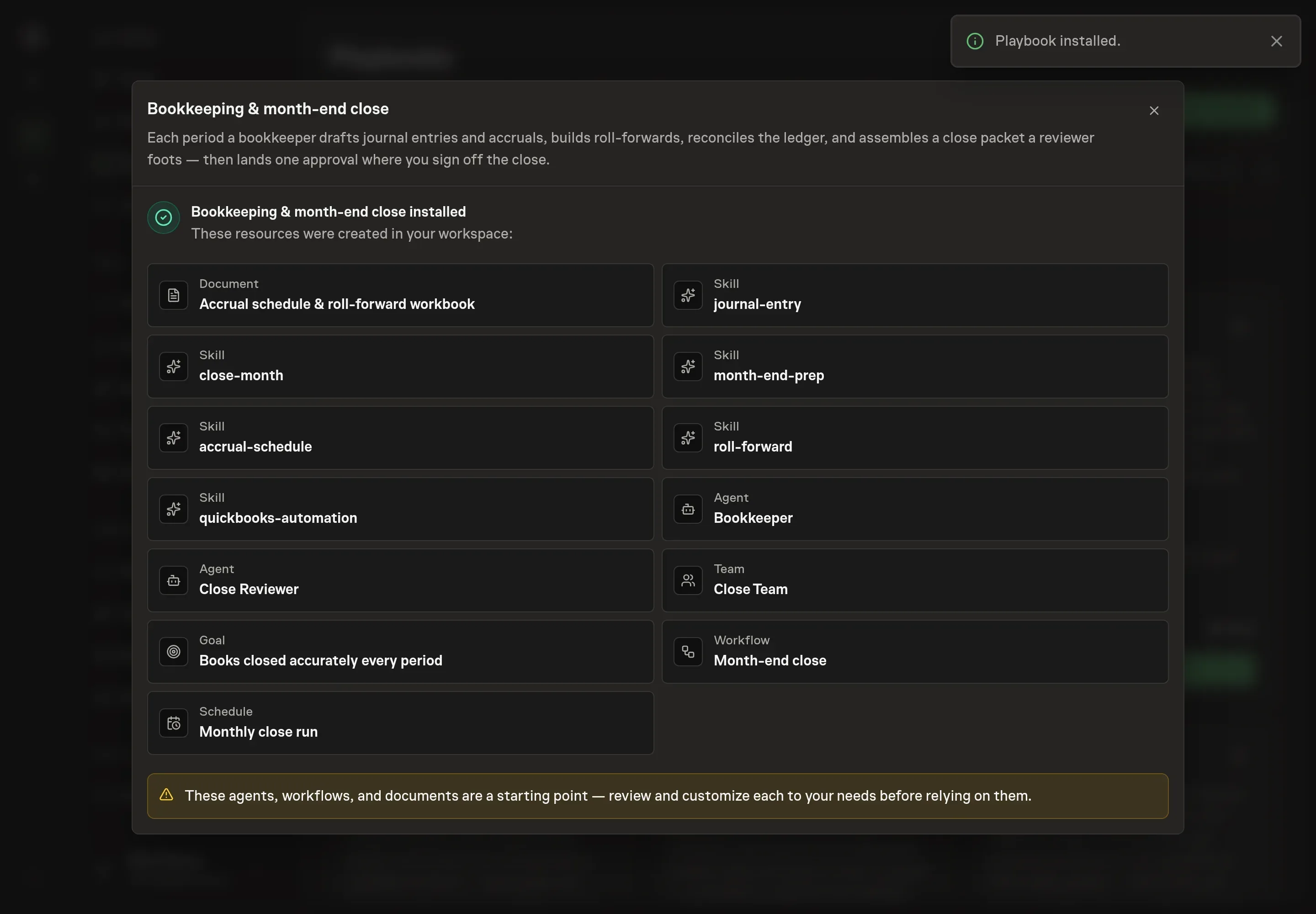
Choose Approve on the proposal in Chat when the configuration matches your brief. Task Machine installs that reviewed configuration. The approved item retains its review details. If your autonomy settings allow direct installation, this approval may not be required. Check the resulting configuration in that case too.
Complete any remaining secure service setup from the installation details in Chat. Inbox keeps those setup items available if you return later. Prepare the source documents and inputs before starting the first Task or Workflow. Installation does not authorize sending, publishing or changing an external service beyond the boundaries you agreed. Confirm each schedule's cadence and timezone, and resolve any pending schedule setup before it starts. A readback must wait for its agreed observation window and source data.
What good looks like
Three checks tell you whether the close is working:
- Every roll-forward foots. Beginning balance plus the period's activity equals the ending balance, with an unexplained delta of zero. A packet with a plugged number is not a close.
- Every entry balances and cites support. Debits equal credits, and each memo points to the schedule or document that backs the amount.
- No silent gaps. Every reconciliation gap and flagged item in the packet is either resolved or explicitly accepted with a reason. The dangerous close is the one where flags disappear without anyone resolving them.
Common questions
Does the agent post entries to my ledger? No. Every journal entry is a draft staged for review, and the drafting agent never posts, voids, or modifies a ledger transaction. Posting happens in your accounting tool, by you, after sign-off.
Can this run before my accounting tool is connected? Yes. The agents work from the period-end exports you attach to each run (trial balance, subledger detail, processor settlements) and from the workbook. Connecting the tool removes the manual export step.
What happens when a roll-forward does not foot? The gap is surfaced as an unexplained item, never plugged. The reviewer sends the schedule back with specifics, and a packet with an open delta does not reach your approval step.
Why two agents instead of one? Separation of duties. The reviewer never drafts, so it verifies the packet by recomputing rather than by trusting its own work, which is the same reason human bookkeeping teams split preparer and reviewer.
Does the close have to run monthly? No. The schedule is a cadence you choose, so a quarterly close, or a close pinned to a specific business day, works the same way.