How to Automate TikTok Ads Campaigns
A practical guide to launching TikTok Ads with native creative, tracking checks, budget review, and approval before spend.

Founder, Task Machine
TikTok Ads campaign setup is the process of turning an offer, a landing page, a tested conversion event, audience constraints, and short-form creative into a campaign that can spend real money in TikTok Ads Manager. Beyond picking an objective, the job includes tracking readiness, creative batches, Spark Ads decisions, audience and exclusion choices, budget pacing, launch approval, and post-launch monitoring.
The risk is that TikTok can make a weak setup look active very quickly. A campaign with untested tracking, narrow audiences, reused display-ad creative, or a loose budget cap can spend before anyone knows whether the offer, event, or video hook is the real problem.
TikTok campaigns live or die on the creative
TikTok is creative-first. Targeting matters, but the campaign usually lives or dies on whether the video feels native, shows the product or outcome early, and gives the algorithm enough clean event data to learn from. A campaign copied from another paid channel often fails before the first report is useful.
The quiet cost comes from launching with unresolved questions. Is the Pixel or Events API firing the optimization event? Are recent converters excluded? Are there at least five distinct native-feeling video variants? Does the budget make sense for the learning phase? If nobody owns those checks before launch, the first days of spend become an expensive checklist run.
What the manual process looks like
A careful TikTok Ads launch usually follows six steps:
- Define the objective, optimization event, landing page or app store URL, target CPA, CPI, or ROAS, and the budget cap.
- Confirm the Pixel, Events API, app event, or lead event is installed, tested, and appropriate for bidding.
- Build a creative batch with at least five short-video variants, each with a distinct hook, caption plan, product moment, and CTA.
- Choose audience shape: broad, interest, custom, or lookalike, with exclusions for recent converters and existing customers when acquisition is the goal.
- Review Spark Ads options, UTMs, daily or lifetime budget, worst-case spend, and stop thresholds.
- Launch only after review, then monitor spend pacing, CPA, CPI, ROAS, event quality, and creative fatigue.
Every item is concrete. The hard part is keeping the build, budget, review, launch, and monitoring in one controlled path instead of treating them as scattered account tasks.
What an agent can automate
The TikTok Ads campaign launcher works because most of the launch ritual is checklist-driven and evidence-based:
- Build the campaign from the brief. The agent reads the objective, landing page, audience, creative hooks, and budget language, then prepares the campaign around the matching optimization event.
- Check tracking before launch. It treats Pixel, Events API, app event, or lead-event readiness as a launch blocker. A campaign without a tested event should not reach approval.
- Prepare native creative. It plans at least five video variants with different hooks: pain, outcome, contrarian, demo, proof, or creator story. Each script keeps the first one to two seconds sharp, includes captions, and avoids unsupported claims.
- Choose targeting deliberately. It starts broad when the system needs room to learn, uses custom or lookalike audiences when the source quality is strong, and sets exclusions when acquisition is the goal.
- Check the money. It sizes daily or lifetime budget so worst-case spend stays inside the named cap and asks before launch, budget changes, bid changes, or scale-ups.
The judgment stays with the human operator. The agent can prepare the build, but a person still decides whether the spend is worth approving.
The guardrails that make it safe
TikTok Ads automation needs a hard approval boundary because the workflow can spend real money. The safe version lets the agent work in Ads Manager through the browser, but launch and spend changes wait for approval.
The playbook separates build and review. The Ad Operator prepares the campaign. The Spend Reviewer checks tracking, creative quality and variety, targeting, exclusions, UTMs, and worst-case spend against the cap. Failed builds go back with specific reasons. Only a reviewed campaign reaches the approval step, and scale-ups require a separate approval later.
Set it up in Task Machine
The TikTok Ads campaign launch playbook provides a starting point for the method above. You need an active Task Machine workspace with Chat, workspace-management and Playbook-installation access (workspace owners have it). TikTok Ads access is not required up front. Until browser access is ready, the workflow can prepare from the campaign brief and attached creative material.
1. Find the playbook
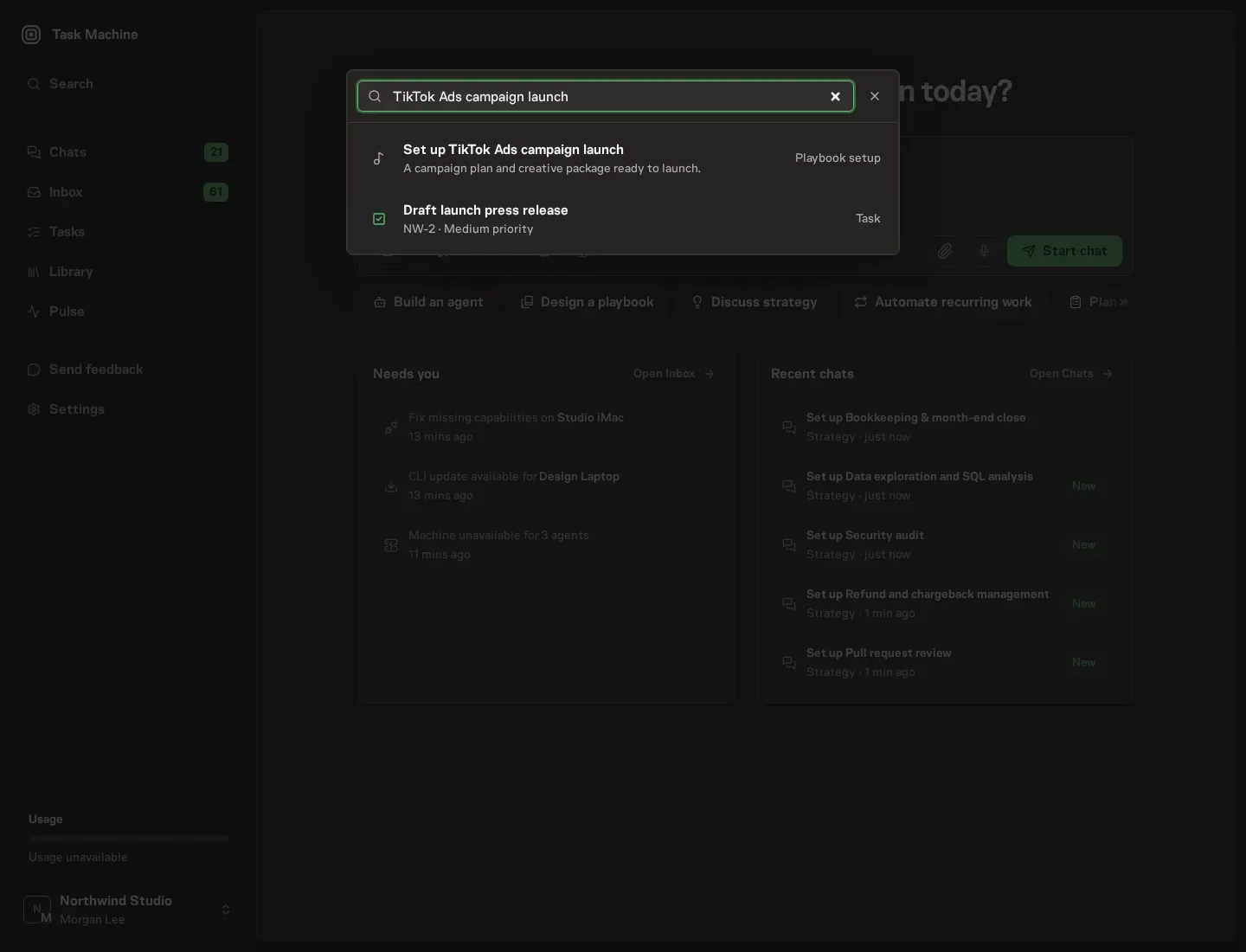
Open Search in your workspace and enter "TikTok Ads campaign launch". The command center lists Set up TikTok Ads campaign launch under Playbook setup.
2. Start the conversation
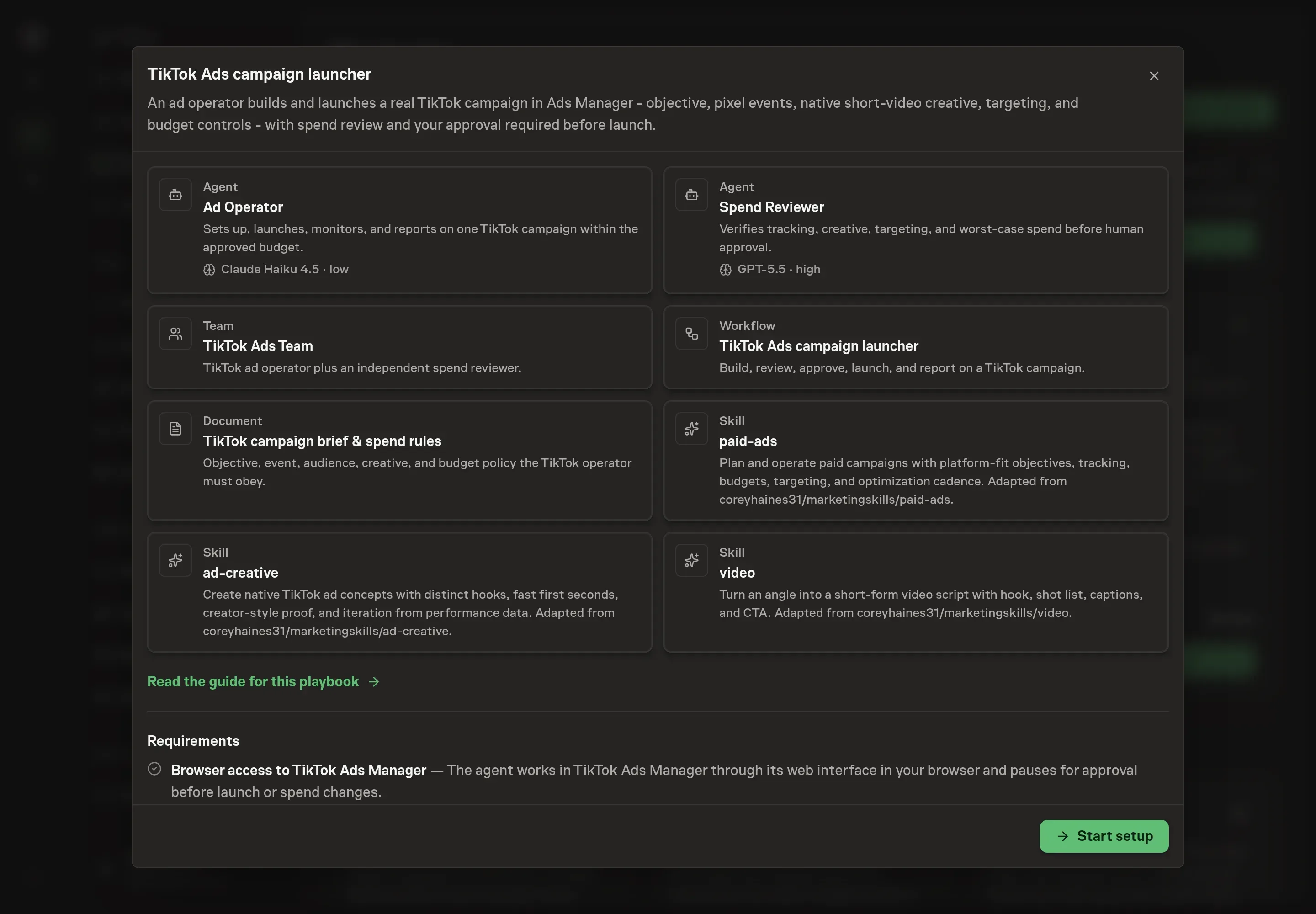
Choose Set up TikTok Ads campaign launch. Task Machine opens a dedicated Chat with the Playbook card and an editable, unsent request. Read the intended job and outcome. Add your situation and send it when ready. Opening the draft does not install anything or start work. This walkthrough uses settings that require approval of the proposed Playbook.
3. Agree the working brief
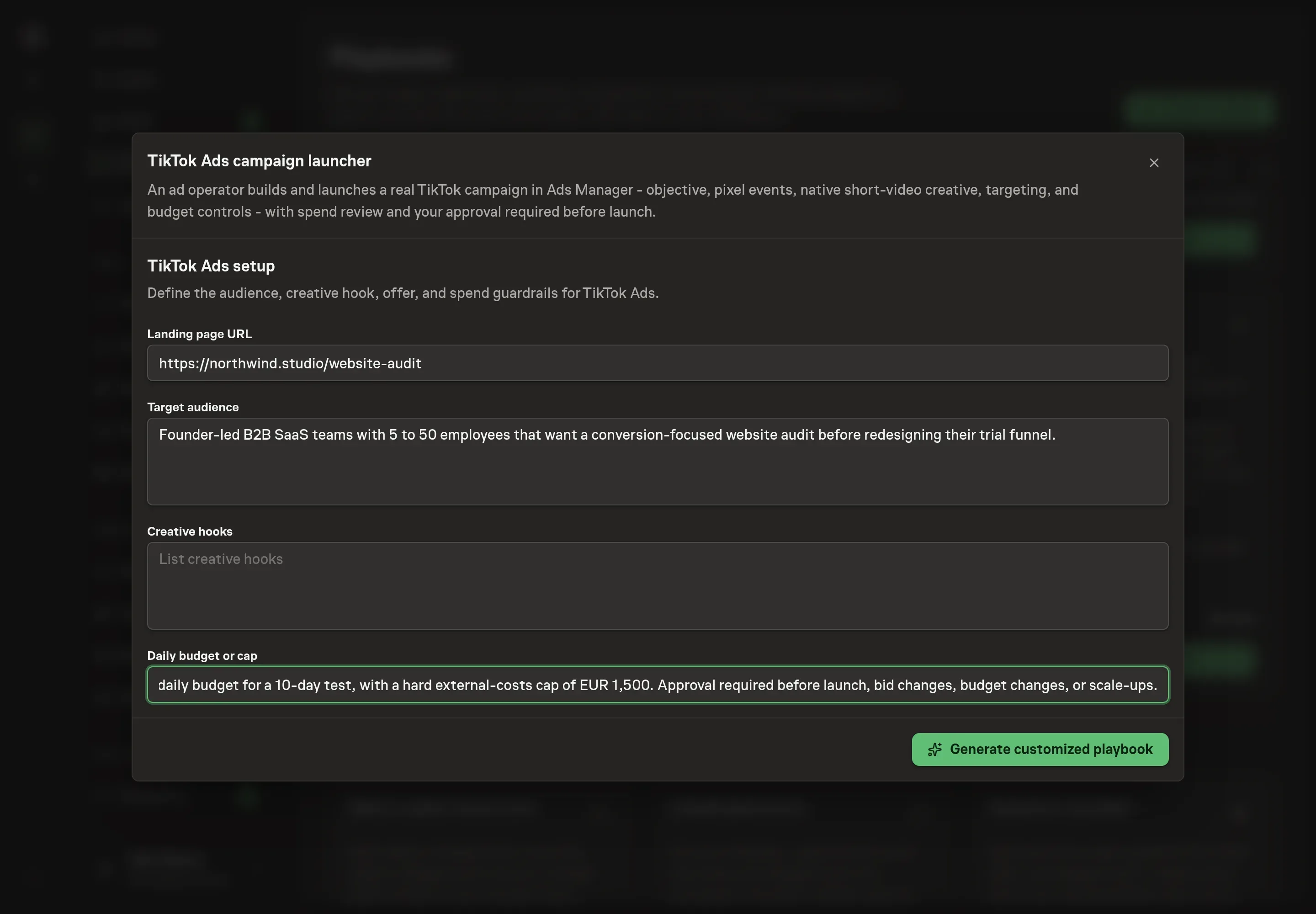
Use Chat to agree the inputs, expected output and limits before asking for a proposal. The Agent needs the landing page URL, target audience, creative hooks, and daily budget or cap. For creative hooks, give the agent distinct angles, not minor rewrites of the same hook. For budget, state the spend boundary the reviewer must check.
4. Review the proposed Playbook
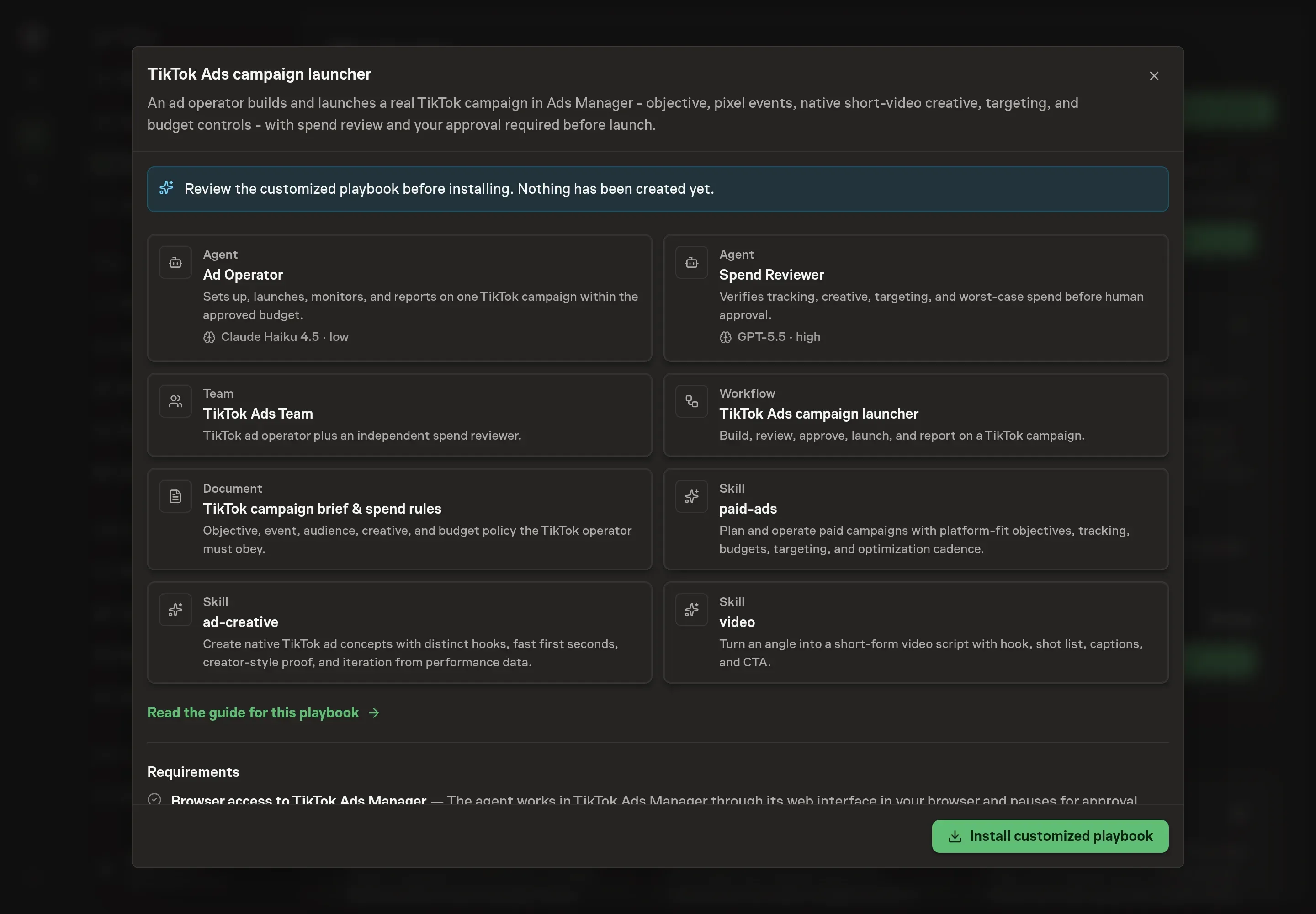
Ask the Agent to generate the Playbook from the agreed brief. Open its proposal in Chat and check the instructions and resources it will install, which carry more detail than the conversational summary. Check that the target audience, creative hooks, and budget cap appear in the generated records before installation. Ask for a revised proposal if anything is missing or changes the job.
5. Approve and prepare the first work
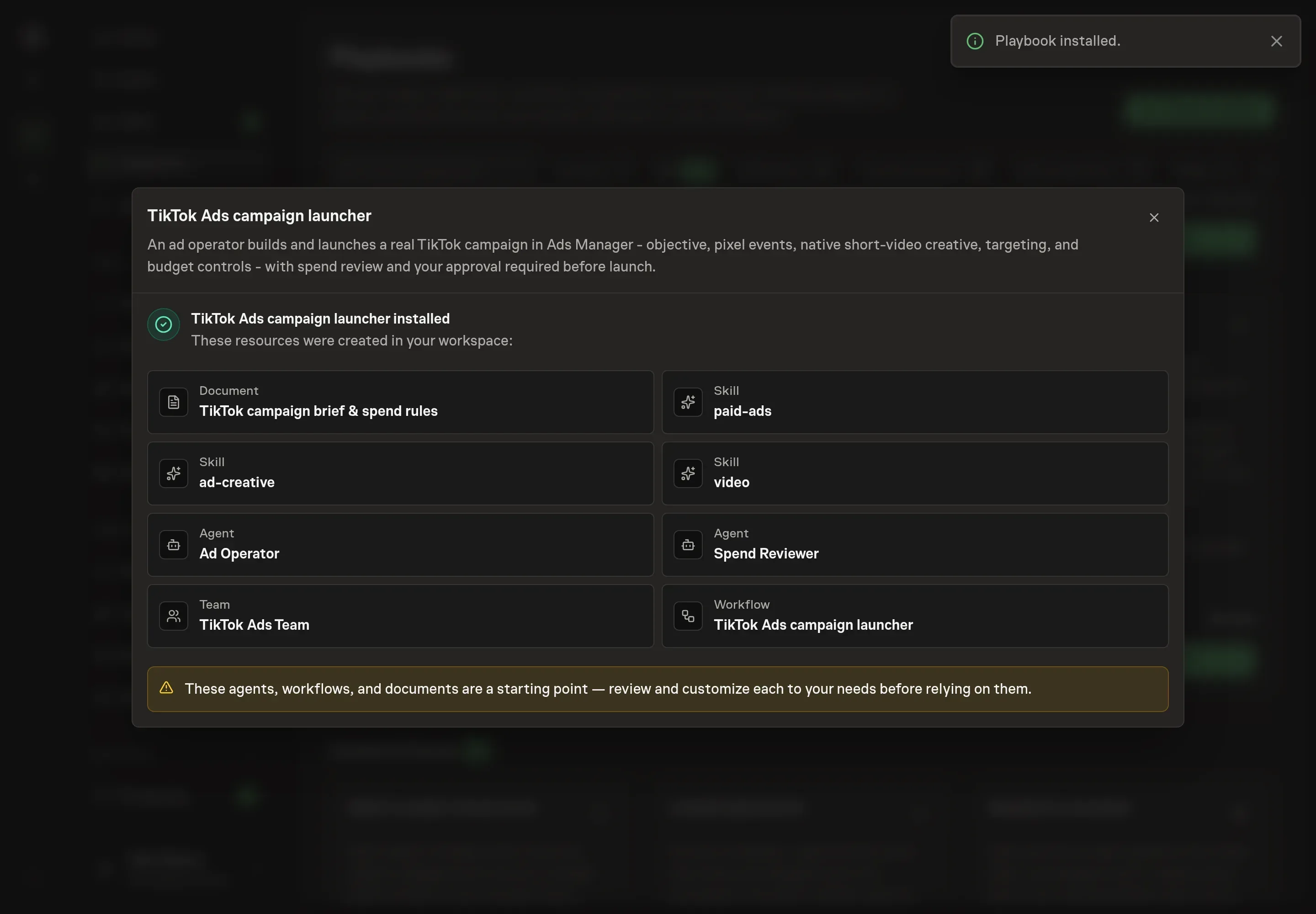
Choose Approve on the proposal in Chat when the configuration matches your brief. Task Machine installs that reviewed configuration. The approved item retains its review details. If your autonomy settings allow direct installation, this approval may not be required. Check the resulting configuration in that case too.
Complete any remaining secure service setup from the installation details in Chat. Inbox keeps those setup items available if you return later. Prepare the source documents and inputs before starting the first Task or Workflow. Installation does not authorize sending, publishing or changing an external service beyond the boundaries you agreed.
What good looks like
Three checks tell you whether the process is healthy:
- Tracking is launch-ready. The optimization event is installed, tested, and matched to the campaign objective before the approval request.
- Creative is varied and native. The batch contains at least five distinct short-video variants with fast hooks, captions, a product or outcome moment, and a concrete CTA.
- Spend is bounded. The approval request states daily or lifetime budget, worst-case spend, stop thresholds, and remaining headroom against the cap.
Common questions
Can an agent launch TikTok Ads without approval? No. The playbook puts human approval before launch. Budget changes, bid changes, and scale-ups also require approval.
Does the process require Spark Ads? No. Spark Ads are used only when an approved organic post is available. The campaign can still use native short-video creative without Spark Ads.
What happens if tracking is not ready? The reviewer should return a no-go. A campaign without a tested Pixel, Events API, app event, or lead event cannot be approved responsibly.
How many creative variants should the first batch include? The playbook sets the bar at at least five native-feeling videos with different hooks. The point is variety across angles, not five copies of the same idea.